
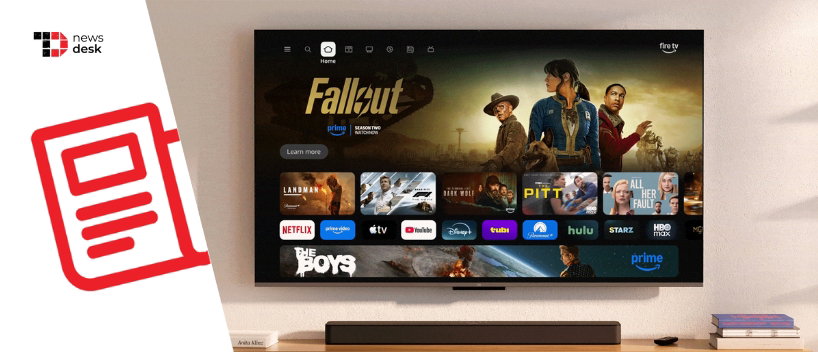
Amazon is rolling out a redesigned Fire TV interface in the United States, introducing a cleaner layout, faster navigation, and deeper Alexa+ integration across supported devices. The update is designed to help viewers spend less time searching and more time watching by reorganizing how content is discovered across streaming services.
The company also refreshed the Fire TV mobile app alongside the interface update, expanding its role beyond acting as a backup remote to include browsing, watchlist management, and remote playback features.
TL;DR
- Amazon is rolling out a redesigned Fire TV interface in the United States.
- The update introduces new navigation tabs for Movies, TV, Live TV, Sports, and News.
- Fire TV now supports up to 20 pinned apps on the home screen, up from six.
- Amazon says performance improvements can reach up to 20 to 30 percent faster in some cases.
- The rollout also includes Alexa+ integration and a redesigned Fire TV mobile app.
Amazon Redesigns Fire TV To Improve Navigation And Discovery
Amazon says the redesigned Fire TV interface features a refreshed visual design with improved spacing, new gradients, and updated typography. The goal of the redesign is to simplify how users navigate the platform while making it easier to discover movies, television shows, and live programming.
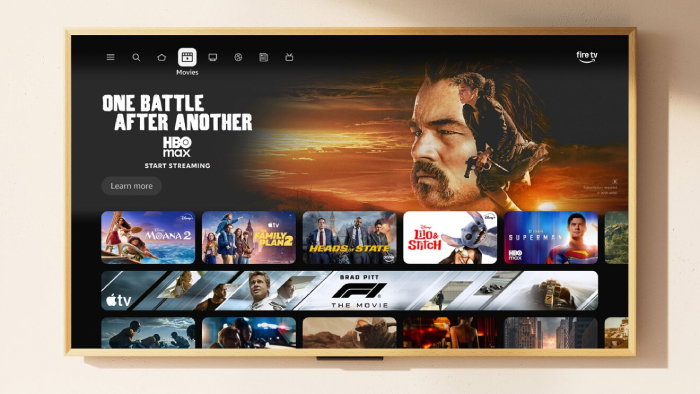
The biggest change comes in the form of new top navigation tabs. Users can now browse content categories such as Movies, TV, Live TV, Sports, and News directly from the main interface. Amazon says this allows viewers to explore entertainment across their subscriptions without switching between individual apps.
Another key improvement is the expansion of pinned apps on the Fire TV home screen. Users can now pin up to 20 apps for faster access, a significant increase from the previous limit of six. This gives services such as Netflix, Prime Video, Disney+, YouTube, Hulu, and other streaming platforms greater visibility on the home screen.
Topics For More Insights
Performance Improvements And Alexa+ Integration
Amazon says the redesigned interface is also faster than previous versions. By rebuilding parts of the underlying Fire TV software, the company reports performance improvements of up to 20 to 30 percent in some situations when navigating the interface.
The update also introduces tighter integration with Alexa+. The generative AI powered assistant can help users find movies and shows using natural language requests, search by actor or genre, and provide contextual recommendations. Alexa+ can also control compatible smart home devices, show security camera feeds, and help users navigate the Fire TV experience through voice commands.
New shortcut behaviors are also included in the redesign. Pressing the Menu button allows faster access to features such as Games, Art and Photos, and the Ambient Experience. Long pressing the Home button opens a quick settings panel for audio, display options, and smart home controls.
Fire TV Mobile App Gets A Redesign Too
Alongside the Fire TV interface refresh, Amazon has updated the Fire TV mobile app. The redesigned app allows users to browse content catalogs, manage their watchlists, and send selected titles directly to their television for playback.
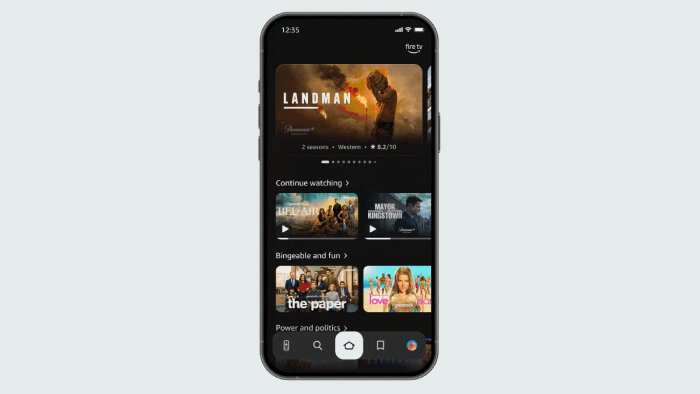
The mobile app also continues to function as a remote control for Fire TV devices, offering an alternative to the physical remote. Amazon says the update enables second screen discovery, meaning users can save content to their watchlists even when they are away from their television.
Rollout Timeline And Supported Devices
The redesigned Fire TV experience began rolling out in February 2026 to select devices including Fire TV Stick 4K Plus, Fire TV Stick 4K Max second generation, and Fire TV Omni Mini LED televisions.
Amazon says additional Fire TV devices will receive the update later in the spring. This includes newer Fire TV 4K streaming players, Fire TV 2 Series, Fire TV 4 Series, Fire TV Omni QLED televisions, and partner televisions that run Fire TV OS.
The software update is free for supported devices, while the redesigned Fire TV mobile app will be available as a free download.
