
Software Development
Top 5 Mobile App Development Tools in 2026
Share
TL;DR
Mobile development in 2026 prioritizes AI integration, low-code efficiency, and high-performance native functionality for diverse business needs.
-
Xcode: Provides the essential environment for shipping high-quality Apple-native applications with deep platform integration.
-
Visual Studio: Serves as an enterprise-grade IDE for teams building unified mobile, web, and cloud services.
-
OutSystems: Enables rapid delivery of complex business applications through a governed and scalable low-code platform.
-
AppMySite: Offers a fast no-code solution to convert existing websites into functional native mobile apps.
-
Firebase: Accelerates delivery by providing a comprehensive suite of managed backend blocks and real-time data tools.
Introduction
Think of your favorite app. It is likely the one you cannot imagine a day without because it keeps you fit, connected, or entertained. Every successful digital experience starts with a blank screen and a spark of an idea, but it is the right set of tools that truly brings that vision to life. Behind every seamless swipe and instant notification is a story of creativity powered by advanced development solutions. These tools take raw concepts and transform them into the smooth, engaging interfaces we rely on for our daily routines.
In 2026, the landscape has shifted toward deeper AI integrations that simplify the creation process while opening doors for more dynamic and personalized experiences. Whether you are an entrepreneur dreaming of the next big hit or a developer curious about what powers modern software, the journey to a polished product begins with choosing the right foundation. Explore these top 5 Mobile App Development Tools of 2026 that are making it easier than ever to build for the future. Read on!
What Are Mobile App Development Tools?
Mobile App Development Tools are software solutions that help businesses build custom web applications quickly and efficiently without coding experts.
For businesses, these apps are a direct link to building user experiences and offering everything from personalized services to real-time support.
In 2026, these tools have become even more advanced with deep AI integrations. These developments will not only simplify the app creation process but also open new opportunities for businesses to craft even more dynamic, intuitive and personalized mobile experiences.
On that note, let’s dive into the list we are here for. Top 5 Mobile App Development Tools of 2026!
Top 5 Mobile App Development Tools Of 2026
Here are the Top mobile app development software solutions for 2026, showcasing the best tools for mobile app development, each bringing its own set of features and advantages. We have listed them in no particular order, so you can explore which one fits your needs!
 |
 |
 |
 |
 |
Xcode: Best For Mobile Functionality
Xcode retains its place on our 2026 list because it remains the default path to ship high-quality iOS and iPadOS apps, especially for businesses building Apple-first customer experiences. It is not an acquired product. However, it is built and maintained by Apple. Apple has also reported 34M+ registered developers, with distribution across 175+ regions.
Why We Chose Xcode In 2026
Xcode’s biggest advantage is native leverage: Swift/Swift UI tooling, user interface Builder, performance profiling, and Apple platform simulators live in one place. For business teams, this means fewer integration gaps, faster QA loops, and smoother App Store readiness. Its tight integration with platform SDKs makes it easier to quickly adopt new device capabilities, an edge as customer expectations shift with every OS release.
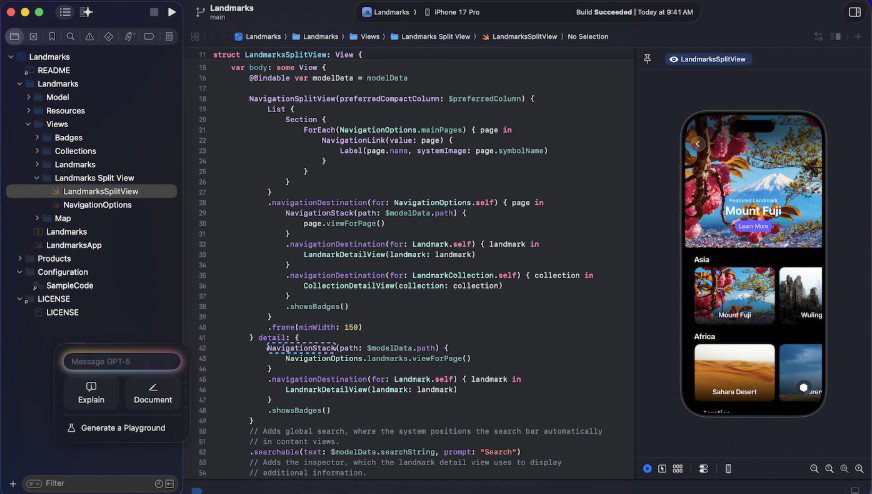
For 2026-ready delivery, Xcode pairs local signing and provisioning with Apple’s managed distribution flows, while supporting automated testing and CI-friendly builds. Security-wise, teams typically combine code signing, sandboxing expectations on Apple platforms, and encrypted transport (TLS) for app data. Compliance needs (GDPR/HIPAA) are usually handled at the app and backend layers rather than the IDE itself.
Pricing
Xcode is free to download and use on macOS. Publishing to the App Store typically requires an Apple Developer Program membership (paid annually).
What Works And What Doesn’t
| Pros | Cons |
| Best-in-class Apple SDK support | macOS-only development environment |
| Strong debugging + profiling tools | Steeper learning curve for non-Apple stacks |
| Smooth App Store packaging workflow | Cross-platform builds need extra tooling |
Our Final Take
Xcode is best suited for iOS-first product teams looking for the fastest path to polished Apple-native releases. It may not be ideal for Windows-only orgs or heavy cross-platform shops due to macOS dependency. In the end, Xcode is a great choice when Apple UX quality is non-negotiable.
Visual Studio: Best For Enterprise
Visual Studio is a new addition to our 2026 list because it lets firms ship mobile, web, and cloud apps from a single enterprise-grade IDE, especially when .NET is at the center. A public download tracker also says that Visual Studio Community has been downloaded more than 3 million times.
Why We Chose Visual Studio In 2026
Visual Studio excels at end-to-end productivity, with intelligent code completion, first-class debugging, built-in Git workflows, test tooling, and a mature.NET project structure. For business teams, this uniformity decreases build variance among developers and accelerates onboarding. This is especially beneficial for organizations developing smartphones alongside APIs and services, where shared libraries, CI pipelines, and code quality gates must align.
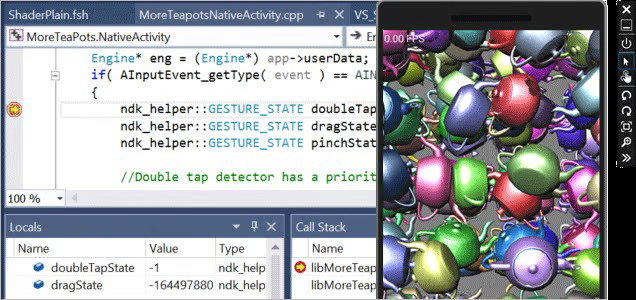
In 2026, the practical value lies in enterprise governance, including policy-driven extensions, role-based access in networked DevOps environments, and build automation that can grow with the business. For connected services, security demands usually include secure update channels, signed components, and encryption in transit (TLS). When it comes to compliance (e.g., GDPR), teams frequently use platform controls and audited DevOps practices across the codebase rather than just in the IDE.
Pricing
Visual Studio offers a free Community edition, along with paid Professional and Enterprise subscriptions that provide advanced features and support for businesses. Pricing and licensing can vary by region and the type of agreement you have.
What Works And What Doesn’t
| Pros | Cons |
| Powerful debugging and diagnostics | Heavier resource usage on modest machines |
| Great for .NET + full-stack delivery | Some features gated behind paid tiers |
| Mature testing and Git integration | Extension sprawl can complicate standardization |
Our Final Take
Visual Studio is best suited for engineering teams building mobile and backend services that need strong debugging, testing, and .NET productivity. It may not be ideal for ultra-lightweight workflows due to its footprint.
OutSystems: Best For Scalability
OutSystems stays on our 2026 list because it helps businesses deliver mobile apps faster with a low-code approach, useful for internal apps, field teams, and customer portals. It has not been acquired. OutSystems reports 21,000+ customers and presence in 87 countries. It was also recognized in G2’s Best Development Software Products 2025 list.
Why We Chose OutSystems In 2026
OutSystems differentiates with enterprise low-code depth: visual app modeling, reusable components, workflow automation, and deployment pipelines designed for governed speed. Compared to lighter no-code builders, it is built for complex business logic, role-aware experiences, and large teams that need guardrails. The platform’s positioning works well when organizations must modernize quickly while still enforcing architectural standards and lifecycle discipline.
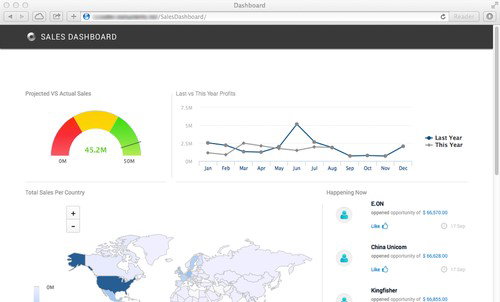
For 2026, OutSystems’ value shows up in scalability and integration—connecting to existing systems while keeping delivery repeatable. Security is typically supported through enterprise controls such as role-based access, auditability, and encrypted transport (TLS). Compliance needs (GDPR/HIPAA) are commonly addressed through platform governance and secure data-handling practices across connected services and databases.
Pricing
OutSystems pricing is typically quote-based for enterprise needs, with evaluation options available. The total cost depends on the hosting model, environments, and the scale of apps/users.
What Works And What Doesn’t
| Pros | Cons |
| Fast delivery for complex business apps | Licensing can be expensive at scale |
| Strong governance and team workflows | Requires platform expertise for best outcomes |
| Solid integration patterns | Not ideal for tiny, one-off projects |
Our Final Take
OutSystems is one of the best mobile app development platforms for mid-market and enterprise teams looking to deliver mobile apps faster without sacrificing governance. It may not be ideal for hobby projects or small budgets due to commercial pricing. Great pick when speed and control must coexist.
Topics For More Insights
AppMySite: Best For Small Businesses
AppMySite is a no-code website-to-app builder that lets teams convert an existing website (including WordPress/WooCommerce) into native iOS and Android apps, with features such as real-time sync, push notifications, and guided app store submission. It also offers a free plan for building and previewing before upgrading, as well as paid plans that vary by solution and billing cycle.
Why We Chose AppMySite In 2026
AppMySite's strength lies in its speed-to-app feature for commerce- and content-led organizations. It lets you map key screens and publish an app experience without rebuilding the entire site. Compared to other low-code platforms, it prioritizes quick rollout and useful templates. This makes it appealing to marketing-led organizations and SMBs seeking an app channel with low engineering overhead.
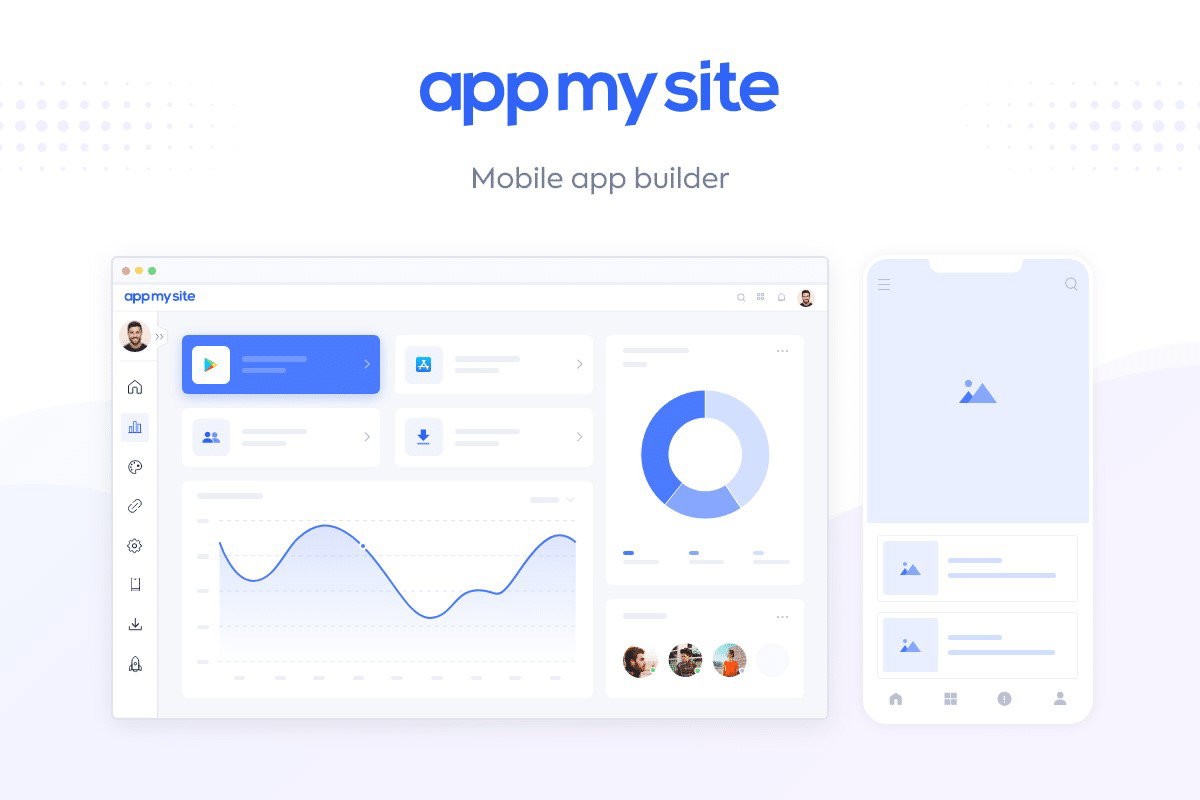
Operational simplicity in 2026 means faster launches, easier updates, and a clearer site-to-app journey. HTTPS/TLS for data in transit and site stack-based authentication are usual security expectations. Teams frequently align app data collection with website permissions and privacy settings for GDPR compliance.
Pricing
AppMySite is typically sold via subscription plans (tiered by features). Most buyers start with a demo/trial flow, then upgrade for publishing, branding, and advanced app capabilities.
What Works And What Doesn’t
| Pros | Cons |
| Quick conversion from web to app | Deep custom UX can be limiting |
| Strong fit for WordPress/WooCommerce | App performance depends on site/API quality |
| Lower dev effort for SMBs | Not a replacement for complex native builds |
Our Final Take
AppMySite is best suited for small businesses and e-commerce teams looking for a fast mobile app channel built from an existing site. It may not be ideal for highly customized, performance-critical native apps.
Firebase: Best For Integration
Firebase is new on our 2026 list because it accelerates app delivery by bundling backend building blocks, auth, databases, storage, functions, analytics, under one platform backed by Google. It is a Google product. Firebase says it is “trusted by millions of businesses.” A usage dataset also reports Firebase usage across 195 countries.
Why We Chose Firebase In 2026
Firebase shines when teams need a quick, reliable backend without having to set up infrastructure. This solution is ideal for MVP-to-scale journeys since it includes pre-integrated authentication, real-time/document databases, push messaging, and performance monitoring. Compared to assembling numerous vendors, Firebase minimizes glue code and reduces time-to-market. This is useful for firms testing new mobile products or rapidly improving user experience.
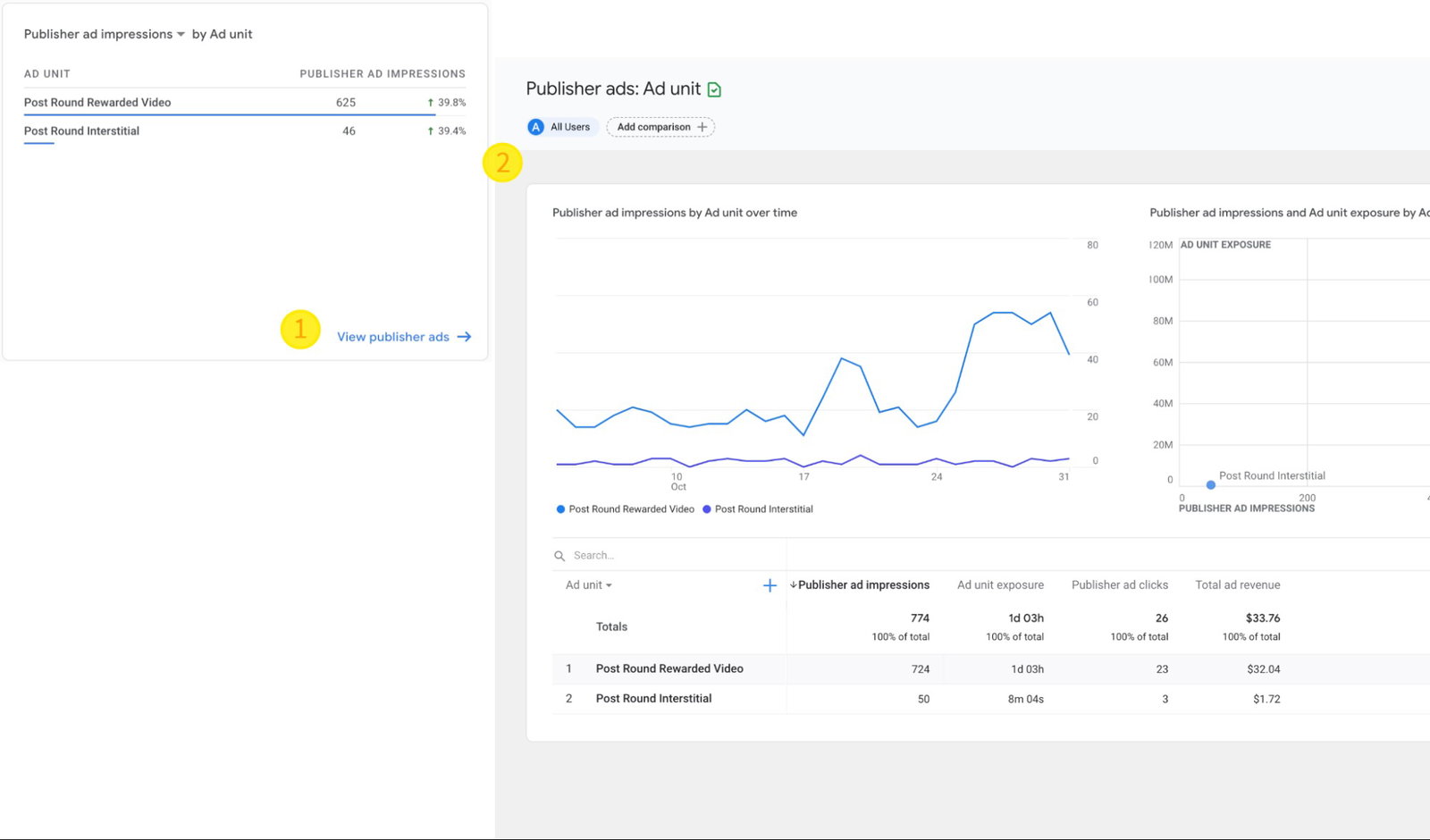
In 2026, practical value is in scalability and observability; teams can grow from prototype to production while tracking crashes, performance, and user behavior. Security typically includes encrypted transport (TLS) and platform permissions for services. Compliance requirements like GDPR are usually handled through configuration, data minimization, and clear consent flows tied to analytics and user identity.
Pricing
Firebase offers a free Spark plan and usage-based Blaze billing for production scaling. Costs depend on database usage, storage, functions, and networking.
What Works And What Doesn’t
| Pros | Cons |
| Fast backend setup for mobile apps | Costs can rise quickly at scale |
| Strong analytics and performance tooling | Vendor lock-in is a real consideration |
| Scales well for common app patterns | Complex pricing model for non-technical buyers |
Our Final Take
Firebase is best suited for startups and product teams looking for rapid development with a managed backend and strong analytics. It may not be ideal for teams needing strict multi-cloud portability due to platform coupling.
Top 5 Mobile App Development Tools in 2026 Comparison
P.S.: Always remember to visit the vendor's site for the latest information!
| Criteria |  |
 |
 |
 |
 |
| Starting Price | $99/year | $45/user/month | $36,300/year | $129/user/month | NA |
| Avg. User Rating | 4.2 | 4.5 | 4.6 | 4.2 | 4.5 |
| Free Trial/Demo | Demo | 30 days | 30 Days | Demo | Demo |
| Key Features | Simulators, App Store integration, and more | Debugging, C++, and .NET | Low-code, Enterprise governance, and API integration | No-code, WooCommerce integration, and more | Real-time database, Cloud Messaging, and Analytics |
| Integrations | Apple Ecosystem, SwiftUI, iCloud, and more | .NET, Azure, Git, GitHub, and more | APIs, Databases, Enterprise systems, and more | WooCommerce, WordPress, PayPal, and more | Google Cloud, Google Analytics, Google Ads and more |
Conclusion
In the fast-paced world of mobile app development, selecting the correct tool is critical to producing efficient, scalable, and user-friendly applications. Businesses and developers can now use development platforms to improve efficiency, optimize processes, and integrate across platforms.
To ensure success, choose a solution that meets your project requirements, such as speedy deployment, comprehensive backend capabilities, or robust native integrations. To keep up with the evolving app development landscape, it is important to invest in tools that offer flexibility, security, and future-proof features.
Frequently Asked Questions
What Are the Most Important Features to Look for in a Mobile App Development Tool?
Key features to consider include ease of use, integration with backend services, cross-platform capabilities, security measures, and support for performance optimization. The ideal tool should align with your project's technical requirements and future scalability.
How Do Mobile App Development Tools Impact Time-to-Market for Apps?
Development tools with low-code or no-code capabilities, along with integrated backend services, significantly reduce development time by streamlining processes like testing, deployment, and cross-platform compatibility. This results in faster delivery of high-quality mobile apps.
Are There Tools Available for Both Beginners and Experienced Developers?
Yes, many mobile app development tools cater to both beginners and experienced developers. For beginners, no-code or low-code platforms offer an easy entry point, while more advanced tools provide deeper customization and control for seasoned developers building complex applications.
Wed, Feb 25, 2026

Enjoyed what you read? Great news – there’s a lot more to explore!
Dive into our content repository of the latest tech news, a diverse range of articles spanning introductory guides, product reviews, trends and more, along with engaging interviews, up-to-date AI blogs and hilarious tech memes!
Also explore our collection of branded insights via informative white papers, enlightening case studies, in-depth reports, educational videos and exciting events and webinars from leading global brands.
Head to the TechDogs homepage to Know Your World of technology today!
Disclaimer - Reference to any specific product, software or entity does not constitute an endorsement or recommendation by TechDogs nor should any data or content published be relied upon. The views expressed by TechDogs' members and guests are their own and their appearance on our site does not imply an endorsement of them or any entity they represent. Views and opinions expressed by TechDogs' Authors are those of the Authors and do not necessarily reflect the view of TechDogs or any of its officials. While we aim to provide valuable and helpful information, some content on TechDogs' site may not have been thoroughly reviewed for every detail or aspect. We encourage users to verify any information independently where necessary.
Loading comments...