
Networking Solutions
Top 5 Network Performance Monitoring Tools Of 2026
Share
TL;DR
-
TeamViewer: Offers exceptional user experience with intelligent remote access and AI-powered troubleshooting workflows.
-
Atera: An ideal choice for small businesses that integrates network discovery and automated monitoring into one platform.
-
Site24x7: Provides a comprehensive all-in-one solution for monitoring applications, servers, and networks across diverse cloud environments.
-
NinjaOne: Delivers top-tier customer support alongside a unified console for endpoint management and proactive network tracking.
-
Datadog: Built for high scalability with deep observability across complex multi-cloud setups and advanced traffic analytics.
Introduction
Imagine your home Wi-Fi network as a busy highway where data travels as cars and routers act as intersections controlling the flow. When an unexpected traffic jam or roadblock appears, it does not just slow you down. It makes you late for work and disrupts your entire day. This congestion can turn a simple task into a frustrating ordeal, leaving you stuck in digital gridlock while the world moves on.
A Network Performance Monitoring (NPM) tool acts as a smart traffic management system for this digital infrastructure. It continuously monitors network traffic, detects disruptions, and helps ensure data reaches its destination efficiently. As hybrid cloud environments expand and cyber threats evolve, having this high-level visibility is a necessity for survival.
These solutions provide the insights businesses need to diagnose issues like lagging meetings, dropped calls, and network outages before they disrupt critical operations. To help you choose the right solution, we have compiled the top 5 Network Performance Monitoring Tools for 2026. However, before that, let’s understand what a Network Performance Monitoring Tool is.
What Is A Network Performance Monitoring (NPM) Tool?
A Network Performance Monitoring Tool is a software application designed to monitor and analyze the performance of computer networks. This tool tracks metrics such as bandwidth usage, network traffic, latency, packet loss, and overall network health to ensure smooth and efficient operations. By doing so, it helps IT teams identify and troubleshoot network issues before they become critical problems, ensuring better network reliability, security, and performance.
With rising AI automation, hybrid cloud expansion, and evolving cyber threats, the need for smarter, more adaptive NPM solutions has grown. Well, we’re here with the best Network Performance Monitoring Tools of 2026.
Top 5 Network Performance Monitoring (NPM) Tools Of 2026
With numerous NPM Tools in the market, finding the right one can be difficult. Our list of the Top 5 Network Performance Monitoring Solutions of 2026 can simplify the process, helping you choose an ideal solution for network optimization and peak performance. Let’s begin!
 |
 |
 |
 |
 |
TeamViewer: Best User Experience (UX)
A fresh entry this year, TeamViewer is a widely used remote connectivity platform trusted by IT teams across the world to support digital operations at scale. The tool serves more than 635,000 customers across industries. While known for remote access, it also plays a key role in improving IT visibility and troubleshooting, helping teams quickly diagnose and resolve network and device performance issues. Recognized as a Winter 2026 leader on G2, TeamViewer enables seamless control and monitoring of endpoints across locations.
Why We Chose TeamViewer In 2026
TeamViewer brings remote access and IT support into a faster, more intelligent workflow. With AI-powered support, IT teams can diagnose issues, reduce downtime, and resolve problems without unnecessary delays. Features like real-time visibility across endpoints and actionable insights across performance, security, applications, and networks make day-to-day troubleshooting far more efficient.
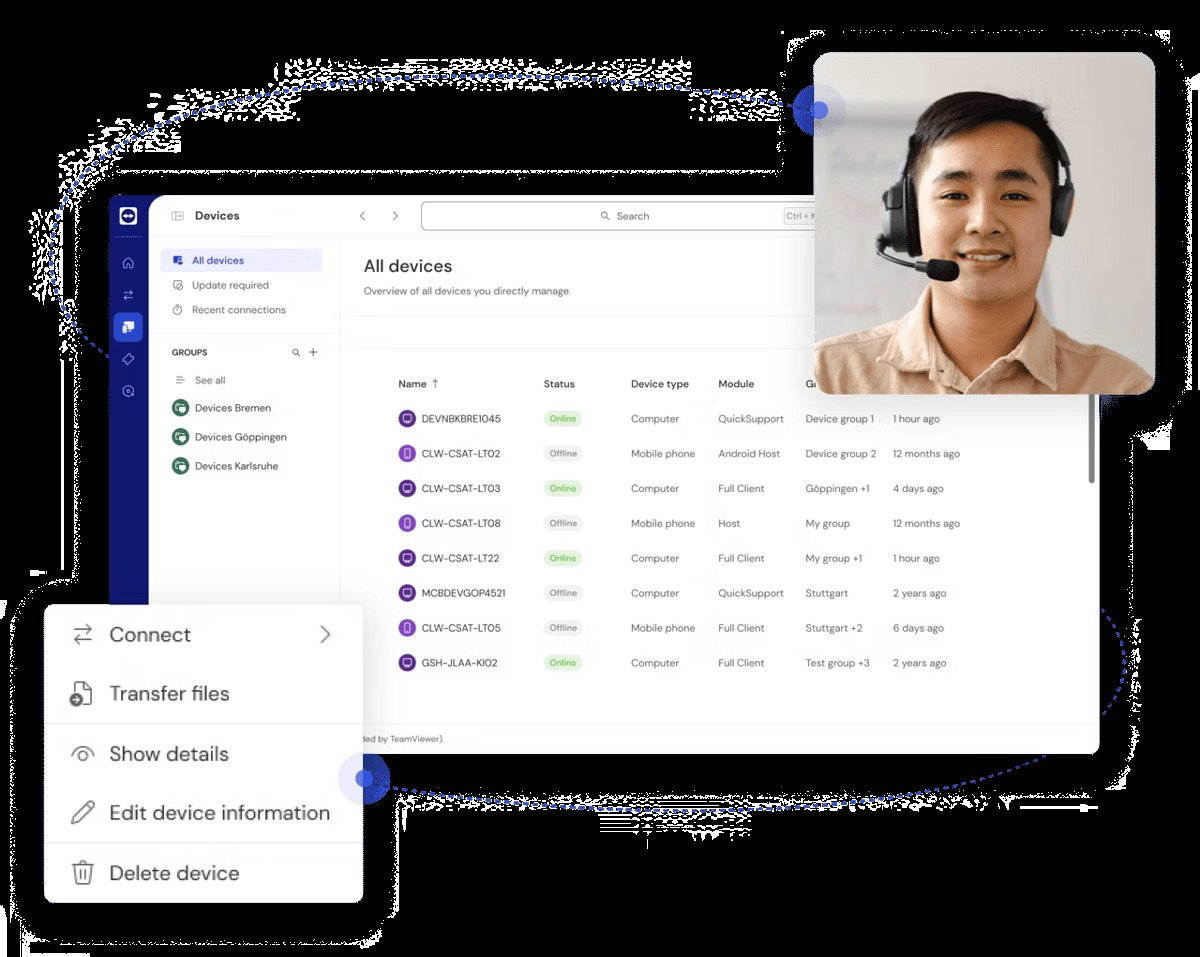
What also makes it stand out is how much it simplifies remote work and support. Whether someone is fixing a system error from another location or managing servers while travelling, access is smooth, secure, and doesn’t depend on a VPN. Automation further reduces repetitive IT tasks by handling routine fixes in the background. The result is a tool that helps teams stay productive, respond faster, and support users more effectively, no matter where they are working from.
Pricing
TeamViewer has simple pricing plans for different users. It starts at $24.90 for Remote Access for individuals. The Business plan is $50.90 for professionals with more features and AI support. Premium costs $112.90 for small teams, and Corporate is $229.90 for larger teams that need more users, connections, and advanced control.
What Works And What Doesn’t
| Pros | Cons |
| Easy to use | High pricing |
| Stable connection | Complex settings |
| Secure access | Interface complexity |
Our Final Take
TeamViewer works best for IT teams and professionals who need secure, reliable remote access and support across devices. It may not be ideal for smaller users because of its pricing structure. Overall, it’s a great option if you’re looking for smooth remote connectivity, quick access, and consistent performance across different work environments.
Atera: Best For Small Business
Atera returns to our list this year as a strong contender in the network performance and IT management space. It helps IT teams monitor and manage their infrastructure with real-time visibility across devices and networks. With over 13K customers in 120+ countries and more than 6M devices managed, it is widely used across global IT environments. A Spring 2026 Leader on G2, Atera is a trusted choice for simplifying IT operations and improving network control at scale.
Why We Chose Atera In 2026
Atera combines network visibility and control into one unified platform. Its Network Discovery feature automatically scans and detects devices and helps IT teams keep track of everything on the network without manual effort. From detailed device information to centralized dashboards, it gives a clear, real-time view of infrastructure. The platform also strengthens security by identifying vulnerabilities, tracking changes, and sending alerts for any unusual activity, helping teams stay ahead of risks.
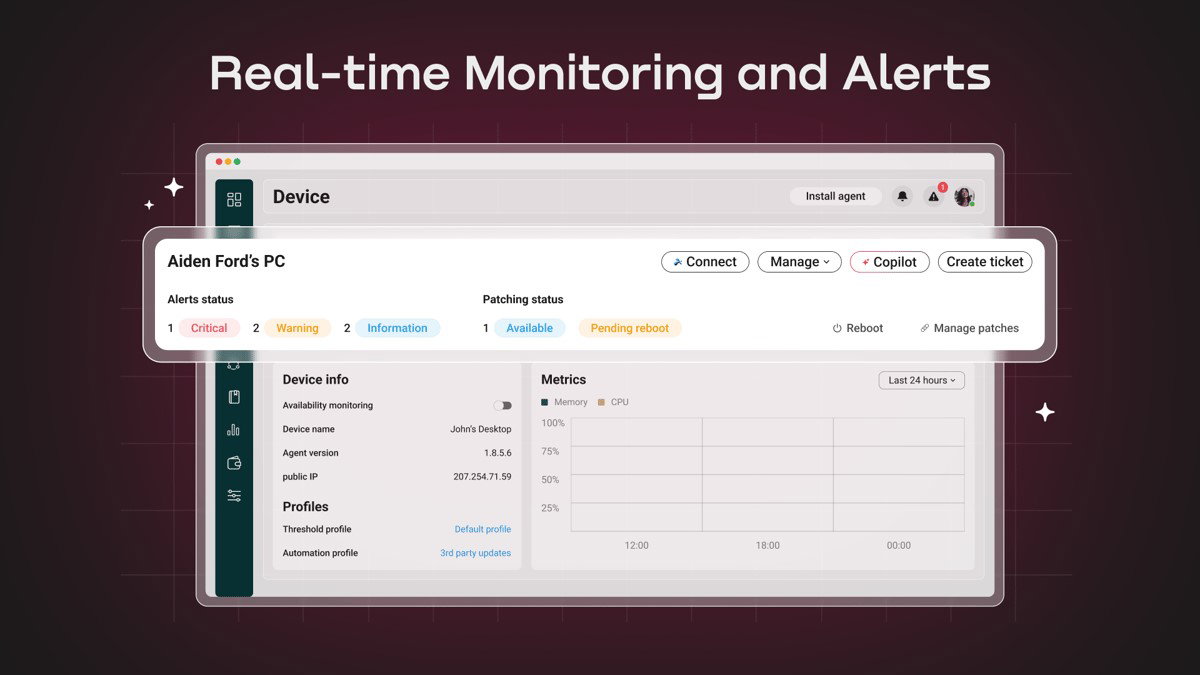
Remote monitoring, automation, reporting, and software deployment all come together in Atera as one unified system to make operations smoother and more proactive. Features like automated onboarding, alert management, and real-time monitoring reduce repetitive work while improving response time. Whether managing endpoints, servers, or networks, Atera helps teams stay organized, act faster, and maintain full control across environments.
Pricing
Atera offers a free trial followed by MSP plans starting at $129/month (Pro), $179/month (Growth), and $209/month (Power). Each plan includes core IT tools like remote monitoring, automation, reporting, and support features with increasing capabilities. There are also additional plans for IT teams and enterprises, which can be explored on their website.
What Works And What Doesn’t
| Pros | Cons |
| Easy to use | Limited advanced features |
| Fast remote access | Slow interface |
| Strong automation tools | Extra cost for add-ons |
Our Final Take
Best suited for IT teams and MSPs, Atera helps manage networks, devices, and support tasks from one place. It may not fit users needing deeper customization. A good choice if you want better visibility, smoother operations, and a more proactive approach to IT management.
Site24x7: Best Overall
Site24x7 by ManageEngine joins the lineup for the first time as a reliable solution for monitoring network performance and overall IT infrastructure. Trusted by more than 13,000 paying customers, the tool helps teams troubleshoot efficiently from applications and servers to networks across private and public clouds. With global monitoring locations, Site24x7 gives clear insights into real user experience across devices and helps teams spot issues early and keep operations running smoothly.
Why We Chose Site24x7 In 2026
Site24x7 simplifies complex network monitoring through a single platform. It gives real-time visibility into network health, performance, and traffic and helps teams quickly detect issues like congestion or failures. With AI-powered monitoring, automated alerts, and detailed performance metrics, it allows faster troubleshooting and better control over network environments.
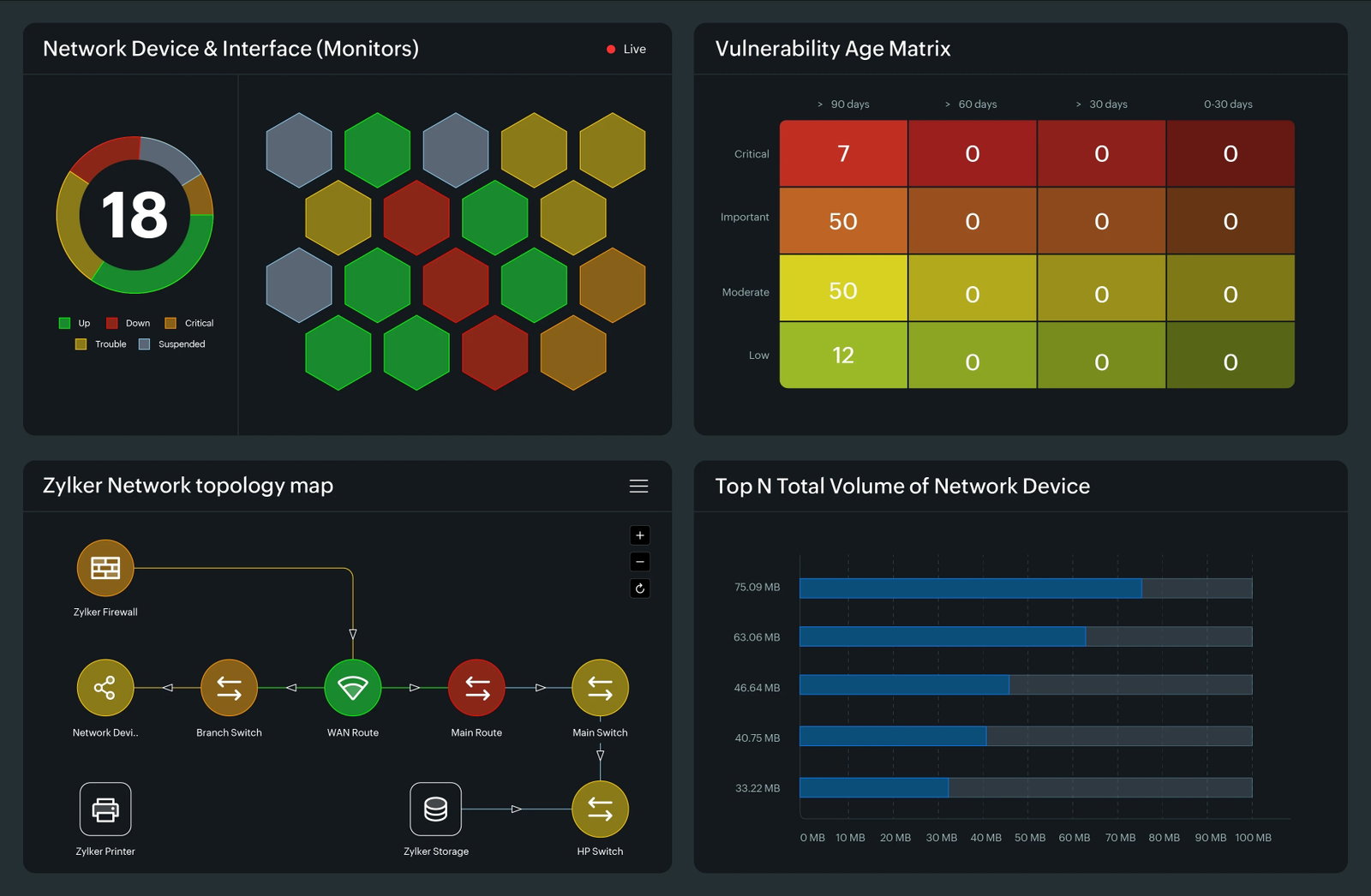
What makes it stand out is its all-in-one approach. From automated device discovery and traffic analysis to custom dashboards and scalable monitoring, everything is managed from a single console. It supports a wide range of devices and environments to make it suitable for both small setups and large enterprises. The built-in observability across systems helps teams stay in control and respond to issues without any delay.
Pricing
Site24x7 follows a custom pricing approach based on the infrastructure size and monitoring needs. Businesses can request a quote to get a cost that fits their setup. This works well for teams managing large or growing infrastructure.
What Works And What Doesn’t
| Pros | Cons |
| All-in-one monitoring | Complex setup |
| Reliable real-time alerts | Unnecessary alerts |
| Clear system visibility | Initial learning time |
Our Final Take
Site24x7 works best for IT and DevOps teams that want to monitor everything from one place. It may not be ideal for beginners due to the initial setup, but if you want clear visibility and quick insights across your systems, Site24x7 can be a good fit.
Topics For More Insights
NinjaOne: Best Customer Support
NinjaOne makes its comeback as a powerful IT management platform built to simplify everyday operations for modern teams. Used by nearly 40,000 customers across 140+ countries, it brings endpoint management, patching, backup, and remote access into a single, easy-to-manage console. With intelligent automation and AI-driven support, teams can resolve issues faster and keep systems running smoothly. Its strong industry recognition, including G2’s Top 50 IT Management Products for 2026 and a Leader spot in the Gartner® Magic Quadrant™, further highlights its growing impact in the IT space.
Why We Chose NinjaOne In 2026
NinjaOne seamlessly brings network monitoring into its core platform without relying on third-party tools. It offers single-pane visibility across SNMP-enabled devices like routers, switches, and firewalls, giving IT teams a clear, real-time view of network health and performance. With built-in discovery, continuous monitoring, and detailed traffic insights, it helps teams quickly identify and address issues before they escalate.
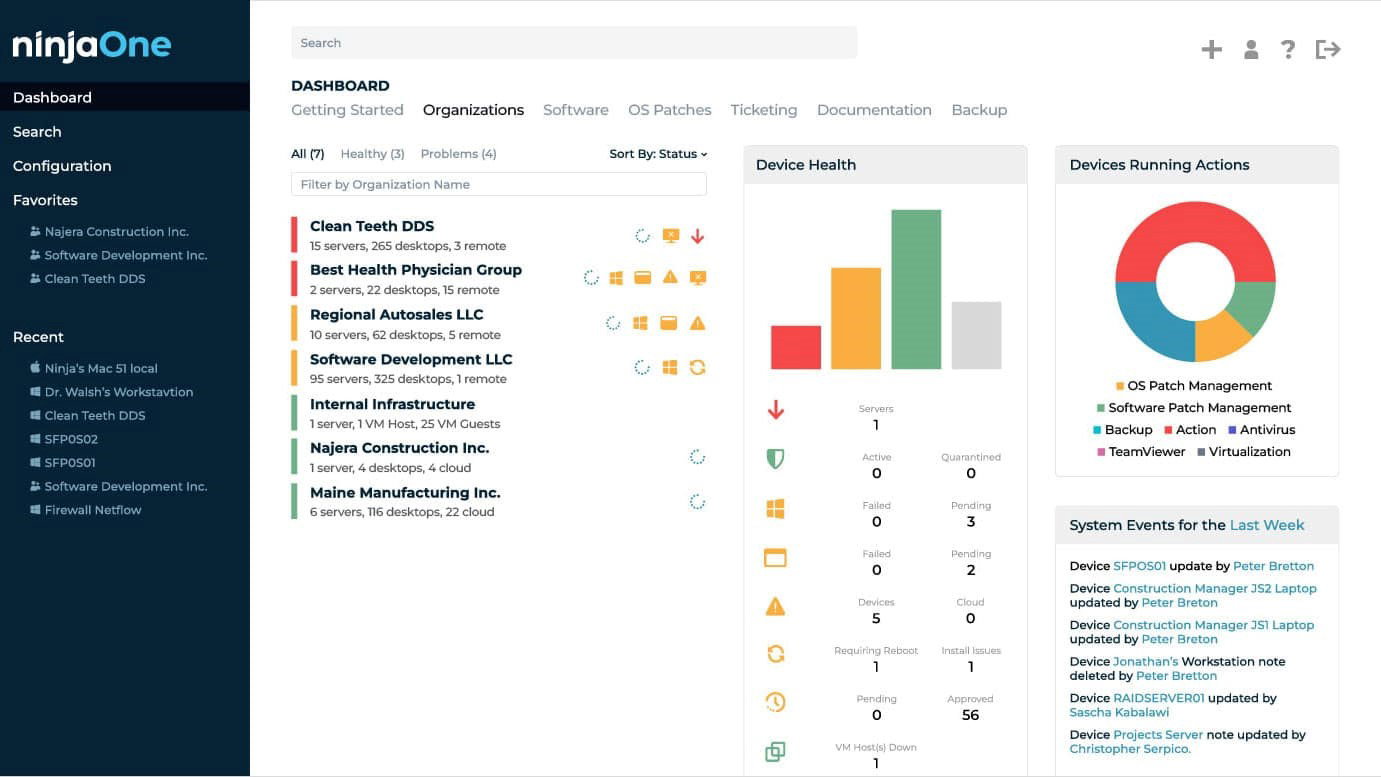
What makes it stand out is its integrated approach to monitoring and management. From real-time polling and customizable alerts to NetFlow traffic analysis and performance tracking, everything works within one system. NinjaOne also supports proactive management with automated alerts, historical reporting, and secure data handling, helping teams stay in control of their network while maintaining efficiency and reliability.
Pricing
NinjaOne uses custom pricing based on the number of endpoints and the features businesses need. Businesses can request a quote from the NinjaOne team and get pricing that fits their setup and business requirements.
What Works And What Doesn’t
| Pros | Cons |
| Easy to use | Basic reporting features |
| Strong automation tools | Pricing increases over time |
| Fast remote access | Limited mobile app support |
Our Final Take
For IT teams managing multiple endpoints, NinjaOne offers a simple way to handle daily operations from one platform. It may not suit those looking for highly specialized setups. You can think of it as a great fit if you want reliable, streamlined control across your IT environment.
Datadog: Best for Scalability
Datadog continues to be a strong choice this year. Trusted by thousands of customers worldwide, the platform brings together infrastructure monitoring, application performance tracking, and log management into one unified view. By connecting data across teams, Datadog supports faster troubleshooting, better collaboration, and improved performance across complex digital environments. Recognized as a Fall 2025 leader on G2 and a Leader in the Gartner® Magic Quadrant™ for Observability Platforms, Datadog proves its strong position as a trusted and scalable observability solution for modern businesses.
Why We Chose Datadog In 2026
Datadog brings network visibility, monitoring, and analytics together and makes it easier to manage complex environments. It connects data across cloud, on-premises, and hybrid setups, helping teams quickly identify issues and understand traffic flow across applications and devices. With real-time insights, intelligent alerting, and detailed traffic analysis, teams can troubleshoot faster and reduce downtime.
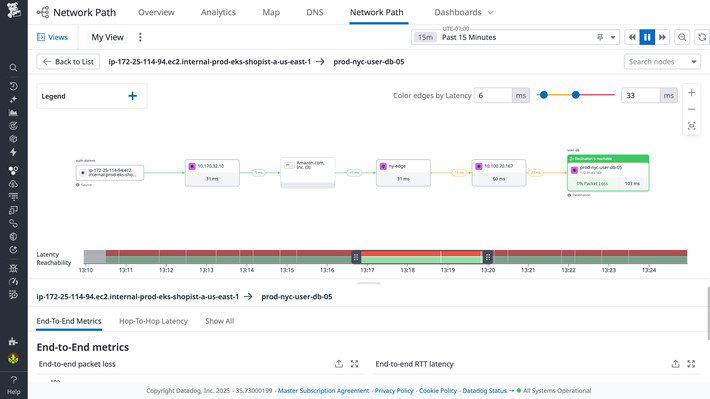
Its ability to correlate network, infrastructure, and application data in one place helps improve collaboration and speed up problem resolution. What makes it stand out is its deep visibility across multi-cloud and multi-vendor environments. From automatic device discovery to advanced flow monitoring and topology mapping, Datadog gives teams the context they need to track performance, detect anomalies, and maintain stable, high-performing systems.
Pricing
Datadog offers flexible network monitoring pricing. Cloud Network Monitoring starts at $5 per host per month, device monitoring at $7 per device/month, wireless access points at $4 per device per month, and NetFlow monitoring at $0.65 per million records per month, with higher on-demand rates available.
What Works And What Doesn’t
| Pros | Cons |
| All-in-one monitoring | Cluttered interface |
| Fast issue detection | Complex initial setup |
| Strong integrations support | Unnecessary features |
Our Final Take
Datadog is an ideal NPM tool for teams managing modern cloud and application environments and looking for a unified view across systems. It may take time for new users, but if the focus is to improve visibility, collaboration, and issue resolution, Datadog is the right fit.
Top 5 Network Performance Monitoring Software Comparison
Choosing the right NPM software can be challenging. This guide compares the top 5 tools in 2026, their key capabilities, strengths, and ideal use cases to help you monitor network performance, identify issues faster, and keep your systems running smoothly.
P.S. Always remember to visit the vendor's site for the latest information!
| Criteria |  |
 |
 |
 |
 |
| Starting Price | $24.90/license/user | $129/month | NA | NA | $5/host/month |
| Avg. User Rating | 4.5 | 4.6 | 4.6 | 4.7 | 4.4 |
| Free Trial/Demo | 14 Days | 30 Days | 30 Days | 14 Days | 14 Days |
| Key Features | Remote access, AI support, and real-time visibility | Network discovery, automated monitoring, and a centralized dashboard | Real-time monitoring, AI alerts, and traffic analysis | SNMP monitoring, NetFlow analysis, and automated alerts | Unified observability, traffic insights, and intelligent alerting |
| Integrations | SAP, Google, Microsoft, and more | AzureAD, Okta, Slack | ServiceNow, PagerDuty, Moogsoft | SentinelOne, Duo, Rewst | Ably, ActiveMQ, Aerospike |
Wrapping Up
No network runs all the time perfectly, but there are always moments when things slow down or break unexpectedly. Whether it feels like a clear highway or a traffic jam at peak hour, the right NPM tool can make all the difference. Be it managing hybrid environments, scaling cloud operations, or just trying to keep things running without surprises, the right choice brings clarity and control.
Each tool on this list offers a different strength, so it really comes down to what your network demands. Pick the one that fits your workflow, keeps insights clear, and helps your team act faster. At the end of the day, a well-monitored network isn’t just stable but one less thing to worry about!
Frequently Asked Questions
Which Are The Top Network Performance Monitoring (NPM) Tools Of 2026?
Some of the top NPM tools in 2026 include TeamViewer, Atera, Site24x7, NinjaOne, and Datadog. Each offers different strengths, from remote access and automation to deep network visibility and real-time monitoring.
Who Should Use Network Performance Monitoring Software?
NPM tools are useful for IT teams, DevOps professionals, and managed service providers. Anyone managing networks, applications, or infrastructure can use them to improve performance and reduce disruptions.
How Do I Choose The Right NPM Tool?
To choose the right NPM tool, start by understanding your network size, environment, and needs. Look for features like real-time monitoring, alerts, scalability, and ease of use to find a tool that fits your workflow.
Tue, Apr 28, 2026

Enjoyed what you read? Great news – there’s a lot more to explore!
Dive into our content repository of the latest tech news, a diverse range of articles spanning introductory guides, product reviews, trends and more, along with engaging interviews, up-to-date AI blogs and hilarious tech memes!
Also explore our collection of branded insights via informative white papers, enlightening case studies, in-depth reports, educational videos and exciting events and webinars from leading global brands.
Head to the TechDogs homepage to Know Your World of technology today!
Disclaimer - Reference to any specific product, software or entity does not constitute an endorsement or recommendation by TechDogs nor should any data or content published be relied upon. The views expressed by TechDogs' members and guests are their own and their appearance on our site does not imply an endorsement of them or any entity they represent. Views and opinions expressed by TechDogs' Authors are those of the Authors and do not necessarily reflect the view of TechDogs or any of its officials. While we aim to provide valuable and helpful information, some content on TechDogs' site may not have been thoroughly reviewed for every detail or aspect. We encourage users to verify any information independently where necessary.
Loading comments...