
Design
Figma Launches AI Design Agent To Automate Design Workflows Directly Inside The Canvas!
Updated on Thu, May 21, 2026
Share
TL;DR
- Designers can now create, edit, and test ideas with AI inside Figma without switching tools.
- The new agent can automate edits, generate layouts, and help manage feedback in real time.
- Figma’s AI tools now work alongside Figma Make and its MCP server for smoother design-to-code workflows.
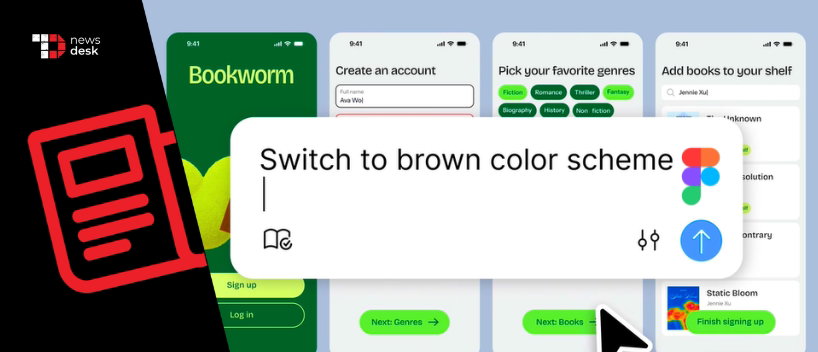
According to Figma, the new agent is designed specifically for the way designers work, with support for exploration, experimentation, collaboration, and precision. The company explained that the agent understands design systems, components, tokens, standards, and workflows, helping teams generate and refine designs with more context than third-party tools.
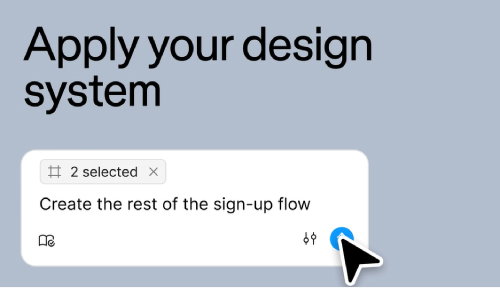
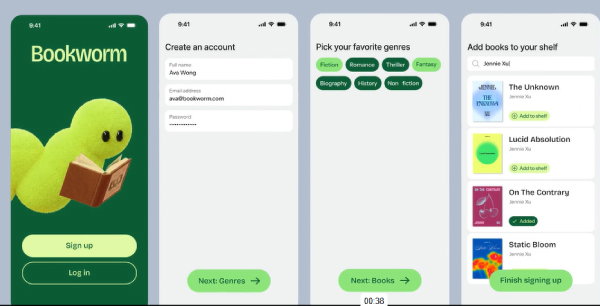
The agent works directly inside Figma files and allows users to start prompts from any design layer, test multiple ideas simultaneously, and make edits while the agent continues iterating in parallel. Figma says this helps teams explore more directions quickly without losing control over the final design.
The company also detailed how the new agent works alongside Figma Make and its Model Context Protocol (MCP) server. While the MCP server helps move work between code and design files, the AI agent focuses on improving the design process on the canvas. Designers can move projects between Figma Design and Figma Make to refine layouts, flows, and interactions more efficiently.
Figma also highlighted the agent’s ability to automate repetitive tasks. Users can update typography, rename variables, replace components, apply dark mode, populate frames with realistic content, and make bulk edits across multiple screens. Teams managing design systems can also use the agent to organize descriptions, tags, variants, and naming conventions across libraries.
Topics For More Insights:
Beyond design generation and editing, the agent can also help process feedback. Figma says users can ask the agent to summarize comments, identify themes, and turn discussions into actionable next steps directly inside shared files.
The Figma agent is rolling out gradually in beta over the coming weeks. During the beta period, the feature will not consume AI credits. The company said the tool will be available for Full seat users on Professional, Organization, and Enterprise plans, while Starter, Education, and Government plans are currently excluded.
First published on Thu, May 21, 2026

Liked what you read? That’s only the tip of the tech iceberg!
Explore our vast collection of tech articles including introductory guides, product reviews, trends and more, stay up to date with the latest news, relish thought-provoking interviews and the hottest AI blogs, and tickle your funny bone with hilarious tech memes!
Plus, get access to branded insights from industry-leading global brands through informative white papers, engaging case studies, in-depth reports, enlightening videos and exciting events and webinars.
Dive into TechDogs' treasure trove today and Know Your World of technology like never before!
Disclaimer - Reference to any specific product, software or entity does not constitute an endorsement or recommendation by TechDogs nor should any data or content published be relied upon. The views expressed by TechDogs' members and guests are their own and their appearance on our site does not imply an endorsement of them or any entity they represent. Views and opinions expressed by TechDogs' Authors are those of the Authors and do not necessarily reflect the view of TechDogs or any of its officials. While we aim to provide valuable and helpful information, some content on TechDogs' site may not have been thoroughly reviewed for every detail or aspect. We encourage users to verify any information independently where necessary.
Loading comments...