
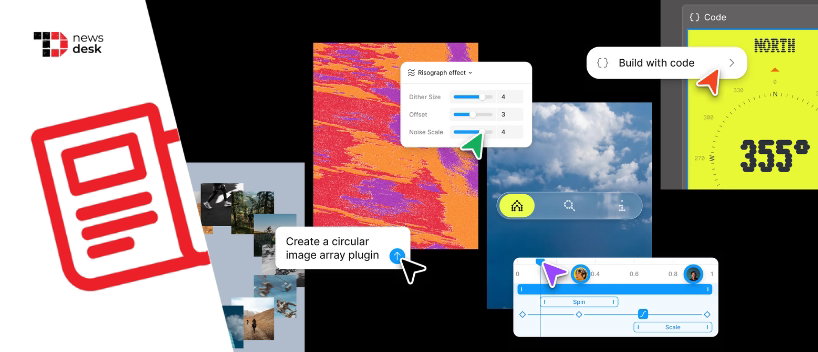
Figma has introduced Figma Motion, a new native animation workflow that brings timelines, keyframes, presets, AI-assisted motion creation, Dev Mode inspection, and production-ready exports directly into the same collaborative canvas where teams already design.
TL;DR
- Figma Motion is now in open beta and adds animation timelines to the canvas.
- Designers can keyframe position, scale, rotation, opacity, shaders, and motion variables.
- The feature supports Dev Mode handoff with CSS, JSON, React, and motion.dev code exports.
- Figma’s agent can generate editable keyframes from prompts on paid plans.
Figma is bringing motion design closer to the center of product creation with the launch of Figma Motion, a new capability that lets designers create, review, systematize, and hand off animations inside Figma Design itself.
The update was announced by David Hornsby, Product Manager at Figma, and is positioned as a way to remove the fragmented handoff that usually happens when animation work moves between design files, external tools, plugins, developers, and product teams. Figma says Motion now lives on the canvas in the same file as components, variables, and team collaboration workflows.
What Does Figma Motion Bring?
Figma Motion sits alongside Design, Draw, and Dev modes. Once a frame is switched to Motion mode, a timeline appears beside the design, allowing users to drag layers, adjust timing, scrub through animation states, and keyframe position, scale, rotation, and opacity independently.
The feature also includes auto keyframing, which records changes made while the playhead is moving. Teams can add time-based comments to specific moments in an animation, making motion reviews more collaborative and easier to connect with broader product feedback.
Figma is also adding preset animation styles such as fade, move, and scale, allowing designers to start quickly and then refine the animation directly on the canvas. These presets can be stacked to play together or sequenced over time.
According to Figma’s announcement, animated components can now carry motion across files in the same way that components already carry design properties such as fill and typography. The company is also adding motion variables, including easing variables with modes that can update animations across a file.
Topics For More Insights- Designers, Meet Your New Muse: Figma AI
- Figma Launches AI Design Agent To Automate Design Workflows Directly Inside The Canvas!
- Anthropic Launches Interactive Claude Apps With Slack, Figma, And Workplace Tool Integrations
Why It Matters For Design Systems
The update could be especially useful for enterprise design teams, where motion often depends on specialists and can become difficult to standardize across products.
Atlassian was highlighted as one of Figma’s customer examples. Senior Product Designer Alexandra Pereira said motion on the canvas turns animated illustrations from a specialist handoff into a system capability. Lead Motion Designer Maxwell Hathaway described it as atomic motion design, because keyframes can now live directly on the canvas.
Product designer and illustrator Adanna Onuekwusi also said having everything in one space helps systematize motion and publish it as a library, making animation reusable instead of isolated to one designer’s workflow.
Figma Agent, Dev Mode, And Exports
Figma is also connecting Motion with its AI agent. Designers can describe the animation they want, and the agent can generate real keyframes on the timeline, which can then be manually edited. The Verge reported that Figma’s wider Config 2026 updates include AI-generated motion graphics, code layers, shaders, and deeper agent integrations across the canvas.
For developer handoff, Motion connects with Dev Mode through a Motion tab where the full timeline is visible and inspectable. Developers can read timing values, easing curves, and keyframes, then copy animation code in CSS, JSON, React, or motion.dev formats. CMSWire also reported support for exports including MP4, WebM, Animated SVG, and GIF.
Figma says Motion is MCP-compatible too, meaning animated frame links can carry motion context to coding agents. This is designed to reduce the gap between the intended animation and what eventually ships in code.
Motion is currently in open beta. Starter users get limited exports, while full seat users across plans can access motion primitives and exports. Full design system integration and Figma agent support for Motion are available on paid plans.
