
Design
Apple Makes Professional Creative Tools Accessible With $12.99/Month Creator Studio
Updated on Wed, Jan 14, 2026
Share
Well, Apple has now made it easier with a subscription that bundles powerful apps for video, music, image editing, and productivity into one package, giving users the tools they need to create, design, and share their ideas, whether for work, study, or hobbies.
TL;DR
- Apple Creator Studio bundles pro apps for $12.99/month with student discounts.
- Includes video, music, and image tools plus premium iWork content.
- New features added to Final Cut Pro, Logic Pro, and Pixelmator Pro.
- Supports family sharing for up to six users.
- Rollout begins January 28, with a one-month free trial.
For $12.99 per month or $129 per year, users get access to apps for video editing, music making, image editing, and productivity. College students and educators get a discounted rate of $2.99 per month or $29.99 per year.
Apple Creator Studio will be available starting January 28, with a one-month free trial for new subscribers.
Here’s a closer look at the key apps and features included in Apple Creator Studio. Read on!
Smarter Video Editing
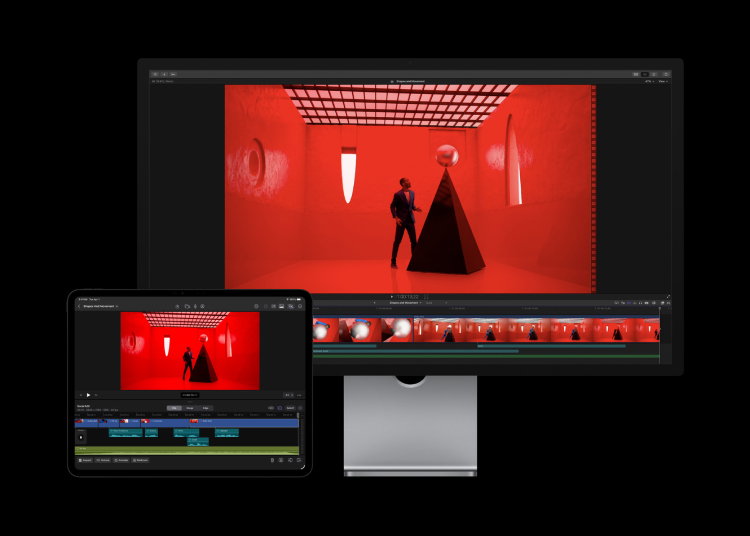
Final Cut Pro now has Transcript Search to quickly find the right soundbite, Visual Search to locate moments by describing them, and Beat Detection to align video with music. iPad users also get Montage Maker, which can automatically assemble videos from the best shots, and Auto Crop, which reframes videos for different platforms.
“Apple Creator Studio is a great value that enables creators of all types to pursue their craft and grow their skills by providing easy access to the most powerful and intuitive tools for video editing, music making, creative imaging, and visual productivity — all leveled up with advanced intelligent tools to augment and accelerate workflows,” said Eddy Cue, Apple’s senior vice president of Internet Software and Services.
Music Creation Made Easier
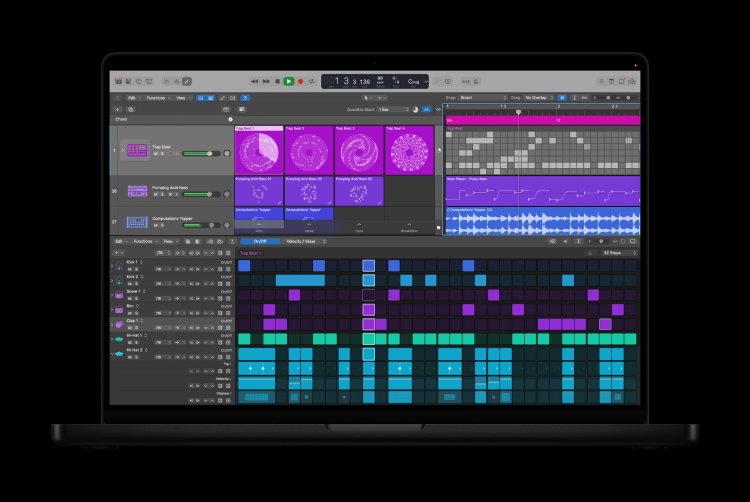
Logic Pro adds tools like Synth Player for quick electronic music performances and Chord ID, which turns recordings into ready-to-use chord progressions. It also includes a new sound library, better search tools, and other features to make composing, remixing, and producing music faster and more intuitive.
Topics For More Insights:
Image Editing And Motion Graphics
Pixelmator Pro is coming to iPad for the first time, with full Apple Pencil support and touch-friendly editing tools. Motion allows creators to make 2D and 3D effects, and Compressor works with Final Cut Pro and Motion to customize video output. MainStage turns Macs into instruments or voice processors, so musicians can bring studio-quality sound to live performances.
Boosting Productivity with iWork
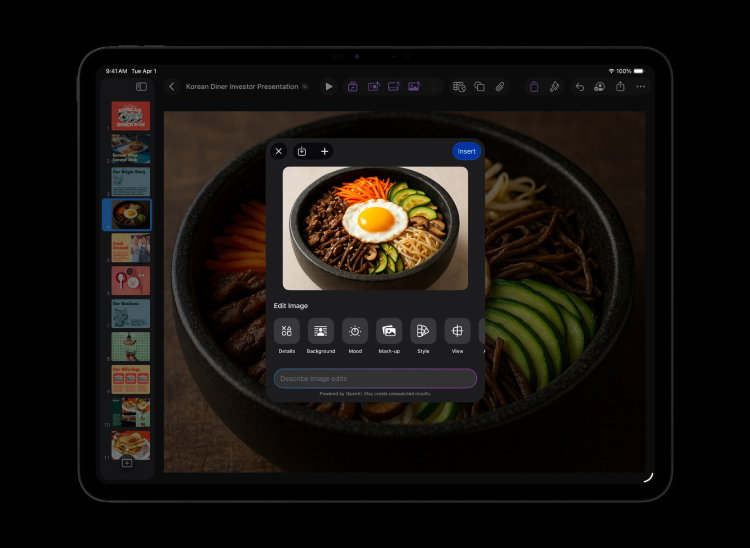
Creator Studio also enhances Keynote, Pages, and Numbers. Subscribers get access to a Content Hub full of high-quality images, graphics, and illustrations, along with new templates and themes. Beta features let users quickly generate presentation drafts in Keynote or fill tables automatically in Numbers.
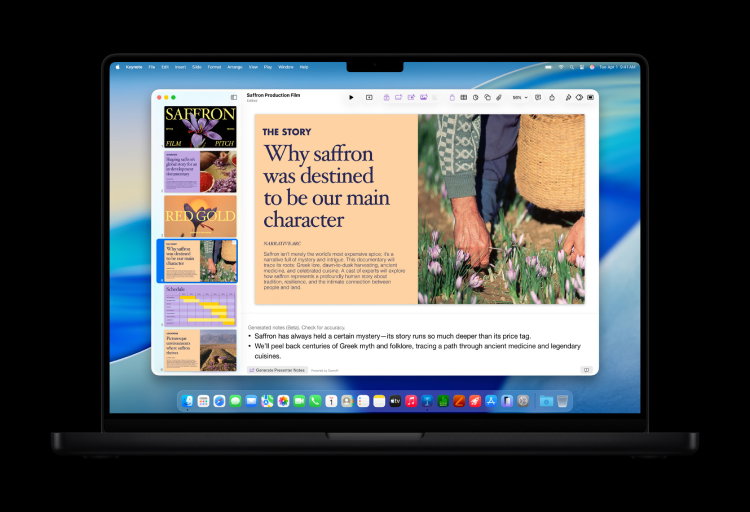
All apps, including Final Cut Pro, Logic Pro, Pixelmator Pro, Motion, Compressor, and MainStage, are still available as one-time purchases. Free versions of Numbers, Pages, Keynote, and Freeform remain free for everyone.
With family sharing for up to six people and a one-month free trial, it’s designed for professionals, students, and hobbyists to create, learn, and explore their ideas.
First published on Wed, Jan 14, 2026

Liked what you read? That’s only the tip of the tech iceberg!
Explore our vast collection of tech articles including introductory guides, product reviews, trends and more, stay up to date with the latest news, relish thought-provoking interviews and the hottest AI blogs, and tickle your funny bone with hilarious tech memes!
Plus, get access to branded insights from industry-leading global brands through informative white papers, engaging case studies, in-depth reports, enlightening videos and exciting events and webinars.
Dive into TechDogs' treasure trove today and Know Your World of technology like never before!
Disclaimer - Reference to any specific product, software or entity does not constitute an endorsement or recommendation by TechDogs nor should any data or content published be relied upon. The views expressed by TechDogs' members and guests are their own and their appearance on our site does not imply an endorsement of them or any entity they represent. Views and opinions expressed by TechDogs' Authors are those of the Authors and do not necessarily reflect the view of TechDogs or any of its officials. While we aim to provide valuable and helpful information, some content on TechDogs' site may not have been thoroughly reviewed for every detail or aspect. We encourage users to verify any information independently where necessary.
Loading comments...