

Media and Entertainment
10 Best Apps To Track TV Shows And Movies
Share
TL;DR
-
Trakt offers the strongest all-around tracking ecosystem.
-
JustWatch combines watchlists with excellent streaming availability.
-
Simkl handles movies, TV shows, and anime together.
-
Bingers brings social interaction back into entertainment tracking.
-
Hobi keeps everyday tracking quick and uncomplicated.
-
Reelgood works especially well for US streaming subscribers.
-
Moviebase delivers a feature-rich experience for Android users.
-
Showly favors clean, straightforward movie and TV tracking.
-
Next Episode excels at schedules, countdowns, and reminders.
-
IMDb combines casual tracking with its enormous entertainment database.
Introduction
Which is your favorite sitcom? Friends? The Office? How I Met Your Mother? Two and a Half Men? The Big Bang Theory? Community? Brooklyn Nine-Nine? Parks and Recreation? Seinfeld?
Maybe you’re a fan of action or sci-fi shows? Game of Thrones? Supernatural? Stranger Things? The Walking Dead? Lost? Breaking Bad? Peaky Blinders? The Blacklist? Severance?
Or is it superheroes and franchises for you? Smallville? The Flash? Arrow? Daredevil? Agents of SHIELD? The Boys? The Mandalorian? Loki? The Umbrella Academy?
Perhaps you’re more into movies than TV shows? Harry Potter? MCU? Mission: Impossible? Die Hard? The Lord of the Rings? John Wick? Fast & Furious? Jurassic Park?
More of an indie movie buff? Little Miss Sunshine? Lady Bird? Whiplash? Moonlight? The Florida Project? Past Lives? Everything Everywhere All at Once?
#TooManyQuestions
There are too many TV shows and movies out there, and it’s tough to keep track of which are watched and which are not. Especially since current ones release new seasons or sequels after months or even years!
Of course, we need to watch something else in the interim, all while new shows continue pouring in. Also, how many titles can you add to your watchlist before it becomes a small book?
This is why people use tracking apps: to remember finished movies, unfinished seasons, upcoming episodes, and everything sitting patiently in the “watch later” pile.
So, we’ve compiled a list of the 10 best apps to track TV shows and movies to help you bookmark (Showmark? Moviemark?) where you’ve reached across your digital fictional worlds. Tune in!
10 Best Apps To Track TV Shows And Movies
The shift across media and entertainment, from traditional broadcasting to OTT (over-the-top) catalogs, has scattered what we watch across more places, while marketing technology keeps getting better at putting the next recommendation in front of us.
Thankfully, you don’t need Friends’ Monica Geller-level organization to keep your viewing history straight. From automatic tracking and episode calendars to simple watchlists and streaming discovery, our top movie and TV show tracking apps list offers something for diverse kinds of viewers.
Trakt
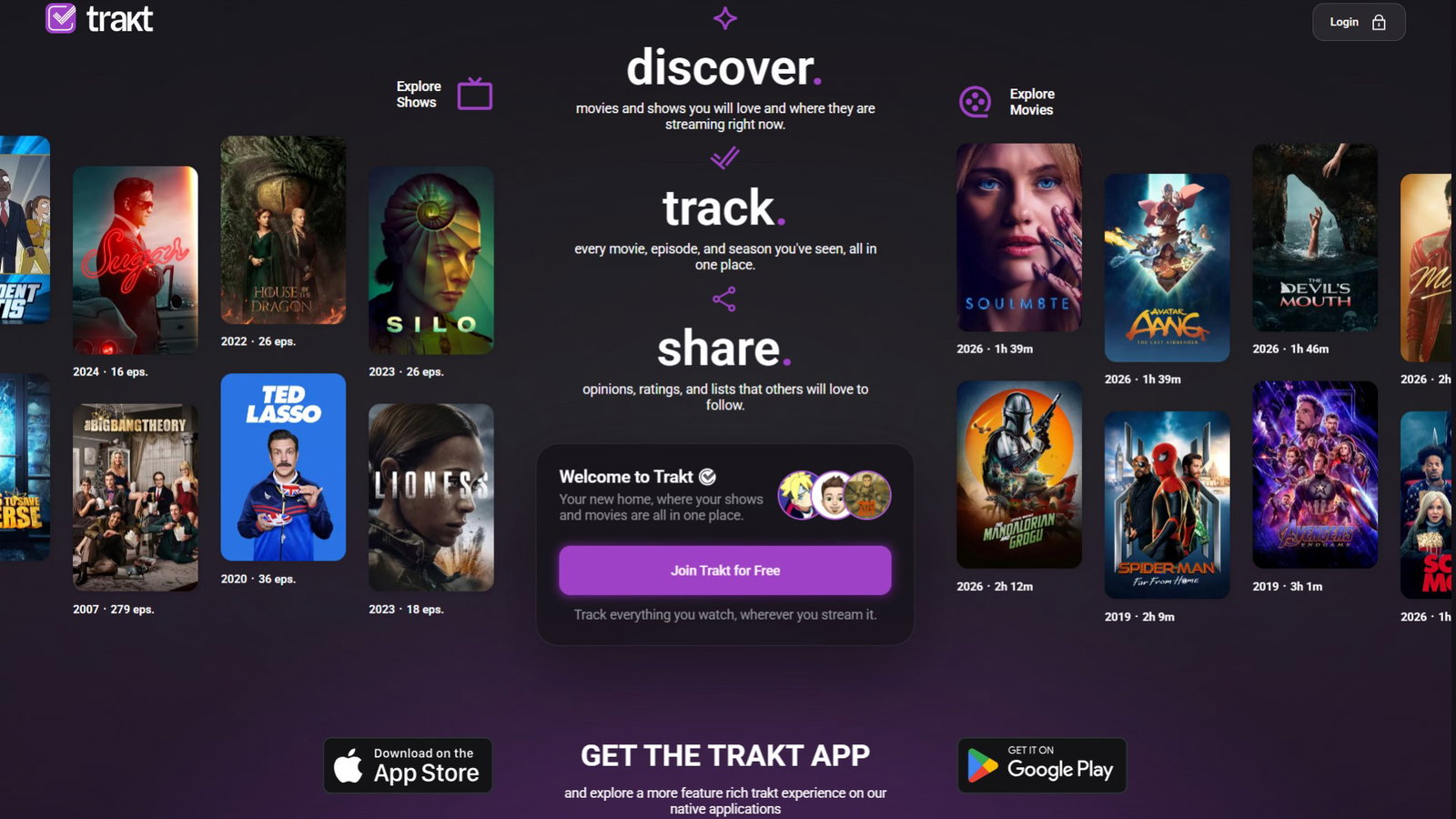
Trakt is a great option if you want your viewing history to work like a central record instead of another isolated watchlist, especially with a revamped mobile experience across iOS and Android that rolled out in January 2026.
You can mark movies and episodes as watched, keep detailed history, build watchlists and personal lists, receive episode notifications, check upcoming releases through calendars, and see personalized recommendations.
Its bigger advantage is connectivity. Trakt can automatically record viewing activity through supported media centers and streaming integrations, while its ecosystem also lets other apps synchronize with your account. That makes it particularly useful for anyone who changes devices or tracker apps but does not want to rebuild years of viewing history.
For viewers searching for apps to track movies as well as detailed television progress, it remains one of the most versatile choices.
-
Price: Free; optional VIP subscription, with monthly pricing from $5.99 in the US. Pricing can vary by region.
-
Best for: Overall movie and TV tracking
-
Key strengths: Detailed history, episode tracking, calendars, lists, automatic tracking, recommendations, and a large integration ecosystem
-
Sync/Import: Supports imports and connects with numerous apps and media services
Not everyone wants their tracker to become an entertainment command center, though. Sometimes the bigger headache is simply figuring out where your next movie is streaming.
JustWatch
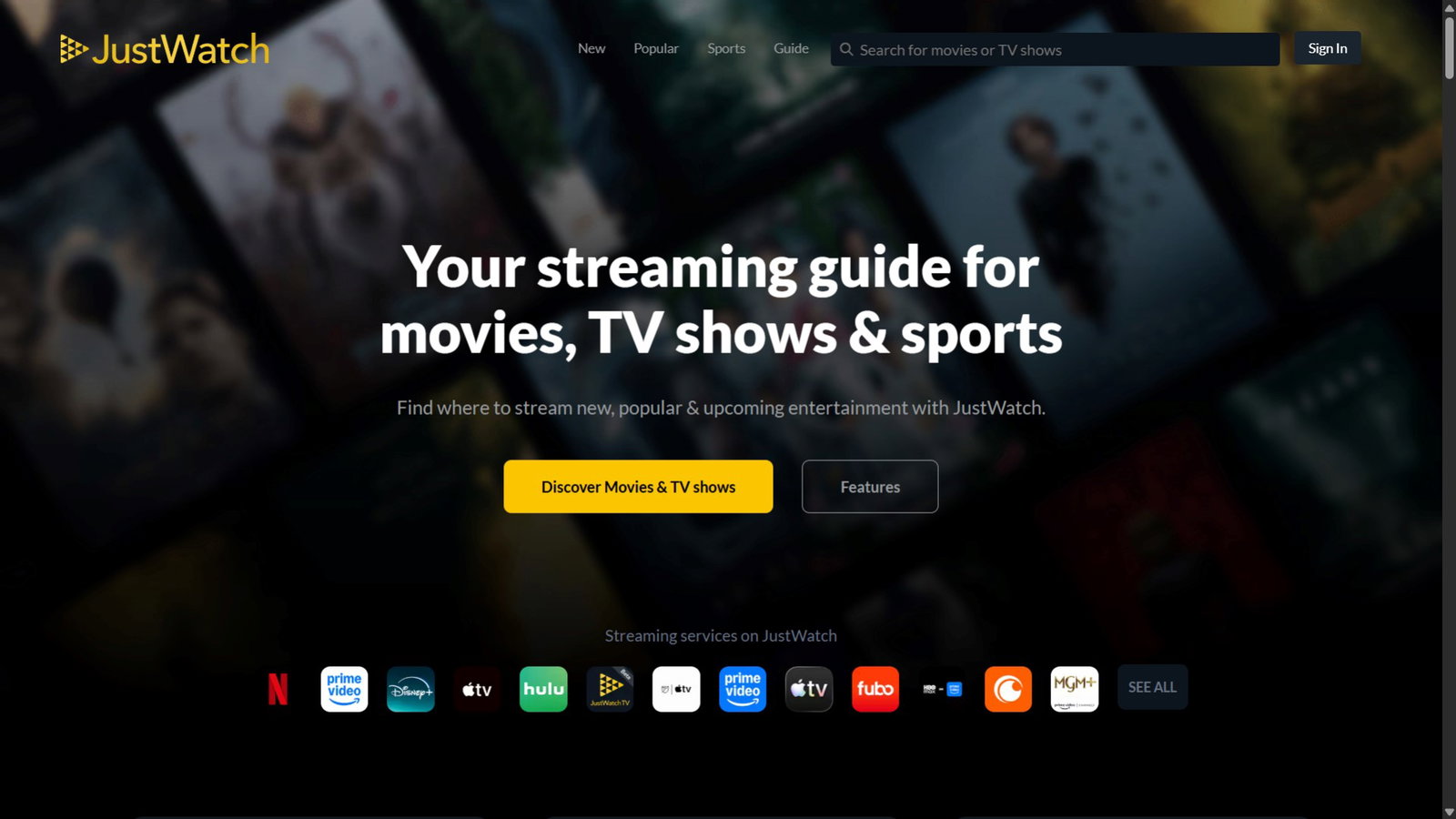
JustWatch sits somewhere between a tracker and a streaming search engine. Add movies and TV shows to one WatchList, synchronize it across devices, mark titles as seen, and then check which streaming service currently carries them.
That last capability is its biggest differentiator. Instead of remembering whether The Office moved again or searching Netflix, Hulu, Prime Video, and Max separately, JustWatch brings legal streaming availability together in one place. Its streaming charts also use activity such as watchlist additions and titles marked as seen.
JustWatch operates across 140 countries and thousands of streaming services. It is less focused on detailed episode-by-episode logging than dedicated trackers, but as a watchlist plus streaming companion, it solves two problems at once.
-
Price: Free; optional JustWatch Pro
-
Best for: Finding where your watchlist is streaming
-
Key strengths: Cross-service search, unified WatchList, streaming availability, discovery, and broad international coverage
-
Sync/Import: Launched a tool for importing TV Time viewing data in July 2026.
If your entertainment diet stretches beyond Westeros and Hawkins into anime as well, the next tracker widens the net considerably.
Simkl
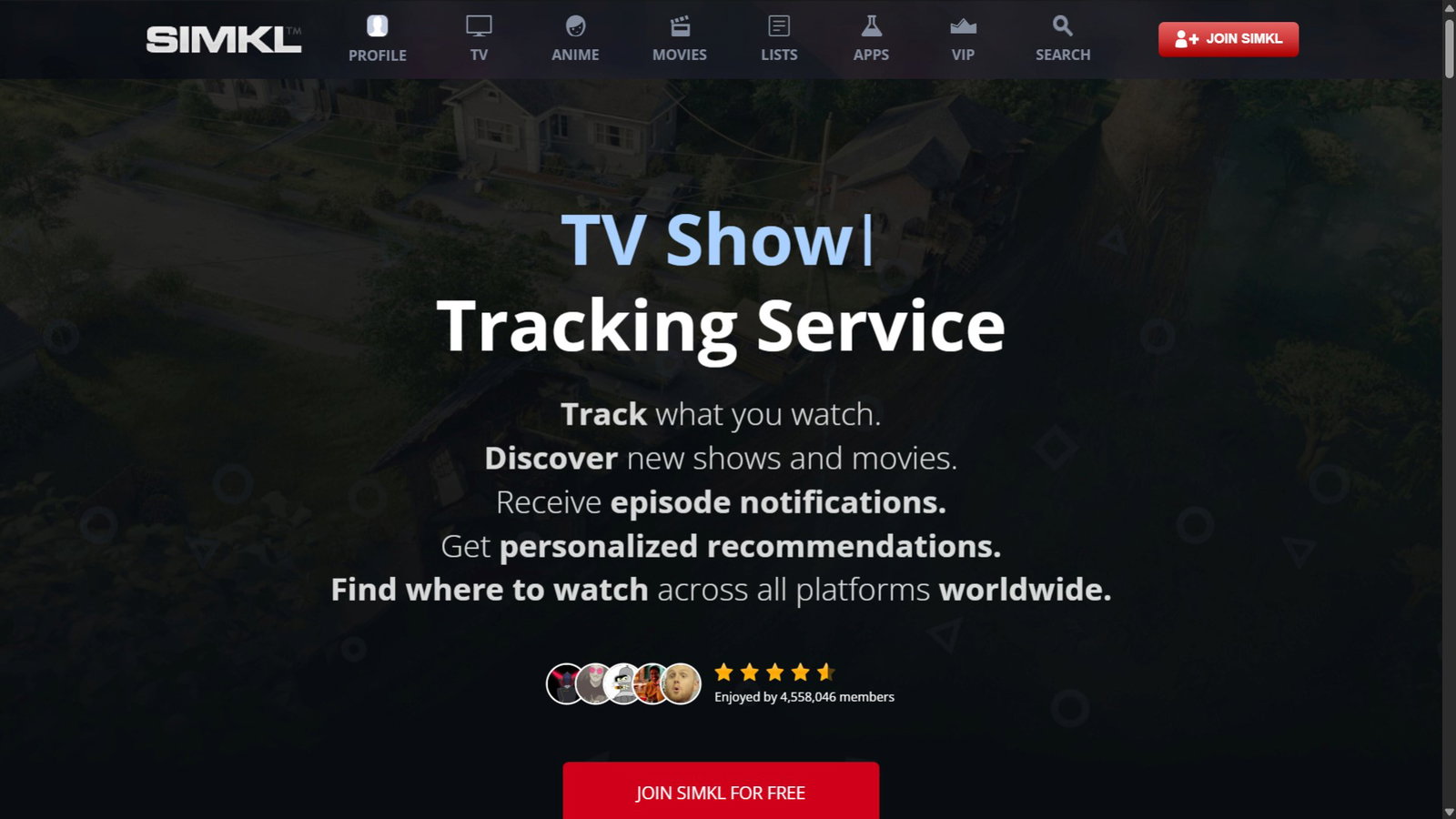
Simkl puts TV shows, movies, and anime inside the same tracking system, making it particularly useful for people whose viewing habits do not fit neatly into one category. It records watch history, shows what episode comes next, maintains watchlists, provides personalized calendars, sends release notifications, and offers recommendations based on what you have already watched.
Automation is another major strength. Simkl supports automatic tracking through services and software including Plex, Kodi, VLC, Netflix, and Crunchyroll, reducing how often users need to manually log something after watching it. It can also import viewing history from more than 20 services, although some imports are restricted to paid plans.
The service extends beyond mobile, with support for iOS, Android, Windows, browser extensions, Kodi, Plex, and more. That breadth makes Simkl one of the better options for viewers whose entertainment setup spans several devices.
-
Price: Free; Pro @ $34.99/year, VIP @ $34.99 / 6 months, and Lifetime VIP @ $249
-
Best for: Tracking TV shows, movies, and anime
-
Key strengths: Automatic tracking, calendars, imports, anime support, notifications, and wide platform compatibility
-
Sync/Import: Imports from 20+ services; some migration options require Pro or VIP
Of course, keeping a list is one thing. Talking about the emotional damage caused by the latest episode is another.
Bingers
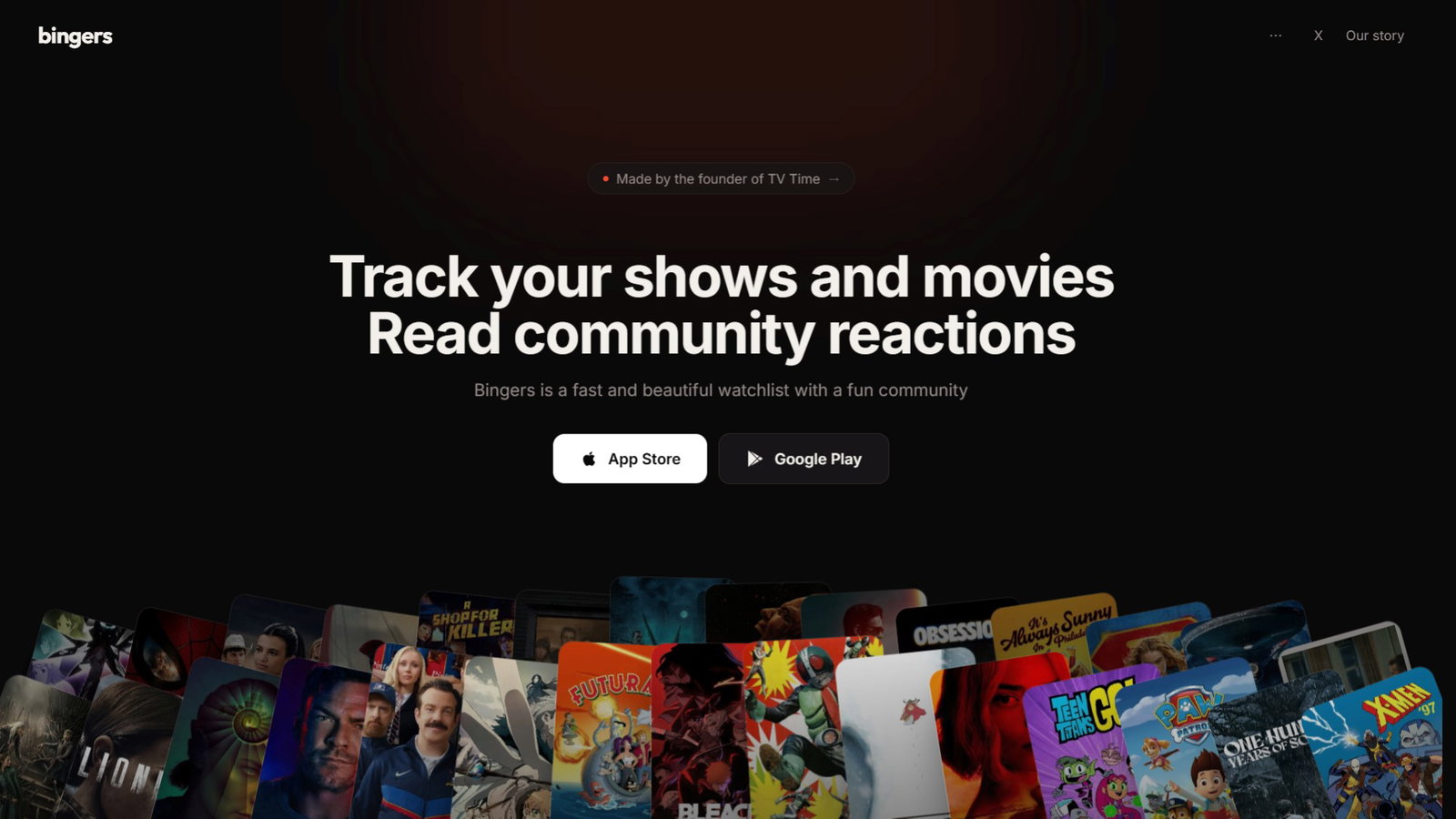
One of the newest names on this list, Bingers launched in August 2026 by TV Time co-founder Antonio Pinto. It combines movie and TV tracking with the kind of community activity that made social entertainment apps appealing in the first place.
Users can follow shows and movies, record what they are watching, create lists, receive alerts when new content arrives, log rewatches, rate episodes and movies, and discover titles based on viewing habits. The social layer lets users follow other people, read spoiler-conscious reactions, discuss episodes, and compare favorite characters and emotional reactions.
Bingers also supports importing data from TV Time and several other trackers. Its freshness is both the appeal and the drawback: the app has launched with a substantial feature set and is already receiving updates, but it does not yet have a long operating history.
-
Price: Free
-
Best for: Social movie and TV tracking
-
Key strengths: Community reactions, episode and movie ratings, lists, recommendations, reminders, rewatches, and stats
-
Sync/Import: Supports imports from TV Time, Trakt, Refract, and other compatible exports
If Bingers feels like the lively group chat after an episode, Hobi takes the opposite route and tries to keep the actual tracking quiet and simple.
Hobi
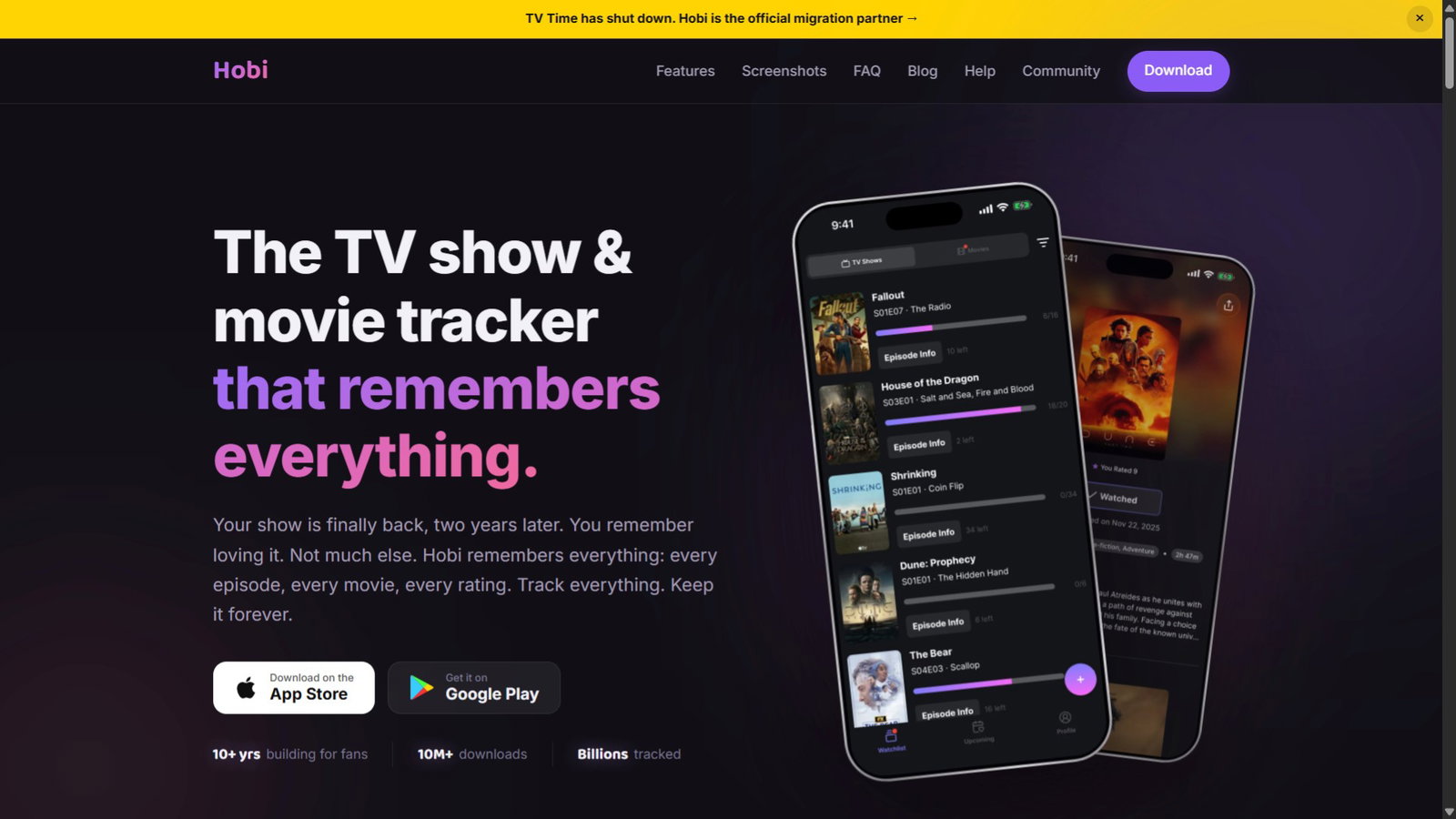
Hobi is built around quick everyday tracking. You can mark episodes with a tap, log movies and shows in a diary, see upcoming premieres, receive reminders, check countdowns, maintain watchlists, and view statistics without turning the experience into a complicated database.
It became especially relevant in 2026 when TV Time shut down, becoming the official migration partner as per its website.
Hobi introduced a migration tool capable of bringing over saved TV Time watch history, movie data, watchlists, episode progress, and ratings for users who exported their information before the shutdown. It also supports two-way synchronization with Trakt, giving users another way to keep their viewing data portable.
Hobi is free on both major mobile platforms, although some extras, including unlimited movie tracking, calendar synchronization, advanced sorting, widgets, and advanced sorting, and two-way Trakt sync, sit inside Premium. This makes it a strong contender for the best free app to track movies and TV shows, provided the free movie limit is enough for you.
-
Price: Free; optional Premium upgrade
-
Best for: Simple TV and movie tracking
-
Key strengths: One-tap episode tracking, reminders, diary, statistics, clean interface, and TV Time migration
-
Sync/Import: Two-way Trakt sync; supports saved TV Time exports
The next platform puts more emphasis on another key question: “Where can I watch it?”
Reelgood
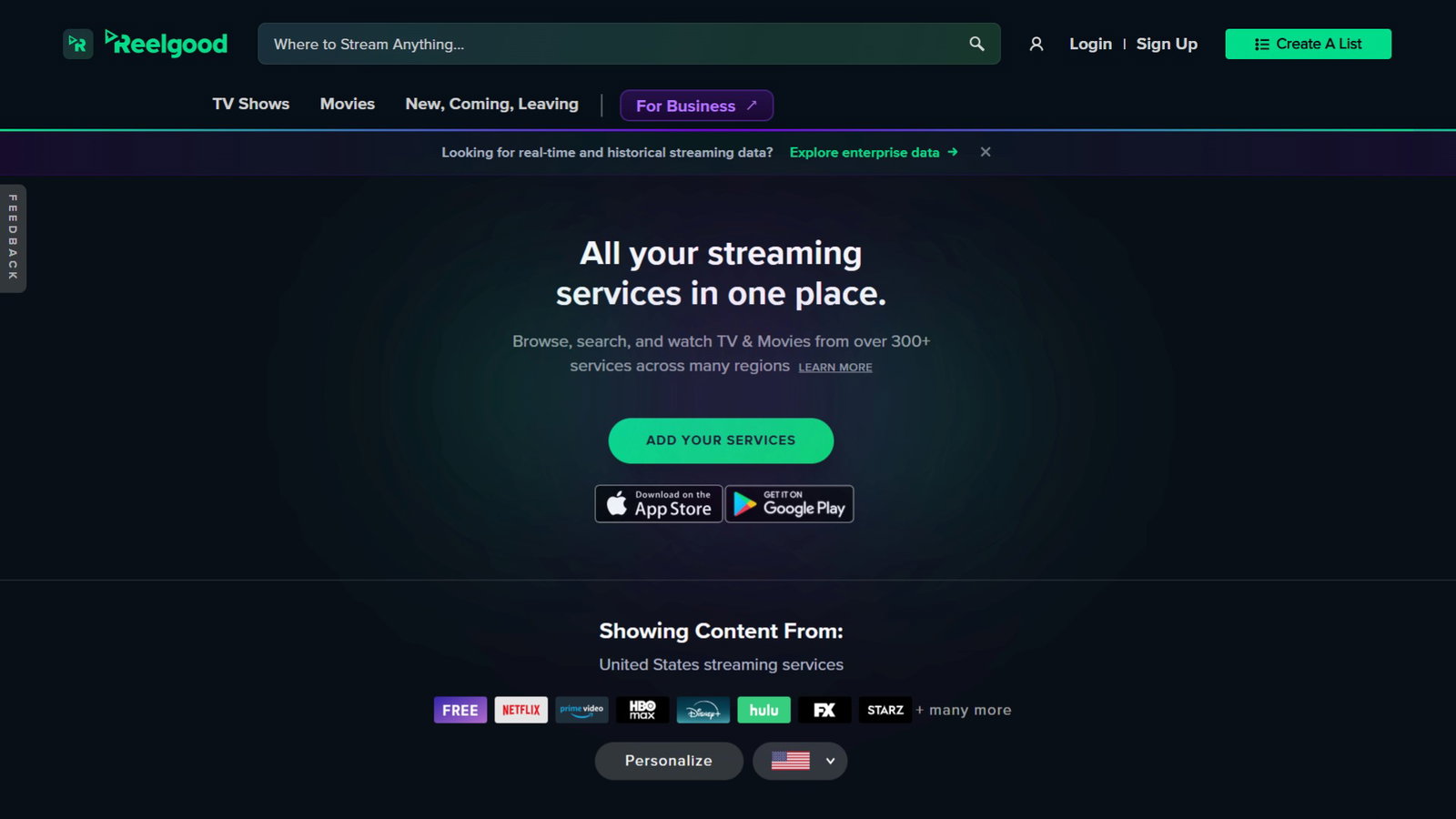
Reelgood combines streaming discovery with tracking, allowing users to browse movies and TV shows from their services, maintain watchlists, follow television progress, and receive alerts when episodes or movies become available. Its catalog covers subscription services as well as free, rental, and purchase options.
Instead of bouncing between individual streaming apps, users can select their services and search through them from one interface. Recommendations, curated collections, trailers, ratings, and its Roulette feature can also help when the problem shifts from remembering what you watched to deciding what comes next.
There is one major limitation for our audience: Reelgood’s consumer streaming guide is primarily centered on the US and UK, making it one of the more practical choices for American streaming households.
-
Price: Free
-
Best for: US streaming users
-
Key strengths: Streaming aggregation, tracking, recommendations, availability alerts, and service-specific browsing
-
Drawback: Consumer availability data is primarily focused on the US and UK
Android users who want less emphasis on streaming search and more traditional logging have another strong option waiting in the wings.
Moviebase
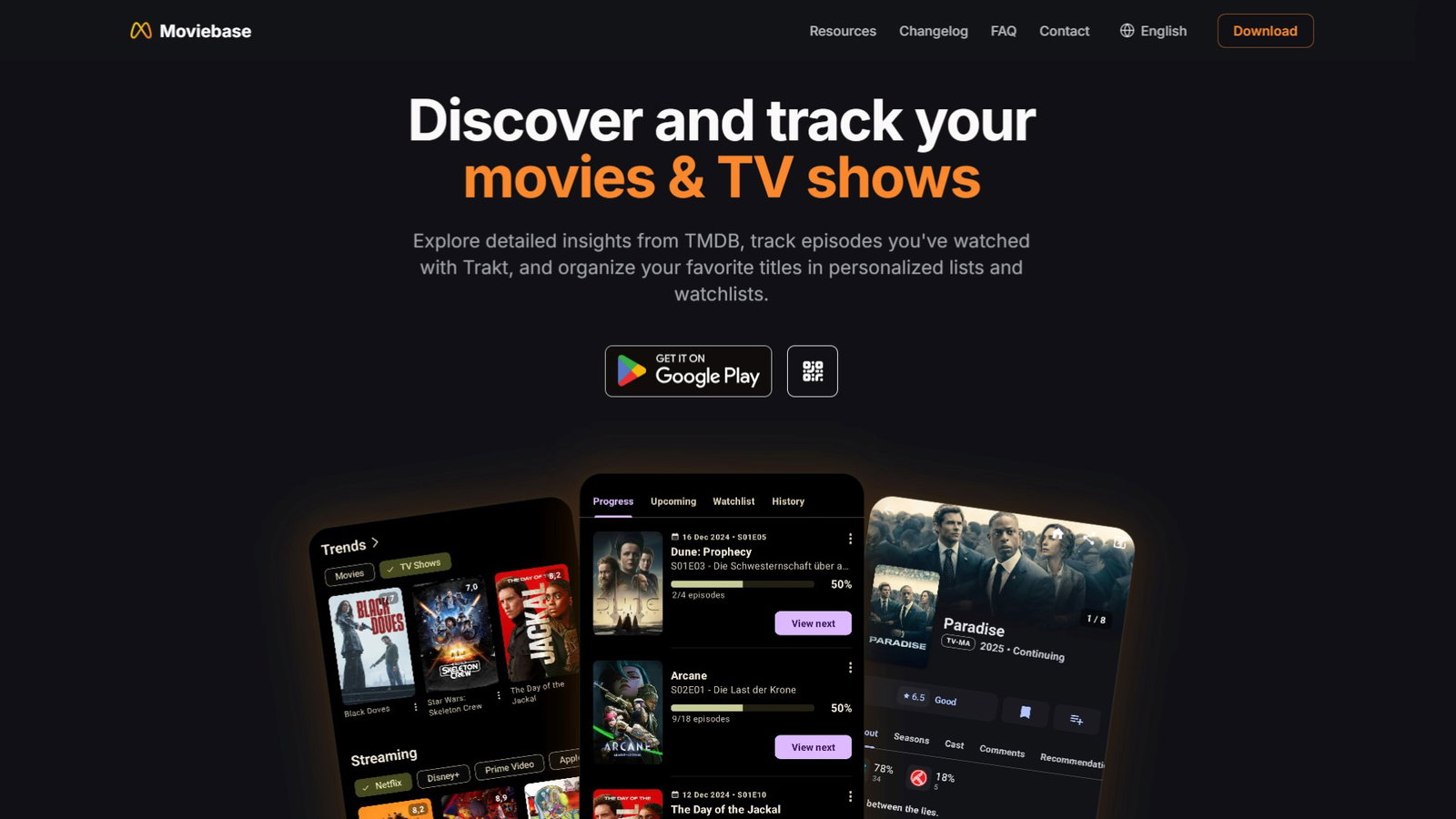
Moviebase is a dedicated movie tracking app and TV tracker designed specifically for Android. It lets users mark movies and episodes as watched, manage watchlists, browse upcoming releases, rate titles, explore recommendations, and organize entertainment through visually rich movie and show pages.
Its Trakt connection is especially useful. Two-way synchronization can keep watch history, ratings, collections, and watchlists aligned, meaning Moviebase can serve as the interface while Trakt keeps the underlying viewing record portable. The app also draws its movie and television information from TMDB.
Most core tracking, rating, and discovery tools are available free, although the Google Play listing includes optional in-app purchases. The obvious weakness is platform support. There is no iPhone version, so Moviebase makes the most sense for committed Android users who want a dedicated tracker rather than a broader streaming guide.
-
Price: Free; optional Premium
-
Best for: Android users
-
Key strengths: Movie and episode tracking, watchlists, recommendations, ratings, visual browsing, and Trakt synchronization
-
Sync/Import: Two-way Trakt sync
-
Download: Android
Think of Moviebase as the Android specialist. Showly, meanwhile, tries to make the same basic job feel lighter.
Showly
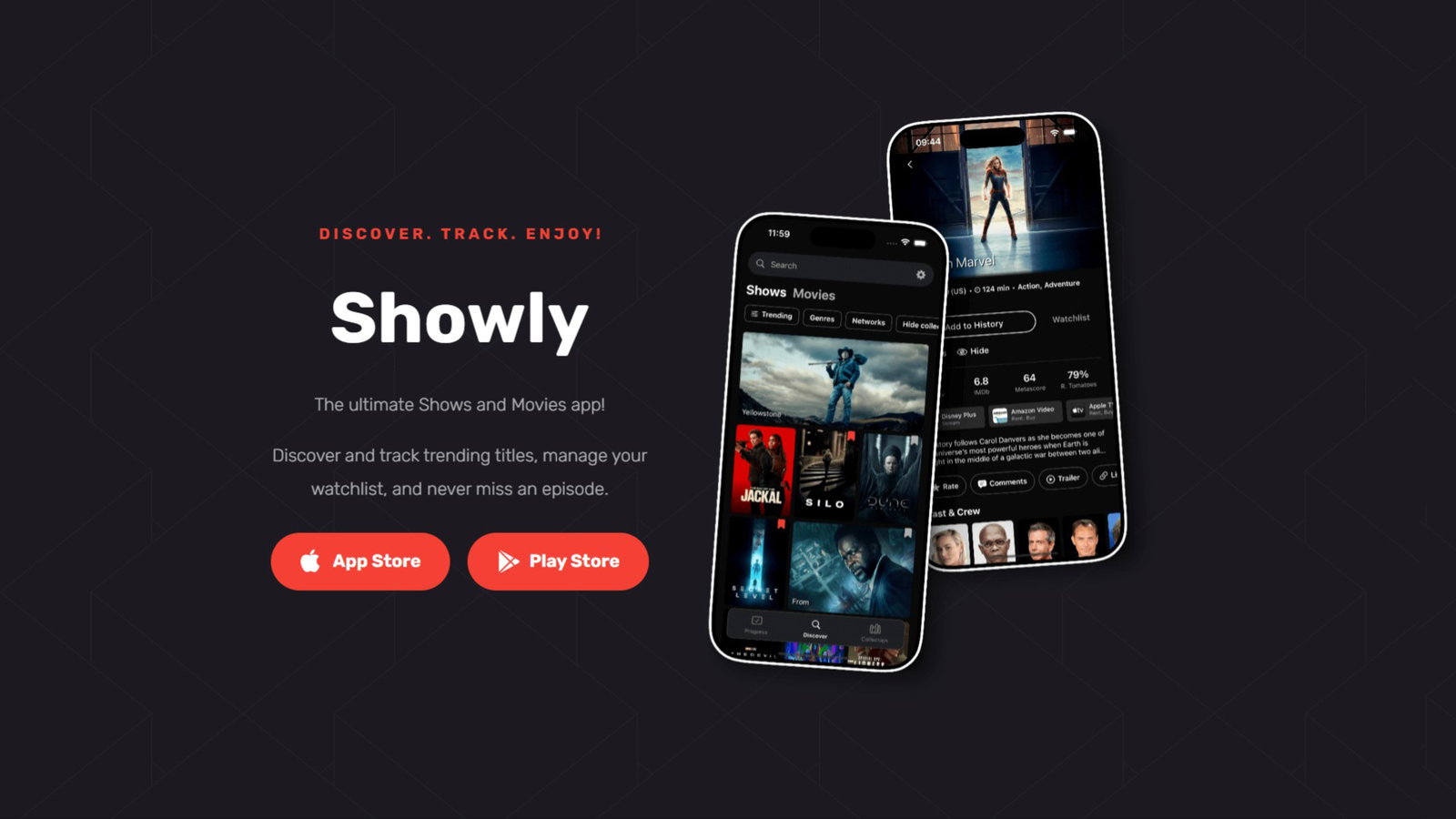
Showly focuses on keeping movie and television tracking clean and uncomplicated.
Users can record progress, see upcoming episodes and premieres, manage watchlists, create custom lists, browse trending or anticipated titles, receive recommendations, and view statistics about their collection.
It also integrates closely with Trakt. Connecting an account lets users synchronize progress and watchlist information, but Showly still provides its own interface, discovery tools, notifications, widgets, lists, and collection management.
That balance is why it fits well. It offers considerably more than a basic checklist without surrounding the tracking process with too much complexity. Showly is available on both iOS and Android for free, with optional purchases for additional functionality.
-
Price: Free; optional in-app purchases
-
Best for: Clean and simple tracking
-
Key strengths: Progress tracking, custom lists, discovery, recommendations, statistics, notifications, widgets, and Trakt sync
-
Sync/Import: Trakt synchronization
Clean tracking is useful, but when a show disappears for 18 months and suddenly returns, a good calendar becomes almost as important as a watchlist.
Next Episode
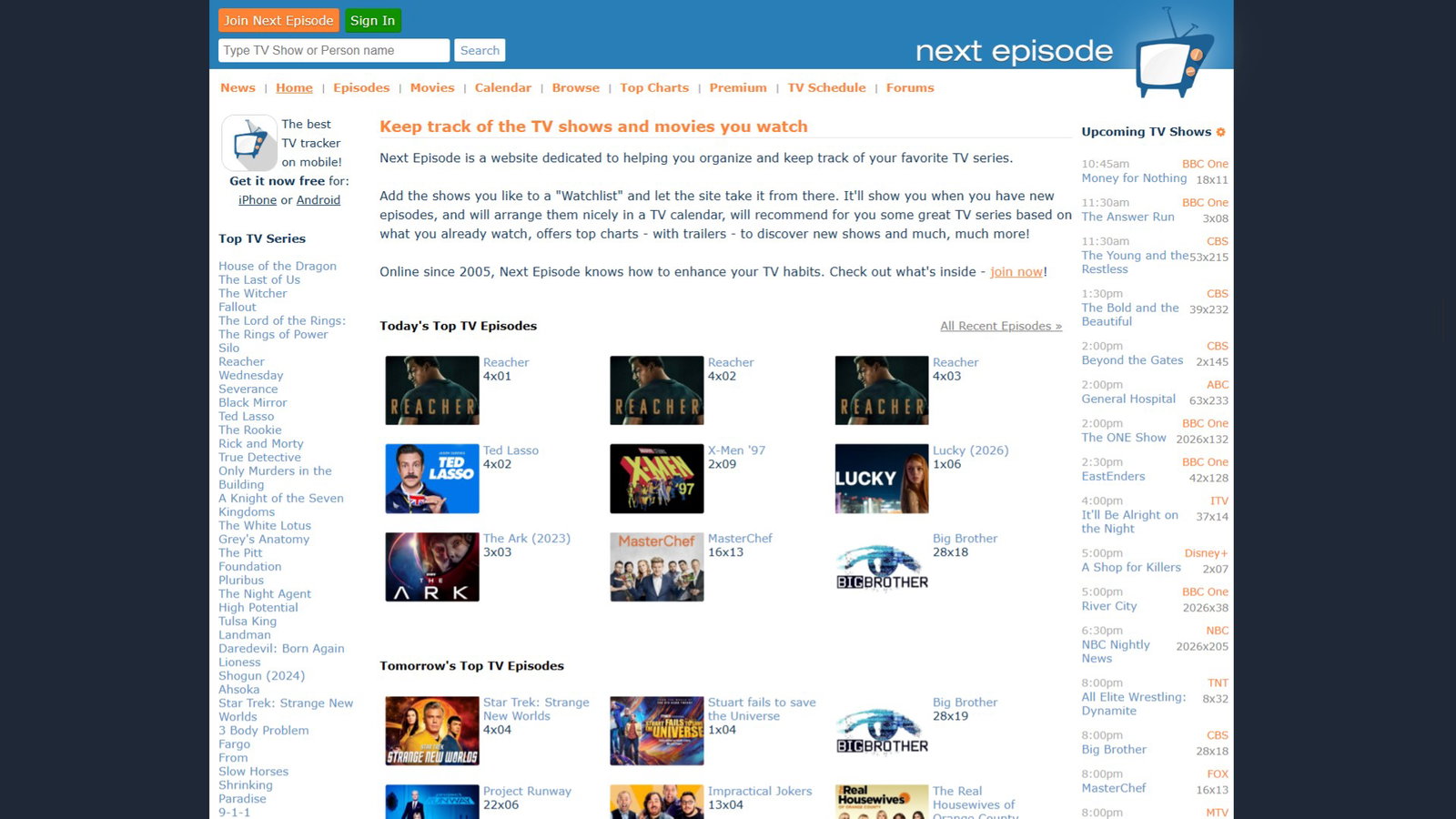
Next Episode has been helping viewers organize television for more than two decades, and its current apps now cover movies too.
Add titles to your watchlist, and it can surface unwatched episodes, countdowns, upcoming releases, streaming availability, recommendations, trailers, and notifications before new episodes arrive.
The service is particularly good at answering the “what airs next?” problem. Its personalized calendar and episode-focused layout make it useful for viewers following several currently airing shows instead of only bingeing completed seasons. The apps also provide widgets and keep movie tracking alongside television.
That makes Next Episode a strong TV show watchlist tracker for anyone who cares as much about release schedules as viewing history. The core app is free, while optional Pro and Premium purchases unlock additional features and remove certain limits.
-
Price: Free; Pro is $4.99, while website Premium is $24.95/year after a trial.
-
Best for: Schedules and release reminders
-
Key strengths: Episode countdowns, personalized calendars, unwatched episode lists, reminders, streaming information, and recommendations
Finally, we arrive at the app almost everyone has used to answer “Who is that actor again?” It turns out IMDb can remember more than cast names.
IMDb
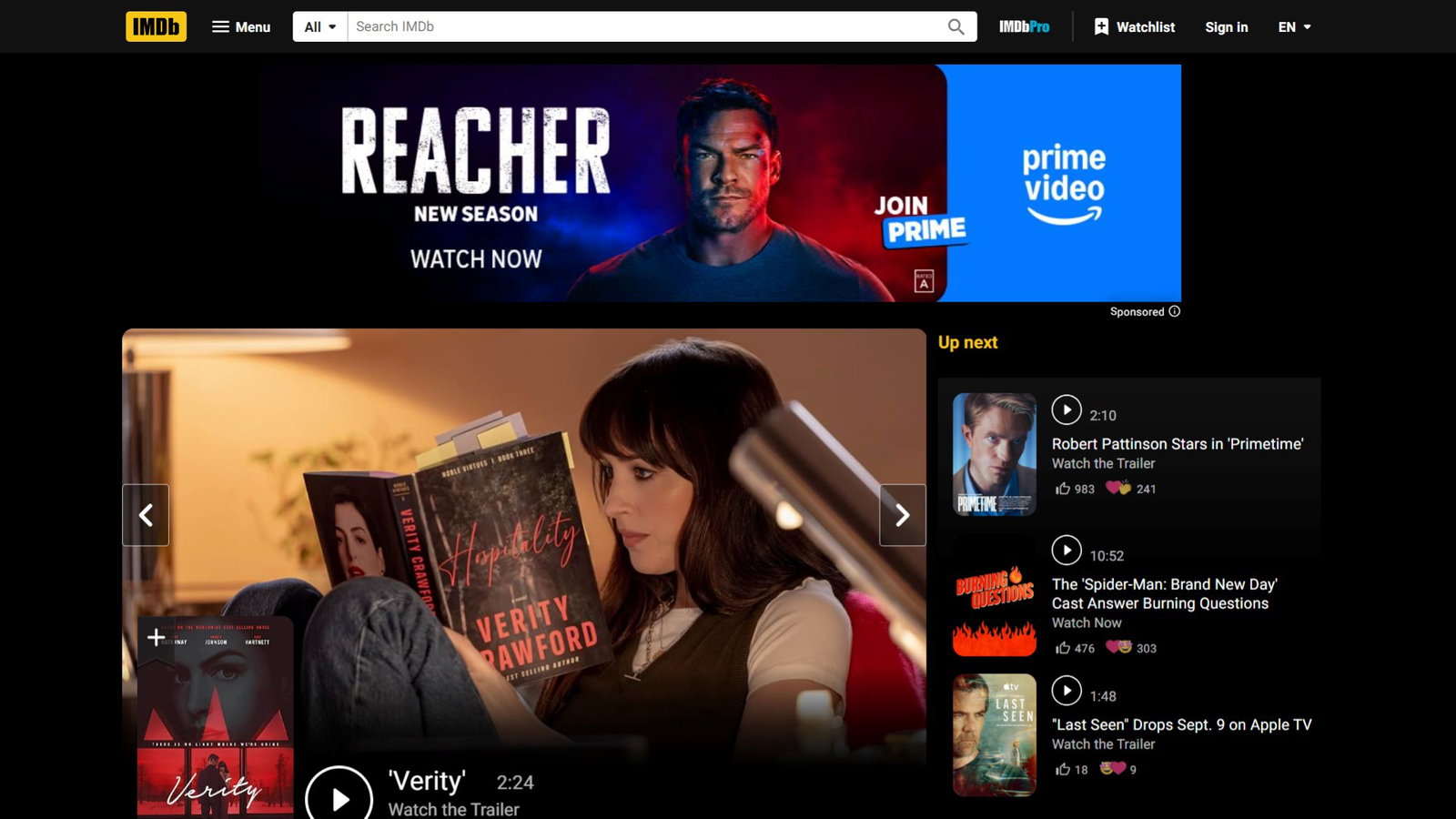
IMDb is not as tracking-focused as the other nine apps, but its current feature set is strong enough to earn the final spot.
Its Watchlist stores movies and TV shows you plan to see, while the newer Watched feature lets registered users record titles they have already finished without needing to rate or review them.
IMDb also automatically adds a title to Watch History when users mark it Watched, rate it, review it, or create a Check-in. Check-ins can apply to an entire TV series or individual episodes, giving casual viewers another way to record activity. Ratings, personalized recommendations, custom lists, cast and crew information, reviews, release details, and
IMDb’s enormous entertainment database sits around those tracking tools. Its episode-progress experience is less specialized than dedicated trackers, but for casual tracking combined with discovery and reference information, IMDb remains highly practical.
-
Price: Free
-
Best for: Casual tracking and entertainment discovery
-
Key strengths: Watchlist, Watch History, Watched status, Check-ins, ratings, recommendations, reviews, and extensive movie and TV information
From Trakt's detailed records to IMDb's simpler Watch History, the choice comes down to whether you want a full viewing diary or simply a reliable way to remember which fictional universe you left halfway through.
| App | Price | Platforms | Strengths | Drawbacks |
| Trakt | Free; optional VIP | Web, iOS, Android, integrations | Detailed tracking, automatic logging, calendars, lists, broad integration ecosystem | Some advanced features require VIP |
| JustWatch | Free; optional Pro | Web, iOS, Android, Android TV, Apple TV, LG | Streaming availability, unified WatchList, broad international coverage | Less detailed episode tracking |
| Simkl | Free; optional Pro/VIP | Web, iOS, Android, Windows, Kodi/Plex browser extensions | Movies, TV, anime, automatic tracking, imports | Some imports and advanced tools require paid plans |
| Bingers | Free | iOS, Android | Social tracking, reactions, lists, reminders, imports | Very new compared with established trackers |
| Hobi | Free; optional Premium | iOS, Android | Simple tracking, reminders, TV Time migration, Trakt sync | Some movie and advanced features require Premium |
| Reelgood | Free | Web, iOS, Android | Streaming discovery, tracking, recommendations, availability alerts | Consumer coverage mainly focuses on the US and UK |
| Moviebase | Free; optional Premium | Android | Movie and episode tracking, Trakt sync, watchlists, discovery | No iOS app |
| Showly | Free; optional in-app purchases |
iOS, Android | Clean interface, progress tracking, lists, notifications, Trakt sync | Cross-device synchronization centers on Trakt |
| Next Episode | Free; optional Pro/Premium | Web, iOS, Android | Calendars, countdowns, reminders, episode organization | Stronger for TV tracking than movie tracking |
| IMDb | Free | Web, iOS, Android | Watchlist, Watch History, ratings, recommendations, large entertainment database | Less detailed episode-progress management than dedicated trackers |
Topics For More Insights
Conclusion
A good tracking app should do more than remember what you watched. It should reduce the friction between finishing one title, finding the next, and returning to a series months later without losing your place. As streaming libraries keep expanding, having one reliable place for your watch history, lists, and upcoming releases can make entertainment feel less scattered and a lot easier to manage.
Frequently Asked Questions
Can You Use One App To Track Shows And Movies Across Different Streaming Services?
Yes, but how well it works depends on the app. Some platforms let you create a single watchlist covering titles from Netflix, Prime Video, Disney+, Hulu, Max, and other services. Others also show where each title is currently available to stream. However, a unified watchlist does not necessarily mean the app can automatically read your viewing history from every streaming service, so you may still need to mark some titles or episodes manually.
How Do I Choose The Best App To Track TV Shows And Movies?
Start with your viewing habits. If you follow weekly shows, look for episode progress, calendars, and release reminders. Movie-focused users may value ratings, lists, and discovery tools more. It also helps to check whether the app supports your devices, offers data importing, works in your region, and keeps useful features free. If you already have years of viewing history, synchronization and migration options should carry extra weight.
Can TV And Movie Tracking Apps Automatically Record What I Watch?
Some can, although automatic tracking usually depends on supported integrations. Certain apps connect with media servers, streaming tools, browser extensions, or compatible players to log viewing activity with less manual input. Others rely mainly on users marking movies, episodes, or seasons as watched. Before choosing an app for automatic tracking, check which services and devices it supports, since compatibility can vary considerably between platforms and may require additional setup.
Thu, Aug 13, 2026

Enjoyed what you've read so far? Great news - there's more to explore!
Stay up to date with the latest news, a vast collection of tech articles including introductory guides, product reviews, trends and more, thought-provoking interviews, hottest AI blogs and entertaining tech memes.
Plus, get access to branded insights such as informative white papers, intriguing case studies, in-depth reports, enlightening videos and exciting events and webinars from industry-leading global brands.
Dive into TechDogs' treasure trove today and Know Your World of technology!
Disclaimer - Reference to any specific product, software or entity does not constitute an endorsement or recommendation by TechDogs nor should any data or content published be relied upon. The views expressed by TechDogs' members and guests are their own and their appearance on our site does not imply an endorsement of them or any entity they represent. Views and opinions expressed by TechDogs' Authors are those of the Authors and do not necessarily reflect the view of TechDogs or any of its officials. While we aim to provide valuable and helpful information, some content on TechDogs' site may not have been thoroughly reviewed for every detail or aspect. We encourage users to verify any information independently where necessary.
Loading comments...