
Mobile
WhatsApp Ends Support For Android 5.0 And 5.1, Android 6 Now Required
Updated on Tue, Sep 8, 2026
Share
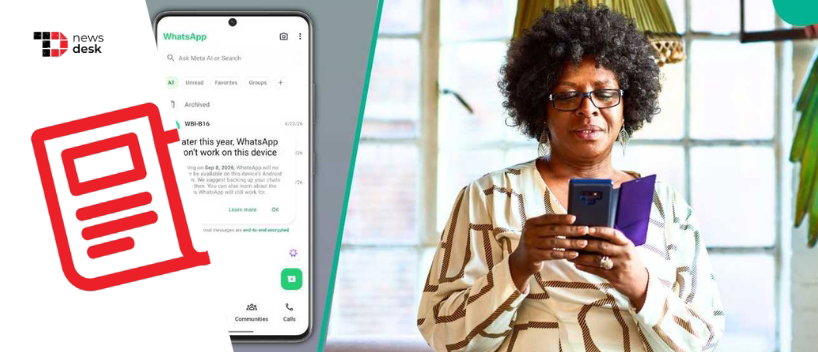
WhatsApp has ended support for devices running Android 5.0 and Android 5.1 from September 8, 2026, raising the minimum operating system requirement to Android 6.0 for users who want to continue using the messaging platform.
TL;DR
- WhatsApp now requires Android 6.0 or newer after ending support for Android 5.0 and 5.1.
- Users with phones that cannot upgrade to a supported Android version may need to move to a newer device.
- WhatsApp says affected users receive in-app notifications and upgrade reminders before support ends.
WhatsApp Raises Minimum Android Requirement
As announced through its official supported operating systems page, WhatsApp has raised its minimum Android requirement from Android 5.0 to Android 6.0.
“Starting September 8, 2026, only Android version 6 and newer will be supported,” WhatsApp states.
This means devices still running Android 5.0 or Android 5.1, commonly associated with older Android Lollipop-era smartphones, are no longer officially supported by the messaging service.
WABetaInfo reports that the change applies to both WhatsApp Messenger and WhatsApp Business, meaning users of either application need a device running Android 6.0 or newer.
WhatsApp regularly drops support for older operating systems as devices and software evolve. According to the company’s supported devices guidance, this allows it to support newer systems while keeping up with advances in technology and security.
Who Is Affected By The WhatsApp Android Cutoff?
The change specifically affects users whose smartphones remain on Android 5.0 or Android 5.1 and cannot be updated to Android 6.0 or newer.
Users with phones that support a newer version of Android should check whether a software update is available. Those using devices that cannot be upgraded may need to switch to a newer smartphone to continue receiving supported WhatsApp access.
WhatsApp says users are notified inside the app when support for their operating system is due to end and are reminded several times to upgrade.
The cutoff was also highlighted by Tech Advisor in its September 8 report, although WhatsApp itself has not disclosed an official figure for the number of users affected by the change.
Topics For More Insights
What Should Affected WhatsApp Users Do?
Users planning to change devices should secure their chat history before moving away from an older phone.
WhatsApp allows Android users to back up their chat history using a Google Account. The company notes that chats and media can be restored from the most recent successful backup when moving to another compatible Android device.
WhatsApp also provides a dedicated Chat Transfer feature for moving conversations and media between Android phones. However, its current requirements state that Android 6 or newer must be installed on both devices when using this method.
Users should therefore check their Android version, available system updates, and WhatsApp backup status before replacing an affected device.
For WhatsApp, ending support for ageing operating systems is an ongoing process rather than a one-time change. For users still relying on Android 5.0 or 5.1, however, September 8 marks the point at which upgrading the operating system or moving to a supported device becomes necessary for continued official support.
First published on Tue, Sep 8, 2026

Enjoyed what you read? Great news – there’s a lot more to explore!
Dive into our content repository of the latest tech news, a diverse range of articles spanning introductory guides, product reviews, trends and more, along with engaging interviews, up-to-date AI blogs and hilarious tech memes!
Also explore our collection of branded insights via informative white papers, enlightening case studies, in-depth reports, educational videos and exciting events and webinars from leading global brands.
Head to the TechDogs homepage to Know Your World of technology today!
Disclaimer - Reference to any specific product, software or entity does not constitute an endorsement or recommendation by TechDogs nor should any data or content published be relied upon. The views expressed by TechDogs' members and guests are their own and their appearance on our site does not imply an endorsement of them or any entity they represent. Views and opinions expressed by TechDogs' Authors are those of the Authors and do not necessarily reflect the view of TechDogs or any of its officials. While we aim to provide valuable and helpful information, some content on TechDogs' site may not have been thoroughly reviewed for every detail or aspect. We encourage users to verify any information independently where necessary.
Loading comments...