
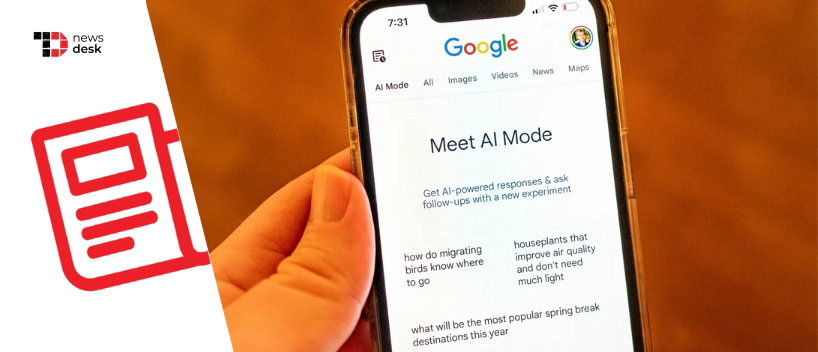
Google has expanded Gemini-powered Canvas inside AI Mode in Search to all users in the United States in English, moving the feature beyond its earlier Google Labs availability and adding broader drafting and project-building workflows directly inside Search.
TL;DR
- Google has rolled out Canvas in AI Mode to all U.S. users in English.
- Canvas now supports creative writing and coding tasks in Search, including drafting documents and creating custom interactive tools.
- The feature was previously available through Google Labs experiments before this wider rollout.
What’s New In Google Search’s AI Mode Rollout
The latest update makes Canvas in AI Mode available to a wider Search audience in the U.S. in English. TechCrunch reported that Google first introduced the feature through Google Labs experiments, and the broader rollout now removes that earlier limitation for eligible users in the region.
This expansion also adds new capabilities to Canvas in AI Mode. Google says users can now use it for creative writing and coding tasks, including drafting documents and creating custom interactive tools directly within Search.
How Canvas Fits Into The AI Mode Experience
Canvas is positioned as a dedicated workspace alongside the AI Mode conversation in Search. Google says users can open Canvas from the tool menu in AI Mode, describe what they want to create, and continue refining outputs through follow-up prompts.
According to Google’s announcement, Canvas can generate a working prototype in a side panel that can pull together information from the web and Google’s Knowledge Graph. Google also says users can test functionality and refine results conversationally as they iterate on a project.
What Google Says Users Can Do With Canvas
Google describes Canvas as a dynamic space for organizing plans and projects over time. The company says the feature can be used for drafting, planning, and building interactive tools within Search.
As one example, Google highlighted an early tester use case involving a scholarship dashboard to track requirements, deadlines, and award amounts. The company is framing Canvas as a persistent workspace for tasks that benefit from iterative updates rather than one-off prompts.
Why This Rollout Matters For Google’s AI Search Product
The significance of the update is primarily in access and product scope. By bringing Canvas to all U.S. users in English inside AI Mode, Google is expanding the range of generative AI tasks available in Search beyond conversational answers and summaries.
It also shows Google continuing to connect Gemini-powered creation workflows with Search interfaces, making drafting and lightweight prototyping available closer to where users already begin research and planning tasks.
Topics For More Insights
How This Connects To Google’s Broader AI Product Push
Google’s Search rollout sits alongside the company’s wider effort to integrate Gemini capabilities across products and surfaces. Canvas already exists in the Gemini ecosystem, and this AI Mode rollout extends similar workspace-style functionality into Search for a broader audience.
For users, that means Search is increasingly being positioned not only as a discovery tool, but also as a place to organize ideas and build project outputs iteratively with AI assistance.
What Google Said
In its announcement, Google said Canvas in AI Mode is now available to everyone in the U.S. in English and described it as a dedicated, dynamic space to organize plans and projects over time, with support for creative writing and coding tasks including document drafting and custom interactive tools.
