
Digital Marketing
Tracking Social Media Performance On Google Search Console
Share
TL;DR
-
Brands and creators can measure Google-driven clicks, impressions, queries, CTR, and average position.
-
Supported accounts include Instagram, TikTok, X, and YouTube.
-
Each account or channel must be added and verified as a separate property.
-
Performance, Insights, and Achievements reports reveal traffic, leading content, trends, and milestones.
-
Captions and titles can be refined using query data, but keywords do not guarantee rankings.
-
The reports strengthen cross-channel measurement but do not replace native analytics, conversion tracking, or revenue attribution.
Introduction
Justin Hartley may not be a major league actor, but his filmography is nothing short of impressive. He began as a series regular on a TV soap opera called Passions, lasting five seasons out of nine for a total of 438 episodes.
He then moved to Smallville, a TV show based on Superman’s formative years, where Hartley played Oliver Queen, AKA Green Arrow, across five seasons and 72 episodes. His biggest shot to fame came from This Is Us, a drama series that ran for six seasons and 106 episodes.
Why are we talking about Justin Hartley?
It’s because of his current role as Colter Shaw in the TV show Tracker. Shaw is a troubled lone-wolf survivalist who hones his skills to search for and find missing people and collect rewards. The character works through evidence and unearths more clues to find what others can’t.
Shaw is the fictional equivalent of Google Search Console, which works through digital clues across your website to find out what’s working for you and help you unearth what isn’t to maintain a prominent position in Google Search results.
What’s new is that Google now allows brands and creators to see how their posts from a wide range of social media platforms perform on Google’s Search Engine Results Pages (SERPs). This comes at a time when social media feeds are increasingly crowded with AI slop: repetitive, mass-produced, and low-value AI-generated content.
So, how exactly does this new integration work and what does it bring users? Let’s explore. Let’s track them down.
What Are Platform Properties In Google Search Console?
Instead of guessing which posts cut through the noise, brands and creators can now follow the trail from a Google query to the social content receiving attention.
Just like how Colter Shaw pieces together evidence, Google Search Console platform properties treat an authorized social account or video channel as its own property.
Users can examine how that account performs across Google Search and, when eligible, Discover and Google News. This is especially beneficial for creators whose main presence lives on social media platforms. It also brings social discovery into the marketing technology stack alongside search engine optimization (SEO) tools.
Originally announced on July 7, 2026, platform properties became globally available on July 29, 2026.
However, they do not replace native analytics. Platform properties report Google-driven impressions, clicks, queries, click-through rates, and positions, not in-app likes, comments, watch time, shares, or follower growth.
GSC social media tracking opens a new case file, but it does not contain every clue. Before opening that file, let us see which platforms Google currently allows users to investigate.
Which Social Media Platforms Are Supported By Google Search Console Platform Properties?
Search Console currently supports four platforms:
-
Instagram: Measures how eligible public content and profile pages are discovered through Google.
-
TikTok: Helps teams track TikTok search performance and the queries leading users to public videos.
-
X (formerly known as Twitter): Shows how posts and profiles receive Google visibility and clicks.
-
YouTube: Lets creators track YouTube videos in Search Console, including short-form and longer videos.
Facebook, LinkedIn, Pinterest, and Threads are not currently supported. Each profile or channel must be added separately.
Now that Green Arrow has four targets in sight, it’s time to complete the Search Console social media setup.
How To Track Social Media Posts In Google Search Console: A Step-By-Step Guide
Google treats every connected account as a separate property. Here is the process:
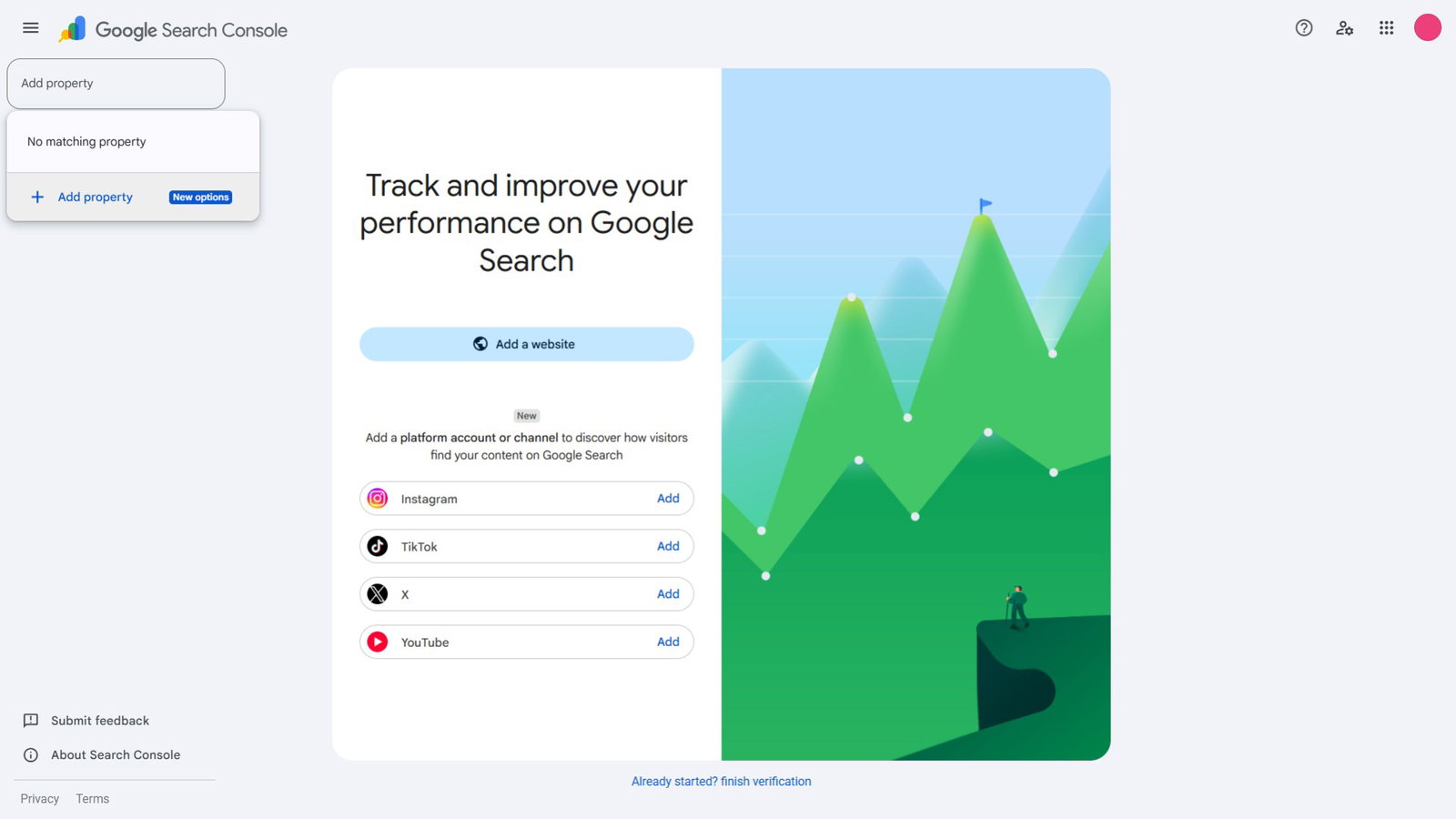
Step 1: Open The Property Selector
Sign in to Google Search Console, open the property selector, and choose “Add property.” You can also begin from the verification page.
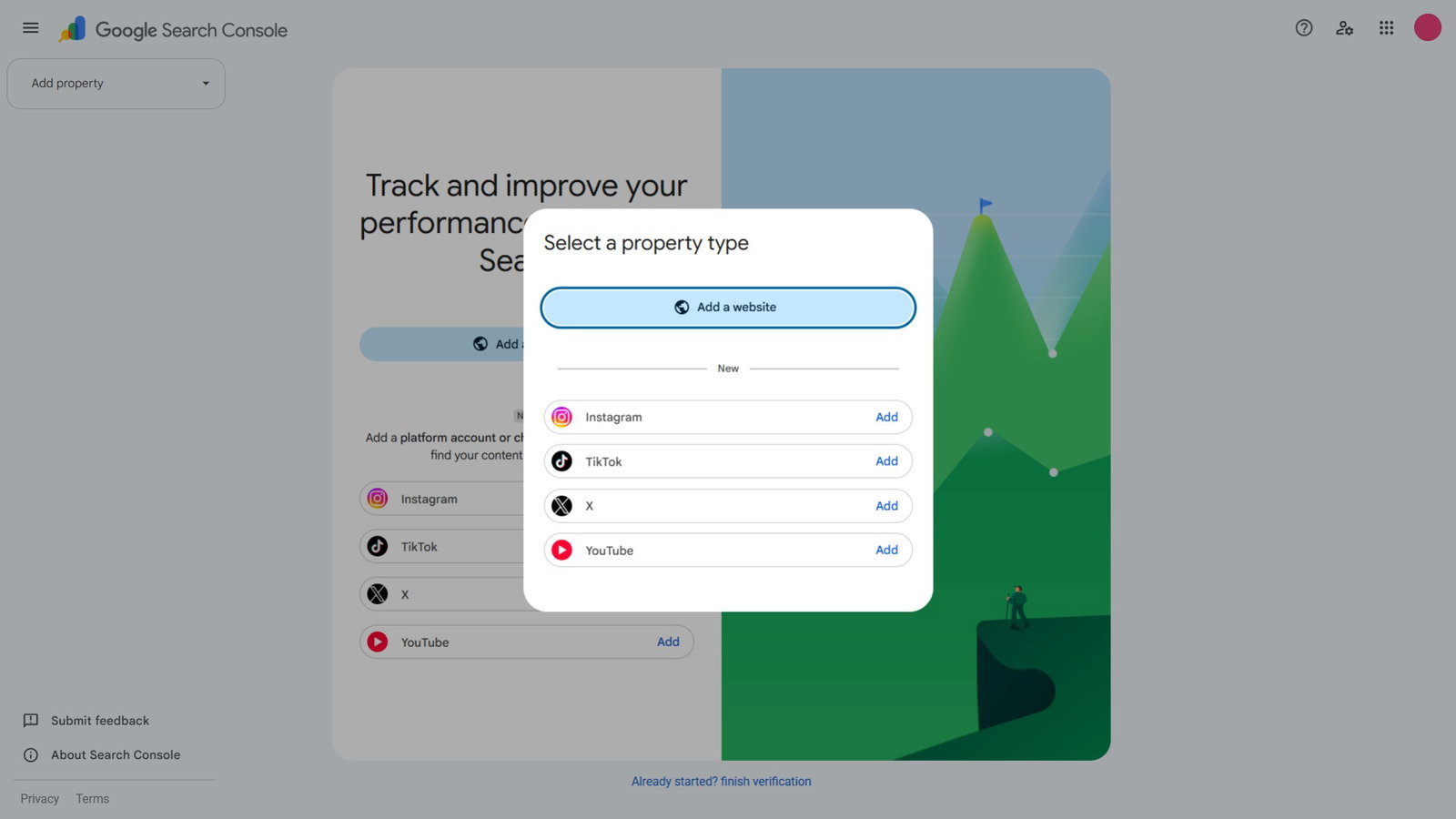
Step 2: Choose A Platform
Select Instagram, TikTok, X, or YouTube, then choose the exact account or channel you want to monitor.
Step 3: Authorize The Account
Follow the prompts and sign in through the platform to verify control and authorize the connection.
Step 4: Complete Verification
After ownership is confirmed, choose “Go to property.” Reports may remain empty for a few days while Google processes the first data.
Step 5: Keep The Connection Active
Google periodically checks ownership. If an external sign-in expires, reporting pauses until you verify the property again. Reverification restores access to the existing report.
Step 6: Review Performance
Start with the default 28-day view, then filter posts, queries, dates, devices, and countries. Export properties for comparison and add annotations when changing a title or caption.
That is how to track social media posts in Google Search Console without adding code to a website. The setup is simple, but the reason Google built it says more about changing search behavior. The next question is what the dashboard reveals.
What Social Media Data Can You See In Google Search Console?
The Performance report shows total clicks, impressions, average click-through rate, and average position. Users can filter the data by queries, posts, dates, countries, devices, and supported search surfaces, then export it for further analysis.
The Insights report provides a simpler view of recent traffic, leading posts, and how people find the account. Achievements records click-based milestones. Together, these reports can reveal rising queries, traffic spikes, older posts regaining attention, and formats worth comparing.
This makes the ability to track social media in Google Search Console useful for content planning and cross-channel digital marketing decisions. However, it measures organic Google discovery, not paid search engine marketing (SEM) campaigns or activity inside each platform.
These clues explain what happened, but we’re still searching for Google’s motive.
Why Did Google Expand Search Console To Social Media?
Google Search can send users to social posts, short videos, creator perspectives, and channel pages, not only traditional webpages. Publishers also reach audiences through a wide range of channels, while some creators operate without a standalone website.
Platform properties close the measurement gap between those publishing habits and Google discovery. Previously, SEO teams studied website searches while social teams reviewed separate in-app dashboards. Neither view clearly showed which Google queries sent people to individual social posts.
The update does not make every post rank. It gives verified owners direct reporting for a part of their search presence that was difficult to measure.
Like Smallville expanding Clark Kent’s world beyond one town, Search Console is broadening its view beyond domains. This wider view makes the wording attached to posts more useful, bringing captions into the investigation.
How Do Platform Properties Affect Brands And Creators?
Platform properties help creators understand which topics, videos, captions, and search queries drive discovery, even without a website. Captions, video titles, hashtags, spoken topics, and on-screen text can all provide context about a post.
Creators can also track Instagram posts on Google Search, compare short-form and long-form content, identify older posts gaining attention, and use audience language to improve future titles or captions. However, adding keywords does not guarantee visibility, and Search Console itself does not improve rankings.
For brands, the feature connects social media data with search engine optimization reporting. Teams can compare how one topic performs across webpages, Instagram Reels, TikTok videos, X posts, and YouTube uploads. This can reveal content gaps, support repurposing, and show executives how social content contributes to Google visibility beyond native engagement metrics.
Remember, Search Console does not prove revenue or complete attribution. Just like Colter Shaw following a promising clue, it provides a strong lead, not a fully solved case.
Topics For More Insights
Conclusion
Google Search Console platform properties give brands and creators a clearer trail between a search query and the social post that answers it. The feature will not replace native analytics or solve attribution alone, but it makes social search visibility easier to measure. Just like Colter Shaw tracking clues, teams can now trace what audiences are searching for, identify the content getting discovered, and make smarter decisions based on evidence instead of guesswork.
Frequently Asked Questions
Does Platform Property Data Include Activity From Before Setup?
No. New properties do not receive a complete historical backfill from before they were added. Data collection begins around the time the property enters an account, and newly created reports may remain empty for several days while information is processed. If charts show only part of the selected date range, that usually means collection began after the range started. This makes early setup valuable because waiting also delays the point from which useful performance history begins accumulating.
Can Another Team Member Access A Verified Property?
Yes. An owner who has already verified the account can grant another person access to the property. This is useful when agencies, analysts, or social teams need reporting access but should not receive the login credentials for the underlying account. Access should still be limited according to each person’s responsibilities. The owner remains responsible for maintaining verification, while invited users can review the data according to the permission level they have been assigned inside the reporting tool.
Why Do Discover And News Reports Not Always Appear?
Those reports appear only when eligible content receives traffic from the relevant surface. A connected account may therefore show web search data while having no separate Discover or News report. The absence of either report does not mean the property was configured incorrectly. It usually means there is not enough qualifying traffic to display. As content begins appearing and receiving interactions on those surfaces, the related reporting can become available automatically within the property without additional setup.
Thu, Jul 30, 2026

Liked what you read? That’s only the tip of the tech iceberg!
Explore our vast collection of tech articles including introductory guides, product reviews, trends and more, stay up to date with the latest news, relish thought-provoking interviews and the hottest AI blogs, and tickle your funny bone with hilarious tech memes!
Plus, get access to branded insights from industry-leading global brands through informative white papers, engaging case studies, in-depth reports, enlightening videos and exciting events and webinars.
Dive into TechDogs' treasure trove today and Know Your World of technology like never before!
Disclaimer - Reference to any specific product, software or entity does not constitute an endorsement or recommendation by TechDogs nor should any data or content published be relied upon. The views expressed by TechDogs' members and guests are their own and their appearance on our site does not imply an endorsement of them or any entity they represent. Views and opinions expressed by TechDogs' Authors are those of the Authors and do not necessarily reflect the view of TechDogs or any of its officials. While we aim to provide valuable and helpful information, some content on TechDogs' site may not have been thoroughly reviewed for every detail or aspect. We encourage users to verify any information independently where necessary.
Loading comments...