
Gaming Technology
6 Best Gaming Keyboards Of 2026: Top Picks For Gamers
Share
TL;DR
-
ASUS ROG Strix Scope II 96 Wireless is the best overall choice for gaming, work, wireless freedom, and full-size functionality.
-
Wooting 80HE is built for competitive players seeking exceptional latency, adjustable actuation, and deep software control.
-
Razer Huntsman V3 Pro TKL combines a desk-friendly layout with analog optical switches and esports-focused features.
-
SteelSeries Apex Pro TKL Gen 3 offers extensive customization through adjustable switches, profiles, lighting, and onboard controls.
-
Arbiter Studio Polar 75 Pro delivers a premium typing experience alongside magnetic-switch gaming performance.
-
Corsair K70 CORE provides smooth mechanical switches, strong gaming performance, and full-size functionality at a more accessible price.
Introduction
Do you remember the 2015-released sci-fi action-comedy movie Pixels, starring Adam Sandler, Peter Dinklage, Kevin James, and Josh Gad?
It had a simple but unique plot: aliens attacked Earth but gave humanity a chance to save themselves. That is, if they beat the aliens in a series of real-life versions of old arcade games such as Centipede, Pac-Man, and Donkey Kong.
Enter a group of misfits who save the day with their superior gaming skills and acumen. Being a movie, it was obviously a close call in the end that almost saw everyone on Earth die.
Fortunately, gamers today don’t face such life-or-death situations in real life, but their passion for the game can make it feel that way. To ensure they survive that test and ace it, they need the best hardware.
This includes a powerful GPU, a comfortable chair for hours of gaming, a crystal-clear screen, a super-responsive mouse, and responsive, reliable, precision-tuned keyboards. These simple but unique components could end up becoming the key to your success or the instrument of your defeat.
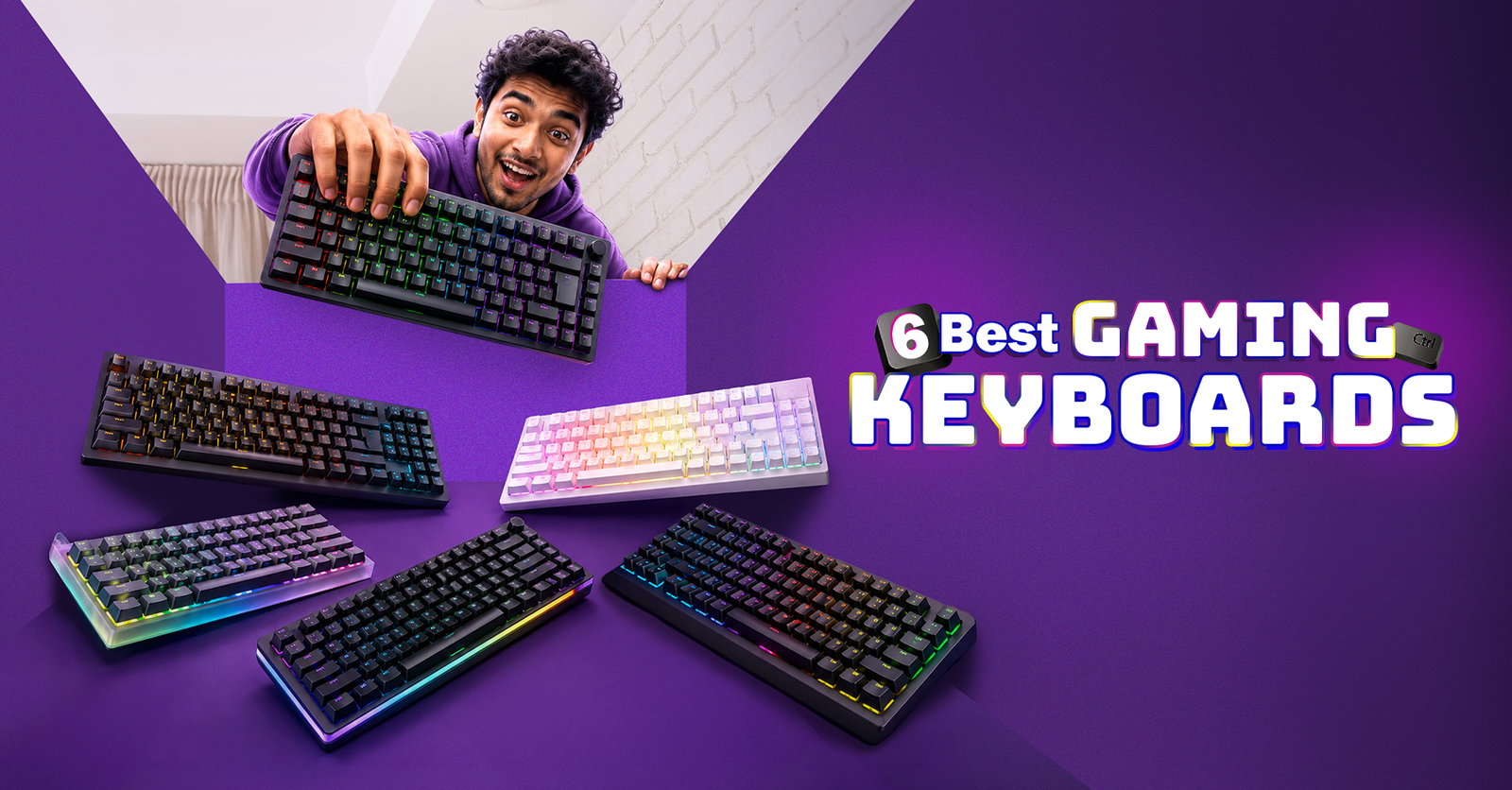
Luckily for you, we’ve brought a treasure trove consisting of the 6 best gaming keyboards that will enhance and improve your gaming experience and give you an edge over your rivals.
So, game on!
Gaming Keyboard Terms You Should Know
Before pressing Start on our 6 selections, here are some terms you might need to know to understand modern gaming technology without getting lost in a maze of technical jargon.
-
TKL: Tenkeyless is a layout that removes the number pad while usually retaining the function row, arrow keys, and navigation controls.
-
RGB: Red, Green, and Blue refers to customizable lighting capable of producing millions of colors and visual effects.
-
NKRO: N-Key Rollover allows several simultaneous key presses to register correctly without inputs being missed.
-
Hall effect: switches that use magnets and sensors to track how far a key moves instead of relying on traditional electrical contacts.
-
Hot-swappable switches: can be removed and replaced without soldering, although switch compatibility may vary between keyboards.
-
Actuation point: is the distance a key travels before the keyboard registers an input.
-
Rapid Trigger: activates and resets a key according to its movement instead of relying on fixed actuation and reset positions.
-
Polling rate: measures how frequently a keyboard reports its inputs to a computer, usually expressed in hertz.
What once felt like emerging technology is now appearing across mainstream products, which brings us to the boards putting these terms into action.
What Are The 6 Best Gaming Keyboards Of 2026?
Choosing the best keyboard for gaming depends on what matters most to you, whether that is competitive speed, wireless flexibility, customization, affordability, or everyday usability.
For players seeking a cleaner setup without sacrificing responsiveness, the best wireless gaming keyboard should provide a stable, low-latency connection, dependable battery life, and a wired fallback when needed.
Meanwhile, the best keyboard brands for gaming are increasingly designing products for different types of players instead of treating everyone like an esports professional. Whether you prefer competitive desktop gaming, casual multiplayer sessions, or titles delivered through cloud gaming, these top gaming keyboards cover a wide range of preferences and setups.
The prices mentioned below are approximate US prices at the time of writing and may vary by retailer, color, region, or ongoing promotion. Remember to check the official product website or your preferred shopping platform for the latest details.
So, remember to check product websites or your preferred shopping platform for the latest details.
ASUS ROG Strix Scope II 96 Wireless
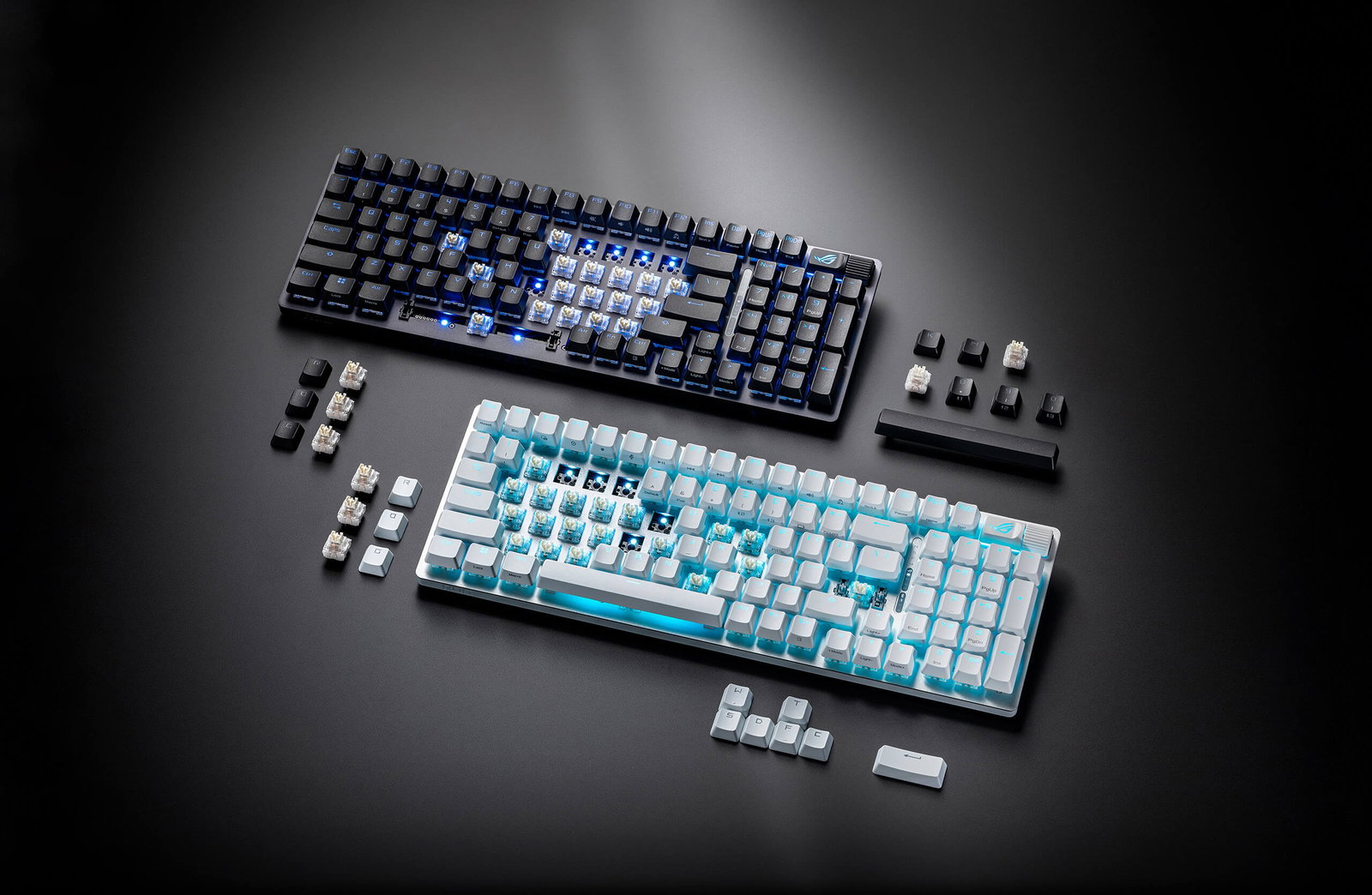
The ASUS ROG Strix Scope II 96 Wireless does not force most gamers to choose between gaming performance and everyday practicality.
Its condensed layout retains a number pad, arrow keys, and function row while occupying less space than a conventional full-size board. This makes it suitable for gaming, office work, content creation, and general computer use.
Its internal dampening, lubricated stabilizers, and pre-lubricated switches produce a more controlled typing sound than many mainstream gaming models. The board also offers enough wireless flexibility to move between a gaming computer, work device, or secondary system without rebuilding the setup each time.
The compressed arrangement can take time to learn, particularly around the arrow and navigation keys. However, that compromise is easier to accept when the board combines broad functionality, a strong typing experience, and reliable performance.
For the widest audience, it is a strong wireless choice and a leading contender for the best mechanical keyboard for gaming.
-
Price: $179 (currently running a discount, priced at $159)
-
Size: 96%
-
Weight: 1,012 g without cable
-
Hot-Swappable Switches: Yes, with three-pin and five-pin mechanical switch support
-
Switch Type: Mechanical
-
Switches: ROG NX Snow linear or ROG NX Storm clicky switches
-
Connectivity: USB-C wired, 2.4 GHz wireless, and Bluetooth 5.1
-
Polling Rate: 1,000 Hz
-
Pros: Versatile for gaming and productivity; compact layout retains a number pad
-
Cons: Closely packed keys require adjustment; Armoury Crate software may feel excessive
-
TechDogs’ Verdict: Best Overall
However, the all-round hero is not always the fastest player in the arcade, which is where our competitive specialist enters the game.
Wooting 80HE
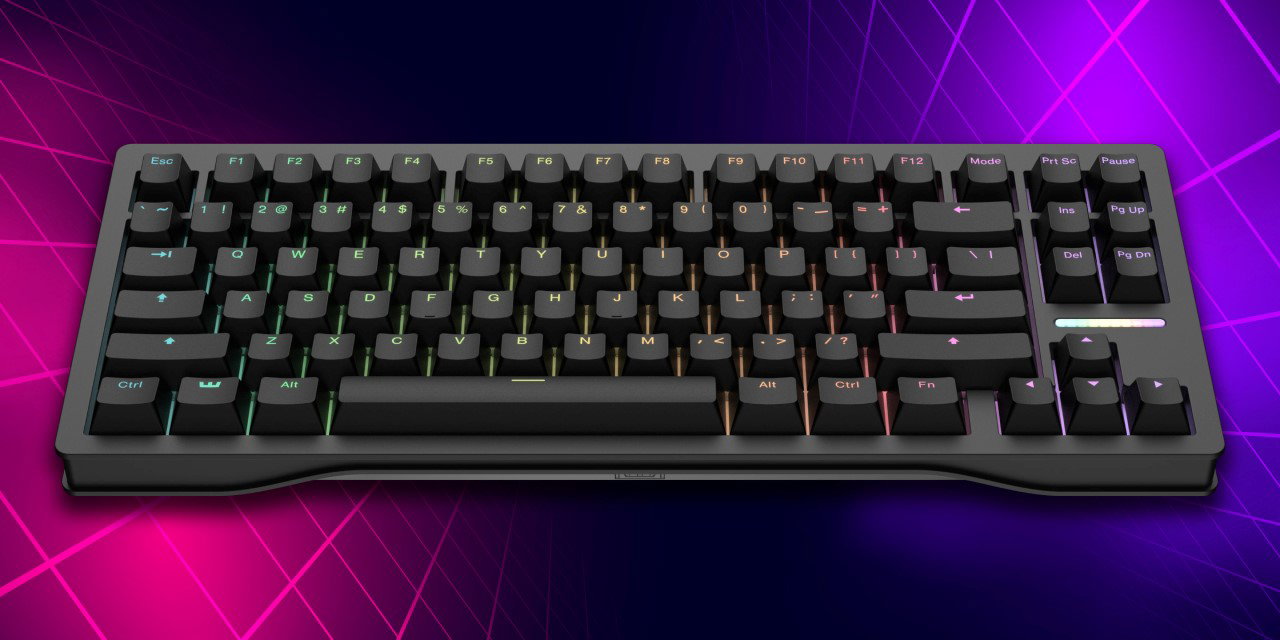
The Wooting 80HE is designed for gamers who treat every movement, counter-strafe, and repeated input as something that can be optimized. Its magnetic switches track the position of each key, allowing players to choose shallow actuation for immediate reactions or deeper settings that reduce accidental presses.
Its greatest advantage is not one isolated feature but the way its hardware and Wootility software work together. Actuation, reset sensitivity, analog input, multi-action keys, profiles, remapping, and lighting are presented through a relatively clear web or desktop interface. RTINGS also found it delivered the lowest measurable latency among the keyboards it had tested as of June 2026.
The board is available with a lighter plastic case or a much heavier zinc-alloy enclosure. Neither version supports wireless use, and the premium case becomes expensive. Still, players seeking rapid trigger actuation, true analog control, and deeply adjustable Hall effect magnetic switches will find few alternatives as complete.
-
Price: From $199.99
-
Size: 80% TKL
-
Weight: 790 g with the PCR ABS case; 2,160 g with the zinc-alloy case
-
Hot-Swappable Switches: Yes, with compatible magnetic switches
-
Switch Type: Analog Hall effect magnetic
-
Switches: Wooting Lekker L60 V2 linear switches
-
Connectivity: Wired USB-C
-
Polling Rate: True 8,000 Hz
-
Pros: Exceptional measured latency; polished and extensive configuration software
-
Cons: No wireless connectivity; zinc-alloy version carries a substantial price premium
-
TechDogs’ Verdict: Best For Competitive Gaming
Not every gamer needs Wooting’s complete tuning laboratory, so our next contender packages competitive controls into a more familiar esports design.
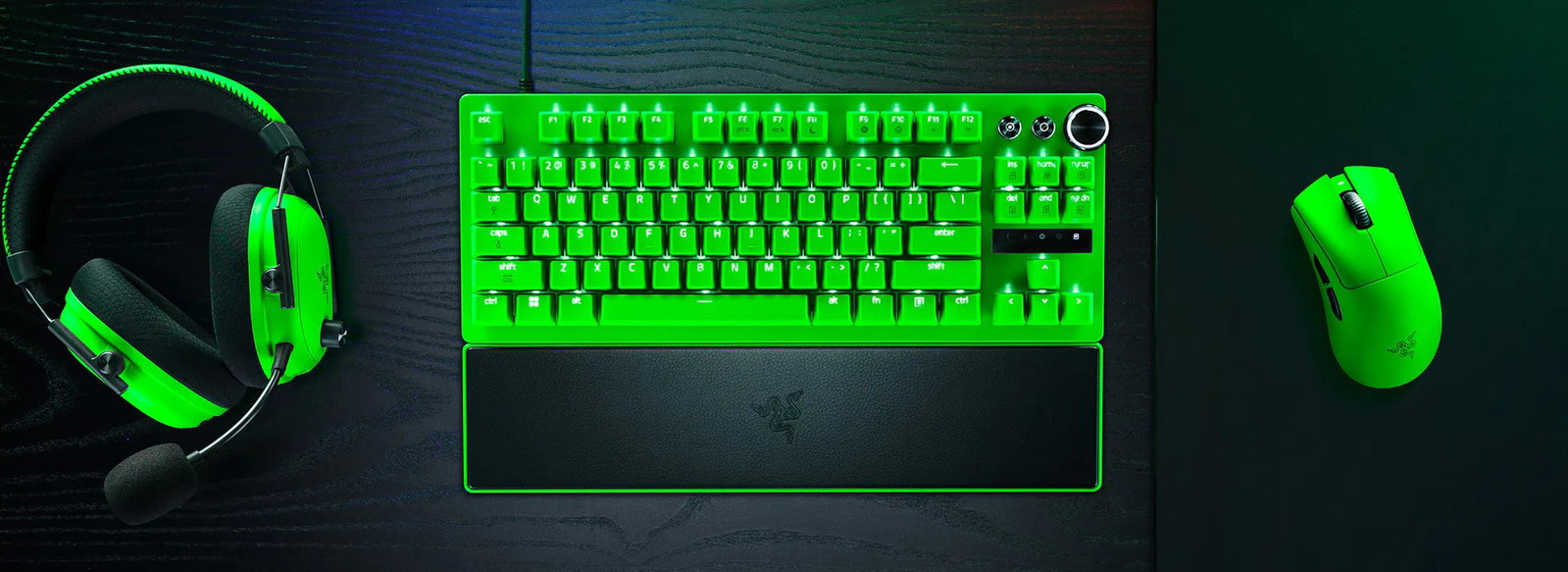
Razer Huntsman V3 Pro TKL
The Razer Huntsman V3 Pro TKL is the commonly used shortened name for the Razer Huntsman V3 Pro Tenkeyless. The original model remains a highly capable analog optical board, but Razer has since introduced the extended Razer Huntsman V3 Pro Tenkeyless 8KHz name for its updated version.
Both versions provide adjustable actuation, Rapid Trigger, Snap Tap, onboard adjustments, durable keycaps, and a compact layout that leaves additional room for wide mouse movements. The original operates at 1,000 Hz, while the newer 8KHz edition raises the maximum polling rate, adds lubricated switches, and uses thicker internal dampening for an improved sound and feel.
These controls make the line particularly appealing to players of shooters and other movement-heavy games. However, its competitive features come at a premium, and its analog optical switches cannot be replaced as freely as standard hot-swappable mechanical switches. Even so, its combination of size, onboard control, and gaming-focused responsiveness makes it our TKL choice.
The original model remains available, while the Razer Huntsman V3 Pro Tenkeyless 8 kHz is its newer, higher-polling Pro variant. It is available in Black ($219), White ($229), Green Esports Edition ($249), and a NiKo Edition ($249). It also brings a full-size keyboard in black ($249).
-
Price: $219.99 (Razer Huntsman V3 Pro TKL 8KHz)
-
Size: TKL
-
Weight: 981 g
-
Hot-Swappable Switches: No
-
Switch Type: Analog optical
-
Switches: Razer Analog Optical Gen-2 switches with additional lubrication
-
Connectivity: Detachable USB-C cable
-
Polling Rate: Up to 8,000 Hz
-
Pros: Extensive onboard gaming adjustments; compact form factor leaves more mouse space
-
Cons: High asking price; fixed proprietary switches limit physical customization
-
TechDogs’ Verdict: Best TKL Gaming Keyboard
Razer gives players direct control over speed, but our next selection turns customization into an entire control center.
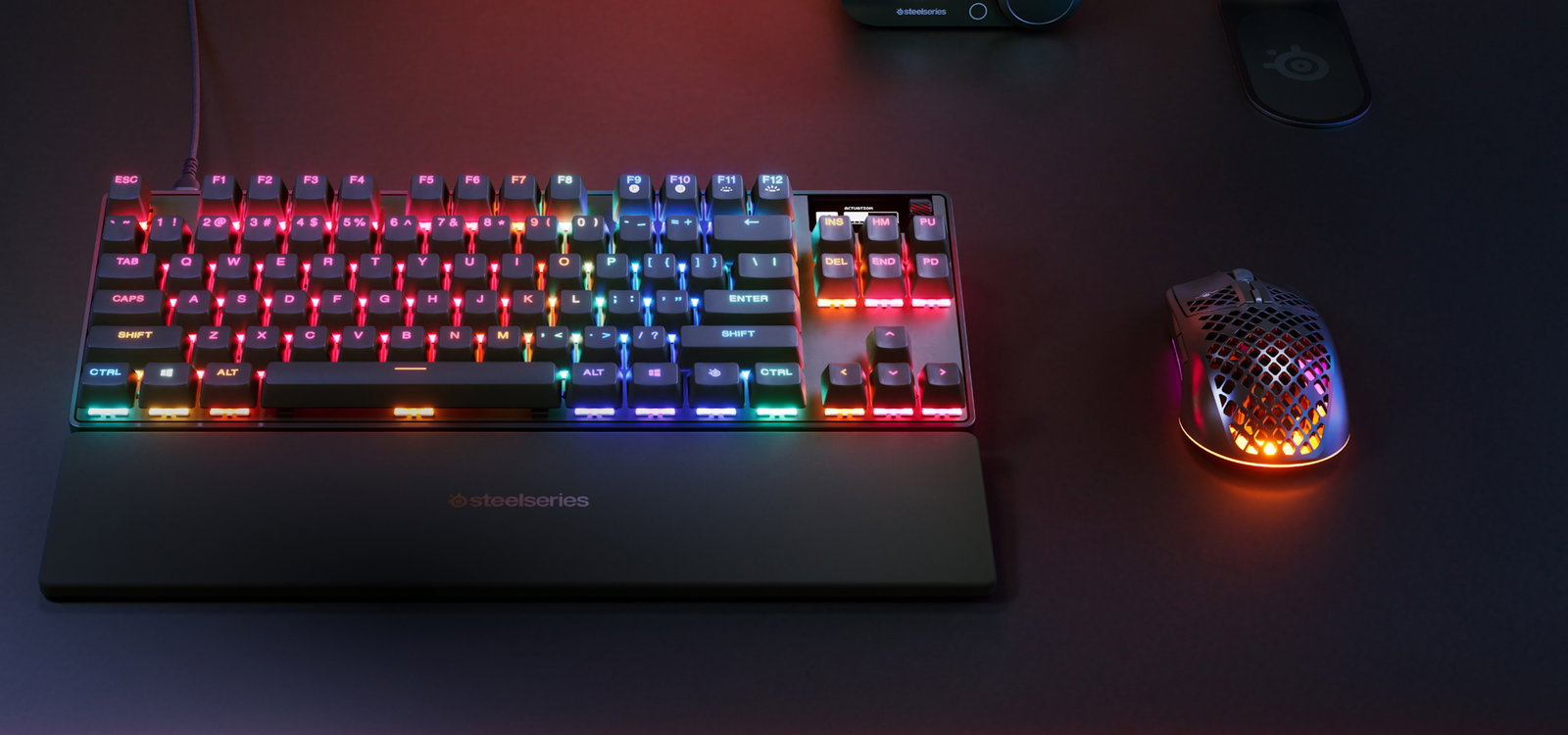
SteelSeries Apex Pro TKL Gen 3
The SteelSeries Apex Pro TKL Gen 3 is built for players who enjoy changing how their keyboard behaves from one game to another.
Its adjustable switches allow different actuation points across individual keys, while Rapid Trigger improves repeated inputs and Rapid Tap prioritizes the latest directional command.
Protection Mode offers a more unusual benefit by reducing the sensitivity of keys surrounding the one being pressed. That can help players who use shallow actuation settings but are prone to brushing nearby keys during intense matches. QuickSet can automatically load game-focused configurations, while the OLED display provides direct access to profiles and settings without requiring constant software navigation.
The keyboard also improves on the sound and construction of earlier generations through switch lubrication, internal dampening, an aluminum top plate, and durable keycaps. Its large number of settings may feel unnecessary to casual players, and the wired version is expensive.
For gamers who genuinely use multiple profiles, actuation levels, remapped keys, and lighting configurations, though, its flexibility is the central attraction. The model also comes in a full-size option and a mini option (60%).
-
Price: $183.99 (wired), $259.99 (wireless)
-
Size: TKL
-
Weight: Approximately 974 g
-
Hot-Swappable Switches: No
-
Switch Type: Hall effect magnetic on primary keys, with fixed mechanical switches on selected secondary keys
-
Switches: OmniPoint 3.0 Adjustable HyperMagnetic switches
-
Connectivity: Wired USB-C
-
Polling Rate: 1,000 Hz
-
Pros: Deep per-key customization; useful OLED display and onboard profile controls
-
Cons: Expensive for a wired keyboard; extensive settings can create a learning curve
-
TechDogs’ Verdict: Best For Customization
SteelSeries brings plenty of digital fine-tuning, while the next keyboard focuses on making magnetic performance feel more like a premium custom board.
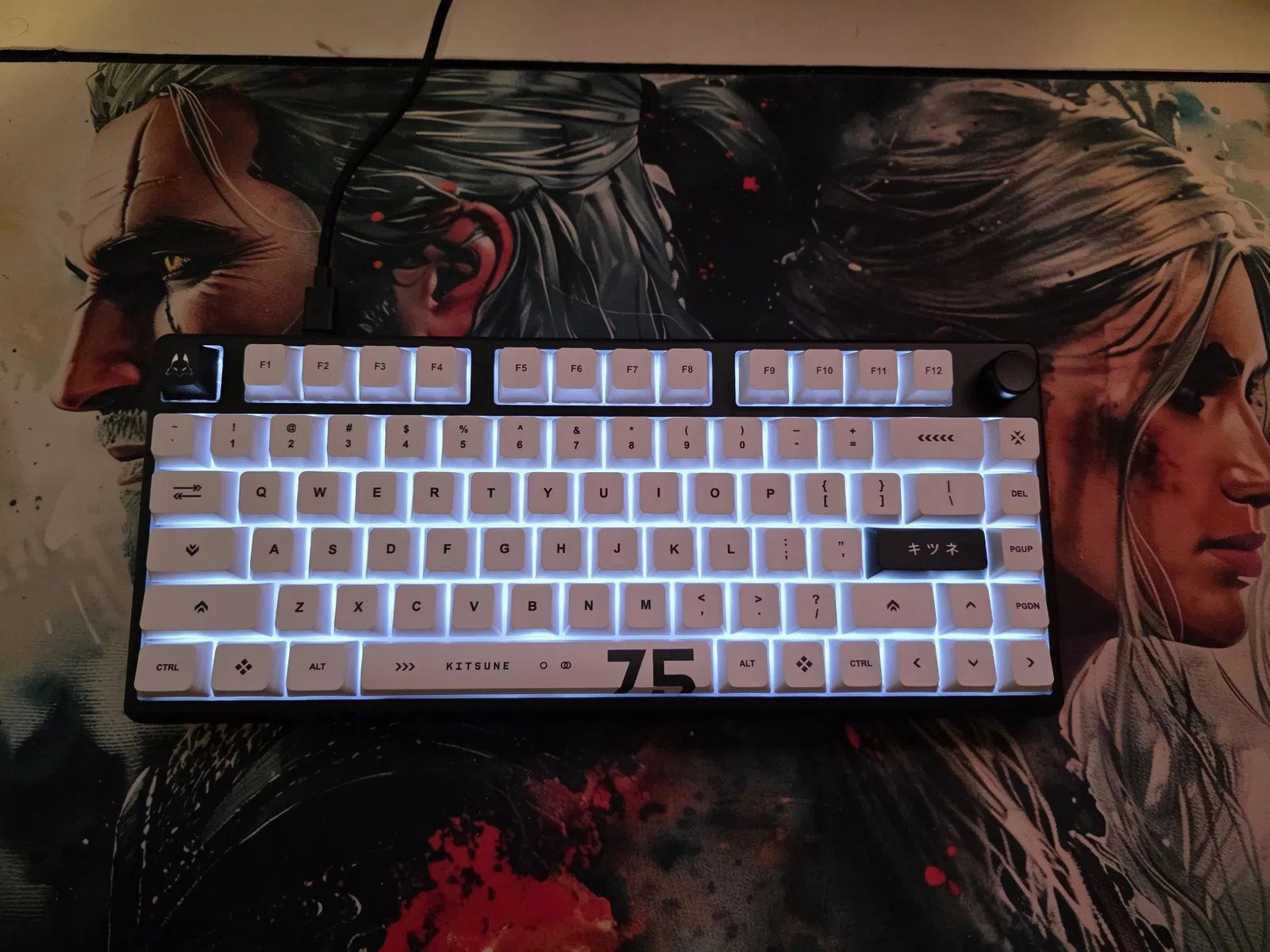
Arbiter Studio Polar 75 Pro
The Arbiter Studio Polar 75 Pro stands out because it treats typing quality as seriously as low-latency gaming features. Many magnetic keyboards focus heavily on speed while using lightweight cases, basic keycaps, or less refined acoustics. The Polar 75 Pro instead combines an aluminum frame, thick dye-sublimated PBT keycaps, internal silicone dampening, and pre-lubricated switches.
Its Fuji Pro switches support adjustable actuation, Rapid Trigger, and Super Tap, Arbiter Studio’s implementation of simultaneous opposing-direction handling. The 75% layout keeps the function row and arrow keys while using less space than a TKL board. Tom’s Hardware particularly praised its typing sound and feel compared with many other magnetic models.
There are compromises. Its software is web-based but less mature than platforms from Wooting, Razer, or Corsair. It is also hot-swappable only within a limited selection of compatible magnetic switches. Nevertheless, it is an appealing option for gamers who want advanced Hall effect performance without sacrificing premium construction and satisfying everyday typing.
-
Price: $165
-
Size: 75%
-
Weight: 1,240 g
-
Hot-Swappable Switches: Yes, with supported magnetic switches; broader compatibility is not clearly documented
-
Switch Type: Hall effect magnetic
-
Switches: Fuji Pro 36 g linear magnetic switches
-
Connectivity: Wired USB-C
-
Polling Rate: 1,000 Hz
-
Pros: Premium build and typing experience; adjustable actuation and competitive gaming functions
-
Cons: Limited compatible switch selection; software lacks some advanced features found in larger ecosystems
-
TechDogs’ Verdict: Best Magnetic-Switch Keyboard
Premium magnetic hardware is impressive, but defeating the final boss should not require emptying your entire wallet.
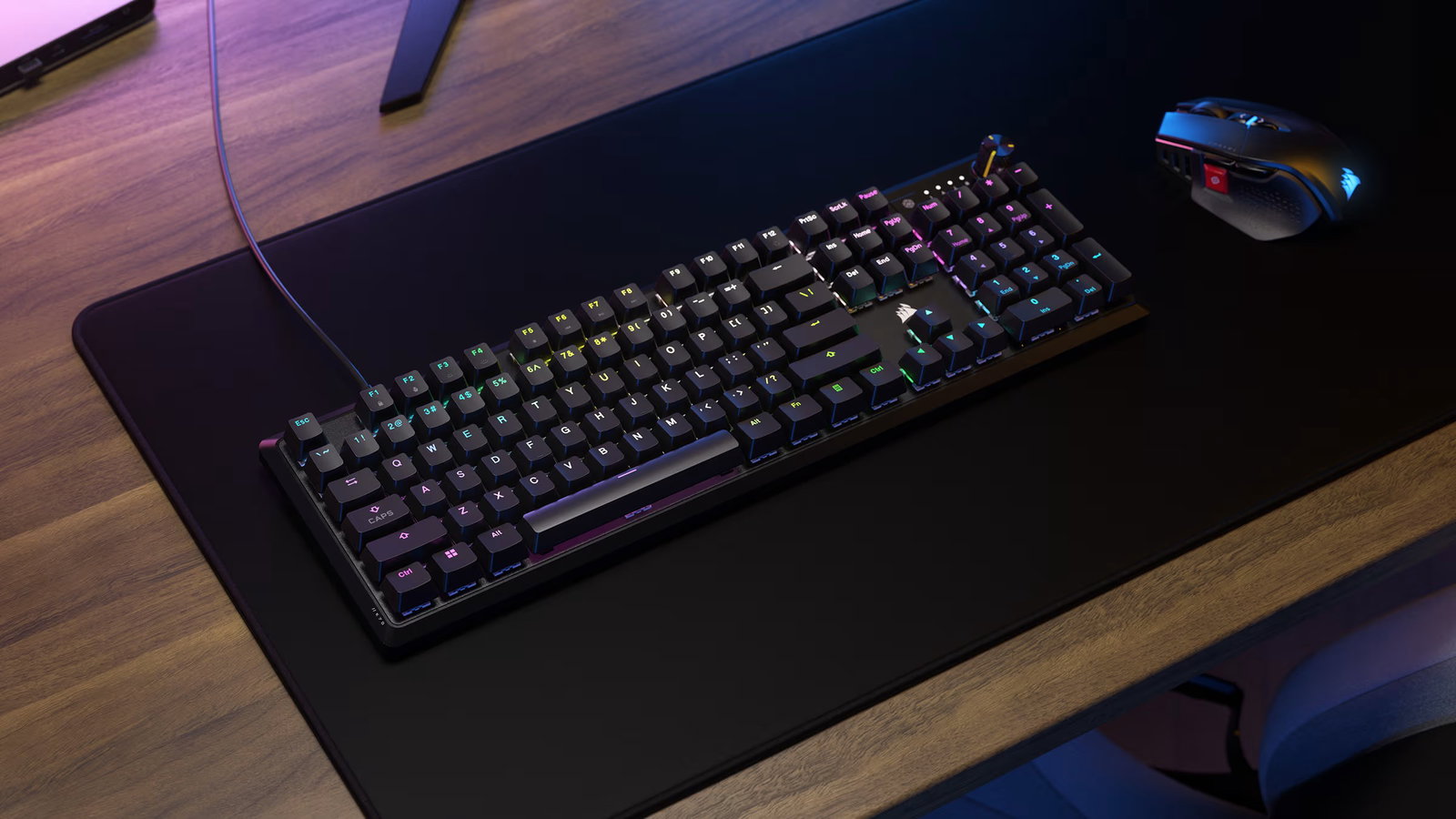
Corsair K70 CORE
The Corsair K70 CORE proves that an affordable mechanical gaming keyboard can still feel polished. Rather than filling the board with specialist esports features, Corsair concentrates on the basics: smooth linear switches, a sturdy full-size frame, bright per-key lighting, a programmable rotary dial, and internal foam that controls unwanted noise.
Its traditional layout makes it easy to use for gaming, work, spreadsheets, and general typing without relying on function-layer shortcuts. The factory-lubricated switches have a light feel suited to fast inputs, while Corsair’s iCUE software supports key assignments, macros, and lighting synchronization. RTINGS selected it as its budget gaming recommendation in June 2026, citing its low latency, sturdy construction, and well-suited linear switches.
It lacks adjustable actuation, magnetic sensing, and hot-swappable sockets, so enthusiasts cannot radically change how it performs later. However, buyers who want a recognizable brand, a complete full-size layout, and a refined experience for under $100 receive strong value without paying for competitive features they may never use.
-
Price: $99.99 (currently running a discount, priced at $79.99)
-
Size: Full-size
-
Weight: 934 g without the optional palm rest
-
Hot-Swappable Switches: No
-
Switch Type: Mechanical
-
Switches: CORSAIR MLX Red V2 linear switches, listed as MLX Red in Corsair’s technical specifications
-
Connectivity: Wired USB
-
Polling Rate: Up to 1,000 Hz
-
Pros: Smooth and controlled typing feel for the price; practical full-size layout
-
Cons: Switches are permanently soldered; lacks adjustable actuation and Rapid Trigger
-
TechDogs’ Verdict: Best Budget Gaming Keyboard
Topics For More Insights
Conclusion
These 6 keyboards show how varied modern gaming gear has become. ASUS offers the strongest all-round package, Wooting targets uncompromising competitors, Razer perfects the esports-friendly TKL format, SteelSeries embraces customization, Arbiter Studio refines magnetic typing, and Corsair delivers budget value.
Ultimately, the right choice depends on your preferred games, available desk space, connection needs, and budget. Choose wisely because, as Pixels taught us, one missed input can change everything.
You win!
Game complete!
Frequently Asked Questions
Can Gaming Keyboards Be Used With Consoles?
Many gaming keyboards work with consoles through a wired USB connection, while some models may also support wireless receivers or Bluetooth. However, compatibility depends on the console, game, and keyboard features. Basic typing and navigation usually work, but advanced functions such as custom macros, RGB controls, analog input, and companion software may not. Before buying, check whether your preferred games support keyboard input and whether the manufacturer lists console compatibility.
Are Wireless Keyboards Responsive Enough For Competitive Games?
Modern keyboards using dedicated 2.4 GHz receivers can provide latency low enough for competitive gaming, particularly when manufacturers optimize the wireless connection for gaming. Bluetooth is generally better suited to everyday work, mobile devices, or casual play because it usually operates at a lower polling rate. Players who want the most consistent connection can still use a wired mode when available. Wireless performance also depends on receiver placement, radio interference, battery level, firmware, and the computer being used.
How Long Should A Good Gaming Keyboard Last?
A well-built keyboard can remain useful for many years, although its lifespan depends on switch durability, keycap material, cable quality, battery health, and daily usage. Mechanical, magnetic, and optical switches are commonly rated for tens of millions of presses, but other components may wear first. Replaceable cables, switches, keycaps, and batteries can extend a product’s useful life. Regular cleaning also helps prevent dust, debris, and spills from affecting keys or internal components over time.
Fri, Aug 7, 2026

Enjoyed what you read? Great news – there’s a lot more to explore!
Dive into our content repository of the latest tech news, a diverse range of articles spanning introductory guides, product reviews, trends and more, along with engaging interviews, up-to-date AI blogs and hilarious tech memes!
Also explore our collection of branded insights via informative white papers, enlightening case studies, in-depth reports, educational videos and exciting events and webinars from leading global brands.
Head to the TechDogs homepage to Know Your World of technology today!
Disclaimer - Reference to any specific product, software or entity does not constitute an endorsement or recommendation by TechDogs nor should any data or content published be relied upon. The views expressed by TechDogs' members and guests are their own and their appearance on our site does not imply an endorsement of them or any entity they represent. Views and opinions expressed by TechDogs' Authors are those of the Authors and do not necessarily reflect the view of TechDogs or any of its officials. While we aim to provide valuable and helpful information, some content on TechDogs' site may not have been thoroughly reviewed for every detail or aspect. We encourage users to verify any information independently where necessary.
Loading comments...