
Artificial Intelligence
5 Best Free AI Video Generators In 2026
Share
TL;DR
-
Google Veo 3.1 delivers the strongest cinematic quality through Google Vids, with 10 free generations every month.
-
Seedance 2.0 generates clips faster than anything else on this list, often in under a minute, through ByteDance's Dreamina platform.
-
Kling 3.0 leads on human motion and character consistency, backed by 66 free credits every day.
-
HeyGen is the only tool built for presenter-led video, with a free studio covering avatars, scripts, and voiceover.
-
Hailuo (MiniMax) rounds out the list as a fast, budget-friendly pick for human motion and quick prompt testing.
-
Seedance and Veo 3.1 are the only two that skip a mandatory watermark on free output.
Introduction
"Reality is often disappointing. That is, it was. Now, reality can be whatever I want." - Thanos.
One thing that Thanos was happy about when he collected the Reality Stone in Avengers: Infinity War was that he could control reality. Along with being able to manipulate matter and alter reality on a universal level, he could also create temporary illusions to trick someone into believing an alternate reality.
All these three capabilities are accessible to anyone who has a smartphone or a laptop with an internet connection. The only difference is that they won't be able to literally alter reality but can make it appear. So, thanks to artificial intelligence (AI) video generators.
Moreover, many of these tools aren't guarded behind paywalls, meaning that users can access them without having to shell out copious amounts of money.
That's what we're here for today: to check out the 5 Best Free AI Video Generators in 2026.
5 Best Free AI Video Generators In 2026
Just because there are AI video generators available for free doesn’t mean that users can generate unlimited high-quality videos all the time. At the end of the day, it costs companies a lot of money to power these capabilities, meaning that free tools also come with limitations, either in output size, quality, frequency, or other control measures.
Sorting through this requirement becomes all the more important considering that the AI video generator market was valued at $788.5 million in 2025 and is projected to reach $3.44 billion by 2033, with a CAGR of 20.3% from 2026 onward. AI video generation volume grew 840% between January 2024 and January 2026 alone, and 61% of freelance creators now use AI video tools at least weekly, while over 67% of Fortune 500 companies have begun using them since early 2026.
That kind of growth explains why so many people search for a free AI video generator online before they ever consider paying for one, and the question isn't really whether an AI video generator free trial is worth your time anymore. While the category is crowded and every tool promises speed, fewer actually help you fix a bad scene, tighten pacing, or keep your output from looking like generic AI filler.
That's the real test of the best free AI video generators: not the biggest promise, but whether the workflow gets you to something worth publishing without trapping you behind watermarks, vague credits, or weak editing.
So, let’s dive in and explore the top 5 AI video generators and identify which ones offer the best features, which one outdoes others on quality, which avoids watermarks, and which one best suits your personal requirements.
Google Veo 3.1
Google folded its flagship video model directly into Google Vids in April 2026, and the move quietly reshaped what "free" means in this category. Veo 3.1 is consistently named among the best AI video generators for realism, and now anyone with a personal Google account can test that claim without a credit card. Free access runs through Google Vids rather than Google AI Studio.
The model understands complex scene descriptions, handles camera movement with unusual consistency, and generates synced audio alongside the visual, something most competitors still treat as a separate step. For short concept clips, product mockups, or B-roll, it's the cleanest free entry point into Google's video stack. As of June 17, 2026, Google also removed the paywall on its AI avatar feature for US accounts, letting you turn a script or a Slides deck into a narrated, avatar-led video from the same 10-generation monthly allowance, with other regions still rolling out.
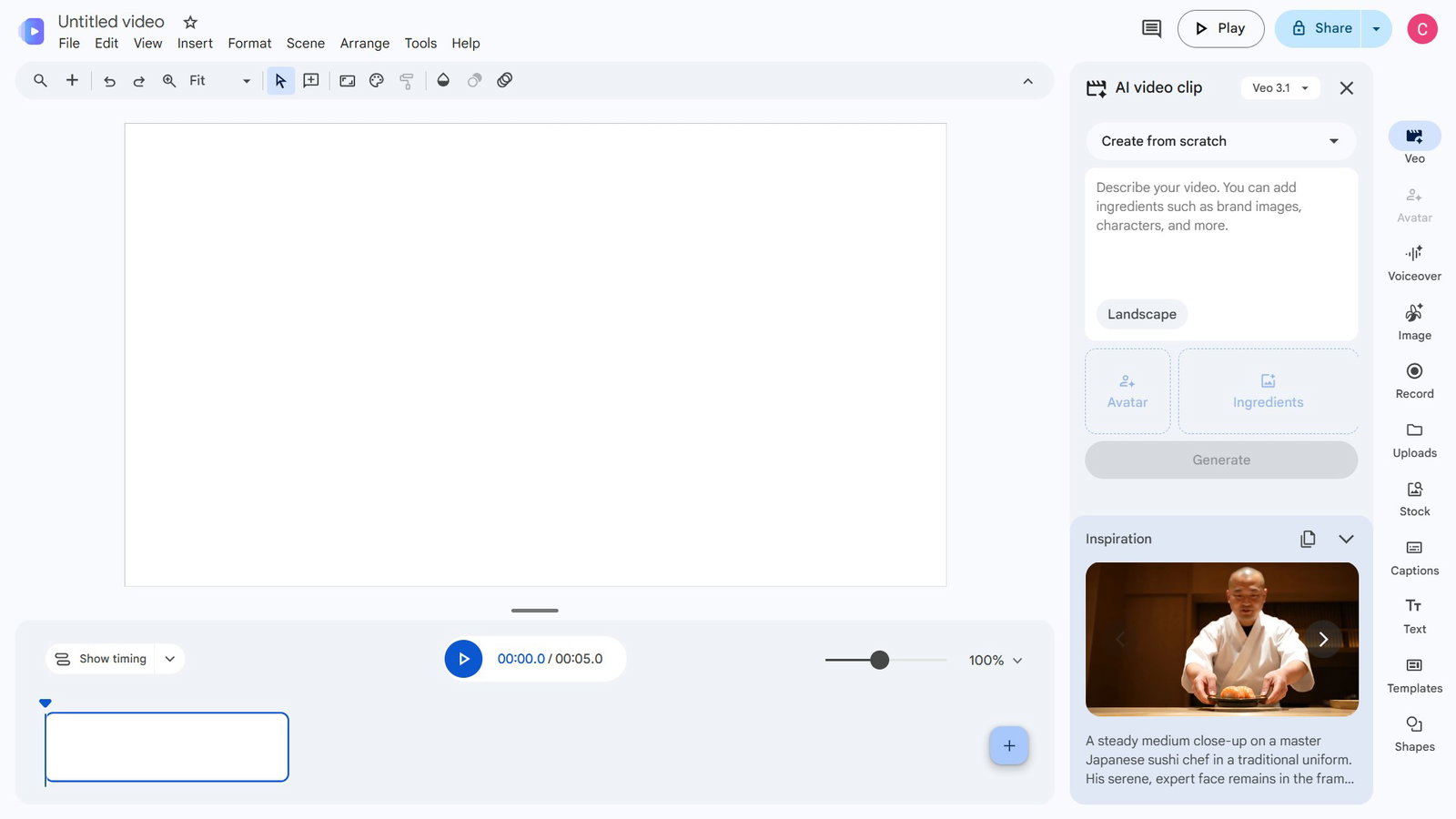
Website: https://vids.new/
Best For: Cinematic B-roll, product concept clips, and short-form social drafts.
Free Tier: 10 video generations per month, no credit card required, resets monthly.
Max Duration: Up to 8 seconds per generation.
Resolution: 720p on the free tier.
Features: Native audio generation synced to video, strong prompt adherence for camera movement and lighting, image-to-video support.
Limitations: Capped at 10 generations a month, clips run up to 8 seconds, and resolution on the free tier tops out at 720p.
Paid Plans: Google AI Plus ($4.99/month), Pro ($19.99/month), and Ultra (starting $99.99/month) unlock higher volume; Google AI Ultra accounts can generate up to 1,000 Veo videos a month.
Veo's biggest limit is volume, just 10 clips a month. If you need to iterate fast and often, instead, the next tool trades some of that polish for raw speed.
Seedance 2.0
ByteDance launched Seedance 2.0 in February 2026, and it's the fastest-moving entry on this list, both in how quickly it generates clips and in how often its terms change, largely because ByteDance has pushed hard on a low-friction, no-mandatory-watermark pitch. Free access runs through Dreamina, ByteDance's international consumer-facing AI creative platform, where daily credits refresh automatically.
The model's camera choreography and physics simulation are genuinely strong, holding up well even in multi-object scenes. The trade-off is consistency. Free-tier resolution and clip length shift depending on whether you land on the Fast or Standard tier, and ByteDance hasn't centralized pricing the way most competitors have, so it's worth checking your account's live limits before building a workflow around it.
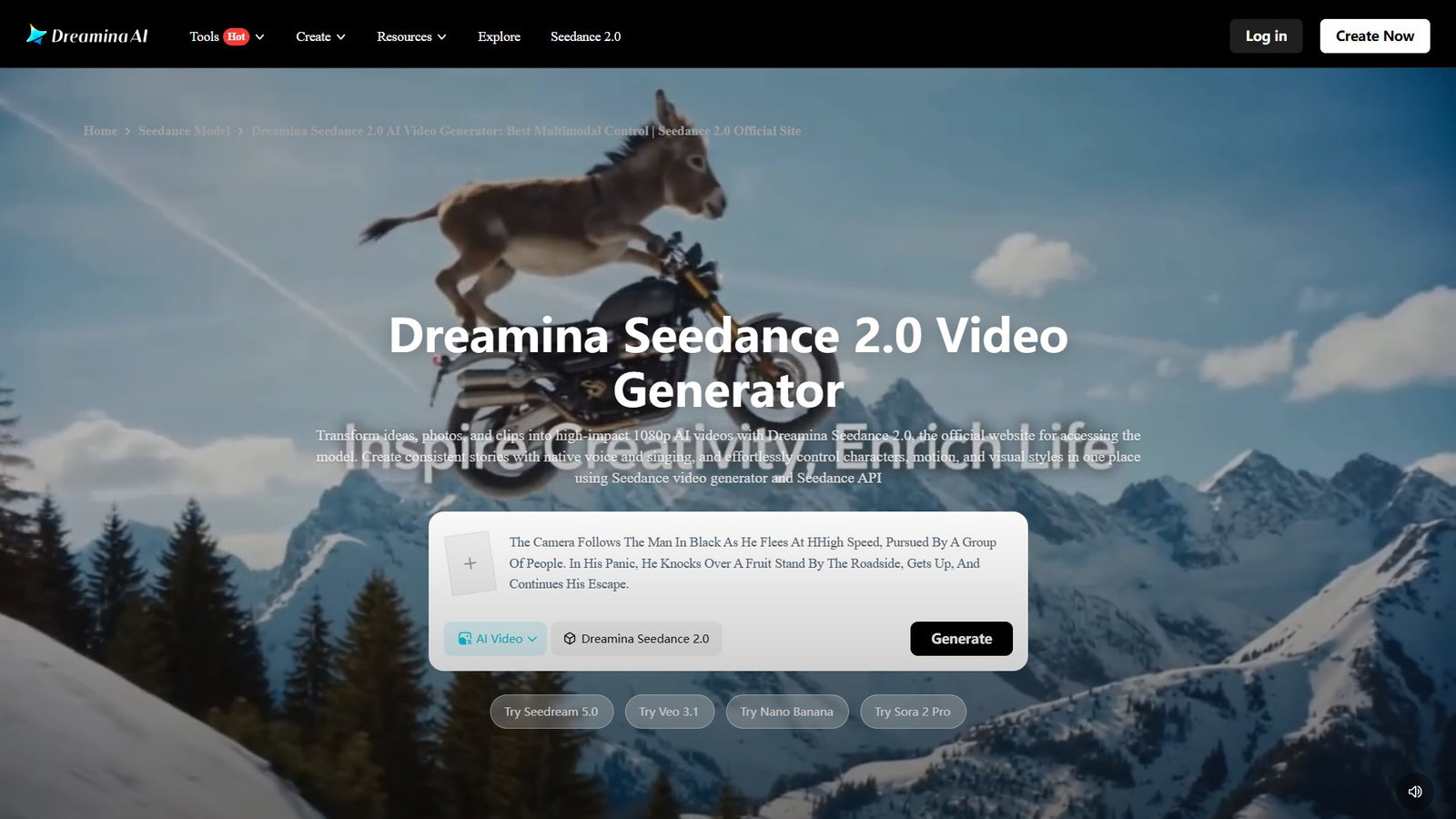
Website: dreamina.capcut.com
Best For: Fast, prompt iteration and testing multiple variations quickly.
Free Tier: Around 30 daily credits via Dreamina, generally enough for one to three short clips a day.
Max Duration: Underlying model supports up to 15 seconds; free-tier output commonly runs 4 to 8 seconds.
Resolution: Up to 1080p on the Standard tier, 720p on the Fast tier.
Features: Strong camera motion and physics simulation, generation often under a minute, commercial usage rights included per ByteDance's official messaging.
Limitations: Free-tier resolution and duration vary by platform tier (Fast vs. Standard); terms have already shifted once since the February 2026 launch.
Paid Plans: Dreamina subscriptions start around $9.9/month internationally.
Seedance moves fast, but speed alone doesn't guarantee a believable human face holding steady across a clip. That's where the next tool has built its entire reputation.
Kling 3.0
Kling 3.0 launched on February 5, 2026, just three days before Seedance 2.0, and the timing wasn't an accident. Kling has built its name on photorealistic human motion, and version 3.0 adds native audio and multi-shot storyboard support on top of that foundation. It's regularly ranked among the top AI video generators for character consistency, since faces and bodies hold their shape across a full clip instead of warping halfway through, a problem that still trips up several competitors.
The free tier is also one of the more generous recurring ones on this list: 66 credits reset every 24 hours, with no expiration date attached to the offer itself. The catch is the watermark and the queue. Free-tier requests sit behind paid traffic, so expect slower turnaround during busy hours.

Website: kling.ai
Best For: Photorealistic human motion, B-roll, and multi-shot storyboard experiments.
Free Tier: 66 credits per day, refreshing every 24 hours, no rollover (said to be around 3 to 6 short clips).
Max Duration: Up to 15 seconds at Standard quality; Professional mode and native audio use up credits fast enough that most free-tier clips run shorter, often 5 to 10 seconds.
Resolution: 720p free; 1080p requires a paid plan.
Features: Native audio generation, Element Lock for character consistency, multi-shot storyboard tools.
Limitations: Watermarked output on the free tier, 720p cap until you upgrade, and queue times can stretch during peak hours.
Paid Plans: Standard plan from $6.99/month for 660 credits and watermark-free exports. Pro costs $25.99/month for 3,000 credits, Premier is priced at $64.99/month for 8,000 credits, and Ultra is $127.99/month for 26,000 credits.
Kling and Seedance still generate raw clips with nobody on screen to talk to your audience. Google Vids' avatar feature, now free for US accounts, chips at that gap, but HeyGen goes much further with hundreds of presenters and a full production pipeline. That's exactly where the next tool pulls ahead.
HeyGen
HeyGen is no longer just an avatar-video tool, even though that is still where it shines. The platform now supports AI video generation from text, scripts, images, audio, blog posts, and URLs, making it more flexible than older presenter-only tools. You can type in an idea and use Video Agent to turn it into a structured video with a script, visuals, narration, captions, and scenes already assembled.
For users who want a human-led format, HeyGen still offers one of the strongest avatar workflows on this list, with 500+ ready-made digital twins, lip-synced voiceovers, and multilingual support. The free plan includes three videos per month, videos up to one minute, access to Avatar IV and Video Agent, one custom digital twin, and 30+ languages, though exports still come with free-plan limits.
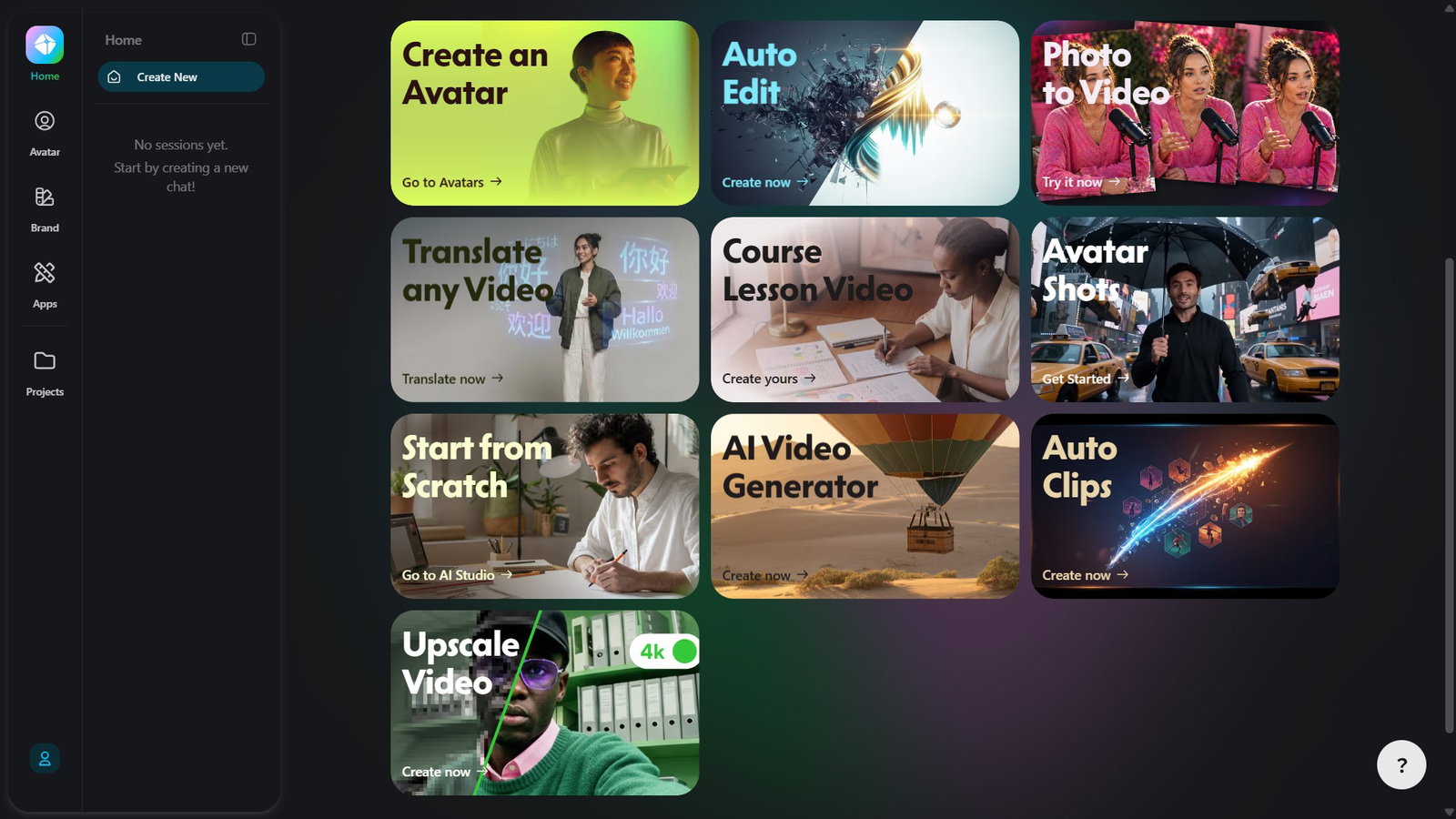
Website: heygen.com
Best For: AI-generated presenter videos, text-to-video clips, product explainers, training content, and multilingual marketing videos.
Free Tier: 3 videos per month, up to 1 minute each, watermarked
Max Duration: Up to 1 minute per video on the free plan.
Resolution: 720p on the free tier.
Features: Generates videos from text, scripts, images, audio, blog posts, or URLs; Video Agent builds scripts, scenes, visuals, narration, and captions from a prompt; 500+ ready-made digital twins; 1 custom digital twin on the free plan; 30+ languages; 3 free videos per month up to 1 minute each.
Limitations: Three videos a month is a hard ceiling for frequent testing; free users only get limited trial access to premium features like Avatar IV, Video Agent, and lip-sync translation.
Paid Plans: Creator plan starts at $24/month with 600 credits, videos up to 30 minutes, 1080p export, watermark removal, extended Avatar IV generation, voice cloning, advanced AI models, and 175+ languages and dialects. Pro brings in 4K video exports with 1,000 credits at $41/month.
HeyGen’s free plan caps out fast at three videos a month, but it now works better as an AI video generator than a simple avatar tool. If you need more daily volume or want less emphasis on digital presenters, the next tool picks up where it leaves off.
Hailuo (MiniMax)
Hailuo, built by MiniMax, leans into a narrower strength: human motion and facial expression. It consistently comes up as the tool people reach for when a scene depends on a body moving naturally or a face reacting in real time, more than for big cinematic shots. Free users get continuous, not one-time, access, just with throttled queues: up to three sequential generation requests and one video processing at a time, with every free download carrying a watermark.
Generation speed is a genuine strength here, often finishing in under 90 seconds, which matters if you're testing several prompt variations back-to-back. It won't replace a production tool, but for quick presenter-style clips or action-heavy social content, it's a reliable second option behind Kling.
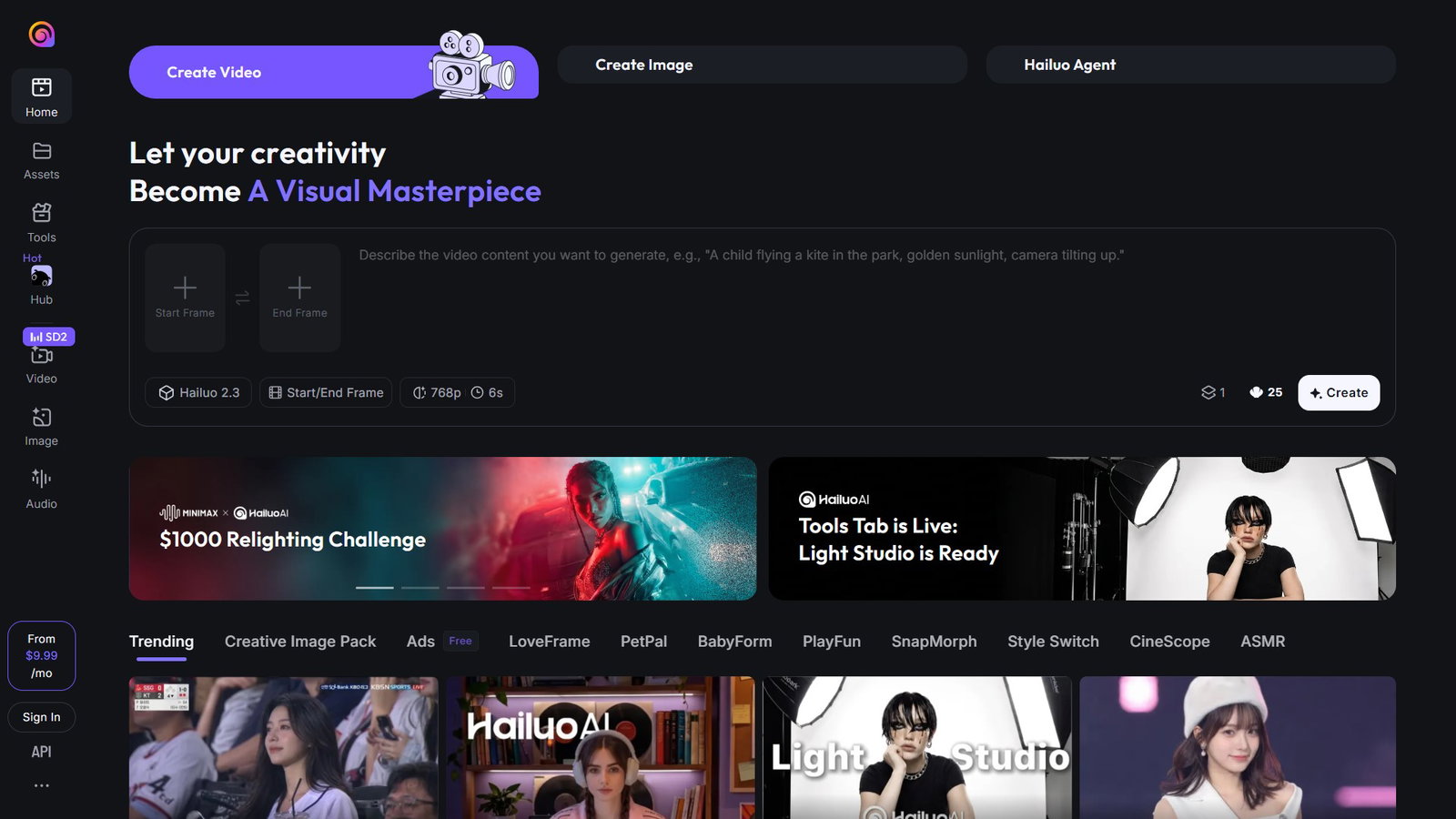
Website: hailuoai.video
Best For: Human motion, facial expression, and fast image-to-video testing.
Free Tier: Daily bonus credits, continuous access with no expiration, watermarked downloads.
Max Duration: Up to 6 seconds on the free tier.
Resolution: Up to 768p.
Features: Fast generation pipeline (often under 90 seconds), strong facial micro-expression rendering, image-to-video and text-to-video support.
Limitations: Free users are capped at 3 queued tasks and 1 parallel generation; no commercial rights until you upgrade.
Paid Plans: Standard plan from $14.99/month for 1,000 credits ($7.99 on discount or $9.99 when paying monthly), which also brings access to Seedance 2.0 and Veo 3.1.
Those five cover the strongest free options available right now, but a few other tools came close enough to deserve a mention.
Honorable Mentions
While some video generations didn't make the final cut of our list, we felt they deserved a mention.
Meta AI is the easiest entry point for sheer volume: low-friction prompting lets you fire off idea after idea without feeling each generation as a cost. Precision and polish take a back seat, so it suits rough concept testing and quick social clips more than finished, client-ready work.
CapCut's desktop app is one of the few free tools that exports without a watermark, built into a full editing suite with a massive, platform-sorted template library. Generation quality sits a tier below Veo or Kling for pure cinematic output, and ByteDance's ownership is worth a glance if you work in a regulated industry.
Pika trades photorealism for stylized effects: crush, melt, inflate, and similar exaggerated transformations are the actual draw. Free signup credits replenish daily, offering 80 monthly video credits, but output remains at 480p only. However, it can be used for commercial purposes and can be downloaded without watermarks.
With eight tools now covered, here's how the five main picks stack up side-by-side.
| Tool | Free Tier | Max Resolution (Free) | Watermark | Voiceover / Languages | Best Free Use Case |
| Google Veo 3.1 | 10 generations/month | 720p | No | Native audio, plus free AI avatars (US, June 2026) | Cinematic B-roll, concept clips, and basic narrated videos |
| Seedance 2.0 | Daily credits (1-3 clips/day) | Up to 1080p | No (varies by tier) | No dedicated voiceover | Fast iteration on social clips |
| Kling 3.0 | 66 credits/day | 720p | Yes | Native audio, no voice cloning | Human motion and cinematic B-roll |
| HeyGen | 3 videos/month | 720p | Yes | 30+ languages, full voiceover and lip-sync | Presenter-led explainer videos |
| Hailuo (MiniMax) | Daily bonus credits | 720p-768p | Yes | Audio generation, no voice cloning | Fast human-motion social clips |
Topics For More Insights
Conclusion
Free no longer means limited to a watermarked toy. Between Veo 3.1's cinematic polish, Seedance's speed, Kling's motion realism, HeyGen's full presenter studio, and Hailuo's fast human-motion clips, the question “are there any free AI video generators?” is answered.
Of course, none of them replace a paid production budget outright, but together, they prove free AI video generation has finally caught up to the hype.
Frequently Asked Questions
What's The Best Free AI Video Generator Right Now?
It depends on what you need. Google Veo 3.1 leads in raw cinematic quality through Google Vids' 10 free monthly generations. Seedance 2.0 wins on speed and iteration. Kling 3.0 is strongest for human motion and character consistency. HeyGen remains the most complete option for presenter-led, voiced video, though Google Vids made its own AI avatar feature free for US accounts in June 2026. Hailuo rounds it out as a fast, budget-friendly option for human motion and quick testing.
Do Free AI Video Generators Allow Commercial Use?
Rarely, and it varies by tool. Most free tiers, including Kling, Hailuo, and HeyGen's free plan, restrict commercial use until you upgrade. Seedance is the exception, since ByteDance's own messaging states commercial rights are included even on the free tier, though that's worth double-checking given how recently the model launched. Google has not published explicit commercial-use restrictions for Veo 3.1's free tier, but its terms of service govern any monetized use.
Can I Remove The Watermark From A Video Made On A Free Plan?
No, not without upgrading. Watermark removal is one of the most consistent paywalls across this category. Kling, HeyGen, and Hailuo all gate it behind their entry-level paid plans, typically $6.99 to $14.99 a month. Seedance and Veo 3.1 are the two exceptions, since neither applies a mandatory watermark on free output as of mid-2026.
Mon, Jun 22, 2026

Enjoyed what you've read so far? Great news - there's more to explore!
Stay up to date with the latest news, a vast collection of tech articles including introductory guides, product reviews, trends and more, thought-provoking interviews, hottest AI blogs and entertaining tech memes.
Plus, get access to branded insights such as informative white papers, intriguing case studies, in-depth reports, enlightening videos and exciting events and webinars from industry-leading global brands.
Dive into TechDogs' treasure trove today and Know Your World of technology!
Disclaimer - Reference to any specific product, software or entity does not constitute an endorsement or recommendation by TechDogs nor should any data or content published be relied upon. The views expressed by TechDogs' members and guests are their own and their appearance on our site does not imply an endorsement of them or any entity they represent. Views and opinions expressed by TechDogs' Authors are those of the Authors and do not necessarily reflect the view of TechDogs or any of its officials. While we aim to provide valuable and helpful information, some content on TechDogs' site may not have been thoroughly reviewed for every detail or aspect. We encourage users to verify any information independently where necessary.
Loading comments...