
Software Development
Top 5 Bug Tracking Software In 2026
Share
TL;DR
-
Jira: Provides a highly adaptable and scalable environment designed specifically for large enterprise teams.
-
Monday Dev: Simplifies complex development processes by connecting bug reports directly to product roadmaps.
-
ClickUp: Offers a centralized productivity hub with flexible architecture and AI-driven task management.
-
LogRocket: Focuses on front-end monitoring by using session replays to identify impactful user issues.
-
Backlog: Combines version control with task management in an intuitive interface for growing teams.
Introduction
Imagine Spider-Man attempting to swing through New York without his web shooters or Batman heading into a Gotham showdown without his utility belt. Even Sherlock Holmes would be at a disadvantage without his magnifying glass to spot the smallest clues. These iconic tools are what allow these heroes to turn chaotic situations into victories. In the high-stakes world of software development, bug tracking software serves as that essential gear for developers. It acts as a digital web shooter to catch errors, a utility belt to resolve them, and a magnifying glass to inspect the finest details of the code.
Without these specialized solutions, debugging turns into a game of guesswork that slows down the development lifecycle and puts product quality at risk. These platforms allow teams to document, prioritize, and resolve glitches before they reach the end user. By integrating with project management and DevOps workflows, they ensure that every stakeholder stays aligned and every issue is handled with precision. Here are the Top 5 Bug Tracking Software Of 2026 to help you elevate your development game.
What Is Bug Tracking Software?
Bug Tracking Software is vital for software development. They are designed to identify, document, manage, prioritize, and resolve bugs throughout the software development lifecycle (SDLC). Such software helps developers, testers, project managers, and other stakeholders ensure that their products are of top quality by resolving issues efficiently. Bug Tracking Software, including bug and issue tracking software, often integrates with project management and DevOps platforms to enhance cross-team collaborations and streamline software delivery workflows.
Now that we have understood what a Bug Tracking Software solution is, let’s get to the part we are all here for.
Top 5 Bug Tracking Software Of 2026
Without any further ado, we bring you the Top 5 Bug Tracking Software of 2026. Read on and choose the one that best meets your software development requirements!
 |
 |
 |
 |
 |
Jira: Best For Enterprise
Jira, developed by Atlassian and launched in 2002, has become a cornerstone for agile development teams. This software for bug tracking remains a favorite owing to its adaptability. Jira’s widespread adoption among enterprises underscores its efficiency in managing complex software projects and tracking bugs. In addition to several awards, the company has been named among the best workplaces in Australia, the Netherlands, the Philippines, India, and the U.S. by Great Place to Work.
Why We Chose Jira In 2026
Jira enables teams to capture, track, and resolve bugs while managing the entire development lifecycle. It is especially popular among Agile teams for its flexibility, customizable workflows, and deep integration with developer tools. Teams can easily capture bugs with detailed information such as severity, screenshots, and version data, then assign and prioritize them based on urgency and capacity.
Its drag-and-drop backlog management and customizable workflows allow teams to adapt Jira to their specific development processes. With comprehensive tracking, reporting, and search capabilities, Jira ensures full visibility from backlog to deployment, making it easier to manage complex development cycles.
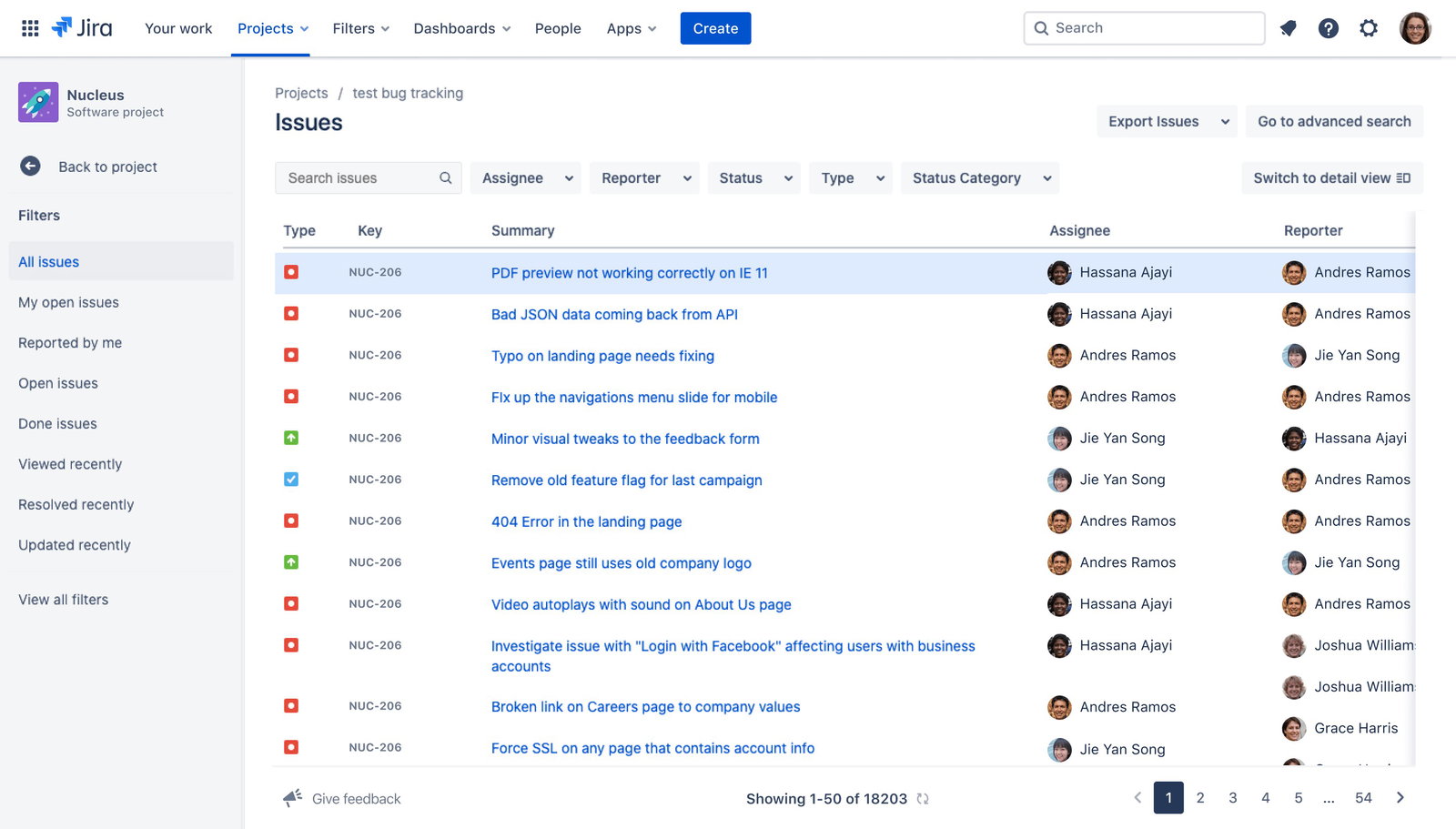
The standout factor is Jira’s real-time notification and workflow synchronization system. It ensures that the right stakeholders are automatically updated as bugs progress through different stages. Notifications go beyond simple mentions, allowing teams to configure automated alerts based on status changes and workflow transitions. This keeps developers, managers, and stakeholders aligned at all times, reducing communication gaps and ensuring faster issue resolution across the development lifecycle.
Pricing
Jira offers flexible pricing tiers to suit different team sizes. The Free plan supports up to 10 users at no cost. Paid plans include Standard ($7.91/user/month) and Premium ($14.54/user/month). The Enterprise plan is available with custom pricing for large organizations. Jira also provides free trials for Standard (14 days) and Premium (30 days) plans.
What Works & What Doesn't
| Pros | Cons |
| Real-time tracking | Steep learning curve |
| Customizable feature | Slow performance with lagging |
| Powerful integrations | Platform complexities |
Our Final Take
Jira is best suited for mid-sized to large development teams that require a highly customizable and scalable bug tracking solution. While it may have a learning curve, its flexibility, automation, and deep integration capabilities make it a strong choice for teams managing complex development workflows.
Monday Dev: Best For Integration
Launched in 2022, Monday Dev is an extension of monday.com. This Bug Tracking System specializes in simplifying development workflows by equipping teams with every tool they need to manage development processes in an easy-to-use platform. Despite being only a few years old, it was recognized by G2 among the Top 100 Fastest Growing Products category at the Best Software Awards 2024 and is recognized as a Leader in the Enterprise category in G2’s Winter 2026 report.
Why We Chose Monday Dev In 2026
Monday Dev transforms bug tracking into an integrated part of the entire product development lifecycle. Instead of treating bugs as isolated issues, it connects them directly to sprint plans, roadmaps, and release timelines. With robust no-code automations, integrations with tools like GitHub and GitLab, and support for multiple views like Kanban and Gantt, monday dev delivers both simplicity and depth in bug tracking.
Features such as customizable bug tracking boards, automated reporting forms, and real-time dashboards allow teams to efficiently log, track, and resolve issues while maintaining full visibility into performance metrics and resolution timelines. Its flexibility supports multiple development methodologies, making it adaptable for teams of all sizes and workflows.
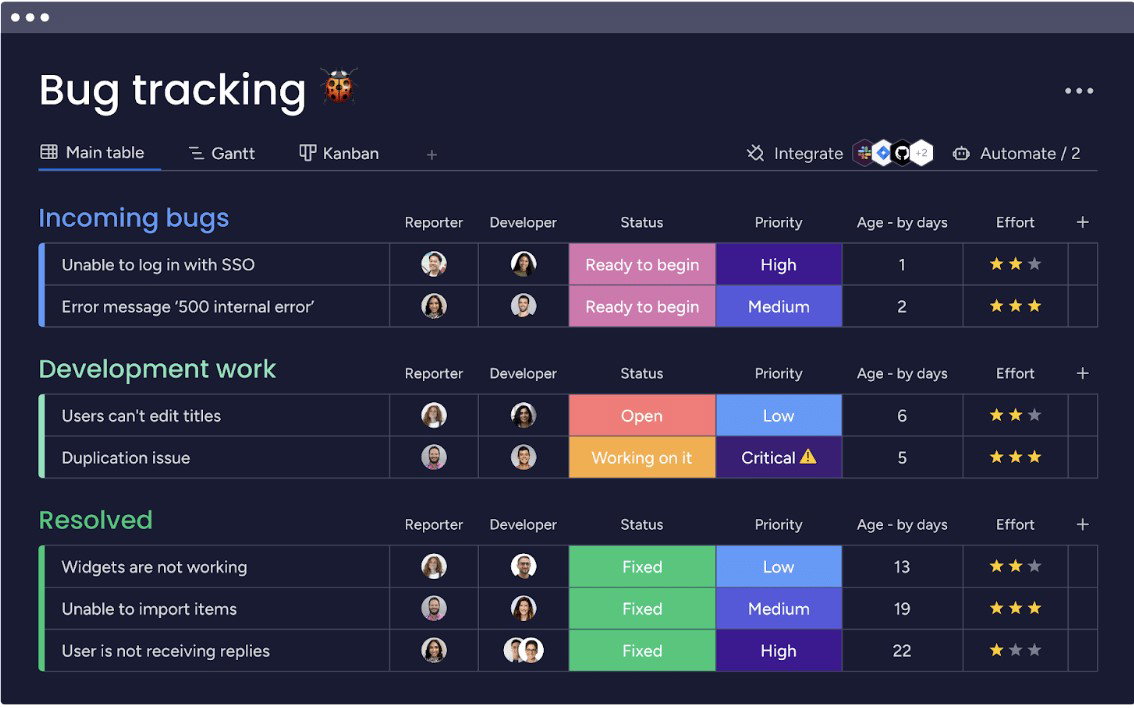
The platform stands out for its seamless workflow integration combined with AI-driven capabilities. Monday Dev connects bug tracking with sprint planning and cross-functional dashboards, ensuring alignment across teams. Its intuitive interface makes complex workflows easy to manage, while AI-powered features such as automatic bug categorization, smart assignment suggestions, and predictive resolution insights help teams prioritize and resolve issues faster.
Pricing
Monday Dev offers tiered pricing plans to suit different team sizes and needs. Paid plans include Basic ($9/seat/month), Standard ($12/seat/month), and Pro ($20/seat/month), all billed annually. Billing monthly costs more. Enterprise plans are available with custom pricing. While it doesn’t list a free plan, it comes with a 14-day free trial across all tiers, and nonprofits can apply for discounts or free usage.
What Works & What Doesn't
| Pros | Cons |
| Easy to use | Steep learning curve |
| Easy to customize | Expensive plans |
| Real-time visibility | Integration issues |
Our Final Take
Monday Dev is best suited for growing development teams and mid-to-large organizations (and nonprofits) that want to unify bug tracking with broader product workflows. While smaller teams may find pricing constraints, its flexibility, automation, and AI-powered insights make it a strong choice for teams aiming to streamline bug tracking and improve delivery efficiency.
ClickUp: Best For Customization
ClickUp was launched in 2017 by ClickUp, Inc, and has quickly risen as a popular all-in-one productivity platform. It’s described as a virtual hub for development teams to plan, organize, and collaborate on software development tasks using Docs, Chat, Goals, Whiteboards, and more. It was recognized as a Momentum Leader in G2’s Winter 2026 report and also featured in the Top 50 Collaboration and Productivity Products in G2’s Best Software Awards 2024. No wonder ClickUp is trusted by companies such as Airbnb and Google!
Why We Chose ClickUp In 2026
ClickUp comes in as an all-in-one project management and productivity platform designed to unify work across teams. ClickUp combines project management, bug tracking, documentation, and collaboration into a single workspace. Its flexible architecture supports Agile, Scrum, and custom workflows, making it suitable for teams of all sizes. With powerful automation and AI-driven agents handling bug triage and task assignments, ClickUp significantly reduces manual effort while improving speed and accuracy in bug resolution, while maintaining full visibility into development progress and team performance.
Teams can collect bug reports using customizable forms, automatically convert them into tasks, and manage them through tailored workflows with custom tags, statuses, and priorities. Features such as ClickUp Tasks and Dashboards enable teams to track bug resolution in real time, analyze trends, and maintain clear visibility across projects. Its ability to link bugs directly to broader development goals ensures better context and traceability throughout the software lifecycle.
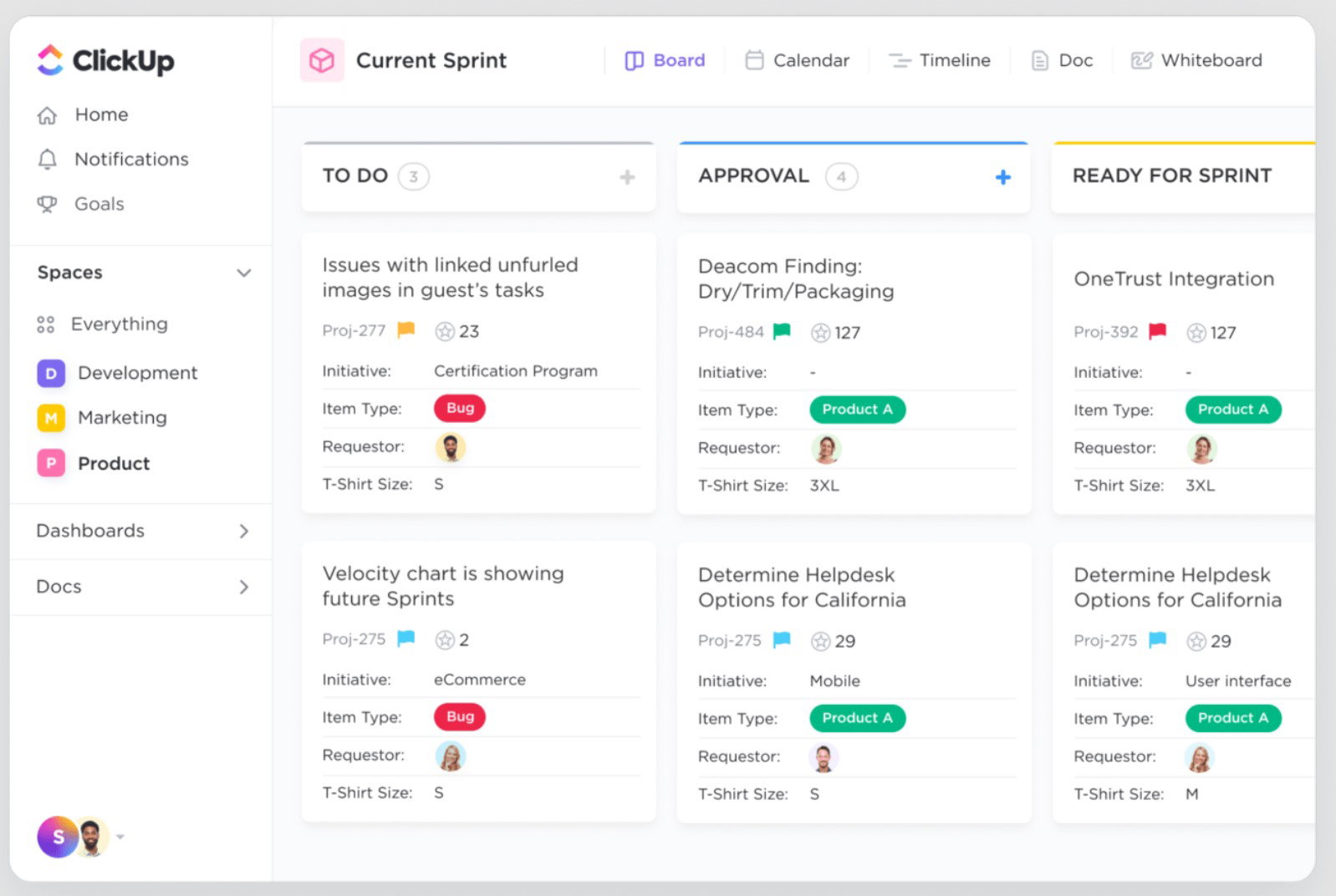
ClickUp’s standout capability includes its built-in templates and AI-powered automation ecosystem. The Bug & Issue Tracking Template provides a structured, ready-to-use framework that visualizes the entire bug management process and centralizes all issues in one place. Combined with ClickUp Brain, teams can automatically summarize bug reports, detect duplicates, and suggest next steps.
Pricing
ClickUp offers a Free Forever plan with core features for individuals. ClickUp's paid plans include Unlimited ($7/user/month) and Business ($12/user/month), both billed annually. Enterprise plans are available with custom pricing for larger organizations. The platform scales effectively across team sizes with flexible feature access. It also offers a 14-day free trial.
What Works & What Doesn't
| Pros | Cons |
| Easy to use | Steep learning curve |
| Flexible task management | Missing or limited features |
| Good organization capabilities | Slow loading |
Our Final Take
ClickUp is best suited for teams that want to consolidate bug tracking, project management, and collaboration into a single platform. While it may require some initial setup, its flexibility, automation, and AI-driven capabilities make it a strong choice for teams aiming to streamline workflows and reduce tool sprawl.
Topics For More Insights
LogRocket: Best AI Features
Launched in 2016, LogRocket is a leader in debugging and front-end monitoring solutions. The company is trusted by over 3,000 customers, including Cisco, Amazon, Cloudflare, Deloitte, MGM Resorts, Shake Shack, Santander, and more. It was recognized as a Leader in the Enterprise, Mid-Market, and Small Business segments of G2’s Spring 2026 report, as well as an overall Leader.
Why We Chose LogRocket In 2026
LogRocket is a digital experience analytics and bug tracking platform designed to help teams identify and resolve issues before they impact users. It combines session replay, error tracking, performance monitoring, and product analytics into a single solution. The platform enables development and product teams to understand user behavior, diagnose issues, and improve application performance.
LogRocket brings deep user experience insights, allowing teams to go beyond identifying errors to understand their real-world impact. Its session replay feature captures user interaction, including clicks, console logs, and network activity, enabling teams to visually reproduce issues. Teams can pinpoint friction points, analyze user journeys, and prioritize the most critical issues affecting conversions and engagement through product analytics, UX analytics, and performance monitoring.
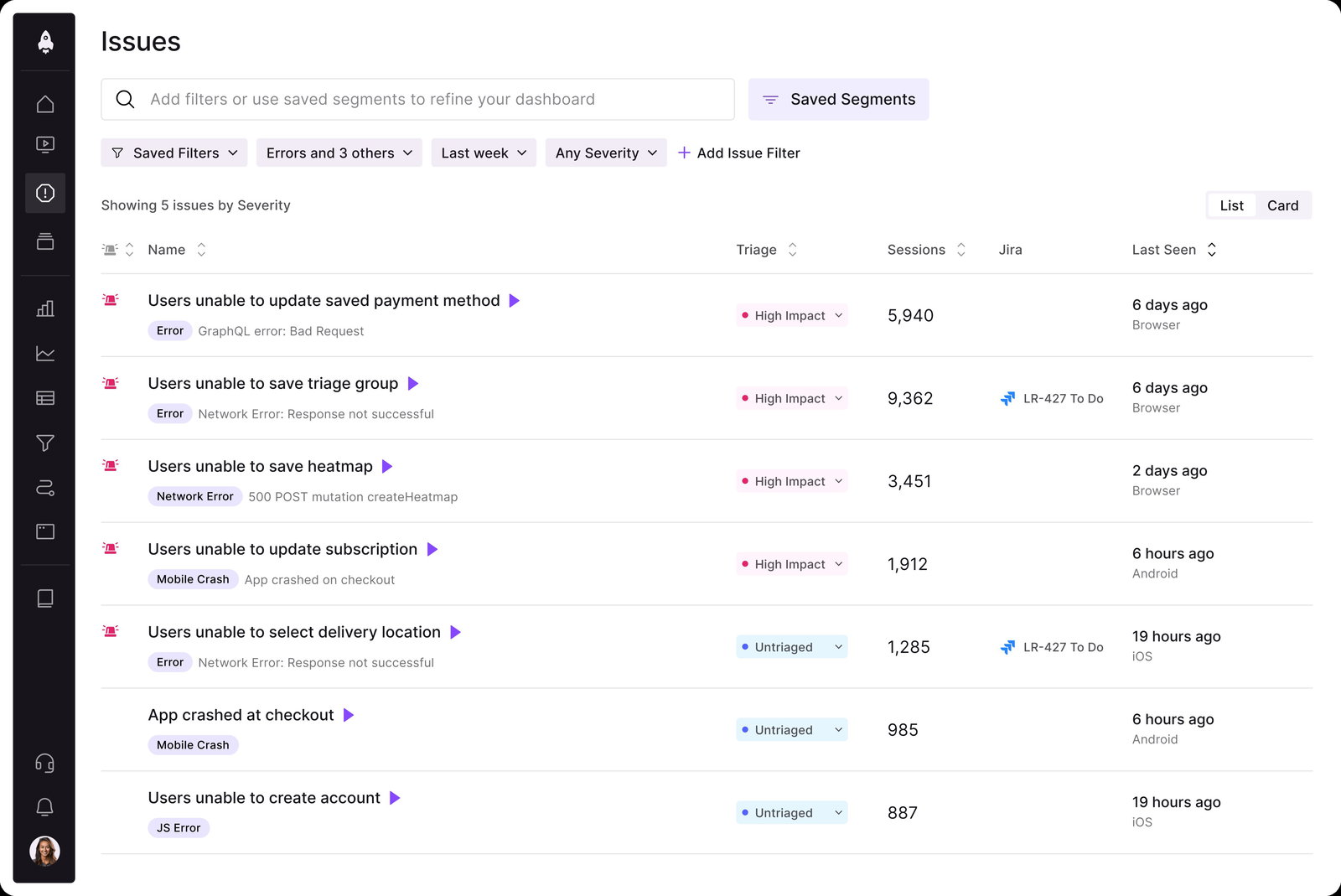
LogRocket’s key feature comes in the form of Galileo AI, its intelligent assistant that continuously monitors user sessions to surface impactful issues automatically. Galileo analyzes patterns across sessions, identifies the severity of problems, and provides clear reproduction steps so teams can act quickly. By cutting through noise and prioritizing high-impact bugs, it enables faster debugging and more efficient resolution, helping teams proactively fix issues before users even report them.
Pricing
LogRocket offers flexible pricing plans for both web and mobile applications. A Free plan starts at $0/month with 1,000 sessions and limited data retention. Paid plans include Team (starting at $69/month for web, $139/month for mobile) and Professional (starting at $295/month for web, $350/month for mobile), with AI features and analytics included in higher tiers. Enterprise plans are available with custom pricing. Annual billing offers cost savings against monthly pricing.
What Works & What Doesn't
| Pros | Cons |
| Powerful insights | Filtering issues |
| Excellent session replay capabilities | High pricing |
| Good user behavior tracking | Missing or limited features |
Our Final Take
LogRocket is best suited for product teams, developers, and digital businesses that want to combine bug tracking with user experience analytics. While pricing may increase with scale, its AI-powered insights, session replay capabilities, and proactive issue detection make it a strong choice for teams focused on delivering seamless user experiences.
Backlog By Nulab: Best User Experience (UX)
Nulab was formed in 2004 following a series of open-source software projects by its founders. A year later, the company launched the beta version of Backlog, which got its launch in 2006 after the company opened an office in Tokyo. Today, Nulab houses 154 “Nulabers” in 5 offices, with its products accessed in 180+ countries by over 4 million users, including SoftBank Robotics, Omron, BuzzFeed, and more. Along with being named a Leader in G2’s Winter 2026 report, the company’s Backlog platform was voted 1st Easiest To Use.
Why We Chose Backlog In 2026
Nulab’s Backlog combines bug tracking, task management, version control, project management, and reporting into a single, clean, intuitive interface, making it easier for teams to stay aligned. The platform is widely used by growing teams that want a structured yet flexible way to manage bugs, track progress, and collaborate in real time.
Teams can create custom workflows, use issue templates, and track bugs from identification to resolution with full visibility. Features such as Kanban boards, Gantt charts, and burndown charts make it easy to prioritize bugs, monitor progress, and stay on schedule. Built-in integrations with Git, SVN, and communication tools ensure that bug tracking stays tightly connected with development workflows, helping teams resolve issues faster.
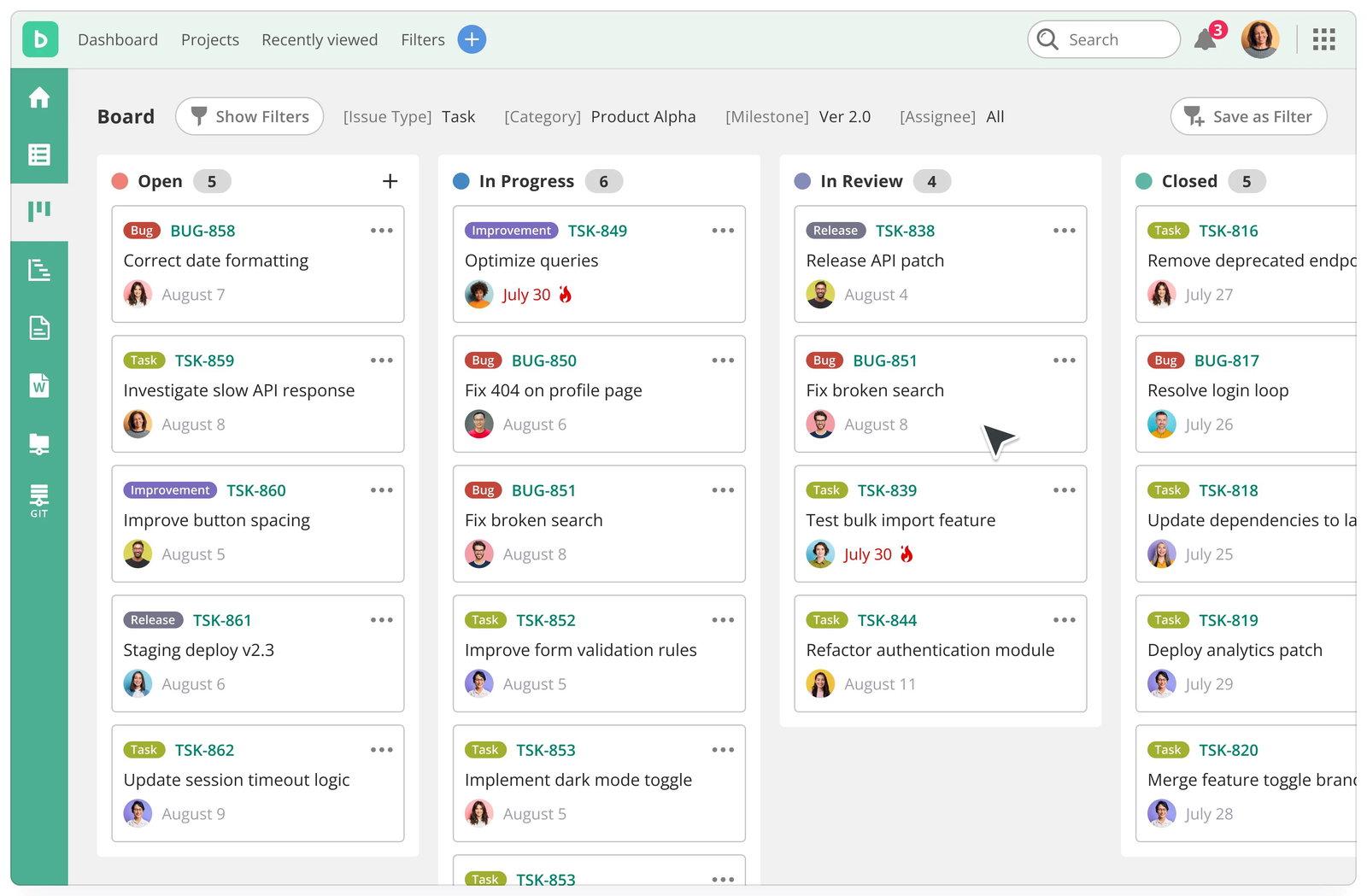
Backlog’s standout factor is its AI-powered workspace, which enhances collaboration and decision-making. Its AI assistant can summarize long discussions, highlight key decisions, prioritize tasks, and surface potential risks, helping teams avoid missed blockers and information overload. By turning scattered updates into actionable insights, Backlog enables teams to stay focused, make faster decisions, and manage bug tracking more efficiently within a single, unified platform.
Pricing
Backlog offers flexible pricing with both monthly and annual billing (with savings on annual plans). The Free plan supports up to 10 users with basic features. Paid plans include Starter ($30/month), Standard ($84/month), and Premium ($146/month), while Enterprise plans are available with custom pricing.
Additional AI credit packages are also offered for extended usage. The Premium and Enterprise plans come with 2000 credits complimentary. Light costs $60/month (2,000 credits), Basic costs $130 (5,000 credits), and Advanced costs $210 for 9,000 credits.
What Works & What Doesn't
| Pros | Cons |
| User-friendly interface | Limited or missing features |
| Highly efficient task management | Slow loading |
| Excellent project management capabilities | Excessive email notifications |
Our Final Take
Backlog is best suited for small to mid-sized development teams that want a simple yet powerful bug tracking solution combined with project management. While advanced AI and features are limited to higher plans, its ease of use, built-in version control, and collaborative capabilities make it a strong choice for teams looking to streamline bug tracking.
Top 5 Bug Tracking Software Comparison
| Criteria |  |
 |
 |
 |
 |
| Starting Price | Free version | $9 per seat per month | Free version | Free version | Free version |
| Avg. User Rating | 4.3 | 4.7 | 4.7 | 4.6 | 4.6 |
| Trial Period/Demo | 14-Day (Standard), 30-Day (Premium) |
14-Day Free Trial | 14-Day Free Trial | 14-Day Free Trial | 30-Day Free Trial |
| Key Features | Customizable workflows, advanced JQL queries, and tool integrations | Customizable bug boards, automated reporting forms, and real-time dashboards | Custom fields forms, multiple view options, and automated workflows | Session replay insights, error tracking monitoring, and UX analytics tools | Custom workflows templates, built-in version control, and real-time collaboration |
| Integrations | Figma, Slack, Google, Microsoft | Github, GitLab, Jira, Google | ChatGPT, Google, HubSpot, Microsoft | AB Tasty, Google, Adobe Analytics, Databricks | Google, Slack, Dropbox, Microsoft |
Conclusion
There we have it, fellow developers!
Bug Tracking Tools do more than just create a digital to-do list; they are the secret weapon for seamless, reliable, and top-quality software development. The Top 5 Bug Tracking Software of 2026 combines efficiency, collaboration, and innovation, helping teams deliver quality software on time. With these tools in your arsenal, you’ll be able to tackle bugs with finesse, improve cross-team collaboration, and give your users outstanding experiences.
Choose your weapon wisely and always remember to visit the vendor’s site for the latest information!
Frequently Asked Questions
What Are The Top 5 Bug Tracking Software Tools In 2026?
The top 5 bug tracking software tools in 2026 are Jira, monday dev, ClickUp, LogRocket, and Backlog by Nulab. Each of these tools offers unique strengths, from Jira’s customizable workflows and enterprise scalability to monday dev’s integrated product development approach, ClickUp’s all-in-one workspace, LogRocket’s user experience analytics, and Backlog’s simple yet collaborative interface for growing teams.
What Features Should I Look For In Bug Tracking Software?
When choosing bug tracking software, you should look for features such as issue tracking and prioritization, customizable workflows, real-time reporting, and integrations with development tools like GitHub or Slack. Additionally, automation, collaboration capabilities, and AI-driven insights can significantly improve efficiency by helping teams detect, assign, and resolve bugs faster.
Why Is Bug Tracking Software Important For Modern Development Teams?
Bug tracking software is essential because it helps development teams systematically identify, document, prioritize, and resolve issues throughout the software development lifecycle. Without it, teams risk missed bugs, slower releases, and reduced software quality, whereas a dedicated tool ensures better collaboration, faster debugging, and more reliable product delivery.
Fri, Mar 27, 2026

Enjoyed what you read? Great news – there’s a lot more to explore!
Dive into our content repository of the latest tech news, a diverse range of articles spanning introductory guides, product reviews, trends and more, along with engaging interviews, up-to-date AI blogs and hilarious tech memes!
Also explore our collection of branded insights via informative white papers, enlightening case studies, in-depth reports, educational videos and exciting events and webinars from leading global brands.
Head to the TechDogs homepage to Know Your World of technology today!
Disclaimer - Reference to any specific product, software or entity does not constitute an endorsement or recommendation by TechDogs nor should any data or content published be relied upon. The views expressed by TechDogs' members and guests are their own and their appearance on our site does not imply an endorsement of them or any entity they represent. Views and opinions expressed by TechDogs' Authors are those of the Authors and do not necessarily reflect the view of TechDogs or any of its officials. While we aim to provide valuable and helpful information, some content on TechDogs' site may not have been thoroughly reviewed for every detail or aspect. We encourage users to verify any information independently where necessary.
Loading comments...