
Enterprise Solutions
Top 5 Business Process Management Tools Of 2026
Share
TL;DR
-
Appian BPM Suite: Provides advanced low-code automation and robust security for large, regulated enterprises.
-
CMW Lab: Offers high-value workflow automation with a focus on flexibility and minimal coding.
-
Nintex Process Manager: Excels at integration and mapping functions across departments using AI-backed capture.
-
IBM Business Automation Workflow: Delivers heavy-task BPM capabilities that combine analytics with hybrid cloud deployment.
-
Oracle Business Process Management: Features deep customization options specifically designed for Oracle-centric enterprise environments.
Introduction
Running a business in 2026 feels like a high-stakes balancing act where you are constantly juggling Slack threads, complex dashboards, and an ever-growing stack of AI copilots. While the dream is to move faster and stay aligned, the reality often involves multiplying dependencies and intricate workflows that can quickly spiral into operational chaos. Teams are expected to operate seamlessly, yet they often find themselves trapped by manual bottlenecks and friction that stall progress.
This is where Business Process Management tools step in to provide the necessary structure. These platforms are designed to eliminate delays and transform scattered, inconsistent routines into a cohesive system that just works. By providing clear visibility into how every process actually functions, they empower leaders to step away from the weeds and focus on the high-level decisions that truly drive growth. Here are the Top 5 Business Process Management Tools to help you streamline your operations and master your workflow.
What Is A Business Process Management Tool?
Business Process Management tools are a solution that helps organizations map, recognize, assess, enhance, track, and streamline their overall business processes.
These processes bring together systems, data, users, and resources to fetch outputs that strategically align with business objectives. Business Process Management Software supports flexible, dynamic processes and repeatable, structured workflows, delivering a suite of methods to meet multiple business requirements.
Though not mandatory, technology plays a vital role in BPM by aligning business goals with IT capabilities. It enhances effectiveness, promotes integration, and ensures hassle-free operations across the organization.
Let’s glance at how these platforms can optimize workflows and enable wise, informed business decisions.
Top 5 Business Process Management Tools Of 2026
We have curated and presented here the top 5 Business Process Management tools of 2026. Instead of positioning them in ranks, we feature each of them as a standout solution with distinct features and strengths.
Navigate through the list and determine what best suits your business requirements.
 |
 |
 |
 |
 |
Appian BPM Suite: Best Overall
Appian BPM Suite is an advanced low-code automation platform that helps to execute, design, and optimize tedious workflows seamlessly. The tool serves over 2,500 customers globally and millions of users from healthcare, finance, and government.
Forrester Wave reports and Gartner Magic Quadrant have frequently recognized Appian as a leader, highlighting its robust market position. With growing enterprise adoption and steady growth, Appian continues to be highly relevant in 2026, earning the Best Overall BPM tool.
Why We Chose Appian BPM Suite In 2026
As of 2026, Appian is renowned for combining workflow automation, low-code development, data fabric, AI, and RPA in a unified governed platform. Appian’s advanced capabilities include Data Fabric, AI Agents, and process monitoring that let organizations assess, automate, and enhance workflow continuously.
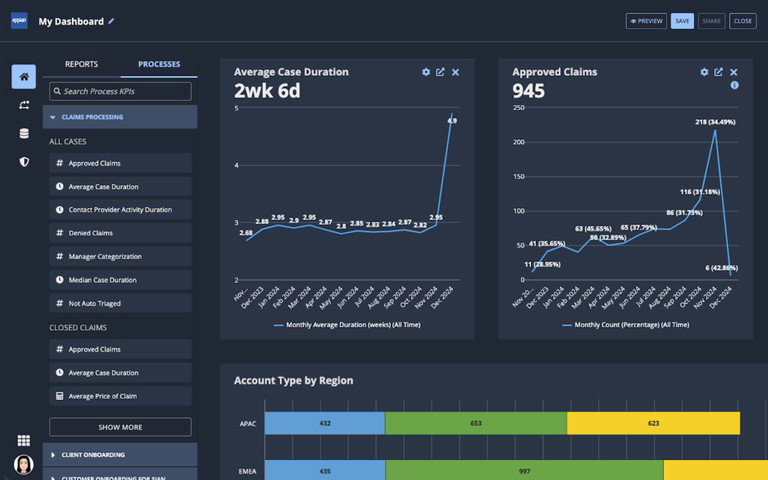
The tool is well-positioned for regulated and large enterprises due to its hybrid-cloud flexibility, scalability, compliance credentials, and non-defending security posture. Moreover, it presents reliable customer support, service, and training. This suite of features makes Appian a preferred choice for businesses that thrive on enterprise-grade control and innovation.
Pricing
Appian does not feature pricing for users on its site. Rather, it offers three paid tiers: Standard, Advanced, and Premium, priced per user, per month, and per app. The higher tiers provide users with more scaling, AI utility, portal access, offline support, and RPA capacity.
The tool also offers a free Appian Community Edition learning development, while paid buyers are suggested to contact Appian for a custom quote.
What Works and What Doesn’t
| Pros | Cons |
| Easy to use | Expensive licensing model |
| Faster low-code development | Limited UI flexibility |
| Strong built-in automation | Complex custom workflows |
Our Final Take
Appian is an ideal choice for government entities, large businesses, and regulated enterprises that manage cross-functional, complex workflows at scale. It works best for enterprises demanding robust security, compliance, flexible deployment, and AI-powered automation.
It is less compatible for small enterprises or teams seeking low-cost, simple, and design-flexible workflow platforms.
CMW Lab: Best Value
CMW Lab’s Platform is a workflow automation and low-code BPM solution modeled to help businesses regulate processes, automate workflows, and generate business applications with a bare minimum of coding. In 2026, its positioning stands around flexibility and affordability, making Best Value its most relevant accolade.
Why We Chose CMW Lab In 2026
CMW Lab facilitates up to 95% of applications to be built without intricate coding, while still complementing advanced customization. It combines real-time collaboration, BPMN 2.0 modeling, API integrations, and Role-Based Access Control (RBAC). This makes it suitable for scalable, complex deployments across on-premises and cloud environments.
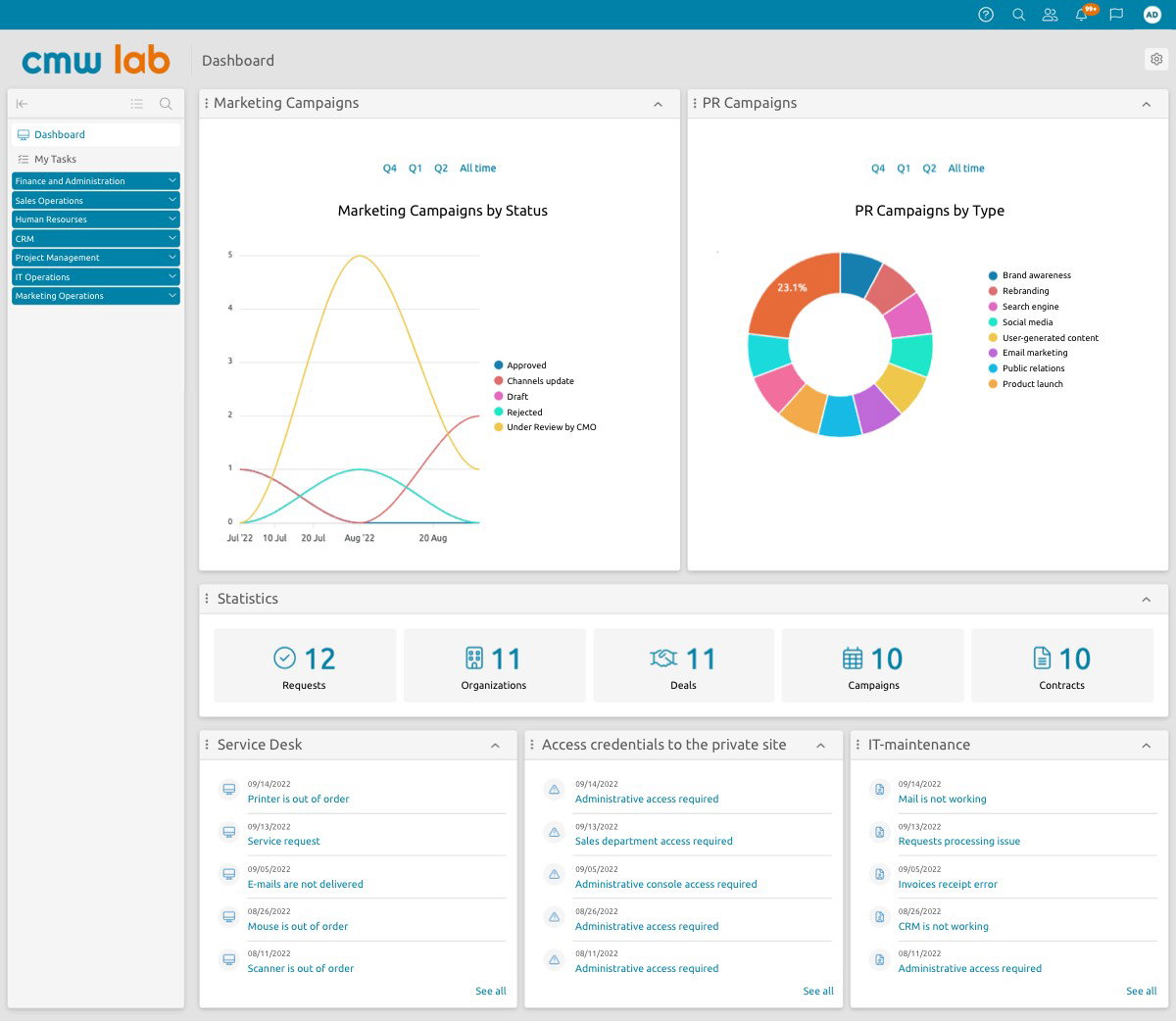
Advanced features like process visualization, hyperautomation, and real-time reporting optimize decision-making, while CMW’s unified system controls process fragmentation.
With user ratings around 4.5–4.7, CMW Lab is rightly positioned for quicker implementation and usability with the least IT dependency. Its offering is also strengthened by consulting services, reliable customer support, and enterprise-grade security control. This ranks CMW as a user-friendly, scalable, and robust BPM solution.
Pricing
CMW Platform does not list a fixed price but uses a subscription model as per the quote and configuration. Pricing is according to the type and number of users, with two license options: user and concurrent user. The free trial is also available. Licensing structure applies to both on-premises and cloud deployments.
What Works and What Doesn’t
| Pros | Cons |
| Easy drag and drop builder | Steep advanced-feature learning |
| Flexible workflow automation | Dated user interface |
| Strong integrations and analytics | Occasional slow performance |
Our Final Take
Best suitable for process-heavy, mid-sized to large organizations; especially in logistics, banking, IT services, education, procurement, and HR. This is because CMW positions the platform around low-code automation, BPM, BPMN, and prebuilt solutions compatible with these verticals. However, it may not be suitable for budget-tight companies or business teams that want a simple plug-and-play tool.
Nintex: Best For Integration
Nintex Process Manager is a BPM solution that helps organizations manage, map, and enhance business processes with features like a captivating dashboard, process modeling, compliance support, and AI-backed capture.
Nintex serves over 8500 enterprises worldwide. It is majorly owned by the private equity firm TPG. It has also been awarded as TrustRadius Buyer’s Choice 2026.
Why We Chose Nintex in 2026
Nintex Process Manager is making its mark in 2026 as it goes beyond simple process mapping. It lets businesses model, document, govern, and automate processes, with features like BPMN 2.0 modeling, AI-based process creation, analytics integrations, and role-based training links within process maps.
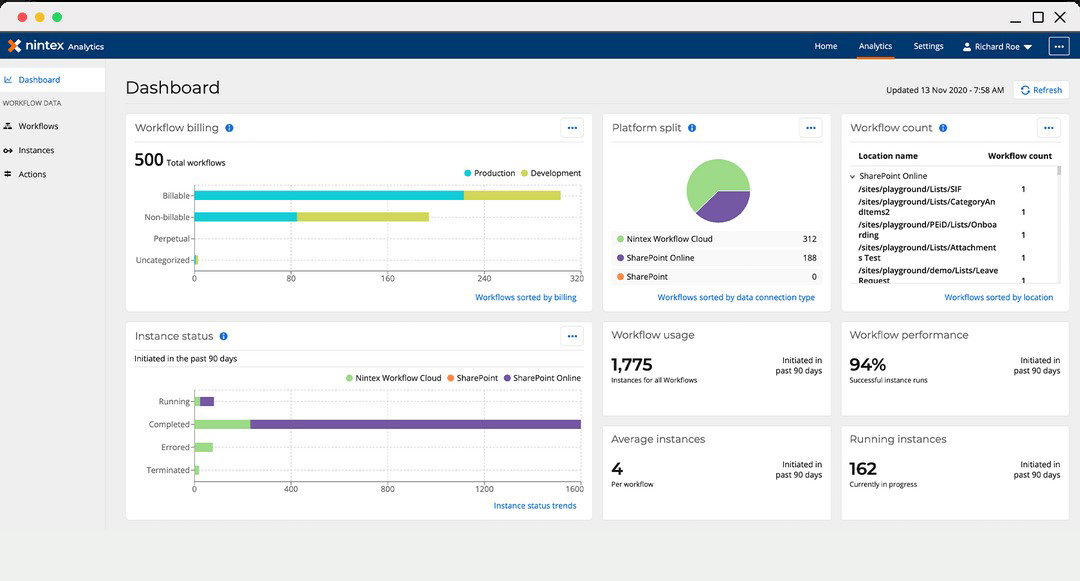
Nintex offers support through Nintex University, Customer Central, and community resources, while its security elements include SAML SSO, Azure-based SaaS hosting, TLS 1.2, and frequent external testing.
Pricing
The pricing of Nintex appears more business-focused than a simple self-serve pricing structure. In practice, the price is generally custom quoted based on the number of users, mix of products, deployment requirements, and automation value. Nintex also offers a 30-day free trial for Process Manager to let users test the tool before committing.
What Works and What Doesn’t
| Pros | Cons |
| Easy to use | Limited advanced features |
| Intuitive workflow management | Steep learning curve |
| Strong process automation | Complex workflow handling |
Our Final Take
Nintex works best for mid-sized to large businesses that seek to automate, map, and enhance functions across departments, especially teams that already use Microsoft 365/Salesforce/SharePoint or handle forms, approvals, documents, and compliance-heavy tasks.
It is also a recommended fit for organizations that work with low-code tools but still seek room to scale for wider analytics, automation, integrations, and data sovereignty setups.
The platform is less compatible with budget-sensitive organizations that require highly customized automation.
Topics For More Insights
IBM: Best For Enterprise
IBM Business Automation Workflow (BAW) is a solution that helps businesses streamline case management and workflows on the cloud and on-premises. It has also been recognized as a 2026 Top Rated Capabilities for Cloud Pak for enterprise automation.
Why We Chose IBM in 2026
IBM Business Automation Workflow shines in 2026 as a heavy-task business BPM platform instead of a mere workflow builder. It combines analytics, case management, process automation, and hybrid deployment with support for cloud environments.
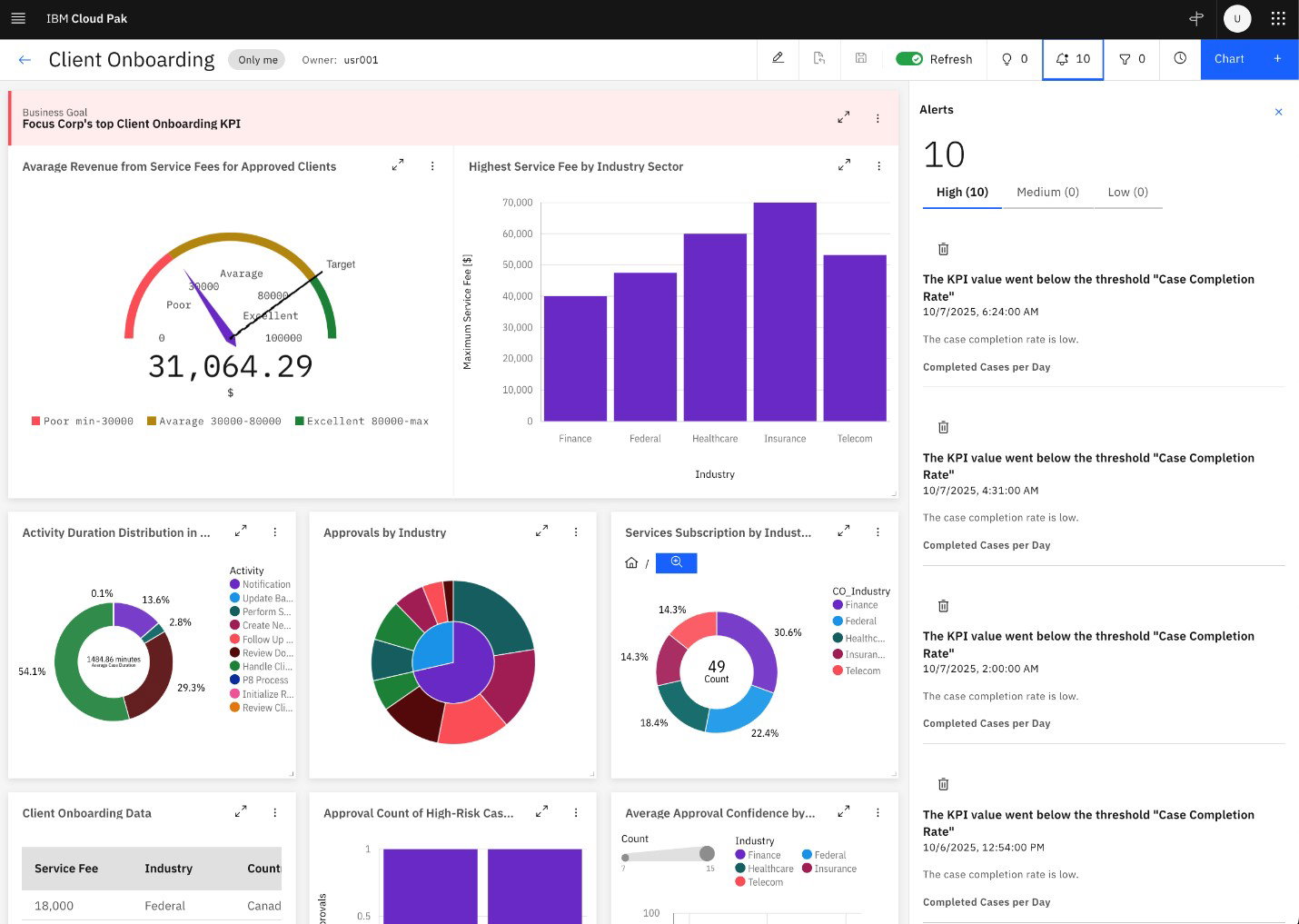
Its latest 25x capabilities integrate AI in process applications, container support, Agentic AI features, case search, audit history, Kafka/MQ, and REST/OpenAPI.
Such compatible modeling makes it the right choice for complex, large, regulated operations over lighter BPM platforms. The tool’s service support comes with IBM’s formal support hub, cases, forums, documentation, and frequent fix releases.
Pricing
IBM Business Automation Workflow prefers enterprise-grade, custom pricing instead of simple public list plans. The product comes with a subscription-based usage model that can be licensed in several ways based on entitlements and deployment. Users can avail IBM's 30-day free trial.
What Works and What Doesn’t
| Pros | Cons |
| Easy application use | Steep learning curve |
| Robust system integrations | Dated user interface |
| Strong process visibility | Complex deployment setup |
Our Final Take
IBM Business Automation Workflow works best with upper-midmarket businesses that run case-heavy operations and cross-department workflows and require robust governance, process visibility, and automation. It is recommended for enterprises that thrive on hybrid deployment or demand their BPM to be associated with IBM automation and enterprise integration.
Oracle: Best Customization
Oracle Business Process Management is Oracle’s BPM suite developed for running, configuring, and optimizing business processes. Oracle does not share a standalone user count for the tool, but it serves more than 430,000 customers globally. The recent recognition that Oracle’s BPM solution exhibits is the inclusion in Top Rated Features and Top Rated Capabilities awards.
Why We Chose Oracle In 2026
Oracle’s BPM tool stands out as a deep enterprise process suite built into Oracle Fusion Middleware. It is well-integrated with WebLogic, Oracle SOA, business rules, manual tasks, BAM analytics, and case management.
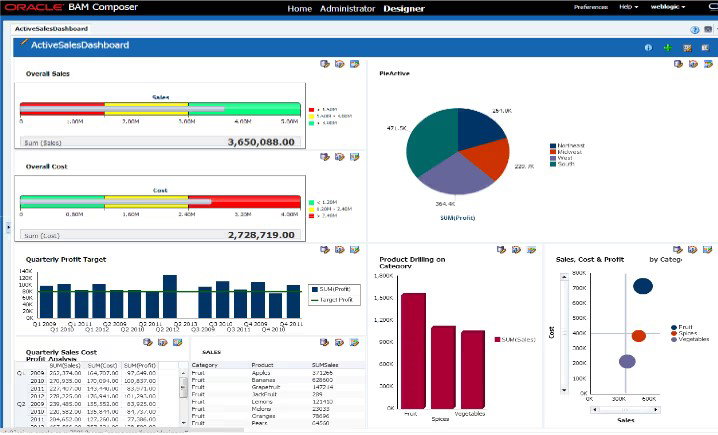
Its unique positioning is for Oracle-centric environments that require clustering, higher availability, and broad middleware integration.
Speaking of security and support, the tool backs it with My Oracle Support, patches, and continuous service-request assistance. It inherits HA architecture and business-grade middleware controls.
Pricing
Older Oracle price lists suggest that pricing starts at around $1,150 per Named User Plus or about $57,500 per processor. However, these figures represent base license costs and may not reflect what organizations actually pay.
In practice, the total cost is usually higher. This is because Oracle BPM often requires additional components such as Oracle SOA Suite, WebLogic Server, database licenses, and ongoing support. Infrastructure or cloud costs may also be involved.
What Works and What Doesn’t
| Pros | Cons |
| Strong customization options | Weak case management |
| Helpful built-in integrations | Complex administration setup |
| Fast scalable processing | High licensing costs |
Our Final Take
Oracle BPM is best suited for large, Oracle-focused enterprises that manage complex, high-volume processes and already use tools like Oracle SOA or WebLogic. It fits organizations that need strong customization, integration, and scalability for enterprise-wide workflow management. However, it may not be ideal for small, budget-sensitive, or fast-moving teams that want a simpler, more modern, cloud-first BPM tool.
Top 5 Business Process Management Tools Comparison
| Criteria |  |
 |
 |
 |
 |
| Starting Price | NA | NA | NA | NA | $1,150 |
| Avg. User Rating | 4.5 | 4.5 | 4.1 | 4.3 | 4.3 |
| Free Trial/Demo | Free Demo | Free Demo | 30 days | Free Demo | Free Demo |
| Key Features | Low-code, AI integration, simple Orchestration | low-code, flexible Automation, flexible Modeling | AI, Modeling, higher Compliance | Seamless Workflow, multiple use Cases, flexible Analytics | BPMN, simple process optimization, seamless Analytics |
| Integrations | MySQL, SOAP APIs, MariaDB | Microsoft Active Directory, Salesforce, SurveyGizmo | Salesforce, Box, SharePoint | Salesforce, SAP, ServiceNow | Salesforce, SAP, ServiceNow |
Wrapping Up
In 2026, the best BPM tool depends on what your business needs the most: ease of use, deep automation, enterprise scale, industry fit, or strong integrations.
Appian, CMW Labs, Nintex, IBM Business Automation Workflow, and Oracle BPM each bring different strengths, making them suitable for different types of organizations.
The right choice is one that matches your process complexity, budget, technical resources, and long-term digital transformation goals.
Frequently Asked Questions
What As A Business Process Management (BPM) Tool?
A BPM tool helps businesses design, automate, track, and improve their workflows. It makes repetitive processes faster, more organized, and easier to manage.
How Do I Choose The Right BPM Tool For My Business?
Choose a tool based on your company size, process complexity, budget, and integration needs. You should also consider ease of use, scalability, security, and customer support.
Are BPM Tools Only Useful For Large Enterprises?
No, BPM tools can help both small businesses and large enterprises improve efficiency. The key is picking a platform that matches your team’s needs and technical capacity.
Tue, Mar 31, 2026

Liked what you read? That’s only the tip of the tech iceberg!
Explore our vast collection of tech articles including introductory guides, product reviews, trends and more, stay up to date with the latest news, relish thought-provoking interviews and the hottest AI blogs, and tickle your funny bone with hilarious tech memes!
Plus, get access to branded insights from industry-leading global brands through informative white papers, engaging case studies, in-depth reports, enlightening videos and exciting events and webinars.
Dive into TechDogs' treasure trove today and Know Your World of technology like never before!
Disclaimer - Reference to any specific product, software or entity does not constitute an endorsement or recommendation by TechDogs nor should any data or content published be relied upon. The views expressed by TechDogs' members and guests are their own and their appearance on our site does not imply an endorsement of them or any entity they represent. Views and opinions expressed by TechDogs' Authors are those of the Authors and do not necessarily reflect the view of TechDogs or any of its officials. While we aim to provide valuable and helpful information, some content on TechDogs' site may not have been thoroughly reviewed for every detail or aspect. We encourage users to verify any information independently where necessary.
Loading comments...