
Virtualizations
Top 5 Application Virtualization Software Of 2026
Share
TL;DR
-
Parallels RAS: Provides a superior user experience with flexible hybrid deployment options for teams.
-
Nerdio Manager: Offers an Azure-native platform that simplifies cloud desktop and application automation.
-
TSPlus: Delivers excellent value by enabling easy web-based access to legacy Windows applications.
-
Inuvika OVD Enterprise: Stands out for its high level of customization and cost-efficient Linux-based streaming.
-
Citrix: Remains the benchmark for enterprise-grade scalability with advanced performance optimization and security.
Introduction
Do you remember the futuristic blue robot cat Doraemon? For many millennials, the show was a treasure trove of imagination, featuring a time-traveling companion with an endless supply of reality-bending gadgets. One of the most memorable tools was the computer pencil, which allowed users to create objects that instantly functioned within a virtual space. This concept of bringing digital tools to life independently of a physical system is no longer just a childhood fantasy. Today, businesses utilize this same logic through advanced application virtualization to run software seamlessly across any environment.
In a modern corporate landscape, managing diverse software across various devices can be a logistical nightmare. Virtualization solves this by hosting applications on remote servers, delivering a local experience without the need for individual installations. This centralizes IT management, boosts security, and ensures that teams stay productive regardless of their hardware. If you are ready to equip your organization with the digital equivalent of a computer pencil, explore these Top 5 Application Virtualization Software Of 2026.
What Is Application Virtualization Software?
Application Virtualization Software enables users to access and run applications hosted on a remote server, delivering the same experience as if the app were installed directly on their personal computers. IT administrators use this software to centralize app management, setting up and maintaining applications on a server while ensuring their seamless usage by the end users.
So, we are back with a refreshed list for 2026. Some favorites held their ground, while a few newcomers have stolen the spotlight.
Let’s explore the best application virtualization tools of 2026 to help you streamline your workflow and make smart decisions!
Top 5 Application Virtualization Software Of 2026
Here are the Top 5 Application Virtualization Software Examples of 2026, each with its superpowers. We have listed them in no particular order, because who needs the pressure of a ranking when all of them are ready to impress?
 |
 |
 |
 |
 |
Parallels Remote Application Server (RAS): Best User Experience (UX)
Returning to this year’s list, Parallels RAS is a powerful app virtualization software that lets you access apps and files on any device or operating system. With its remote application server, teams can work securely from anywhere, using virtual apps and desktops without complicated setups. Trusted by over 7 million Mac users worldwide, Parallels RAS is recognized with the 2025 Trust Radius Buyers' Choice award and stands out as a leading solution in app virtualization.
Why We Chose Parallels RAS In 2026
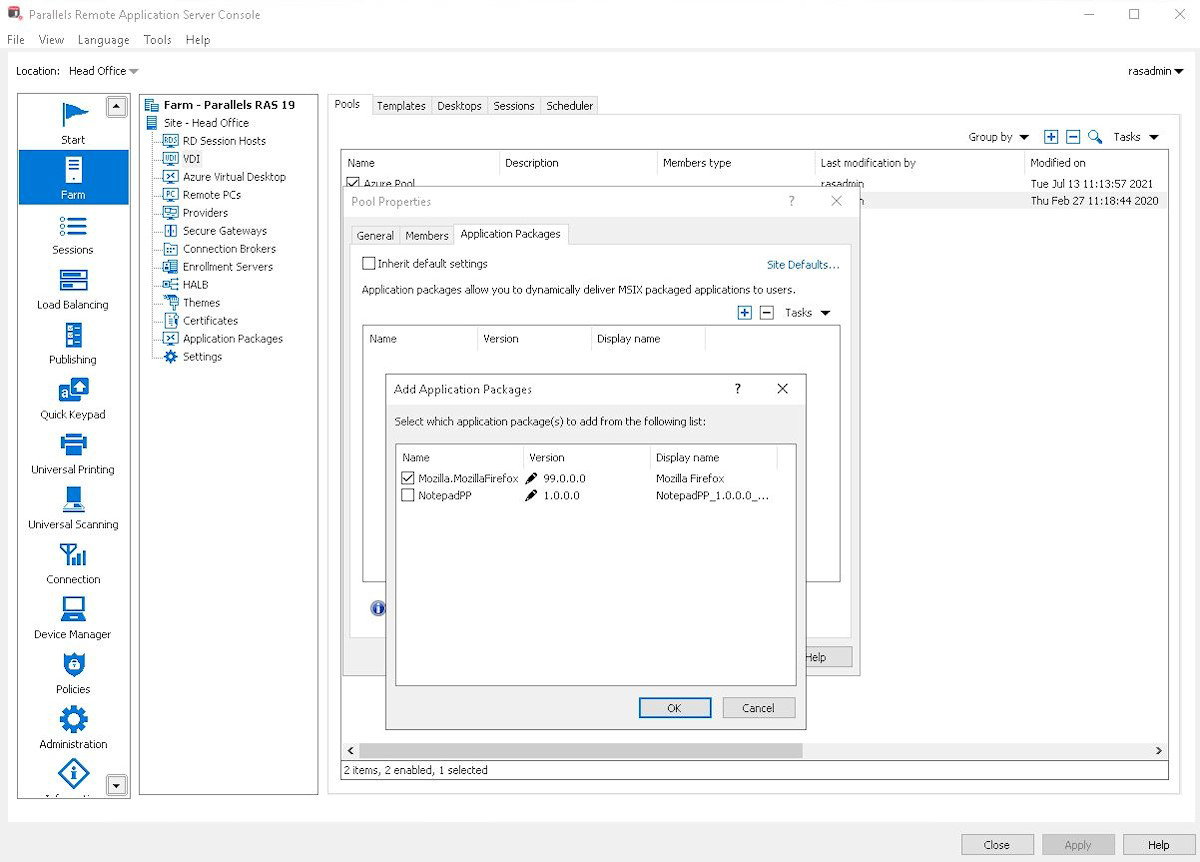
Parallels RAS makes accessing apps and desktops easier than ever, no matter where you are or what device you’re using. It gives organizations the flexibility to mix and match deployments on-premises, cloud, or hybrid, so IT teams can set up the way that works best for them. Users get a smooth, consistent experience whether they are working from a laptop, tablet, or phone, with support for multiple monitors, peripherals, and even branded workspaces. The platform keeps things simple on the IT side too, with one console for managing apps, desktops, access, reporting, and more, all without juggling multiple tools or complicated setups.
Security and cost-efficiency are just as strong. Parallels RAS provides strong encryption, MFA, and auditing built in, so organizations can feel confident about deploying it anywhere. On top of that, licensing is straightforward, deployment is fast, and support is available 24/7, making it easier to get teams up and running quickly. It’s this balance of flexibility, simplicity, and security that makes Parallels RAS a standout choice in 2026.
Pricing
Parallels RAS comes with annual pricing, customized for businesses of all sizes. It makes remote work simple and secure, so teams can access virtual desktops and apps from any device. Businesses can contact the Parallels RAS team for more information about pricing.
What Works And What Doesn’t
| Pros | Cons |
| Smooth environment switch | Some setup complexity |
| Easy remote access | Limited for heavy development |
| Group app management | Minor performance lag |
Our Final Take
Parallels RAS works best for Mac users and businesses that need secure, flexible access to virtual desktops and apps from anywhere. It might not be the right fit for highly complex development projects. Overall, it’s a reliable choice for organizations looking for simplicity, scalability, and seamless remote work.
Nerdio Manager: Best for Integration
A fresh entry to this year’s lineup, Nerdio Manager is an Azure-native platform that helps IT teams easily deploy, manage, and optimize virtual desktops and cloud apps. With built-in automation, security, and cost controls, Nerdio Manager makes managing cloud applications and desktops simple and efficient. Trusted by over 15,000 customers in 50 countries and recognized as a Winter 2026 G2 Leader, Nerdio Manager is a reliable choice for organizations looking for secure, scalable, and easy-to-manage application virtualization solutions.
Why We Chose Nerdio Manager In 2026
Managing cloud desktops and applications can get complicated fast, but Nerdio Manager brings everything together in one place. IT teams can deploy, update, and monitor apps across Azure Virtual Desktop, Windows 365, and Microsoft 365 from a single platform. Its point-and-click interface and built-in automation keep things smooth, while Microsoft Cloud integration ensures consistency and security across all devices.
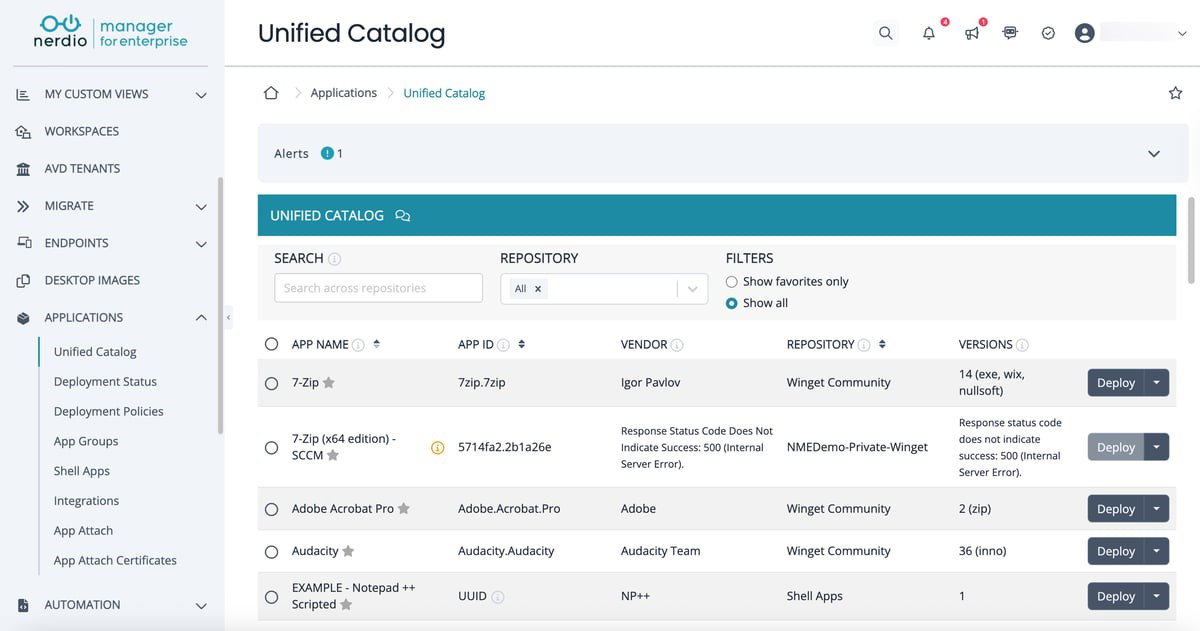
Beyond simplifying day-to-day tasks, Nerdio Manager gives teams clear visibility and control. Central dashboards track deployments, enforce policies, and manage access without extra effort. One-click deployments and a comprehensive app catalog, covering custom, third-party, and Nerdio-managed apps, help reduce manual work and errors. Trusted by thousands worldwide, Nerdio Manager is a great fit for businesses looking to streamline cloud application management while keeping operations secure and scalable.
Pricing
Nerdio Manager monthly plans start at $3 per user for Windows 365 apps, $6 per user for Azure Virtual Desktop Core, and $10 per user for AVD Premium. Companies can pick the plan that fits their team and requirements.
What Works And What Doesn’t
| Pros | Cons |
| Centralized management | UI feels crowded |
| Easy multi-tenant control | Documentation lags |
| Quick workspace creation | Licensing can be expensive |
Our Final Take
Nerdio Manager is ideal for IT teams managing Azure or Windows 365 environments, offering streamlined management and cost savings. It may not suit very small setups, but it’s great for teams needing secure, scalable cloud control.
TSPlus: Best Value
Making its debut this year is TSPlus. TSPlus puts all your Windows applications and corporate tools within reach, whether the apps are on-premises or in the cloud. With TSPlus Remote Access, employees can work without being tied to a specific device, making remote work simple and stress-free. Trusted by over 500,000 companies and recognized as a Summer 2025 High Performer by G2, TSPlus makes getting work easier, faster, and more flexible for businesses of all sizes.
Why We Chose TSPlus In 2026
TSPlus stands out as a versatile solution for businesses looking to virtualize Windows applications and provide seamless remote access. Its web-enabled portal and customizable launch menus make accessing apps intuitive, while support for multiple concurrent sessions ensures that teams of any size can work efficiently. With options to assign applications by user, group, or directory, administrators have full control over access and deployment.
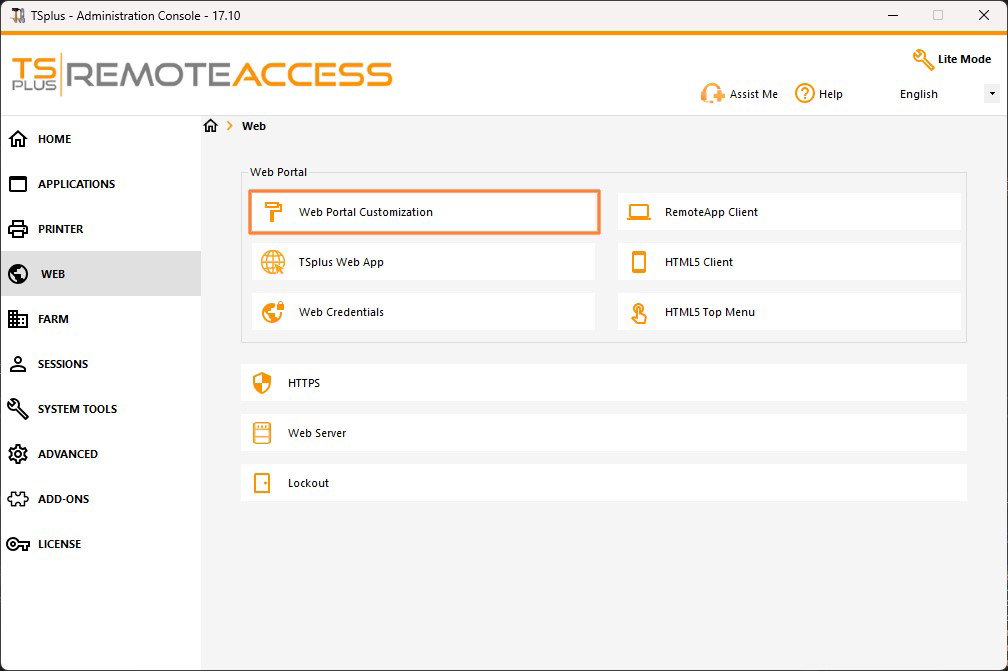
Beyond flexibility, TSPlus helps businesses optimize their IT budgets by extending the life of legacy applications and avoiding costly redevelopments. Security features like SSL encryption, two-factor authentication, and advanced access controls keep sensitive data protected. With easy setup for software as a service (SaaS) offerings, remote printing options, and compatibility with any RDP client, TSPlus becomes a complete, reliable, and scalable choice for organizations aiming to simplify application delivery and enhance productivity.
Pricing
Getting started with TSPlus Remote Access is simple and flexible. Subscriptions begin at $5 per user per month and $4.50 when billed yearly. Enterprise Edition and add-ons like Two-Factor Authentication start at $22 per server monthly, with $20 billed yearly. Updates, support, and a one-time perpetual license option are also available.
What Works And What Doesn’t
| Pros | Cons |
| Easy to implement | Basic user interface |
| Stable and reliable | Occasional server lag |
| Flexible web access | Limited mobile access |
Our Final Take
TSPlus is perfect for anyone needing easy remote access to Windows applications or legacy software. It may not be ideal for users relying heavily on mobile devices, but it is a great choice for those who want simple, reliable, and secure virtualization.
Topics For More Insights
Inuvika OVD Enterprise: Best Customization
Inuvika OVD Enterprise is appearing on the list for the first time. This Linux-based platform streams Windows and Linux applications to almost any device, whether users are working on-premises, in the cloud, or through a hosted Desktop-as-a-Service (DaaS) setup. The platform is also known for keeping costs in check, often reducing virtualization expenses by up to 60%. On top of that, industry recognition like G2’s High Performer and Best Support badges for Winter 2025 shows how reliable and well-supported the solution is.
Why We Chose Inuvika OVD Enterprise In 2026
Inuvika OVD Enterprise earns its spot on our 2026 list by making desktop and application virtualization far more practical to deploy and manage. The platform runs on a Linux foundation and supports both Windows and Linux applications, delivering them smoothly to desktops, laptops, and mobile devices. It works across major hypervisors like vSphere, KVM, Nutanix AHV, Hyper-V, and ProxmoxVE, and can run on-premises or across public and private clouds.
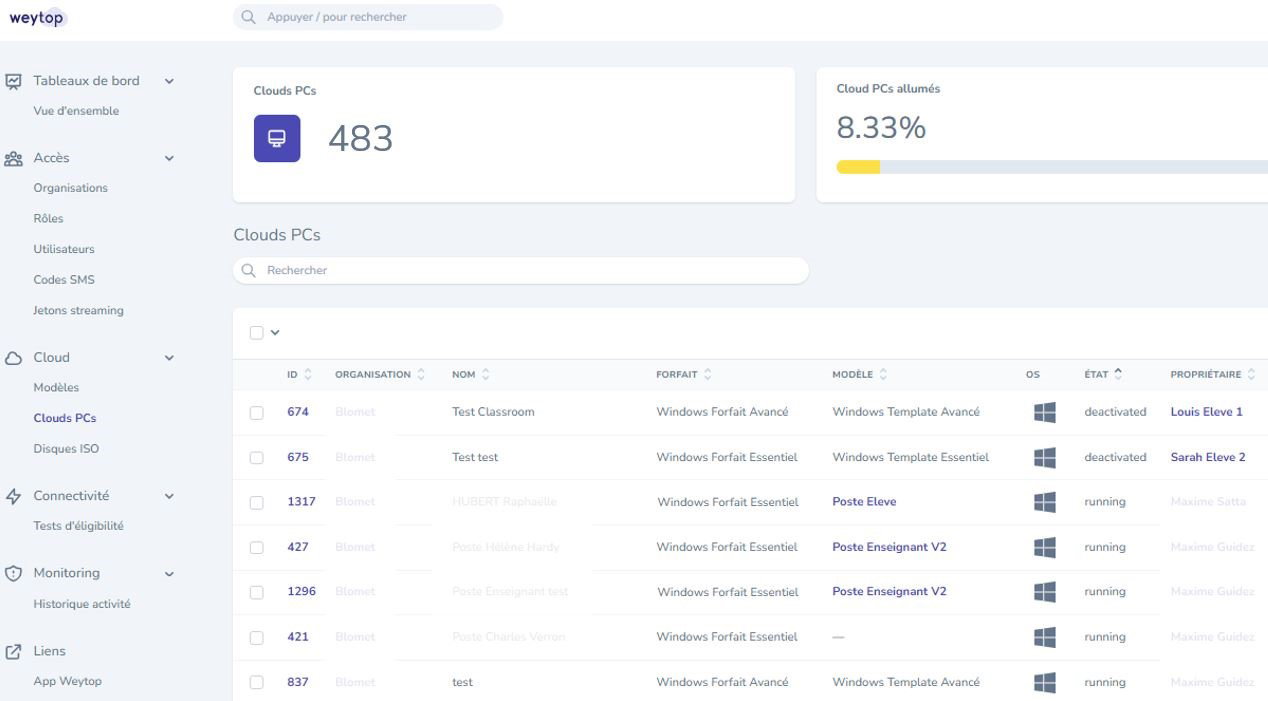
Another reason it stands out is how it balances performance, security, and cost. The platform supports more users on application servers, reducing the need for additional Windows licenses and lowering overall infrastructure costs. Administrators manage everything from a simple web console and make setup and daily operations easier. Security is built in as well, with multi-factor authentication, encrypted connections, and zero-trust access controls. For users, applications launch quickly through a web portal or appear directly on their local desktop, creating a smooth and familiar experience.
Pricing
Inuvika OVD Enterprise pricing starts at $9.50 per concurrent user per month with a 1-year plan. Longer commitments lower the cost to $8.55 for 3 years and $7.50 for 5 years. There’s also a DaaS option available through partners, with pricing shared based on requirements.
What Works And What Doesn’t
| Pros | Cons |
| Easy Setup | Outdated interface |
| Strong Security | Limited Advanced Customization |
| Multi-OS Support | Manual Configuration to scale |
Our Final Take
Inuvika OVD Enterprise suits teams seeking a flexible and cost-efficient way to deliver virtual apps and desktops. It may feel less appealing for those prioritizing a highly modern interface. Overall, it’s a reliable option for scalable virtualization.
Citrix: Best For Enterprise
Citrix has long been a go-to name in application virtualization, and it continues to hold that reputation by returning to this year’s list. Citrix Virtual Apps and Desktops help IT teams deliver Windows, Linux, and web apps to users on almost any device, without compromising performance or security. Trusted by thousands of organizations and 4,300+ healthcare customers, Citrix supports secure remote work for millions of cloud users. It was also named a Leader in the 2024 Gartner Magic Quadrant for Desktop as a Service, reinforcing its strong reputation in virtual workspace solutions.
Why We Chose Citrix In 2026
When it comes to delivering virtual apps and desktops at scale, Citrix still sets the benchmark. The platform allows IT teams to deliver Windows, Linux, and web applications from clouds, on-premises infrastructure, or hybrid environments. This flexibility makes it easier to support distributed teams while maintaining a consistent user experience across devices. Citrix also stands out for its strong focus on security and performance.
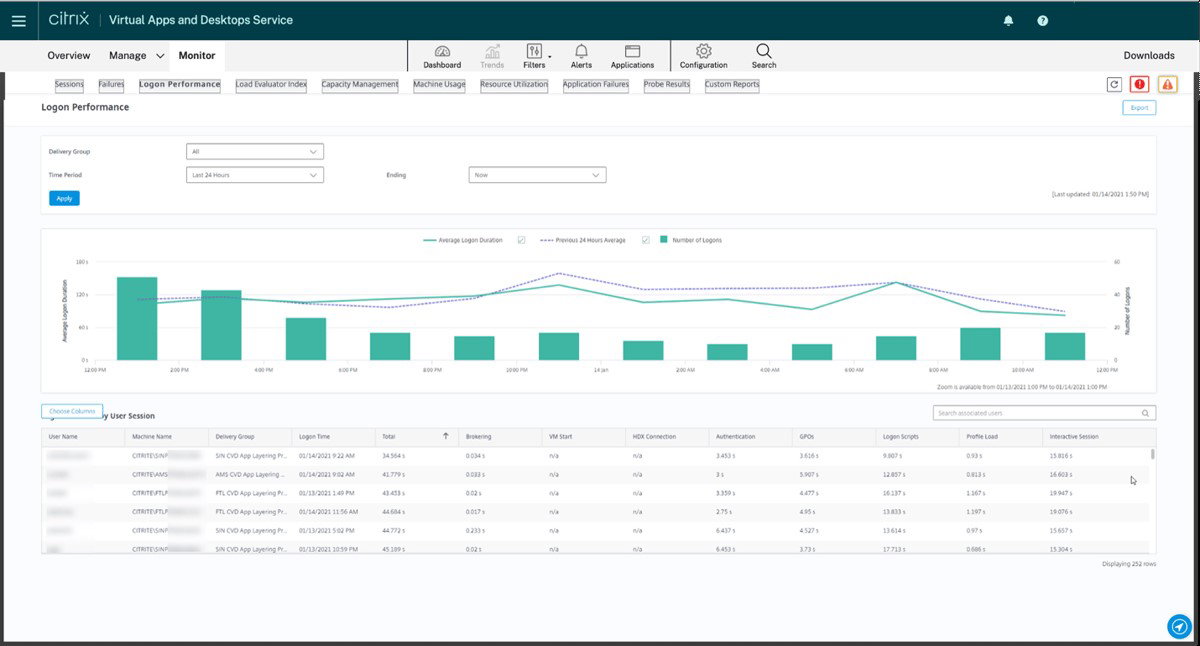
With tools for session monitoring, granular access controls, and analytics-driven protection, organizations can keep sensitive data safe while still enabling remote access. Technologies like HDX optimization help applications run smoothly even on low-bandwidth connections, while centralized management simplifies how apps and desktops are delivered and maintained. Support for major cloud providers such as AWS, Microsoft Azure, and Google Cloud further adds to its flexibility, making Citrix a reliable choice for organizations building secure and scalable virtual workspaces.
Pricing
Though Citrix has not disclosed its pricing publicly, businesses can reach out to their team to get custom quotes based on their requirements.
What Works And What Doesn’t
| Pros | Cons |
| Remote Work Access | High Licensing Cost |
| Centralized Management | Occasional Latency |
| Strong Security Features | Complex Setup |
Our Final Take
Citrix works well for enterprises and IT-driven organizations that need a secure and flexible virtual workspace for distributed teams. Smaller businesses may find more than they need. For companies prioritizing reliability, control, and scalable virtual access, Citrix remains a dependable choice.
Top 5 Application Virtualization Software Comparison
Choosing the right application virtualization software can be challenging with several powerful solutions available today. To make the decision easier, we have compared five leading platforms that help businesses securely deliver apps across devices and environments.
P.S.: Always remember to visit the vendor's site for the latest information!
| Criteria |  |
 |
 |
 |
 |
| Starting Price | NA | $3/user/month | $5/user/month | $9.50/user/month | NA |
| Avg. User Rating | 4.6 | 4.7 | 4.9 | 4.7 | 4.1 |
| Free Trial/Demo | 30 Days | 30 Days | 15 Days | 14 Days | NA |
| Key Features | Remote app access, hybrid deployment flexibility, centralized management | Azure Native platform, automated deployments, centralized dashboards | Windows app virtualization, web portal access, multi-session support | Multi OS support, Linux-based platform, web console management | Virtual app delivery, HDX performance optimization, granular access controls |
| Integrations | Microsoft Azure, Gemalto, ControlUp, and more | Rimo3, Liquidware, AppCURE, and more | Microsoft Office, MS SQL, and more | OpenStack, Zadara, Virtuozzo, and more | Cisco Webex, Google Chrome, Zoom, and more |
Wrapping Up
As workplaces become more flexible and digital, the way we deliver applications is evolving just as quickly. Application virtualization is no longer just an IT upgrade, but a smarter way to keep teams connected, secure, and productive from anywhere.
The tools on this list show that there isn’t a one-size-fits-all solution. Some focus on scalability, others on cost efficiency or seamless remote access. The right choice ultimately depends on your infrastructure, workforce needs, and long-term IT strategy.
Think of it like choosing the engine for your digital workspace and picking the one that runs smoothly, scales when needed, and keeps everything moving without friction. Choose wisely, and your apps will always be exactly where your users need them.
Frequently Asked Questions
Which Are The Top Application Virtualization Software Of 2026?
The Top Application Virtualization Software of 2026 includes Parallels RAS, Nerdio Manager, TSPlus, Inuvika OVD Enterprise, and Citrix. These platforms help businesses securely deliver applications and virtual desktops to users across devices and locations.
Why Do Businesses Use Application Virtualization?
Businesses use application virtualization to simplify app delivery, enable remote work, and reduce IT complexity. It allows teams to access the same applications from anywhere while keeping updates, security, and management centralized for IT teams.
What Features Should You Look For In Application Virtualization Software?
Key features of an application virtualization software include remote application access, strong security controls, centralized management, multi-device compatibility, and cloud integration. These features ensure users get smooth access to apps while IT teams maintain control, performance, and security.
Wed, Mar 11, 2026

Enjoyed what you've read so far? Great news - there's more to explore!
Stay up to date with the latest news, a vast collection of tech articles including introductory guides, product reviews, trends and more, thought-provoking interviews, hottest AI blogs and entertaining tech memes.
Plus, get access to branded insights such as informative white papers, intriguing case studies, in-depth reports, enlightening videos and exciting events and webinars from industry-leading global brands.
Dive into TechDogs' treasure trove today and Know Your World of technology!
Disclaimer - Reference to any specific product, software or entity does not constitute an endorsement or recommendation by TechDogs nor should any data or content published be relied upon. The views expressed by TechDogs' members and guests are their own and their appearance on our site does not imply an endorsement of them or any entity they represent. Views and opinions expressed by TechDogs' Authors are those of the Authors and do not necessarily reflect the view of TechDogs or any of its officials. While we aim to provide valuable and helpful information, some content on TechDogs' site may not have been thoroughly reviewed for every detail or aspect. We encourage users to verify any information independently where necessary.
Loading comments...