
Virtualizations
Top 5 Server Virtualization Software Of 2026
Share
TL;DR
-
VMware vSphere: Reduces server sprawl by allowing multiple virtual machines to run on one physical server.
-
Microsoft Hyper-V: Cuts virtualization costs for businesses using Windows-based infrastructure.
-
Nutanix Cloud Platform: Simplifies managing applications across hybrid and multicloud environments.
-
Red Hat Enterprise Linux: Provides open-source virtualization through KVM for running multiple virtual machines.
-
SUSE Linux Enterprise Server: Supports flexible virtualization by hosting multiple operating systems on one server.
Introduction
How many mobile phones do you own?
Probably one. Maybe two if you keep a separate work phone. Now imagine owning a different phone for every app you use: one for messaging, another for banking, one for social media, and another for work emails. It would be expensive, difficult to manage, and completely unnecessary.
That’s similar to how traditional server environments often operate. Many businesses still rely on separate physical servers for different applications, leaving valuable computing resources underused while increasing hardware, maintenance, and energy costs.
Server virtualization software solves this by allowing multiple virtual servers to run on a single physical machine. It helps businesses improve resource utilization, scale efficiently, and simplify infrastructure management.
We’ve curated the Top 5 Server Virtualization Software of 2026 that can help optimize your IT infrastructure, but before we explore the list, let’s first understand what server virtualization software is and why it matters.
Read on!
What Is A Server Virtualization Software?
Server Virtualization Software is a digital platform that helps businesses maximize the value of their physical hardware by allowing multiple virtual servers to run on a single machine. Instead of dedicating one physical server to a single application, organizations can divide computing resources such as CPU, memory, and storage across multiple virtual environments.
Each virtual server functions independently, allowing businesses to run different applications and operating systems without investing in additional hardware. This improves resource utilization, lowers infrastructure costs, simplifies server management, and makes scaling far more efficient.
As organizations continue expanding cloud operations and managing larger workloads in 2026, server virtualization has become an essential part of building flexible and cost-effective IT infrastructure.
So, without further ado, let's get into the top Server Virtualization Software of 2026 to help you find the right solution.
Top 5 Server Virtualization Software of 2026
Each platform on this list offers a different approach to virtualization management, scalability, and resource optimization. Here are some of the best server virtualization software solutions businesses should consider in 2026.
 |
 |
 |
 |
 |
VMware vSphere: Best Overall
VMware vSphere, acquired by Broadcom Inc in 2023, remains one of the most widely used server virtualization platforms for businesses managing large-scale workloads. It allows organizations to run multiple virtual machines on a single physical server, improving resource efficiency while supporting complex IT environments. Its strong enterprise adoption and continued recognition in Gartner’s 2025 Magic Quadrant for Distributed Hybrid Infrastructure reinforce its position in the market.
Why We Chose VMware vSphere In 2026
VMware vSphere earns its place on this list because of its reliability, automation capabilities, and support for hybrid cloud environments. Features such as High Availability (HA), Distributed Resource Scheduler (DRS), vMotion, fault tolerance, and vSAN integration help IT teams manage workloads more efficiently while reducing downtime. It also supports Kubernetes environments and includes strong security controls for compliance and ransomware protection.
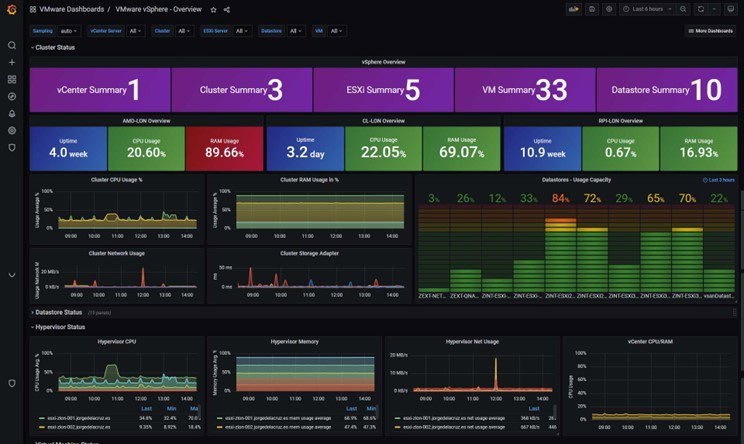
Its biggest advantage is the maturity of its ecosystem. Businesses already invested in virtualization often prefer vSphere because of its scalability, broad integrations, and established support network.
Pricing
Plans start at approximately $35 per core/year for VMware vSphere Essentials Plus, while VMware vSphere Standard begins at around $50 per core/year. For businesses needing broader infrastructure capabilities, VMware vSphere Foundation is priced between $135–$150 per core/year, while VMware Cloud Foundation costs approximately $350 per core/year for large enterprise deployments.
What Works And What Doesn’t
| Pros | Cons |
| Easy to manage | High licensing costs |
| Strong automation tools | Licensing changes |
| Reliable performance | Can be complex for smaller teams |
Our Final Take
VMware vSphere is best suited for mid-sized and large enterprises managing critical workloads across hybrid or private cloud environments. Smaller businesses with limited budgets may find simpler virtualization platforms more practical.
Microsoft Hyper-V: Best For Integration
Microsoft Hyper-V is Microsoft’s native server virtualization platform that enables organizations to create and manage virtual machines while working closely with Microsoft Azure, Windows Server, and other Microsoft tools. It continues to maintain a strong enterprise footprint, with more than 91,000 companies globally using Hyper-V.
Its relevance remains strong in 2026 as Microsoft continues investing in scalability and resiliency upgrades. At the Windows Server Summit 2026, Microsoft highlighted new performance improvements that reinforced Hyper-V’s role in enterprise virtualization.
Why We Chose Microsoft Hyper-V In 2026
Hyper-V earns its spot for its seamless Microsoft integration, cost efficiency, and reliable virtualization capabilities. Features such as Hyper-V Replica, Live Migration, nested virtualization, Failover Clustering, GPU partitioning, and shared-nothing migration give IT teams greater flexibility while managing workloads.
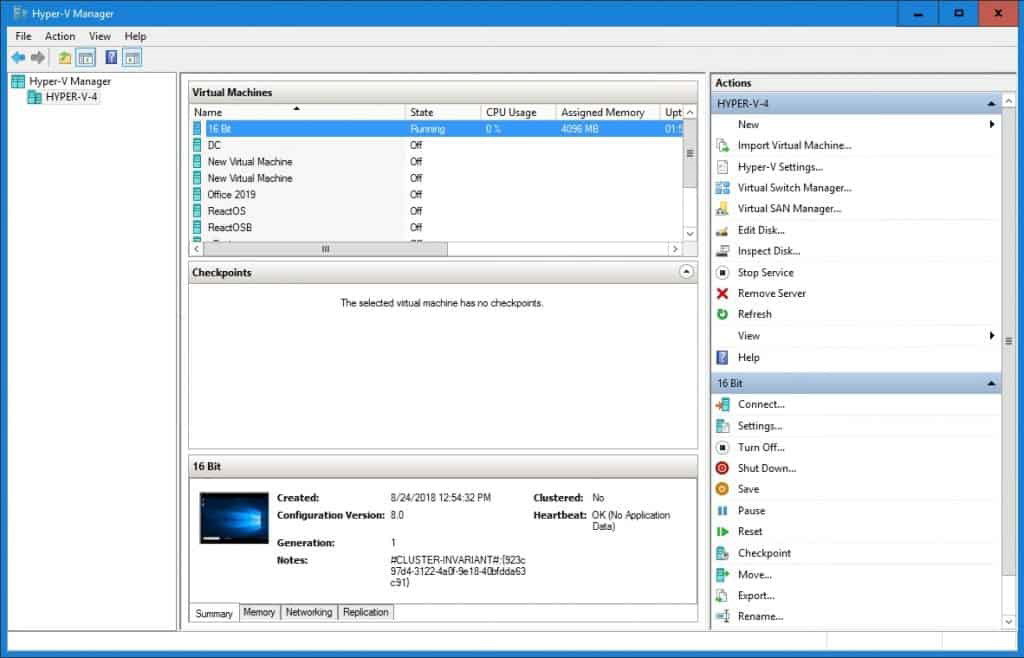
It also includes security features such as Shielded VMs, Secure Boot, TPM support, and Host Guardian Service, making it a practical choice for businesses prioritizing infrastructure security.
Pricing
Microsoft Hyper-V is included with Windows Server licensing. Windows Server Standard starts at approximately $1,000 for a 16-core license and supports two virtual machines, while Windows Server Datacenter starts at around $6,000 for 16 cores and supports unlimited virtual machines.
What Works And What Doesn’t
| Pros | Cons |
| Strong Microsoft integration | Primarily Windows-focused |
| Cost-effective licensing | Can be complex to manage |
| Reliable migration tools | Learning curve for new users |
Our Final Take
Microsoft Hyper-V works well for organizations already invested in Microsoft infrastructure and looking for reliable virtualization capabilities without major additional costs. Businesses managing highly diverse multi-platform environments may prefer more flexible alternatives.
Nutanix Cloud Platform: Best For Scalability
Nutanix Cloud Platform is a software-defined hybrid cloud platform that allows organizations to manage applications and data across private data centers, edge environments, and public clouds from a centralized interface. It supports both virtual machines and containers, giving businesses greater flexibility as workloads grow across distributed environments.
Its expanding focus on hybrid cloud infrastructure, built-in virtualization, and enterprise modernization continues to make Nutanix a strong player in virtualization and cloud infrastructure management.
Why We Chose Nutanix Cloud Platform In 2026
Nutanix Cloud Platform earns its spot for simplifying infrastructure management while supporting large-scale growth. Its built-in AHV virtualization platform removes the need for separate hypervisor licensing, which makes it an attractive alternative for businesses looking to reduce infrastructure costs.
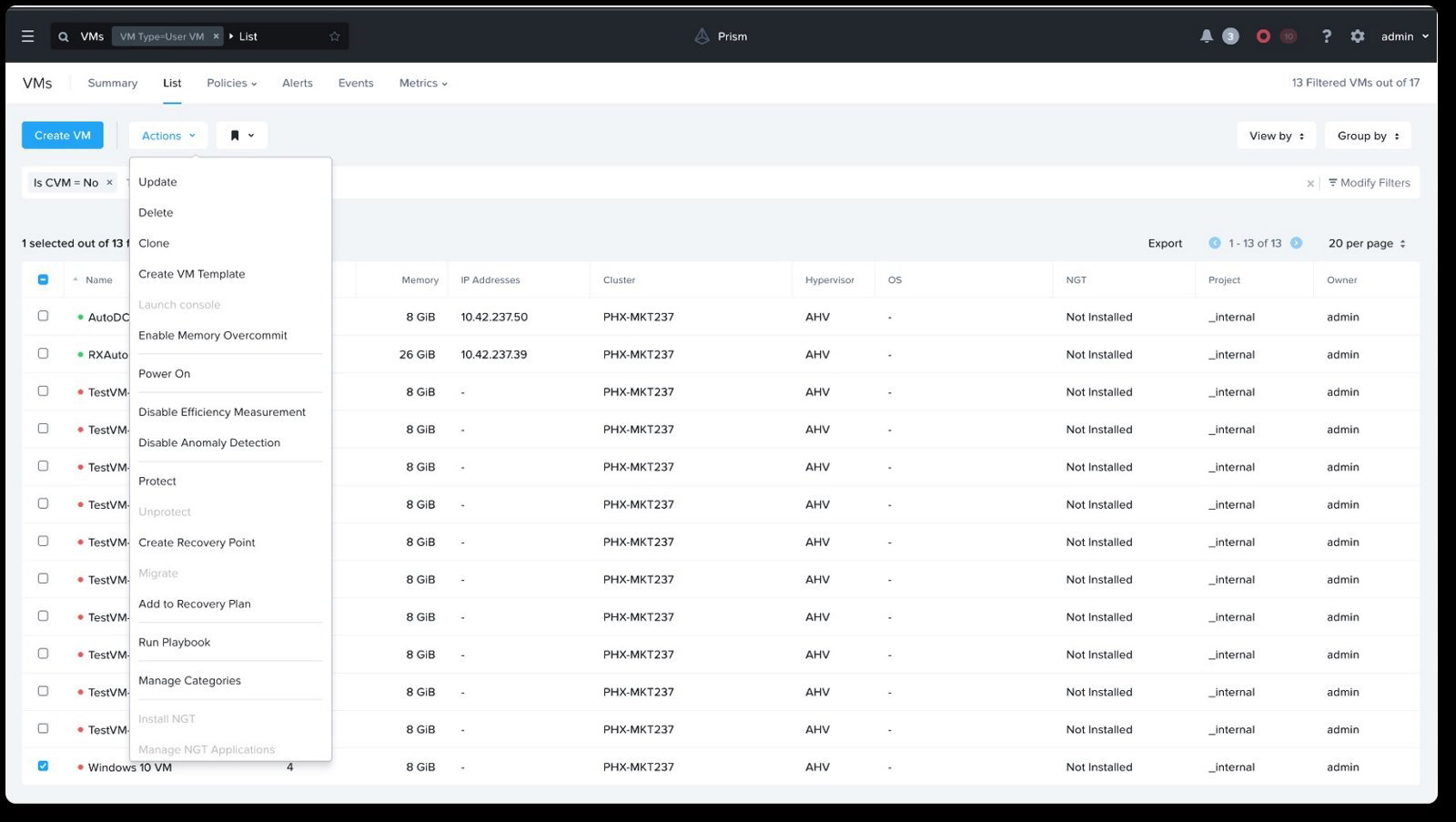
Key capabilities include Prism centralized management, one-click upgrades, Kubernetes support, integrated disaster recovery, and automated operations. It also allows businesses to scale workloads across edge locations, on-premise environments, and public clouds without adding unnecessary complexity.
Nutanix also strengthens its offering with ransomware protection, security auditing, data governance tools, and cloud sovereignty controls for organizations managing sensitive workloads.
Pricing
Nutanix Cloud Platform follows a subscription-based, per-core pricing model with Starter, Pro, and Ultimate tiers designed for different infrastructure needs. Pricing starts at approximately $767 per core/year for the Starter plan, while the Pro tier costs around $918 per core/year. The Ultimate tier, built for more advanced enterprise requirements, is priced at roughly $1,010 per core/year. Nutanix also offers flexible bring-your-own-license (BYOL) and cloud consumption options for organizations looking for more deployment flexibility.
What Works And What Doesn’t
| Pros | Cons |
| Easy infrastructure management | Higher upfront costs |
| Simple scalability | Resource overhead |
| Built-in virtualization | Smaller ecosystem compared to larger competitors |
Our Final Take
Nutanix Cloud Platform works well for mid-sized and large enterprises looking for simplified infrastructure management and hybrid cloud flexibility. Smaller businesses with basic virtualization needs may find it more advanced than necessary.
Topics For More Insights
Red Hat Enterprise Linux: Best Customization
Red Hat Enterprise Linux is a widely adopted enterprise operating system that supports server virtualization through technologies such as KVM and hybrid cloud platforms. It is used by thousands of organizations globally, including 90% of Fortune 500 companies, for secure and scalable infrastructure management.
Its reputation for reliability remains strong in 2026, reinforced by recognition such as the TrustRadius Buyer’s Choice Award for enterprise infrastructure solutions.
Why We Chose Red Hat Enterprise Linux In 2026
Red Hat Enterprise Linux earns its place for offering deep customization, enterprise-grade security, and long-term operational stability. It supports virtualization across physical servers, virtual machines, containers, edge environments, and major cloud platforms such as Microsoft Azure, Amazon Web Services, and Google Cloud.
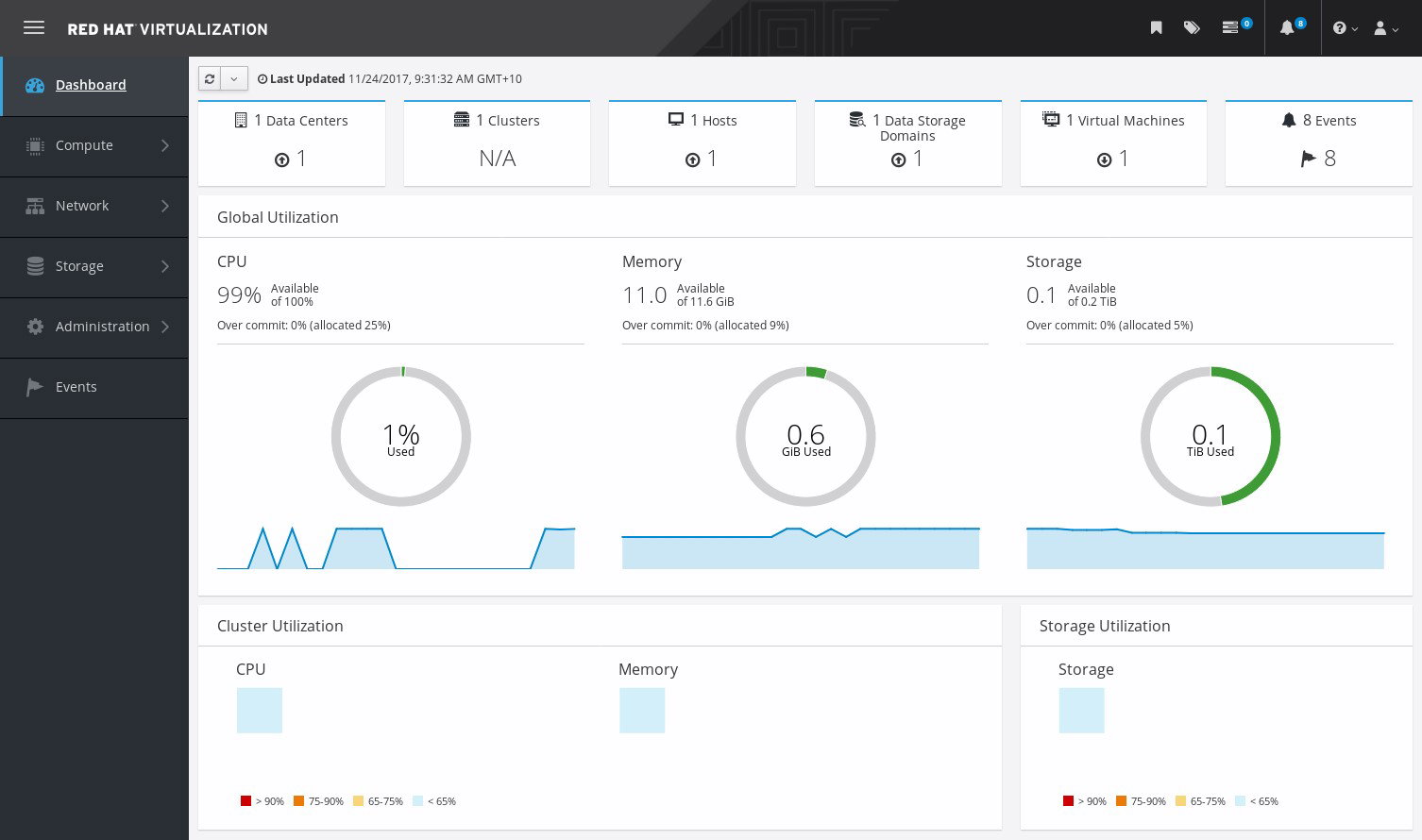
Its virtualization ecosystem includes features such as SELinux security, live kernel patching, container tools, compliance certifications, and AI-ready infrastructure. Businesses that need flexibility often choose RHEL because it combines open-source adaptability with enterprise support and security.
Pricing
Red Hat Enterprise Linux offers annual subscription pricing based on support levels and deployment requirements. Plans start at $383.90/year for the Self-Support tier, while the Standard plan costs $878.90/year and the Premium plan is priced at $1,428.90/year. For large-scale virtualized environments, Red Hat Enterprise Linux for Virtual Datacenters costs $2,748.90/year for Standard support and $4,838.79/year for Premium support per physical host, with unlimited virtual guests included.
What Works And What Doesn’t
| Pros | Cons |
| Security and stability | Higher cost |
| Reliable performance | Complexity |
| Comprehensive management | Limited customization |
| Broad compatibility | Resource management |
Our Final Take
Red Hat Enterprise Linux works well for enterprises managing complex hybrid environments that need flexibility, security, and long-term support. Smaller organizations looking for simpler virtualization tools may prefer more straightforward alternatives.
SUSE Linux Enterprise Server: Best Customer Support
SUSE Linux Enterprise Server is SUSE’s enterprise Linux platform built for mission-critical servers and virtualization environments. It supports technologies such as KVM and Xen while helping businesses manage hybrid infrastructure with features like live patching and high availability.
Its enterprise presence remains strong, with more than 60% of Fortune 500 companies relying on SUSE for critical workloads. In 2026, the company continues to maintain strong market visibility through initiatives such as the SUSE Customer Awards and recognition in Gartner’s container management space.
Why We Chose SUSE Linux Enterprise Server In 2026
SUSE Linux Enterprise Server earns its spot for long-term stability, flexible deployment options, and strong enterprise support. It works well across virtualization, SAP environments, edge computing, high-performance computing, and hybrid cloud infrastructure.
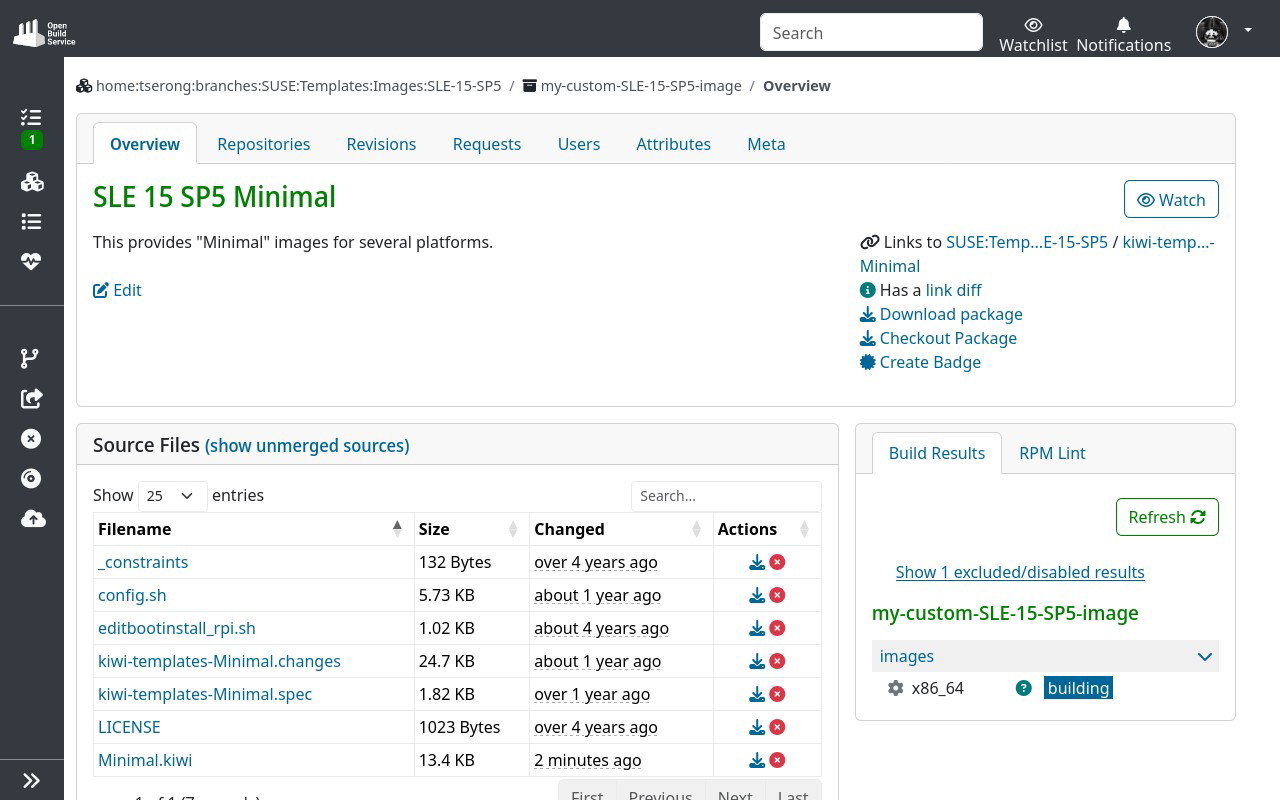
Key features include live patching, geo-clustering, immutable deployment options, and support for both virtualized and containerized environments. It also offers strong security capabilities through AppArmor, SELinux, auditing tools, and infrastructure hardening controls.
Its long lifecycle support and strong customer service network make it particularly appealing for businesses running critical workloads that require ongoing reliability.
Pricing
SUSE Virtualization follows a flexible subscription-based pricing model that helps businesses avoid large upfront licensing costs. Pricing depends on factors such as the selected support tier, the number of sockets covered (typically 1–2 sockets), and the subscription term. As a general estimate, a 1-year Priority subscription for 1–2 sockets with unlimited virtual machines typically starts at around $3,000–$4,000+ per year.
What Works And What Doesn’t
| Pros | Cons |
| High stability and reliability | Higher licensing costs |
| Centralized management | Limited third-party software support |
| Cloud-native integration | Complexity in large environments |
Our Final Take
SUSE Linux Enterprise Server works well for mid-sized and large enterprises managing mission-critical workloads across SAP, hybrid cloud, edge, and virtualization environments. Smaller organizations with simpler infrastructure needs may find it more advanced than necessary.
Top 5 Server Virtualization Software Comparison
Choosing the right server virtualization software can be overwhelming with so many options available. To simplify your decision, we’ve created a quick side-by-side comparison of the Top 5 Server Virtualization Software to help you evaluate the best fit faster.
| Criteria |  |
 |
 |
 |
 |
| Starting Price | $50/year | NA | $767.00/year | $349/year | $749/year |
| Avg. User Rating | 4.5 | 4.5 | 4.5 | 4.6 | 4.6 |
| Free Trial/Demo | 60 days | 180 days | 30 days | 60 days | 60 days |
| Key Features | ESXi Hypervisor, Fault Tolerance (FT), and vSphere Replication | Dynamic Memory, Live Migration, and Failover Clustering | Hyperconverged Infrastructure, Unified Management, and Enterprise-Grade Security | Live Migration, Cockpit Management, and Cloud Compatibility | KVM hypervisor, live migration, and unified management |
| Integrations | Cohesity, Zerto, Rubrik, and more | Veeam, Altaro VM, Dynatrace, and more | Ansible, Terraform, ServiceNow, and more | AWS, Microsoft Azure, Google Cloud, and more | Ansible, SaltStack, AWS, and more |
Wrapping Up
Running multiple physical servers for every workload can feel a lot like owning multiple phones for individual tasks. Expensive, inefficient, and far more complicated than it needs to be. Server virtualization helps businesses simplify that complexity by making better use of existing infrastructure.
The platforms on this list each solve that challenge differently. Some focus on enterprise automation, others prioritize hybrid cloud flexibility, open-source customization, or long-term reliability.
The right platform depends on how your organization plans to scale, manage workloads, and control infrastructure costs over time. Choose a solution that fits your operational goals today while giving your business enough flexibility for what comes next.
Frequently Asked Questions
How Does Server Virtualization Improve Disaster Recovery And Business Continuity?
Server virtualization enables quick backups, snapshots, and replication of virtual machines across different locations. This helps businesses restore operations faster during hardware failures, cyberattacks, or system outages.
Can Server Virtualization Software Support Hybrid And Multi-Cloud Environments?
Yes, many modern virtualization platforms integrate with public and private clouds to manage workloads seamlessly. This allows businesses to scale resources while maintaining flexibility across multiple environments.
What Security Challenges Are Associated With Server Virtualization?
Virtualized environments may face risks such as hypervisor attacks, VM sprawl, and unauthorized access. Advanced security features like encryption, isolation, and monitoring tools help reduce these vulnerabilities.
Wed, Apr 29, 2026

Enjoyed what you've read so far? Great news - there's more to explore!
Stay up to date with the latest news, a vast collection of tech articles including introductory guides, product reviews, trends and more, thought-provoking interviews, hottest AI blogs and entertaining tech memes.
Plus, get access to branded insights such as informative white papers, intriguing case studies, in-depth reports, enlightening videos and exciting events and webinars from industry-leading global brands.
Dive into TechDogs' treasure trove today and Know Your World of technology!
Disclaimer - Reference to any specific product, software or entity does not constitute an endorsement or recommendation by TechDogs nor should any data or content published be relied upon. The views expressed by TechDogs' members and guests are their own and their appearance on our site does not imply an endorsement of them or any entity they represent. Views and opinions expressed by TechDogs' Authors are those of the Authors and do not necessarily reflect the view of TechDogs or any of its officials. While we aim to provide valuable and helpful information, some content on TechDogs' site may not have been thoroughly reviewed for every detail or aspect. We encourage users to verify any information independently where necessary.
Loading comments...