
Virtualizations
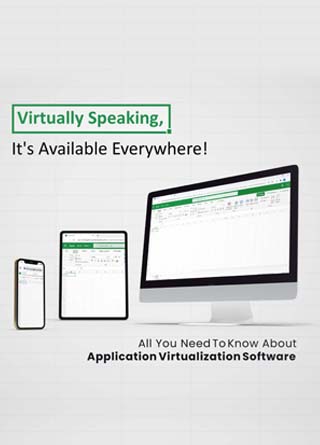
All You Need To Know About Application Virtualization Software
Share
Overview
However, watching Netflix on your TV doesn't require you to own a movie DVD or the digital copy of the episode - yet it's right there in your living room whenever you want it. This is because the movie is streamed from Netflix's remote server straight to your TV screen. Well, Application Virtualization Software is somewhat like Netflix. It allows an application to function on a device other than the one on which it was installed.
We're here to simplify Application Virtualization Software for you. Although please don't ask us to simplify the plot of Netflix's Dark!
.png.aspx "TechDogs-Virtually Speaking, It's Available Everywhere!-\"All You Need To Know About Application Virtualization Software\"")
“It's everywhere you want to be.” No, this isn't a VISA commercial (although they are fantastic!) - it's Application Virtualization Software. Come to think of it; VISA may be more closely related to this subject than we realize. To better illustrate what Application Virtualization Software does, let's take a look at how a VISA credit card works. With credit cards, you get a line of credit to make purchases without physically carrying any cash - your money is virtual.
Similarly, Application Virtualization Software virtualizes all your favorite applications. It transmits the application interface from the host server to your remote desktop as individual pixels from the hosting server. Just like every dollar in your account is transmitted remotely whenever and wherever you use your credit card! Sounds intriguing, right?
Here's all you need to know about Application Virtualization Software!
Let's Virtualize Some Apps!
Put simply, Application Virtualization Software allows us to run a virtual application on a remote device other than the device it is installed on virtually.
Application Virtualization Software exists in response to the need to grant access to various apps remotely, especially to a large number of people. Sounds like getting the keys to the city, right? However, installing multiple apps on multiple devices created the possibility of apps not being compatible. Also, installing the same application multiple times on various devices is quite costly and time-intensive, not to mention repeating the process for each and every software update.
So, in order to resolve this difficulty, remote applications come to the rescue! (Just in the nick of time!) These remote applications are set up on a server by IT administrators.
Remote applications have all the elements and aspects of an app but in a self-contained environment so that they are not installed on the operating system of the device. The applications are running on what is called a 'sandbox.' No, we aren't talking about a literal sandbox, although it's cool if that's your thing. The sandbox is just a term used for the self-contained environment that the app is running in. From this sandbox, apps are sent to the user's computer as if it were actually installed on the user's computer.
Now, let us take a quick look at the journey of Application Virtualization Software. #Throwbackthursday
Topics For More Insights
Remember Where You Came From... Humble Beginnings
One of our favorite reasons to watch the Netflix series Dark is its mind-bending time-travel and how it affects everyone's past, present and future. Similarly, the development of application virtualization transformed many technologies.
In the early 1970s, the development of the virtual machine was done at the University of California at San Diego. At this time, we saw the emergence of Smalltalk, a programming language that became the backbone of virtualization technologies, via research at the Xerox Palo Alto Research Center.
Let's jump about 20 years ahead now, to the mid-1990s. This era was a game-changer, as we saw the emergence of Java and the Java Development Kit. This technology led to Application Virtualization Software as we know it today.
It was in 1997 that the concept of "sandboxing" emerged. As we explained before, sandboxing refers to a self-contained virtual environment where applications run before being virtualized on the user's device. This led to the emergence of enterprise-grade network virtualization software such as VMware Virtual Platform, Microsoft Virtual PC and XenSource in the early 2000s.
Now that we are all caught up with the history of Application Virtualization Software, let's look at how it actually works.
The Working Of Application Virtualization Software
OK, so how does this application virtualization stuff work? Well, say a business has a server that exists within a data center or hosting service. Further, they want to give their employees access to certain specific applications stored on this server. However, the employees could be working from home or on a different continent altogether - well, it is a global economy! In this case, the business can rely on application virtualization to transmit the virtual application to the employees' devices. The actual work is being done on the business server while the employees see a real-time image of the application interface, with which they can interact.
So, at this point, we need to ask: what does an application virtualization solution do? Yes, this is the million-dollar question, folks. Well, Application Virtualization Software allows a user to use a desktop application in real-time on their device even though the app is not installed on their device.
The best part is that the contents of the virtual structure are isolated, so your virtual apps won't slow down just because you're playing Call Of Duty in the background (you wouldn't do that at work, right?).
Types Of Application Virtualization
What are the different types of apps on your smartphone? There's one for food delivery, one for ride-hailing, one for grocery shopping, etc. Thankfully Application Virtualization Software only has two types:
-
First, there is remote application virtualization. Here, the remote apps run on a remote server, not on a user device. With the help of a technology known as seamless windows, remote apps can be entirely incorporated into the user's desktop so that they appear and operate like local applications. To run remote apps successfully, a steady network connection is required.
-
The second type is application streaming when the execution of virtual apps happens on the user's device. With application streaming, certain components can be downloaded when the application starts running, so the apps can function without a network connection. Pretty slick, right?
Having said that we also must understand what its benefits are and why is it needed.
Benefits Of Application Virtualization Software
So, why is Application Virtualization Software essential and what benefits does it offer us? Well, first of all, there is better software deployment since Application Virtualization Software eliminates the need for having applications installed on countless computers. That's a relief for your IT team! Additionally, because of isolation from each other as well as the operating system, the overall security is better. This makes it difficult for malware to spread across the virtual system even when the user's device is compromised.
Application Virtualization Software also means the simplification of application deployment, retirement and updating. This is because it is not necessary to uninstall or update the app on each device, it can simply be done at the source. Also, if countless apps were installed on a desktop, it would affect the computer's hardware and become slow over time. Application virtualization keeps things running smoothly and efficiently.
Operating system deployment is also simplified as applications aren't affected if a new operating system is deployed on your network device. Other benefits include easier app management and better flexibility since you don't have to worry about application conflicts.
Any way you slice and dice it, folks, you have to admit... Application Virtualization Software is a winner!
What Is The Future Of Application Virtualization Software?
So, what does the future of Application Virtualization Software looks like? Well, it's nowhere near as Dark as Mikkel's future from...well... Dark. It is evident that portability and mobility will lead the way in the development of Application Virtualization Software. Also, IT departments for universities and colleges will adopt this technology to provide more students access to resources without it becoming a logistic nightmare. We also expect to see EdTech firms investing in this software to revamp online systems, especially coding and data science. Needless to say, Application Virtualization Software is expected to transform various industries in the future owing to its fast and efficient integration.
Closing
Application Virtualization Software ultimately makes a deal between application and the operating system, letting end-users get what they need without having to actually download and instal apps on their computers.
Think of it like this - would you rather carry credit cards or carry around a wallet with $510,000 in cash? OK... maybe more like $5100 - but you get the point! Application Virtualization Software just makes life simpler. It lets you deploy apps, as VISA puts it, "everywhere you want them to be."
Frequently Asked Questions
How does Application Virtualization Software work?
Application Virtualization Software enables users to run applications remotely on devices where the applications are not physically installed. Typically, these applications are hosted on servers by IT administrators. Instead of installing applications individually on multiple devices, which can be costly and time-consuming, virtualized applications are transmitted to users' devices from a server. The applications operate within a self-contained environment known as a 'sandbox,' ensuring they are isolated from the device's operating system. Users interact with the applications in real-time, as if they were installed locally, while the actual processing occurs on the server. This approach streamlines software deployment and management while enhancing flexibility and security.
What are the types of Application Virtualization Software?
Application Virtualization Software primarily comes in two types: remote application virtualization and application streaming. Remote application virtualization involves running applications on a remote server, with the application interface seamlessly integrated into the user's desktop environment. A stable network connection is necessary for smooth operation. On the other hand, application streaming involves executing virtual applications directly on the user's device. With application streaming, certain components of the application can be downloaded dynamically, allowing it to function even without a network connection. Both types offer distinct advantages and cater to different use cases based on factors like network reliability and resource availability.
What are the benefits of using Application Virtualization Software?
Application Virtualization Software offers numerous benefits for businesses and organizations. Firstly, it simplifies software deployment by eliminating the need to install applications on individual devices, reducing administrative overhead. Additionally, the isolation provided by virtualization enhances security by minimizing the risk of malware spreading across devices. Application deployment, retirement, and updating are also streamlined, as changes can be made centrally without the need for individual device management. Moreover, since applications operate independently of the underlying operating system, hardware resources are utilized efficiently, leading to improved system performance. Overall, Application Virtualization Software offers better application management, enhanced security, and increased flexibility, making it a valuable asset for modern IT environments.
Fri, Dec 24, 2021

Liked what you read? That’s only the tip of the tech iceberg!
Explore our vast collection of tech articles including introductory guides, product reviews, trends and more, stay up to date with the latest news, relish thought-provoking interviews and the hottest AI blogs, and tickle your funny bone with hilarious tech memes!
Plus, get access to branded insights from industry-leading global brands through informative white papers, engaging case studies, in-depth reports, enlightening videos and exciting events and webinars.
Dive into TechDogs' treasure trove today and Know Your World of technology like never before!
Disclaimer - Reference to any specific product, software or entity does not constitute an endorsement or recommendation by TechDogs nor should any data or content published be relied upon. The views expressed by TechDogs' members and guests are their own and their appearance on our site does not imply an endorsement of them or any entity they represent. Views and opinions expressed by TechDogs' Authors are those of the Authors and do not necessarily reflect the view of TechDogs or any of its officials. While we aim to provide valuable and helpful information, some content on TechDogs' site may not have been thoroughly reviewed for every detail or aspect. We encourage users to verify any information independently where necessary.
Loading comments...