
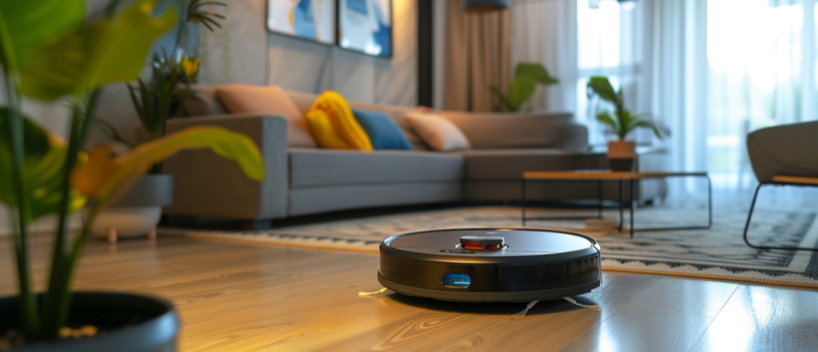

A robot cleaner is easy to take for granted. It runs on its own, so it is tempting to ignore it until something goes wrong. But these machines quietly wear down when neglected, losing suction, leaving streaks, and eventually failing far sooner than they should. A little regular upkeep keeps a robot cleaning as well in year three as it did in week one, and it is far less work than most people expect.
Key Takeaways
Most of the reasons a robot vacuum seems to weaken over time trace back to three neglected parts. The filter clogs with fine dust and chokes airflow, so rinsing or replacing it on schedule restores lost suction. The brush roll tangles with hair and threads and needs clearing regularly, more often in a pet home. And the sensors and camera that guide navigation gather a film of dust that makes the machine bump, miss areas, or lose its way, so a quick wipe with a dry cloth keeps it navigating cleanly.
The wheels collect hair and grit that affect movement, and the charging contacts on both the robot and the dock need an occasional wipe so the machine charges reliably. Both take seconds and are the easiest things to forget.
The mopping components are the ones that punish neglect fastest. A robot mop left with a damp pad attached develops a musty smell quickly, and that odour transfers straight to your floors on the next run. Rinse and dry the pads after use, or replace washable pads on a sensible cycle. Empty the water tank and any internal channels and let them dry rather than sit full, which prevents both odour and mineral buildup, especially in hard-water areas.
If a mopping robot starts leaving streaks, the cause is almost always a dirty or worn pad, or residue in the water system, rather than a genuine fault. Cleaning those first resolves most streaking complaints without any repair.
Two less obvious things affect how long a robot lasts. Batteries prefer to be used and recharged rather than left flat for long stretches, so a machine stored over winter should be charged occasionally rather than abandoned at empty. And firmware updates, easy to dismiss, often carry real improvements to navigation, cleaning patterns, and battery management, so keeping the software current is a free way to keep the machine at its best.
None of this takes long once it becomes a habit. Empty the bin and check the brush after every run or two, rinse the filter and wipe the sensors weekly, and deal with mop pads the same day you use them. Every month or so, give the wheels, contacts, and water system a closer look. That modest routine is the whole difference between a machine that fades within a couple of years and one that keeps cleaning reliably for many.
The appeal of a robot cleaner is that it works without you, which is exactly why it is easy to let it quietly decline. Treat it like any other appliance that earns its keep. Clean the parts that get dirty, dry the parts that get wet, look after the battery, and keep the software current. The reward is a machine that performs like new for years rather than months, and that is a far better return than replacing a neglected one early.
Key Takeaways
-
Most performance loss in robot cleaners comes from neglected maintenance, not age.
-
Filters, brushes, and sensors need routine attention to keep suction and navigation sharp.
-
Mopping components need drying and cleaning to avoid odour and streaks.
-
Battery care and firmware updates extend a machine's useful life.
The Vacuum Side: Suction and Navigation
Most of the reasons a robot vacuum seems to weaken over time trace back to three neglected parts. The filter clogs with fine dust and chokes airflow, so rinsing or replacing it on schedule restores lost suction. The brush roll tangles with hair and threads and needs clearing regularly, more often in a pet home. And the sensors and camera that guide navigation gather a film of dust that makes the machine bump, miss areas, or lose its way, so a quick wipe with a dry cloth keeps it navigating cleanly.
The wheels and contacts
The wheels collect hair and grit that affect movement, and the charging contacts on both the robot and the dock need an occasional wipe so the machine charges reliably. Both take seconds and are the easiest things to forget.
The Mopping Side: Water and Pads
The mopping components are the ones that punish neglect fastest. A robot mop left with a damp pad attached develops a musty smell quickly, and that odour transfers straight to your floors on the next run. Rinse and dry the pads after use, or replace washable pads on a sensible cycle. Empty the water tank and any internal channels and let them dry rather than sit full, which prevents both odour and mineral buildup, especially in hard-water areas.
Watch for streaking
If a mopping robot starts leaving streaks, the cause is almost always a dirty or worn pad, or residue in the water system, rather than a genuine fault. Cleaning those first resolves most streaking complaints without any repair.
Battery and Software
Two less obvious things affect how long a robot lasts. Batteries prefer to be used and recharged rather than left flat for long stretches, so a machine stored over winter should be charged occasionally rather than abandoned at empty. And firmware updates, easy to dismiss, often carry real improvements to navigation, cleaning patterns, and battery management, so keeping the software current is a free way to keep the machine at its best.
Build Maintenance Into the Routine
None of this takes long once it becomes a habit. Empty the bin and check the brush after every run or two, rinse the filter and wipe the sensors weekly, and deal with mop pads the same day you use them. Every month or so, give the wheels, contacts, and water system a closer look. That modest routine is the whole difference between a machine that fades within a couple of years and one that keeps cleaning reliably for many.
A Little Upkeep, A Much Longer Life
The appeal of a robot cleaner is that it works without you, which is exactly why it is easy to let it quietly decline. Treat it like any other appliance that earns its keep. Clean the parts that get dirty, dry the parts that get wet, look after the battery, and keep the software current. The reward is a machine that performs like new for years rather than months, and that is a far better return than replacing a neglected one early.