

Apple has released the iOS 27 public beta, giving iPhone users an early look at its next major software update before the stable version arrives later this year.
The release focuses on faster everyday performance, a more capable Siri experience, and new Apple Intelligence tools across Photos, Safari, Passwords, Home, AirPods, and Shortcuts.
TL;DR
- iOS 27 introduces Siri AI, upgraded Visual Intelligence, AI-assisted writing, stronger photo editing, and smarter automation.
- Apple says the update improves app launches, photo loading, AirDrop transfers, animations, keyboard responsiveness, and network switching.
- Several AI features require an Apple Intelligence-compatible iPhone, while availability may differ by device, language, and region.
1. Faster Everyday Performance
One of the first changes users may notice is improved system performance.
Apple says iOS 27 can launch apps up to 30% faster, load newly captured photos up to 70% faster, and complete AirDrop transfers up to 80% faster.
The update also improves animations, keyboard responsiveness, Messages syncing, failed-message retries, search, and transitions between Wi-Fi and cellular networks.
2. Siri AI
The biggest addition is Siri AI, Apple’s redesigned voice assistant.
It can handle follow-up questions, search the web, understand onscreen content, and use personal context from emails, messages, photos, and supported apps.
Craig Federighi, Apple’s senior vice president of Software Engineering, described the upgrade as “a profoundly more intelligent, knowledgeable, and capable Siri.”
3. Visual Intelligence In Camera
Visual Intelligence is now easier to access through a dedicated Siri mode in the Camera app.
Users can point their iPhone at objects, documents, food, or receipts and ask questions about what appears on screen.
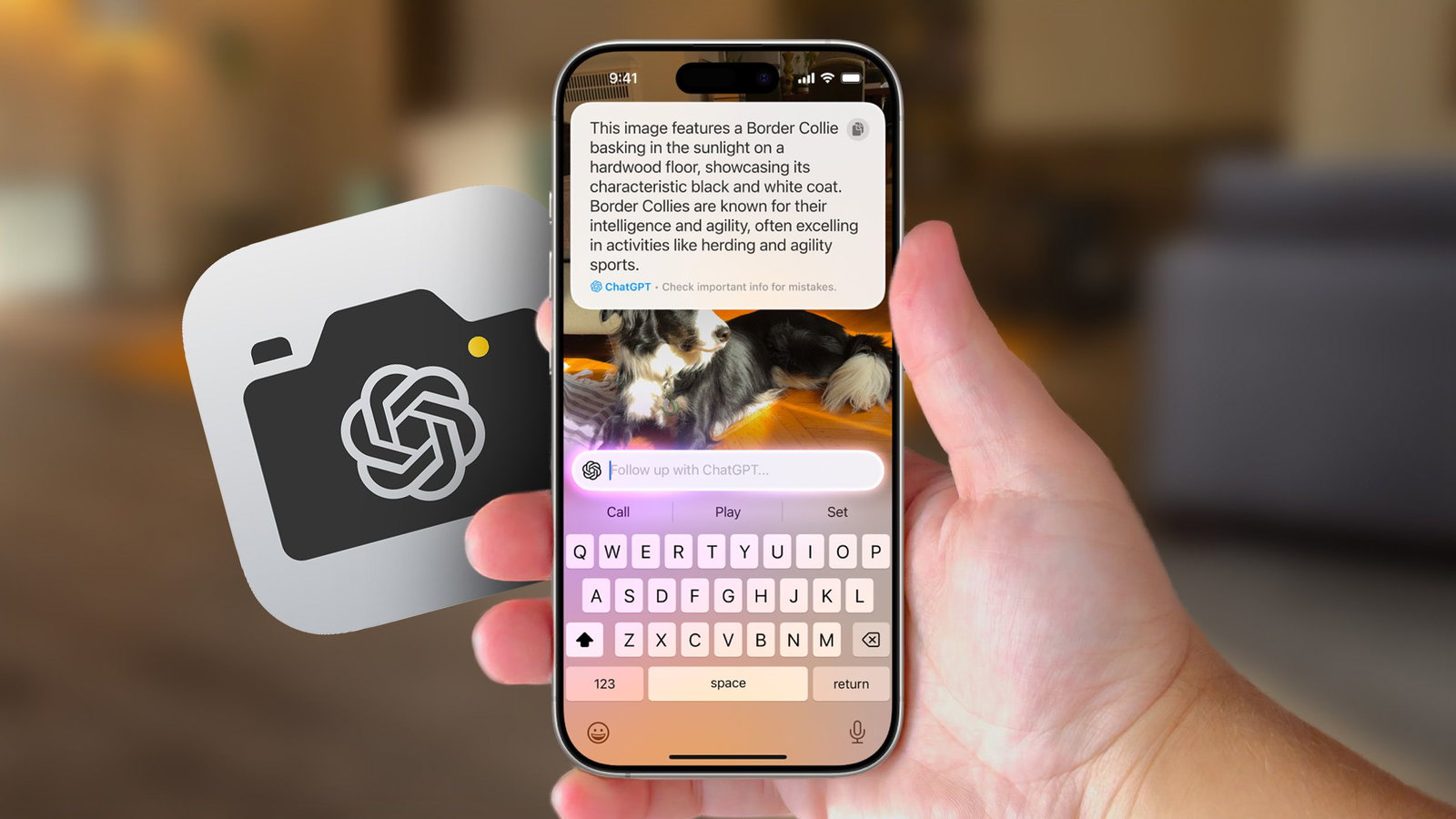
The tool can also estimate nutritional information, identify objects, and calculate how a bill should be split.
4. Write With Siri
Write with Siri brings generative AI tools directly to the iPhone keyboard.
Users can draft new text, rewrite existing content, adjust its tone, request feedback, and receive grammar suggestions.
The feature works across supported apps, making it useful for emails, messages, notes, and other everyday writing tasks.
5. Smarter Photo Editing
The Photos app receives an upgraded Clean Up tool that can remove unwanted objects from images more naturally.
Apple is also adding tools that can extend an image beyond its original frame and adjust its composition or perspective.
These features aim to make advanced photo editing more accessible without requiring a third-party application.
6. Automatic Password Replacement
The Passwords app can now work with Safari to identify weak or compromised passwords and replace them automatically on supported websites.
This reduces the need to visit individual account settings and manually create stronger credentials.
The feature requires an Apple Intelligence-compatible device.
7. Smarter Safari Tools
Safari gains several experimental productivity features.
Users can create simple browser extensions using natural-language instructions, automatically organize tabs into groups, and monitor webpages for changes.
The Notify Me feature can alert users when a product is restocked, a price changes, or a page receives an important update.
8. HomeKit Secure Video Upgrades
The Home app adds support for 2K and 4K HomeKit Secure Video on compatible cameras.
Apple Intelligence can generate descriptions of recorded events and allow users to search footage with natural-language requests.
Some AI-powered camera features are expected to require a 2TB iCloud+ plan at launch.
9. Custom AirPods Equalizer
Supported AirPods models receive custom equalizer controls.
Users can adjust low, mid, and high frequencies to better match their listening preferences.
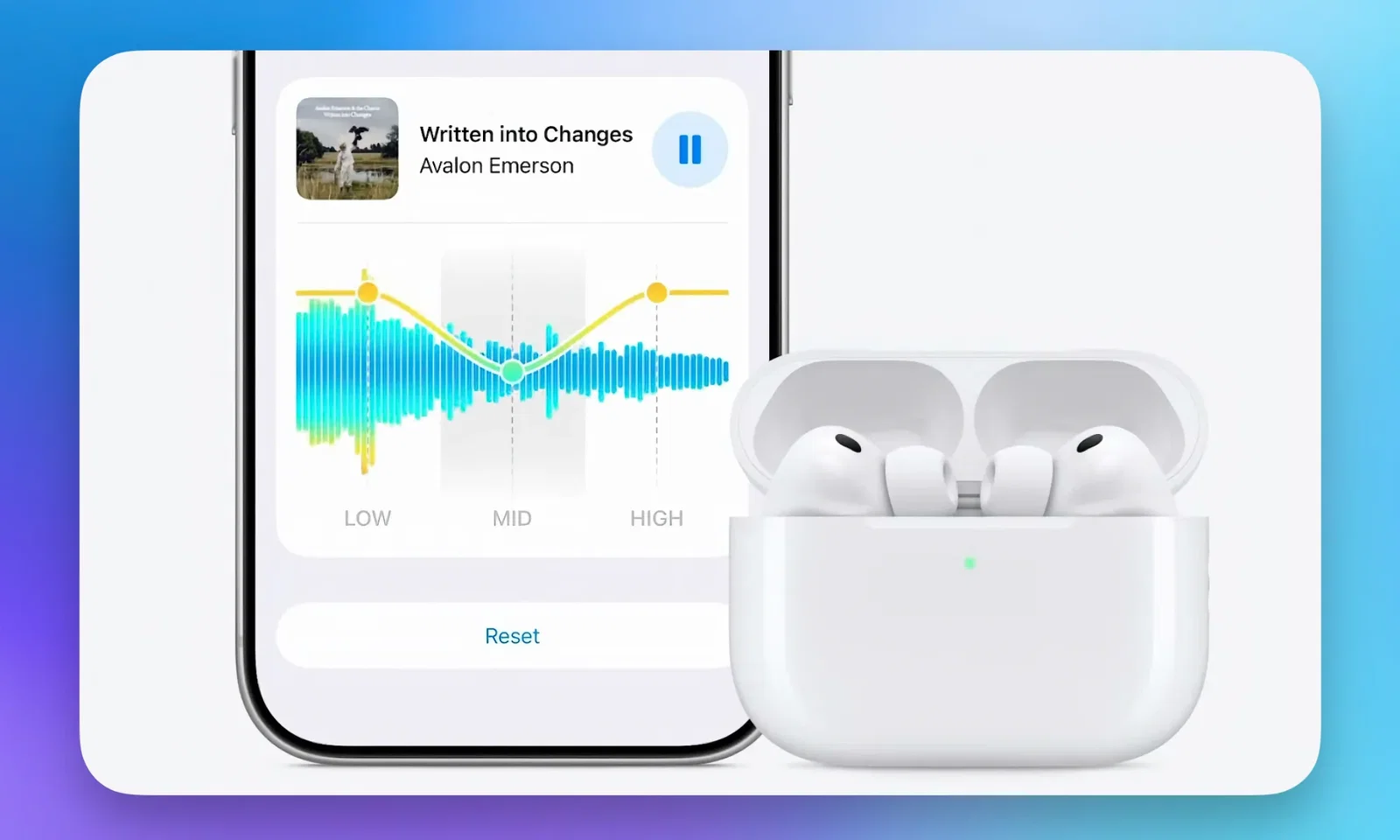
The feature is expected to support recent AirPods, AirPods Pro, and AirPods Max models, although compatibility may vary during the beta period.
Topics for more insights:
10. Natural-Language Shortcuts
Shortcuts becomes easier to use with natural-language automation.
Users can describe what they want an automation to do, and Apple Intelligence can build the workflow for them.
They can then refine it with additional instructions or manually edit individual steps.
The iOS 27 public beta can be installed through Apple’s Beta Software Program and enabled under Settings, General, Software Update, and Beta Updates.
However, as beta software may contain bugs, battery issues, and app compatibility problems, users should back up their iPhone and install it on a secondary device where possible.
