
Operating Systems
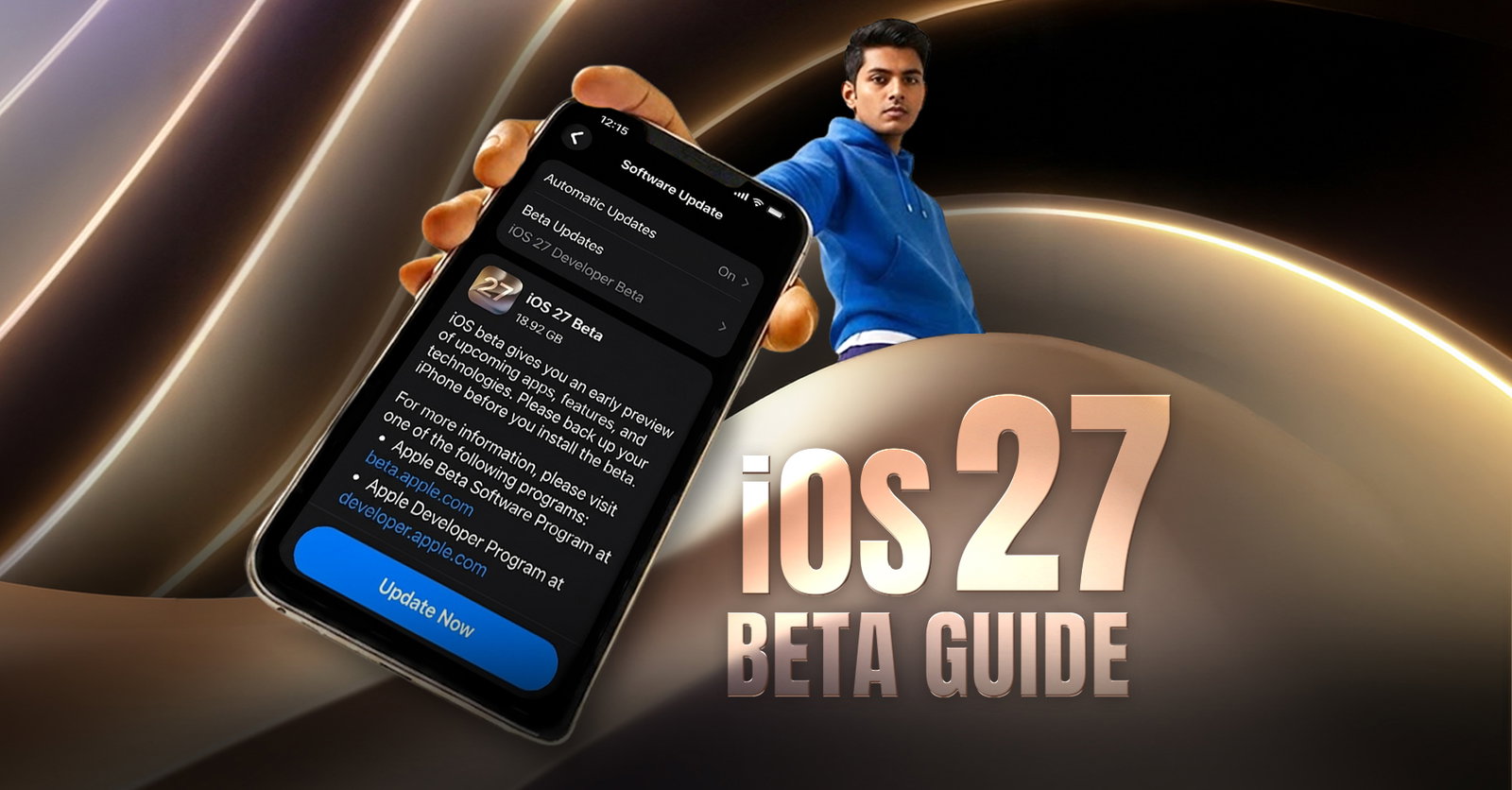
iOS 27 Beta Guide: How To Get On Your iPhone
Share
TL;DR
-
iOS 27 beta is a test version, so it gives early access to new features but may include bugs, battery drain, and app issues.
-
Not every iPhone will support iOS 27 beta, so users should check compatibility before trying to install it.
-
Back up your iPhone first, because beta updates can cause problems, and downgrading may require erasing the device.
-
The public beta is better for most users, while the developer beta is mainly for developers, testers, and early tech users.
-
The final iOS 27 release is expected in September 2026, while the public beta is expected before that, likely around July 2026.
Introduction
Ever bought a snack just because the packet said “new flavor” in big bold letters? You did not check the ingredients, did not wait for reviews, and definitely did not ask whether your taste buds were ready for the experiment. You just opened it because curiosity won.
Sometimes it becomes your new favorite. Sometimes you take one bite and start looking for water. Well, sometimes, you pretend to like it because you have already convinced everyone else to try it too.
That is how most of us react to anything new on our devices. An exciting update appears, the feature list looks tempting, and suddenly, curiosity takes its place. You tell yourself you are just checking what’s new, but the download button is already winning.
An iOS beta, though, is not just another new flavor. It can affect battery life, apps, calls, payments, storage, and daily reliability. So, before you hit install, here is what iOS 27 beta brings, which iPhones can run it, and what risks come with early access. Let's dive in!
What Is iOS 27 Beta?
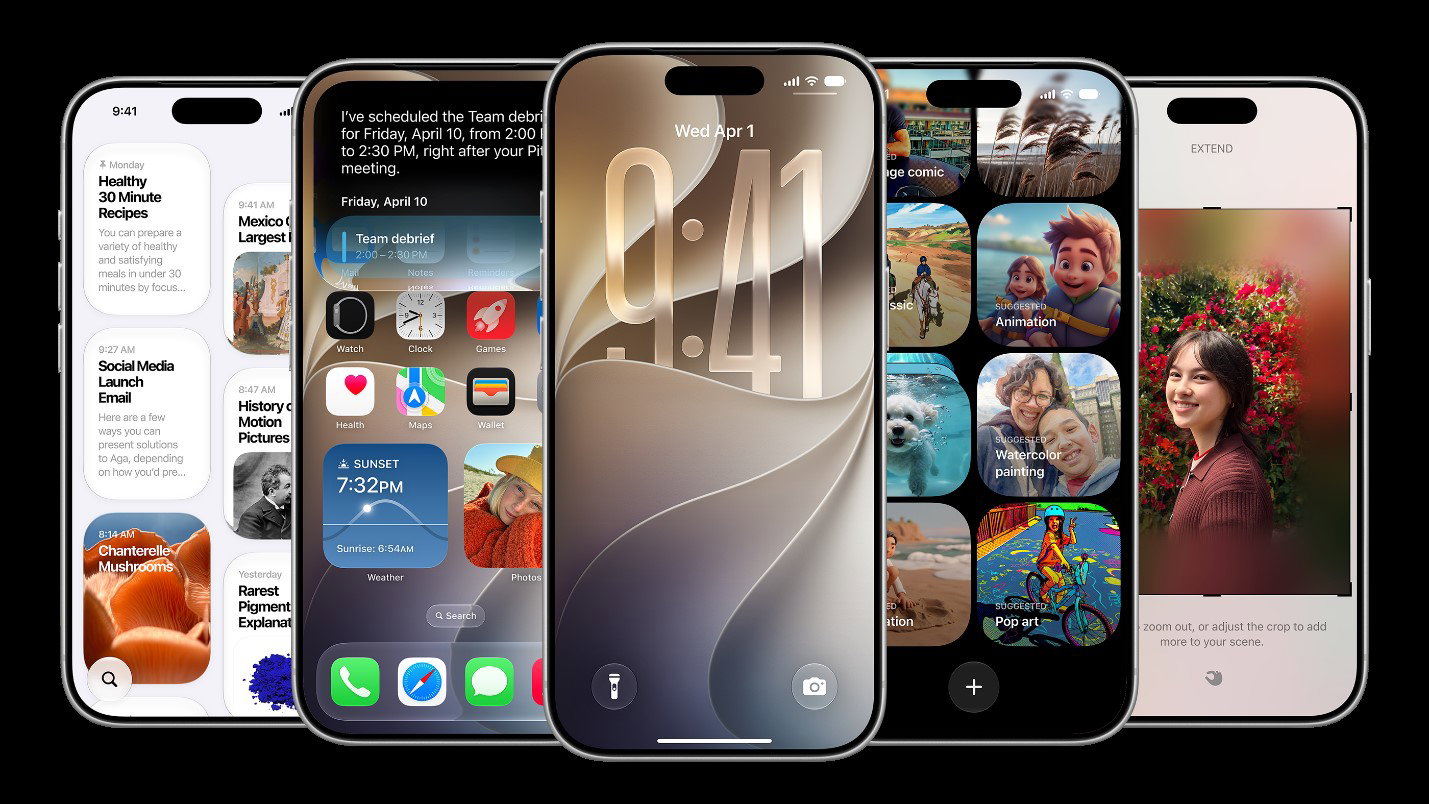
iOS 27 beta is a pre-release version of Apple’s next major iPhone software update. It gives users early access to upcoming iPhone features before the stable version is released to everyone.
The important word here is “beta.” Beta software is basically a test version. Apple uses beta releases to test features, collect feedback, find bugs, and improve performance before the official rollout.
That does not mean iOS 27 beta is unsafe by default. It simply means it is not meant to be treated like a fully polished public release. If you install it, you should be comfortable with occasional glitches.
Difference Between Public Beta And Developer Beta
The iOS 27 developer beta is usually released first and is mainly for app developers. It helps them test their apps and make sure everything works before the final iOS 27 release.
The iOS 27 public beta is for general users who want to try upcoming features early and share feedback with Apple. It usually arrives after the developer beta and is often a little more stable.
For most regular iPhone users, the public beta is the better choice. Well, not every iPhone can run iOS 27 beta, so compatibility is the first thing to check.
iOS 27 Beta Compatibility: Which iPhones Can Install It?
Before installing iOS 27 beta, the first thing to check is compatibility. Not every iPhone gets every major iOS update forever.
If your iPhone supports iOS 27, you should see the beta update inside Settings once your Apple Account is enrolled in the correct beta program. If your device is not supported, the iOS 27 beta option will not appear.
iOS 27 Compatible Devices
Apple generally supports iPhones for several years, but older models eventually stop receiving major iOS upgrades. The expected iOS 27 compatible devices include the following:
iPhone 17 Pro Max, iPhone 17 Pro, iPhone Air, iPhone 17, iPhone 17e, iPhone 16 Pro Max, iPhone 16 Pro, iPhone 16 Plus, iPhone 16, iPhone 16e, iPhone 15 Pro Max, iPhone 15 Pro, iPhone 15 Plus, iPhone 15, iPhone 14 Pro Max, iPhone 14 Pro, iPhone 14 Plus, iPhone 14, iPhone 13 Pro Max, iPhone 13 Pro, iPhone 13, iPhone 13 mini, iPhone 12 Pro Max, iPhone 12 Pro, iPhone 12, iPhone 12 mini, iPhone 11 Pro Max, iPhone 11 Pro, iPhone 11, and iPhone SE 2nd generation or later.
Keep in mind that even if your iPhone can install iOS 27 beta, some advanced features may still be limited to newer models. This is especially true for Apple Intelligence features that need more powerful chips and newer hardware.
If your iPhone supports iOS 27 beta, you're almost ready to install it, but a little preparation can save you a lot of trouble later.
Things To Know Before Installing iOS 27 Beta
While iOS 27 beta lets you try Apple's latest features before the official release, it is still a testing software. That means you could face unexpected bugs, reduced battery life, or apps that don't work as intended. Understanding the potential benefits and risks can help you decide whether the beta is right for your device.
Backup Before iOS 27 Beta Installation
Always back up your iPhone before installing iOS 27 beta. This is not optional if you care about your photos, messages, app data, and settings.
You can back up your iPhone using iCloud or a computer. A computer backup is especially useful if you plan to downgrade later because backups made on beta software may not restore properly on older stable iOS versions.
The backup is like your safety net. If the beta causes problems, you will be glad you made one.
Beta Software Risks And Limitations
The iOS 27 beta may include bugs, battery drain, overheating, app crashes, network issues, Bluetooth problems, or features that do not work as expected. Some banking apps, work apps, payment apps, or third-party tools may also behave strangely until developers update them for iOS 27.
This is why it is better to install the iOS 27 beta on a secondary iPhone if you have one. If you only have one main iPhone, be careful.
Storage Requirements For iOS 27 Beta
Major iOS updates usually need several gigabytes of free storage. Keep at least 10GB to 15GB free before you download iOS 27 beta.
If your iPhone storage is almost full, delete unused apps, old downloads, large videos, duplicate photos, and offline music before updating. A beta installation can fail or get stuck if there is not enough free space.
Now that you've done the prep work, it's time for the part you've been waiting for: how to install iOS 27 beta on your iPhone. Let’s find out.
How To Get iOS 27 Beta On Your iPhone
Once you are ready, the iOS 27 public beta can be installed directly from your iPhone settings. You no longer need to download a separate beta profile on newer iOS versions.
Step 1: Enroll In Apple's Beta Software Program
Go to Apple’s beta Software Program website and enroll using your Apple Account. This is the official way to access public beta software from Apple. Make sure you use the same Apple Account that is signed in on your iPhone, or at least the account you want linked to beta updates.
Step 2: Sign In With Your Apple ID
After opening the beta program page, sign in to your Apple Account. Accept the beta program terms if asked. Once your account is enrolled, your iPhone should be eligible to show available public beta updates.
Step 3: Enable Beta Updates
On your iPhone, open Settings, then go to General and tap Software Update. From there, tap Beta Updates. Choose the iOS 27 Public beta option when it becomes available. If you do not see it immediately, restart your iPhone and check again.
Step 4: Download And Install iOS 27 Beta
After selecting iOS 27 Public beta, go back to the Software Update screen. Tap Download and Install, enter your passcode if asked, and follow the on-screen steps.
Keep your iPhone connected to Wi-Fi and make sure the battery is charged. It is better to plug your iPhone into power during the installation to avoid last-minute hiccups.
The iOS 27 developer beta is installed in a similar way, but it is intended for developers and early testers who understand the risks.
Who Can Access The iOS 27 Developer Beta?
To access the developer beta, you need to be registered with Apple as a developer. Apple allows users to register for a free developer account, while a paid Apple Developer Program membership gives access to additional app distribution and developer features.
Once your Apple Account is linked to developer access, the developer beta option may appear under Settings, General, Software Update, and Beta Updates.
The main reason to install iOS 27 beta is to try new features before everyone else. Let's see what's included.
What's New In iOS 27 Beta?
The exact iOS 27 beta features can change during the testing cycle. Apple may add, remove, delay, or refine features before the final release. Still, iOS 27 is expected to focus on smarter iPhone experiences, Apple Intelligence improvements, interface refinements, and deeper privacy protections. Here are a few of them:
Apple Intelligence Updates
Apple Intelligence is likely to remain one of the biggest areas of focus in iOS 27. You can expect smarter writing tools, better Siri responses, improved personal context, and more helpful AI features across supported iPhones.
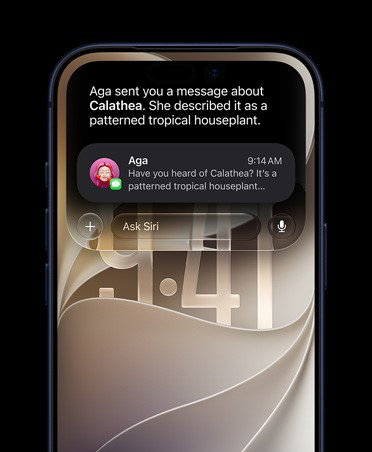
However, not every Apple Intelligence feature will work on every iPhone. Older iPhones may receive iOS 27 but miss some AI features because of hardware limitations.
New iPhone Features
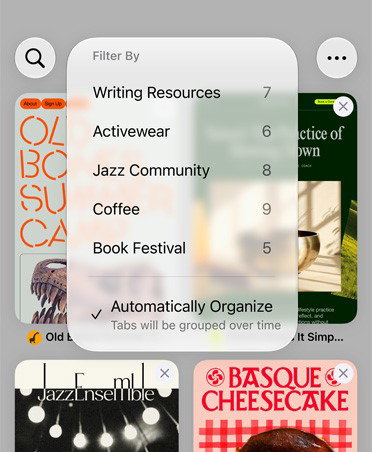
iOS 27 beta may include new everyday iPhone tools across apps, such as Messages, Phone, FaceTime, Notes, Safari, Wallet, Photos, and Settings. These features are usually the main reason people install beta software early. However, not all beta features are guaranteed to work perfectly from day one.
UI And App Improvements
Apple often uses major iOS updates to refine the interface, improve animations, clean up app layouts, and make system apps feel more consistent. With iOS 27 beta, users can expect visual and usability improvements across the iPhone experience, although the final look may change before the stable release.
Security And Privacy Enhancements
Privacy and security are always a major part of iOS updates. iOS 27 beta may include new permission controls, safer app behavior, stronger account protection, and behind-the-scenes security improvements. Even if these changes are not always flashy, they are often among the most important reasons to keep your iPhone updated.
As with any beta release, not everything works perfectly. Beta software can sometimes come with a few headaches.
Common iOS 27 Beta Installation Problems And Fixes
Beta installation is usually straightforward, but problems can happen. Here are the most common issues and how you can fix them:
iOS 27 Beta Not Showing Up
If iOS 27 beta is not showing up, check whether your iPhone is compatible. Then make sure your Apple Account is enrolled in Apple’s beta program. Go to Settings, General, Software Update, Beta Updates, and see whether iOS 27 beta is listed. If it is not there, restart your iPhone and check again after some time.
Download Stuck Or Failing
If the download is stuck, check your Wi-Fi connection and storage space. You can also restart your iPhone and try again. If the update file has already been downloaded but is not getting installed, go to iPhone Storage, delete the downloaded update file, and download it again from Software Update.
Battery Drain Issues
Battery drain is common in beta software. After installing iOS 27 beta, your iPhone may take some time to re-index files, photos, apps, and system data. Give it a day or two. If battery drain continues, check Battery settings to see which apps are using the most power. Updating apps may also help.
App Compatibility Problems
Some apps may crash or behave strangely on iOS 27 beta. This is common with banking apps, payment apps, VPN apps, older games, and business tools. Check the App Store for updates. If an important app still does not work, you may need to wait for the developer to release an iOS 27-compatible version.
Being first has its perks, but stability has its fans, too. If you're ready to step away from iOS 27 beta, here's what to do.
Topics For More Insights:
How To Leave iOS 27 Beta
The method of leaving beta depends on whether you simply want to stop receiving beta updates or fully return to the stable iOS version.
Turn Off Beta Updates
To stop receiving iOS 27 beta updates, go to Settings, General, Software Update, Beta Updates, and choose Off. This will keep your iPhone on the current beta build until Apple releases a newer stable iOS version. Once the public version is available, you can update normally.

Return To A Stable iOS Version
Downgrading from iOS 27 beta to a stable iOS version is more serious. It usually requires erasing and restoring your iPhone using a Mac or PC. Also, a backup made while using iOS 27 beta may not work with an older stable version of iOS. This is why making a backup before installing the beta is so important.
Downloading iOS 27 only takes a few minutes, but the decision to install iOS 27 beta deserves a little more thought.
Is iOS 27 Beta Worth Installing?
For some users, iOS 27 beta is a great way to explore new features early; for others, waiting for the stable release may be the better option.
Pros And Cons Of iOS 27 Beta
The biggest benefit of installing iOS 27 beta is early access. You get to try new iPhone features before most people and can share feedback with Apple.
The downside is reliability. You may face bugs, battery drain, app issues, and performance problems. For some users, that trade-off is fine. For others, it is not worth the risk.
Who Should Install iOS 27 Beta?
You can consider installing iOS 27 beta if you enjoy testing new features, understand beta risks, have a recent iPhone, and have already backed up your data. It also makes sense for developers, tech writers, app testers, and users with a secondary iPhone.
Who Should Wait Before Installing iOS 27 Beta?
You should wait if your iPhone is your main work device, you rely on banking or payment apps daily, you cannot risk data loss, or you simply want a stable experience. Most everyday users are better off waiting for the final iOS 27 release.
Patience can be a feature, too. If you're planning to wait for the stable release, here's what we know about the iOS 27 rollout timeline so far.
iOS 27 Release Timeline: What To Expect
The final version of iOS 27 is expected to be released in September 2026, shortly after Apple’s annual iPhone launch event. Apple has not announced the exact date yet, but a report from Forbes currently points to a possible public rollout around September 14, 2026. Until then, users can try the developer beta or wait for the public beta, which is expected in July 2026.
Final Thoughts
The iOS 27 beta is not really about being first. It is about knowing whether “early” is useful for you. Some people enjoy testing what is still taking shape, noticing the small changes, and living with a few rough edges along the way. Others simply want their iPhone to stay predictable, and nothing is boring about that.
So, treat the install button less like a dare and more like a choice. If you are curious enough to experiment, go in prepared. If not, the final version will bring the same update later with fewer surprises.
Either way, your iPhone will get its new flavor. The only question is whether you want the taste test or the finished pack!
Frequently Asked Questions
Is iOS 27 Beta Free To Download?
Yes, the iOS 27 public beta is free through Apple’s Beta Software Program. Developer beta access may require developer registration, depending on the features and tools you need.
Is iOS 27 Beta Safe To Install?
iOS 27 beta is generally safe to install because it comes directly from Apple. However, it is still unfinished software. You may face bugs, app crashes, battery drains, or performance issues.
Can I Go Back To The Previous iOS Version After Installing iOS 27?
Yes, you can go back to the previous iOS version, but downgrading usually requires erasing and restoring your iPhone with a computer. Also, backups made on beta software may not restore older stable iOS versions.
Fri, Jun 19, 2026

Enjoyed what you read? Great news – there’s a lot more to explore!
Dive into our content repository of the latest tech news, a diverse range of articles spanning introductory guides, product reviews, trends and more, along with engaging interviews, up-to-date AI blogs and hilarious tech memes!
Also explore our collection of branded insights via informative white papers, enlightening case studies, in-depth reports, educational videos and exciting events and webinars from leading global brands.
Head to the TechDogs homepage to Know Your World of technology today!
Disclaimer - Reference to any specific product, software or entity does not constitute an endorsement or recommendation by TechDogs nor should any data or content published be relied upon. The views expressed by TechDogs' members and guests are their own and their appearance on our site does not imply an endorsement of them or any entity they represent. Views and opinions expressed by TechDogs' Authors are those of the Authors and do not necessarily reflect the view of TechDogs or any of its officials. While we aim to provide valuable and helpful information, some content on TechDogs' site may not have been thoroughly reviewed for every detail or aspect. We encourage users to verify any information independently where necessary.
Loading comments...