
Software Development
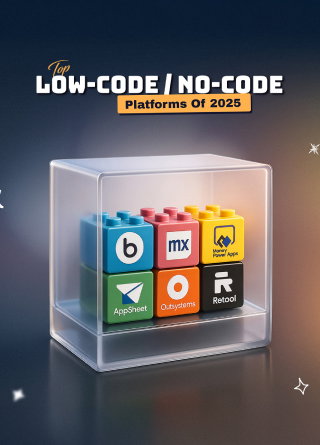
Top Low-Code/No-Code Platforms Of 2025
Share
Overview
Those were the days, right?
They were chaotic-but-magical afternoons when you would dump an entire LEGO box onto the floor—blocks lying everywhere and your imagination the only blueprint you needed!
You didn’t need a manual. Just an idea, a spark, and a handful of oddly shaped plastic pieces. One moment you were building a spaceship; the next, a secret hideout with a lava moat, and if it didn’t work? You took it apart and tried again.
It was pure, intuitive creation.
In 2025, the world of software development is undergoing a similar shift. How, you ask? It's thanks to the power of modern low-code/no-code platforms!
They’ve turned the complex world of software development into a sandbox for creators. Whether you’re a solo founder, a startup marketer, or part of a Fortune 500 ops team, you’re no longer starting with nothing—you’re starting with options.
In this article, we’re flipping the lid to give you a closer look at the top low-code/no-code platforms of 2025, understand how they stack up, and exactly which one to leverage for your next project.
So, LEGO (see what we did there?)!
With the advent of AI solutions, low-code/no-code platforms are revolutionizing the development of apps. Do you remember when everyone needed to be a coding ninja to make even a simple website?
Now, even 8-year-olds who play with LEGO bricks can whip one up with a drag-and-drop builder. That's the kind of power we're talking about in this article.
Low-code technologies are experiencing a surge in popularity in recent days. Even Gartner predicted in 2021 that by 2025, 70% of new enterprise applications will use low-code or no-code technologies. This prediction has materialized into reality, with a significant jump in adoption, indicating that businesses are starting to see the value of these platforms. So, what’s all the hype about?
Well, low-code and no-code platforms let you build apps and websites with minimal or even no knowledge of traditional coding. Using visual interfaces, pre-built components, and drag-and-drop functionality, it offers a faster, cheaper, and more accessible way for software development.
However, are all low-code/no-code platforms created equal? Obviously, not!
That's why we're going to examine the best candidates for 2025. With that, let’s dive in!
Top Low-Code/No-Code Platforms Of 2025
So, now that you're exploring the best no-code platforms in 2025, how do you choose the right one with so many options available? Let’s break down some of the top contenders.
Glide
Glide transforms tables from Google Sheets or Airtable into sleek, AI-powered web apps in minutes—no coding required. Its intuitive drag-and-drop interface makes app-building feel more like crafting than coding, while its real-time data sync, responsive design, and AI-powered columns allow even non-technical users to ship functional apps in record time. Whether it’s a field app or internal CRM, Glide gets you there fast. While it’s limited to web deployment and lacks deep logic customization, its speed and simplicity make it a standout tool for fast builds and solo creators.
Best For: Quick MVPs (minimum viable products), internal CRM systems and field applications among other applications.
Limitations: Web-only (no native mobile) with limited logic flexibility.
OutSystems
OutSystems is built for serious scale. Designed for creating enterprise-grade apps, OutSystems offers full-stack development, robust lifecycle management, native mobile performance monitoring, and AI-assisted coding. From mission-critical systems to custom internal portals, it handles complex demands with ease. OutSystems has also improved security compliance, DevOps tools, and collaborative features. On the other hand, the software is quite challenging to learn and a bit expensive, so it’s ideal for IT teams or enterprises with a high level of technical expertise.
Best For: Large-scale mobile and web apps, secure enterprise workflows.
Limitations: Higher cost, steeper learning curve, and a technical team is required.
Microsoft Power Apps
If you're already invested in the Microsoft ecosystem, Power Apps platform is a natural choice as it integrates seamlessly with Office 365, Dataverse, and Power Automate for rapid enterprise app development. With simple natural language prompts, its Copilot AI lets people build logic and workflows for apps and websites while Power Fx language lets non-technical users leverage Excel to create apps. It's great for automating business tasks and making early versions of private tools. The platform is great at merging and automation, but it can be hard to figure out how to license it, and it's not very flexible when it comes to design.
Best For: Quickly creating prototypes for businesses and automating office processes.
Limitations: Licensing complexity, limited UI flexibility.
Appsmith
Appsmith offers a sweet spot between no-code convenience and in-depth developer control. It supports JavaScript-based customization, rich component libraries, Git-based version control, and native database and API connections. Developers love how flexible it is and how they can change apps all the way down to the core layer. Boasting internal tools, such as monitors, admin panels, and workflow systems, as well as a clean and modern interface, it appeals to developers and may be less suitable for no-code beginners.
Best For: Developer-heavy teams that need open-source flexibility.
Limitations: Not ideal for users avoiding code entirely.
Bubble
Bubble empowers users to build complex and scalable web apps visually. It features a complete backend logic, responsive UI tools, a thriving plugin ecosystem, and is one of the few no-code platforms to support custom databases, user authentication, and advanced workflows. With millions of apps built on Bubble, it is popular among founders launching SaaS products, marketplaces, and tools that would traditionally require full-stack teams. Despite unmatched flexibility in the no-code space, mastering its design and logical workflows takes some time while scaling deployments requires performance optimization.
Best For: SaaS MVPs, marketplaces, enterprise-scale web apps
Limitations: Learning curve for UI/logic, scaling requires careful setup
So, which platform is right for you? Well, we'd say that it really depends on your needs and technical skills. However, with these options, you're well-equipped to tackle the 2025 low-code platforms landscape.
Now, explore some tips for choosing the right platform for you!
Tips To Choose The Right Low-Code/No-Code Platform
Okay, so you're ready to jump into the world of rapid application development with a low-code or no-code platform. Awesome!
So, how do you choose the right one and on what basis? Let's break it down.
-
Match The Platform To Your Team
Start by understanding who’s building the app. If it’s business users or non-tech teams who want something visual and easy to grasp, Glide and Bubble are your best bet. They both are intuitive, require zero coding, and work especially well for spreadsheet-savvy, mid-level technical developers. However, if you're working with experienced developers or a tech-savvy team, Appsmith might be the right call, as it’s open-source, flexible, and built experts in JavaScript and backend logic. For teams that live within Microsoft’s ecosystem, Power Apps would be a natural choice as it offers familiarity with added depth.
-
Check Scale And Support
If scalability and enterprise-level support are critical, OutSystems stands out. It’s built for large, complex applications and comes with native performance, DevOps integration, and formal enterprise support. It handles everything from secure internal apps to multi-user platforms for building business tools with scalability and strong integrations within existing systems. Power Apps also performs well, especially for organizations already using Microsoft’s Office 365.
-
Evaluate The Learning Curve
When your team needs to get to work quickly but doesn't have time for a long training period, Glide and Bubble are the best tools to use, especially if you already use Google Sheets or Airtable. If you need options but don't want to overwhelm non-coders, Power Apps and Appsmith are good choices with a low-code approach that most Excel users can utilize.
-
Look For Ecosystem Fit
For teams already deeply invested in the Microsoft ecosystem, Power Apps is the obvious choice with natively integrated Office 365, SharePoint, and Power Automate. However, Appsmith is also a great choice for teams frequently using APIs and databases or need to self-host or manage Git versions. It seamlessly integrates into engineering workflows and provides full control over backend integrations. If your projects rely heavily on moving and syncing data between multiple sources, it’s also worth noting that Hevodata is a popular no-code data pipeline platform, helping teams automate data integration without complex engineering overhead.
-
Always Test
Before locking in your choice, build a small proof of concept. If you’re testing something quick and data-driven, like an internal CRM dashboard, Glide gives you instant results with minimal effort. You can prototype with real logic and data control in Appsmith and Bubble for more complex backend workflows or internal tools that need API connections. If you're looking into workflow automation in a Microsoft-driven organization, Power Apps, especially when paired with Power Automate, is the platform to go for.
To sum up, picking the right low-code or no-code tool is a major choice. It's about finding the right balance between ease of use, power, and scalability. So, take your time, do your research, and don't be afraid to experiment. With the right platform, you can build amazing things without writing a single line of code, or, at least, very few lines.
Bonus Tip: Always remember: to choose the best low-code or no-code tool, consider all the above factors, but also long-term implications of the purchase.
Now go forth and build something awesome!
Wrapping It Up!
So, there you have it. We examined the top low-code and no-code systems for 2025.
These tools are changing the game by making software development much simpler for anyone, even people who don't know how to code, to make amazing things. They can launch new digital products, apps for their business, or even automate annoying daily jobs without having to deal with lines of code.
The future of deploying software looks pretty bright!
So go ahead and try it–who knows, you might just surprise yourself!
Frequently Asked Questions
What Are Low-Code/No-Code Platforms?
Low-code/no-code platforms provide visual, drag-and-drop development environments that enable both developers and citizen users to build apps without traditional coding. They speed up building, reduce costs, and democratize digital innovation by lowering technical barriers.
Which No-Code Platform Is The Best?
There is no single “best” platform—it depends on your specific needs. For instance, Glide excels for quick, spreadsheet-driven apps while Bubble offers deep customization. Also choose based on your team’s skills, business use cases, and ecosystem fit.
What Is The Future Of Low-Code/No-Code?
The future of low-code/no-code is poised for widespread adoption and integration. Forecasts predict that over 65–75% of new enterprise apps will leverage these platforms by 2025, driven by AI, automation, and democratized development across industries.
Thu, Jul 3, 2025

Enjoyed what you've read so far? Great news - there's more to explore!
Stay up to date with the latest news, a vast collection of tech articles including introductory guides, product reviews, trends and more, thought-provoking interviews, hottest AI blogs and entertaining tech memes.
Plus, get access to branded insights such as informative white papers, intriguing case studies, in-depth reports, enlightening videos and exciting events and webinars from industry-leading global brands.
Dive into TechDogs' treasure trove today and Know Your World of technology!
Disclaimer - Reference to any specific product, software or entity does not constitute an endorsement or recommendation by TechDogs nor should any data or content published be relied upon. The views expressed by TechDogs' members and guests are their own and their appearance on our site does not imply an endorsement of them or any entity they represent. Views and opinions expressed by TechDogs' Authors are those of the Authors and do not necessarily reflect the view of TechDogs or any of its officials. While we aim to provide valuable and helpful information, some content on TechDogs' site may not have been thoroughly reviewed for every detail or aspect. We encourage users to verify any information independently where necessary.
Loading comments...