

Customer Engagement
Top 5 CRM Systems That Integrate With Google Workspace
Share
Overview
It is so much fun hosting people, isn’t it? You have got a guest list. You have ordered food, and your house is decorated. Seems like everything is planned until the party starts.
You are bound to miss something. Perhaps there isn't enough ice cream for everyone. Maybe you missed inviting one of your friends.
Only if you had contacted a party planner: your guest list, food, playlist, decoration, everything would have been so simple.
It is the same when it comes to managing customers. There are emails, files, meetings, and follow-ups. The list goes on…
CRMs are party planners of the business. What is CRM? CRM stands for CRM Software.
When it comes to CRM, integrations have become important to make the workflow smoother. Specially Google integrations since everyone is using Google.
Today, we are going to discuss the top 5 CRM systems that integrate with Google, allowing you to keep everything in sync and focus on what matters most: your customers.
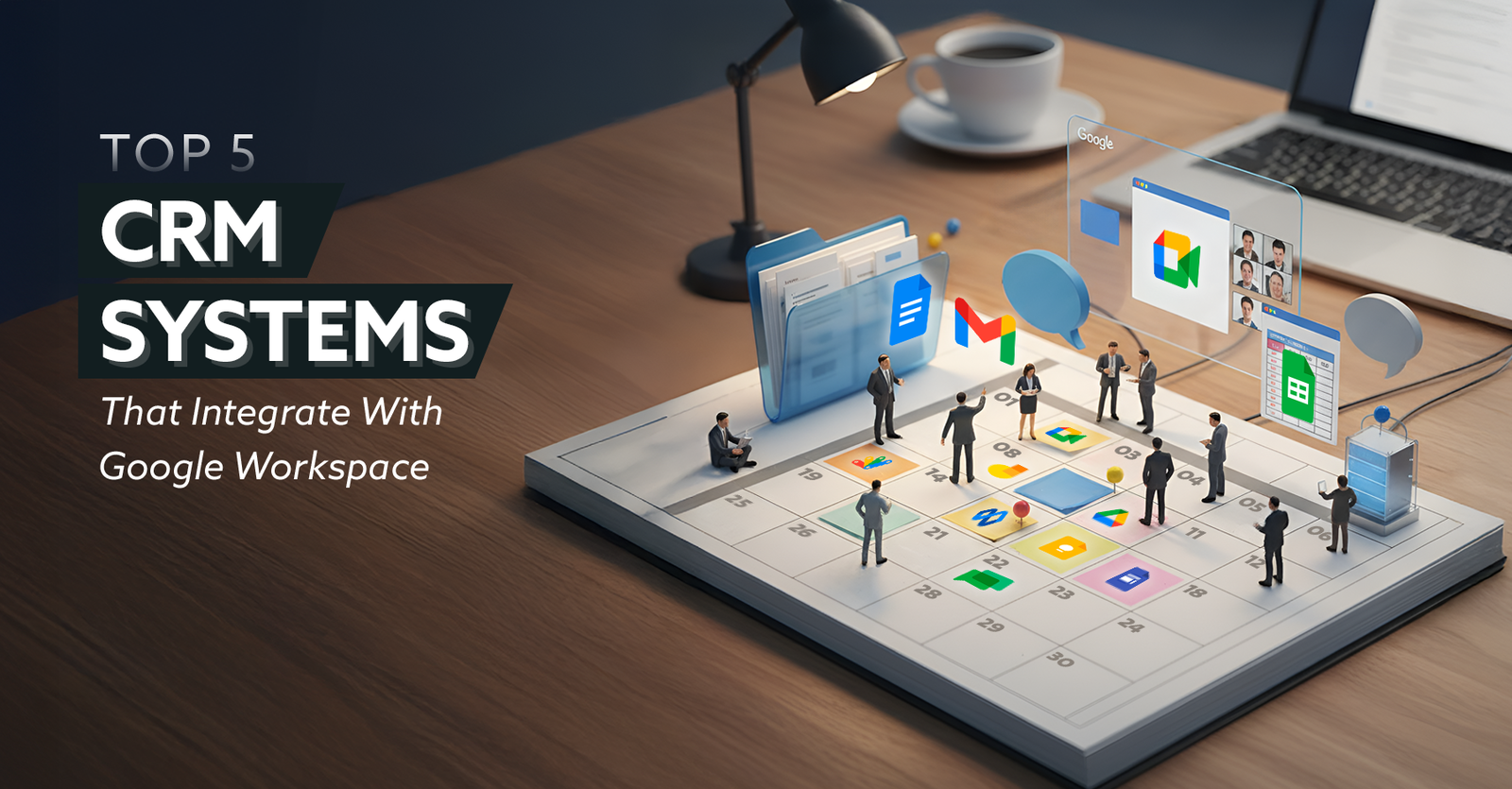
Let’s be honest, managing customer relationships is not easy, especially when everything is scattered across emails, spreadsheets, and meeting notes.
You reply to a client on Gmail, then jump to Google Sheets for their details, open Drive for their files, and somehow still miss an update from your teammate.
Now, if teamwork can make planning a party easier, imagine what the right mix of CRM tools can do for your business.
However, let’s just quickly understand why Google Workspace is crucial for CRM.
Integrating Google Workspace With CRM Systems
If you use Gmail, Google Calendar, Drive, or Meet for work every day, a CRM that works with Google Workspace can make your life a lot easier. It can manage your emails, meetings, and customer information from one place, eliminating the need to constantly switch between tabs or apps.
For instance, you can use Gmail to check your customer's email, Google Calendar to set up a follow-up meeting, and Drive to connect relevant files, all without leaving your CRM. This structure saves time, keeps you organized, and lowers the chance of errors. With real-time changes, everyone on your team is always on the same page.
Essentially, when your CRM and Google Workspace work seamlessly together, it makes managing customers easier, faster, and more connected. This makes both teams and customers happy.
Before we jump into the systems that work seamlessly with Google Workspace, let’s discuss the features you should be looking for in a CRM system.
Key CRM Features To Consider
When selecting a CRM, it is essential to consider whether you can perform the following actions.
-
Contact Management
Easily store, update, and access customer information across all devices.
-
Task and Activity Tracking
Monitor meetings, calls, and follow-ups to stay on top of every customer interaction.
-
Email Integration
Connect your CRM with your email platform to manage conversations and track communication history.
-
Analytics and Reporting
Get real-time insights into sales performance, customer engagement, and team productivity.
-
Automation Tools
Automate repetitive tasks like data entry, follow-ups, and lead nurturing.
Now that we know what to expect from a CRM, let’s discuss the top 5 CRM systems that integrate with Google Workspace.
Top 5 CRM Systems That Integrate With Google Workspace
Here are the CRMs we have picked that integrate well with Google Workspace.
-
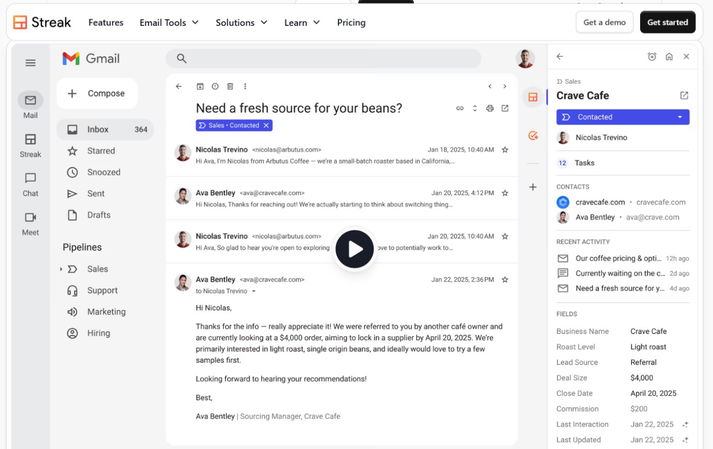
Streak
Streak is software for collaboration and customer relationship management. This add-on is built into Gmail, so it feels more like a natural addition.
Therefore, you can get to CRM features and processes right from your inbox. At its core, Streak software revolves around three main views you will use most often: Pipelines, Boxes, and the Sidebar.Key Features
-
AI-Powered Deal Summaries
This tool in Gmail automatically puts together short summaries of important email and pipeline details.
-
Campaign Performance Tracking
Use this tool to keep an eye on how well your email outreach is working. It provides insights into open rates, click rates, number of comments and subscribers.
-
Mail Merge And Snippets
With this tool, you can send personalized bulk emails with Streaks using different templates and code snippets.
-
-
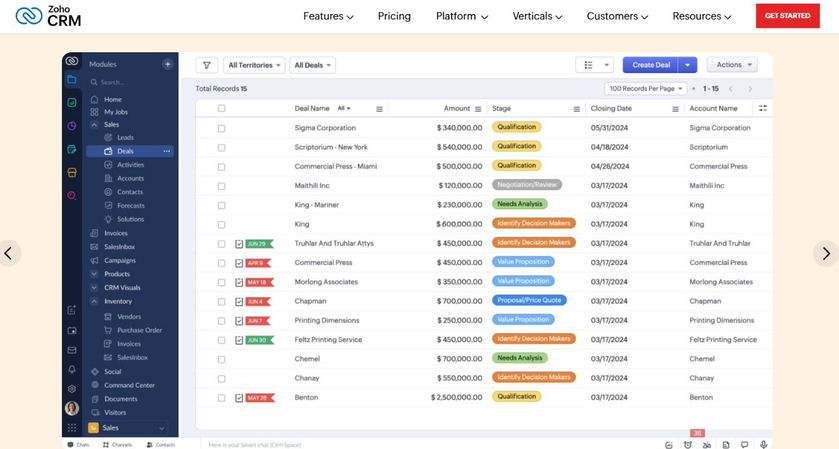
Zoho CRM
Zoho CRM is a cloud-based program that helps you track prospects, contacts, and sales while working in Google Apps. It includes tools such as lead management, deal tracking, and basic reporting, all for free.
You can connect to Zoho CRM at any time and get started. The platform ensures that all consumer interactions are in one place, so you don't have to toggle between apps all the time.Key Features
-
Gmail Synchronization
Without leaving the inbox, the software lets users sync emails, see CRM data, and keep track of chats.
-
Document Collaboration
Forget about moving from app to app and work on Google Docs, Sheets, or Slides directly from Zoho. Also, link them to specific records for easy access.
-
Single Sign-On (SSO) With Google
No need to use multiple accounts. You can utilize your Google Workspace account to log in to Zoho CRM.
-
Topics For More Insights
-
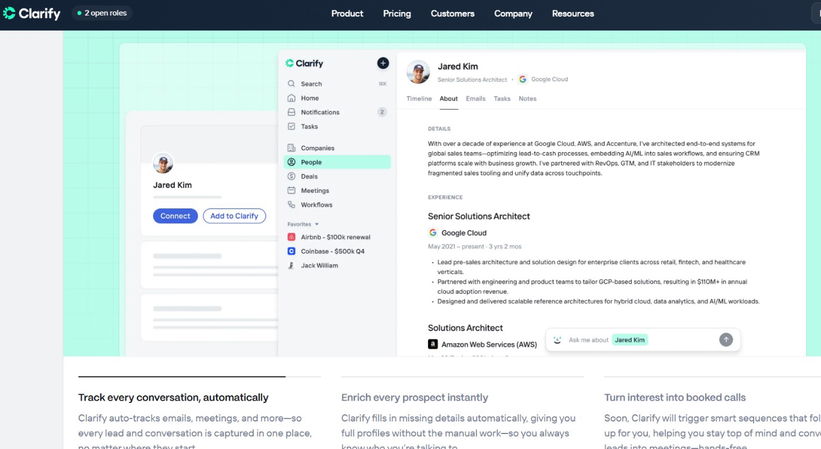
Clarify
Clarify CRM is a CRM designed for Google Workspace users, built on AI. It works very well with Google Drive, Sheets, Gmail, and Google Calendar. This gives you complete control over your information, as your data does not go to a third party.
It works with tools like Google Meet for recording and transcribing meetings, the Sheets add-on for importing data, and automatically adding new contacts from emails.Key Features
-
Google Sheets Add-On
It lets you bring spreadsheet data, like comments from Google Forms, straight into the CRM.
-
Zapier-Powered Integrations
Clarify automates tasks without any need to write code by connecting to Google Drive, Sheets, and Calendar through Zapier.
-
Workspace Context Configuration
In order to make processes smarter, you can tailor CRM intelligence to the specifics of their business.
-
-
Airtable
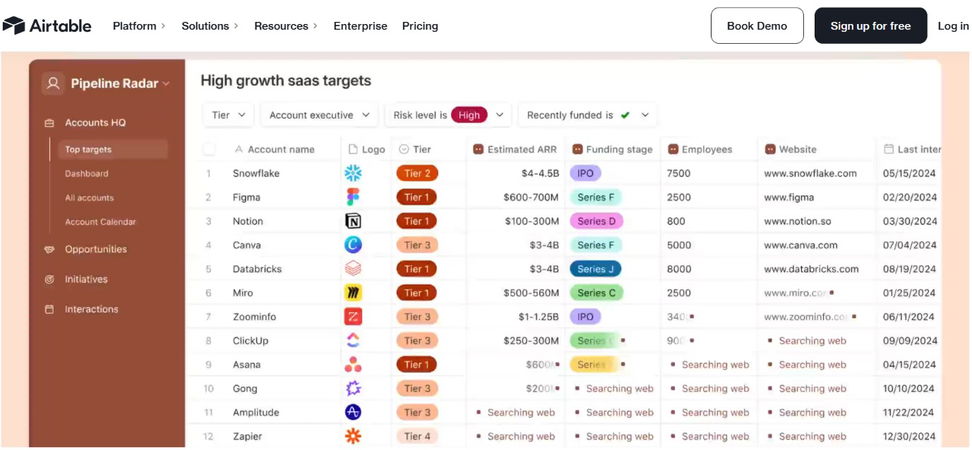
Airtable software is a cloud-based CRM that blends the ease of use of a spreadsheet with the power of a relational database. You don't need to know how to code to change the platform to fit any team size or business.
This tool can perform various tasks, and it's fun to use, handle, and share databases. Users can find a lot of ready-made themes that make their work easier. All in all, it's a great way for teams to work together.Key Features
-
Interface Designer
You can build dynamic interfaces on top of the base templates with this no-code front-end builder.
-
Airtable AI
Putting Airtable's Generative Artificial Intelligence (Gen AI) to use in processes will turn the data into better and more useful apps and automations.
-
Role Assignment
This flexibility gives users precise control over who can view, edit, or manage data.
-
-
Capsule
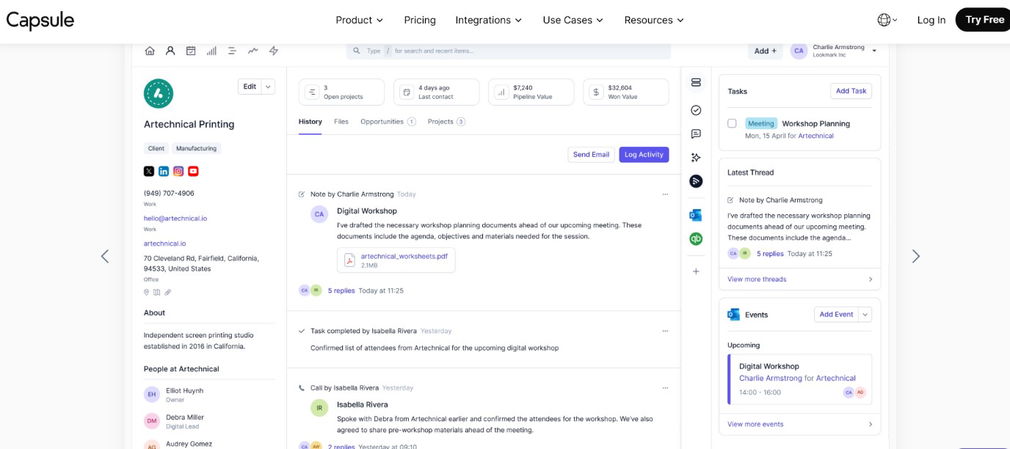
Capsule CRM is a comprehensive package that integrates with all Google apps, helping users maximize the value of every contact. The company markets it as a progressive CRM as it works with a lot of advanced connections and is designed for modern businesses.
In addition to Google Workspace, it works well with Microsoft 365, Xero financial software, and Mailchimp software. It also comes with project management tools that allow users to set deadlines, track progress, and assign tasks all from a single dashboard.Key Features:
-
Email Integration
Email and CRM work together to keep track of conversations, handle leads, and keep all client messages in one place.
-
Mobile App
It lets you get to your contacts, projects, and sales updates while you are on the go, so you can get work done right away.
-
Sales Pipeline
This gives you a clear picture of deals at every stage, which helps you keep track of sales and close deals faster.
-
Let’s bring it altogether.
Final Thoughts
So, there you have it, five powerful CRMs that blend perfectly with Google Workspace. Each one makes it effortless for your team to work collaborate, saves a lot of time in juggling between apps, and keeps your customer data in order.
At the end of the day, it is all about saving time and staying connected. Whether you are a small business trying to manage leads better or a growing team looking for smoother collaboration, a CRM that fits right into your Google tools can make a huge difference.
In short, when your CRM and Google Workspace work hand in hand, you get more done with less effort, fewer clicks, fewer mistakes, and a lot more time to actually grow your business.
Frequently Asked Questions
What Is The Best CRM For Google Workspace?
Some of the best CRMs for Google Workspace include Streak, Zoho CRM, Clarify, Airtable, and Capsule. Each one offers unique integrations that help streamline workflows and customer management.
Why Should I Integrate My CRM With Google Workspace?
Integrating your CRM with Google Workspace allows you to manage emails, meetings, files, and customer data in one place. It saves time, reduces errors, and keeps teams aligned.
Can Small Businesses Benefit From CRM Integration With Google Workspace?
Absolutely! CRM integration helps small businesses stay organized, automate repetitive tasks, and maintain better communication with customers — all within tools they already use daily.
Mon, Nov 17, 2025

Liked what you read? That’s only the tip of the tech iceberg!
Explore our vast collection of tech articles including introductory guides, product reviews, trends and more, stay up to date with the latest news, relish thought-provoking interviews and the hottest AI blogs, and tickle your funny bone with hilarious tech memes!
Plus, get access to branded insights from industry-leading global brands through informative white papers, engaging case studies, in-depth reports, enlightening videos and exciting events and webinars.
Dive into TechDogs' treasure trove today and Know Your World of technology like never before!
Disclaimer - Reference to any specific product, software or entity does not constitute an endorsement or recommendation by TechDogs nor should any data or content published be relied upon. The views expressed by TechDogs' members and guests are their own and their appearance on our site does not imply an endorsement of them or any entity they represent. Views and opinions expressed by TechDogs' Authors are those of the Authors and do not necessarily reflect the view of TechDogs or any of its officials. While we aim to provide valuable and helpful information, some content on TechDogs' site may not have been thoroughly reviewed for every detail or aspect. We encourage users to verify any information independently where necessary.
Loading comments...