

Artificial Intelligence
Is Perplexity Comet Browser Really Worth The Hype?
Share
Overview
Now, based on Theodore's needs, Samantha understands and fulfils his desires. Tasks like organizing, summarizing, and having meaningful conversations, Samantha does them for Theodore.
Theodore felt more relaxed and better after Samantha.
While this was all fictional when the movie came out in 2013, things are changing as AI has become a reality. Today, there are AI browsers that are as smart as Samantha.
One of the newest AI browsers that has come out recently is Comet.
It combines the power of a traditional browser with AI elements and presents you with some smart responses. The browser has got a lot of popularity on the internet. If you wonder why, let’s dig in as we get into the reality behind it.

In earlier days, managing multiple tasks felt daunting. Handling those manual workloads, switching between tabs, summarizing lengthy content, finding information, or organizing projects felt like being stuck in a loop of clicking and scrolling.
However, in today’s world, technology has come a long way. It has become a companion. The closeness we have achieved in this time is impeccable.
Newest in the market is Comet. It is a browser designed to tackle these problems, simplifying complex tasks and streamlining online work, making our digital life easier and more organized.
Let’s raise the curtain and explore more about Comet Browser.
What Is Perplexity Comet Browser?
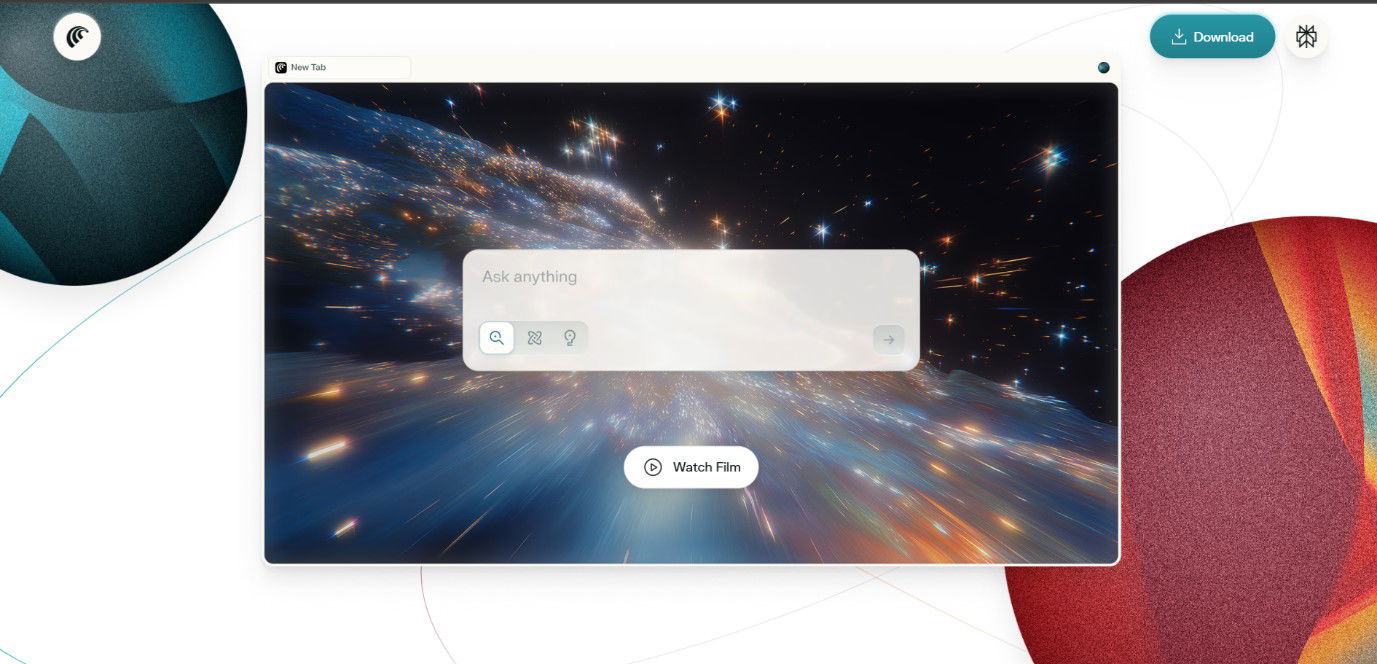
Comet is the first AI Browser from Perplexity AI, available for both Mac and Windows. It is built on Chromium, so you feel instantly familiar, and it supports your favourite Chrome extensions.
It does all the job you need. It can summarize content, fill out forms, answer questions, assist in booking tickets or complete shopping flows. You do not have to toggle between tabs; it aims to handle online tasks faster and more efficiently by offering smart and in-context assistance.
This promising tool is currently available as part of the Perplexity Max plan, i.e., $200/month. You can also grab the installer directly from the official Comet page.
Time to find out its key features.
What Are The Key Features Of Comet Browser?
Here are the standout features Comet offers, and how it aims to change browsing from just clicking around to an AI-assisted, intelligent workflow.
-
Agentic Search And Assistance
Comet uses “agentic search” to better understand your needs in context and can handle multi-layer tasks.
-
Sidebar AI Assistant
There is a sidebar assistant that you can call upon from anywhere in the browser. It sees across your open tabs, understands what you are doing, summarizes content, and pulls out related information, so you don't need to switch between tabs.
-
Workspace Instead Of Tabs
Comet also consists of a “workspace” tab, wherein all the related content, tasks, and projects are grouped, so you can keep track of what you have done so far and what you might do next.
-
Deep, Contextual Search, And Summaries
Comet is not just about retrieving links; it goes beyond that. It can summarize articles, follow up on questions, maintain context across pages, and extract useful bits.
-
Real-Time Collaboration
Comet allows multiple users to interact within the same workspace in real time. Whether it’s sharing summaries, collaborating on research, or tracking project progress, teams can stay synchronized without constantly switching tabs or tools.

However, the question arises: if Comet has so many features, are they really addressing any privacy concerns? Come and explore with us.
Is Comet Following Any Privacy Compliances?
Yes, along with its strong features, Comet also places equal importance on privacy.
-
Local-First Storage
Comet stores all browsing data locally on your device, including URLs, open tabs, permissions, extensions, payment details, cookies, and even crash logs and IP addresses.
-
Limited Server-Side Interaction
The Comet Browser sends minimal, specific chunks of your data to Perplexity’s servers only when you ask it to do so, such as to summarize the MOM of the meeting or a webpage. It doesn’t automatically share your data otherwise.
-
Control Over Your Data
You can clear your browsing history at any time, and incognito mode ensures no information is stored or shared.
-
No training On Your Data
Perplexity Comet Browser also states that it doesn’t use any of your personal browsing history to train its AI Models.
-
Encrypted Data Transfers
Whenever Comet communicates with its servers to fulfill specific requests, all data is transmitted using strong encryption protocols.
For better clarity, we tried Comet Browser ourselves! Want to know how it went? Less go!
Hands-On Experience With Comet Browser
We opened a new tab and started browsing flights to New York. The assistant noticed and gave a few helpful suggestions.

After that, we even asked it to summarize the cheapest flight options, and it scanned the page to highlight the best match.
Then we even wanted to figure out the hotel stays, so we switched tabs to the booking site. Comet Browser jumped in and, this time, offered to help compare hotel prices across the tabs I already had open. With just one request, it listed the most budget-friendly options and even pointed out which ones were closest to the station.
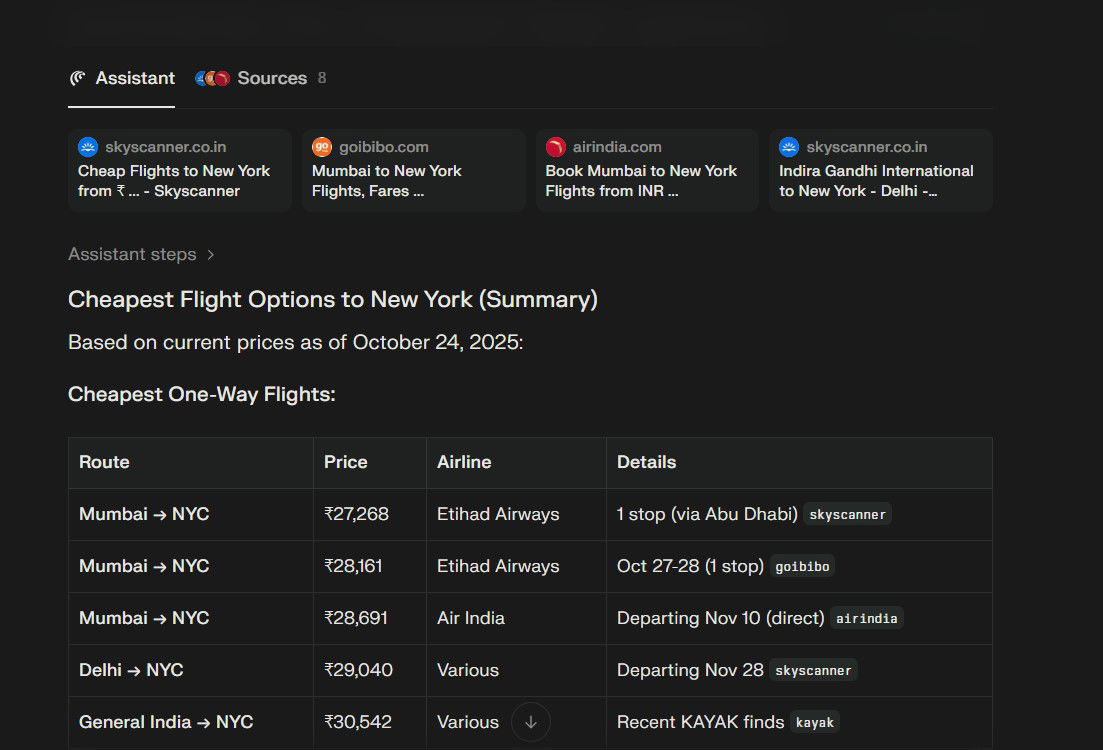
What captivated us the most was how it handled switching between tasks. Comet Browser wasn’t passively following along; it was actively reading the page and acknowledging our concerns.
This kind of “hands-on” help makes everyday tasks like trip planning way less stressful.
Let’s take a quick look at both the advantages and drawbacks of Comet Browser.
What Are The Pros And Cons?
Below is a table showing the pros and cons of the Comet Browser.
| Pros | Cons |
| AI-powered features make browsing smarter and faster. | Premium features require a $200/month plan (Comet Max). |
| Summarizes articles and content automatically. | Still a new product; some bugs or limitations may be present. |
| Workspace organizes tabs and projects for better productivity. | May not appeal to casual users who don’t need advanced AI features. |
| Strong privacy controls (incognito, delete history anytime). | Not available for Linux or mobile platforms yet. |
| Helps with real-life tasks like trip planning, research, or shopping. | Requires internet for AI-powered actions. |
Time for the final thoughts!
Final Verdict
At first glance, Comet is more than just a normal AI browser; it quietly changes how we use the internet. Blending innovative AI features with a familiar interface makes the browser experience easier and more helpful. It understands the algorithm for your needs, whether it's keeping track of tasks, assisting with research, summarizing content, or more.
That’s true, it's still relatively new, and paying for an AI-powered browser to make the best use of it might not be everyone’s cup of tea.
However, if you truly want efficiency and privacy, go with this browser because it gives a clear picture of what browsing will look like in the future, making life online simpler.
Frequently Asked Questions
What Makes Comet Browser Different From Regular Browsers?
Comet Browser combines AI assistance with a familiar Chromium interface, enabling users to summarize content, manage tasks, and automate workflows in a single platform.
Is Comet Browser Safe And Private To Use?
Yes, Comet stores most data locally, uses encrypted server communication only when needed, allows history deletion, and does not train AI models with personal browsing data.
Who Should Use Comet Browser?
Comet is ideal for professionals, students, researchers, and anyone who wants AI-assisted browsing to save time and streamline tasks.
Mon, Oct 27, 2025

Liked what you read? That’s only the tip of the tech iceberg!
Explore our vast collection of tech articles including introductory guides, product reviews, trends and more, stay up to date with the latest news, relish thought-provoking interviews and the hottest AI blogs, and tickle your funny bone with hilarious tech memes!
Plus, get access to branded insights from industry-leading global brands through informative white papers, engaging case studies, in-depth reports, enlightening videos and exciting events and webinars.
Dive into TechDogs' treasure trove today and Know Your World of technology like never before!
Disclaimer - Reference to any specific product, software or entity does not constitute an endorsement or recommendation by TechDogs nor should any data or content published be relied upon. The views expressed by TechDogs' members and guests are their own and their appearance on our site does not imply an endorsement of them or any entity they represent. Views and opinions expressed by TechDogs' Authors are those of the Authors and do not necessarily reflect the view of TechDogs or any of its officials. While we aim to provide valuable and helpful information, some content on TechDogs' site may not have been thoroughly reviewed for every detail or aspect. We encourage users to verify any information independently where necessary.
Loading comments...