

Communication and Collaboration Software
Best Private Messaging Apps You Should Try This Year
Share
TL;DR
With messaging apps handling everything from personal chats to sensitive work discussions, choosing the right platform is no longer just about convenience. It is about encryption, metadata, identity protection, and how much control you really have over your conversations.
-
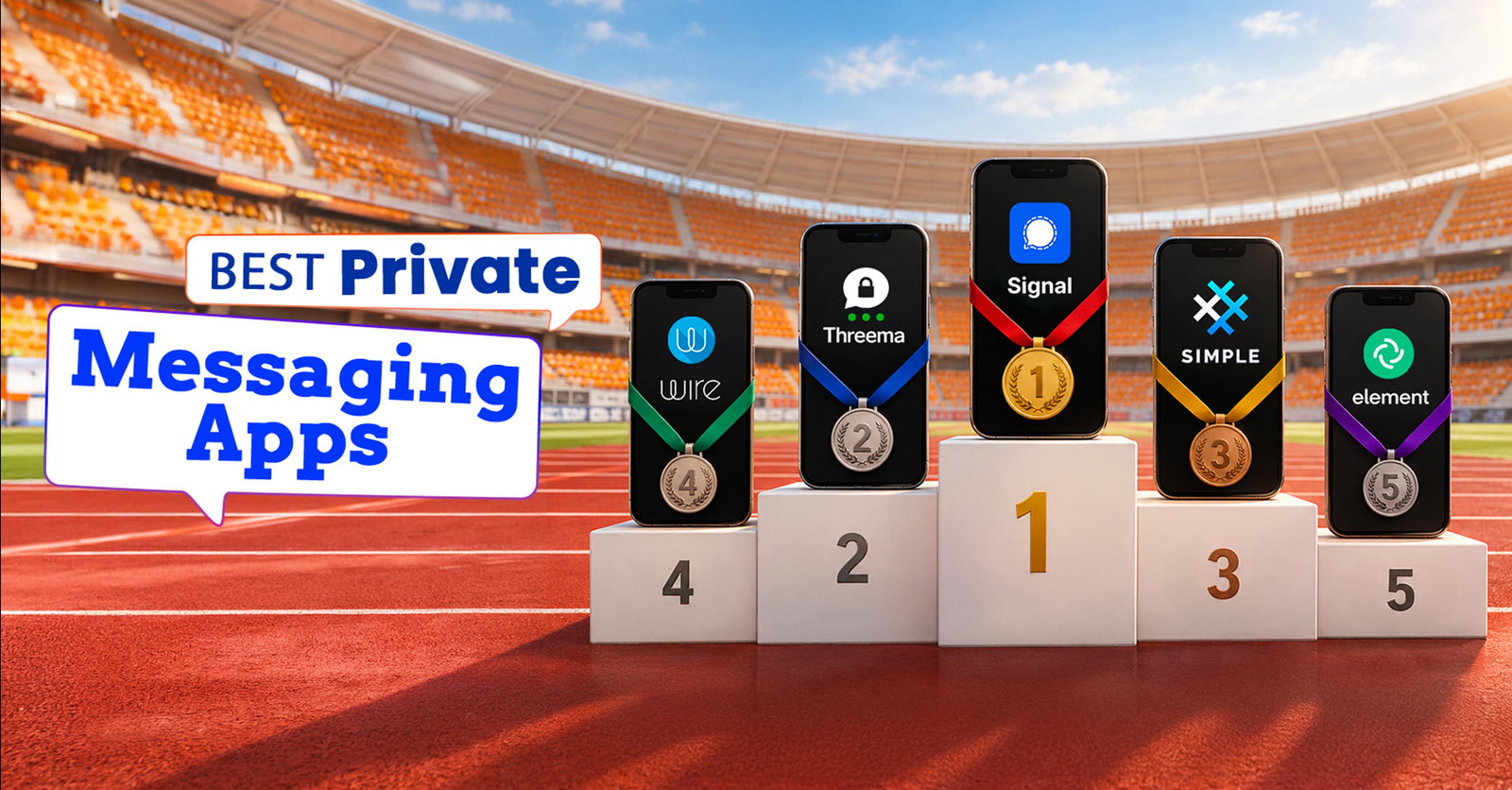
Signal offers the strongest all-round balance of end-to-end encryption, usability, and open-source transparency.
-
Threema is ideal for users who want private messaging without linking their account to a phone number or email.
-
SimpleX takes privacy further by eliminating permanent usernames and global user identifiers altogether.
-
Wire, Element, and AWS Wickr are better suited to businesses that need secure communication alongside administration and deployment controls.
-
Session focuses on anonymity through phone-number-free accounts, decentralized infrastructure, and onion-routed messaging.
Introduction
Remember those Mission: Impossible scenes where Ethan Hunt receives a highly classified message, hears the instructions, and watches the device destroy itself seconds later? The idea is wonderfully simple: some conversations are meant for one person, at one moment, with as little evidence left behind as possible.
Of course, everyday messaging is far less dramatic. Most of us are not exchanging state secrets or racing against the clock to stop an international conspiracy. Still, the basic expectation feels familiar. When we send something privately, we expect it to remain private.
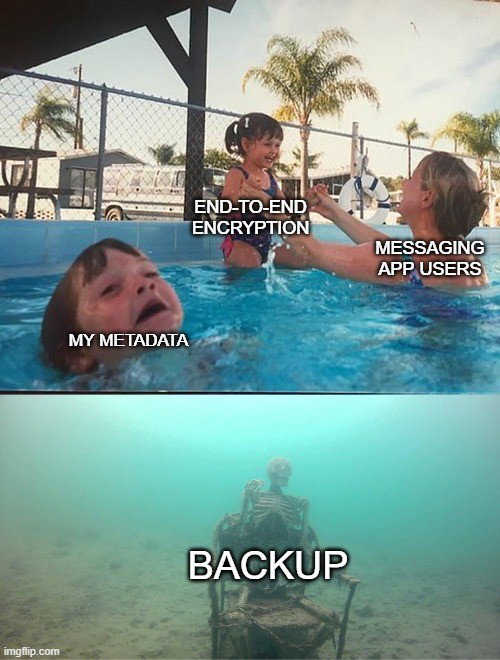
The problem is that digital privacy involves much more than whether someone else can read the words on your screen. A messaging service may potentially process information about your phone number, contacts, device, IP address, group memberships, communication patterns, timestamps, and other metadata.
Even disappearing messages do not automatically make all of that information disappear. So, while end-to-end encryption is essential, choosing among the best private messaging apps requires looking beyond the reassuring lock icon and understanding what an app protects, what information it collects, and how much control it gives you over your digital identity.
That becomes crucial as people use messaging apps for everything from personal conversations and financial details to workplace discussions and confidential business information.
The strongest secure messaging apps now approach privacy in different ways. Some focus on making encryption effortless, while others minimize personal identifiers, reduce metadata, decentralize message delivery, or give organizations greater control over their communication infrastructure.
With that in mind, we examined eight widely discussed options: Signal, Telegram, Threema, Wire, Session, Element, AWS Wickr, and SimpleX. Seven earned a place on our list of the best private messaging apps for secure communication.
Telegram receives a separate mention because its standard Cloud Chats are not end-to-end encrypted by default, an important distinction when privacy is the central criterion.
So, thankfully, you do not need a self-destructing spy gadget to keep a conversation private. You just need to know which messaging app takes privacy as seriously as you do.
What Makes A Private Messaging App Truly Secure?
End-to-end encryption, or E2EE, is the baseline. It means a message is encrypted on the sender’s device and can only be decrypted on an intended recipient’s device.
The most secure communication apps should also be judged on whether E2EE is enabled by default, whether registration requires personal identifiers, how much metadata is retained, whether code can be independently inspected, and how identity verification, backups, and enterprise retention work.
Usability matters too. Security that is difficult to configure is easier to weaken accidentally. The best secure messaging apps make strong protection automatic while clearly explaining the trade-offs around synchronization, public discovery, backups, and administrative controls.
Best Private Messaging Apps At A Glance
| App | Best For | Key Privacy Advantage |
| Signal | Everyday private messaging | Strong default privacy with mature usability |
| Threema | Minimizing identity exposure | Random Threema ID and limited metadata |
| SimpleX | No-public-ID communication | No global user identifiers |
| Wire | Secure business collaboration | E2EE plus enterprise administration |
| Element | Self-hosted and federated chat | Matrix federation and infrastructure control |
| AWS Wickr | Regulated enterprise communication | Admin policy and customer-controlled retention |
| Session | Anonymity-focused messaging | Onion routing and decentralized delivery |
Signal: Best Overall Private Messaging App
For most people seeking the best balance of privacy, security, and everyday convenience, Signal Private Messenger remains the easiest place to start. Signal says every message and call is end-to-end encrypted automatically, so there is no separate “secret” mode. Its clients and server code are open source, allowing researchers and developers to inspect the implementation.

Signal still requires a phone number to register, its clearest privacy compromise. However, usernames and phone-number privacy controls let users connect without exposing that number to everyone they message. Signal also supports disappearing messages, voice and video calls, groups, safety-number verification, and encrypted media sharing.
Its strongest advantage is that serious encryption is built into an interface ordinary users can adopt without changing how they communicate. That makes Signal one of the top private messaging apps for secure communication.
Threema: Best For Reducing Identity And Metadata Exposure
Threema lets users communicate without providing a phone number or email address because each account receives a randomly generated Threema ID. Linking conventional contact details is optional.
That matters because encryption does not automatically hide who is using a service. By reducing dependence on personal identifiers, Threema limits one common route through which messaging accounts become connected to real-world identities. Messages, group chats, files, and calls are protected with end-to-end encryption, while delivered messages are removed from Threema’s servers.
Threema also has an independent-security track record.
The main trade-off is adoption. Threema is paid and has a smaller network than mainstream messengers. Still, for users who care about metadata minimization as much as message encryption, it is a strong option.
SimpleX: Best For Messaging Without A Global User Identifier
SimpleX goes further than most encrypted messaging apps by removing persistent public user identifiers from its protocol design. There are no phone numbers, usernames, or globally searchable account IDs. Connections use invitation links or QR codes, so separate relationships do not need to expose one universal identity.
That is valuable because even encrypted services can reveal relationship patterns when one stable identifier connects a user’s conversations. SimpleX is explicitly designed to reduce that correlation.
Its privacy documentation also says relay operators do not host user accounts and cannot read message content.

The trade-off is convenience. Contacts cannot simply search for your username, and adoption is smaller than major messengers. For journalists, researchers, and privacy-focused users concerned with relationship privacy, however, SimpleX offers one of the most distinctive architectures here.
Wire: Best For Secure Business Collaboration
Businesses need more than private chat. They may also need single sign-on, managed accounts, guest access, deployment choices, and administrative policies without giving up end-to-end encryption.
Wire is built for that environment. It says messages, conference calls, and files are end-to-end encrypted by default, while its enterprise offering adds SSO, SCIM, granular administration, and self-hosted or cloud deployment options. Wire also publishes the source code required to operate and audit its core platform.
That combination fits legal teams, consulting firms, security groups, and executive communication where organizations need controlled collaboration rather than a consumer messenger with a few business features attached.

The trade-off is that Wire can be excessive for casual personal use. Its value becomes clearer when encrypted communication and organizational governance must coexist.
Element: Best For Self-Hosting And Federated Communication
Element is built on the open Matrix protocol, allowing organizations to operate their own homeserver, communicate across federated servers, and retain more control over infrastructure. Matrix is designed so users on different servers can communicate, much like email users can communicate across different providers.
Element supports end-to-end encrypted messaging, calls, files, device verification, and secure backup. Its current product materials describe E2EE as the default across the platform, while configuration can still permit non-encrypted rooms. Organizations should therefore verify room and server policies rather than assume every Matrix deployment behaves identically.
For technical teams, universities, open-source communities, public-sector organizations, and enterprises with data-sovereignty requirements, Element’s strength is control. Users can choose not only the app but also how and where the communication environment runs.

That flexibility adds complexity. Signal is easier for simple private chat, while Element is better suited to teams that value federation, interoperability, or self-hosting.
AWS Wickr: Best For Regulated Enterprise Messaging
AWS Wickr is designed as a secure communications system for organizations and government teams. AWS says messages, calls, and files use end-to-end encryption, with every feature protected using 256-bit AES encryption. Communications are encrypted on users’ devices, and AWS says it cannot decrypt them.

Its differentiator is governance. Administrators can define security groups, permissions, expiration policies, federation settings, and data-retention workflows. When an organization enables retention, messages and files can be archived to customer-controlled storage for compliance, legal hold, or auditing. AWS says it does not itself get access to the plaintext content.
That makes Wickr useful for regulated industries, incident response, legal or HR discussions, and sensitive internal operations where policy enforcement matters alongside encryption.
It is not an obvious choice for chatting with friends, but it belongs among secure enterprise communication options because administration and compliance are core parts of the product.
Session: Best For Anonymity-Focused Messaging
Session is designed to reduce metadata exposure. Creating an account does not require a phone number or email address. Users receive an Account ID, while messages travel through a decentralized network using onion routing to make it harder for any single node to associate a sender with a recipient.
Session is open source, and Quarkslab independently audited its Android, iOS, and desktop applications. The assessment identified issues and reported that important findings were patched during the audit process.

One current caveat is project continuity. Session faced a serious funding crisis in 2026 and warned that operations could end without more support. The Session Technology Foundation remains publicly active.
For users whose threat model emphasizes anonymity, phone-number avoidance, and IP-address protection, Session remains compelling.
Best for: Users who prioritize anonymity and metadata resistance.
The apps above made the cut because privacy is built into their core communication model, whether through default end-to-end encryption, reduced metadata exposure, stronger identity controls, or enterprise-grade security options.
That also means a few well-known messaging platforms do not automatically qualify. Telegram is the clearest example, and its approach to encryption explains why it sits outside this list.
Why Telegram Did Not Make It To The Top Seven?
Telegram is feature-rich and strong for large groups, channels, bots, and cloud synchronization. The privacy limitation is its default chat model.
Telegram’s own documentation states that ordinary Cloud Chats use client-server/server-client encryption and are stored in Telegram’s cloud. End-to-end encryption is reserved for Secret Chats, which are device-specific and separate from standard conversations. Telegram voice and video calls use E2EE.

That does not make Telegram inherently unsafe, but it makes it a weaker fit for this ranking. For the best private messaging apps, we give more weight to services where private conversations are end-to-end encrypted without requiring users to switch modes.
Telegram’s case shows that privacy depends on more than popularity or features. The right secure messaging app should match your specific privacy and security needs.
How To Choose The Right Secure Messaging App?
There is no messenger that wins every threat model. If you mainly want private everyday conversations, Signal is the most balanced option. If you do not want a phone number attached to your account, consider Threema, SimpleX, or Session.
If you want control over servers and federation, Element deserves a closer look. For business deployment, Wire offers managed collaboration, while AWS Wickr is better aligned with regulated workflows and formal retention.
Topics For More Insights
Remember that encryption cannot protect a compromised device, a malicious recipient, screenshots, weak screen locks, or sensitive information copied into another service. Secure messaging is one layer of operational security, not a substitute for it.
What Is The Safest Private Messaging App For Secure Communication?
For most people, Signal is the safest practical default because end-to-end encryption applies automatically to messages and calls, its code is open source, and it combines mature security features with straightforward usability.
That does not make Signal universally “the most secure.” Users who need less identity exposure may prefer Threema or SimpleX, while organizations may need Wire, Element, or AWS Wickr for governance and infrastructure control. The safest choice ultimately depends on whether the greater risk is message interception, metadata collection, identity exposure, infrastructure control, or organizational compliance.
Conclusion
The best private messaging apps in 2026 are increasingly differentiated by what they protect beyond message content. Signal makes strong encryption accessible, Threema and SimpleX reduce identity exposure, Session focuses on anonymity, Element emphasizes decentralized control, and Wire and AWS Wickr bring privacy into managed enterprise environments.
The right choice is not the app with the longest feature list. It is the one whose encryption defaults, identity model, metadata practices, deployment options, and governance controls match how you actually communicate.
Frequently Asked Questions
Are Encrypted Messaging Apps Completely Private?
No. End-to-end encryption protects message content between participating devices, but privacy can still be affected by metadata, device compromise, notification previews, screenshots, backups, linked devices, or the recipient sharing content. The better question is what information the app can access beyond message content and whether its defaults match your threat model.
Is Open-Source Messaging Software Automatically Safer?
Not automatically. Open source makes code available for inspection, which improves transparency and can make independent audits easier, but public code does not prove an app is vulnerability-free. Look for open code alongside documented security architecture, responsive patching, verifiable builds where available, and independent assessments.
Can Someone Read My Messages If I Use A Secure Messaging App?
With reputable end-to-end encrypted messaging apps, the service provider generally cannot read the contents of your private conversations. However, messages can still be exposed if someone gains access to your unlocked device, compromises a linked device, captures screenshots, or obtains unencrypted backups. For stronger protection, enable device locks, review linked sessions regularly, and keep the app updated.
Thu, Sep 24, 2026

Enjoyed what you read? Great news – there’s a lot more to explore!
Dive into our content repository of the latest tech news, a diverse range of articles spanning introductory guides, product reviews, trends and more, along with engaging interviews, up-to-date AI blogs and hilarious tech memes!
Also explore our collection of branded insights via informative white papers, enlightening case studies, in-depth reports, educational videos and exciting events and webinars from leading global brands.
Head to the TechDogs homepage to Know Your World of technology today!
Disclaimer - Reference to any specific product, software or entity does not constitute an endorsement or recommendation by TechDogs nor should any data or content published be relied upon. The views expressed by TechDogs' members and guests are their own and their appearance on our site does not imply an endorsement of them or any entity they represent. Views and opinions expressed by TechDogs' Authors are those of the Authors and do not necessarily reflect the view of TechDogs or any of its officials. While we aim to provide valuable and helpful information, some content on TechDogs' site may not have been thoroughly reviewed for every detail or aspect. We encourage users to verify any information independently where necessary.
Loading comments...