
Communication and Collaboration Software
Top 5 Video Conferencing Solutions Of 2026
Share
TL;DR
-
Zoom: Features an AI-first collaboration experience with exceptional customer support and unified workflows.
-
Gather: Provides a unique virtual office layout that facilitates spontaneous team interactions and engagement.
-
Microsoft Teams: Delivers deep integration with Microsoft 365 apps for a consistent hybrid work experience.
-
GoTo Meeting: Offers a secure, no-download joining experience with impressive system uptime and reliability.
-
Webex Suite: Includes advanced AI tools like real-time translation and noise removal for inclusive meetings.
Introduction
Do you remember that meeting when your coworker forgot to unmute? You are nodding along, trying to decode muffled mumblings or waiting for someone to realize they are playing their greatest hits playlist instead of sharing a presentation. It is like a bad remix where everyone is tuning in, but nobody is hitting the right note. These digital discords often turn a quick sync into a frustrating guessing game that wastes time and kills momentum. When the rhythm of communication breaks down, even the best ideas can get lost in the static.
Thankfully, technology is catching up with our need for smooth, professional, and advanced virtual connections. Modern platforms have transformed how we communicate remotely, offering enterprise solutions that make e-meetings feel as seamless as in-person interactions. Finding the right software is essential to elevate your virtual meetings and ensure every voice is heard loud and clear. Explore these 5 Video Conferencing Solutions of 2026 to revolutionize your digital collaboration. Read on
What Are Video Conferencing Solutions?
Video conferencing solutions, including Video Conferencing System For Conference Room setups, let you connect with people face-to-face online. They use your internet connection to transmit audio and video, so you can see and hear the people you are talking to, no matter where they are. Think of it as a virtual meeting room where you can chat, collaborate, and share your screens and presentations, all without having to be in the same physical location.
Over the year, these platforms have truly transformed how we communicate remotely, offering enterprise video conferencing solutions that make e-meetings feel almost as seamless as in-person interactions.
Well, hold onto your hats as 2026 just got a whole lot more interesting and brighter (and less pixelated). Ready to screen the Top 5 Video Conferencing Solutions of 2026? Let's get started.
Top 5 Video Conferencing Solutions Of 2026
Finding the right video conferencing platform, especially for remote areas or enterprise-level needs, can be tricky. That's why we've curated the Top 5 Video Conferencing Solutions of 2026 in random order. This way, you can easily find the right one to elevate your virtual meetings. Here we go!
 |
 |
 |
 |
 |
Zoom: Best Customer Support
Back on this year’s list, Zoom delivers an AI-first collaboration experience by unifying meetings, chat, docs, and workflows in one smooth platform. Zoom is also known for its exceptional customer support, earning the CMX Best Customer Support Community Award in 2024, and continues to be rated by G2 as a top performer in collaboration and productivity.
Why We Chose Zoom In 2026
With Zoom, teams can easily create agendas, get meeting summaries, track action items, and stay aligned before, during, and after every meeting. Its HD audio and video, noise suppression, and built-in collaboration tools make every conversation smooth and productive.
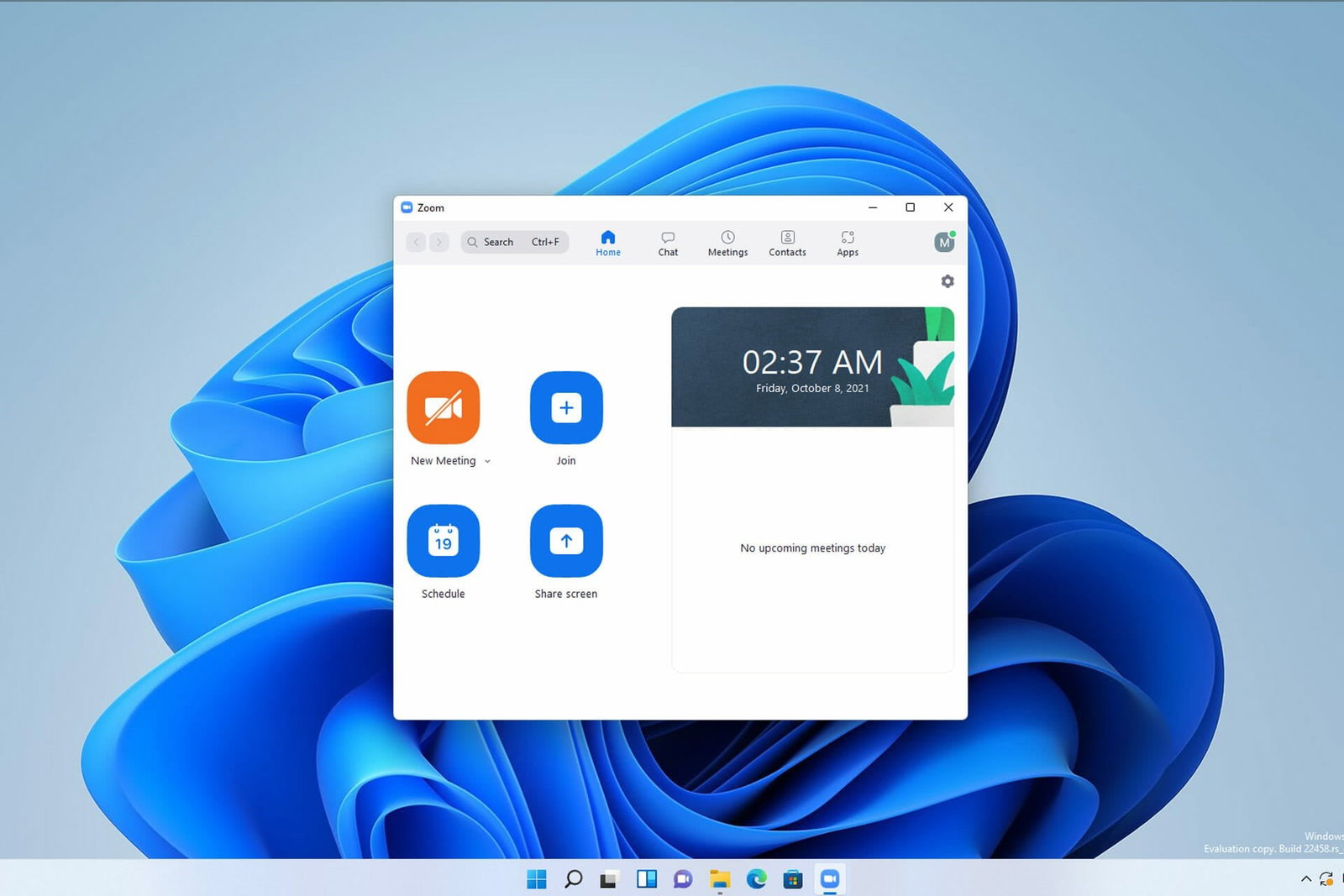
Zoom also supports hybrid work with features that help manage in-person discussions, continuous chat, easy scheduling, and multilingual caption translations. With everything from meetings and chat to documents and whiteboards in one unified workspace, teams can move between tasks without switching tools. Combined with Zoom’s award-winning customer support, it remains a dependable choice for organizations in 2026.
Pricing
Zoom Workplace pricing starts with a Free Basic plan, followed by Pro at $13.33/user/month and Business at $18.33/user/month (when billed annually, excluding GST). For larger organizations, Enterprise offers advanced capabilities with pricing available on request.
What Works And What Doesn’t
| Pros | Cons |
| Strong security controls | Limited UI customization |
| Smooth team collaboration | Complex workspace setup |
| Consistent system stability | Requires careful configuration |
Our Final Take
Zoom is an ideal Video Conferencing System for teams that want simple, streamlined collaboration across meetings and everyday communication. It is less suited for users who need a heavily customized interface. Overall, it’s a solid pick if you value consistency, ease of use, and smooth coordination in hybrid work.
Gather: Best User Experience (UX)
Gather makes a fresh entry on our 2026 list for transforming video conferencing with a workspace that brings meetings, chat, and team context together in one place. With quick collaboration, customizable virtual spaces, and smooth app integrations, teams can move from conversation to action with ease. Rated as G2’s #1 easiest to use video conferencing solution, Gather now supports 10,000+ teams worldwide.
Why We Chose Gather In 2026
In 2026, Gather has become a go-to choice for teams wanting a more engaging, interactive way to work together. Instead of switching between multiple tools, it brings meetings, coworking sessions, and async chat into one unified space. Teams can schedule calls, share multiple screens, record sessions, and use focused chat views to stay aligned in the conversations.

What really sets Gather apart is its customizable virtual office. Teams can create their own floor plans, set up meeting areas, personalize desks, and instantly see who’s available without any scheduling link needed. With ready-made templates, simultaneous screen sharing, document sharing, and smooth Google Calendar sync, Gather blends structure with spontaneity. It’s a lively, flexible workspace that helps distributed teams feel connected and energized.
Pricing
Along with a free trial, Gather also has an essential Plan starting at $12/month/member. It offers unlimited meetings and chat, seamless integrations, and access to all core features, which are perfect for teams seeking an easy-to-use, efficient virtual workspace.
What Works And What Doesn’t
| Pros | Cons |
| Fun, interactive experience | Occasional performance lag |
| Easy team collaboration | Heavy on older systems |
| Customizable virtual spaces | Limited customization options |
Our Final Take
Gather is one of the best Online Conference Platform for teams seeking a fun, customizable virtual office that blends meetings and chats seamlessly. It may not be ideal for organizations needing highly technical or rigid conferencing setups. All in all, you can choose Gather if you want a natural, social, and easy-to-use virtual workspace.
Microsoft Teams: Best For Integration
Back on this year’s list, Microsoft Teams continues to deliver real-time collaboration and communication in a single, unified workspace. It makes it easy to meet, chat, share files, and work together from anywhere. Built for flexible and hybrid environments, Microsoft Teams keeps users connected without interrupting their workflow. Its intuitive design has also earned it recognition as the 4th Easiest to Use Video Conferencing Software on G2.
Why We Chose Microsoft Teams In 2026
Microsoft Teams remains a top choice in 2026 for making hybrid work simpler and keeping teams connected from anywhere. Users can join meetings with one click, share screens or applications easily, and present slides with built-in PowerPoint support. The platform also offers live chat, intuitive scheduling, native recording, and flexible participant permissions.
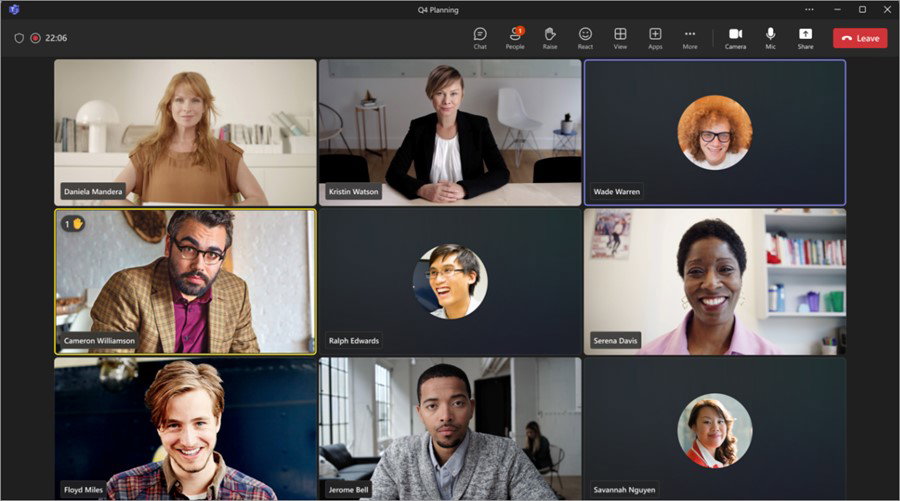
Designed especially for hybrid work, Microsoft Teams lets people stay productive from anywhere with free video meetings, file sharing, and a consistent experience across devices. Whether on a laptop or mobile, users can quickly access chats, documents, and meeting tools in one place. This mix of everyday convenience, enterprise-level controls, and strong user satisfaction makes Microsoft Teams a dependable choice for video conferencing in 2026.
Pricing
Microsoft Teams offers several plans for different needs. While it’s free for personal use, the Essentials plan is $4/month/user and covers basic features for businesses. The Business Basic plan costs $6/month and includes Microsoft 365 apps, while the Business Standard plan is $12.50/month and adds desktop apps and webinars.
What Works And What Doesn’t
| Pros | Cons |
| Smooth app integration | Slow or laggy |
| Easy meeting setup | Notification delays |
| Reliable meeting tools | Heavy on the system |
Our Final Take
Microsoft Teams is good for hybrid teams that need smooth collaboration and dependable meeting tools. It may not be ideal for users with low-end devices due to occasional slowdowns, but it’s a great fit if you want an all-in-one workspace for communication and teamwork.
Topics For More Insights
GoTo Meeting: Best For Security
New on this year’s list, GoTo Meeting is a reliable choice for secure, simple, and scalable video conferencing. Being one of the world’s largest SaaS providers with 2,800+ employees, nearly $1 billion in annual revenue, and tens of millions of users, the company delivers practical, AI-powered communication for modern teams. Built for both small businesses and global enterprises, it makes collaboration easy from anywhere.
Why We Chose GoTo Meeting In 2026
GoTo Meeting remains a trusted pick in 2026 for delivering reliable, secure, and easy-to-use web conferencing built for a work-from-anywhere world. With no downloads needed to join, users can start meetings instantly, enjoy clear audio with noise suppression, and count on its impressive 99.999% uptime. Tools like HD video, screen sharing, drawing tools, breakout rooms, and in-session chat help make meetings more engaging and productive.
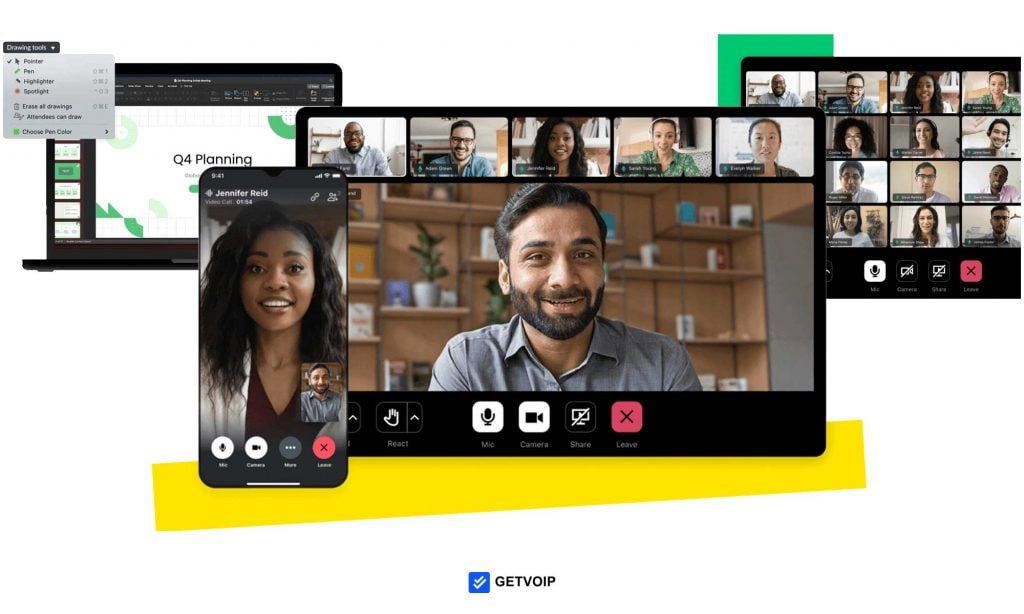
The platform also stands out when it comes to security and scalability, offering single sign-on, encrypted sessions, meeting locks, and end-to-end encryption. With cloud recordings, transcriptions, and smooth integrations, GoTo Meeting fits easily into workflows across education, healthcare, sales, and professional services. Its straightforward administration and global accessibility make it a dependable choice for teams in 2026.
Pricing
GoTo Meeting keeps its pricing simple. The Professional plan starts at $12/organizer/month, and the Business plan comes in at $16 with room for more participants. Bigger teams can choose a custom Enterprise package that fits their needs. All plans offer annual savings and optional add-ons to help you scale comfortably.
What Works And What Doesn’t
| Pros | Cons |
| Fast meeting access | Video quality drops |
| Easy screen sharing | Connectivity dependent |
| Strong customer support | Some useful features are paid |
Our Final Take
Teams that want effortless, secure meetings without downloads will find GoTo Meeting handy. It may not meet expectations for users seeking advanced features in the base plan. Overall, GoTo Meeting is a go-to video conferencing solution if you want reliable, hassle-free conferencing.
Webex Suite: Best AI Features
Webex Suite returns this year and continues to stand out as a top collaboration platform, trusted by 95% of Fortune 500 companies. It brings calling, AI-enhanced meetings, messaging, webinars, events, polling, and whiteboarding together in one secure, high-performance workspace. Recognized as a G2 Leader Summer 2024 and a Gartner Peer Insights Customer Choice 2025, Webex delivers powerful, enterprise-grade communication for teams of every size.
Why We Chose Webex Suite In 2026
Webex Suite continues to raise the bar for modern collaboration, offering one of the most complete AI-driven ecosystems available. Its eight connected workflows from Meetings, Messaging, Calling, and Webinars to Events, Polling, Whiteboarding, and Video Messaging, bring all communication needs into a single, unified experience. AI tools like the Webex AI Assistant, real-time translation, noise removal, gesture recognition, and people-focused layouts make every meeting more inclusive and productive.
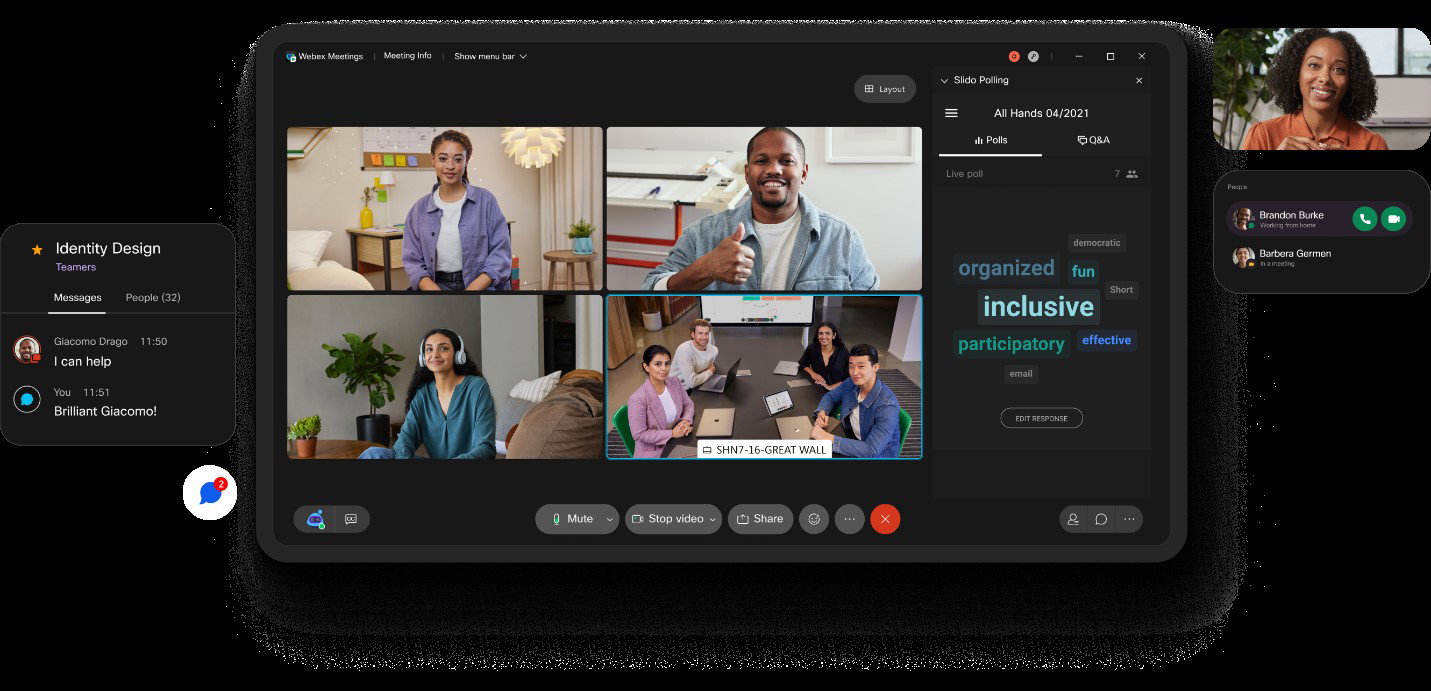
Built on the secure, enterprise-grade Webex Platform and managed through the intuitive Webex Control Hub, the suite gives organizations a streamlined way to oversee users, devices, and analytics. With high-quality video, flexible joining options, immersive presentation tools, and dependable performance across devices, Webex Suite remains a top pick for hybrid teams in 2026.
Pricing
Webex offers flexible pricing for different team sizes and needs. The Free plan covers essential collaboration at no cost, while Webex Meet starts at $14.50/user/month and adds AI capabilities and extended meeting limits. Webex Suite with calling features is priced at $25/user/month, and large organizations can opt for custom Enterprise plans.
What Works And What Doesn’t
| Pros | Cons |
| Reliable call quality | Slow desktop performance |
| Easy meeting scheduling | Resource-heavy |
| Strong integrations | Occasional sync issues |
Our Final Take
Distributed teams will benefit most from Webex Suite due to its reliable video, flexible workflows, and strong management controls. It may not suit environments with limited system performance. For those seeking an all-in-one, scalable collaboration solution, Webex Suite is a reliable choice.
Top 5 Video Conferencing Solutions Comparison
Picking the right video conferencing tool doesn’t have to be complicated. We’ve narrowed it down to the Top 5 solutions, giving you a simple, quick comparison to help you make the right choice faster.
P.S.: Always remember to visit the vendor's site for the latest information!
| Criteria |  |
 |
 |
 |
 |
| Starting Price | $13.33/user/month | $12/month/member | $4/month/user | $12/organizer/month | $14.50/user/month |
| Avg. User Rating | 4.5 | 4.9 | 4.4 | 4.2 | 4.2 |
| Free Trial/Demo | Demo | 30 days | 30 days | 14 days | NA |
| Key Features | AI-powered collaboration, HD audio/video, strong customer support | Custom virtual offices, simultaneous screen sharing, unified meeting workspace | One-click meetings, built-in PowerPoint support, cross-device consistency | No-download joining, end-to-end encryption, and clear noise suppression | AI-driven workflows, real-time translation, enterprise-grade security |
| Integrations | Slack, HubSpot, Zendesk | Google, Outlook, Zapier | Salesforce, Jira, Power BI | CirQlive, Marketo, Zoho | AWS, Miro, Seismic |
Wrapping Up
Finding the right video conferencing platform can transform the way your team works. Whether it’s Zoom’s seamless AI-powered collaboration, Gather’s interactive virtual offices, Microsoft Teams’ hybrid-friendly workspace, GoTo Meeting’s hassle-free reliability, or Webex Suite’s all-in-one enterprise solution, 2026 offers tools that suit every style and team size.
So, choose wisely, and make every meeting count!
Frequently Asked Questions
Which Are The Top Video Conferencing Solutions In 2026?
Zoom, Gather, Microsoft Teams, GoTo Meeting, and Webex Suite are the top video conferencing solutions of 2026. Each offers a mix of AI features, hybrid collaboration tools, interactive spaces, and enterprise-grade reliability.
What Features Should I Look For In A Video Conferencing Platform?
Look for HD audio or video, screen sharing, AI tools, seamless chat, calendar integration, meeting recording, and security features like encryption and single sign-on for a good video conferencing platform.
Why Is Video Conferencing Important For Businesses?
A video conferencing solution enables seamless communication, collaboration, and productivity, especially for remote and hybrid teams, reducing travel and improving workflow efficiency.
Tue, Mar 17, 2026

Enjoyed what you've read so far? Great news - there's more to explore!
Stay up to date with the latest news, a vast collection of tech articles including introductory guides, product reviews, trends and more, thought-provoking interviews, hottest AI blogs and entertaining tech memes.
Plus, get access to branded insights such as informative white papers, intriguing case studies, in-depth reports, enlightening videos and exciting events and webinars from industry-leading global brands.
Dive into TechDogs' treasure trove today and Know Your World of technology!
Disclaimer - Reference to any specific product, software or entity does not constitute an endorsement or recommendation by TechDogs nor should any data or content published be relied upon. The views expressed by TechDogs' members and guests are their own and their appearance on our site does not imply an endorsement of them or any entity they represent. Views and opinions expressed by TechDogs' Authors are those of the Authors and do not necessarily reflect the view of TechDogs or any of its officials. While we aim to provide valuable and helpful information, some content on TechDogs' site may not have been thoroughly reviewed for every detail or aspect. We encourage users to verify any information independently where necessary.
Loading comments...