
Communication and Collaboration Software
Top 5 Project Management Software Of 2026
Share
TL;DR
-
Asana – Offers an intuitive interface and powerful Work Graph to link daily tasks directly to high-level goals.
-
Wrike – Provides deep integrability with over 400 native tools, making it a robust choice for cross-functional enterprise collaboration.
-
Smartsheet – Combines a familiar spreadsheet-style interface with advanced governance and flexible dashboard customization for information workers.
-
Zoho Projects – Delivers exceptional value with AI assistance and deep integration into a broader business ecosystem.
-
ClickUp – Features a comprehensive all-in-one workspace with whiteboards and docs designed for unmatched scalability and growth.
Introduction
Who doesn't love the experience of a perfectly crafted meal? When the fresh buns, crisp veggies, and savory sauces all harmonize, every flavor creates a culinary blast that satisfies the soul. This same magic happens in the kitchen of a Michelin-starred restaurant where every ingredient is curated to align with a specific palette. Just as a chef balances these elements, a project management solution works best when every feature comes together to serve a team's unique needs.
Whether you are looking for a quick, bite-sized productivity snack or a complex, multi-course workflow, the right digital tools provide the necessary structure to turn chaos into a masterpiece. These platforms streamline operations, provide customizable workflows, and enable real-time collaboration across multiple departments. By automating procedures and simplifying communication, they allow your team to focus on high-level creativity rather than manual tracking. Explore these Top 5 Project Management Software solutions to optimize your workload and satisfy your team's hunger for efficiency.
What Is A Project Management Software?
Project Management Software is a solution designed to help teams plan, execute and manage projects efficiently. These tools provide a range of features to support various aspects of project management, including task management, collaboration, scheduling, reporting and analytics, automation and resource management.
Thus, with that understood and to further understand how these tools translate into real–world productivity, let's explore the most effective and widely adopted project management software of 2026.
Top 5 Project Management Software Of 2026
If you want to ensure your projects and tasks are handled and carried out seamlessly, you need a dedicated project management solution. So, let’s wait no further and explore the top 5 Project Management Software of 2026, listed in no particular order!
 |
 |
 |
 |
 |
Asana: Best User Experience (UX)
Asana remains a staple in our project management, earning top placements in G2’s 2025 Software Awards, ranked #2 Best Project Management Software, #3 Best Software Product, and #3 Best Software for Small Business, driven by trust from over 169,000 users globally. Asana continues to evolve, powering teams across more than 200 countries and saving users over 80 million hours in 2025.
Why We Chose Asana In 2026
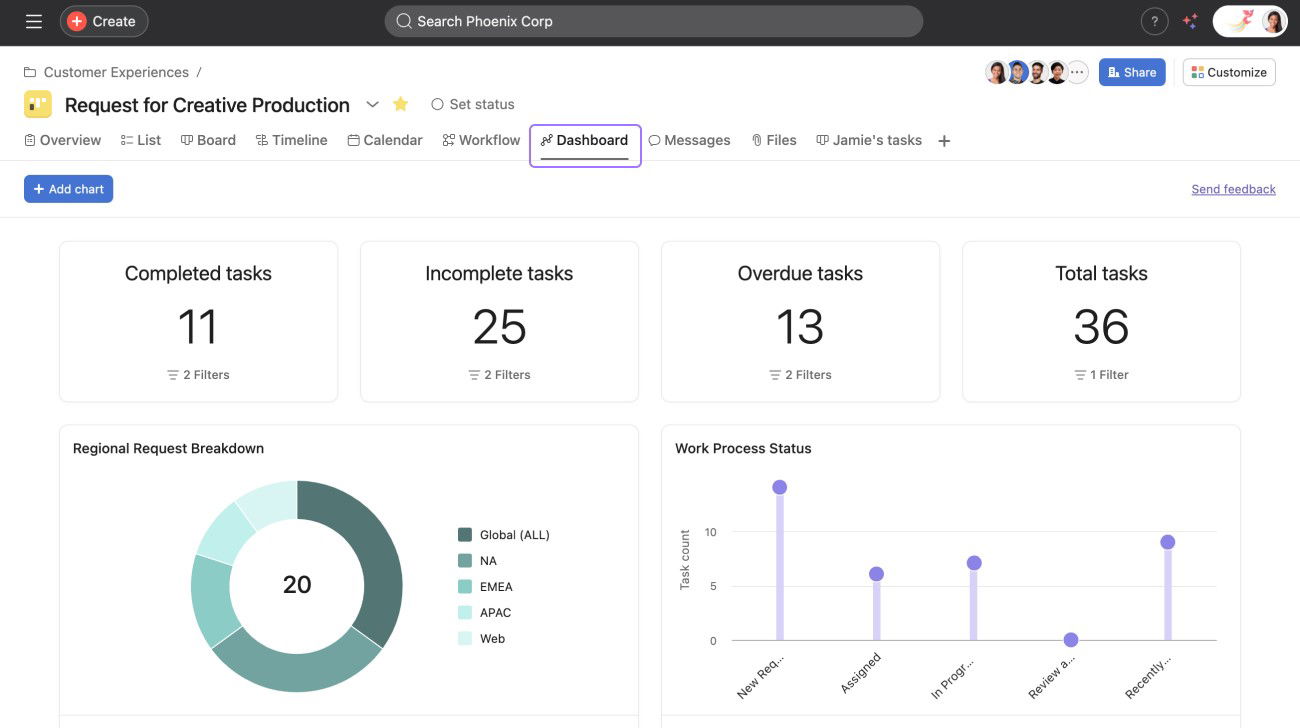
Asana stands out for its intuitive interface, flexible project views (list, board, calendar), powerful Work Graph® that links tasks to goals, and robust automation. It consistently outperforms competitors in terms of usability, especially for non-technical teams, while offering enterprise-grade dashboards and integrations.
Asana offers enterprise-ready reliability through ISO 27001:2022, ISO 27017, ISO 27018, ISO 27701, SOC 2 Type 2 and SOC 3 compliance, and HIPAA assessments. Plus, it is backed by annual penetration testing and an open bug bounty program, while AI Studio and Asana AI enhance automation and workflow customization with security at its core.
Pricing
Asana offers a free Personal plan for up to 10–15 users, making it ideal for small teams. The Starter plan begins at $10.99 per user/month (billed annually), while the Advanced tiers cost $24.99 per user/month. Enterprise and Enterprise+ plans are custom-priced, typically ranging from $30–35 per user/month to accommodate complex security, compliance, and admin needs.
What Works And What Doesn’t
| Pros | Cons |
| User-friendly and visually intuitive | Feature-heavy and complex for beginners |
| Compliance and security certifications | Requires higher-tier plans for AI features |
| Advanced-AI features like AI Studio, AI agents, and more | Can be costly for smaller teams |
Our Final Take
Asana 2026 is ideal for mid-size and large teams seeking a secure, intuitive, and scalable work‑management platform enriched with AI automation. It may be overkill for solo users due to feature depth and cost, but it’s a compelling work hub for modern project managers.
Wrike: Best For Enterprise
Wrike is a new entrant on the 2026 list of project management software tools, holding its place among top-tier project management solutions, earning prominent recognition as a G2 2025 Best Software Award winner for Project Management and a TrustRadius 2025 Buyer’s Choice Award in Professional Services, both based on authentic user feedback. It serves about 2.4 million users across 20,000+ organizations in over 140 countries. Though Citrix acquired it in March 2021 for $2.25 billion, it remains a distinct, actively evolving platform.
Why We Chose Wrike In 2026
Wrike excels at cross‑functional collaboration, offering dynamic visual tools such as Gantt charts, dashboards, and workload views. Its strength lies in deep integrability, with over 400 native integrations with key tools such as Microsoft, Google, Salesforce, and Adobe, enabling seamless workflow orchestration.
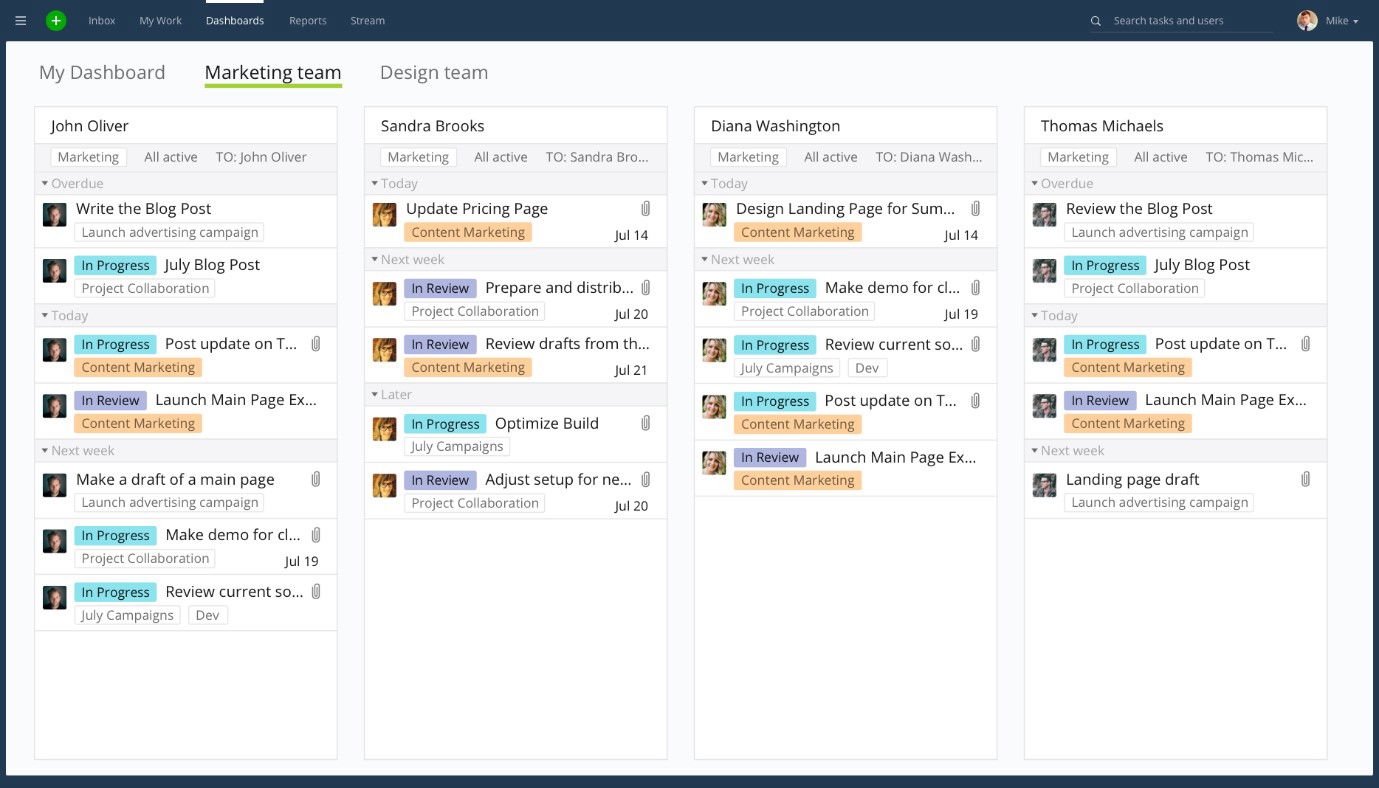
Wrike caters robustly to enterprise needs with SOC 2 Type II, ISO 27001, ISO 27017, GDPR, and CCPA compliance, role‑based access, SSO, and AES‑256 encryption via Wrike Lock. It integrates AI‑powered tools, such as workflow suggestions and risk prediction, to enhance project control and efficiency.
Pricing
Wrike offers a Free plan, a Team plan at $10/user/month, a Business plan at $25/user/month, and Enterprise & Pinnacle tiers at custom pricing.
What Works And What Doesn’t
| Pros | Cons |
| Award‑winning, enterprise‑trusted platform | Steep learning curve for new users |
| Extensive integrations and visual workflow tools | Overwhelming for small businesses |
| Strong security and compliance posture | Require paid tiers for advanced features |
Our Final Take
Wrike 2026 is ideal for large or cross-functional teams seeking a highly secure, customizable, and integration-rich work‑management platform with visual planning and AI support. It may be overwhelming for freelancers or smaller teams, but it remains a robust enterprise choice.
Smartsheet: Best Customization
Smartsheet retains its position on our 2026 project management tools’ list, as it ranked #1 in Best Project Management Products and featured in G2’s Top 10 Best Software Products and Best Software Companies list in 2025. Trusted by over half the Fortune 500, it supports the tens of thousands of paying customers and millions of information workers in more than 190 countries.
Why We Chose Smartsheet In 2026
Smartsheet shines through its spreadsheet-like familiarity, powerful views (grid, Gantt, calendar, board), and customizable dashboards. It’s highly adaptable, excelling in complex workflows while providing intuitive automation, reporting, and integrations with tools such as Microsoft, Google, Slack, Salesforce, and Jira.
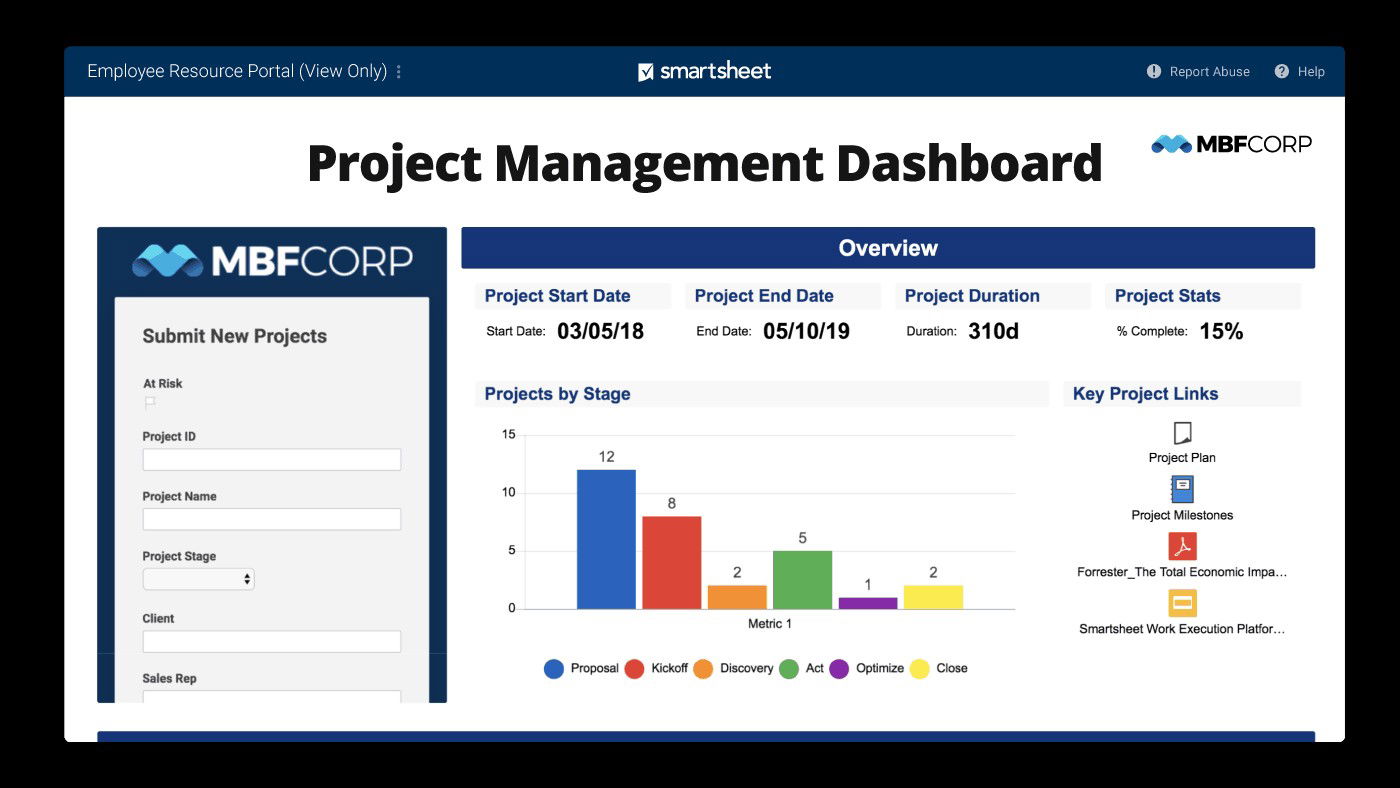
Smartsheet delivers enterprise-grade security and governance in its higher tiers, with SSO, directory integration, admin controls, and unlimited storage, while the Pro and Business plans include essentials like automated workflows, attachments, and views with generous functionality.
Pricing
Smartsheet’s Pro plan starts at $9/user/month (annually), Business at $19/user/month, and Enterprise and Advanced Work Management tiers are available via custom pricing.
What Works And What Doesn’t
| Pros | Cons |
| Familiar spreadsheet-style interface combined with rich views | Overwhelming due to the complexity for casual users |
| Robust automation and enterprise-level governance options | No free plan available |
| User base credibility trust for strong scalability and integrations | Can be pricey for business and enterprise plans |
Our Final Take
In 2026, Smartsheet is ideal for mid-to-large organizations seeking a scalable, secure, and flexible platform that blends spreadsheet familiarity with enterprise-grade features. It may be overkill for individuals or small teams, but for enterprises handling complex project management workflows, it remains a powerhouse.
Zoho Projects: Best Value
Zoho Projects joins our 2026 lineup as a new entrant, earning recognition as the 2025 Data Quadrant Champion in the Project Management with a Midmarket category based on performance insights from Info-Tech’s report. Although exact user counts are limited, Zoho’s broader suite reaches over 100 million users globally, supporting its credibility and widespread adoption.
Why We Chose Zoho Projects In 2026
Zoho Projects impresses with its versatile feature set, combining spreadsheet-like familiarity with powerful Gantt charts, Kanban boards, time tracking, automation (via Blueprints), and AI assistance through Zia. Its lightweight, intuitive interface, along with deep integration across the Zoho ecosystem (CRM, Analytics, Desk, etc.) and third parties, makes it flexible for teams of all sizes.
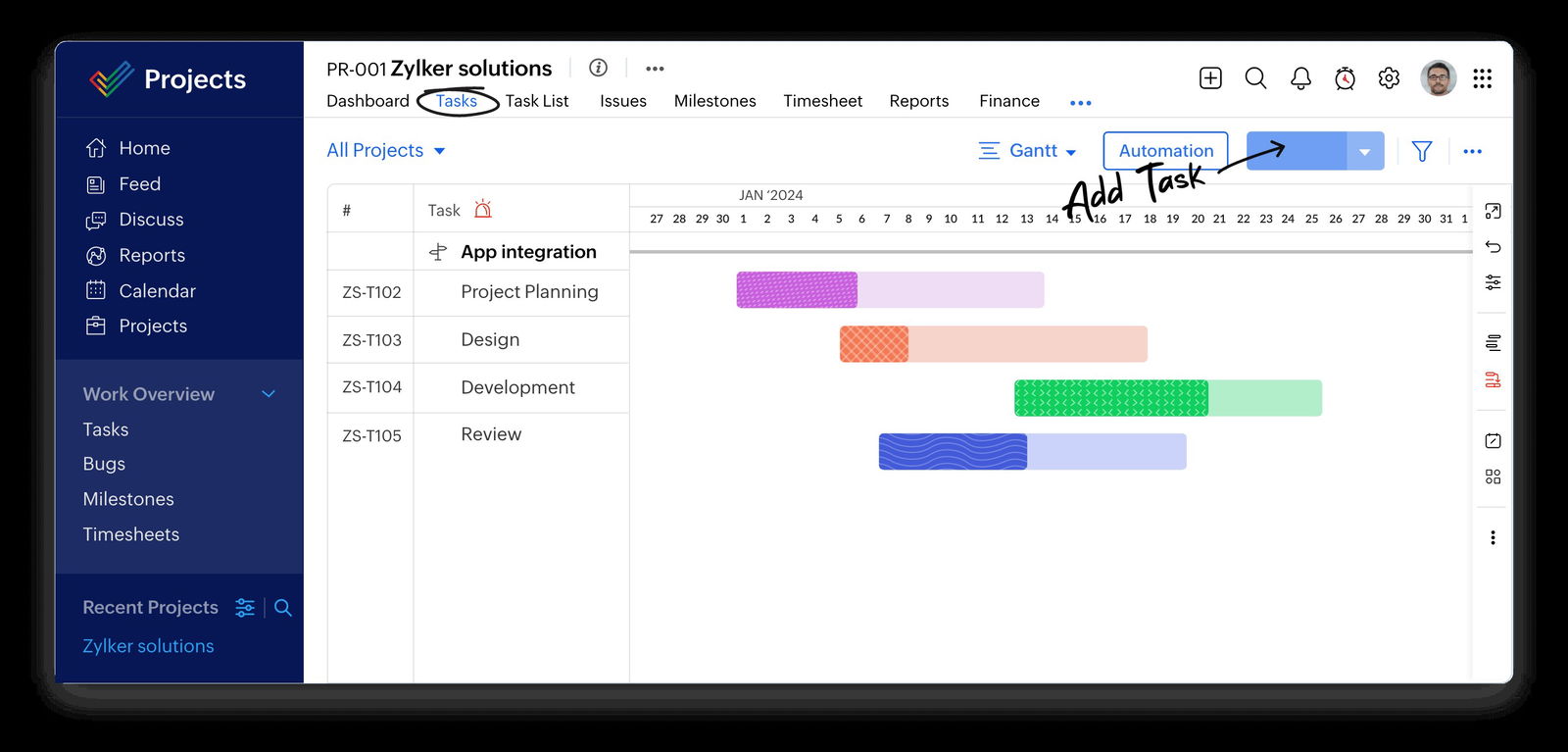
Zoho Projects delivers enterprise-level reliability: Enterprise plans include Single Sign-On, Two‑Factor Authentication, portfolio dashboards, baseline tracking, and cross‑project visibility. Robust admin controls and customizable roles enhance governance and security across diverse team structures.
Pricing
Zoho Projects offers a free plan for up to 5 users and 3 projects, while the Premium tier starts at $4/user/month and the Enterprise at $9/user/month (billed annually). Monthly billing is slightly higher, at around $5 and $10, respectively.
What Works And What Doesn’t
| Pros | Cons |
| Affordable pricing with a robust free tier | Limited automation capabilities |
| Zia AI, Blueprints, and time tracking power automation | Overwhelming interface and complex features |
| Deep Zoho ecosystem integration and cross‑project analytics | Comes with a learning curve for advanced dashboards and cross-project metrics |
Our Final Take
Zoho Projects is a standout choice for small to mid‑sized teams seeking powerful, cost-effective project tracking with smart automation and analytics this year. Its seamless integration into the Zoho ecosystem enhances its value, but massive enterprises may prefer options with broader visibility.
ClickUp: Best For Scalability
ClickUp retains its place on our list, poised to strengthen its position entering 2026 by leveraging a robust foundation of over 10 million users, more than 2 million teams, and 100,000 paying customers. With a valuation exceeding $4 billion and backed by substantial funding rounds, its product-led growth strategy and AI innovation are powerful indicators of its continued momentum this year.
Why We Chose ClickUp In 2026
ClickUp excels with its comprehensive, all-in-one workspace that merges task management, docs, chat, whiteboards, calendars, and AI (ClickUp Brain). It delivers unmatched customization, workflow automation, and visibility (Goals, Portfolios), ideal for both agile sprints and enterprise-level portfolio tracking.
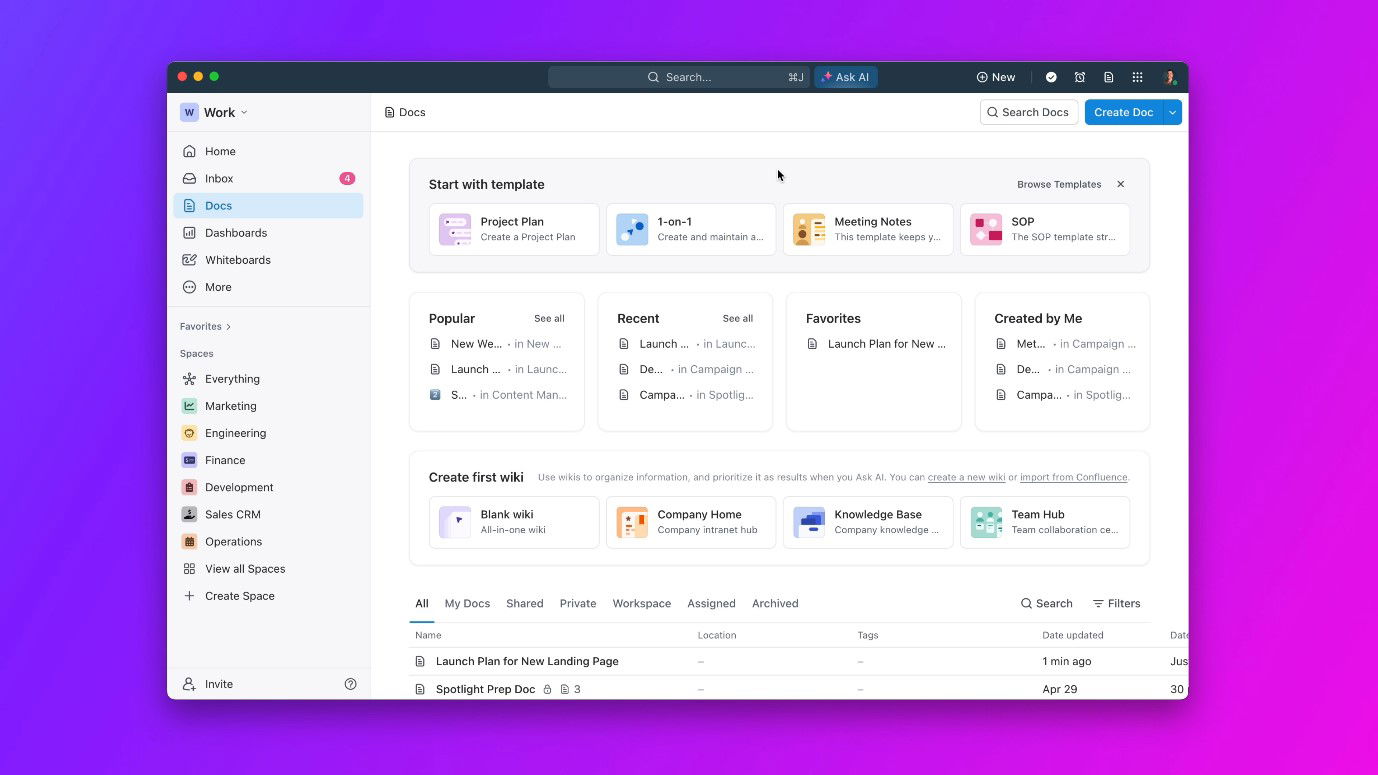
ClickUp supports enterprise-grade security with SOC 2, ISO 27001/27017/27018 compliance, AWS-hosted data centers, AES‑256 encryption, TLS 1.2, and regional data residency options across the US, EU, and APAC. Its AI-powered automation features (via ClickUp Brain) enhance productivity by generating automated summaries, updating tasks, and suggesting workflows.
Pricing
ClickUp’s Free Forever plan includes unlimited users and tasks. Paid plans include Unlimited at $7/user/month (annual billing) and Business at $12/user/month, with an Enterprise tier available with custom pricing.
What Works And What Doesn’t
| Pros | Cons |
| Comprehensive feature set | Steep learning curve for new users |
| High-level security and compliance, including regional data residency | Performance lag or complexity for basic workflows |
| Affordable scalability with generous free plan limits | Require paid tiers for advanced features |
Our Final Take
ClickUp is a robust, secure, and cost-effective all-in-one work platform—perfect for teams that need flexibility, AI-driven productivity, and enterprise governance in 2026. It may overwhelm casual users or small teams, but it's a top choice for enterprise-scale workflows.
Top 5 Project Management Software Comparison
P.S.: Always remember to visit the vendor’s site for the latest information!
 |
 |
 |
 |
 |
|
| Starting Price | $10.99/user/month | $10/user/month | $9/user/month | $4/user/month | $7/user/month |
| Avg. User Rating | 4.5 | 4.3 | 4.5 | 4.5 | 4.6 |
| Trial/ Demo | Free demo | Free demo | 30‑days | Free demo | Free demo |
| Key Features | Work Graph®, AI Studio, and intuitive interface | Gantt, dashboards, workload views, and automation | Dashboards, calendar views, and Gantt/board/grid views | Kanban view, time tracking, and task automation with Zia AI | Customizable workflows, whiteboards, and ClickUp brain |
| Integrations | Microsoft, Google, Slack, and more | 400+ native integrations with major enterprise tools | Salesforce, Jira, Google, and more | Zoho CRM, Zoho Analytics, Zoho Desk, and more | Wide range of productivity and enterprise tools |
Conclusion
Selecting the right project management software tool in 2026 comes down to how well a platform aligns with your team's size, structure, and workflow complexity. However, the best choice is one that not only supports your current operations but also grows with your business needs. Most of these tools offer free trial periods, allowing teams to explore before committing. With clear priorities and these top contenders in mind, we're sure you'll be well-equipped to make an informed, future-proof decision for your project management in 2026!
Happy shopping!
Frequently Asked Questions
What Are the Top 5 Project Management Software Of 2026?
The top five Project Management Software of 2026 are Asana, Wrike, Smartsheet, Zoho Projects, and ClickUp. These platforms lead in innovation, scalability, workflow automation, and support for diverse project teams across industries.
What Is the Most Used Project Management Software?
Asana and ClickUp are among the most widely adopted, with millions of users worldwide. Both tools are popular for their intuitive interfaces, flexible workflows, and strong adoption across SMBs, enterprises, and hybrid teams.
What Are The Features Of Project Management Software?
Leading project management tools include task and project planning, visual tools such as Gantt charts, automation, resource allocation, real-time collaboration, time and budget tracking, dynamic dashboards, customizable views, document management, reporting and analytics, and seamless integrations.
Mon, Dec 8, 2025

Liked what you read? That’s only the tip of the tech iceberg!
Explore our vast collection of tech articles including introductory guides, product reviews, trends and more, stay up to date with the latest news, relish thought-provoking interviews and the hottest AI blogs, and tickle your funny bone with hilarious tech memes!
Plus, get access to branded insights from industry-leading global brands through informative white papers, engaging case studies, in-depth reports, enlightening videos and exciting events and webinars.
Dive into TechDogs' treasure trove today and Know Your World of technology like never before!
Disclaimer - Reference to any specific product, software or entity does not constitute an endorsement or recommendation by TechDogs nor should any data or content published be relied upon. The views expressed by TechDogs' members and guests are their own and their appearance on our site does not imply an endorsement of them or any entity they represent. Views and opinions expressed by TechDogs' Authors are those of the Authors and do not necessarily reflect the view of TechDogs or any of its officials. While we aim to provide valuable and helpful information, some content on TechDogs' site may not have been thoroughly reviewed for every detail or aspect. We encourage users to verify any information independently where necessary.
Loading comments...