
Data Management
Top 5 Database Migration Tools Of 2026
Share
TL;DR
Automated migration tools simplify data transfers between databases while ensuring high security and minimal operational downtime for modern businesses.
-
AWS Database Migration Service: Provides high scalability and continuous data replication for cloud-native environments.
-
Azure Database Migration Service: Offers exceptional value with guided assessments for complex enterprise IT transitions.
-
Google Cloud Database Migration Service: Features a user-friendly interface ideal for small businesses and AI-driven modernization.
-
Informatica: Delivers powerful enterprise-grade integration and governance powered by artificial intelligence and machine learning.
-
Fivetran: Excels in integration by providing automated, maintenance-free data pipelines for modern high-performance cloud warehouses.
Introduction
Whether you are upgrading your smartphone, switching to a new streaming service, or packing up your life to move to a different city, transitions are a constant part of any journey. These changes are often necessary for growth, yet they frequently feel overwhelming due to the sheer number of moving parts involved. Just as moving to a new home requires careful packing and professional movers to avoid breaking your valuables, migrating a database demands meticulous planning and the right technical instruments.
Selecting an inadequate tool can lead to catastrophic downtime, permanent data loss, or significant security vulnerabilities that compromise your entire operation. By focusing on a structured approach, organizations can navigate these complexities while maintaining business continuity and data integrity. This process ensures that your digital assets arrive at their new destination safely and ready for immediate use. Explore these 5 Database Migration Tools of 2026 designed to ensure a seamless and secure transfer for your enterprise data. Read on!
What Is A Database Migration Tool?
A Database Migration Tool is software that helps businesses migrate data from one database to another. These tools automate and simplify the migration process, ensuring that the data is moved efficiently and securely with minimal downtime, as seen in leading database migration tools.
Now that we have understood what Database Migration Tools are, let’s have a look at some of the best Database Migration Tools of 2026.
Top 5 Database Migration Tools Of 2026
Here are the Top 5 Database Migration Tools of 2026. Each has unique features to help you choose the best fit for your database migration needs.
 |
 |
 |
 |
 |
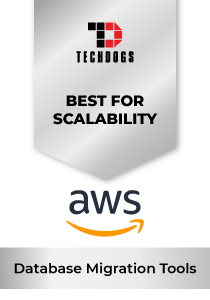
AWS: Best For Scalability
AWS Database Migration Service is a top selection in 2026 for businesses that require dependable migrations with little downtime across on-premises and cloud sources. On G2, AWS Database Migration Service has a rating of 4.3 and over 50 reviews, indicating consistent real-world usage feedback.
Why We Chose AWS In 2026
Amazon Web Services, through its AWS Database Migration Service, is widely recognized for enabling scalable, secure, and efficient database migrations. As part of Amazon Web Services, AWS serves millions of active customers globally, including startups, enterprises, and public sector organizations. AWS has consistently been positioned as a Leader in cloud infrastructure, making its migration services a natural choice for organizations already operating within the AWS ecosystem or planning to move there.
AWS Database Migration Service simplifies complex database transitions by allowing continuous data replication with near-zero downtime. It supports migrations between popular database engines, including Oracle, SQL Server, MySQL, PostgreSQL, MongoDB, and Amazon Aurora.
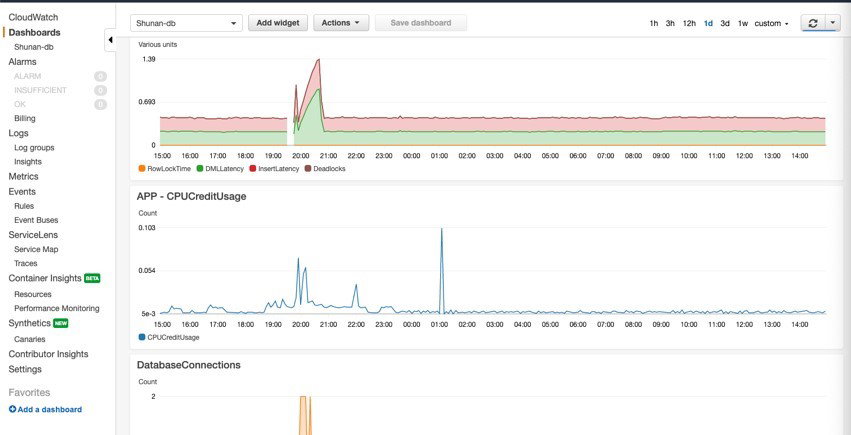
The service handles schema conversion, ongoing data replication, and failover management while maintaining high availability. With built-in monitoring through Amazon CloudWatch and automated error handling, teams can track progress and resolve issues in real time.
AWS DMS integrates seamlessly with other AWS services, including Amazon S3, Redshift, Aurora, and EC2, allowing organizations to modernize architectures while migrating.
It supports ongoing replication for hybrid environments, enabling phased cloud adoption rather than forced big-bang migrations. Advanced security features such as encryption at rest and in transit, IAM-based access control, and network isolation ensure compliance-ready deployments.
Pricing
AWS Database Migration Service follows a pay-as-you-go pricing model based on the compute resources consumed during migration. There are no upfront costs or long-term licensing commitments, making it flexible for short-term projects and long-term replication use cases. AWS also offers limited free tier usage for new customers, allowing teams to test the service before scaling up.
What Works And What Doesn’t
| Pros | Cons |
| Highly scalable for large migrations | Can become costly if not monitored |
| Strong integration with AWS services | Requires AWS familiarity for setup |
| Suitable for hybrid and phased migrations | Limited UI simplicity compared to some competitors |
Our Final Take
AWS is best suited for organizations prioritizing scalability and cloud-native integration. It works especially well for teams already using AWS infrastructure. Smaller teams or businesses operating outside the AWS ecosystem may find other tools easier to deploy and manage.
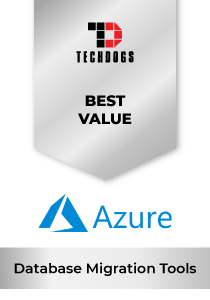
Azure: Best Value
Microsoft offers a dedicated migration solution through Azure Database Migration Service, built to move databases into the Azure ecosystem with minimal disruption. Azure has long been a dominant force in enterprise IT infrastructure, and its migration tooling reflects that legacy. The platform is designed to support both legacy workloads and modern cloud-native applications, making it a practical choice for organizations navigating gradual cloud transformation.
Why We Chose Azure In 2026
Azure Database Migration Service focuses on simplifying complex transitions while maintaining business continuity. The service enables online migrations with minimal downtime, which is particularly valuable for mission-critical systems. Built-in compatibility assessments help teams identify potential issues before migration begins, reducing risk and improving planning accuracy.
Its strength lies in structured migration workflows, guided assessments, and strong documentation that support enterprise IT teams through each stage of the transition.
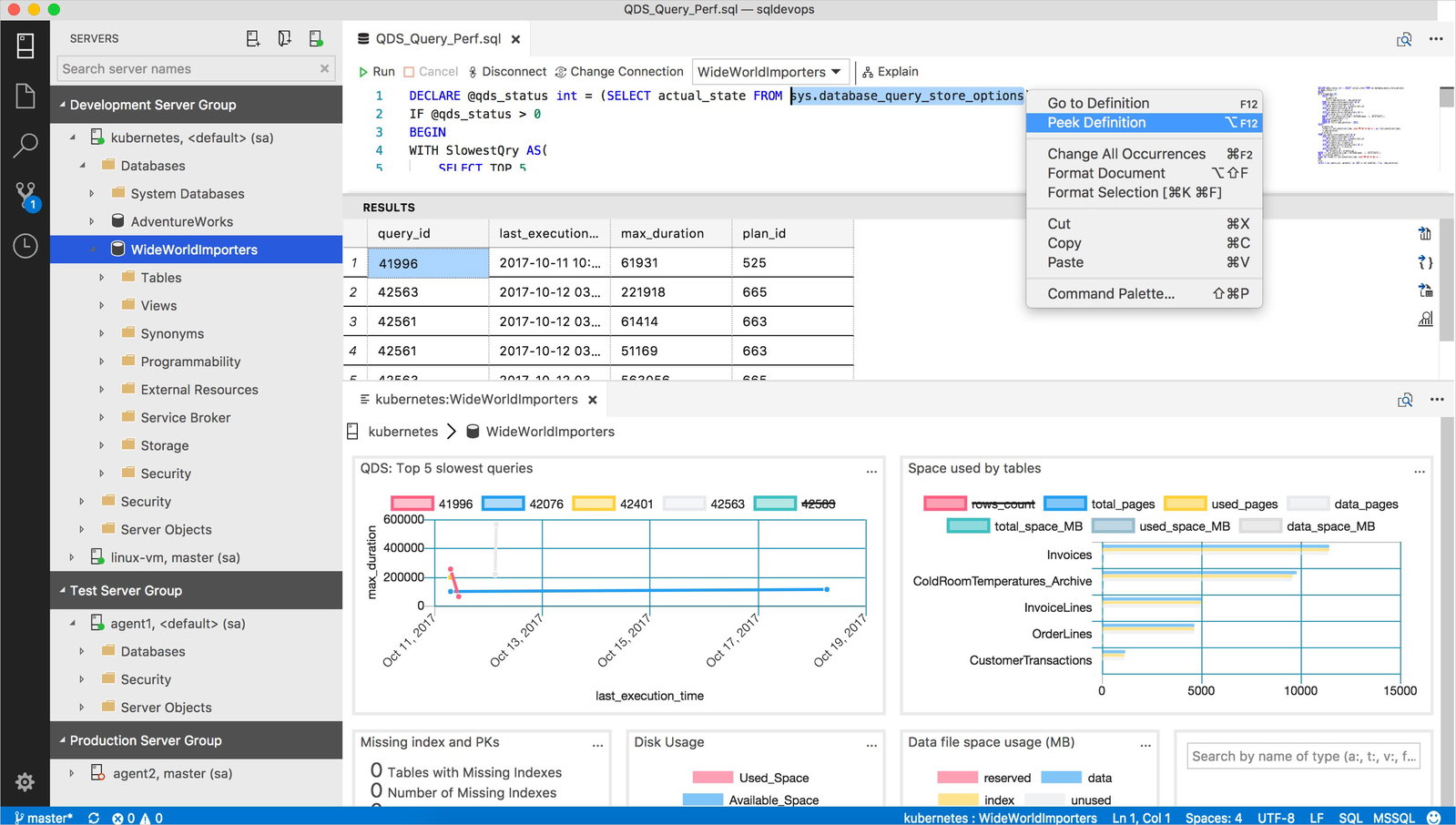
Azure integrates tightly with tools such as Azure Monitor, Azure Arc, and Microsoft Defender for Cloud, providing governance, performance visibility, and security oversight throughout the migration lifecycle.
Organizations operating in hybrid environments can use Azure’s capabilities to connect on-premises databases with cloud services, enabling phased modernization. Advanced threat protection, encryption standards, and compliance certifications make it well-suited for regulated industries.
Pricing
Azure Database Migration Service operates on a consumption-based pricing model aligned with broader Azure resource usage. Costs are typically tied to compute, storage, and data transfer requirements during the migration process. Microsoft provides certain free migration capabilities for specific Azure targets, allowing organizations to evaluate feasibility before committing to larger-scale deployments.
What Works And What Doesn’t
| Pros | Cons |
| Strong hybrid cloud support | Can require familiarity with the Azure ecosystem |
| Guided assessments reduce migration risk | Pricing complexity tied to Azure resource usage |
| Enterprise-grade security and compliance | May feel structured and process-heavy for small teams |
Our Final Take
Microsoft Azure is an ideal solution for organizations operating in hybrid cloud setups or planning long-term Azure adoption. It delivers structured, enterprise-ready migrations with strong governance controls. Smaller teams or businesses outside the Microsoft ecosystem may find alternative tools simpler to deploy.
Google Cloud: Best For Small Business
Google Cloud Database Migration Service is Google’s fully managed service designed to move databases into Google Cloud with minimal friction. Built for cloud-first teams, the platform simplifies migrations to services like Cloud SQL and AlloyDB. Google Cloud has established itself as a strong player in data analytics, AI, and modern application infrastructure.
Why We Chose Google Cloud In 2026
What stands out is its guided migration interface, which walks users through configuration, validation, and monitoring without requiring deep manual scripting. The service automatically provisions migration resources, reducing setup complexity.
It is particularly effective for organizations modernizing legacy systems while aiming to leverage Google’s analytics and AI-driven services after migration.
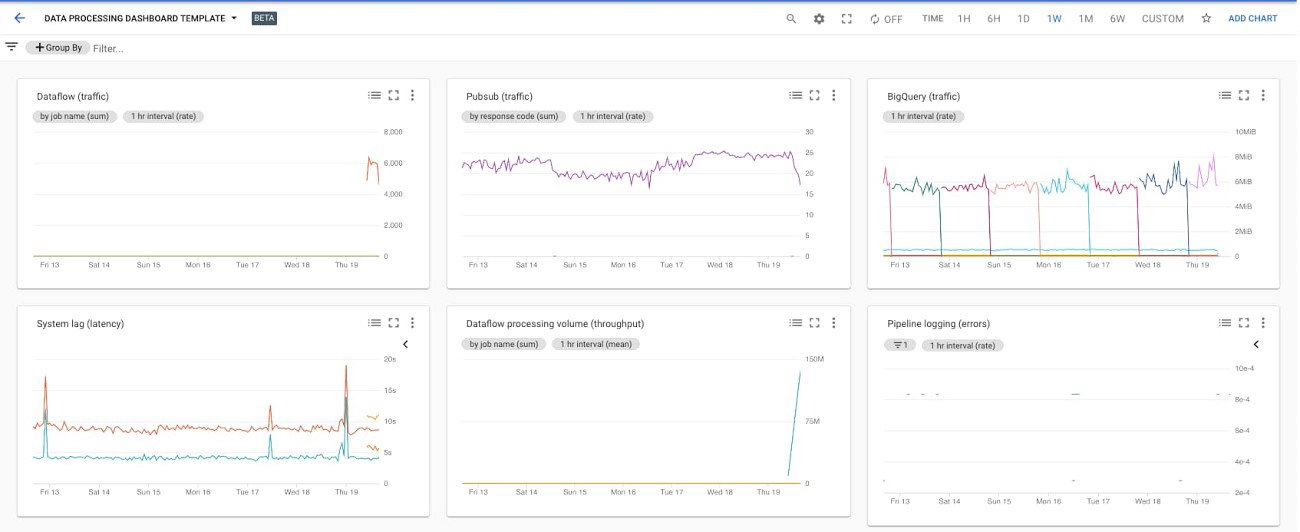
The service integrates seamlessly with Cloud Monitoring and Cloud Logging, enabling real-time performance tracking throughout the migration lifecycle. Built-in encryption, secure connectivity options, and IAM-based access controls provide enterprise-grade security. Google’s infrastructure backbone ensures consistent performance, especially for high-volume workloads requiring elasticity during peak usage.
Pricing
In many cases, Google Cloud Database Migration Service does not charge separately for the migration tool itself, though users incur costs for underlying compute, storage, and target database services. Google Cloud also provides credits for new users, allowing organizations to explore migration capabilities before scaling production workloads.
What Works And What Doesn’t
| Pros | Cons |
| Fully managed and automation-focused | Limited cross-cloud flexibility |
| Smooth integration with analytics and AI tools | Primarily optimized for Google Cloud targets |
| Robust performance for scalable workloads | May require familiarity with the GCP ecosystem |
Our Final Take
Google Cloud remains a great database migration software solution for organizations pursuing cloud-native modernization within the Google ecosystem. It is ideal for teams looking to combine migration with analytics and AI expansion.
Topics for more insights
Informatica: Best For Enterprise
Informatica is a global leader in data integration, serving over 5,000 customers in 100+ countries, including 85 of the Fortune 100. The company has been recognized for its innovation and excellence in data management, earning the Gartner Magic Quadrant Leader award for Data Integration Tools. Informatica’s cloud data management solutions have consistently received high rankings for their performance, establishing them as a top choice in the industry for data migration and integration.
Why We Chose Informatica In 2026
Informatica offers a versatile suite of data integration tools, covering data migration, cleansing and cloud management for both structured and unstructured complex data. It simplifies data management with easy reporting & auditing features, automated ETL processes, and the ability to scale as data grows. Plus, with routing & orchestration, data mapping, and constant monitoring and notifications, it keeps everything running smoothly and helps catch data issues early.
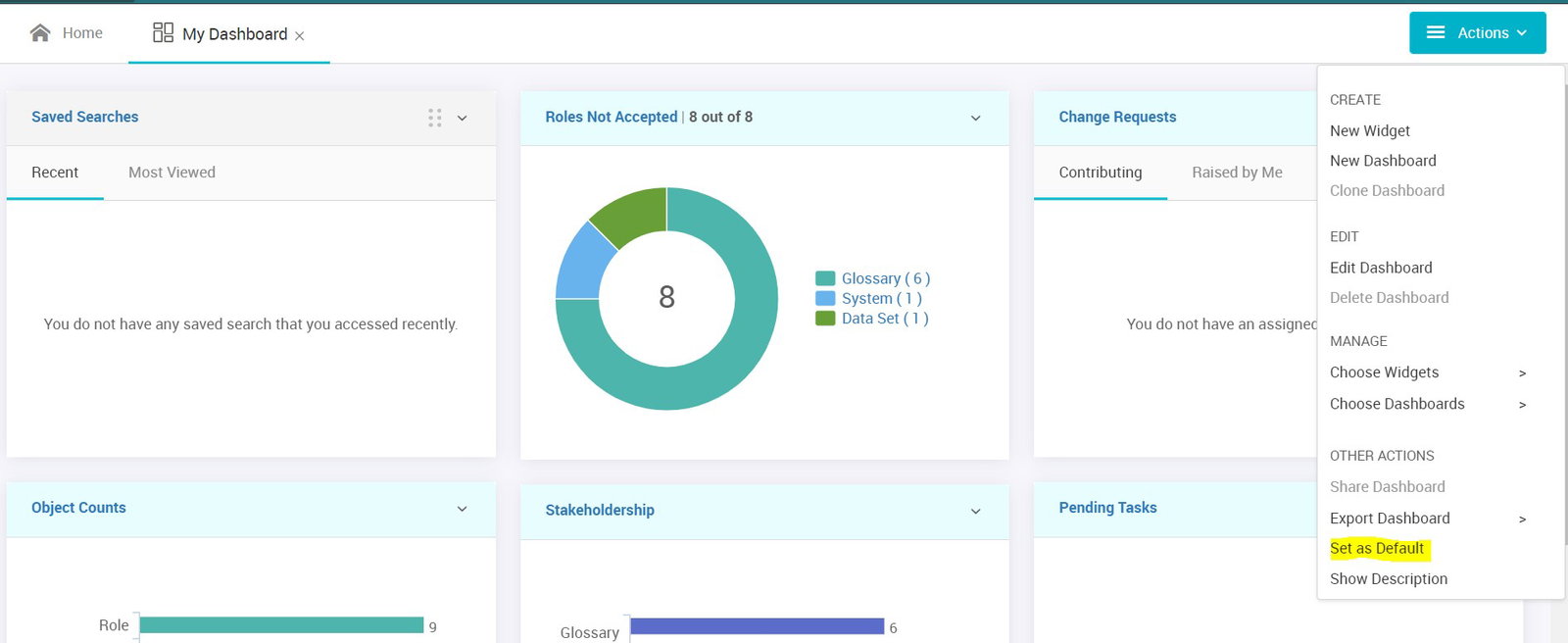
The platform also ensures data quality and provides governance and analytics features to deliver reliable, actionable insights. Informatica’s standout feature is its intelligent data integration, powered by AI and machine learning, enabling smart, fast data processing. Informatica offers seamless integration across multiple cloud platforms, on-premises systems, and third-party applications, with support for data sources such as Microsoft Azure, AWS, Google Cloud, Snowflake, Teradata, and more.
Pricing
Informatica offers flexible, consumption-based pricing for its cloud-based services and enterprise-scale solutions, allowing businesses to pay only for what they use and scale as their requirements change. Their pricing is typically subscription-based, making it cost-effective for organizations of all sizes.
What Works And What Doesn’t
| Pros | Cons |
| Strong for complex integration workflows | Set up and rollout typically need experienced resources |
| Useful when migrations repeat often | Can feel heavy for small teams |
| Good fit for enterprise data programs | Setup depends on the use case scope |
Our Final Take
Informatica is an ideal choice for large teams looking to move as part of a broader integration and governance plan. It may not be the best choice for small teams.
Fivetran: Best For Integration
Fivetran is renowned for its automated data migration solutions. Among the top database migration tools in 2026, Fivetran has earned numerous accolades, including being named a leader in the Gartner Magic Quadrant for Data Integration Tools. It was also honored with the Google Cloud Partner of the Year Award for Data Ingestion.
Why We Chose Fivetran In 2026
Fivetran provides an efficient, streamlined approach to replicate applications, databases, events, and files into a high-performance cloud warehouse. With connectors that deploy quickly and require zero maintenance, Fivetran automatically adjusts to source changes, enabling your data team to focus on deriving insights rather than managing engineering tasks.
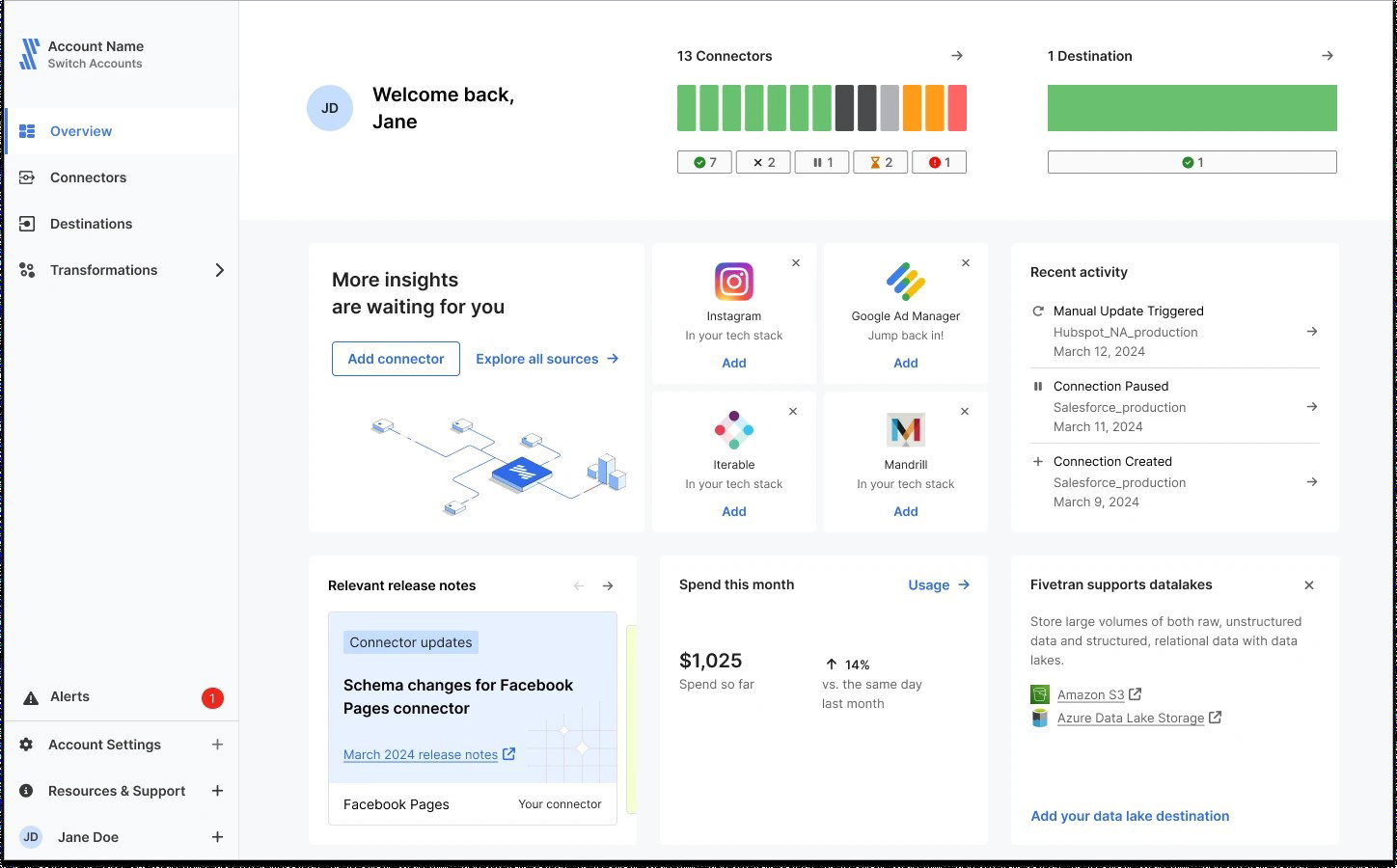
Fivetran’s cloud-based ETL processes are automated, streamlining operations and saving time and effort, making it a competitive choice among top AWS database migration tools. Its scalability enables the platform to grow with businesses' requirements, while its comprehensive management tools make oversight effortless by ensuring seamless reporting, auditing, and monitoring. The seamless integration of this tool across platforms such as AWS, Snowflake, Azure, Databricks, and Google BigQuery delivers the efficiency and reliability offered by Fivetran.
Pricing
Fivetran has a pay-as-you-go pricing model with four editions. The Free Plan provides access to Standard Plan features for small data volumes (up to 500,000 rows). The Starter Plan supports 10 users and includes 1-hour syncs and 300+ connectors. The Standard Plan supports unlimited users and includes 15-minute syncs and database connectors. The Enterprise Plan includes fast syncs, enterprise connectors and advanced governance. A free trial is available for all plans.
What Works And What Doesn’t
| Pros | Cons |
| Very fast to set up connectors | Costs can rise with volume |
| Low maintenance for ongoing syncs | Less control than custom-built pipelines |
| Strong fit for modern data stacks | Pricing model needs monitoring |
Our Final Take
Fivetran is a great ideal choice for analytics and data teams that require automated replication with little maintenance. It may not be ideal if you require complex custom migration logic for specialized cases.
Top 5 Database Migration Tools Comparison
P.S.: Always remember to visit the vendor’s site for the latest information!
| Criteria |  |
 |
 |
 |
 |
| Starting Price | $13.14/month | $270.10/month | $2.00 per GiB/month | $2,000/month | $5/month |
| Avg. User Rating | 4.4 | 4.3 | 4.3 | 4.5 | 4.4 |
| Trial Period/Demo | 12 Months | 30 days | 90 days | 30 days | Demo |
| Key Features | Ongoing replication, phased cutovers, and job monitoring | Offline migrations, guided projects, and Azure workflow | Native migrations, job tracking, and managed workflow | Data integration workflows, transformations, and orchestration | Managed connector, automated syncs, and monitoring |
| Integrations | AWS, Azure, GCP, and more | Terraform, Ansible, ServiceNow, and more | SaaS tools, Azure, AWS, and more | Cloud and Kubernetes container environments, APIs, and more |
AWS, Slack, GCP, and more |
Wrapping Up
In 2026, database migration is less about one big “move day” and more about controlled transitions with repeatable workflows. This list covers different needs: cloud-native migration paths (AWS, Azure, Google), enterprise-scale integration programs (Informatica), and automation-led replication for modern stacks (Fivetran).
The best tool depends on where you are migrating to, how much downtime you can tolerate, and whether you need ongoing replication after the move. Pick the tool that matches your migration reality, not just your architecture slides.
Frequently Asked Questions
What Is A Database Migration Tool, And Why Do Teams Use It?
A database migration tool helps move data from one database to another (on-prem to cloud, cloud to cloud, or upgrades), while reducing risk of downtime, avoiding data loss, and simplifying validation and monitoring.
Which Database Migration Tool Is Best For Low-Downtime Migrations?
If low downtime is the priority, tools that support continuous replication and phased cutovers tend to fit best—AWS Database Migration Service and Fivetran are commonly used when you need ongoing sync instead of a single cutover.
Are Cloud Database Migration Services Free To Use?
Some are free for specific scenarios. For example, Azure’s Standard tier is positioned as free for certain migrations, and Google Cloud Database Migration Service is free for homogeneous migrations to Cloud SQL or AlloyDB for PostgreSQL—your primary costs still come from the underlying cloud resources you run.
Thu, Mar 5, 2026

Enjoyed what you've read so far? Great news - there's more to explore!
Stay up to date with the latest news, a vast collection of tech articles including introductory guides, product reviews, trends and more, thought-provoking interviews, hottest AI blogs and entertaining tech memes.
Plus, get access to branded insights such as informative white papers, intriguing case studies, in-depth reports, enlightening videos and exciting events and webinars from industry-leading global brands.
Dive into TechDogs' treasure trove today and Know Your World of technology!
Disclaimer - Reference to any specific product, software or entity does not constitute an endorsement or recommendation by TechDogs nor should any data or content published be relied upon. The views expressed by TechDogs' members and guests are their own and their appearance on our site does not imply an endorsement of them or any entity they represent. Views and opinions expressed by TechDogs' Authors are those of the Authors and do not necessarily reflect the view of TechDogs or any of its officials. While we aim to provide valuable and helpful information, some content on TechDogs' site may not have been thoroughly reviewed for every detail or aspect. We encourage users to verify any information independently where necessary.
Loading comments...