
Artificial Intelligence
Vibe Working Explained: Tools And Guide
Share
Overview
(Yup, we also adapted to the language of the latest generations.)
Who would have thought that Vibe Coding would become an official word in the dictionary? Today, the workplace and tools have also started using the word.
Even the most traditional brands are joining in. Google introduced Vibe Coding, and now Microsoft has stepped forward with something new called Vibe Working.
As we explored this shift, we noticed that it is not just a catchy name. It signals how modern work is changing, becoming more human-friendly and expressive.
In this article, we break down what Vibe Working means, why everyone is talking about it, and how it can help you work in a smoother, more connected way.
Let’s vibe together.
A few years ago, we used to vibe with people at pubs, concerts, the theatre, and perhaps a cricket stadium. Today, we are vibing at the workplace. This shows how the ecosystem and our daily habits are changing.
We are not just clicking buttons or typing commands. Today, we are working with systems that understand our style, our pace and the way we like to get things done.
It is called Vibe Working, and Microsoft has taken the charge to change how we work and make it more fun! Instead of treating work like a long list of steps, Vibe Working aims to create a smoother flow between what we want and what AI can help us do.
With this in mind, let us take a closer look at Vibe Working.
What Is Vibe Working?
You have probably heard of vibe coding, but now Microsoft wants to introduce a similar thing for its Office apps.
Microsoft describes “Vibe Working” as collaboration between people and AI agents inside its productivity apps. Instead of giving a one-time response, the updated Copilot AI tools generate, test, and refine content while users steer the direction, more like a dialogue.
To understand how this works in real tasks, we need to look at Agent Mode.
How Agent Mode Works?
The agent mode is applied in Excel, Word and Office. Let’s understand one by one.
Agent Mode In Microsoft Excel
Agent Mode gives you AI that can "speak Excel" naturally. It is based on the complexity of Excel artifacts and OpenAI's newest reasoning models. This makes expert-level features available to more people and makes advanced modelling easy for you to comprehend.
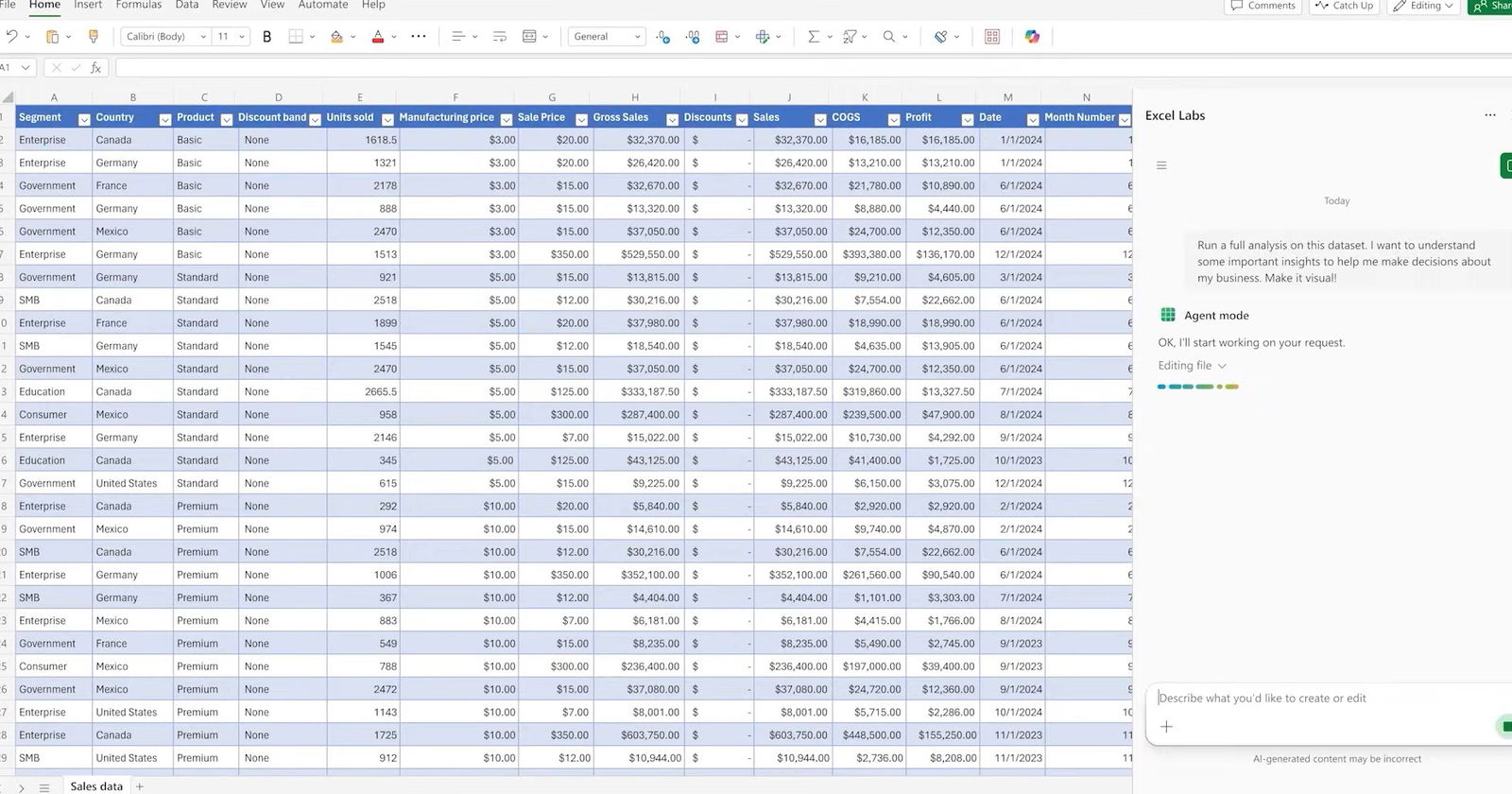
These big steps forward mean that Agent Mode can do more than just make outputs. It can also review results, fix errors, and rework until the outcome is confirmed. It feels like giving work to an Excel pro while you steer and guide.
Let’s take a look at some of the prompts to try in Excel.
-
Financial Analysis Prompt
“Create a financial monthly close report for a bike shop business, including a breakdown of product lines across VTB, VTF, sequential, and year-over-year growth. Use standard financial formatting and best practices.”
-
Loan Calculator Prompt
“Build a loan calculator that computes monthly payments based on user inputs for loan amount, annual interest rate, and term in years. Generate a schedule showing month, payment, principal, interest, and remaining balance. Present the results in a clear, formatted table.”
-
Personal Budgeting Prompt
“Create a monthly household budget tracker with categories like Rent, Groceries, Utilities, Entertainment, Transportation, and Savings. Apply conditional formatting and data bars for % Over/Under Budget. Add a summary section showing planned versus actual spending with a donut chart to visualize spending distribution.”
Agent Mode In Microsoft Word
Agent Mode in Word turns document creation into vibe writing, like having a chat. Copilot will do the work for you if you tell it what you need, like "summarize recent customer feedback and highlight key trends.
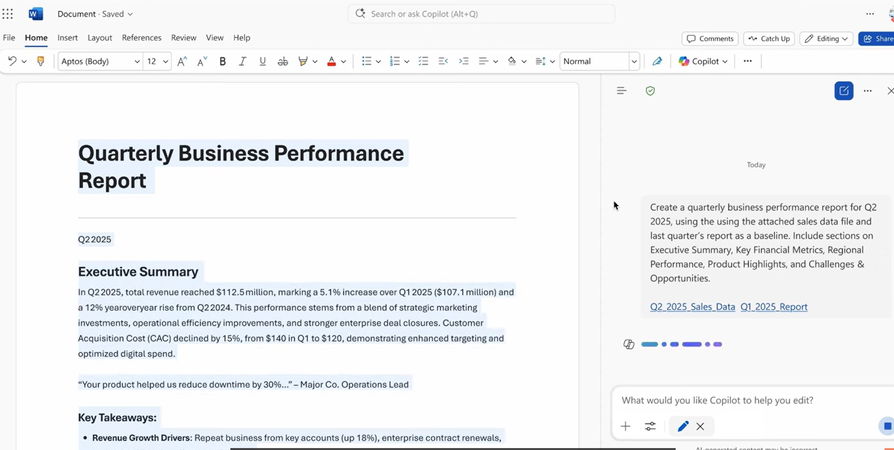
Writing feels more like a conversation than a task because Copilot helps maintain continuity. Focus on what you want to say, and Copilot will bring it to life with Word's built-in styles and professional layout.
This more in-depth involvement speeds up iteration, leads to better ideas, and makes writing more fun.
Let’s look at some of the prompts to try in Word.
-
Monthly Report Update Prompt
“Help me update this monthly report for September. Update the data table with the latest numbers from the /Sept Data Pull email. Summarize the key highlights, including insights compared to last month’s /August monthly report.doc.”
-
Project Update Prompt
“Update the executive summary for clarity, bold all key findings, and insert a bulleted list of next steps based on the /Project update meeting. Make sure to add a conclusion.”
-
Document Style Prompt
“Can you clean up this document? Title case for section headers, branding updates per the ‘/Latest brand guidelines’ email and italicize all external partner mentions. Feel free to ask if you need help identifying partners or guidelines.”
Agent Mode In Office
Using Anthropic models, Office Agent in Copilot lets you create PowerPoint presentations and Word documents while focusing on conversations. It is common to use PowerPoint to create slideshows, but AI has not always been good at making slides over the last two years.
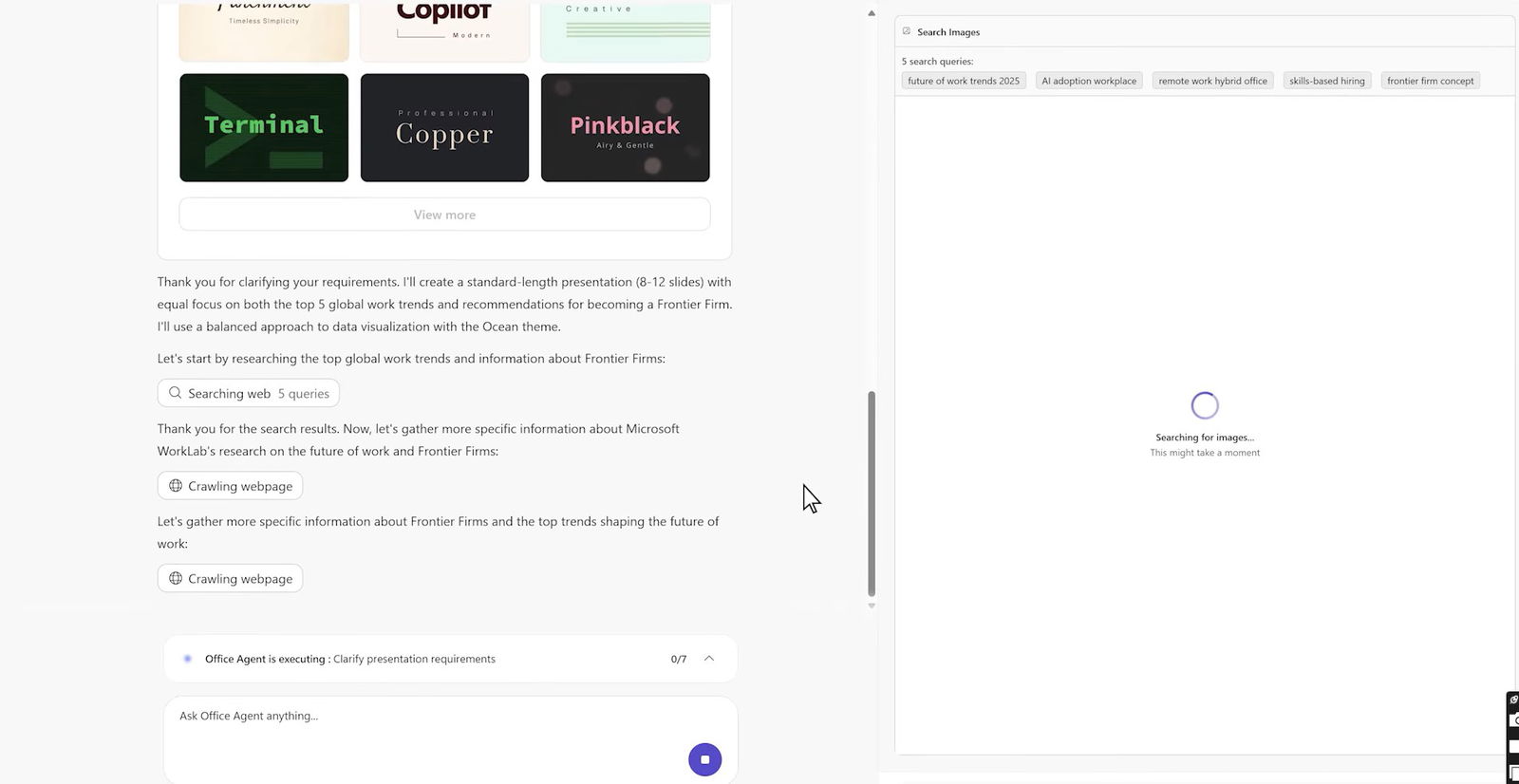
Office Agent flips that script for you. It makes well-organized, stylish PowerPoint presentations and well-researched Word documents.
Here are some more Office Agent prompts you can use:
-
Business Plan Prompt
“Help my restaurant chain draft a pop-up kitchen plan in Philadelphia. The event must serve 200 guests, use only locally sourced ingredients, stay within a $10,000 food-cost budget, and comply with county health permits. Give me an 8-slide overview to help me through the planning process.”
-
Retirement Savings Plan Prompt
“I need to create a set of slides to share with my employees to encourage them to fund their retirement accounts actively. We have agreed to match a percentage of their contributions, but I’d like to increase participation in this program. Use a combination of numbers, visuals, and narrative/analogies to help.”
-
Social Media Trends Prompt
“Create a report evaluating the trends of influencer and social media advertising in the coffee industry.”
Now that you know what Vibe Marketing is, how it works, let’s discuss why Vibe Working is becoming such an important shift.
Why Vibe Working Matters?
Vibe Working isn't just about automating tasks; It is also about making people more productive by giving them a smart assistant. Microsoft is making it easier for you to use advanced features that used to require expert knowledge by integrating AI more deeply into core Office programs.
For companies, this means teams can work faster and more efficiently, producing consistent results. AI can now help you with every step of complex tasks like data analysis, document writing, and presentation design, so you don't need to spend a lot of time learning how to accomplish these tasks.
The benefits are just as strong for individual users: they will have less repetitive work, better material, and more time to think creatively or strategically.
Moreover, Vibe Working fosters a collaborative AI experience. Its iterative design supports feedback and improvement, making the outputs more accurate and relevant to the user.
Instead of AI tools that are the same for everyone, these are customizable helpers that adapt to each user's workflow.
So, what’s the takeaway from all this?
Conclusion
Vibe Working gives us a glimpse of how everyday work is slowly changing. Instead of feeling tied to strict steps or heavy tools, we now get support that adapts to how we think and move through tasks.
It makes the whole process feel lighter and more approachable. At its core, Vibe Working is about making workflows feel more human.
With AI helping in the background and us steering the direction, the experience becomes easier, smoother and more in tune with how we naturally work.
When tools match our pace instead of slowing us down, work starts to feel less like a chore and more like a steady partnership. As Vibe Working grows, we may see even more features that support the way we naturally plan, create and collaborate. Let’s vibe together.
Frequently Asked Questions
What Is Vibe Working?
Vibe Working is Microsoft’s approach to combining user input with AI support inside its productivity apps. It helps create a smoother workflow where the AI refines content while users guide the direction.
How Does Agent Mode Improve Work In Excel, Word And Office?
Agent Mode uses AI to generate, review and refine work. It handles complex tasks like analysis, writing and presentation design while users focus on ideas and corrections.
Why Is Vibe Working Important For Users?
It reduces repetitive steps, makes advanced tools easier to use and creates a more natural way of working. This helps both teams and individuals work faster and produce better results.
Wed, Nov 26, 2025

Enjoyed what you've read so far? Great news - there's more to explore!
Stay up to date with the latest news, a vast collection of tech articles including introductory guides, product reviews, trends and more, thought-provoking interviews, hottest AI blogs and entertaining tech memes.
Plus, get access to branded insights such as informative white papers, intriguing case studies, in-depth reports, enlightening videos and exciting events and webinars from industry-leading global brands.
Dive into TechDogs' treasure trove today and Know Your World of technology!
Disclaimer - Reference to any specific product, software or entity does not constitute an endorsement or recommendation by TechDogs nor should any data or content published be relied upon. The views expressed by TechDogs' members and guests are their own and their appearance on our site does not imply an endorsement of them or any entity they represent. Views and opinions expressed by TechDogs' Authors are those of the Authors and do not necessarily reflect the view of TechDogs or any of its officials. While we aim to provide valuable and helpful information, some content on TechDogs' site may not have been thoroughly reviewed for every detail or aspect. We encourage users to verify any information independently where necessary.
Loading comments...