
Cyber Security
Is Your Device Under Threat? Apple Sends Urgent Spyware Alerts In 110 Countries!
Updated on Fri, Aug 14, 2026
Share
Apple has sent a new wave of threat notifications to users targeted by mercenary spyware across 110 countries, warning recipients to take the alerts seriously and act quickly to secure their iPhones, accounts, and data.
The latest notifications underline the reach of highly sophisticated spyware attacks, with Apple saying it has now alerted targeted users in more than 150 countries since launching the system in 2021.
TL;DR
- Apple sent its latest mercenary spyware threat notifications to targeted users across 110 countries.
- Alerts can appear on the iPhone Lock Screen, in Settings, by email, and on the Apple Account website.
- Apple recommends enabling Lockdown Mode and seeking expert security assistance.
- Since 2021, Apple has notified targeted users in more than 150 countries.
Apple Spyware Threat Notifications Reach Users Across 110 Countries
Apple's latest batch of alerts was sent to users it believes were individually targeted by mercenary spyware attacks, which are far more sophisticated and resource-intensive than conventional cybercrime.
Apple describes its threat notifications as high-confidence alerts based solely on its internal threat intelligence and investigations. However, the company does not disclose what specifically triggers an alert because doing so could help spyware operators change their methods and avoid detection.
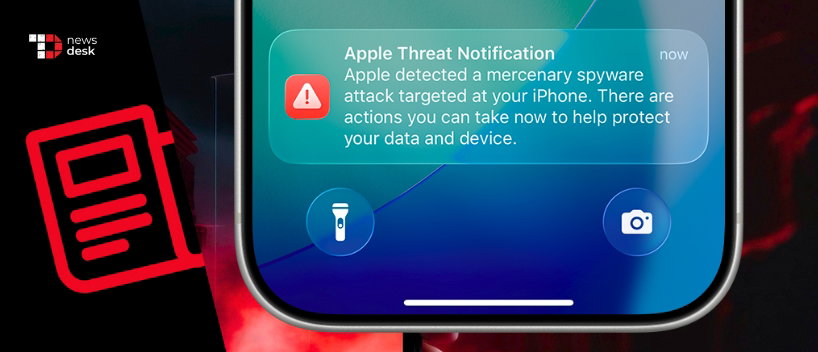
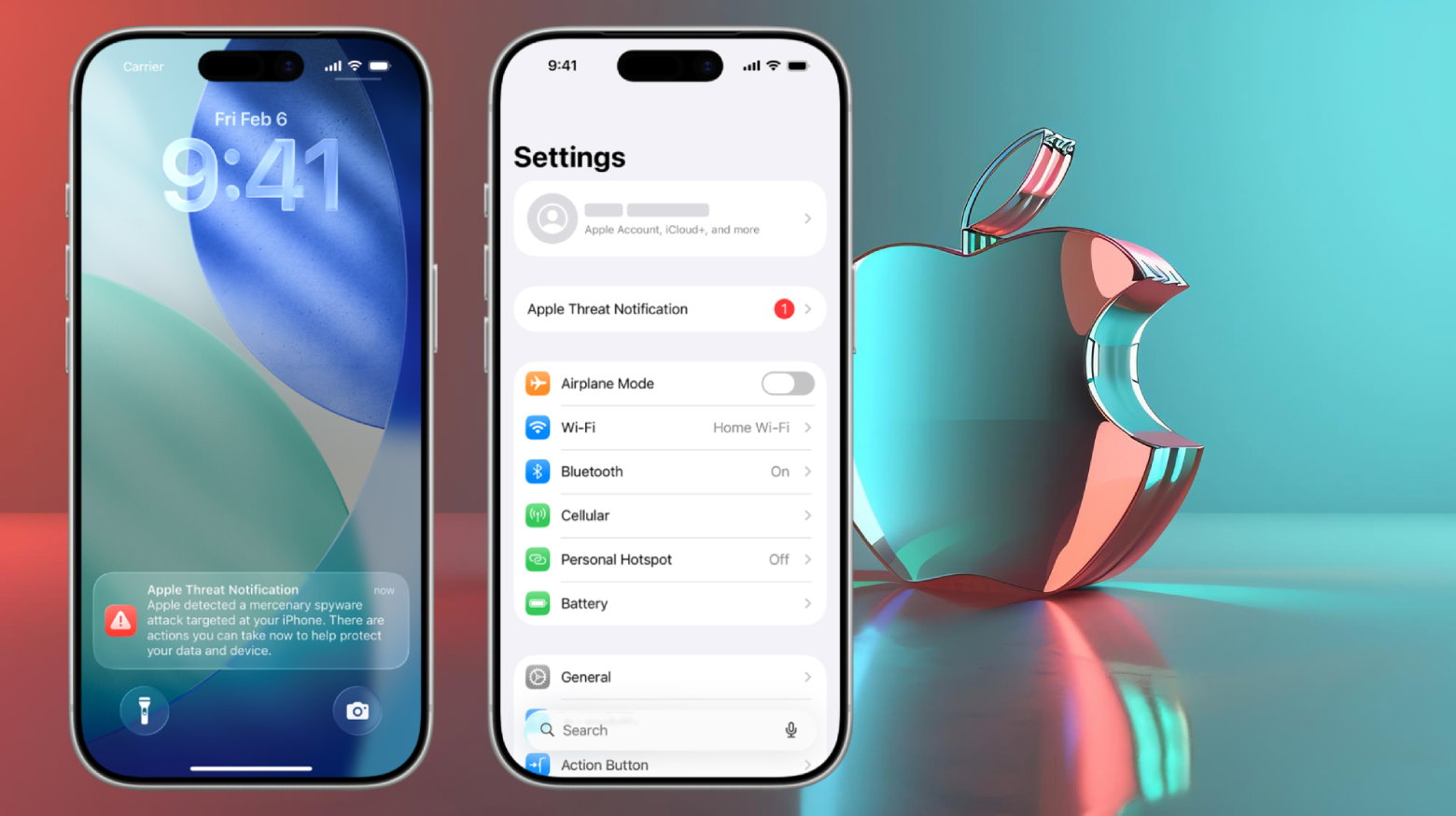
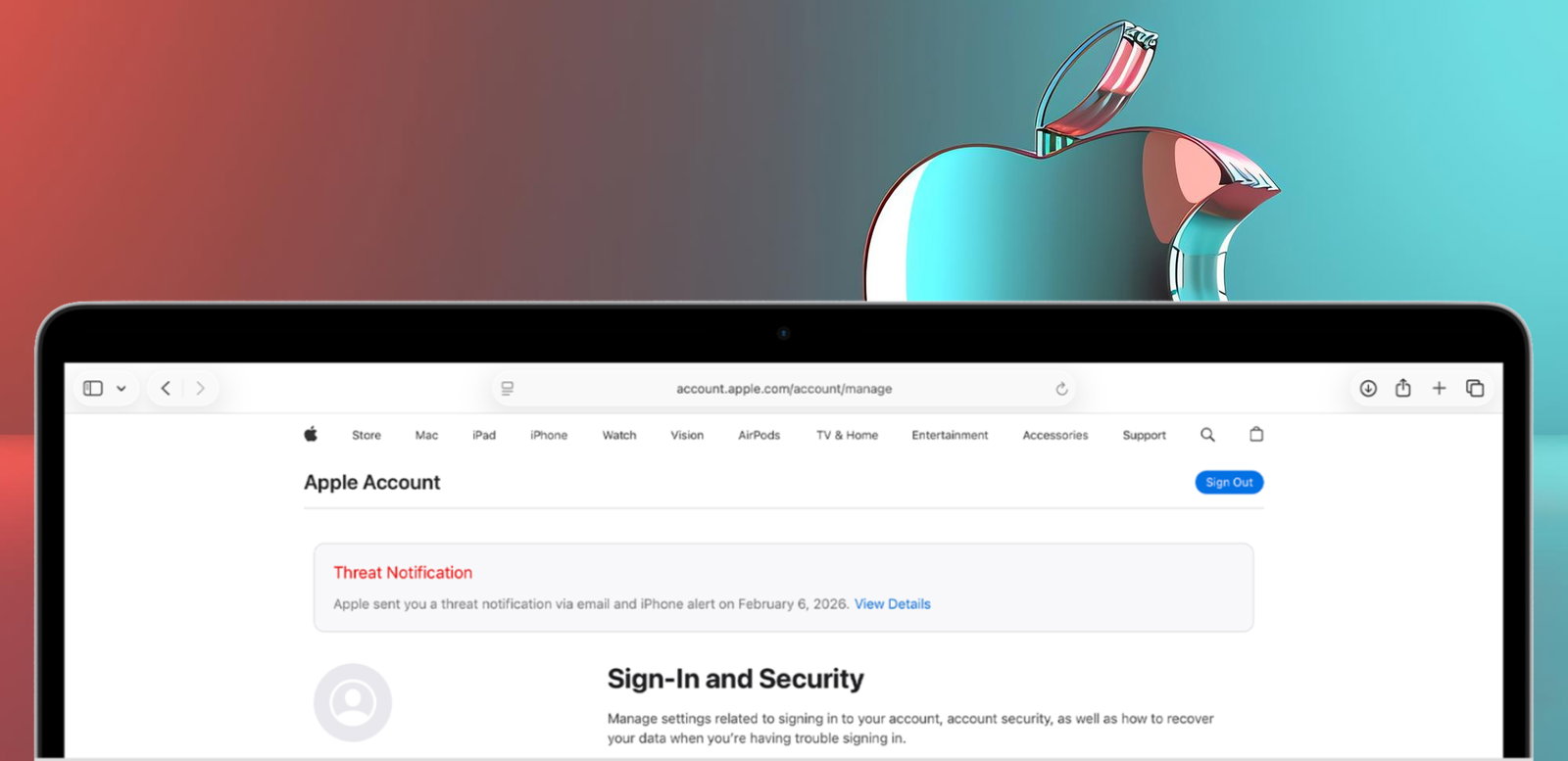
Recipients can now see an Apple Threat Notification directly on their iPhone Lock Screen and in Settings. Apple also sends an email to addresses connected to the user's Apple Account and displays a warning banner when the user signs in to account.apple.com.
The push notification states: “Apple detected a mercenary spyware attack targeted at your iPhone. There are actions you can take now to protect your data and device.”
Importantly, receiving an alert does not necessarily mean the device has already been successfully compromised. It does mean Apple believes the individual was specifically targeted and recommends immediate action.
Apple Urges Spyware Targets To Enable Lockdown Mode And Verify Alerts
Apple recommends that notified users enable Lockdown Mode, a security feature designed to sharply reduce the attack surface available to highly sophisticated spyware.
The company has previously said it has yet to observe a case in which a device was successfully hacked with spyware while Lockdown Mode was enabled.
Apple also recommends seeking specialist assistance, including from Access Now's nonprofit Digital Security Helpline, which provides emergency security support around the clock.
Users should also verify that an alert is genuine. Apple says its threat notifications never ask recipients to click links, open files, install apps or profiles, or provide an Apple Account password or verification code by email or phone.
A legitimate warning can instead be confirmed by signing directly into account.apple.com, where Apple's threat notification will appear at the top of the page.
Topics For More Insights
Apple's Spyware Alerts Highlight The Global Reach Of Mercenary Surveillance
Although Apple says the vast majority of users will never face mercenary spyware, the scale of its notification program shows how widely the technology has spread. Since 2021, targeted users across more than 150 countries have received alerts.
These attacks typically cost millions of dollars, evolve rapidly, and have historically been associated with state actors and private companies developing surveillance tools on their behalf. Journalists, activists, politicians, and diplomats have frequently been among those targeted.
Citizen Lab senior researcher John Scott-Railton called Apple's updated push notifications a “big improvement,” particularly because alerts can prompt victims to seek help and potentially uncover broader campaigns.
That makes Apple's message unusually simple for such a technically complex threat: if a mercenary spyware warning appears on your iPhone, treat it as real until you have verified otherwise.
First published on Fri, Aug 14, 2026

Enjoyed what you read? Great news – there’s a lot more to explore!
Dive into our content repository of the latest tech news, a diverse range of articles spanning introductory guides, product reviews, trends and more, along with engaging interviews, up-to-date AI blogs and hilarious tech memes!
Also explore our collection of branded insights via informative white papers, enlightening case studies, in-depth reports, educational videos and exciting events and webinars from leading global brands.
Head to the TechDogs homepage to Know Your World of technology today!
Disclaimer - Reference to any specific product, software or entity does not constitute an endorsement or recommendation by TechDogs nor should any data or content published be relied upon. The views expressed by TechDogs' members and guests are their own and their appearance on our site does not imply an endorsement of them or any entity they represent. Views and opinions expressed by TechDogs' Authors are those of the Authors and do not necessarily reflect the view of TechDogs or any of its officials. While we aim to provide valuable and helpful information, some content on TechDogs' site may not have been thoroughly reviewed for every detail or aspect. We encourage users to verify any information independently where necessary.
Loading comments...