

Automation
What Is Rabbit OS3? The New AI Agent App Moving Beyond R1 Hardware
Share
TL;DR
-
Rabbit OS3 became generally available on September 22, 2026, after an invite-only beta.
-
Users do not need an R1 because OS3 works through the web, desktop software, messaging services, and connected computers.
-
A single account can connect up to five devices for agent-driven tasks.
-
OS3 uses a Bring Your Own Key model, letting users choose supported AI providers while keeping Rabbit’s memory and skills layer.
-
Rabbit says OS3 is free, although users pay their chosen AI provider’s API costs.
Introduction
Imagine buying R2-D2 only to discover, two years later, that the real breakthrough was not the little robot. It was the intelligence that could have lived across all your existing machines.
Rabbit seems to have reached a similar conclusion.
The company that attracted enormous attention with its orange R1 AI device in 2024 has launched Rabbit OS3, an agentic operating system that works across computers, the web, messaging services, and the R1 itself. You tell it an outcome, and Rabbit says the system can decide which models, tools, files, skills, or connected machines it needs to complete the job.
That makes the Rabbit OS3 launch more interesting than another R1 software update. It changes what Rabbit itself is selling.
So, what is Rabbit OS3, and has Rabbit finally moved beyond dedicated AI hardware?
What Is Rabbit OS3?
Rabbit describes OS3 as an agentic operating system built around one conversational environment.
Instead of opening a particular application, choosing the right file, and manually moving information between tools, users describe what they want finished. OS3 can then combine supported AI models, skills, the web, and computers connected to the account.
The Rabbit OS3 AI agent app includes several pieces:
-
Persistent memory and context that carry information forward between requests.
-
A local Rabbit Agent that lets OS3 work with files, software, and terminal tools on connected computers.
-
Support for up to five connected devices on one account.
-
Bring Your Own Key, or BYOK, access to supported AI model providers.
-
Third-party agent skills that can extend what the system can do.
-
Access through the web, R1, Telegram, and supported messaging channels.
The important distinction is that OS3 is not an AI model itself.
Rabbit positions it as the layer coordinating models, memory, computers, and skills. Change the underlying supported model, and the OS3 environment, including its memory and connected machines, can remain intact.
How Does The Rabbit AI Agent App Actually Work?
Rabbit OS3 runs primarily in the cloud, while a small local program called Rabbit Agent connects the system to a user’s computer.
Once installed, the agent can work primarily through that machine’s terminal and, with permission, access supported local files, tools, and commands. Rabbit’s Direct Large Action Model, or DLAM, can also interact with desktop software and web interfaces when the task requires visual interaction.
The workflow can be simplified like this:
-
You describe an outcome in natural language.
-
OS3 determines what model, skill, application, file, or computer may be required.
-
Rabbit Agent carries out supported work on a connected machine.
-
OS3 can move parts of a task between connected devices.
-
The conversation retains relevant memory so later requests can build on earlier work.
Rabbit says one account can connect five devices, including Windows, macOS, and Linux computers, giving the system the ability to choose where a task should run instead of making the user manually transfer work.
That cross-device execution is central to Rabbit’s pitch: less AI chat, more AI doing.
Rabbit R1 Software Pivot: From Gadget To Gateway
This is where the Rabbit R1 software pivot becomes difficult to ignore.
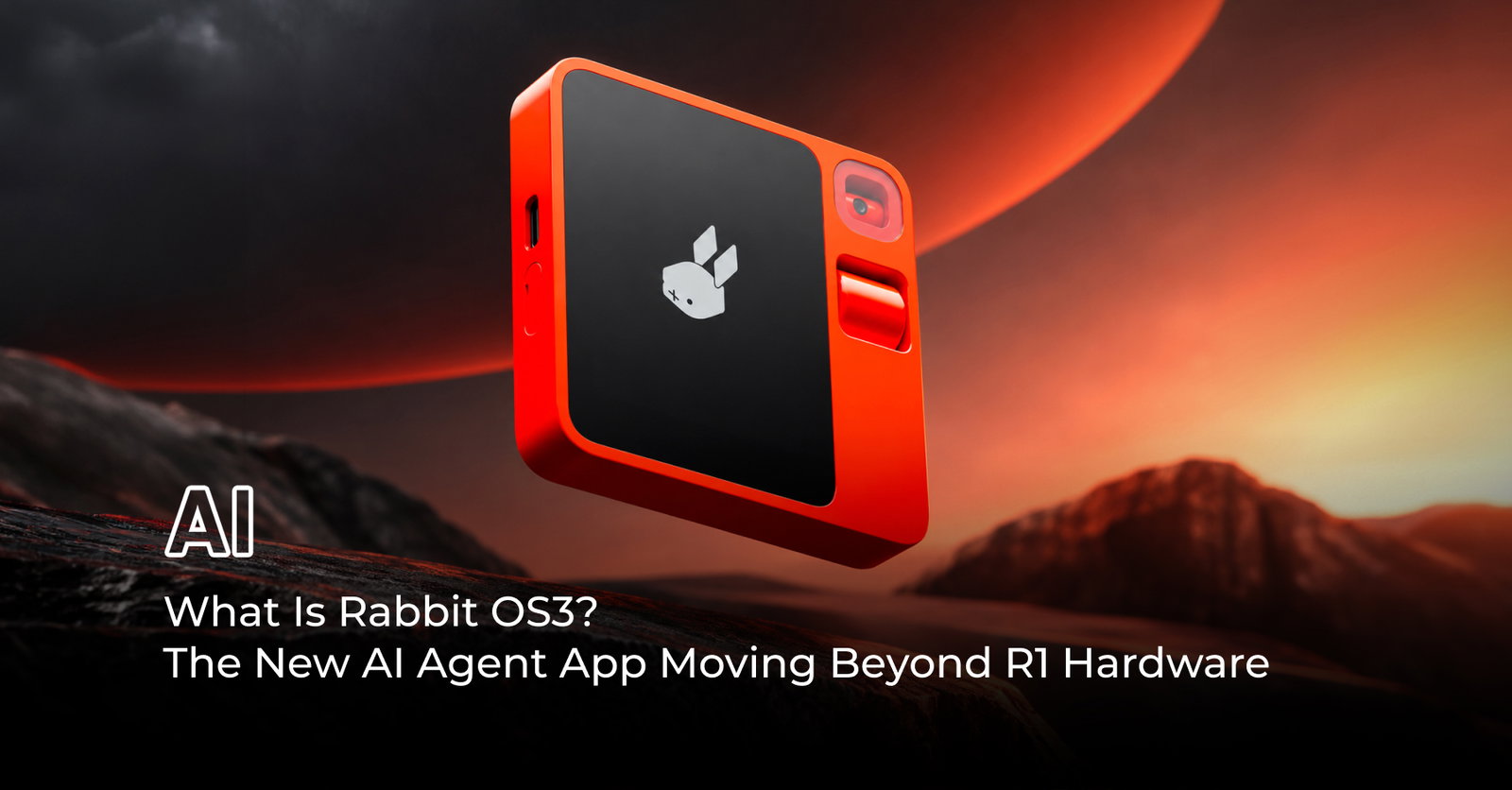
When Rabbit introduced the $199 R1 in 2024, it presented dedicated hardware as the home for its Large Action Model. The idea was to reduce reliance on traditional app interfaces by letting an AI perform digital errands on the user’s behalf.
Reality was bumpier.
WIRED reported that the early R1 received harsh reviews, including its own 3/10 assessment, as many of the promised agentic experiences struggled at launch. TechCrunch reported later in 2024 that even after 16 over-the-air updates, the device remained limited in the services it could directly operate.
OS3 flips that original relationship.

You no longer need the R1 to use Rabbit’s agentic system. The R1 instead becomes one physical interface into OS3: press its button, speak, and send work into the same broader environment available elsewhere.
WIRED also reports that Rabbit is no longer manufacturing the R1 and that CEO Jesse Lyu says there are no plans for an R2. Rabbit is instead preparing a separate “Cyberdeck” device focused on coding.
The hardware has not disappeared, but it is no longer the center of the story.
What Makes Rabbit OS3 Different From A Normal AI Chatbot?
The biggest difference is execution.
A chatbot can explain how to organize files. A Rabbit agent can potentially work with those files on an authorized computer.
A chatbot can recommend steps for a workflow. OS3 is designed to coordinate the models, skills, tools, and machines required to carry it out.
Rabbit also uses a BYOK approach. Users connect an API key from a supported provider instead of paying Rabbit for bundled model usage. According to Rabbit, users can switch supported models without rebuilding the memory, skills, and computer connections associated with their OS3 environment.
OS3 itself is currently free. Users instead pay their selected AI provider according to that provider’s API pricing.
That turns Rabbit from the company supplying the AI model into the company trying to orchestrate everything around it.
What Can Rabbit OS3 Control?
The new Rabbit AI Agent App has considerably broader ambitions than answering questions.
Rabbit says OS3 can work with:
-
Local files and terminal commands.
-
Desktop applications and webpages through DLAM.
-
Coding workflows, including writing, debugging, and running software.
-
Multiple computers attached to the same account.
-
Compatible skills sourced from the wider agent ecosystem.
-
Supported cloud-hosted or locally run AI models.
OS3 can currently be reached through its browser workspace, Rabbit’s native desktop experience, Telegram, messaging channels including iMessage/RCS/SMS, and the R1.
Founder and CEO Jesse Lyu describes the goal as building “a system you don't operate, but instead just tell it the outcome”.
That is also where the stakes rise.
Rabbit OS3 Still Comes With An Important Catch
Giving an AI agent direct access to a computer is fundamentally different from asking a chatbot a question.
Rabbit says its local agent does not copy, store, use, or sell files simply because it has access to them. However, its own Terms of Use explicitly warn that OS3 can read files, move the mouse, type, open applications, browse the web, install tools, and complete transactions when authorized.
There is another important detail.
Despite OS3 reaching general availability, Rabbit’s current terms describe OS3 and Rabbit Agent as a technical preview/beta. They state that the software is experimental, probabilistic, may produce unintended results, and is not intended for unattended, safety-critical, regulated, or production enterprise use.
That distinction deserves attention because the more capable an agent becomes, the consequences of an incorrect action become more significant too.
Is Rabbit Moving Beyond The R1?
Yes, although “abandoning hardware” would go too far.
Rabbit OS3 clearly makes the company’s agentic software independent of R1 ownership. At the same time, Rabbit still supports the existing device and plans additional hardware.
The strategic shift is subtler.
In 2024, Rabbit needed people to buy a new device to experience its vision. In 2026, Rabbit wants its agent to run through the devices people already own.
That makes OS3 less a replacement for the R1 and more an attempt to deliver the idea the R1 originally represented without requiring the orange box.
Conclusion
Rabbit R1 tried to convince users that AI deserved its own device. Rabbit OS3 asks a different question: what if the agent simply moved into every device you already use?
That brings us back to R2-D2.
The useful part was never really the metal shell. It was having one capable intelligence that understood the mission, worked across systems, and helped get things done.
Rabbit OS3 is the company’s attempt to make that software layer the product.
Whether its Rabbit agentic operating system can reliably execute complex real-world work remains the test ahead. However, the strategic direction is clearer than it was in 2024: Rabbit’s future is no longer confined to your pocket.
Frequently Asked Questions
Which AI Model Providers Does Rabbit OS3 Support?
Rabbit OS3 currently supports API connections from Anthropic, OpenAI, OpenRouter, Ollama, and Z.ai. Users choose one provider credential at a time and can select different models offered through that provider. Rabbit notes that the supported-provider and model list may change as its integrations evolve.
Can Rabbit OS3 Run A Local AI Model Instead Of A Cloud Model?
Yes. Rabbit OS3 includes a Local LLM option that can connect to a model running on one of the user's linked computers. The computer must be online, the model must be served at a local address, and OS3 needs the model ID before it can use it.
Do Rabbit OS3 Conversations Sync Across The Web, Telegram, And R1?
Not exactly. Rabbit says the web, Telegram, and R1 maintain separate conversation threads, although they all use the same OS3 memory and relevant context. This means information can carry across the broader system without every interaction appearing as one continuous shared chat history.
Thu, Sep 24, 2026

Enjoyed what you've read so far? Great news - there's more to explore!
Stay up to date with the latest news, a vast collection of tech articles including introductory guides, product reviews, trends and more, thought-provoking interviews, hottest AI blogs and entertaining tech memes.
Plus, get access to branded insights such as informative white papers, intriguing case studies, in-depth reports, enlightening videos and exciting events and webinars from industry-leading global brands.
Dive into TechDogs' treasure trove today and Know Your World of technology!
Disclaimer - Reference to any specific product, software or entity does not constitute an endorsement or recommendation by TechDogs nor should any data or content published be relied upon. The views expressed by TechDogs' members and guests are their own and their appearance on our site does not imply an endorsement of them or any entity they represent. Views and opinions expressed by TechDogs' Authors are those of the Authors and do not necessarily reflect the view of TechDogs or any of its officials. While we aim to provide valuable and helpful information, some content on TechDogs' site may not have been thoroughly reviewed for every detail or aspect. We encourage users to verify any information independently where necessary.
Loading comments...