

Artificial Intelligence
OpenAI Launches ChatGPT For Teens With Built-In Safety And Study Tools
Share
TL;DR
-
ChatGPT for Teens activates automatically when OpenAI identifies an eligible user as under 18.
-
ChatGPT Study Mode uses questions, step-by-step guidance, quizzes, and visualizations to support active learning.
-
Parents can set Study Hours and Quiet Hours without gaining access to a teen’s private conversations.
-
OpenAI’s age assurance system uses account information, usage signals, and verification when needed.
-
Pew Research Center found 54% of U.S. teens have used chatbots for schoolwork, showing why safer AI study tools matter.
Introduction
ChatGPT for Teens can be understood as a school library with different access cards. Everyone enters the same building, but students receive a special card that unlocks guided study rooms, restricted sections, and additional supervision. The core system remains the same, but the experience changes based on the user’s age.
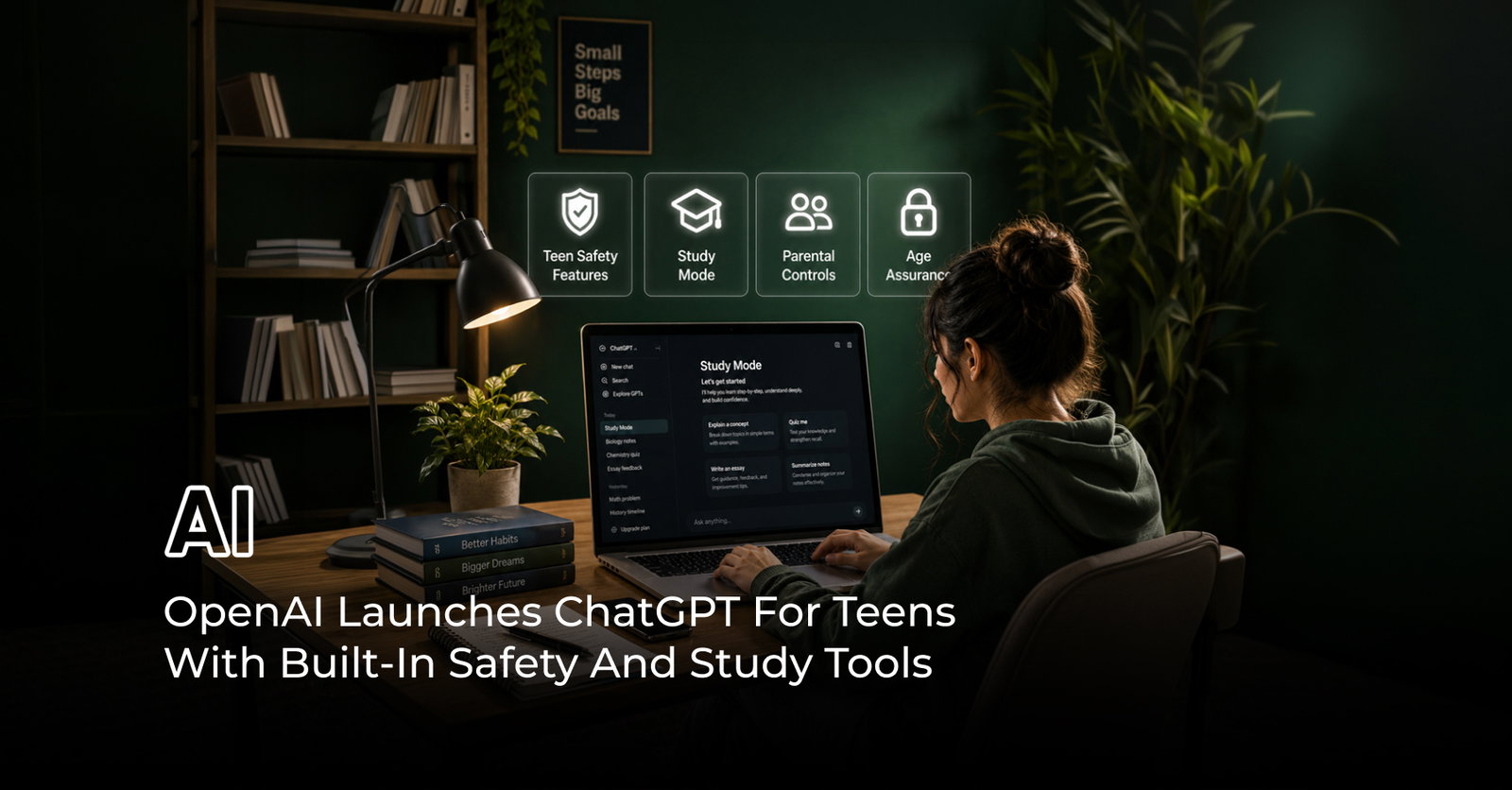
On August 18, 2026, OpenAI launched ChatGPT for Teens for users aged 13 to 17. It keeps the same powerful chatbot but adds stronger protections, learning features, age assurance, and optional parental controls.
The timing is significant. Pew Research Center found that 54% of U.S. teens have used AI chatbots for schoolwork, while 59% say AI-assisted cheating happens at least somewhat often at their schools.
OpenAI is not trying to remove teenagers from AI. It is redesigning how they experience it.
What Is ChatGPT For Teens?
ChatGPT for Teens is not a separate app or a simplified chatbot. OpenAI describes it as the same ChatGPT with added protections and age-aware features.
The rollout applies globally across Free and paid personal plans. Users are automatically placed into the teen experience if their age is provided, verified, or inferred through OpenAI’s age-prediction system.
In practice, “ChatGPT teen mode” is simply a label for a bundled set of safeguards. OpenAI officially refers to it as ChatGPT for Teens, combining earlier safety work such as parental controls, age prediction, and Study Mode into one unified system.
ChatGPT Study Mode Makes Homework Help More Active
ChatGPT Study Mode works like a personal tutor instead of an answer machine. It turns homework into guided practice instead of copy-paste solutions.
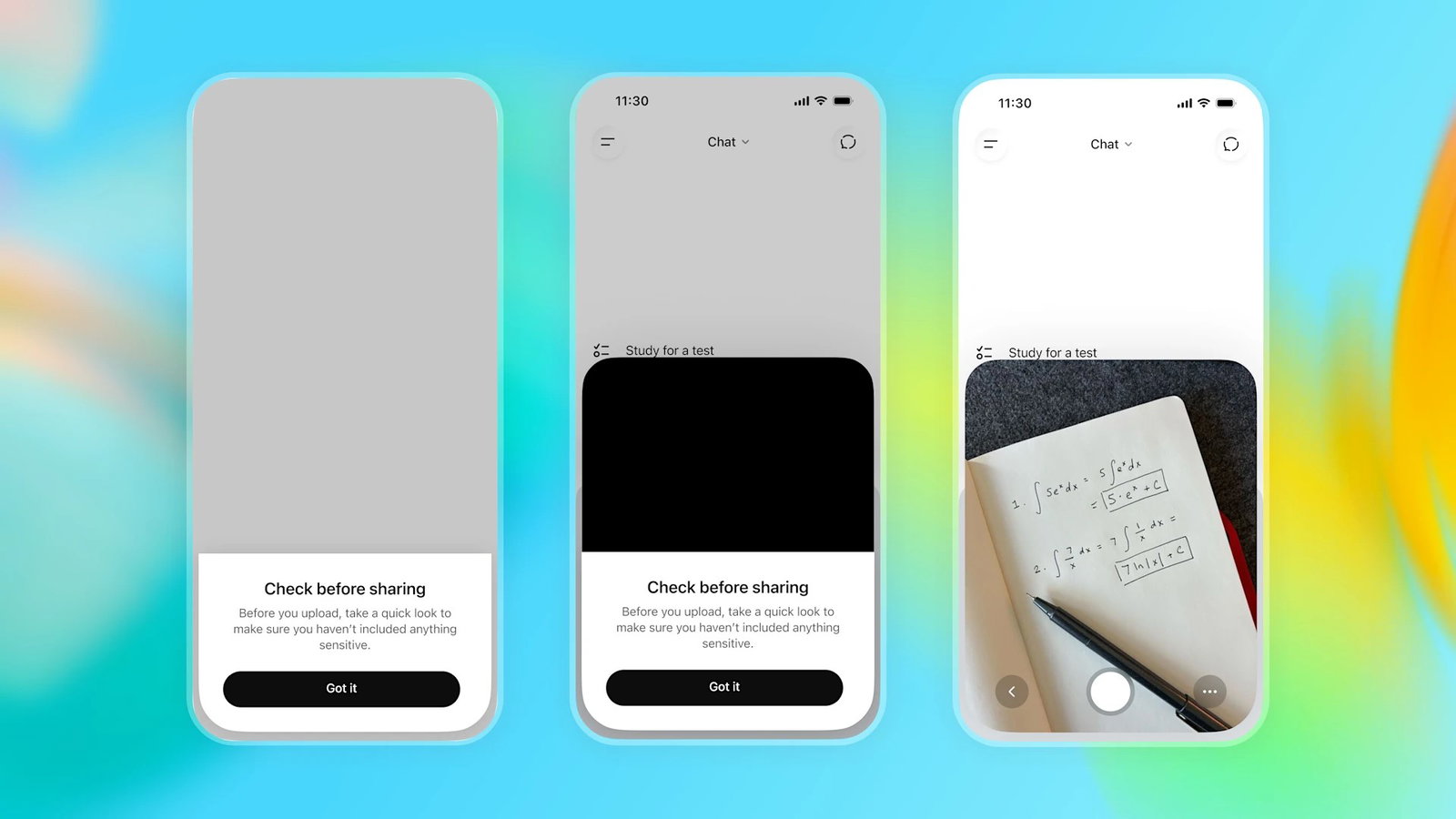
ChatGPT Study Mode uses structured learning techniques, including step-by-step explanations, Socratic questioning, quizzes, and visual breakdowns. Students can also upload notes, worksheets, or slides for assistance.
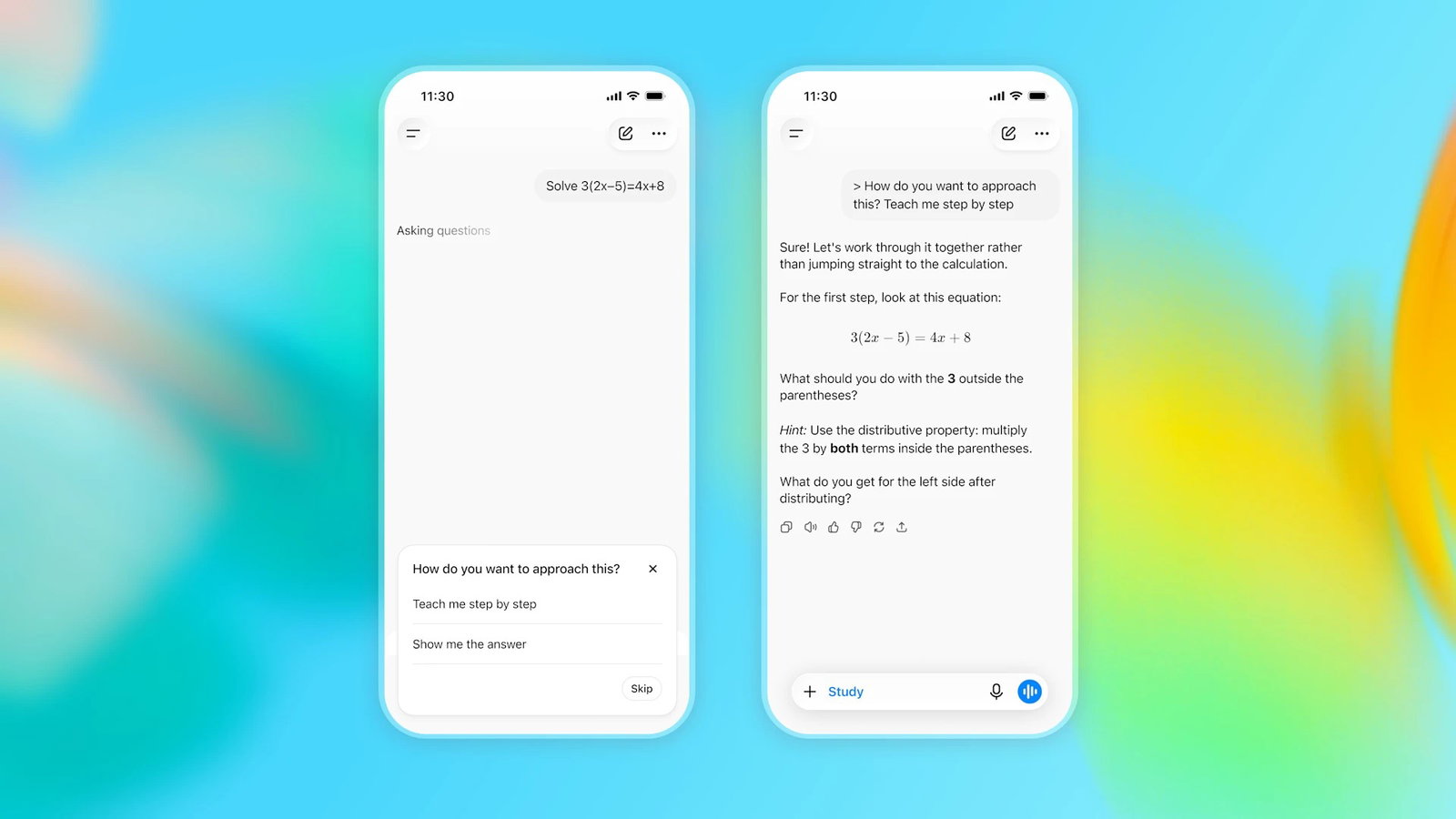
Rather than immediately providing answers, it encourages students to work through problems. OpenAI also introduces homework reminders that may redirect users into Study Mode when they appear to be skipping learning steps.
This matters because Pew data shows that schoolwork and information search are the top reasons teens use AI. Study Mode represents OpenAI’s effort to shift AI from a shortcut tool into a learning partner.
ChatGPT Age Assurance Decides Who Gets Teen Protections
OpenAI’s age assurance system works like a security gate at an amusement park that checks your height using multiple methods, not just one.
Instead of relying only on a birthdate, it uses:
-
Account age and history
-
Usage patterns and behavioral signals
-
Self-declared age
-
AI-based age prediction models
If the system determines a user is under 18, teen protections are applied automatically. If it is uncertain, OpenAI defaults to the safer experience.
Adults incorrectly placed in the teen category can verify their age using a selfie-based check through Persona. However, the system remains probabilistic, meaning it estimates age rather than guaranteeing perfect accuracy.
How Do Parental Controls Work In ChatGPT?
OpenAI parental controls require both teen and parent accounts to be linked through an invitation.
-
Parental controls act like a remote control for usage rules, not a window into conversations.
-
They shape when and how ChatGPT is used, not what is said inside it.
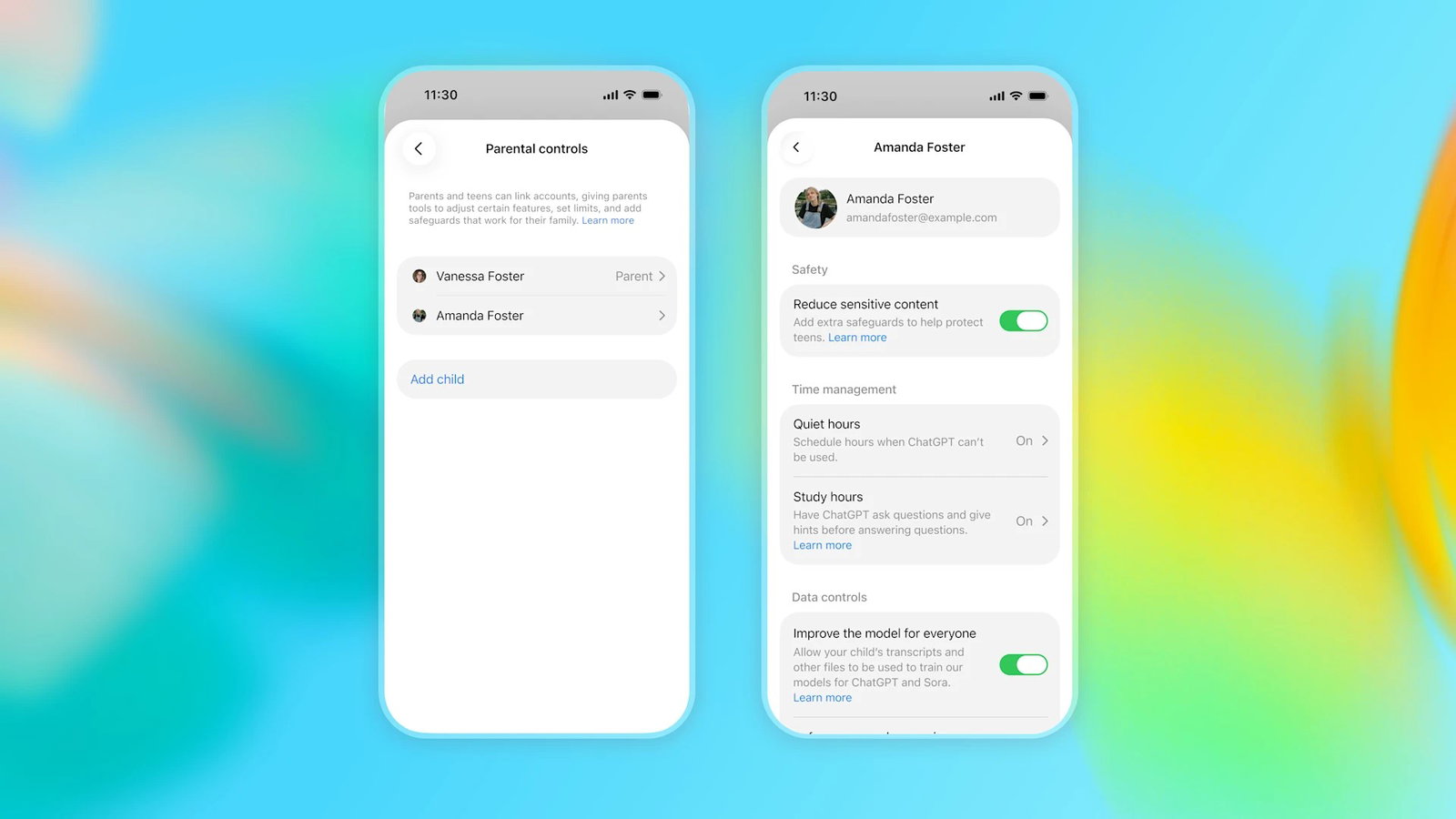
Once connected, parents can manage:
-
Sensitive content filters
-
Memory and personalization settings
-
Voice Mode and image generation
-
Study Mode and Study Hours
-
Quiet Hours scheduling
Importantly, parents cannot access chat history or private conversations. In rare high-risk cases, OpenAI may send safety alerts without sharing transcripts.
Either party can unlink the connection, and parents are notified if that happens.
ChatGPT Teen Safety Features Go Beyond Filters
The ChatGPT teen safety system is designed like a seatbelt, airbags, and speed limits working together in a car—multiple layers rather than a single barrier.
It covers:
-
Self-harm and mental health risks
-
Graphic violence
-
Eating disorders
-
Dangerous or viral challenges
-
Sexual or romantic roleplay restrictions
OpenAI also aims to reduce emotional overdependence. The system avoids romantic language, discourages emotional reliance, and does not present itself as conscious or emotionally attached.
This is important because Common Sense Media found that nearly three in four teens have used AI companions, blurring the line between tool and “digital friend.”
The Guardrails Still Need To Prove Themselves
Even strong safety systems can behave like a school dress code with loopholes, clear rules exist, but determined users often find ways around them.
Early testing suggests this challenge remains. Business Insider tested ChatGPT for Teens and found that while it resisted direct essay generation at first, repeated prompting eventually produced full answers. It also solved math problems in ways that could still be used for homework completion.
OpenAI itself notes that Study Mode may still make mistakes and occasionally provide direct answers.
Experts remain cautiously optimistic. Brendan Bouffard from Fairplay called the launch “a step in the right direction” in comments to AP, but warned that parents should not assume it eliminates all risks.
What Does ChatGPT For Teens Change?
The biggest shift is that age is now treated like a traffic system with different lanes for different drivers.
Instead of a single universal experience, ChatGPT adapts based on whether a user is likely a teen or an adult. Teen users receive stronger protections by default, while parents can add structure without full surveillance.
Students also gain more guided learning tools, and the system actively discourages shortcut behavior.
However, the real test is not the feature list—it is whether teens can consistently bypass safeguards, whether age prediction remains accurate, and whether Study Mode genuinely improves learning outcomes rather than simply reshaping how answers are delivered.
Conclusion
ChatGPT for Teens is OpenAI’s attempt to redesign AI for younger users without removing access to it. It combines safety, structured learning, and parental oversight into a single system that adapts based on age.
Like a library with guided study rooms and tiered access, it changes the environment rather than the core tool. Its long-term success will depend on real-world behavior, not design intent.
If teenagers can still find shortcuts, the system will need to evolve quickly. If Study Mode meaningfully improves learning, it could become one of the most important shifts in AI-assisted education so far.
Frequently Asked Questions
Can ChatGPT For Teens Be Used Without An Account?
No, access requires a registered OpenAI account with age-related classification applied during setup.
Does ChatGPT For Teens Work Differently On Mobile And Desktop?
The experience remains consistent across devices, with the same safety and learning features enabled.
Does ChatGPT For Teens Store Learning Progress?
It may retain limited interaction context to improve responses, depending on user settings and permissions.
Wed, Aug 19, 2026

Enjoyed what you read? Great news – there’s a lot more to explore!
Dive into our content repository of the latest tech news, a diverse range of articles spanning introductory guides, product reviews, trends and more, along with engaging interviews, up-to-date AI blogs and hilarious tech memes!
Also explore our collection of branded insights via informative white papers, enlightening case studies, in-depth reports, educational videos and exciting events and webinars from leading global brands.
Head to the TechDogs homepage to Know Your World of technology today!
Disclaimer - Reference to any specific product, software or entity does not constitute an endorsement or recommendation by TechDogs nor should any data or content published be relied upon. The views expressed by TechDogs' members and guests are their own and their appearance on our site does not imply an endorsement of them or any entity they represent. Views and opinions expressed by TechDogs' Authors are those of the Authors and do not necessarily reflect the view of TechDogs or any of its officials. While we aim to provide valuable and helpful information, some content on TechDogs' site may not have been thoroughly reviewed for every detail or aspect. We encourage users to verify any information independently where necessary.
Loading comments...