
Consumer Electronics Technology
Microsoft Surface Pro 12 And Laptop 8 Breakdown: Pricing And Specifications
Share
TL;DR
-
Surface Pro 12 starts at $1,499.99, with a Surface for Business edition arriving July 14 at $1,649.99.
-
Surface Laptop 8 starts at $1,599.99 (13.8-inch) and $1,699.99 (15-inch), with a matching Business edition also landing July 14.
-
The Surface Pro 12 adds an OLED display option, a Dune-colored Flex Keyboard, and haptic feedback through the Slim Pen 2.
-
The Surface Laptop 8 gains a haptic trackpad, a sharper 262 PPI display on the 15-inch model, and a new Jade colorway on the 13.8-inch.
-
Both devices run identical Snapdragon X2 chips with an 80 TOPS NPU, so AI performance does not change based on form factor.
-
Business buyers get the same Snapdragon starting price on both devices, making form factor, ports, privacy features, and battery life the real deciding factors.
Introduction
Do you remember the episode of FRIENDS where Chandler bought a new laptop? The one where he showed off its "advanced" capabilities: 12MB of RAM, a 500MB hard drive, built-in spreadsheet capabilities, and a modem that transmitted at over 28,000 bps.
In 1995, that may have seemed cutting-edge and next generation. However, in 2026, it will be less powerful than some of the most basic smartphones, let alone laptops.
Today's laptops are capable of running movies, playing games, streaming content, editing 4K videos, powering virtual meetings, handling creative workloads, securing business data, and keeping entire workdays moving. Moreover, they are now being built to handle artificial intelligence (AI) more directly, with dedicated chips that can process some AI workloads on device instead of sending everything to the cloud.
This is what Microsoft is bringing through its Surface Pro 12 and Surface Laptop 8. These devices are setting a new level for business and personal laptops, combining premium design, sharper performance, longer battery life, and practical AI capabilities into machines made for modern work and play.
So, what do these devices offer, and how much do these new Surface devices cost? Here's the full breakdown; no spreadsheet capabilities required.
Microsoft Surface Pro 12 And Laptop 8 Breakdown: Pricing And Specifications
Before diving into the numbers, it helps to separate the headline upgrades from the spec-sheet noise. The new Surface lineup is not just about faster chips; it is also about better screens, longer battery life, stronger AI support, and higher price tags.
Here are the most noticeable changes users will actually feel whether they are choosing the flexible Pro or the more familiar Laptop.
-
Surface Pro 12: Key Features
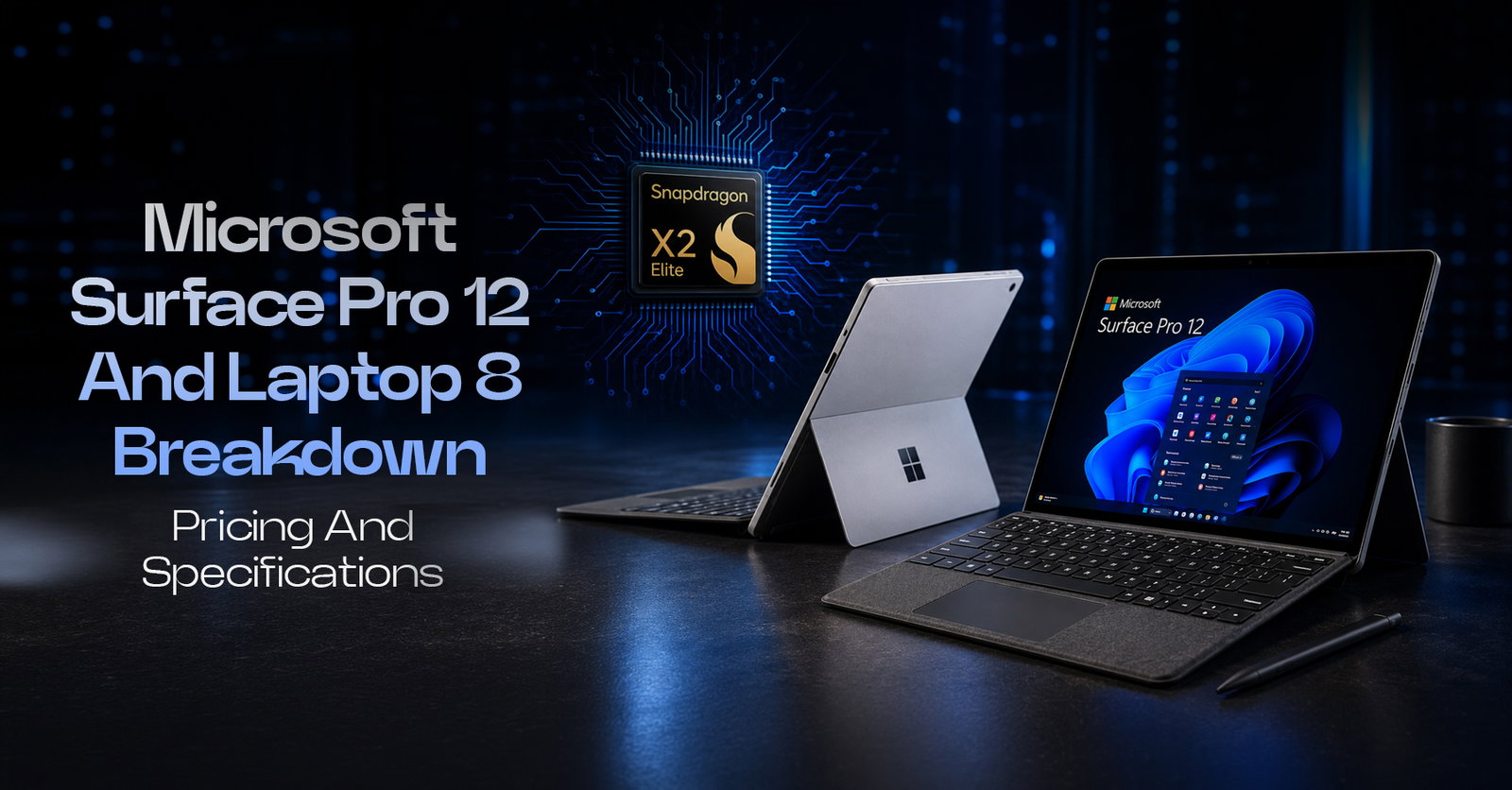
The Surface Pro 12 is a 13-inch 2-in-1 that runs on Qualcomm's Snapdragon X2 chips, available in a 10-core X2 Plus or 12-core X2 Elite configuration. It comes with a 13-inch PixelSense Flow display, offered as either a standard LCD panel or an optional OLED upgrade, both running at up to 120Hz.
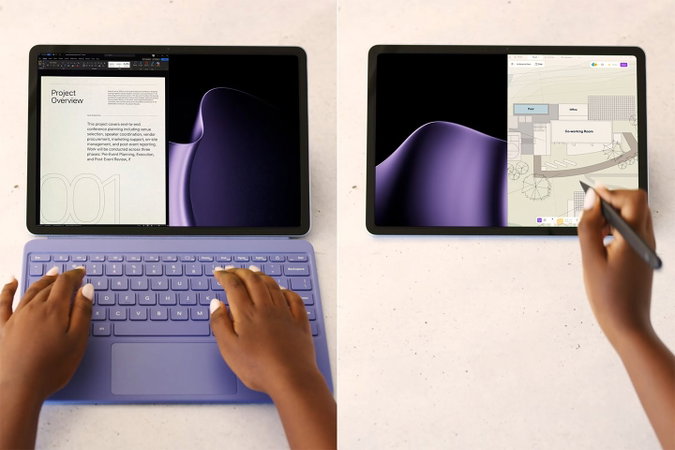
The detachable Flex Keyboard now comes in a new Dune finish to match the device's color options, and pairs with the Slim Pen 2, which adds haptic feedback while writing. A Quad HD front camera supports Windows Studio Effects like automatic framing and eye contact correction, while the 165-degree kickstand carries over from earlier generations. On-device AI tasks run through an 80 TOPS NPU, and the device ships with Affinity's creative suite pinned to the Start menu, ready to use without a separate install. -
Surface Laptop 8: Key Features
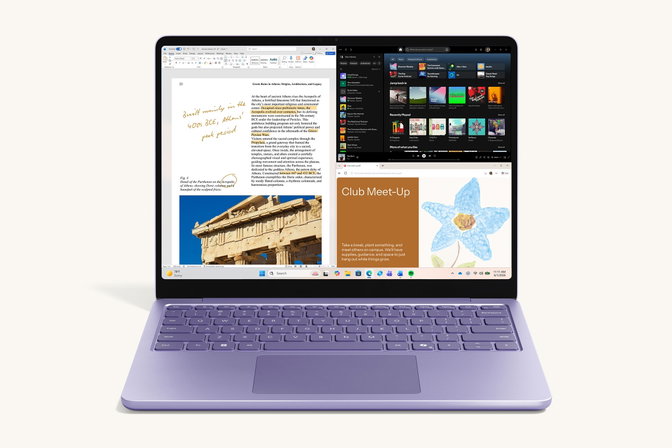
The Surface Laptop 8 swaps the tablet format for a traditional clamshell, available in 13.8-inch and 15-inch sizes, both running LCDs. The 15-inch model picks up a sharper screen this generation, jumping from 201 PPI to 262 PPI, while the 13.8-inch adds a new Jade colorway alongside Platinum, Black, and Dune. Both sizes now include a haptic trackpad that provides subtle feedback when interacting with Windows.
The front camera is a 1080p Full HD unit designed for sharper video calls, with Windows Studio Effects supporting AI-enhanced meeting features. Like the Pro, the Laptop 8 runs Windows Studio Effects and ships with Affinity pinned to the Start menu for consumer units, while business units require a separate Affinity install.
This generation's added hardware comes with new pricing across both lines. -
Surface Pro 12: Pricing And Availability
Microsoft Surface Pro 12 pricing starts at $1,499.99 for the entry configuration: a 10-core Snapdragon X2 Plus chip with 16GB of RAM and 256GB of storage. Configurations scale up to a 12-core Snapdragon X2 Elite with 64GB of RAM and 1TB of storage.
The device has been available to consumers since June 16, 2026. A Surface for Business edition running the same Snapdragon X2 silicon follows on July 14, 2026, adding Windows 11 Pro, enterprise-grade management features, and an anti-reflective 13-inch PixelSense Flow display with optional OLED at a higher Surface Pro 12 Enterprise Cost starting at $1,649.99. Through June 30, buyers also get a free Surface Pro 13-inch Keyboard, 50% off Microsoft Complete, and up to $900 in trade-in credit toward an older device. -
Surface Laptop 8: Pricing And Availability
Microsoft Surface Laptop 8 starts at $1,599.99 for the 13.8-inch model and $1,699.99 for the 15-inch, both available since June 16, 2026. Surface Laptop 8 Configurations range from 16GB up to 64GB of RAM. Windows Central lists storage from 256GB to 2TB on the 13.8-inch model and 512GB to 2TB on the 15-inch model, although current US Microsoft Store configurations start at 512GB and show up to 1TB, depending on SKU and region.
A Surface for Business edition arrives July 14, 2026, at the same $1,649.99 starting price as the Pro's business tier, with an integrated privacy screen available on select Surface Laptop for Business models for organizations handling sensitive data. The same June 16 to June 30 launch offer applies here too: a free Surface Arc Mouse, half off Microsoft Complete, and trade-in credit up to $900.
Pricing explains what each device costs. The specification sheet explains what that money buys.Now that the pricing is clear, the specifications show where Microsoft is trying to justify the jump: processors, AI hardware, display quality, battery life, and everyday usability.
-
Surface Pro 12: Key Specifications
Both Snapdragon X2 chip options pair with a Qualcomm Adreno GPU and a Hexagon NPU rated at 80 TOPS for on-device AI tasks. The 13-inch PixelSense Flow display runs at 2880 x 1920 resolution (267 PPI) in a 3:2 aspect ratio, with the OLED variant peaking at 900 nits in HDR and the LCD variant at 600 nits.
Battery life is rated at up to 15.5 hours of local video playback or 11.5 hours of active web use. The device weighs 1.97 lbs and measures 11.3 x 8.2 x 0.37 inches.
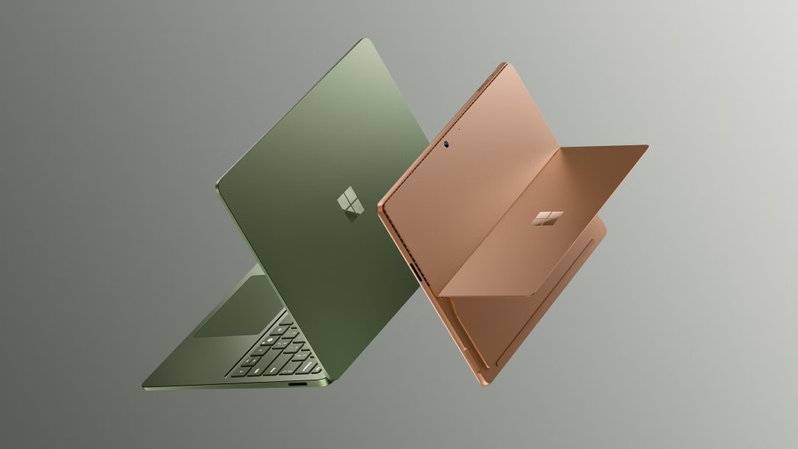
Surface Pro 12 comes in Platinum, Black, and Dune, giving the 2-in-1 a more polished finish across both work and personal setups. The Dune option also pairs naturally with the new Dune-colored Flex Keyboard, keeping the tablet-to-laptop experience visually consistent.
Security includes a Secured-core PC build with the Microsoft Pluton processor and Windows Hello facial recognition. Two USB-C/USB4 ports support up to three 4K monitors at 60Hz. For IT departments evaluating a fleet rollout, Microsoft Surface Pro 12 Enterprise Configurations carry the same Snapdragon X2 chip family and up to 64GB of memory as the consumer model, but Microsoft lists 16GB, 32GB, and 64GB tiers for the business Snapdragon line. Windows 11 Pro is built in. -
Surface Laptop 8: Key Specifications
Surface Laptop 8 Specifications carry the same Snapdragon X2 Plus and X2 Elite options, the same 80 TOPS Hexagon NPU, and the same Adreno GPU as the Pro. The 13.8-inch display runs at 2304 x 1536 (201 PPI), while the 15-inch jumps to 3270 x 2180 (262 PPI); both stay in a 3:2 aspect ratio up to 120Hz and 600 nits brightness.
Battery life is rated at up to 20 hours of local video on the 13.8-inch and 19 hours on the 15-inch. The 13.8-inch weighs 3.00 lbs, and the 15-inch weighs 3.67 lbs.
Surface Laptop 8 offers more variety on the 13.8-inch model, with Jade, Dune, Black, and Platinum color options. The larger 15-inch version keeps things more classic with Black and Platinum, making the color choice partly dependent on screen size.
Security mirrors the Pro with a Secured-core PC build, Pluton processor, and Windows Hello. Port selection is broader on the Laptop 8: both sizes include two USB-C/USB4 ports, USB-A 3.2, a 3.5mm audio jack, and Surface Connect, while the 15-inch model also adds a MicroSDXC Express card reader.
Specifications on a sheet are one thing. How they hold up against each other for a business buyer is another matter. -
AI Features
AI is one of the biggest reasons Microsoft is pushing this Surface refresh. Both the Surface Pro 12 and Surface Laptop 8 come with Snapdragon X2 chips featuring an 80 TOPS NPU, which means supported AI tasks can run directly on the device instead of depending entirely on cloud processing. That should help with faster responses, better privacy, and smoother performance during AI-assisted work.
For everyday users, the AI features show up in practical ways rather than flashy gimmicks. Windows Studio Effects can improve video calls with features such as automatic framing, background blur, and eye contact correction. Copilot+ PC experiences can help with tasks such as finding files, summarizing content, generating ideas, and speeding up creative workflows, depending on app and regional availability.
For business users, the same AI hardware also supports heavier multitasking, meetings, document work, and security-focused workflows without draining performance from the main processor.
In short, Microsoft is not just adding AI as a software layer; it is building these Surface devices around hardware that is ready to handle it.
Comparing Technical Specifications Of Surface Laptop 8 Vs Surface Pro 12 For Business
For business buyers, the choice between these two devices comes down to form factors rather than raw power since both run identical Snapdragon X2 silicon and the same 80 TOPS NPU.
The Surface Pro 12 weighs under 2 lbs and works as a standalone tablet, but the keyboard and pen are sold separately, adding to the total per-seat cost across a fleet deployment. The Surface Laptop 8 includes its keyboard built in and runs longer between charges, up to 20 hours, against the Pro's 15.5, which suits desk-bound teams better than field staff who need tablet mode.
Business pricing is identical at the device level, with both Snapdragon business editions starting at $1,649.99 when they launch July 14. The Laptop for Business adds an integrated privacy screen on select models, while the Pro for Business focuses on tablet flexibility, anti-reflective display options, Windows 11 Pro, and enterprise management features. Port selection is not identical: the Pro keeps the slimmer tablet layout with two USB-C/USB4 ports, Surface Connect, and a keyboard connector, while the Laptop 8 adds USB-A, a 3.5mm audio jack, Surface Connect, and, on the 15-inch model, a MicroSDXC Express card reader.
In practice, the Pro 12 fits hybrid roles that move between tablet and desktop use, while the Laptop 8 fits standard knowledge-work seats where battery life and built-in input matter more than form factor flexibility.
That comparison rounds out what each device offers and who it fits best.
At A Glance
A quick look to compare the details most buyers will check first: price, screen, chip, memory, storage, battery life, ports, and which device suits each buyer best.
| Category | Surface Pro 12 | Surface Laptop 8 |
| Starting price | $1,499.99 | $1,599.99 for 13.8-inch; $1,699.99 for 15-inch |
| Best fit | Hybrid users who want tablet mode, pen input, and a detachable keyboard option | Users who want a traditional laptop, built-in keyboard, larger screens, and longer battery life |
| Form factor | 13-inch 2-in-1 with a 165-degree kickstand; keyboard and pen sold separately | Clamshell laptop in 13.8-inch and 15-inch sizes with a built-in haptic touchpad |
| Processor | Snapdragon X2 Plus (10-core) or Snapdragon X2 Elite (12-core) | Snapdragon X2 Plus (10-core) or Snapdragon X2 Elite (12-core) |
| AI hardware | Qualcomm Hexagon NPU rated at 80 TOPS | Qualcomm Hexagon NPU rated at 80 TOPS |
| Display | 13-inch PixelSense Flow LCD or optional OLED, 2880 x 1920, 267 PPI, up to 120Hz | 13.8-inch LCD at 2304 x 1536, 201 PPI, up to 120Hz; 15-inch LCD at 3270 x 2180, 262 PPI, up to 120Hz |
| Memory | 16GB, 24GB, 32GB, or 64GB LPDDR5x | 16GB, 24GB, 32GB, or 64GB LPDDR5x |
| Storage | Removable Gen 4 SSD: 256GB, 512GB, or 1TB | Windows Central lists up to 2TB; current US Microsoft Store configurations show 512GB to 1TB, depending on model and SKU |
| Battery life | Up to 15.5 hours local video playback; up to 11.5 hours active web use | Up to 20 hours local video on 13.8-inch and 19 hours on 15-inch; active web use up to 16 and 14 hours respectively |
| Ports | 2 x USB-C/USB4, Surface Connect, Surface Pro keyboard port | 2 x USB-C/USB4, USB-A 3.2, 3.5mm audio jack, Surface Connect; 15-inch also adds MicroSDXC Express |
| Weight | 1.97 lbs without keyboard | 3.00 lbs for 13.8-inch; 3.67 lbs for 15-inch |
| Business edition | Starts at $1,649.99 with Snapdragon X2, Windows 11 Pro, and business management features | Starts at $1,649.99 with Snapdragon X2, Windows 11 Pro, and an integrated privacy screen on select models |
| Standout upgrade | Optional OLED display, improved battery life, 1440p ultrawide front camera, and Dune Flex Keyboard option | Haptic trackpad, Jade color on 13.8-inch, sharper 15-inch display, and broader port selection |
Topics For More Insights
Conclusion
The Surface Pro 12 and Surface Laptop 8 mark Microsoft's clearest Snapdragon X2 refresh yet, trading higher starting prices for real gains in graphics, battery life, and on-device AI. The Pro 12 suits buyers who want tablet flexibility, while the Laptop 8 suits those who want longer battery life in a fixed form factor. Business editions follow July 14, with privacy-screen options on select Laptop for Business models and Windows 11 Pro across the business lineup. Whichever you pick, you are getting Microsoft's most capable Surface generation since 1995's spreadsheet-capable laptops Chandler would have killed for.
Frequently Asked Questions
Should I Buy The Surface Pro 12 Or The Surface Laptop 8?
Both devices run the same Snapdragon X2 chips and NPU, so the decision comes down to form factor rather than performance. Choose the Surface Pro 12 if you want a 2-in-1 that switches between tablet and desktop use, accepting a separately sold keyboard and pen. Choose the Surface Laptop 8 if you want a traditional clamshell with a built-in keyboard and longer battery life, especially on the 13.8-inch model's 20-hour rating.
Are The Surface Pro 12 And Surface Laptop 8 Copilot+ PCs?
Yes, both devices qualify through their Qualcomm Hexagon NPU, rated at 80 TOPS, which handles supported AI workloads directly on the device instead of routing everything through the cloud. This applies across both the consumer and Surface for Business editions since they share the same Snapdragon X2 silicon. Features like Windows Studio Effects and on-device file search rely on this NPU to run locally.
What Warranty And Return Policy Come With The Surface Pro 12 And Surface Laptop 8?
Both devices include a one-year limited hardware warranty from Microsoft as standard. Consumers who buy directly from the Microsoft Store also get a 60-day return window, separate from the manufacturer's warranty. Business editions follow the same one-year hardware warranty terms, with extended coverage available through Microsoft Complete for Surface.
Fri, Jun 26, 2026

Enjoyed what you read? Great news – there’s a lot more to explore!
Dive into our content repository of the latest tech news, a diverse range of articles spanning introductory guides, product reviews, trends and more, along with engaging interviews, up-to-date AI blogs and hilarious tech memes!
Also explore our collection of branded insights via informative white papers, enlightening case studies, in-depth reports, educational videos and exciting events and webinars from leading global brands.
Head to the TechDogs homepage to Know Your World of technology today!
Disclaimer - Reference to any specific product, software or entity does not constitute an endorsement or recommendation by TechDogs nor should any data or content published be relied upon. The views expressed by TechDogs' members and guests are their own and their appearance on our site does not imply an endorsement of them or any entity they represent. Views and opinions expressed by TechDogs' Authors are those of the Authors and do not necessarily reflect the view of TechDogs or any of its officials. While we aim to provide valuable and helpful information, some content on TechDogs' site may not have been thoroughly reviewed for every detail or aspect. We encourage users to verify any information independently where necessary.
Loading comments...