
Artificial Intelligence
Meet Poke AI, A New AI Tool That Works Like Sending A Text
Share
TL;DR
-
Poke AI is a text-based AI assistant that works inside messaging apps like SMS and Telegram, removing the need for separate apps.
-
It goes beyond chatbots by acting as a proactive AI agent that can manage emails, schedules, and daily tasks.
-
The tool integrates with platforms like Gmail, Notion, and GitHub to automate workflows through simple text commands.
-
With flexible pricing and easy setup, Poke AI makes AI more accessible, though it raises some privacy and cost transparency concerns.
Introduction
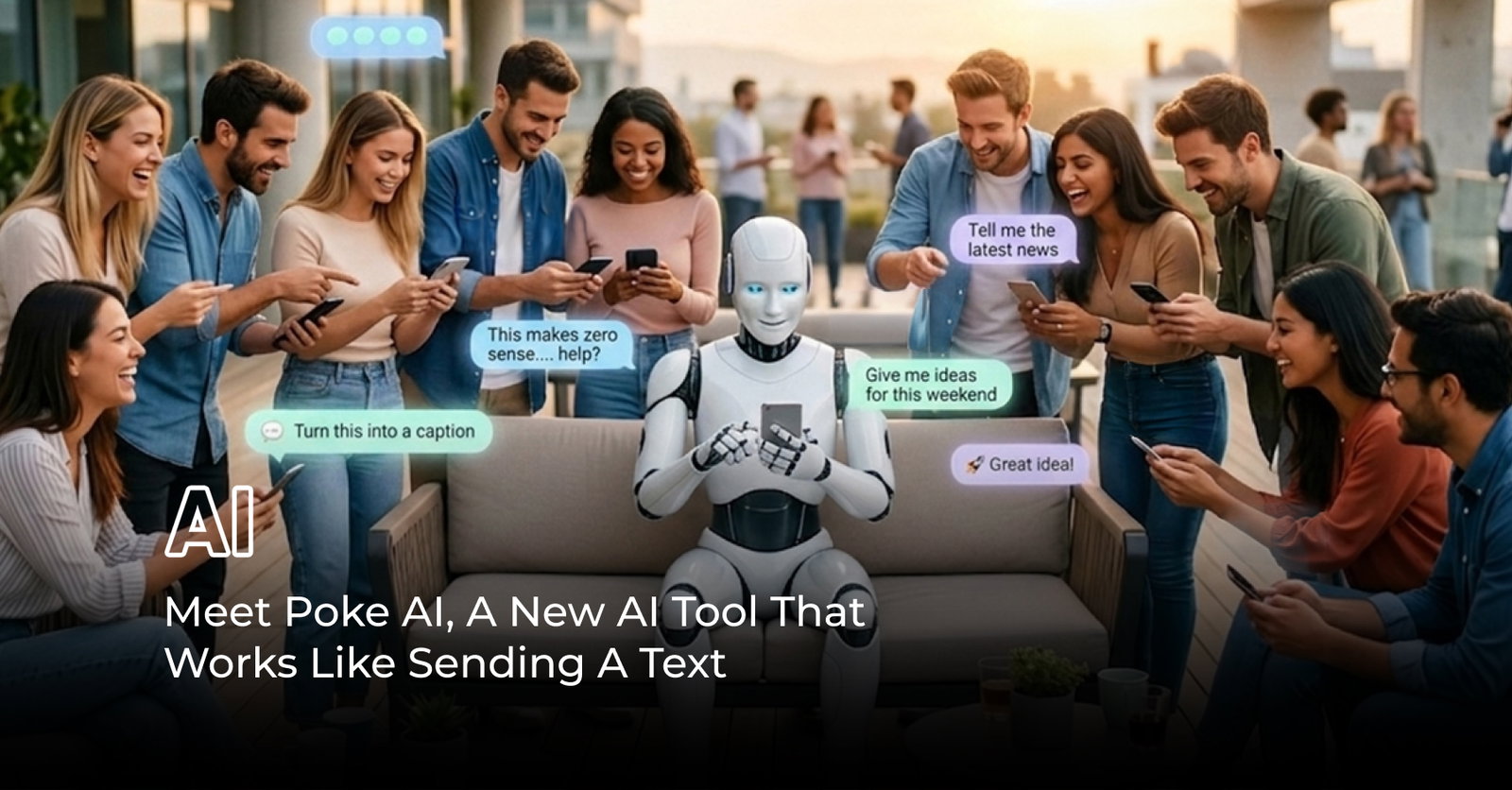
Today, the conversation around AI is shifting from chatbots that answer prompts to agents that can sit inside everyday workflows. Recently, Atlassian introduced new AI agents in Confluence, while Astropad launched a tool built to monitor and control AI agents on Apple devices.
The direction is becoming clearer: companies are trying to make AI feel less like a destination and more like an invisible layer across digital life.
In a similar way, Poke AI is drawing everyone’s attention.
Recently highlighted after its public launch in March, Poke is betting that one of the simplest interfaces still wins: text. By placing an AI assistant inside familiar messaging channels instead of another app, it taps into a broader industry move, which makes the next question an important one: what exactly is Poke AI assistant, and why is it starting to stand out?
What Is Poke AI Assistant?
Poke AI assistant is a text-based AI assistant developed by The Interaction Company that operates through messaging platforms like iMessage, SMS, and Telegram. Instead of requiring users to download a new app or learn a new interface, it works inside conversations people already have every day.

This changes everything for Poke AI because when there are hundreds of AI tools available in the market with application installations, Poke AI skips application and slides directly into something we all are using on a daily basis. Text messages.
What also sets Poke AI apart is that it is designed to do more than simply answer prompts. The service is presented as a proactive assistant that can help manage email, scheduling, reminders, and other everyday tasks through natural conversation. Over time, it can also build context from connected services, making interactions feel more personalized and useful.
In other words, Poke AI assistant is not trying to be just another chatbot. It is trying to become an action-oriented layer inside your messages, which naturally leads to the next question: how exactly is Poke AI different from others?
What Makes Poke AI Different From Other AI Assistants?
Most AI tools today are still reactive. You open an app, type a prompt, and wait for a response. Poke AI challenges that model by acting as a proactive assistant that can execute tasks and surface information without being asked every single time.
The biggest difference lies in how the Poke AI assistant behaves. Instead of functioning like a chatbot, it operates more like an AI agent that is capable of taking action across different tools and services. This means it can monitor your email, check your schedule, or send reminders automatically based on context.
Another key distinction is its interface. As a text-based AI assistant, it removes the need for dashboards or complex workflows. By living inside messaging apps, it reduces friction and makes AI feel more natural to use.
This combination of proactive intelligence and simplicity is what gives Poke AI features their edge and becomes more evident when you look at what the tool can actually do.
What Can Poke AI Do? Integrations And Features
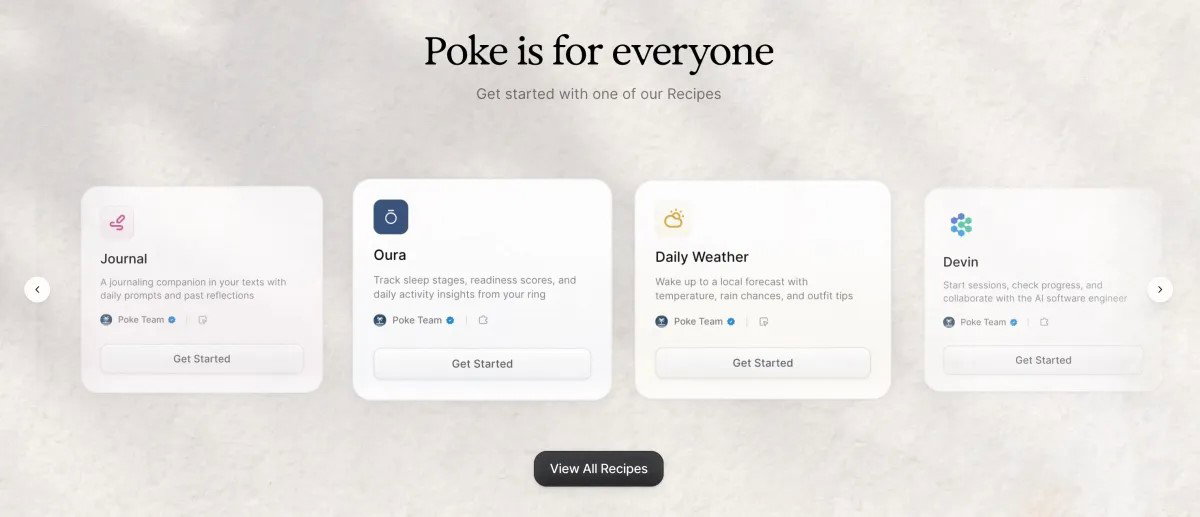
The real appeal of Poke AI comes from how naturally it blends into everyday tasks. Here’s a closer look at its key Poke AI features and Poke AI integrations:
-
Email Management
Poke AI can read, summarize, and draft emails, as well as prioritize important messages and suggest replies based on context.
-
Calendar & Scheduling
It can create events, check availability, and send reminders, helping users manage their schedules through simple text commands.
-
Proactive Notifications
One of its standout capabilities is anticipating needs—such as alerting users about important emails, upcoming events, or even weather conditions.
-
Health & Lifestyle Tracking
Through integrations, it can help track fitness goals, remind users about habits, and provide daily updates.
-
Smart Home Control
Poke AI can connect with smart devices, allowing users to control lights, temperature, and other systems through text.
-
Custom Automations (Recipes)
A key differentiator, these allow users to create workflows in plain language, such as daily summaries or automated email tracking that run in the background.
-
Third-Party Integrations
Through Poke AI integrations, it connects with tools like Gmail, Outlook, Notion, GitHub, and other productivity platforms.
Together, these Poke AI features show how the tool is designed to bridge conversation and execution. However, beyond what it can do, users are also curious about access. So the next question becomes, is Poke AI free?
Is Poke AI Free?
Users can get started with Poke AI for free, especially for lighter tasks that do not require real-time processing. However, the platform uses a flexible pricing model that adjusts based on usage. Tasks that involve continuous monitoring or real-time execution may come at a cost.
Reports suggest that pricing can vary, with some users paying anywhere between $10 to $30 per month depending on how they use the tool. Rather than fixed tiers, the Poke AI assistant adapts pricing based on activity, making it feel more like a service than a traditional subscription.
This flexible approach reflects how Poke AI features are designed, but it also makes it important to understand how easy it is to start using the platform in the first place.
How To Get Started With Poke AI
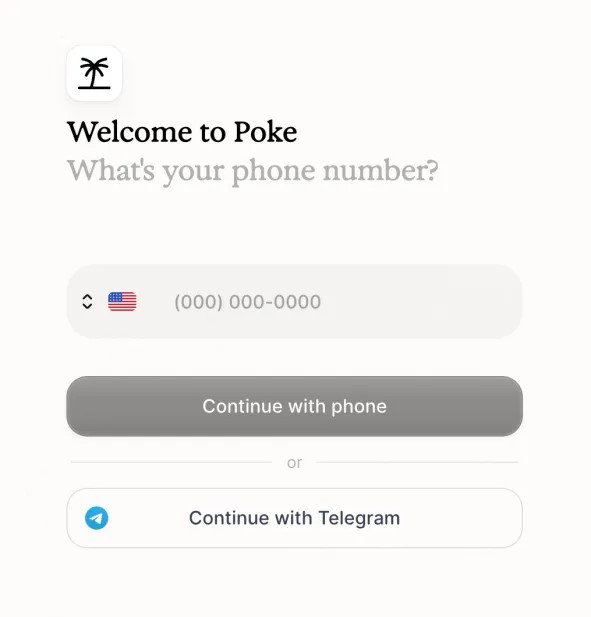
Getting started with Poke AI is designed to feel as simple as sending a message. Unlike most tools that require downloading apps or learning new interfaces, the Poke AI assistant works through platforms people already use, making the onboarding process relatively frictionless.
To begin, users typically sign up through the official website and connect a preferred messaging channel such as SMS, Telegram, or other supported platforms. Once set up, interacting with Poke AI feels like texting a contact. Users can start with simple prompts like setting reminders, drafting emails, or asking questions.
This ease of entry is a key part of the product’s appeal. There is no steep learning curve, and the experience leans heavily on familiarity rather than complexity. It also reflects the broader idea behind Poke AI features, where the goal is to reduce the gap between intention and action.
With that simplicity in mind, the next question becomes less about how to use it and more about who it is actually best suited for.
Who Should Use Poke AI?
The flexibility of Poke AI makes it useful across different types of users, but it delivers the most value in specific scenarios. The Poke AI assistant is best suited for:
-
Busy Professionals & Entrepreneurs
Those managing a high volume of emails, meetings, and tasks can benefit from automation, saving time on repetitive administrative work.
-
Productivity-Focused Users
Users who rely on tools like calendars, reminders, and task managers will find value in how Poke AI integrations bring everything into one conversation.
-
People New To AI Tools
As a text-based AI assistant, it removes the need to learn complex interfaces, making it ideal for users who find traditional AI tools overwhelming.
-
Users Looking For Automation Without Coding
With features like recipes, users can create automations in plain language without technical knowledge.
-
Tech-Savvy Users Exploring AI Agents
Those interested in the shift from chatbots to AI agents will find Poke AI features a practical example of how action-based AI works.
This range of use cases highlights its flexibility, but it also makes it important to understand where the tool may fall short.
Limitations To Know Before Using Poke AI
While Poke AI introduces a fresh approach to AI assistants, it also comes with a few limitations that users should consider:
-
Requires Access To Personal Data
To function effectively, the Poke AI assistant needs access to email, calendar, and other services, which may raise privacy concerns despite security measures.
-
Pricing Is Not Fully Transparent
The flexible pricing model makes it harder to predict exact costs, especially for users with heavier usage.
-
Still Evolving As A Product
Some Poke AI integrations and features may vary based on availability, region, or ongoing development.
-
Primarily Focused On Productivity
The tool is designed for task execution and automation, not for deep conversations or emotional support like some AI chatbots.
-
Dependence On Integrations
The full value of Poke AI features depends on how many services you connect, which may limit its usefulness for lighter users.
-
Learning Curve For Advanced Automations
While basic use is simple, creating more advanced workflows or “recipes” may take some experimentation.
Understanding these limitations is important, especially as expectations around AI continue to grow. With both strengths and trade-offs in mind, the final question becomes whether Poke AI is actually worth trying.
Final Thoughts
Poke AI represents a broader shift in how artificial intelligence is being built and used. Instead of focusing on conversations alone, it moves toward action and turns simple messages into meaningful outcomes.
The Poke AI assistant stands out not just because of its features, but because of how naturally it fits into existing habits. By working as a text-based AI assistant, it lowers the barrier to entry and makes AI feel more accessible to a wider audience.
While there are still limitations to consider, the idea behind Poke AI is clear. It is not just another chatbot, it is part of a growing move toward AI that works quietly in the background, helping users get things done with minimal effort.
And if that trend continues, tools like Poke AI may play a key role in shaping what every day AI looks like in the years ahead.
Frequently Asked Questions
How Does Poke AI Work?
Poke AI works through messaging platforms like SMS or Telegram, allowing users to send text commands. It connects with apps like email and calendars to automate tasks, send reminders, and provide proactive updates.
Who Should Use Poke AI?
Poke AI is ideal for professionals, productivity-focused users, and anyone looking to automate daily tasks through simple text. It’s especially useful for those who want AI assistance without complex tools or coding.
Is Poke AI Safe And Private To Use?
Poke AI requires access to personal data like emails and calendars to function. While it follows security measures, users should review permissions carefully to ensure their data privacy and comfort.
Fri, Apr 10, 2026

Enjoyed what you've read so far? Great news - there's more to explore!
Stay up to date with the latest news, a vast collection of tech articles including introductory guides, product reviews, trends and more, thought-provoking interviews, hottest AI blogs and entertaining tech memes.
Plus, get access to branded insights such as informative white papers, intriguing case studies, in-depth reports, enlightening videos and exciting events and webinars from industry-leading global brands.
Dive into TechDogs' treasure trove today and Know Your World of technology!
Disclaimer - Reference to any specific product, software or entity does not constitute an endorsement or recommendation by TechDogs nor should any data or content published be relied upon. The views expressed by TechDogs' members and guests are their own and their appearance on our site does not imply an endorsement of them or any entity they represent. Views and opinions expressed by TechDogs' Authors are those of the Authors and do not necessarily reflect the view of TechDogs or any of its officials. While we aim to provide valuable and helpful information, some content on TechDogs' site may not have been thoroughly reviewed for every detail or aspect. We encourage users to verify any information independently where necessary.
Loading comments...