
Smart Home Technology
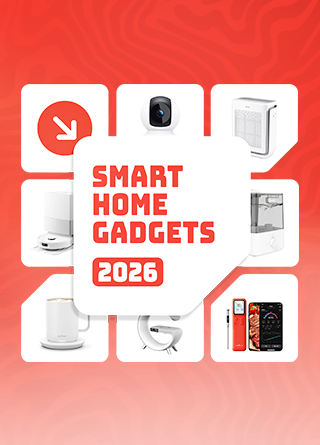
Essential Smart Home Gadgets You Should Be Using In 2026
Share
TL;DR
-
Approximately 51.37% of US homes, around 77.05 million households, are actively using at least one smart home device in 2026.
-
Matter and Thread are finally solving compatibility issues by helping devices from different brands work together.
-
Choosing one ecosystem like Apple Home, Google Home, or Amazon Alexa helps reduce app overload.
-
Devices with local processing offer better privacy and continue working even when your internet goes down.
-
The most practical smart home upgrades in 2026 include robot vacuums, security cameras, air purifiers, smart lighting, and connected kitchen tools.
Introduction
If you played The Sims, you know the joy of clicking a button. You could upgrade your character's house instantly. A self-cleaning fridge or a high-tech security system made it all the better. In the game, life was simple. Every object worked perfectly together as soon as you placed it on the floor.
For years, smart homes came with a frustrating catch. Your lights needed one app, your camera needed another, and your voice assistant often refused to cooperate with devices from competing brands.
That’s finally changing in 2026. Universal standards like Matter and Thread are making smart homes far less complicated, while AI-powered automation is helping devices respond more intelligently to your habits.
The shift is already happening at scale. According to Maker Stations, over 51% of U.S. households now use at least one smart home device.
Smart homes are finally easier to build in 2026, but convenience only matters when you invest in devices that solve real everyday problems. From cleaning and security to comfort and cooking, here are some of the best home gadgets worth your attention.
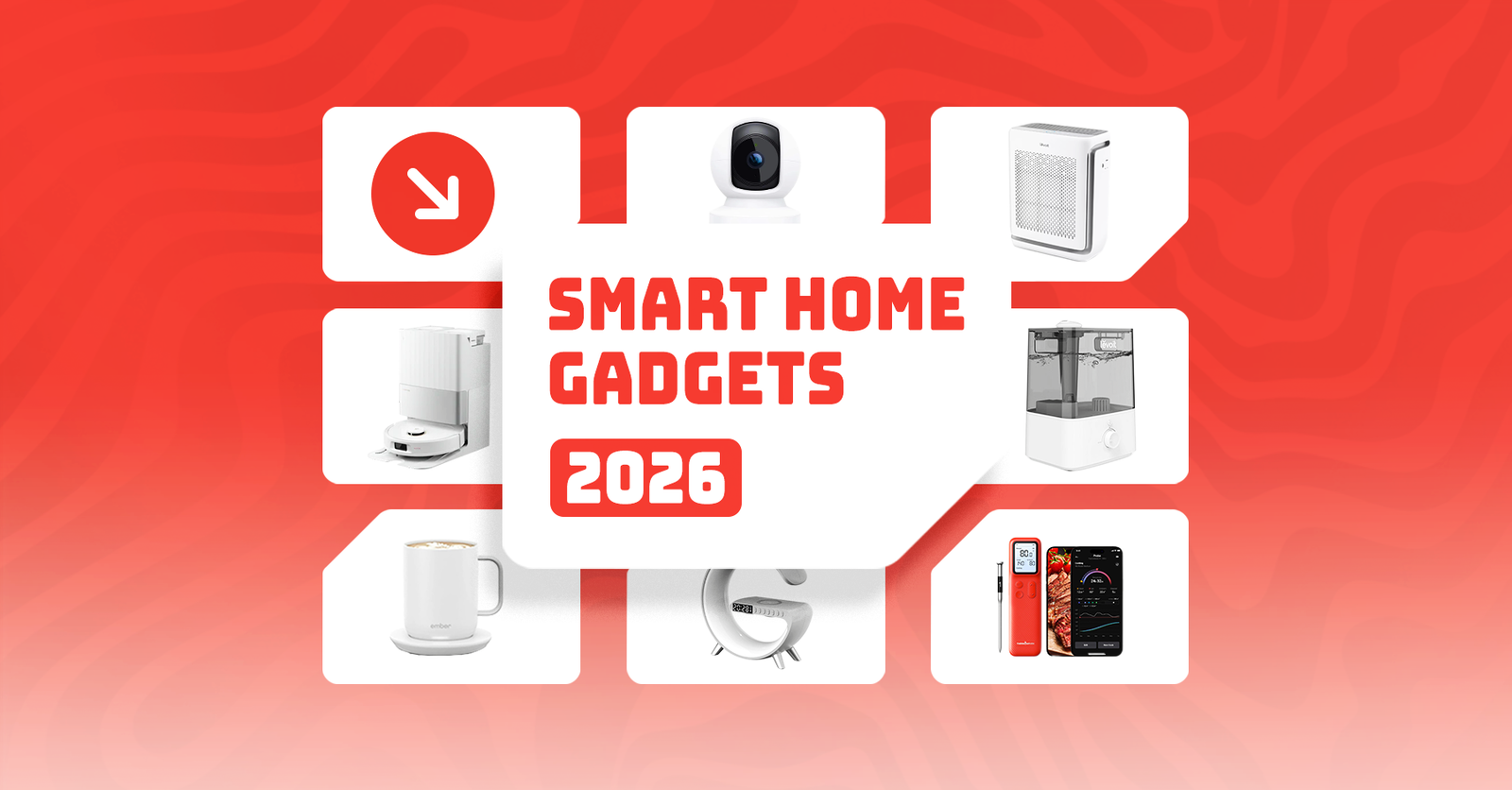
7 Essential Smart Home Devices For 2026
Not every connected device deserves space in your home. The best smart home gadgets solve everyday problems around cleaning, security, comfort, and convenience while fitting seamlessly into your broader ecosystem.
Robot Vacuum And Mop
Cleaning automation remains one of the biggest reasons consumers invest in smart home technology. Robot vacuum and mop systems like the Roborock Qrevo help busy professionals, pet owners, and families maintain cleaner homes without daily manual effort.
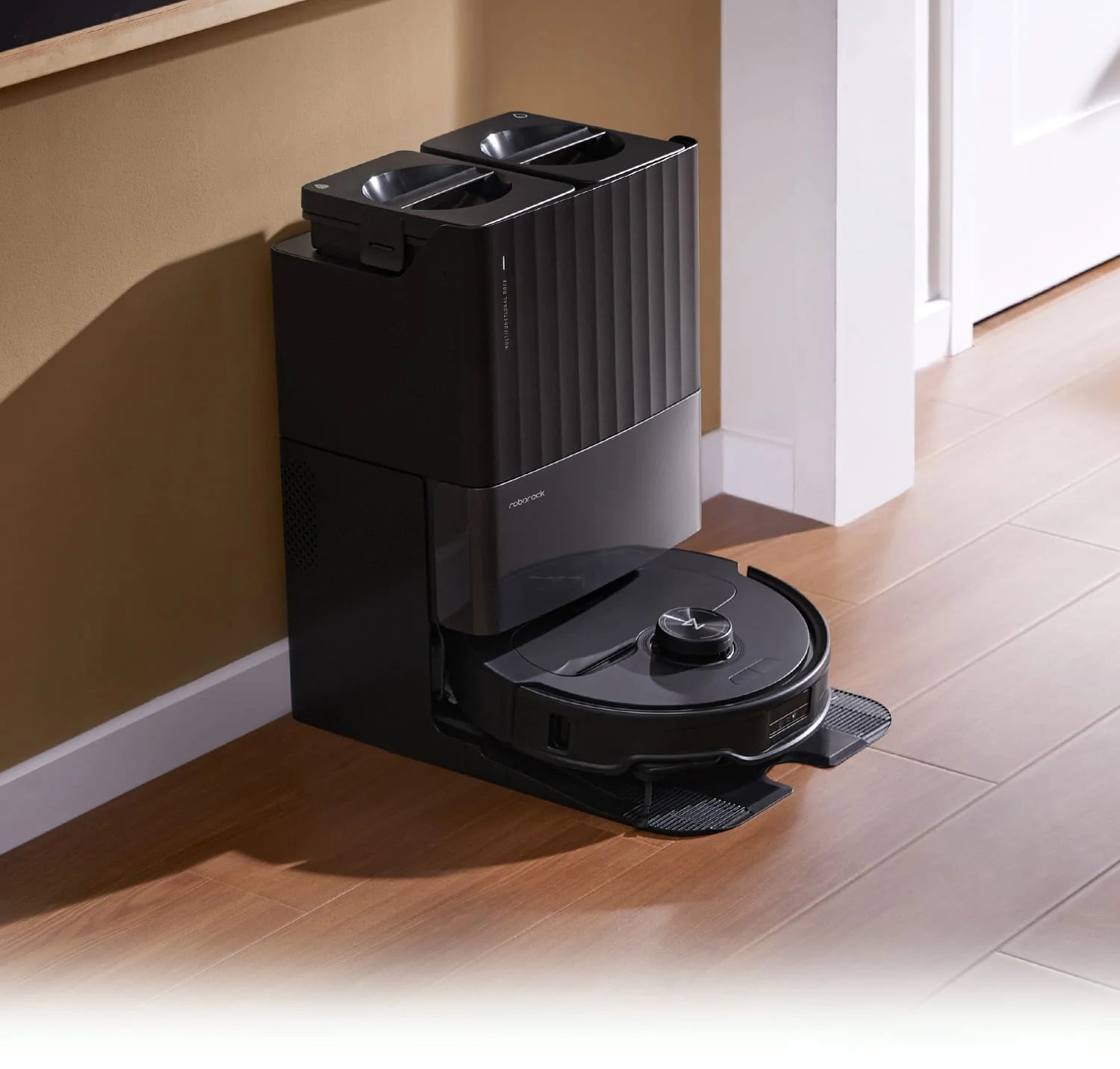
These devices can vacuum dust, mop spills, and navigate around furniture while you focus on work or other priorities. As AI-powered cleaning systems become more advanced, they are quickly shifting from luxury gadgets to practical household essentials.
Technical Specs:
-
Up to 18,500 Pa suction power for deeper carpet and floor cleaning
-
AI obstacle detection to avoid cables, furniture, and pet bowls
-
Self-emptying dust bins with automatic mop washing and drying systems
Average Price: $400–$1,200
Smart Security Cameras
Home security cameras have evolved far beyond basic surveillance tools. Devices like the Kasa 1080p Indoor Pan/Tilt Security Camera help homeowners monitor pets, children, deliveries, and unexpected activity in real time through mobile apps.
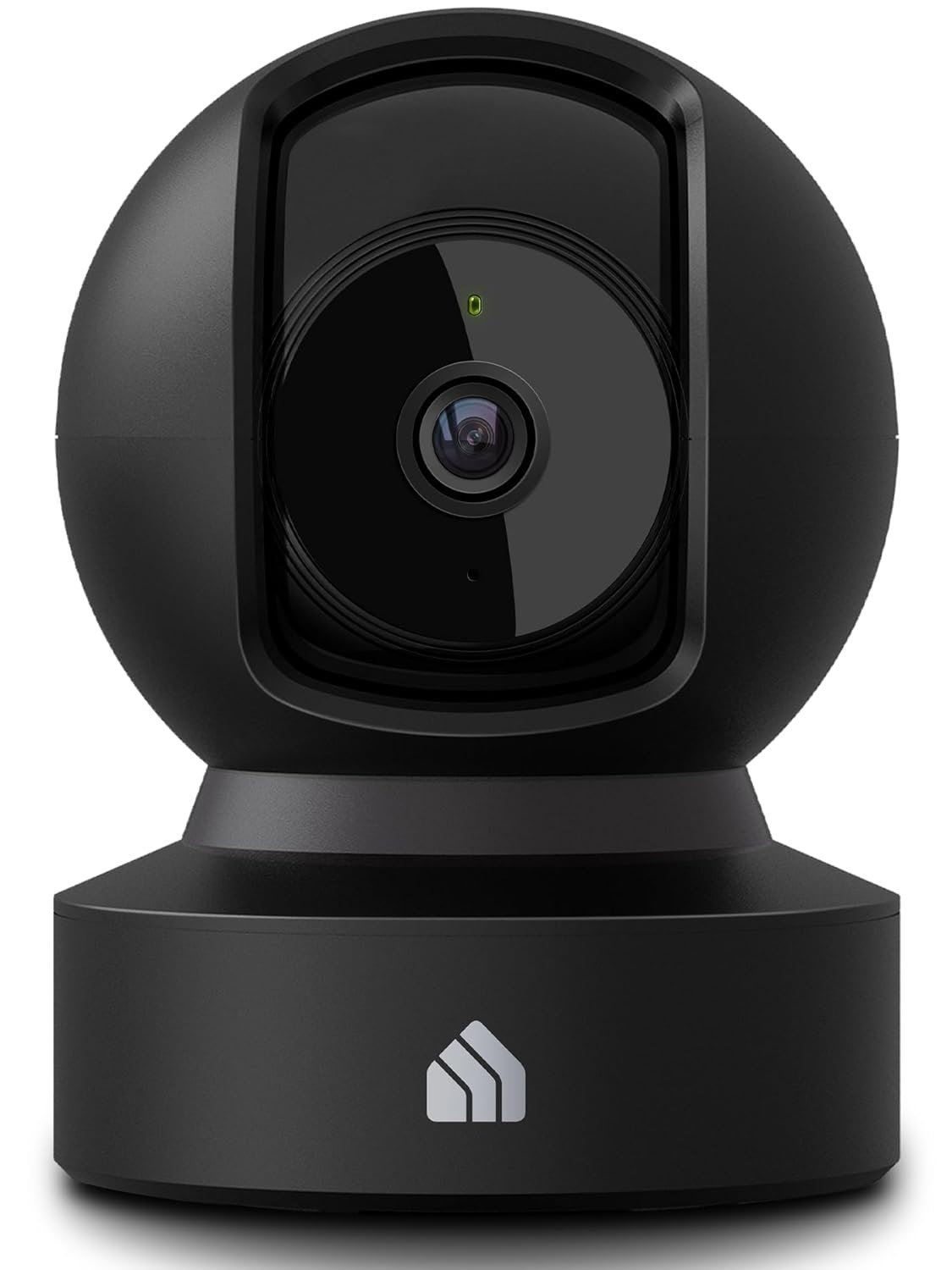
Whether you are traveling, working late, or simply checking in from another room, smart cameras offer added visibility and peace of mind. Their growing affordability has made them one of the most widely adopted smart appliance gadgets for every home.
Technical Specs:
-
1080p or 2K video resolution for clearer footage
-
Motion detection alerts with real-time smartphone notifications
-
Local storage support via microSD cards alongside optional cloud storage
Average Price: $50–$300
Smart Locks
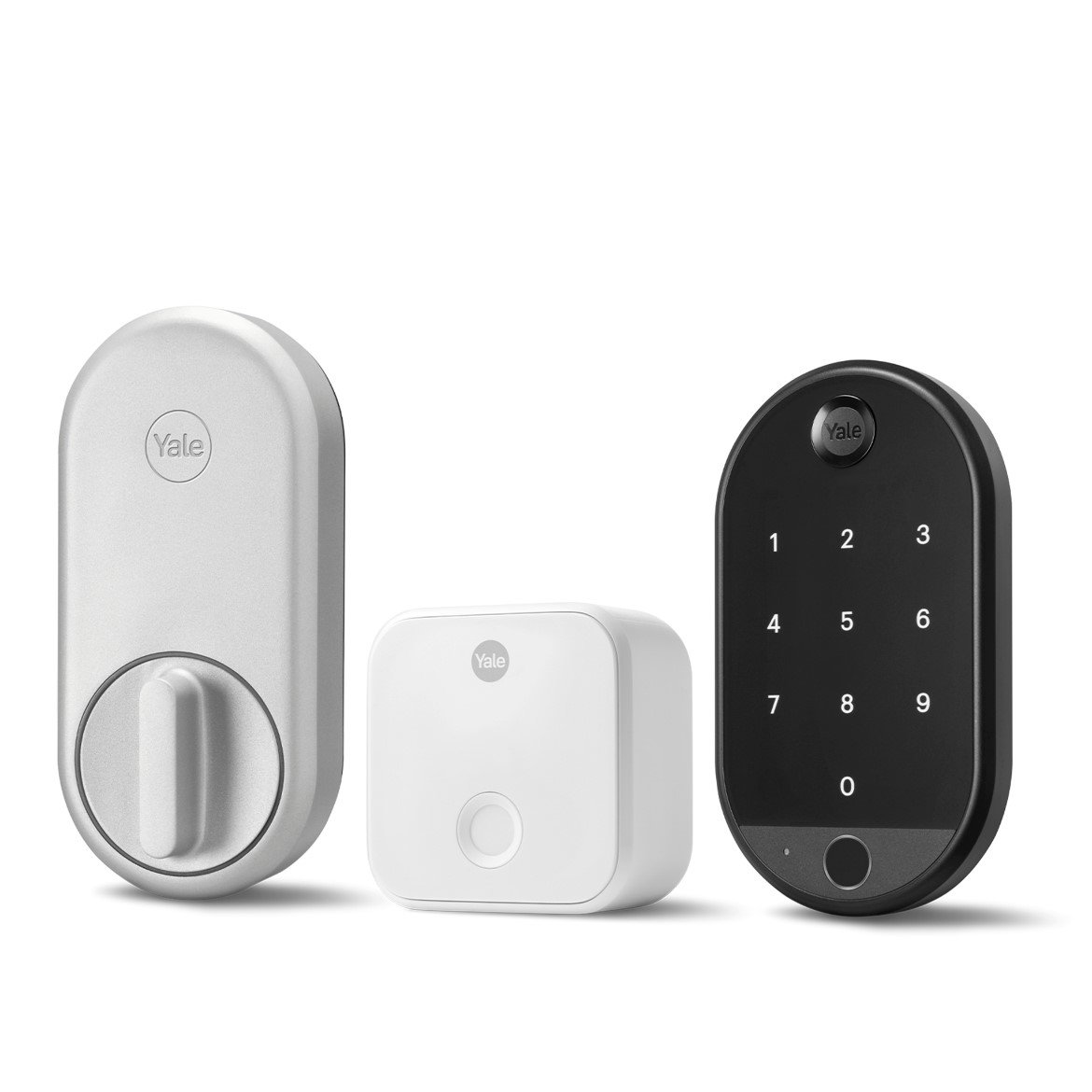
Traditional keys are slowly becoming less essential as smart locks bring greater convenience and control to home security. Products from brands like Yale and August allow homeowners to lock and unlock doors remotely, grant temporary access to guests, and monitor entry activity from their phones. They are especially useful for families, Airbnb hosts, and professionals who frequently travel and want greater control over home access.
Technical Specs:
-
Fingerprint authentication for keyless entry
-
Temporary guest codes for visitors and service providers
-
Remote locking and unlocking through mobile apps
Average Price: $150–$400
Smart Lighting Systems
Smart lighting is often the easiest entry point for people building their first connected home. Systems like Philips Hue allow users to automate lighting schedules, control brightness remotely, and create customized settings for work, entertainment, or sleep. Beyond convenience, smart lighting can also improve energy efficiency by ensuring lights are only used when needed.

Technical Specs:
-
App-based brightness and color control
-
Automated scheduling and motion-based activation
-
Integration with voice assistants and smart home ecosystems
Average Price: $20–$250, depending on the number of bulbs and accessories
Smart Air Purifiers
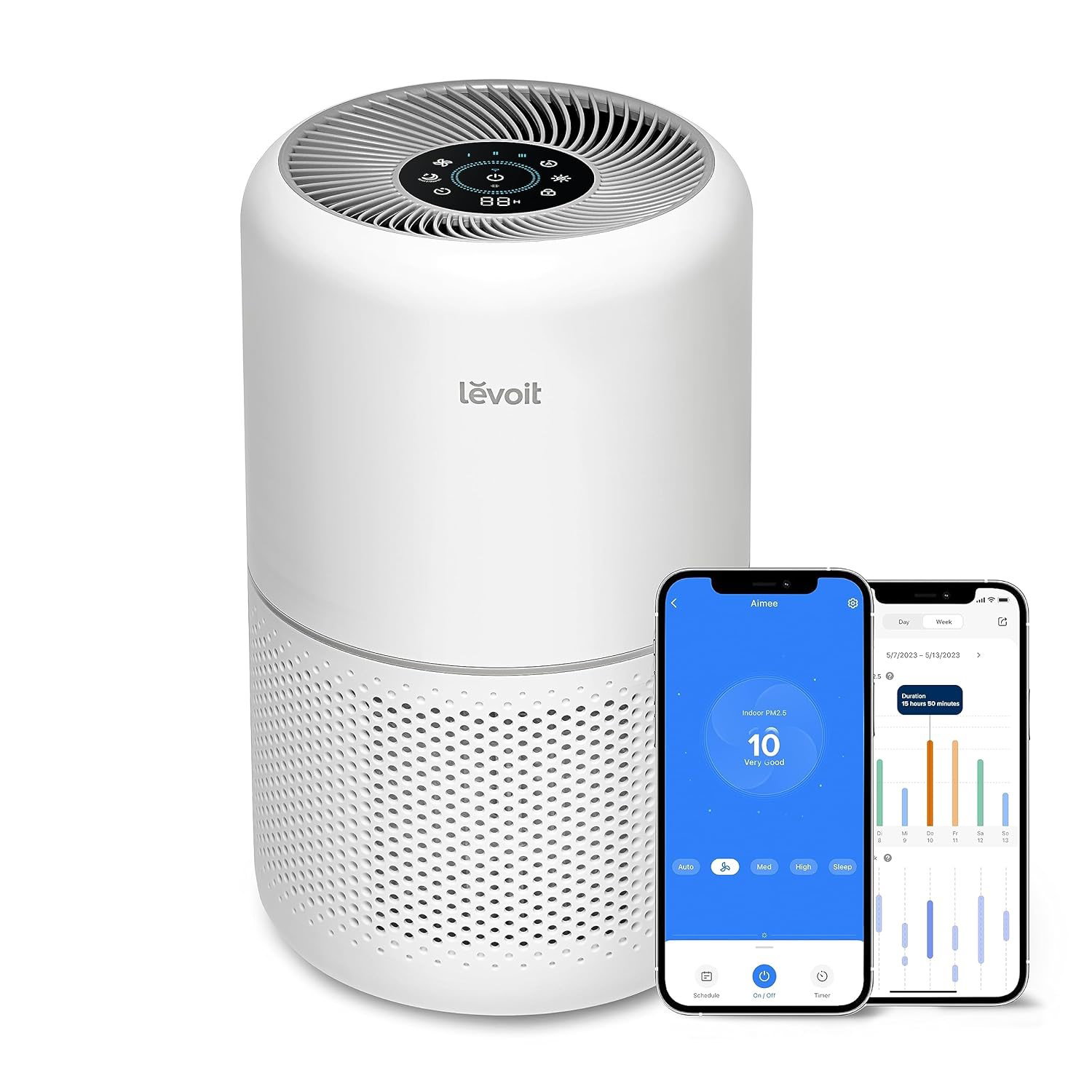
Indoor air quality has become a growing concern as households deal with pollution, allergens, pet dander, and changing weather conditions. Devices like the Levoit Smart Air Purifier help monitor air quality in real time while automatically adjusting purification settings based on your environment. They are particularly useful for families with children, pet owners, and people living in highly polluted urban areas.
Technical Specs:
-
HEPA filtration that captures dust, allergens, and airborne particles
-
Real-time air quality monitoring through connected apps
-
Automatic fan adjustments based on indoor pollution levels
Average Price: $100–$500
Smart Thermostats
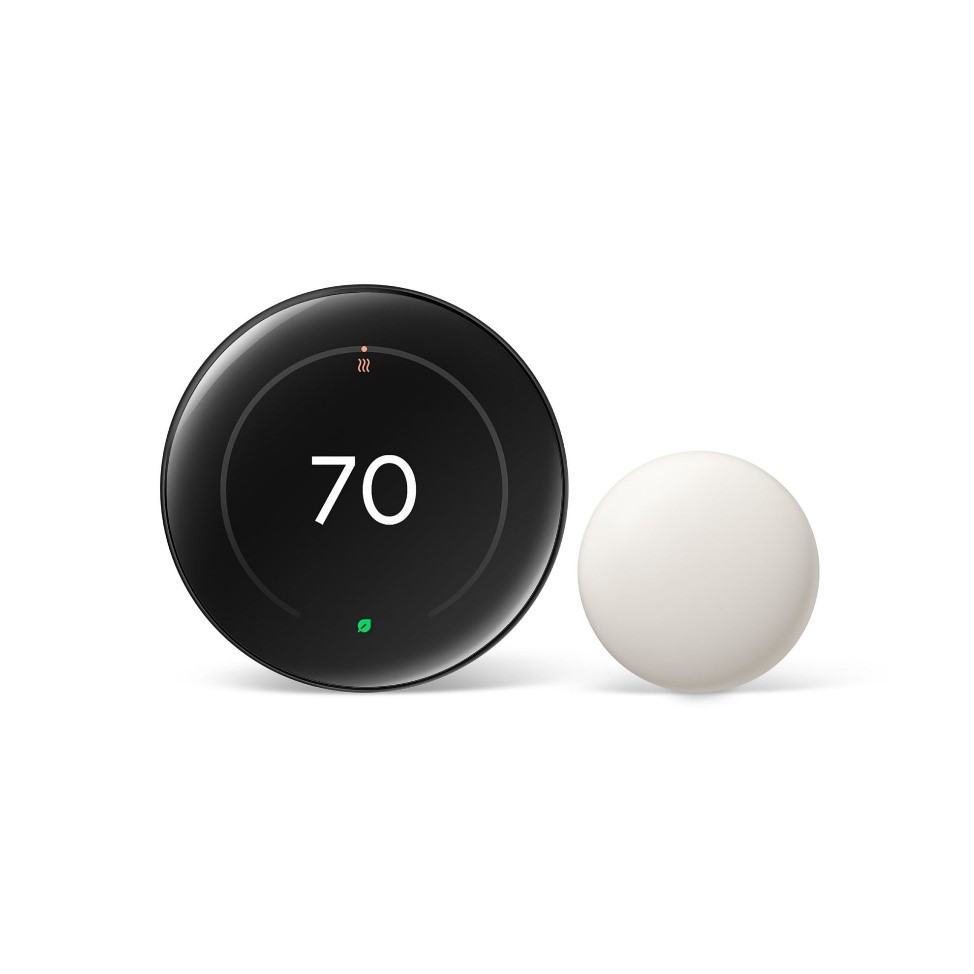
Heating and cooling systems consume a significant portion of household energy bills, and smart thermostats help reduce that cost through automation. Devices like the Google Nest Thermostat learn your daily routines and automatically adjust temperatures to improve efficiency without compromising comfort. They are especially useful for homeowners looking to reduce energy consumption while maintaining better control over indoor temperatures.
Technical Specs:
-
Learning schedules based on household routines
-
Remote temperature control through mobile apps
-
Energy usage reports and optimization insights
Average Price: $100–$300
Smart Speakers And Home Hubs
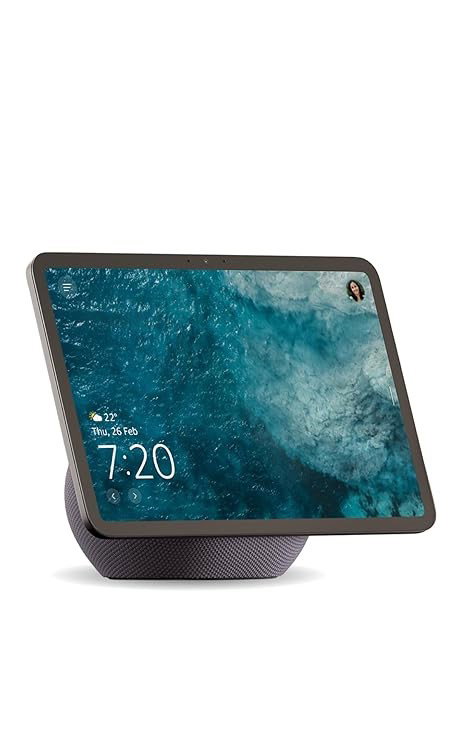
A smart home works best when all devices can be controlled from one central hub. Products like Amazon Echo, Google Nest Hub, and Apple HomePod act as command centers for connected homes by allowing users to manage devices through voice commands, routines, and automation settings. They simplify everything from adjusting lights to controlling entertainment systems and home security.
Technical Specs:
-
Voice assistant integration for hands-free control
-
Multi-device connectivity across smart home ecosystems
-
Automation routines for scheduling daily tasks
Average Price: $50–$400
Once your core smart home setup is in place, you can explore some cool house gadgets that can add convenience to specific routines like cooking, sleeping, and working. These may not be essential, but they can make everyday living far more comfortable.
Bonus Smart Home Gadgets Worth Exploring
Smart Mug
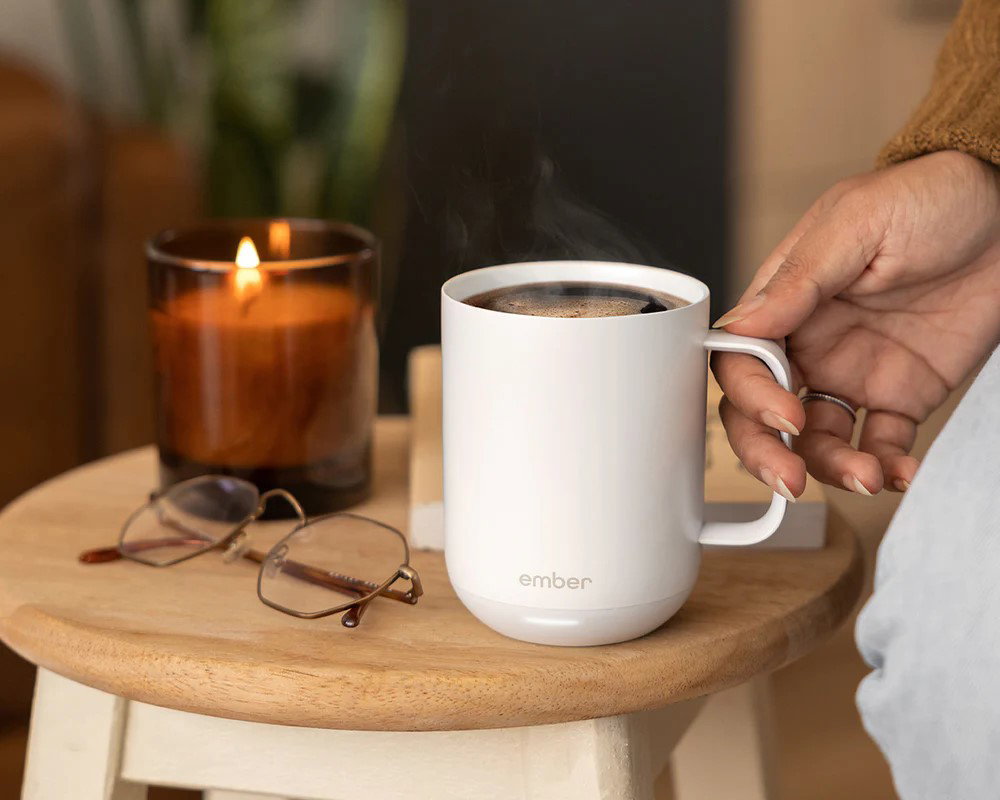
Products like the Ember Mug help users keep coffee or tea at a preferred temperature for extended periods. It’s useful for professionals who often get distracted during work calls or long meetings.
Technical Specs:
-
Temperature range between 120°F and 145°F
-
Up to 80 minutes of battery life
-
App-controlled temperature settings
Average Price: $100–$180
Smart Wireless Meat Thermometer
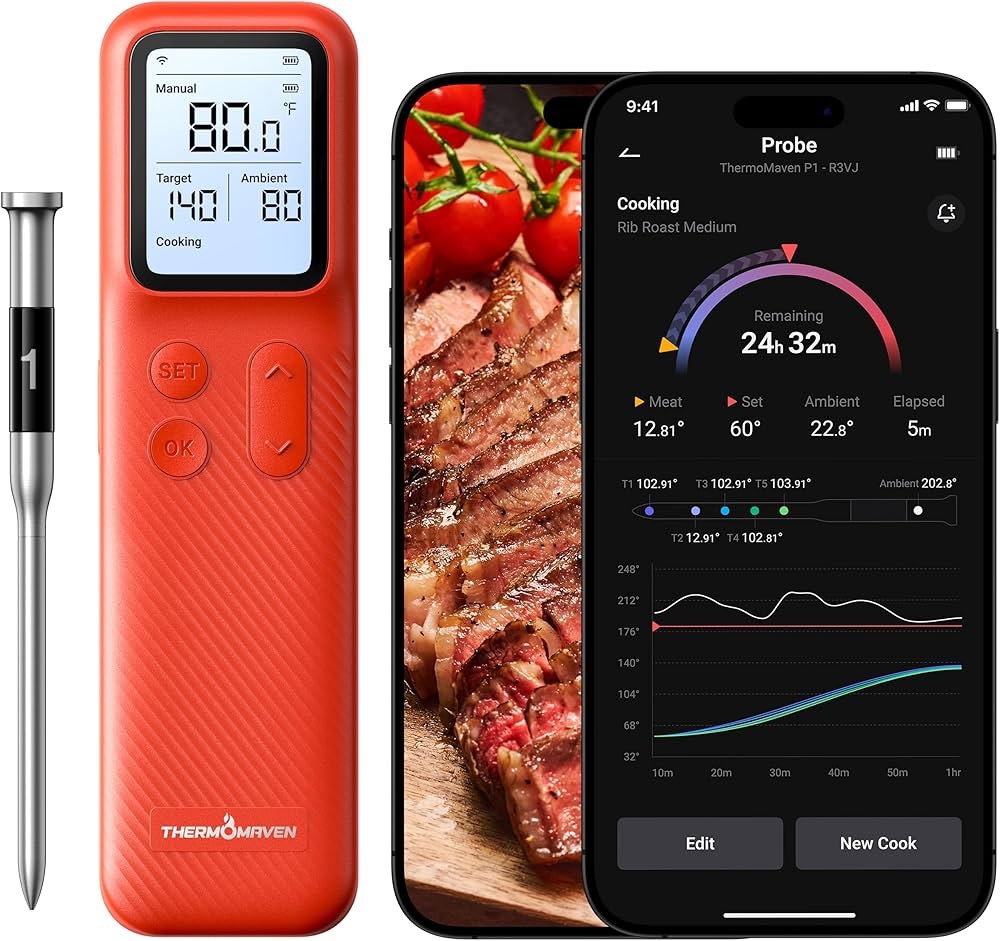
Devices like the ThermoMaven Smart Wireless Meat Thermometer help home chefs cook meat with better precision by tracking internal temperatures in real time.
Technical Specs:
-
Multiple temperature sensors
-
Wireless mobile monitoring
-
Accuracy within ±0.5°F
Average Price: $80–$250
Smart Bedside Lamp
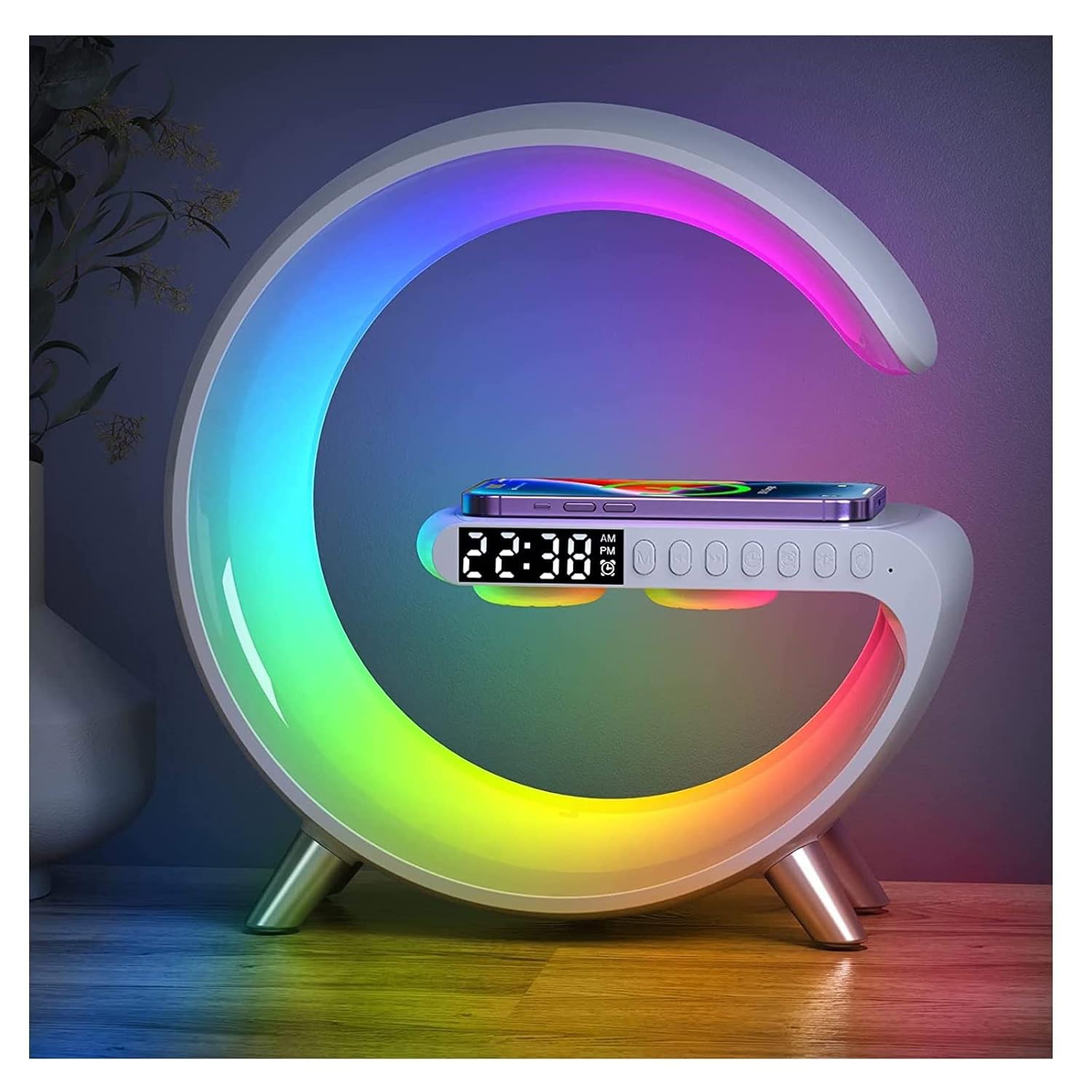
Products like the LeeNabao Smart LED Table Lamp combine lighting, alarms, wireless charging, and audio features in one device.
Technical Specs:
-
RGB lighting customization
-
Built-in wireless charging
-
Sunrise alarm functionality
Average Price: $50–$200
With so many smart home devices launching every year, the bigger challenge is knowing which products will actually work well together. A great smart home setup is not built by buying everything. It is built by choosing the right ecosystem, connectivity standards, and privacy controls.
Topics For More Insights
Choosing The Best Smart Home Devices: A 3-Step Strategy
Before buying the new smart home devices, focus on compatibility first. A connected home should make life easier, not leave you juggling multiple apps, subscriptions, and devices that refuse to communicate. Here’s how to build it right.
Step 1: Pick Your Primary Ecosystem
Every smart home needs a central control system. Whether you choose Apple, Google, or Amazon, sticking to one ecosystem makes automation easier and reduces app overload. Your smartphone often makes this decision simpler. iPhone users may prefer Apple Home, while Android users often lean toward Google Home or Alexa-compatible devices.
Step 2: Look For Matter And Thread Compatibility
Even if you choose one ecosystem, your devices should still work across brands. That’s where Matter and Thread come in. Matter allows devices from different manufacturers to communicate seamlessly, while Thread creates a faster and more reliable network for smaller connected devices. Buying gadgets that support both standards helps future-proof your setup.
Step 3: Prioritize Local Control And Privacy
Cloud-only devices can become frustrating when your internet goes down. Devices with local control process commands within your home, helping your smart devices respond faster while keeping more personal data private. It also ensures your smart home keeps functioning even during connectivity issues.
Even with the right setup strategy, buyers often overlook smaller details that can become expensive frustrations later. Before making your final purchase, watch out for these common mistakes.
Smart Home Buying Mistakes To Avoid
Even the best smart home gadgets can become frustrating purchases when buyers ignore long-term costs, compatibility issues, or setup requirements. Before checking out, keep these common mistakes in mind:
-
The Subscription Trap
Some of the top smart home devices appear affordable upfront but hide important features behind monthly subscriptions. Security cameras, video doorbells, and cloud storage services often charge recurring fees for video history, advanced alerts, or premium automation tools. Always calculate long-term ownership costs before buying.
-
Ignoring Offline Reliability
A smart home should not become useless when your Wi-Fi stops working. Devices that rely entirely on cloud connectivity can fail during outages. Prioritize products that support local control or offline functionality to ensure basic features continue working when internet access is disrupted.
-
Overcomplicated Installation
Not every smart gadget is beginner-friendly. Devices like smart switches, wired security systems, or advanced thermostats may require professional installation. Always check setup requirements before purchasing to avoid unexpected costs or compatibility issues.
-
Buying For Novelty Instead Of Need
Many connected gadgets look exciting in advertisements but rarely solve meaningful problems. Focus on devices that improve security, save time, reduce energy costs, or simplify daily routines instead of buying products that may go unused after the initial excitement fades.
Smart home technology is becoming more accessible, but the real value comes from building a setup that fits your lifestyle instead of chasing every new gadget trend.
Final Thoughts
Building a smart home in 2026 no longer requires complicated setups or brand-specific ecosystems that refuse to work together. With standards like Matter and Thread improving compatibility, consumers now have more flexibility to build connected homes around convenience, security, comfort, and efficiency.
Start with must have smart home devices that solve everyday problems, add lifestyle upgrades where they make sense, and focus on products that fit your ecosystem and privacy preferences. The best smart home is not the one with the most gadgets, it’s the one that quietly makes daily life easier.
Frequently Asked Questions
What Are The Most Essential Smart Home Gadgets In 2026?
The most essential smart home gadgets in 2026 include robot vacuums, smart security cameras, smart locks, smart lighting systems, air purifiers, smart thermostats, and home hubs. These devices help improve convenience, security, energy efficiency, and overall home automation.
Which Smart Home Ecosystem Is Best: Apple, Google, Or Amazon?
Apple is often preferred for privacy-focused users, Google works well for Android users and productivity integrations, while Amazon offers broad device compatibility. The best option depends on your existing devices and preferences.
Are Smart Home Devices Expensive To Maintain?
The upfront cost varies by product category, but some devices may include recurring subscription fees for cloud storage, advanced security alerts, or premium automation features. Always check long-term ownership costs before buying.
Thu, Apr 23, 2026

Enjoyed what you read? Great news – there’s a lot more to explore!
Dive into our content repository of the latest tech news, a diverse range of articles spanning introductory guides, product reviews, trends and more, along with engaging interviews, up-to-date AI blogs and hilarious tech memes!
Also explore our collection of branded insights via informative white papers, enlightening case studies, in-depth reports, educational videos and exciting events and webinars from leading global brands.
Head to the TechDogs homepage to Know Your World of technology today!
Disclaimer - Reference to any specific product, software or entity does not constitute an endorsement or recommendation by TechDogs nor should any data or content published be relied upon. The views expressed by TechDogs' members and guests are their own and their appearance on our site does not imply an endorsement of them or any entity they represent. Views and opinions expressed by TechDogs' Authors are those of the Authors and do not necessarily reflect the view of TechDogs or any of its officials. While we aim to provide valuable and helpful information, some content on TechDogs' site may not have been thoroughly reviewed for every detail or aspect. We encourage users to verify any information independently where necessary.
Loading comments...