
Gaming Technology
Anti-Aliasing In Gaming And Graphics: What It Is And How It Works
Share
TL;DR
-
Aliasing happens because square pixels cannot perfectly reproduce diagonal lines, curves, and fine geometry.
-
Anti-aliasing estimates additional visual information around edges to make transitions appear smoother.
-
FXAA is fast, while MSAA uses additional samples and can demand considerably more GPU resources.
-
Unreal Engine supports 2x, 4x, and 8x MSAA, with higher sample counts increasing GPU cost.
-
Modern options such as TAA, DLAA, TSR, and FSR Native AA also use temporal or reconstruction techniques to improve image stability.
Introduction
Remember when the blocky edges in Super Mario Bros. were part of the charm? Nobody expected Mario's cap to have a perfectly smooth curve because every square pixel belonged there.
Move that staircase effect onto the hood of a sports car in a modern racing game, though, and suddenly it looks less nostalgic and more like your GPU forgot to finish the job.
That visual problem is called aliasing.
Anti-aliasing exists to hide it. Yet opening a modern PC game's graphics menu can make the solution look more confusing than the problem: FXAA, MSAA, SMAA, TAA, DLAA, Native AA, and sometimes several quality levels within each.
So, what is anti-aliasing, how does anti-aliasing work, and which setting should you actually choose?
What Is Anti-Aliasing In Gaming?
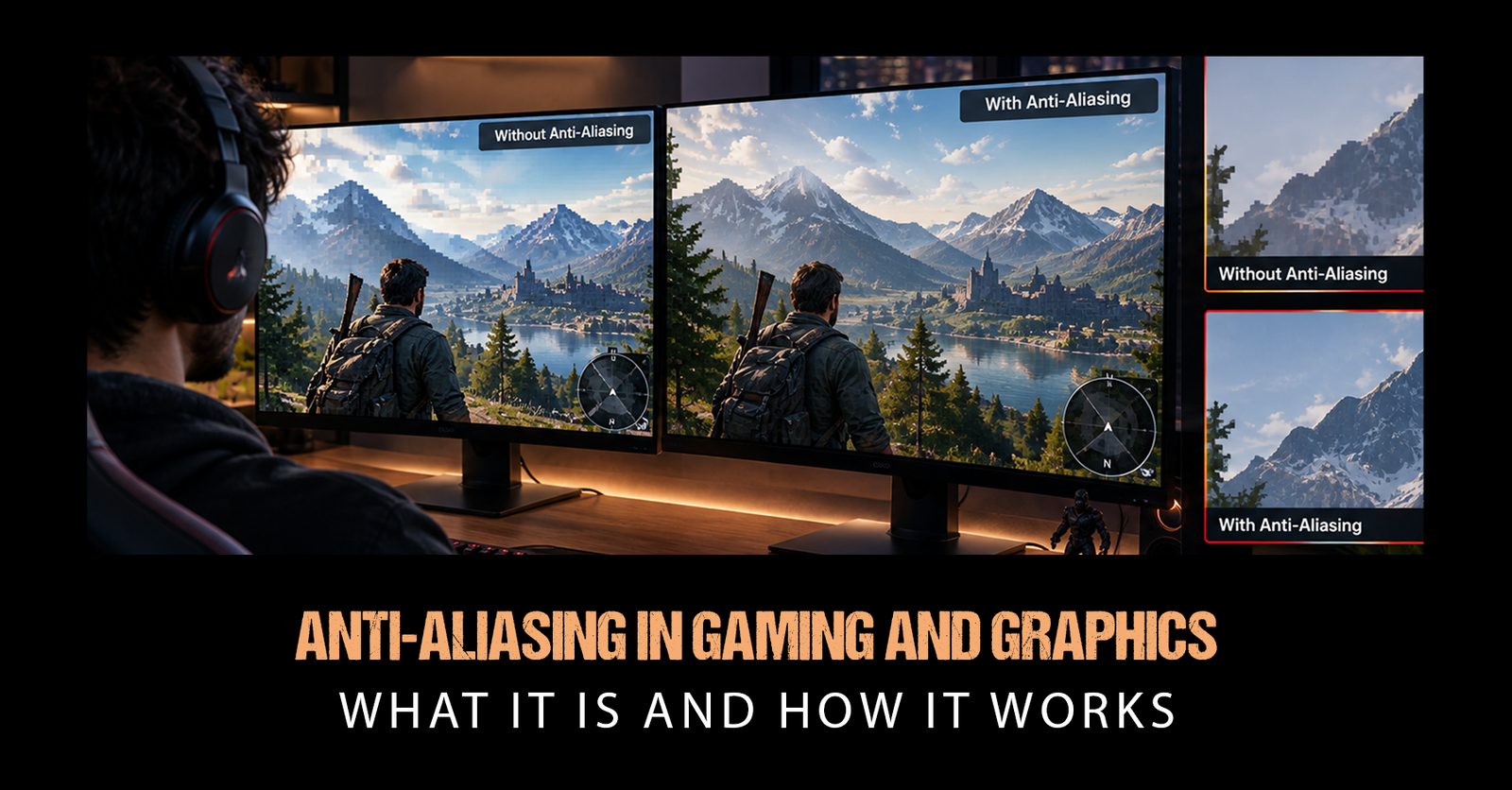
Anti-aliasing is a family of rendering techniques designed to reduce jagged, staircase-like edges in digital graphics.
A monitor displays an image through a fixed grid of square pixels. Curves and diagonal lines do not naturally fit that grid, so an edge may jump from one pixel to another instead of forming a perfectly continuous line. That sampling problem produces aliasing, commonly called "jaggies."
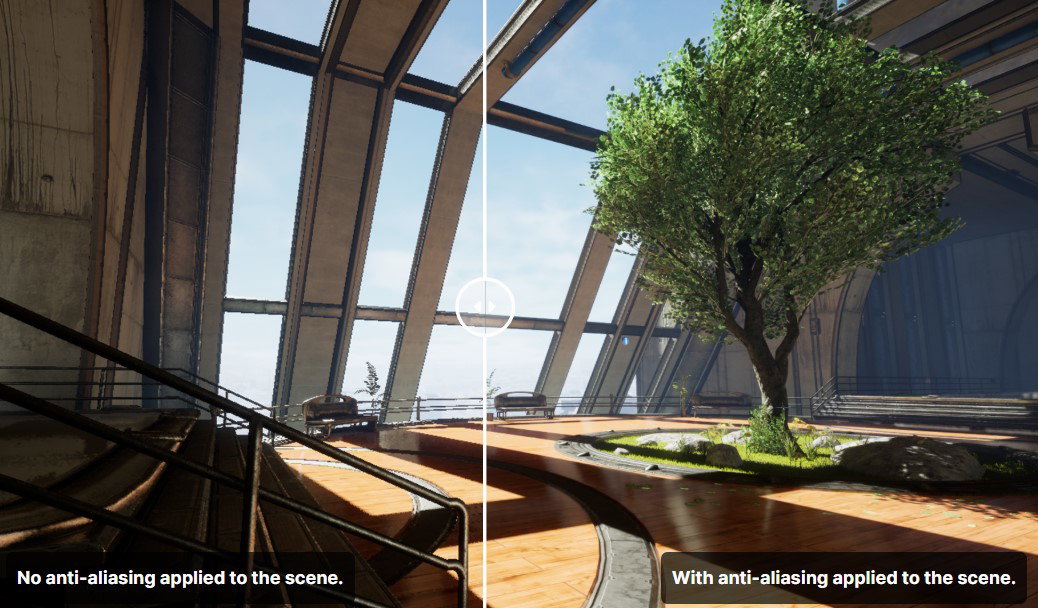
Epic Games' Unreal Engine documentation defines anti-aliasing as the process of reducing these jagged or stair-stepped edges on objects that should otherwise look smooth. Unity describes the basic principle as blending edge colors with neighboring pixels to create a more natural transition.
You may notice aliasing most easily around:
-
Diagonal rooflines and building edges
-
Character silhouettes and weapons
-
Railings, fences, wires, and foliage
-
Curved vehicles and circular objects
-
Fine geometry viewed from a distance
However, anti-aliasing in gaming is not only about fixing static edges. Moving scenes can also produce shimmering or crawling as fine details change from frame to frame.
How Does Anti-Aliasing Work?
So, how does anti-aliasing work?
Instead of accepting each pixel as a simple hard boundary, anti-aliasing gathers or estimates additional information and uses it to create smoother transitions.
The exact process changes with the technique.
Some methods calculate multiple samples inside a pixel. Others inspect a completed image and identify high-contrast edges. Temporal methods go further by combining information collected across multiple frames.
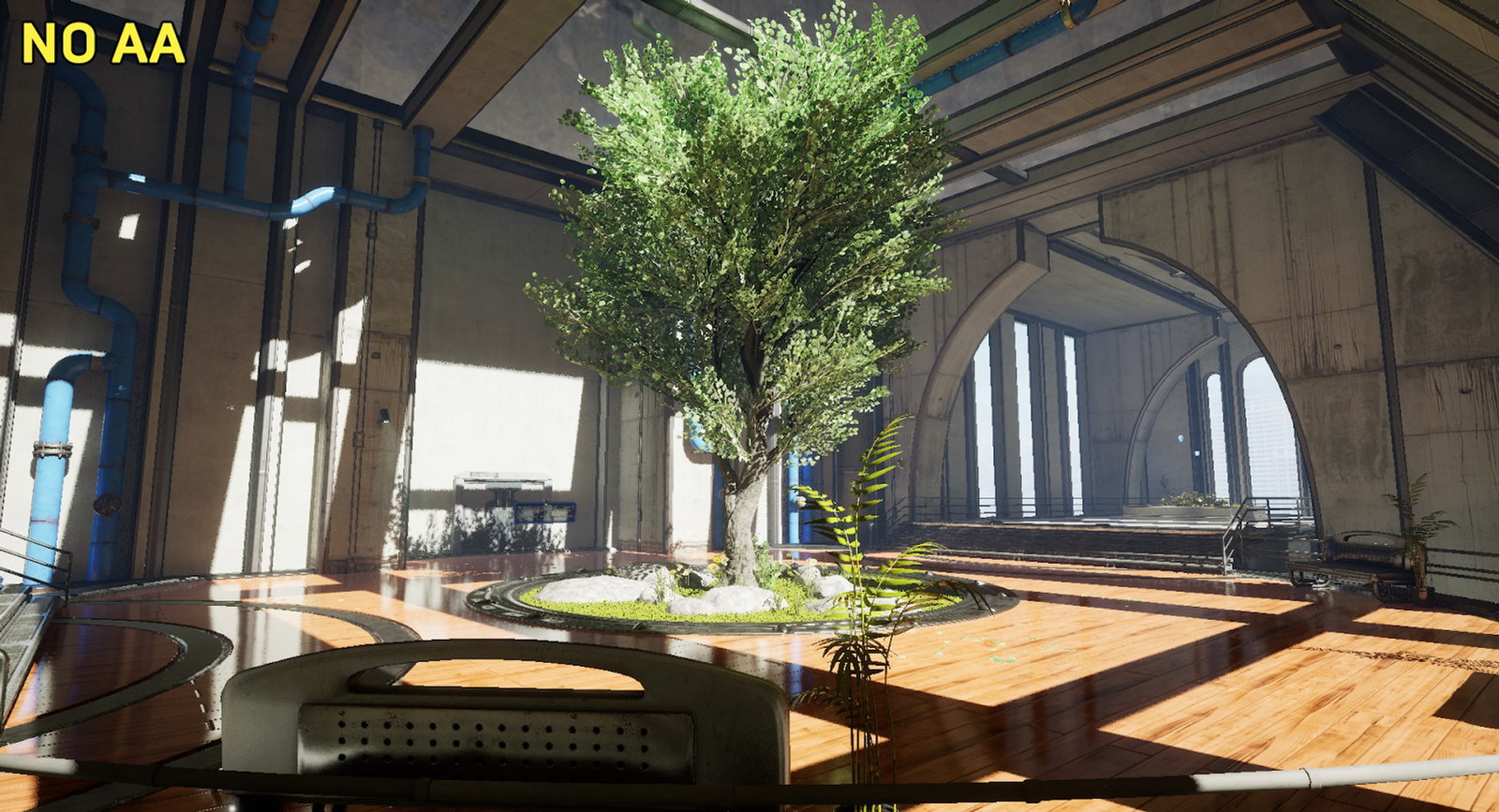
That distinction is important because there is no single anti-aliasing algorithm.
For example, Microsoft's Direct3D documentation shows that MSAA can allocate multiple samples to each pixel, with sample counts such as 2x, 4x, 8x, or even higher depending on the implementation. Increasing those samples can improve geometric edge quality but also increases processing requirements.
Temporal techniques attack another problem: movement. Unreal Engine's TAA implementation samples different positions between frames and blends information from previous frames, helping reduce both jagged edges and instability in motion.
Same destination, different roads.
What Are The Main Types Of Anti-Aliasing?
Those graphics-menu acronyms make more sense once you know what each one is trying to do.
-
SSAA
Supersample Anti-Aliasing renders more image information than the final display requires and then reduces it to the target resolution. It can produce excellent results but carries a substantial performance cost.
-
MSAA
Multisample Anti-Aliasing concentrates additional samples around geometry edges rather than applying full supersampling everywhere. Epic notes that higher MSAA sample counts improve fidelity while increasing GPU processing. It is less effective against aliasing produced by shaders, textures, or transparent surfaces.
-
FXAA
Fast Approximate Anti-Aliasing works as a post-processing filter. It detects high-contrast edges in the rendered image and smooths them afterward. Epic describes FXAA as fast and suitable for lower-end hardware, although the resulting image may lose some fidelity.
-
SMAA
Subpixel Morphological Anti-Aliasing is another post-processing approach designed to improve handling of diagonal lines, sharp corners, and subpixel details. The original SMAA research introduced multiple configurations that could be adjusted around performance and image-quality targets.
-
TAA
Temporal Anti-Aliasing combines samples from the current and previous frames. This can significantly reduce shimmering and crawling but may introduce softness or ghosting when temporal information is not reconstructed accurately.
-
DLAA
NVIDIA's Deep Learning Anti-Aliasing applies AI-based image reconstruction at native resolution. Unlike DLSS Super Resolution, its main goal is improving image quality rather than increasing performance. NVIDIA describes DLAA as using technology developed for DLSS while operating on a native-resolution image.
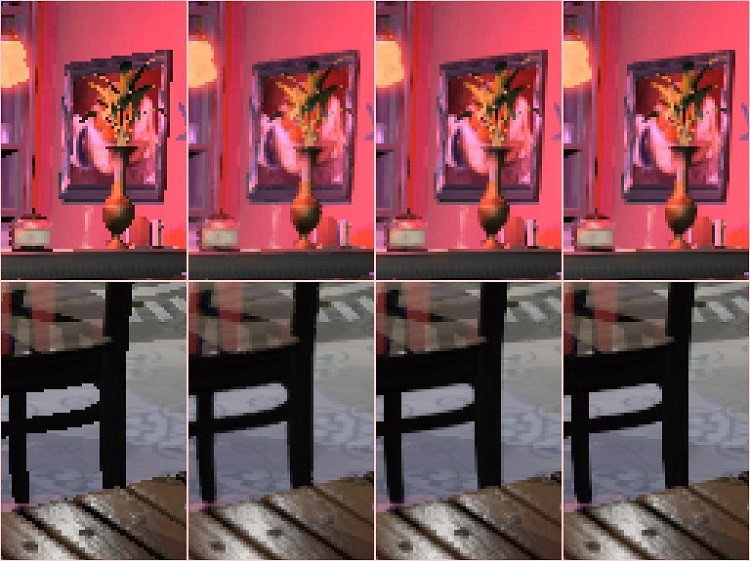
That explains why asking which anti-aliasing method is "best" has no universal answer.
What Does Anti-Aliasing Do In PC Games?
What does anti-aliasing do in PC games once you actually switch it on?
Primarily, it cleans up the image. Object edges appear smoother, fine geometry becomes less distracting, and temporal methods can stabilize details that would otherwise shimmer during camera movement.
There is usually a tradeoff.
Intel notes that reducing AA sample rates from 4x to 2x can improve performance and that lighter techniques such as FXAA can deliver higher FPS than MSAA in some circumstances. Intel has also documented significant performance reductions when increasing MSAA levels because the technique consumes additional bandwidth, fill rate, and other GPU resources.
That means anti-aliasing graphics settings affect three things at once:
-
Edge smoothness
-
Image sharpness and stability
-
GPU performance and frame rate
The right balance depends on the game, resolution, GPU, and even the type of scene being rendered.
Which Anti-Aliasing Graphics Settings Should You Use?
There is no setting that works perfectly for every PC, but a practical approach is fairly simple.
-
If performance is tight, start with FXAA, SMAA, or the game's lower-cost temporal option.
-
If MSAA is available, compare 2x and 4x before jumping to heavier sample counts.
-
If TAA looks too soft, check whether the game provides sharpening or another AA method.
-
If you have compatible RTX hardware and spare performance, DLAA can prioritize native-resolution image quality.
-
If a game supports a modern temporal reconstruction system, test it against traditional AA rather than assuming the older option will look sharper.
Resolution matters too. Higher pixel density naturally makes jagged edges less obvious, but it does not completely eliminate temporal aliasing, shimmering, or fine-detail instability.
The best anti-aliasing graphics setting is therefore the one that fixes the artifacts you can actually see without sacrificing performance you can actually feel.
How Modern Upscaling Is Changing Anti-Aliasing
The line between anti-aliasing and upscaling is becoming increasingly blurry.
AMD's FSR 3 Native AA mode uses its temporal reconstruction technology purely for anti-aliasing at native resolution, without upscaling. NVIDIA DLAA follows a similar native-resolution philosophy using DLSS technology. Meanwhile, Unreal Engine's Temporal Super Resolution combines temporal anti-aliasing with reconstruction and upscaling.
Unreal's own example shows why these technologies have converged: its Temporal Super Resolution can reconstruct a 4K output from a lower-resolution input while simultaneously addressing aliasing and temporal instability.
This evolution has been underway for years. NVIDIA Senior Graphics Engineer Adam Marrs said while discussing Adaptive Temporal Anti-Aliasing, "We want to redefine what anti-aliasing is." Modern reconstruction techniques are increasingly doing exactly that.
Conclusion
Anti-aliasing started with a simple mission: make jagged edges look smooth.
That job has become much more complicated. Today's games have dense geometry, transparent foliage, detailed shaders, high-resolution displays, and constantly moving scenes. As a result, anti-aliasing now ranges from quick post-processing filters such as FXAA to temporal reconstruction and AI-powered techniques such as TAA, FSR Native AA, and DLAA.
The important part is understanding the tradeoff rather than automatically selecting the highest number in the menu.
Pixelated edges worked perfectly for Mario because they were part of the design. When the staircase starts crawling across your brand-new supercar, though, it is probably time to check the anti-aliasing setting.
Frequently Asked Questions
Can You Force Anti-Aliasing Through Your GPU Driver?
Yes. NVIDIA’s Control Panel allows users to let a game control anti-aliasing, enhance the game’s existing setting, or override it when the application does not provide suitable controls. NVIDIA recommends using the application-controlled option when a game already includes built-in anti-aliasing settings.
Is Anisotropic Filtering The Same As Anti-Aliasing?
No. Anti-aliasing primarily smooths jagged object edges, while anisotropic filtering improves the appearance of textures viewed at steep or oblique angles. The two technologies solve different visual problems and can be enabled together.
Does Anti-Aliasing Use More VRAM?
It can. NVIDIA notes that some anti-aliasing levels require substantial video memory, and selecting a level that exceeds the available memory can produce unexpected results. In that situation, reducing the anti-aliasing level can help restore stable rendering.
Wed, Sep 23, 2026

Enjoyed what you've read so far? Great news - there's more to explore!
Stay up to date with the latest news, a vast collection of tech articles including introductory guides, product reviews, trends and more, thought-provoking interviews, hottest AI blogs and entertaining tech memes.
Plus, get access to branded insights such as informative white papers, intriguing case studies, in-depth reports, enlightening videos and exciting events and webinars from industry-leading global brands.
Dive into TechDogs' treasure trove today and Know Your World of technology!
Disclaimer - Reference to any specific product, software or entity does not constitute an endorsement or recommendation by TechDogs nor should any data or content published be relied upon. The views expressed by TechDogs' members and guests are their own and their appearance on our site does not imply an endorsement of them or any entity they represent. Views and opinions expressed by TechDogs' Authors are those of the Authors and do not necessarily reflect the view of TechDogs or any of its officials. While we aim to provide valuable and helpful information, some content on TechDogs' site may not have been thoroughly reviewed for every detail or aspect. We encourage users to verify any information independently where necessary.
Loading comments...