
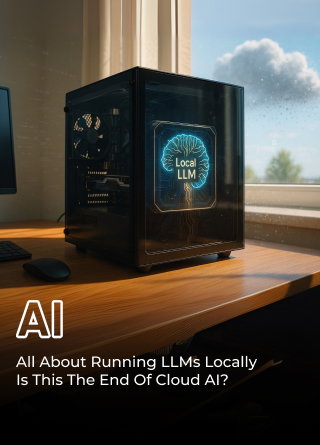
Artificial Intelligence
All About Running LLMs Locally: Is This The End Of Cloud AI?
Share
Overview
This dialogue may be familiar to those who recall the barrage meme stemming from Obadiah Stane's dialogue in the 2008 film, Iron Man.
It resurfaced after Ironheart (released in June 2025) dropped a line, “Do you think Tony Stark would be Tony Stark if he weren’t a billionaire?” No shade, she said.
Well, Marvel fans weren’t having it. Edits started flying. That legendary Stane dialogue came roaring back—not just to defend Tony, but to celebrate what made him iconic: resourcefulness over resources.
So, why does this matter?
That's because people are at a similar crossroads. Big Cloud AI feels like the billion-dollar Stark Tower setup. Impressive, yes—but out of reach for most. Meanwhile, developers everywhere are asking: “Can I build something powerful… right here, with what I’ve got?” just like how Tony made his first Iron Man suit in that cave.
Spoiler: Yes, they can. Which means that you can, too!
Running LLMs locally is that "box of scraps" moment, proving you don’t need a trillion-dollar setup to do brilliant things with AI. You just need the right tools… and maybe a little bit of Tony Stark's creativity.
That brings us to a major question: If powerful AI models can run on local machines, is this the beginning of a shift—maybe even the end—of Cloud AI as we know it?
Let’s break it down!
-(1)-208.jpg.aspx "TechDogs-\"All About Running LLMs Locally: Is This The End Of Cloud AI?\"")
Local LLMs are becoming more popular by the day. They are now competing with developers’ preferred choice for AI tasks, cloud-based models, as they are quieter and more flexible.
Whether it's devs tinkering away on their laptops or companies rolling them out on edge devices, there's a real buzz building around local setups, and it's easy to see why—faster response times, better privacy for your data, long-term cost savings, and avoiding being locked into one vendor's ecosystem.
Think of it like the shift from renting DVDs to on-demand streaming—except this time, the shift is away from centralized cloud AI to localized setups.
So, are we watching the next big disruption in motion?
Before we dive deeper into the why and how, let’s take a step back and understand what exactly local LLMs are and how they differ from the cloud-based giants we’ve grown used to.
What Are Local Large Language Models (LLMs)?
Local large language models, or LLMs, are basically AI brains that you can run straight on your device—like your laptop or an edge server—instead of beaming everything up to the cloud. They provide quicker answers, keep your data significantly more private, and even work when you're offline, which is perfect for developers and companies that want to stay in control and keep things efficient.

Put simply, you're eliminating the need to ping a Big Tech firm's servers and instead handling the LLM directly on your machine.
So, does this spell the end for cloud AI? Kinda like we figured streaming would wipe out movie theaters? Nope, not really!
It's more of a change in the game. Cloud AI services still excel in certain areas, but local LLMs are opening a multitude of additional choices for developers and everyday users.
You see, Local LLMs offer complete data control, no recurring cloud costs, and low latency. They're great for sensitive data handling, long-term cost savings, and tinkering with fine-tuning.
So, why should you run these on your personal systems? Well, let's see!
Why Should You Run LLMs Locally?
If you're considering running LLMs directly on your local setup, there are some compelling reasons to do that instead of the cloud approach. So, let's dive into the key benefits, such as
-
Privacy And Data Security
In a world where data breaches occur as frequently as status updates on an Instagram feed, keeping your information secure is extremely important. When you're using cloud-based LLMs, your data's shooting off to some random company's servers—who the heck knows what goes on there? Thus, with local LLMs, everything stays right where it belongs, on your turf.
Think of it like hiding your diary under your mattress instead of sharing it online. A thread on r/legaltech notes law firms favor on-device LLMs for confidentiality—they keep client data private and offer peace of mind.
Do you really want your deepest secrets floating in the cloud? Of course not! -
Latency And Offline Access
Stuck on a flight with unreliable Wi-Fi and trying to finish a report? Cloud-based LLMs are useless offline. Local LLMs work anywhere, anytime—no signal needed.
Not only that, they're also fast (given you have great hardware, but more on that later). No more sending your data to a distant server; everything stays local, so there's no lag. Say goodbye to waiting for answers! -
Cost Savings And Vendor Freedom
Cloud services get expensive if you run them nonstop. Monthly fees add up quickly, and you end up locked into their ecosystem. With local LLMs, you pay once and get to keep it.
No long subscriptions or vendor lock-in. You can tinker and customize however you want, with no strings attached. It’s like buying a car instead of leasing one: the upfront cost is higher, but eventually you own it outright, with no more monthly payments.
However, local LLMs have clear benefits but aren’t right for everyone. Let’s compare them side by side with cloud options to see the full picture.
Cloud LLM Vs. Local LLM: A Side‑By‑Side Comparison
Okay, so you're trying to figure out whether to stick with cloud LLMs or go local? Let's break it down, head-to-head.
| Parameter | Cloud LLMs | Local LLMs |
| Performance | High scalability, backed by large GPU clusters, makes it suitable for serving a large number of users. Latency may occur due to network dependence. | Faster response times due to on-device processing. Limited by local hardware capabilities. |
| Privacy | Data is transmitted to third-party servers. Security measures are in place, but exposure risks persist. | Data stays on-device, offering stronger confidentiality—ideal for sensitive use cases. |
| Cost & Scalability | The pay-as-you-go model allows for flexibility. Long-term use can become expensive at scale. | Requires upfront investment in hardware. Minimal ongoing operational costs once set up. |
| User Experience | Mature interfaces with robust ecosystems, including APIs, monitoring, and collaboration tools. | User interfaces are improving. Tools like Ollama and LM Studio make local use more accessible. |
| Control & Customization | Limited control due to provider restrictions and potential vendor lock-in. | Full control over models, configurations, updates, and data governance. |
So, which one is better? It depends on your needs.
So, here's a quick rundown
-
Cloud LLMs excel when you need massive scale, easy setup, and ready access to cutting-edge models—but at the cost of latency, ongoing fees, and less control.
-
Local LLMs excel in speed, privacy, upfront cost control, and full ecosystem autonomy—but they require hardware investment and maintenance.
-
Hybrid cloud architectures (e.g., edge/cloud splits) are emerging as a powerful balance, allowing you to keep sensitive tasks on-device while leveraging cloud scale when needed.
Now, if you want to run LLMs locally, you're not alone. More tools now make it easy to get started.
Let’s look at the top platforms driving this shift.
Popular Local LLM Tools And Platforms
So, ready to ditch the cloud and use local LLMs? Great!
Here are some popular tools to help you get started.
-
LLaMA.cpp And LLaMA-Server
llama.cpp is the lean, mean, C++ inference machine! It's an open-source tool designed for efficient CPU inference, so you don't need a powerful GPU to start. llama-server, a lightweight open-source add-on, allows you to serve models over a network, making it perfect for testing. Think of it as a dependable, no-frills car that always gets you where you need to go!
-
Ollama
Ollama is a full-featured model manager that streamlines downloading, installing, and running LLMs locally. It manages dependencies and configurations, allowing you to focus on the actual work.
-
AMD Gaia
AMD Gaia is an ONNX-based, Windows-only local Retrieval-Augmented Generation (RAG) interface that enables you to build applications with local LLMs using your data sources. It's an all-in-one platform for local AI development on Windows, and according to AMD, can significantly improve RAG application performance compared to traditional methods.
-
Bonus: Mobile And Edge Solutions
Don't forget about mobile and edge devices, as these emerging frameworks allow you to run LLMs directly on smartphones and other edge devices. This opens up a whole new world of possibilities for offline AI applications.


A recent survey by Gartner predicts that by the end of 2025, 75% of enterprise-generated data will be processed outside a traditional data center or cloud, driving the need for efficient Edge AI solutions.
Now that we've explored some of the popular tools for running local LLMs, let's talk about the challenges of going local.
Challenges Of Adopting Local LLMs
Before you ditch the cloud and going fully local with your LLMs, let's talk about some potential roadblocks.
-
Hardware Constraints
Running LLMs isn't like playing Candy Crush. These models are hungry for resources, like trying to fit an elephant into a Mini Cooper. It simply won't happen without some significant modifications, so you'll need a decent GPU with enough VRAM to handle the model’s workload.
Additionally, are you considering running these on edge devices? Well, let's just say you might be in a world of hurt. A 2025 industry report by Ceva highlighted that hardware limitations, algorithmic efficiency, and data availability significantly constrain the widespread deployment of Edge AI.
-
Operational Overhead
Setting up and managing local LLMs can be a real pain. It's not as simple as clicking a button and letting the cloud handle everything. You're responsible for everything, from downloading model files to configuring inference engines, and if something goes wrong? Well, you're on your own. Plus, scaling can be a nightmare. Trying to run multiple models concurrently on a single machine can be exhausting. It's exciting, but ask yourself: is it worth the hassle?
-
Model Quality And Updates
Finally, let's talk about model quality and updates. Local models often lag their cloud-based counterparts as cloud providers have teams of researchers constantly improving their models, while you're stuck with whatever you can download off the internet. Additionally, there are updates you need to manually download, configure, and install yourself. Additionally, you must consider the potential security risks associated with LLMs when downloading models from untrusted sources.

In a nutshell, running LLMs locally can be a rewarding experience, but it's not without its challenges. You need to be prepared to deal with hardware limitations, operational overhead, and model quality issues, but if you're up for the challenge, the rewards can be well worth it.
So, we've looked at the challenges. Now, let's get to the big question!
Is Running Local LLM The End Of Cloud AI?
Well, not quite. The future isn't about one replacing the other but about finding the right balance. Here's how.
-
It’s A Hybrid Model And Edge/Cloud Strategy
For instance, consider music streaming. Do you only stream from Spotify, or do you also have a few of your favorite albums downloaded for offline listening? That's the future of AI. We'll see hybrid models where some processing happens on your system or device (Edge AI) and some in the cloud. According to Gartner, by 2026, as enterprises adopt both AI and hybrid cloud at scale, a majority are expected to implement hybrid AI strategies—combining cloud and on-device processing for flexibility, speed, and control. This means combining the power of the cloud with the speed and privacy-focused AI of local processing.
-
Developers Now Have More Choices
Developers are no longer stuck with a single option. They can choose from a range of tools and platforms, from open-source libraries to cloud-based APIs. Want to experiment with a local model but need the cloud for heavy lifting? Done. Need to run a model on a device with limited resources? There's a solution for that, too!

For example, tools like AMD GAIA are making it easier to deploy local RAG interfaces on Windows, giving developers more flexibility.
What we’re seeing isn’t a dramatic exit of cloud AI but a redistribution of power. The rise of local LLMs doesn’t mean the cloud is obsolete; it means the AI ecosystem is becoming more balanced, flexible, and user-driven. Pretty cool!
In Conclusion
Running LLMs on your own computer isn't just a passing fad. It's a real option now.
For certain AI tasks, the cloud remains king, as it's super easy and fast for quick tasks. However, for other jobs, especially when you care about privacy or want to experiment with AI models like LLMs, having them set up locally is a significant advantage.
The cool part is that you don't have to pick just one. You can use both cloud and local LLMs!
The future will likely involve a combination of local and cloud AI working together. It's an exciting time, and it'll be fun to see how things change even more.
Frequently Asked Questions
Is It Worth Using A Local LLM?
Yes—if you value speed, privacy, and control. Local LLMs reduce cloud costs, safeguard sensitive data, and provide low-latency responses, making them ideal for developers, enterprises, and privacy-conscious use cases.
What Is The Best LLM That Runs Locally?
Qwen3, Llama 3, and Mistral are top-rated LLMs for local use, offering a balance of performance, hardware compatibility, and efficiency across both CPU and GPU setups.
How Much Does A Local LLM Cost?
Setup costs range from $1,000 to $3,000 for consumer hardware, with monthly electricity costs of around $300. There are no ongoing subscription or API fees.
Fri, Jul 18, 2025

Liked what you read? That’s only the tip of the tech iceberg!
Explore our vast collection of tech articles including introductory guides, product reviews, trends and more, stay up to date with the latest news, relish thought-provoking interviews and the hottest AI blogs, and tickle your funny bone with hilarious tech memes!
Plus, get access to branded insights from industry-leading global brands through informative white papers, engaging case studies, in-depth reports, enlightening videos and exciting events and webinars.
Dive into TechDogs' treasure trove today and Know Your World of technology like never before!
Disclaimer - Reference to any specific product, software or entity does not constitute an endorsement or recommendation by TechDogs nor should any data or content published be relied upon. The views expressed by TechDogs' members and guests are their own and their appearance on our site does not imply an endorsement of them or any entity they represent. Views and opinions expressed by TechDogs' Authors are those of the Authors and do not necessarily reflect the view of TechDogs or any of its officials. While we aim to provide valuable and helpful information, some content on TechDogs' site may not have been thoroughly reviewed for every detail or aspect. We encourage users to verify any information independently where necessary.
Loading comments...