
Automation
Top 5 Workflow Automation Software Of 2026
Share
TL;DR
-
Slack: Facilitates seamless collaboration by using AI powered tools to create automated processes without any coding.
-
Asana: Provides a highly intuitive user experience that brings clarity to complex projects through standardized work requests.
-
ClickUp: Offers an all in one workspace that scales easily by combining data, apps, and visual automation builders.
-
Karbon: Serves as a specialized automation platform for accounting teams to manage client requests and recurring work.
-
Kintone: Delivers a flexible no code environment that empowers non technical users to build custom apps and databases.
Introduction
Have you ever watched the film The Founder? It captures the relentless drive of the McDonald brothers as they choreographed every movement in their kitchen to assemble a burger in record time. They realized that by breaking down complex tasks into repeatable steps, they could maximize speed and eliminate waste. Today, that same spirit of efficiency defines the modern workplace, though we swap the assembly line for sophisticated digital systems. Instead of manual timers and chalk drawings, we use intelligent automation to handle the heavy lifting while we focus on the bigger picture.
Most employees in small to medium companies still find themselves buried under repetitive manual tasks that drain their creative energy. Workflow automation software acts as a digital nervous system, using rule based logic to ensure that if one action occurs, the next step follows instantly and without error. By removing these tedious hurdles, teams can finally shift their attention to high impact projects that actually move the needle. Here are the Top 5 Workflow Automation Software Of 2026 designed to streamline your business.
What Is Workflow Automation Software?
Workflow Automation Software is a tool that boosts business productivity, making it one of the best workflow automation options available to businesses today. It removes tedious, manual tasks from your plate and replaces them with streamlined, automated processes.
This software saves time, reduces the risk of human error, and allows teams to focus on impactful projects, making it an essential business workflow automation tool. Moreover, with enhanced workflow visibility, businesses can spot operational inefficiencies and areas for improvement.
At its core, Workflow Automation Software runs on data and rule-based logic. Think, if A happens, then do B. Whether triggering tasks, setting reminders, or syncing teams, this software mimics human intelligence to ensure smooth, efficient operations.
So, grab a Coke, settle in and dive into the Top 5 Workflow Automation Software of 2026.
Top 5 Workflow Automation Software Of 2026
Here are the top 5 Workflow Automation Software stars of 2026. No rankings, just a talent show where the winner depends on your business requirements!
 |
 |
 |
 |
 |
Slack: Best For Integration
Back on this year's list is Slack by Salesforce, which remains a top workflow automation software, helping teams streamline collaboration with real-time messaging, powerful integrations, and customizable workflows. Its centralized workspace makes information easier to access and automate across tools. With 200K+ paid customers, including 77 of the Fortune 100, Slack also earned a spot among G2's Top 50 Collaboration & Productivity Products of 2025.
Why We Chose Slack In 2026
Slack stands out in 2026 for making workflow automation remarkably intuitive. Its AI-powered Workflow Builder enables anyone to create automated processes in minutes, without coding or technical expertise. Whether you're handling IT incidents, routing requests or managing approvals, Slack supports conditional branching with up to ten logic layers, allowing even complex workflows to run smoothly.
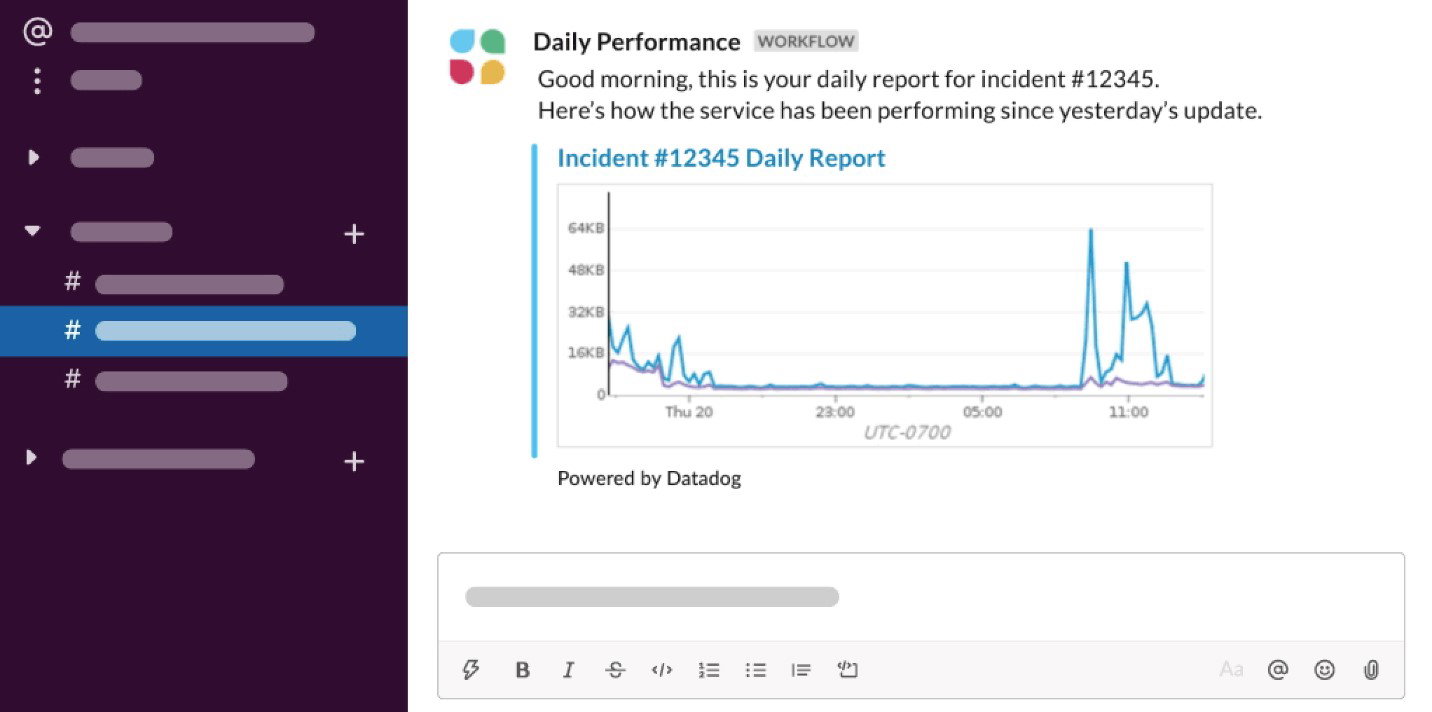
What further sets Slack apart is how seamlessly it connects with a broader tech stack. With plug-and-play connectors for Salesforce and 70+ other apps, integrated workflows can be shared, run or launched anywhere within Slack. Combined with channel-based communication, unified search and AI-driven insights, Slack evolves into a faster, more organized, and more secure operating system for modern work.
Pricing
Slack offers four plans. The Free plan covers essential features to help teams get started. Pro, at $6.67 per active user/month (when billed annually), adds unlimited message history and full app integrations. Business+, priced at $12.50 per active user/month, includes advanced AI capabilities. For larger organizations, Enterprise+ delivers top-tier security and AI, with pricing available on request.
What Works And What Doesn't
| Pros | Cons |
| Organized team communication | Too many notifications |
| Powerful app integrations | Hard to track messages |
| Easy workflow management | Overwhelming in large groups |
Our Final Take
Slack is best suited for teams that rely on fast, cross-functional collaboration and want simple, AI-enabled workflow automation. It may not be ideal for very large teams with high message volume, but it is a great choice for enterprises seeking a modern, integrated workspace that streamlines communication and reduces workflow friction.
Asana: Best User Experience (UX)
Asana, whether you say "uh-sah-nuh" or "āh-suh-nuh," remains one of the most trusted workflow automation software platforms worldwide. A fresh entry on this year's list, Asana is known for bringing clarity to complex projects and helping teams align, automate workflows and move strategic initiatives forward with ease. Trusted by 170,000+ customers across 200+ countries, it also earned recognition among G2's Best Project Management Software Products of 2025.
Why We Chose Asana In 2026
Asana earns its spot in 2026 by making workflow automation simple and accessible for every team. With no-code tools like Forms, Rules, Templates, and Bundles, teams can create consistent, error-free processes at scale. Automated task routing, standardized work requests, and ready-made project guides help everyone move faster, while dashboards show real-time progress and highlight bottlenecks.
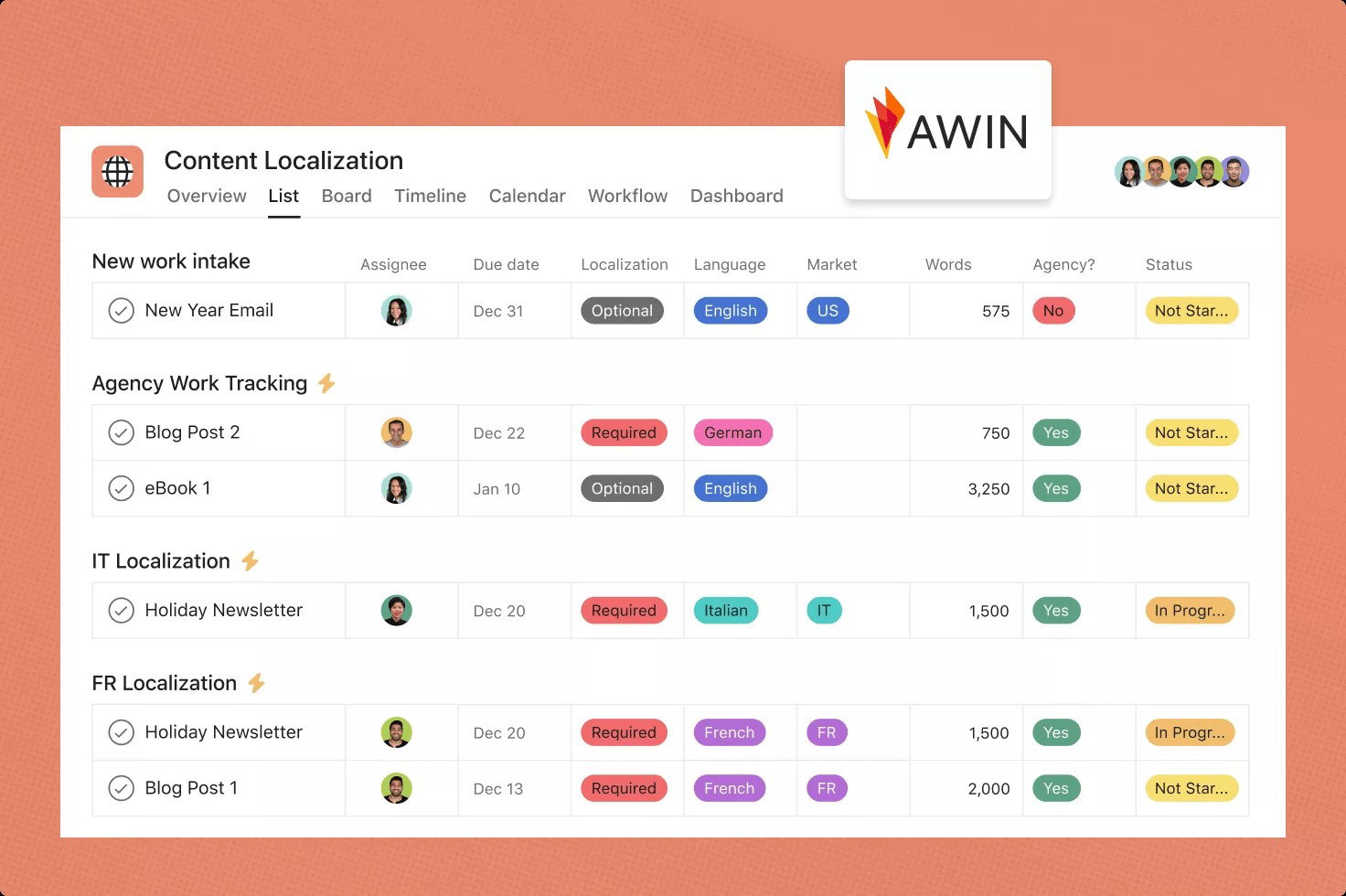
With 270+ app integrations, teams can automate end-to-end workflows without jumping between platforms. With Asana AI Studio, repetitive tasks can be automated, allowing you to focus on strategic work. Altogether, Asana becomes a dependable engine that keeps modern teams running smoothly.
Pricing
Asana has five plans, including a free Personal plan that's perfect for individuals or small teams getting started with task and project management. The Starter plan costs US$10.99 per user/month when billed annually (US$13.49 per user/month when billed monthly) and includes AI, dashboards, forms, and workflow automation. The Advanced plan costs US$24.99 per user/month (US$30.49 monthly) and adds portfolios, goals, approvals, and app integrations. Enterprise and Enterprise+ offer advanced security and compliance, with pricing available on request.
What Works And What Doesn't
| Pros | Cons |
| Clear project management | Limited analytics or reporting |
| Quick team onboarding | Task assignments restrictions |
| Smooth app integrations | Time-tracking needs improvement |
Our Final Take
Asana is best suited for teams across all company sizes looking for a user-friendly platform to manage projects, automate workflows, and keep work organized. It may not be ideal for teams needing advanced analytics, detailed reporting, or multi-assignee tasks. The software can be a great choice if you want a flexible, intuitive platform that streamlines project management.
ClickUp: Best for Scalability
ClickUp is back on our 2026 list as a unified workspace built to streamline how teams automate and manage work. By bringing apps, data and workflows together, it reduces scattered processes and keeps teams aligned. Its AI-driven environment boosts productivity end-to-end, and with 20 million+ users, ClickUp was also named among G2's Best Software Products of 2025.
Why We Chose ClickUp In 2026
ClickUp offers one of the most complete and intuitive workflow automation systems. Its visual, no-code builder makes it easy for anyone to automate tasks, whether it's updating statuses, routing work to the right person, changing priorities, applying templates, or even archiving items. Teams can also use customizable forms to collect information in a structured way, which then automatically converts into tasks, helping reduce mistakes and duplicate work.
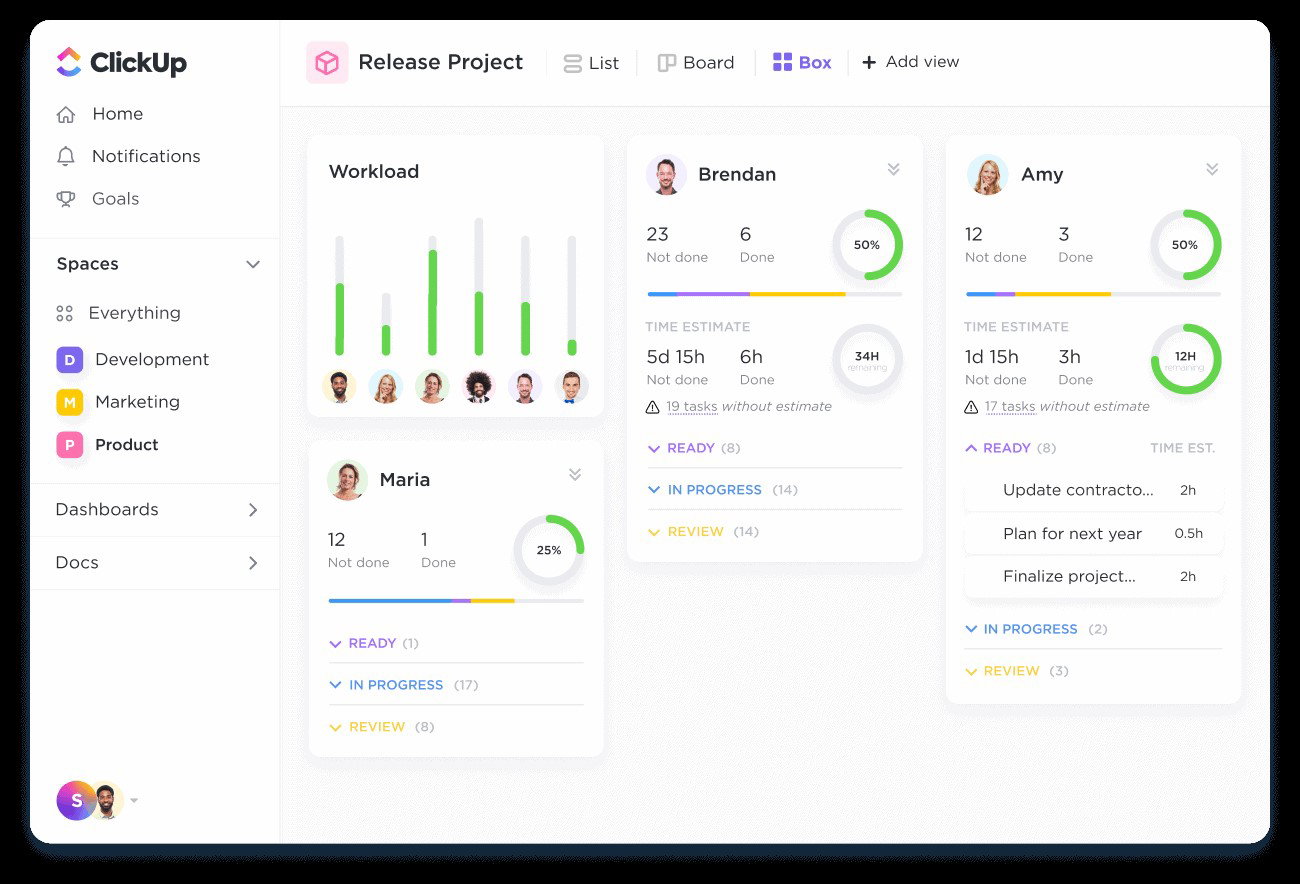
What really sets ClickUp apart is how well it supports end-to-end work management. Teams can automate approvals, track budgets, log time, monitor resource capacity, and build workflows that fit their projects and departments. With its dashboards, collaboration features, and strong integrations, ClickUp pulls everything into one place by removing work chaos and giving teams a clear, consistent view of their progress.
Pricing
ClickUp has four plans, with the Free Forever plan being completely free. The Unlimited plan costs $7 per user per month when billed annually. Business costs $12 per user each month when billed annually and adds advanced features. Enterprise has custom pricing and includes top-tier security, controls and support.
What Works And What Doesn't
| Pros | Cons |
| Powerful automation tools | Lacks smooth performance |
| Customizable dashboards | Message window limitations |
| All-in-one workspace | Tracking task history gets difficult |
Our Final Take
ClickUp is best suited for growing teams and fast-moving organizations looking for a centralized platform to automate, manage, and track all their work in one place. It may not be ideal for teams that prefer a simpler, minimal tool, as its wide range of features can feel overwhelming at first. Overall, it's a great choice for powerful automation, strong customization, and a single workspace that keeps every project, workflow, and team perfectly aligned.
Topics for more insights
Karbon: Best Customer Support
Karbon is new to our 2026 list as a workflow automation platform designed specifically for accounting teams. By bringing email, tasks, discussions, and structured workflows into one place, it helps firms collaborate better and deliver client work on time. Trusted by 33,000+ professionals across 34 countries, Karbon also earned a Fall 2025 Leader award on G2 for its strong performance and user impact.
Why We Chose Karbon In 2026
Karbon gives accounting teams a smarter way to manage work without constant manual follow-ups. Automated client requests, reminders, and document collection ensure nothing gets lost or left pending, while templates, checklists, and standardized work types keep recurring processes consistent and error-free as teams grow.
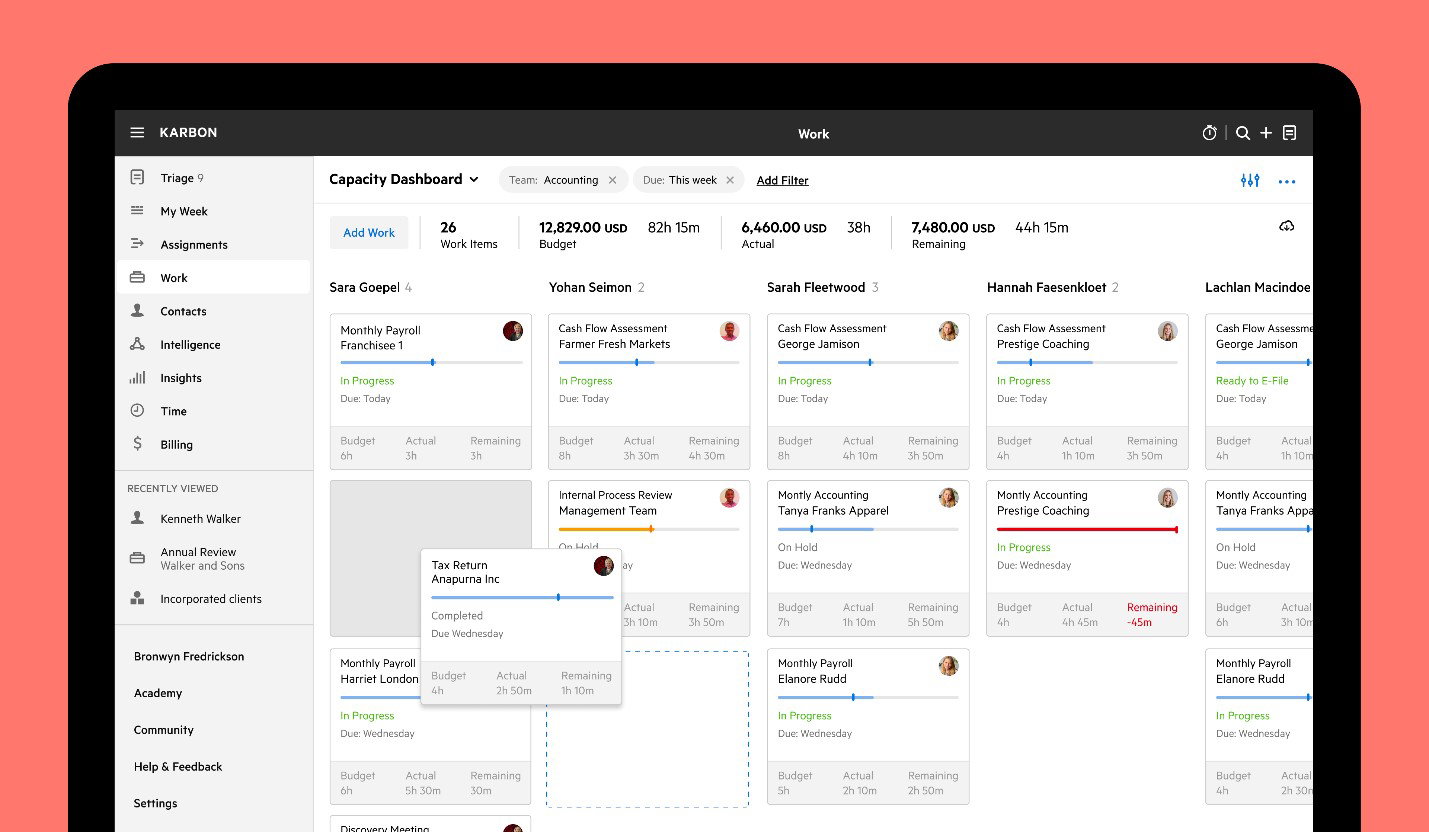
Karbon naturally supports the flow of everyday work. Task-based automations update jobs as progress is made, and tools like My Week, Kanban boards, and recurring Work Schedules help teams stay focused on key deliverables. With built-in AI, time tracking, deeper insights, and a client portal that brings clients directly into the workflow, Karbon becomes a complete automation system built around the real needs of modern accounting firms.
Pricing
Karbon offers three simple pricing tiers. The Team plan costs $59 per user per month when billed annually ($79 per user per month if billed monthly) and includes essential workflow, email, collaboration, and billing tools. The Business plan is $89 per user per month (or $99 monthly) and includes automations and industry integrations. For larger firms, the Enterprise plan provides advanced security, customization and dedicated support with custom pricing.
What Works And What Doesn't
| Pros | Cons |
| Strong workflow automation | Onboarding takes time |
| Seamless email integration | Setup challenges |
| Helpful customer support | Customization requires efforts |
Our Final Take
Karbon is best suited for accounting teams and firms looking for a centralized platform to automate workflows, manage client work, and improve collaboration. It may not be an ideal workflow automation solution for small businesses seeking a simple, lightweight tool. Overall, it's a great choice as a strong, end-to-end workflow automation system.
Kintone: Best Value
Kintone makes its debut on our 2026 list as a no-code platform that empowers teams to build automated workflows, apps, and databases without relying on IT. Its click-based interface simplifies process management, enables real-time collaboration, and handles complex data with ease. Recognized as a Winter 2025 Leader on G2 for its strong mid-market support, Kintone is built for fast, flexible workflow automation.
Why We Chose Kintone In 2026
Kintone makes workflow automation simple and accessible for every team, no matter their technical background. Its drag-and-drop builder lets users create and update workflows in minutes, helping standardize processes and keep projects on track. Automated reminders, notifications, and built-in process management ensure teams always know what needs attention and the status of ongoing work.
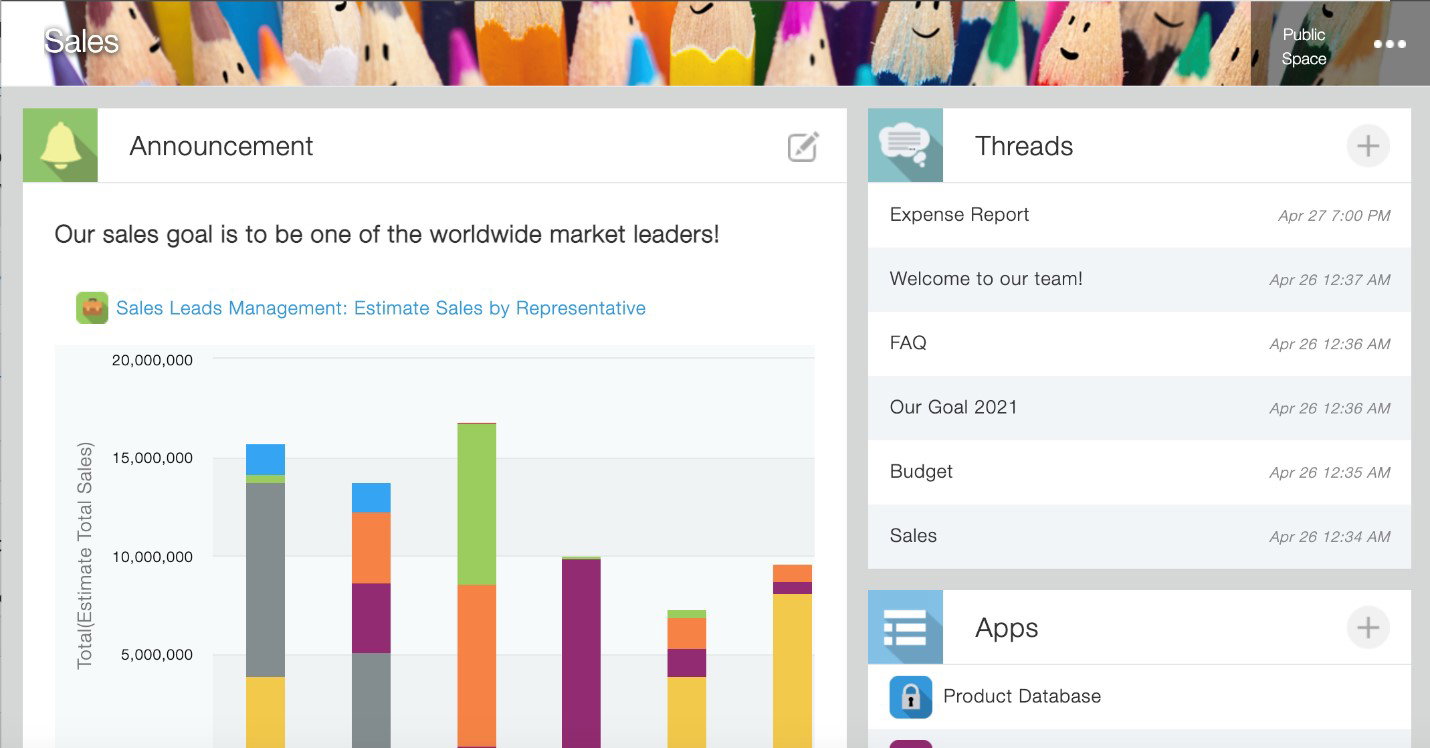
Kintone also organizes complex, cross-department operations through dedicated workspaces that centralize apps, workflows, and analytics. Quick reporting tools turn data into actionable insights instantly, while a growing library of integrations, APIs, and plugins expands automation possibilities. Altogether, Kintone offers a flexible, scalable platform that evolves as quickly as your business does.
Pricing
Kintone offers two paid plans. The Professional plan starts at $16 per user/month (billed annually), includes all basic features, and requires a minimum of 5 users. The Custom plan starts at $20 per user/month (billed annually) and offers advanced customization options alongside all basic features, with a minimum of 5 users.
What Works And What Doesn't
| Pros | Cons |
| Easy no-code app building | Outdated interface |
| Flexible and customizable | Limited automation power |
| Strong team collaboration | Struggles with large reports |
Our Final Take
Kintone is best for mid-sized teams and departments looking for flexible, no-code workflow automation and app building without relying on IT. It may not be ideal for teams that need highly modern interfaces or advanced automation at scale, due to UI limitations and reporting constraints. Kintone is a good choice if you want an easy-to-use platform that centralizes processes, enhances collaboration, and grows with your business.
Top 5 Workflow Automation Software Comparison
Finding the right workflow automation software doesn't have to be complicated. We have simplified your search with a clear, side-by-side comparison of the top 5 platforms, making it easier to see which one best fits your team's needs and boosts productivity.
P.S.: Always remember to visit the vendor's site for the latest information!
| Criteria |  |
 |
 |
 |
 |
| Starting Price | $6.67/user/month | $10.99/user/month | $7/user/month | $59/user/month | $16/user/month |
| Avg. User Rating | 4.5 | 4.4 | 4.7 | 4.8 | 4.6 |
| Free Trial/Demo | 90 days | 30 days | 14 days | 14 days | 30 days |
| Key Features | Messaging, integrations, workflows | Task Management, dashboards, automation | Automation, dashboards, forms | Workflow, email, automations | No-Code apps, customization, collaboration |
| Integrations | AWS, Microsoft 365, Jira | Tableau, Google Drive, Figma | Dropbox, HubSpot, Zoom | BambooHR, Anchor, Calendly | Zapier, Workato, Box |
Wrapping Up
The right workflow automation software doesn't just save time but transforms how teams work. From Slack's seamless communication to ClickUp's all-in-one automation, Asana's project clarity, Karbon's accounting focus, and Kintone's no-code flexibility, each platform empowers teams to work smarter, faster, and more collaboratively.
Choosing the right software centralizes processes, reduces errors, boosts productivity, and keeps your team aligned, efficient, and ready to tackle the challenges of 2026 and beyond.
So, pick the right software, and turn everyday tasks into effortless progress.
Frequently Asked Questions
What Are The Top 5 Workflow Automation Software Of 2026?
The top 5 workflow automation software of 2026 are Slack, Asana, ClickUp, Karbon, and Kintone. Each offers unique features to streamline tasks, enhance collaboration, and boost team productivity across industries.
What Are The Benefits Of Using Workflow Automation Software?
Workflow automation boosts efficiency, reduces errors, centralizes processes, and improves team collaboration. It provides real-time insights, automates repetitive tasks, and ensures projects stay on track while saving valuable time.
Can Non-Technical Teams Use Workflow Automation Software?
Yes. Platforms like Kintone and ClickUp offer no-code or low-code tools, drag-and-drop builders, and templates that let non-technical users automate workflows and manage projects efficiently without IT support.Thu, Feb 26, 2026

Enjoyed what you've read so far? Great news - there's more to explore!
Stay up to date with the latest news, a vast collection of tech articles including introductory guides, product reviews, trends and more, thought-provoking interviews, hottest AI blogs and entertaining tech memes.
Plus, get access to branded insights such as informative white papers, intriguing case studies, in-depth reports, enlightening videos and exciting events and webinars from industry-leading global brands.
Dive into TechDogs' treasure trove today and Know Your World of technology!
Disclaimer - Reference to any specific product, software or entity does not constitute an endorsement or recommendation by TechDogs nor should any data or content published be relied upon. The views expressed by TechDogs' members and guests are their own and their appearance on our site does not imply an endorsement of them or any entity they represent. Views and opinions expressed by TechDogs' Authors are those of the Authors and do not necessarily reflect the view of TechDogs or any of its officials. While we aim to provide valuable and helpful information, some content on TechDogs' site may not have been thoroughly reviewed for every detail or aspect. We encourage users to verify any information independently where necessary.
Loading comments...