

IT Security
Top 5 Single Sign-On Software Of 2026
Share
TL;DR
-
Microsoft Entra ID: Delivers deep ecosystem integration and automated identity management for Microsoft-based environments.
-
WatchGuard AuthPoint: Provides reliable MFA and phishing-resistant authentication for small and midsize businesses.
-
Cisco Duo: Offers fast, user-friendly authentication with adaptive security policies.
-
Okta: Supports large-scale environments with extensive integrations and flexible identity controls.
-
Dashlane Business: Combines traditional SAML-based SSO with an encrypted password vault to secure both modern and legacy applications.
Introduction
Managing access across multiple applications has quietly become one of the most frustrating parts of modern work. Every new tool adds another login, another password, and another potential security risk.
Single Sign-On software addresses this by centralizing authentication. Instead of maintaining multiple credentials, users log in once and securely access everything they need. For IT teams, this reduces the burden of password resets, improves visibility, and limits the risk of unauthorized access.
As organizations operate across cloud, on-premises, and hybrid environments, identity management is no longer just an IT function. It directly impacts security and productivity.
Here are the Top 5 Single Sign-On Software solutions of 2026 that help simplify access while strengthening protection.
What Are Single Sign-On (SSO) Tools?
Single Sign-On (SSO) tools are identity management solutions that allow users to access multiple applications with a single set of login credentials. Instead of signing in separately to each system, users authenticate once and gain access to all authorized resources.
This approach reduces password fatigue, minimizes security risks associated with credential reuse, and gives IT teams centralized control over user access. It also simplifies onboarding and offboarding by allowing administrators to manage permissions from a single platform.
As organizations adopt more cloud applications and distributed work environments, SSO tools have become a practical way to balance security with ease of access.
Top 5 Single Sign-On Software Of 2026
Here are the Top 5 Best SSO Platforms Of 2026; choose the one that lets you unlock your digital world like the Key maker!
 |
 |
 |
 |
 |
Microsoft Entra ID: Best For Integration
Microsoft Entra ID, formerly Azure AD, is a widely adopted identity platform that helps organizations manage access across cloud and on-premises environments.
It is trusted by global enterprises and continues to be recognized as a leader in access management.
Why We Chose Microsoft Entra ID In 2026
Microsoft Entra ID excels at managing hardware and software inventories while applying Zero Trust policies. It enables teams to run seamless SSO for both cloud and on-premises resources, though the hybrid transition remains a point of familiarity for many users. It also comes with built-in biometric authentication, including facial recognition and fingerprint scanning, for high-security logins.
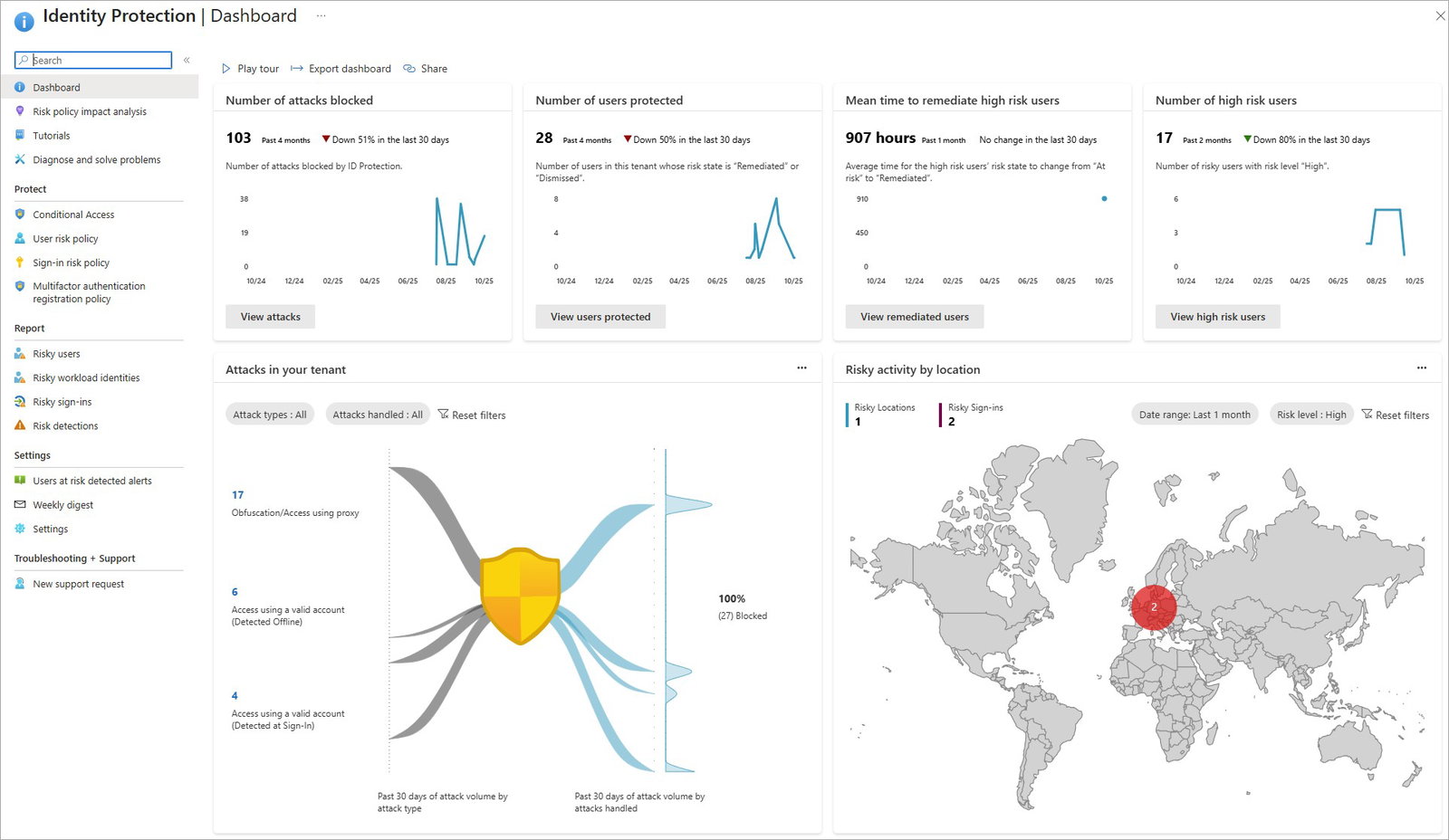
Microsoft makes identity management scalable for enterprises that already rely on Microsoft 365. Its standout factor in 2026 is the Platform SSO for the Apple ecosystem, allowing new employees to get signed into their work accounts in minutes. Teams can also utilize Microsoft Graph APIs to automate the assignment of default groups and organizational units.
Pricing
Microsoft Entra ID offers tiered pricing, with significant updates taking effect on July 1, 2026. The Entra ID Plan 1 is increasing from $6.00 to $7.00 per user per month. The Entra ID Plan 2, which includes advanced identity protection and PIM, is increasing from $9.00 to $10.00. Microsoft also offers a free version for basic features and a 30-day trial for premium plans.
What Works & What Doesn't
| Pros | Cons |
| Efficient user management via Graph APIs | Complex hybrid setup processes |
| Intuitive and straightforward UI for admins | Unexpected licensing costs for add-ons |
| Strong biometric security features | Confusion between B2B and B2C flows |
Our Final Take
Microsoft Entra ID is best suited for organizations heavily invested in the Microsoft 365 stack, looking for a native, highly automated identity platform. While the pricing is shifting, its unparalleled integration with Windows and Apple devices makes it a top-tier choice for global enterprises.
WatchGuard AuthPoint: Best For Small Businesses
Best For SME Security WatchGuard AuthPoint is a key component of the WatchGuard Unified Security Platform, focusing on making strong authentication accessible. It has built a strong reputation for reliability, with users in 2026 giving it high ratings for successful user verification. The company is a favorite among IT service providers and small to midsize firms that need a straightforward, cloud-based solution.
Why We Chose WatchGuard AuthPoint In 2026
WatchGuard helps businesses secure identities across endpoints, VPNs, and cloud applications through its cloud-native architecture. It enables teams to deploy phishing-resistant passkeys and dark web credential monitoring to protect every login. It also comes with Zero Trust policies that ensure only verified users on trusted devices can access sensitive data.
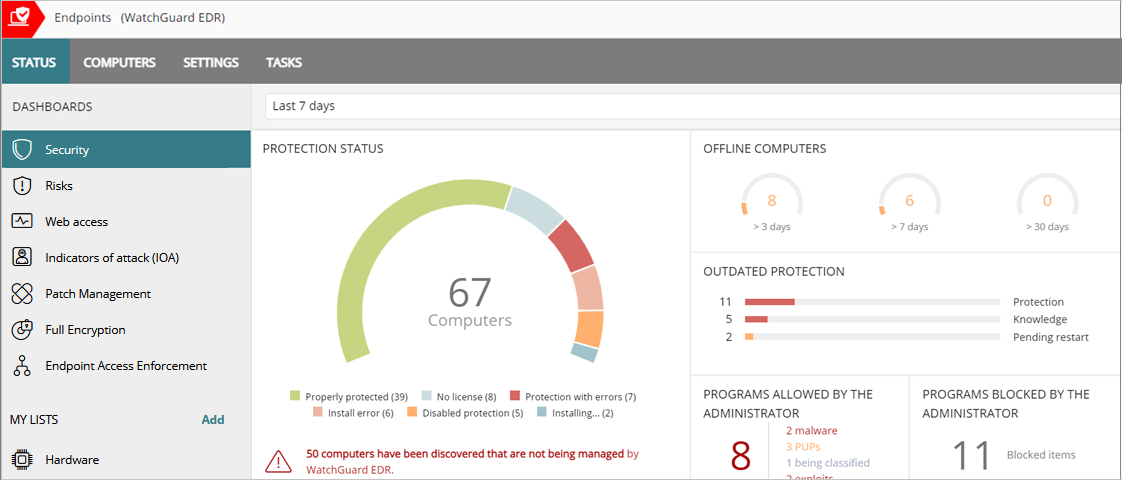
WatchGuard makes the transition to MFA simple through a mobile-first approach. Its standout factor is the reliability of its push notification system, which users rate highly for speed and consistency. Teams can manage identities for multiple clients through a single interface, making it an ideal tool for Managed Service Providers (MSPs).
Pricing
WatchGuard AuthPoint utilizes a subscription-based model available through its partner network. Pricing is generally quoted based on the number of users, often estimated at around $6.00 per user per month for standard business tiers. Organizations can request a custom quote or a free demo to determine the best fit for their endpoint requirements. WatchGuard also offers a free trial for organizations to test the platform's efficiency.
What Works & What Doesn't
| Pros | Cons |
| Top-rated push notification reliability | Limited features compared to full IAM suites |
| Easy to deploy for MSPs | Mobile device dependence for all logins |
| Streamlined token setup process | Learning curve for some menu navigation |
Our Final Take
WatchGuard AuthPoint is best suited for small to medium businesses and service providers looking for a robust, easy-to-manage MFA and SSO solution. While it may lack the broader governance features of enterprise rivals, its focus on login reliability and phishing protection is exceptional for SMEs.
Cisco Duo: Best User Experience (UX)
Best User Experience Cisco Duo, acquired by Cisco in 2018, continues to be a dominant force in the access management category. It maintains an impressive 9.4 out of 10 score on user platforms as of April 2026, with users praising its speed. The company was recognized with a 2026 "Best in KLAS" award for its ability to secure remote work environments effectively.
Why We Chose Cisco Duo In 2026
Cisco Duo brings a focus on security and usability that is difficult to match. It enables teams to run adaptive authentication that checks the health of a device before granting access. It also comes with the Duo Passport feature, which helps eliminate "MFA fatigue" by maintaining trust across sessions.
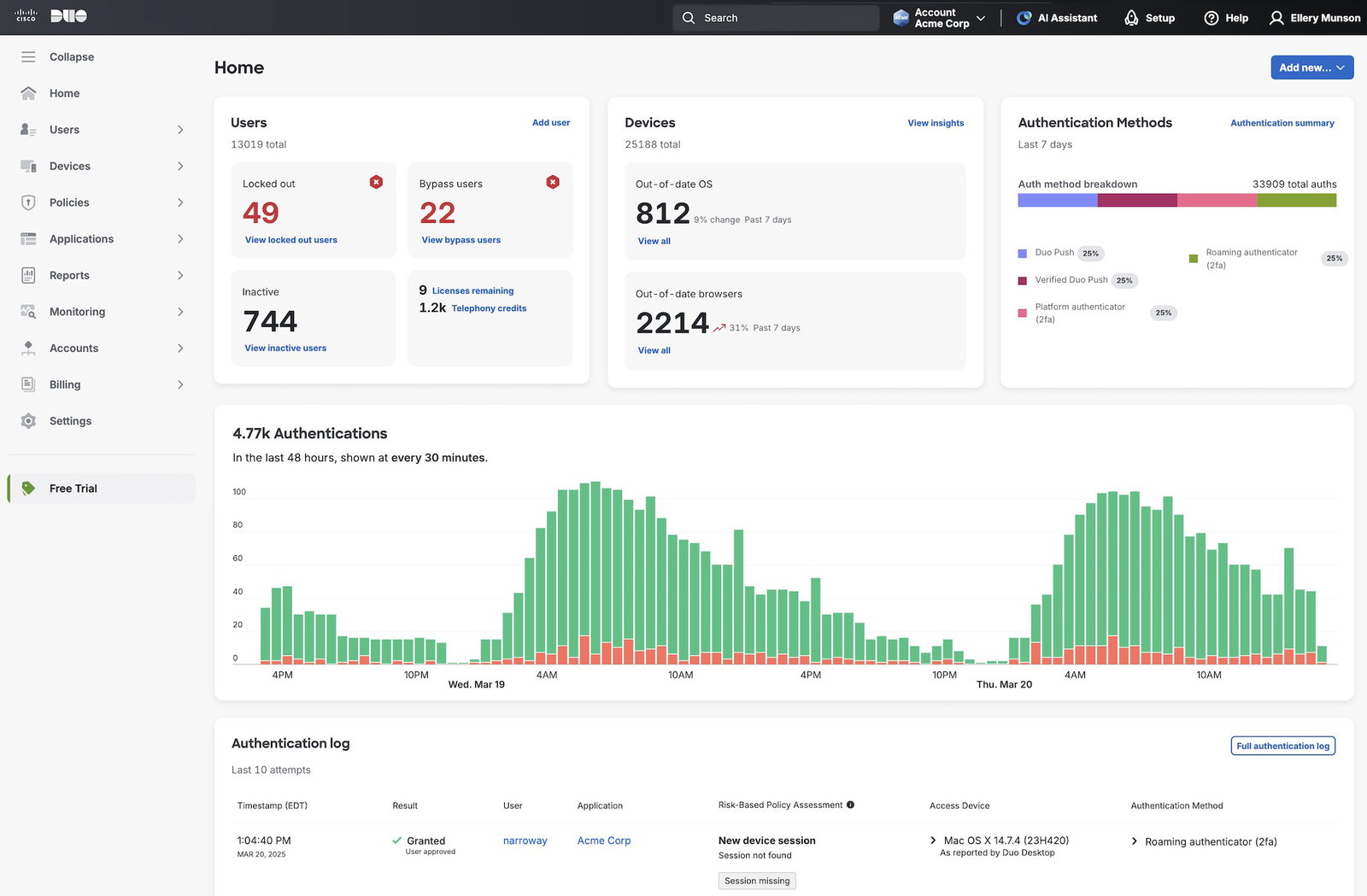
Duo makes Zero Trust accessible by providing intelligence about user devices and identifying when accounts are disabled in real-time. Its standout factor in 2026 is its superior performance speed, with users reporting significantly faster task completion compared to traditional authenticators. Teams can also utilize unified device dashboards to monitor security health across laptops and mobile devices.
Pricing
Cisco Duo offers clear, tiered pricing plans for organizations of various sizes. The Duo Essentials plan starts at $3.00 per user per month for core authentication. The Duo Advantage plan, priced at $6.00, is the most popular, adding device trust features. The Duo Premier plan, at $9.00, provides the full Zero Trust feature set, including Beyond features. Duo also offers a free version for up to 10 users, perfect for very small teams.
What Works & What Doesn't
| Pros | Cons |
| High-speed authentication performance | Limited offline mode functionality |
| Intuitive and user-friendly interface | Occasional push notification delays |
| Broad mobile app support | Difficulties transferring to new devices |
Our Final Take
Cisco Duo is best suited for businesses of all sizes that prioritize a frictionless user experience and strong Zero Trust security. Its ability to verify device health while keeping the login process incredibly fast makes it a top choice for modern hybrid workforces.
Topics For More Insights
Okta: Best For Scalability
Okta was founded in 2009 and has been a consistent Leader in the Gartner Magic Quadrant for Access Management. The company secures millions of workforce and customer identities, trusted by global brands like Adobe and T-Mobile. It is known for its "neutral" stance, offering over 7,000 pre-built integrations through the Okta Integration Network.
Why We Chose Okta In 2026
Okta helps brands scale their identity journeys through advanced automation and AI-driven intelligence. It enables teams to manage both workforce and customer identities through a single cloud-native platform. It also comes with the Okta Identity Governance (OIG) suite, which provides granular controls for tightening security.
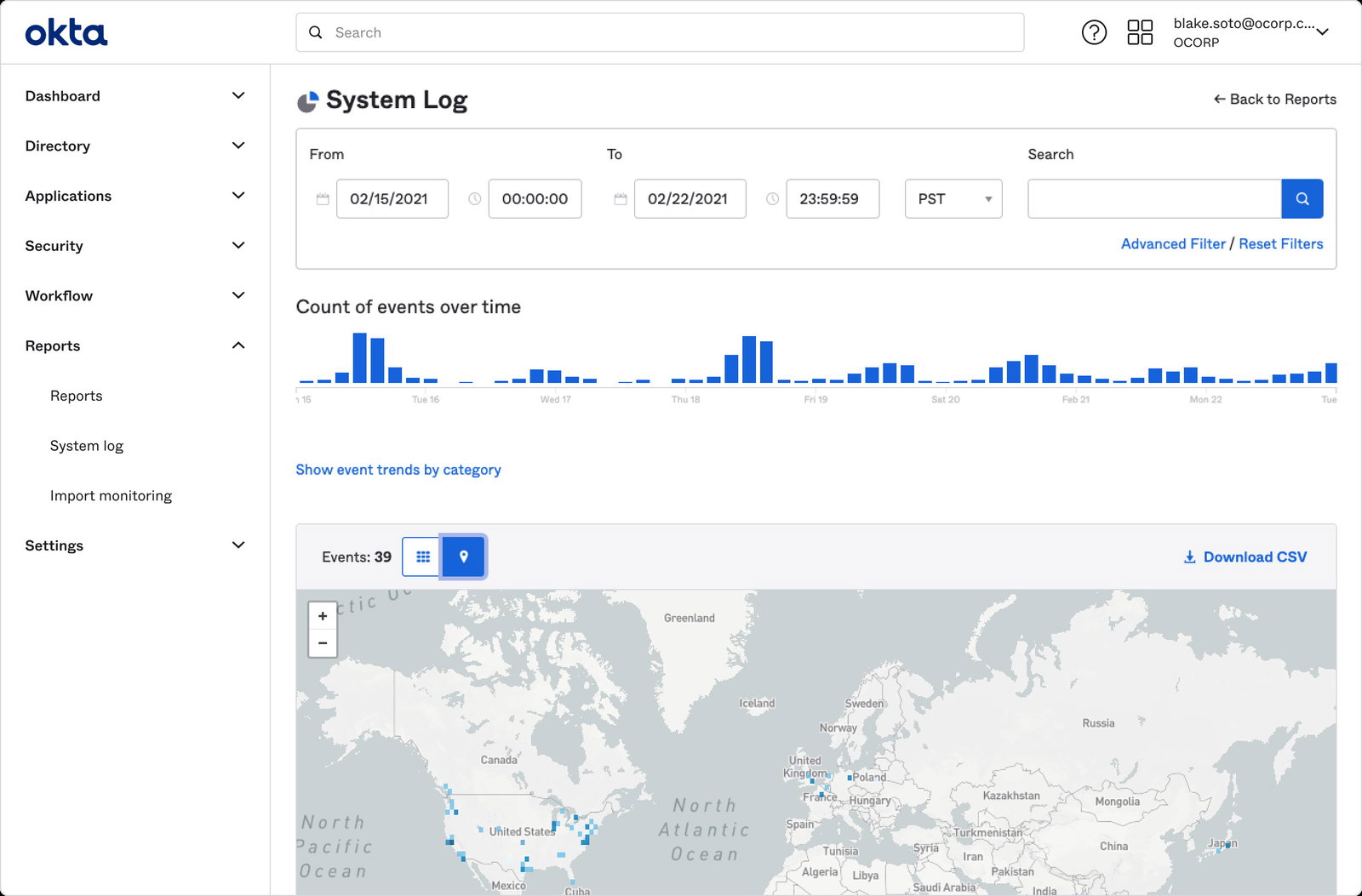
Okta makes it possible to centralize authentication for both internal and cloud applications. Its standout factor is its massive ecosystem of integrations, allowing for seamless connectivity across nearly any tech stack. Teams can also utilize contextual access management, which assesses risk based on location and device.
Pricing
Okta offers tiered pricing with plans for Single Sign-on and Adaptive authentication. The standard Single Sign-on plan is priced at $2.00 per user per month. The Adaptive SSO plan, which adds contextual access, is priced at $5.00 per user per month. Okta also offers Multi-factor Authentication starting at $3.00, and a free trial for business exploration. A free developer version is also available for those building custom identity flows.
What Works & What Doesn't
| Pros | Cons |
| Large integration ecosystem | Some advanced use cases may require more implementation effort |
| Granular policy and access controls | Niche integrations can take more work |
| Strong reporting and visibility features | Documentation may require careful review during rollout |
Our Final Take
Okta is best suited for fast-growing organizations and large enterprises that require a highly scalable, flexible platform to manage complex software stacks. While it requires proper planning, its neutrality and extensive integration library provide unmatched long-term value for a growing business.
Dashlane Business: Best Value
Dashlane serves over 23,000 organizations and 19 million people worldwide, operating out of Paris, New York, and Lisbon. It received high ratings in early 2026 for its ability to simplify workplace collaboration and password sharing. The company is a unique player that combines traditional SSO with a robust password management vault.
Why We Chose Dashlane Business In 2026
Dashlane helps brands bridge the gap between apps that support SSO and those that don't. It enables teams to run SAML-based SSO while also securing legacy or niche applications through an encrypted vault. It also comes with built-in anti-phishing protection and dark web monitoring to alert users about weak credentials.
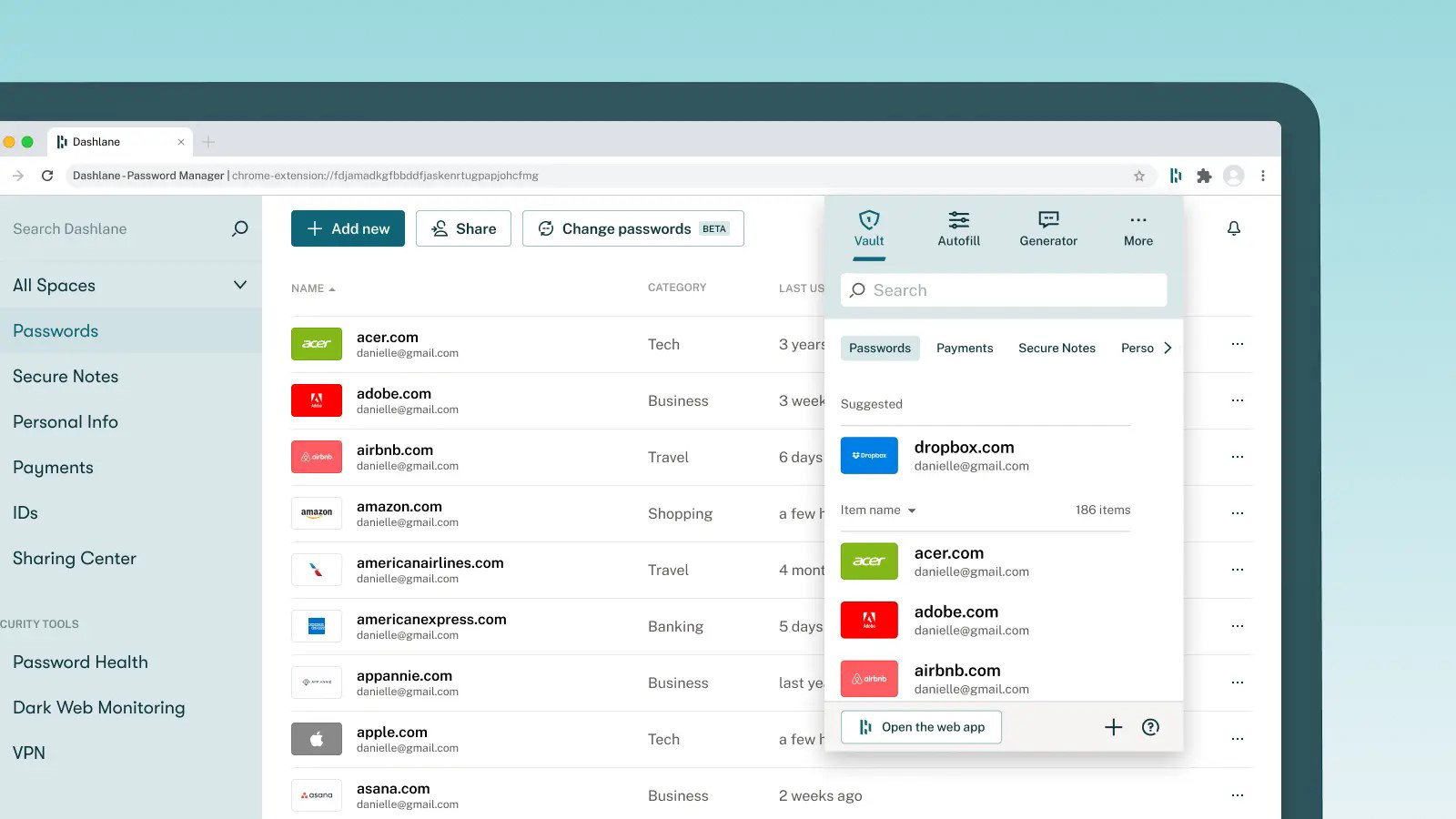
Dashlane makes password creation effortless by generating complex, extremely secure strings for every login. Its standout factor is the ability to audit user accounts and see exactly which devices have access to the corporate vault. Teams can also utilize the automatic password-filler to save time and reduce friction for end-users.
Pricing
Dashlane offers competitive annual pricing for its business and enterprise tiers. The Business plan is priced at $8.00 per month (billed annually) per seat and includes SAML-based SSO. The enterprise tier adds custom onboarding support and a dedicated success manager. Dashlane also offers a free version for personal use and a 14-day free trial for business accounts.
What Works & What Doesn't
| Pros | Cons |
| Combines SSO with a password manager | High price remains a consideration |
| Simple credential sharing | Onboarding could be more explanatory |
| Automatic phishing alerts included | Initial setup can feel non-intuitive |
Our Final Take
Dashlane Business is best suited for small to medium organizations that need to secure a mix of modern and legacy applications without a massive IT infrastructure. Its dual approach to identity security makes it a practical and powerful tool for teams that want to eliminate "forgot password" headaches once and for all.
Top 5 Single Sign-On Software Comparison
| Criteria |  |
 |
 |
 |
 |
| Starting Price | $7/month | NA | $3/month | $2/month | $8/month |
| Avg. User Rating | 4.5 | 4.7 | 4.6 | 4.6 | |
| Trial Period / Demo | 30 days | 30 days | 30 days | 30 days | 14 days |
| Key Features | Graph API automation, biometric authentication, and hybrid identity support | Passkeys, push notifications, and dark web monitoring | Adaptive authentication, device trust, and Duo Passport | Adaptive SSO, identity governance, and contextual access | SAML-based SSO, password vault, and dark web monitoring |
| Integrations | Microsoft 365, Windows, Apple ecosystem, and more | VPNs, endpoints, cloud apps, and more | Mobile devices, remote access environments, device health checks, and more | Okta Integration Network, cloud apps, internal apps, and more | Legacy apps, business apps, credential vault workflows, and more |
Conclusion
Choosing the right SSO platform depends on your existing technology stack, security requirements, and organizational scale. Each of these tools offers a different advantage, whether it is deep ecosystem integration, scalability, ease of use, or hybrid security support. Evaluate your priorities carefully to select a platform that strengthens security while improving user experience.
Frequently Asked Questions
What Is Single Sign-On (SSO) Software?
Single Sign-On (SSO) software allows users to access multiple applications using one set of login credentials. It simplifies authentication, reduces password fatigue, and improves security by centralizing access control across systems.
How Does SSO Improve Security For Businesses?
SSO improves security by reducing the number of passwords users need to manage, which lowers the risk of weak or reused credentials. It also enables centralized access control, supports multi-factor authentication (MFA), and helps IT teams monitor and manage user activity more effectively.
What Should Businesses Look For In SSO Software?
Businesses should evaluate SSO software based on integration capabilities, security features like MFA and Zero Trust support, ease of use, scalability, and compatibility with existing systems. Choosing the right platform depends on the organization’s size, infrastructure, and security requirements.
Thu, Apr 30, 2026

Liked what you read? That’s only the tip of the tech iceberg!
Explore our vast collection of tech articles including introductory guides, product reviews, trends and more, stay up to date with the latest news, relish thought-provoking interviews and the hottest AI blogs, and tickle your funny bone with hilarious tech memes!
Plus, get access to branded insights from industry-leading global brands through informative white papers, engaging case studies, in-depth reports, enlightening videos and exciting events and webinars.
Dive into TechDogs' treasure trove today and Know Your World of technology like never before!
Disclaimer - Reference to any specific product, software or entity does not constitute an endorsement or recommendation by TechDogs nor should any data or content published be relied upon. The views expressed by TechDogs' members and guests are their own and their appearance on our site does not imply an endorsement of them or any entity they represent. Views and opinions expressed by TechDogs' Authors are those of the Authors and do not necessarily reflect the view of TechDogs or any of its officials. While we aim to provide valuable and helpful information, some content on TechDogs' site may not have been thoroughly reviewed for every detail or aspect. We encourage users to verify any information independently where necessary.
Loading comments...