
IT Security
Top 5 Incident Response Tools In 2026
Share
TL;DR
-
KnowBe4 PhishER Plus: Uses AI-driven automation and global intelligence to identify and remediate high volumes of phishing threats.
-
PagerDuty: Offers a comprehensive automation-led system that manages the entire incident lifecycle from initial alerting to post-incident analysis.
-
Datadog: Unifies real-time observability data with incident management to allow teams to resolve issues without switching between different tools.
-
Splunk Enterprise Security: Provides powerful security analytics and centralized data visibility to accelerate the investigation of complex enterprise threats.
-
Palo Alto Unit 42: Combines elite expert-led investigation with a collaborative virtual war room environment for high-stakes threat remediation.
Introduction
The story of Johnson & Johnson’s 1982 Tylenol crisis remains a masterclass in swift, ethical response. When faced with a life-threatening tampering situation, the company didn't hesitate to pull millions of bottles and launch massive public safety campaigns. This decisive action transformed a potential catastrophe into a gold standard for corporate responsibility.
Today, digital crises move at the speed of light and demand that same level of strategic calm, and businesses need technology-driven precision to respond effectively. In an era where a single breach can ripple through a global supply chain, organizations must be ready to act before the damage becomes irreversible.
Incident response tools have become the modern equivalent of that crisis management team, offering automated detection and guided resolution to keep operations steady during high-pressure situations. By integrating these smart systems, businesses can turn chaotic security events into manageable hurdles.
Before we dive into the top 5, let’s understand what Incident Response Tools are.
What Are Incident Response Tools?
Incident Response Tools are software applications that help organizations detect, manage, and recover from cybersecurity threats like data breaches, system failures, and cyber-attacks. These tools automate threat detection, send real-time alerts, and provide guided response actions, allowing teams to resolve incidents faster and minimize damage.
A strong incident response strategy isn’t just about having a plan. It is about having the right tools to execute it effectively. From AI-powered alerting systems to automated playbooks and forensic analysis, modern incident response management software ensures teams can react swiftly and accurately to security threats. They also integrate with existing security systems to provide a unified, data-driven approach to incident management.
So, dive into the top 5 incident response platforms to keep your organization safe this year.
Top 5 Incident Response Tools Of 2026
Here is our curated list of the top 5 Incident Response Tools of 2026. There are no rankings here; just the 5 Best Incident Response Tools to fit your business’s incident response needs.
 |
 |
 |
 |
 |
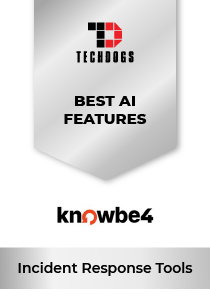
KnowBe4 PhishER Plus: Best AI Features
Founded in 2010, KnowBe4 is headquartered in Clearwater, Florida, and has offices in the UK, Brazil, the Netherlands, South Africa, Australia, France, Germany, Dubai, Singapore, Japan, and India. Across these locations, the company houses over 1,000 employees who serve over 70,000 organizations worldwide. With such a large scale of operations, it’s no wonder the company was named in G2’s Top 100 Best Software Products and Top 50 Security Products in 2025.
Why We Chose KnowBe4 PhishER Plus In 2026
KnowBe4’s PhishER Plus is an advanced incident response management tool designed to help organizations detect, analyze, and remediate phishing threats quickly and efficiently. Built to handle high volumes of reported emails, it combines human intelligence with AI-driven automation to strengthen threat response. With features such as automatic threat prioritization, customizable workflows, and one-click remediation through PhishRIP, security teams can respond to incidents in minutes instead of hours.
Leveraging insights from over 13 million global users, PhishER Plus enables security teams to prioritize incidents, automate workflows, and gain full visibility into email-based threats, making it a powerful solution for modern incident response strategies.
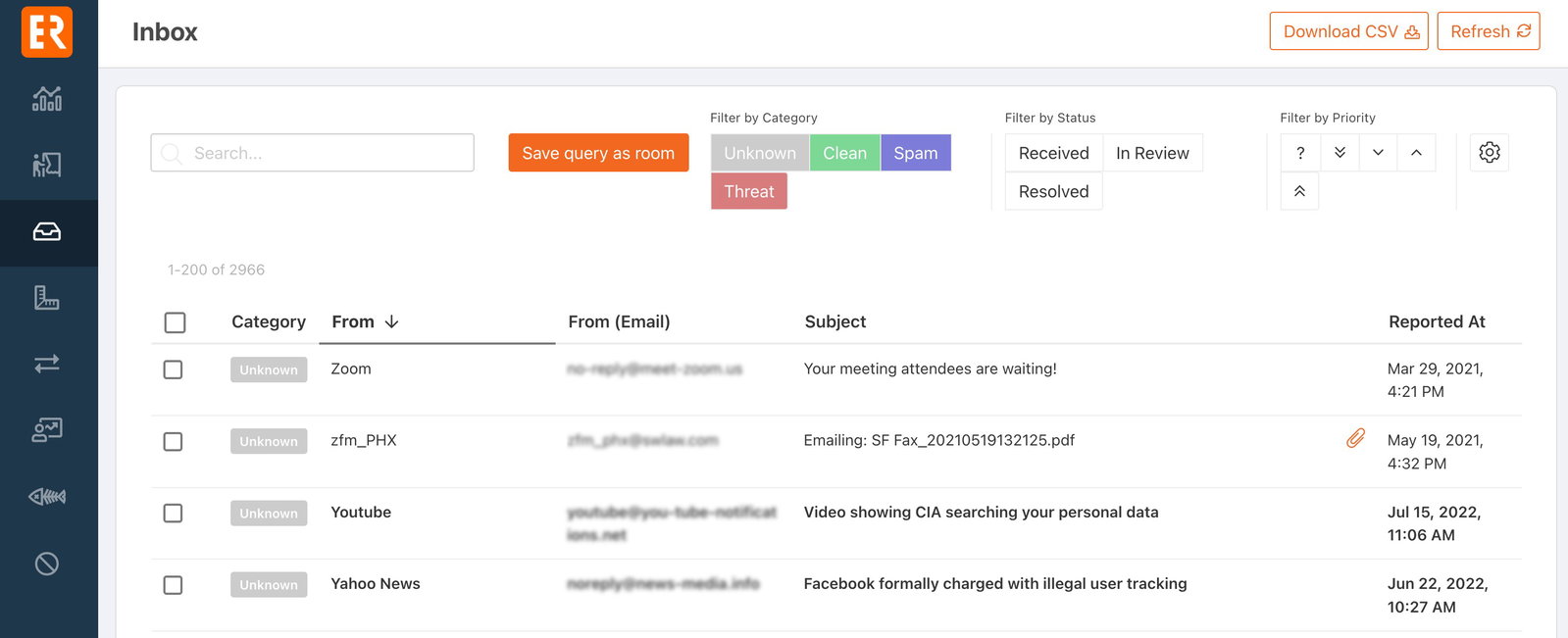
PhishER Plus’s standout factor is its AI-driven threat detection combined with automated rapid response, which bridges the gap between human awareness and machine intelligence. PhishER Plus not only identifies and blocks threats using global intelligence and pattern recognition but also removes similar malicious emails across the organization instantly.
Pricing
PhishER Plus offers tiered pricing based on the number of users, with a 3-year term subscription model. Pricing starts at $1.50 per user per month for organizations with 101–500 users and drops to $1.15 per user per month for 501–1000 users, with custom pricing available for larger deployments. Pricing may vary by region, and discounts are available for non-profits and competitive upgrades.
What Works & What Doesn't
| Pros | Cons |
| Customizable phishing tests | High rate of false positives |
| Effective email threat response | Steep learning curve |
| Automation features | Difficult setup process |
Our Final Take
PhishER Plus is best suited for mid-size to large organizations that need a fast, scalable, and automated incident response tool for phishing threats. While it is primarily focused on email security, its AI-driven automation, global threat intelligence, and rapid remediation capabilities make it a strong choice for organizations looking to strengthen their incident response posture.
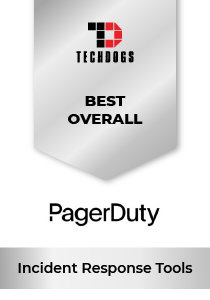
PagerDuty: Best Overall
PagerDuty was founded in 2009 and has its headquarters in San Francisco with offices around the globe, including London, Lisbon, Sydney, Atlanta, and Toronto. It has a workforce of around 1,200 employees who serve over half of the Fortune 500 and nearly 70% of the Fortune 100. With customers such as Zoom, Spotify, Fox, Cloudflare, NVIDIA, Netflix, Salesforce, Cisco, and others, the company was named a Leader in G2’s Winter 2026 report.
Why We Chose PagerDuty In 2026
PagerDuty stands out as a comprehensive incident response platform that covers the entire incident lifecycle, from detection and alerting to resolution and post-incident analysis. Its automation-led system reduces manual intervention by orchestrating workflows, assigning roles, and ensuring critical tasks are completed during incidents. PagerDuty enables teams to automate workflows, reduce downtime, and maintain service reliability.
Features like guided remediation, operational analytics, and service standardization help organizations improve response efficiency and reduce business risk. With built-in integrations for collaboration tools and ITSM platforms, teams can respond faster and coordinate effectively without switching between multiple systems.
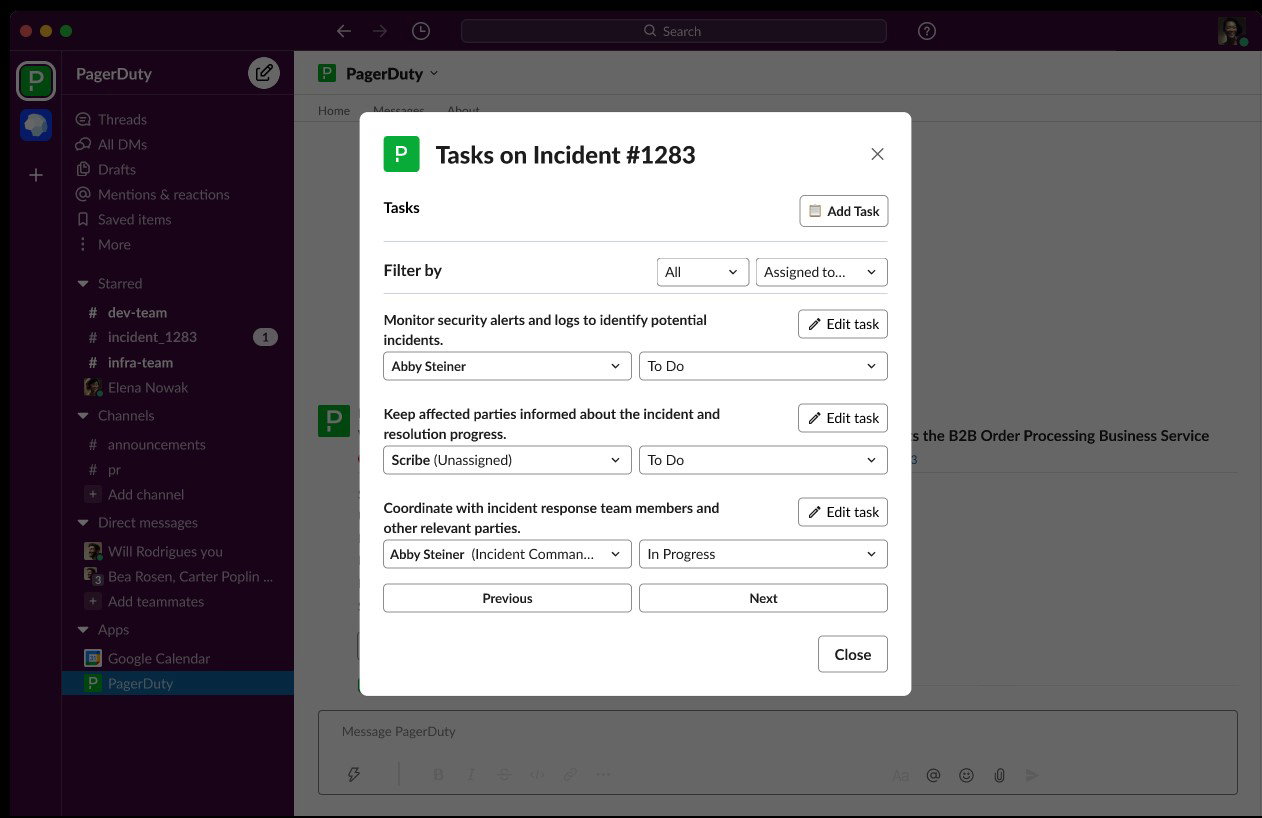
PagerDuty’s standout factor is its automated, flexible, and proactive approach to incident response. With capabilities such as AIOps for alert noise reduction, runbook automation for eliminating repetitive tasks, and intelligent on-call management for rapid escalation, it enables faster triage and resolution. The platform also enables real-time stakeholder communication and continuous learning through post-incident insights with Jeli.
Pricing
PagerDuty offers tiered pricing plans to suit different team sizes and needs. The Free plan starts at $0/month for up to 5 users with basic incident response features. The Professional plan is priced at $21 per user/month (billed annually), while the Business plan costs $41 per user/month with advanced features and integrations. The Enterprise plan offers custom pricing with full lifecycle incident management and premium capabilities.
What Works & What Doesn't
| Pros | Cons |
| Instant alert notifications | Expensive for small teams |
| Easy integration | Complex user interface |
| Priority-based notifications | Limited customization |
Our Final Take
PagerDuty is best suited for mid-size to large organizations that require a robust, scalable incident response platform for managing critical operations. While smaller teams may find it complex or costly, its automation, integration, and proactive incident management capabilities make it a top choice for businesses prioritizing reliability and operational resilience.
Datadog: Best For Integration
Datadog helps organizations monitor, secure, and optimize their cloud environments through a plethora of products and services. The company’s customer base spans thousands of customers, including Nasdaq, Samsung, Capgemini, Lenovo, Shell, Siemens, Deloitte, Maersk, DreamWorks, Comcast, and more. The company was even named a Leader in G2’s Fall 2025 report.
Why We Chose Datadog In 2026
Datadog stands out for unifying monitoring, paging, and incident management into a single, seamless workflow. By embedding real-time observability data directly into the incident response process, it allows teams to triage, escalate, and resolve issues without switching between tools. Responders can access alerts, service ownership details, and system telemetry in one place, enabling faster and more informed decision-making.
It comes with support for over 1,000 integrations and collaboration tools like Slack, Microsoft Teams, Jira, and ServiceNow. This allows Datadog to ensure teams can coordinate and act efficiently across their existing tech stack.
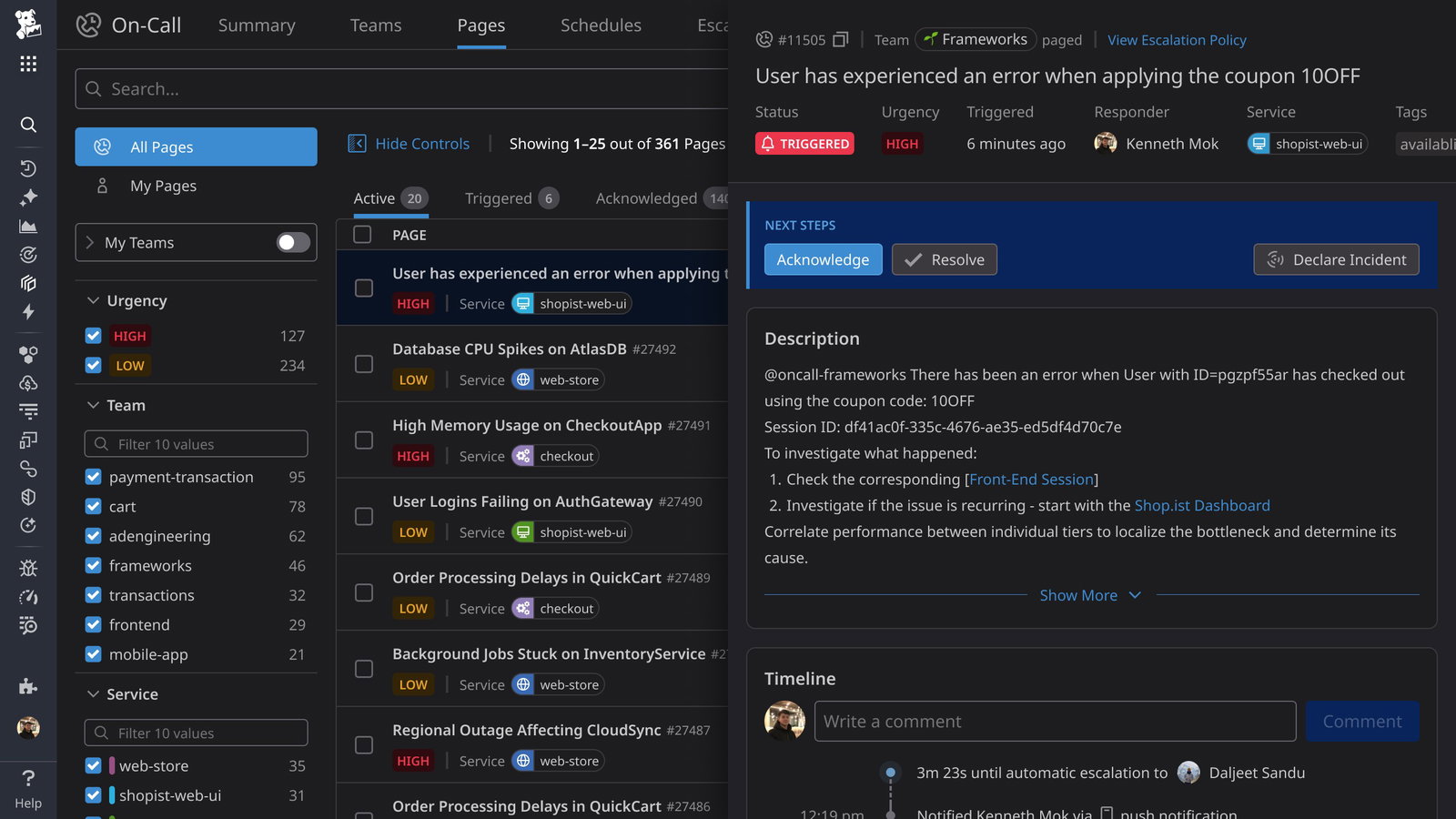
The standout factor is Datadog’s ability to learn from every incident through a unified analytics platform. It combines metrics, logs, traces, and historical incident data to generate structured postmortems and actionable insights automatically. Teams can track key performance indicators like MTTD and MTTR, identify recurring issues, and capture follow-up tasks in real time.
Pricing
Datadog offers flexible pricing for its incident response solutions. The On-Call plan starts at $20 per user/month (billed annually), while Incident Management begins at $30 per user/month. The full Incident Response bundle is priced at $40 per user/month, combining both capabilities. Pricing increases for on-demand billing, and multi-year or volume discounts are available. It also offers a free trial.
What Works & What Doesn't
| Pros | Cons |
| Easy to use | Steep learning curve |
| Real-time monitoring | High cost |
| Seamless integrations | Complex setup process |
Our Final Take
Datadog is best suited for engineering, DevOps, and SRE teams that need a tightly integrated incident response solution built on real-time observability data. While it may require investment and setup effort, its unified platform, automation, and deep insights make it a strong choice for organizations aiming to improve incident response and system reliability.
Splunk Enterprise Security: Best For Enterprise
Splunk is a product of Cisco, a multibillion-dollar, multinational technology conglomerate, which was founded way back in 1984 and has (so far) acquired more than 170 companies. It has hundreds of offices around the world that serve as home for around 90,000 employees. It's obvious that Splunk brings with it the weight of this mighty tech giant. Splunk Enterprise Security is registered as a Leader in the 2025 Gartner Magic Quadrant for SIEM (Security Information And Event Management), an honor it has held 11 times.
Why We Chose Splunk Enterprise Security In 2026
Splunk Enterprise Security brings with it the ability to accelerate incident response through powerful security analytics and centralized data visibility. This allows security teams to perform rapid searches across vast datasets, identify root causes quickly, and prioritize threats based on organizational risk. It also helps enhance SOC productivity, automate repetitive tasks, and enables faster incident response.
It comes with automated alert enrichment and validation, which allows the platform to reduce false positives and ensures that analysts focus on the most critical incidents. Its customizable dashboards and visualizations provide clear insights into security posture, helping teams investigate and resolve threats more efficiently.
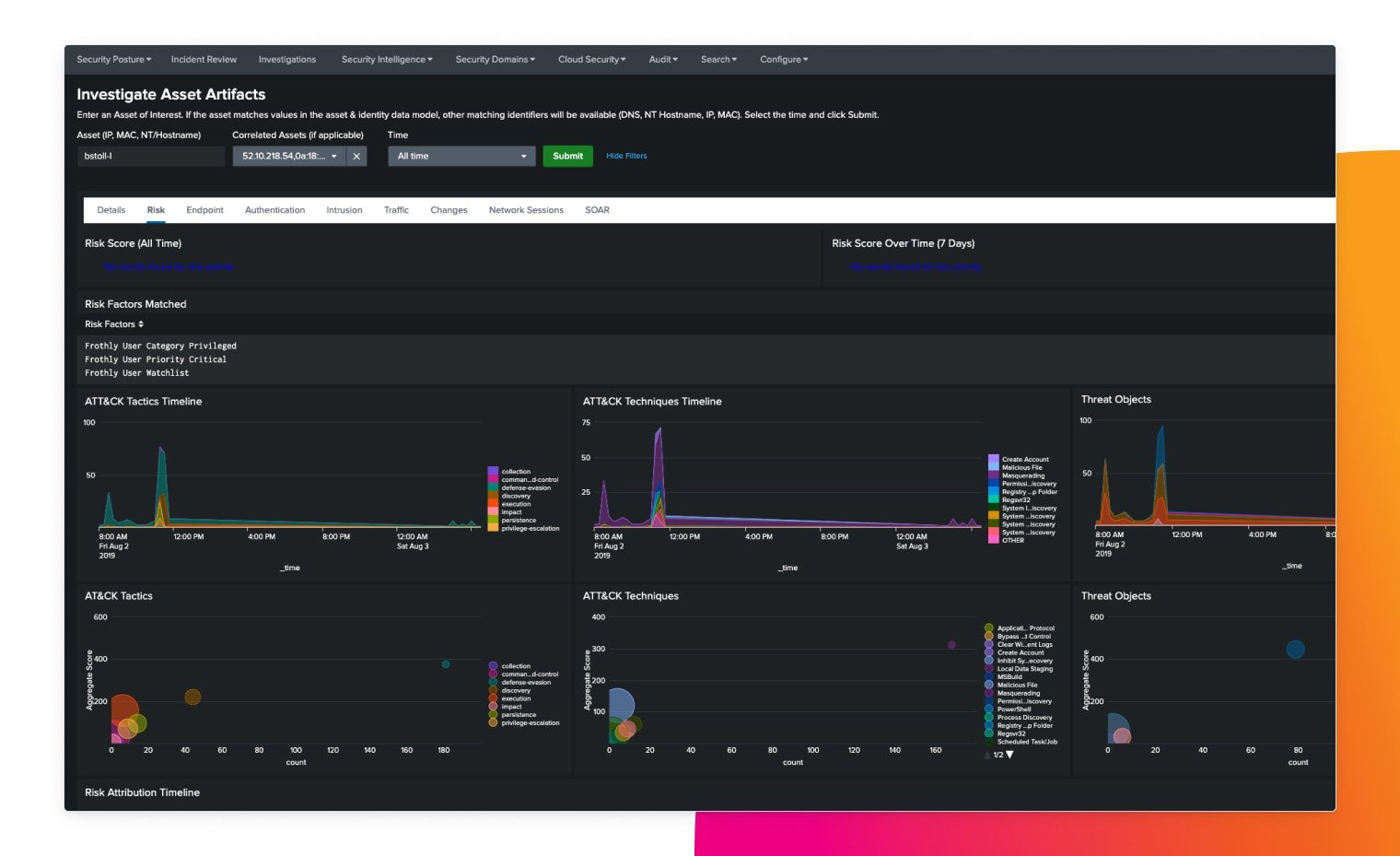
Splunk’s unique feature is its unified security operations ecosystem, which integrates multiple specialized tools into a single platform. With Splunk SOAR for automation, Splunk Enterprise Security for SIEM (Security Information And Event Management) capabilities, and Splunk Attack Analyzer for advanced threat detection, organizations can detect, investigate, contain, and remediate threats seamlessly.
Pricing
Splunk offers flexible pricing models tailored to different business needs. Options include workload-based pricing, ingest-based pricing, and entity-based pricing, allowing organizations to align costs with data usage, system scale, or monitored entities. Additional activity-based pricing options are also available. Organizations need to contact Splunk for a customized quote.
What Works & What Doesn't
| Pros | Cons |
| Strong integration | Complex setup |
| Actionable alerts | Can be costly |
| Exceptional vendor support | Resource management challenges |
Our Final Take
Splunk Enterprise Security is best suited for large enterprises and security operations teams that require advanced analytics and a scalable response platform. While it may demand expertise and investment, its powerful detection, automation, and unified security ecosystem make it a top choice for organizations handling complex and high-volume security incidents.
Palo Alto Unit 42: Best For Security
Palo Alto is all about the number. How? You’ll see. This mammothian company possesses over 16,000 employees, 40+ office locations, and a customer base that includes 9 of 10 of the Fortune 10, 10 of 10 largest utilities in the world, 6 of 10 largest oil & gas companies in the world, 7 of 10 top U.S. hospitals, and 8 of 10 largest U.S. banks. Impressive, right?
Why We Chose Palo Alto Unit 42 In 2026
Unit 42 blends expert-led investigation with intelligence-driven cybersecurity strategies. Organizations gain access to a full spectrum of services, including incident response, digital forensics, cloud incident remediation, managed threat hunting, and managed detection and response. Its features include security-focused case views, ChatOps collaboration, machine learning assistance, and ticket mirroring.
Its team of experts works alongside internal security teams to quickly contain threats, identify root causes, and ensure complete remediation. With 24/7 availability and extensive experience handling complex attacks, Unit 42 enables faster response times and minimizes business disruption during critical incidents.
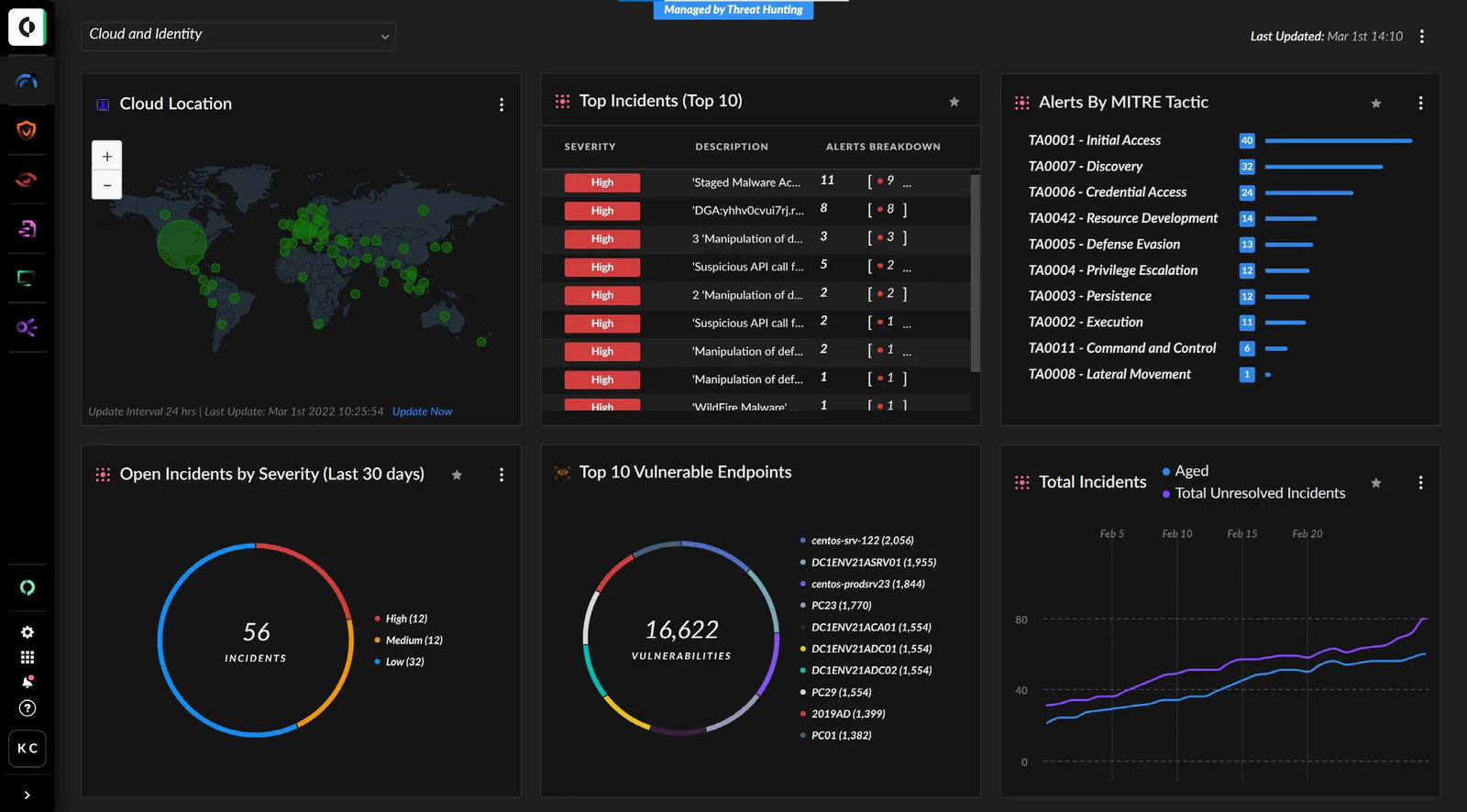
Here, the standout factor is its Cortex XSOAR-powered incident management ecosystem, which centralizes case management and enhances collaboration during incidents. Each incident is handled in a dedicated virtual war room, allowing real-time communication, task coordination, and access to relevant threat intelligence.
Pricing
Palo Alto Unit 42 offers custom pricing based on the scope of services required, such as incident response retainers, managed detection and response, or consulting engagements. Organizations typically engage through retainers for faster response times and pre-negotiated terms. Pricing varies depending on service level, scale, and deployment needs, and requires direct consultation with Unit 42.
What Works & What Doesn't
| Pros | Cons |
| Effective threat detection | High cost |
| Easy integration | Feature complexities |
| Real-time analysis and detection | Steep learning curve |
Our Final Take
Palo Alto Unit 42 is best suited for large enterprises and organizations facing complex or high-risk cybersecurity threats that require expert-led incident response. While it may not be ideal for smaller teams due to its service-based model, its combination of elite expertise, advanced tooling, and intelligence-driven approach makes it a top-tier incident response solution.
Top 5 Incident Response Tools Comparison
| Criteria |  |
 |
 |
 |
 |
| Starting Price | $1.50 / month/seat | Free Version | $20 / month/seat | Custom | Custom |
| Avg. User Rating | 4.5 | 4.5 | 4.5 | 4.3 | 4.3 |
| Trial Period/Demo | Demo | Free Trial | 14-Day Free Trial | Demo | Demo |
| Key Features | AI threat detection, automated email remediation, and threat prioritization workflows | Real-time alerting, workflow automation engine, and on-call management | Unified observability data, incident analytics insights, and seamless integrations | Security data analytics, automated alert enrichment, and centralized visibility dashboards | Expert-led response, threat intelligence services, and collaborative war room |
| Integrations | Crowdstrike, Fortinet, Tines, Cyren, and more | AWS, Slack, Microsoft, Salesforce, Google Cloud, and more | Amazon, Azure, Google, Jira, and more | Okta, Google, Sophos, Cisco, and more | Azure, Google, Amazon, Cisco, and more |
Conclusion
The reality is that you can’t stop every security incident from happening, but being prepared with the right tools can make all the difference. Incident Response Tools can help with that and much more. They can quickly detect, contain, and resolve threats while minimizing downtime, protecting data, and reducing costs.
However, choosing the right tool depends on your organization’s needs. Automation, integration, scalability, and advanced threat detection capabilities. The right tool will not only help you respond faster but also prevent future incidents through smart analysis and data-driven insights into incidents.
So, what are you waiting for?
P.S. Always visit the vendor’s site for the latest information!
Frequently Asked Questions
What Are The Top 5 Incident Response Tools In 2026?
The top 5 incident response tools in 2026 include KnowBe4 PhishER Plus, PagerDuty, Datadog, Splunk Enterprise Security, and Palo Alto Unit 42. These tools help organizations detect threats, automate response workflows, analyze incidents, and recover quickly from cybersecurity events, making them essential for modern security operations teams.
How Do Incident Response Tools Improve Cybersecurity Operations?
Incident response tools improve cybersecurity operations by automating threat detection, prioritizing alerts, and guiding teams through structured response workflows. They reduce manual effort, accelerate incident resolution, and provide real-time visibility into threats, helping organizations minimize downtime, prevent data loss, and strengthen their overall security posture.
What Should Businesses Look For When Choosing An Incident Response Tool?
Businesses should look for features such as automation capabilities, real-time alerting, seamless integrations with existing systems, scalability, and advanced analytics. The right tool should align with the organization’s size and security needs, enable faster response times, and provide actionable insights to prevent future incidents while maintaining operational efficiency.
Fri, Apr 24, 2026

Liked what you read? That’s only the tip of the tech iceberg!
Explore our vast collection of tech articles including introductory guides, product reviews, trends and more, stay up to date with the latest news, relish thought-provoking interviews and the hottest AI blogs, and tickle your funny bone with hilarious tech memes!
Plus, get access to branded insights from industry-leading global brands through informative white papers, engaging case studies, in-depth reports, enlightening videos and exciting events and webinars.
Dive into TechDogs' treasure trove today and Know Your World of technology like never before!
Disclaimer - Reference to any specific product, software or entity does not constitute an endorsement or recommendation by TechDogs nor should any data or content published be relied upon. The views expressed by TechDogs' members and guests are their own and their appearance on our site does not imply an endorsement of them or any entity they represent. Views and opinions expressed by TechDogs' Authors are those of the Authors and do not necessarily reflect the view of TechDogs or any of its officials. While we aim to provide valuable and helpful information, some content on TechDogs' site may not have been thoroughly reviewed for every detail or aspect. We encourage users to verify any information independently where necessary.
Loading comments...