
Data Management
Top 5 Data Visualization Tools Of 2026
Share
TL;DR
Data visualization tools empower businesses to transform complex datasets into actionable insights through AI-driven analytics and interactive dashboards.
-
Microsoft Power BI: Offers seamless integration with Office 365 and high value for enterprise-grade analytics.
-
ThoughtSpot: Features an AI-native search-first experience that enables users to generate insights using natural language.
-
Tableau: Provides a robust visual storytelling platform with powerful drag-and-drop capabilities for sophisticated data cultures.
-
Qlik Sense: Utilizes a unique associative engine to deliver contextual exploration and real-time multi-cloud deployments.
-
Looker: Delivers deep customization and strong semantic governance within the Google Cloud ecosystem for consistent reporting.
Introduction
In the wild world of Exandria, the legendary heroes of Vox Machina face dangerous creatures and epic quests not just with swords, but with intelligence. Instead of rushing into battle recklessly, they carefully analyze castle layouts and assess enemy weaknesses to plan their attacks with precision. This strategic gathering of intel is exactly how modern businesses must operate to survive their own high-stakes challenges. Just as magic guides the path of a hero, data-driven insights provide the vision necessary to navigate a complex marketplace.
Relying on outdated methods or gut feelings is like entering a dragon's lair without a map. By transforming raw information into clear visual stories, companies can spot hidden patterns and act with total confidence. Whether you are managing a global enterprise or a growing startup, the right perspective makes all the difference in achieving your goals. Explore these Five Data Visualization Tools to transform your business strategy into a winning campaign.
What Is A Data Visualization Tool?
A Data Visualization Tool is a software application that helps transform raw data into visual formats such as charts, graphs, dashboards, and heat maps. These tools make it easier to interpret complex information, identify patterns, and communicate insights clearly to both technical and non-technical audiences.
Now with that known, let’s now discover the top 5 tools, their providers, standout features and key benefits. Buckle up—this is going to be an adventure!
Top 5 Data Visualization Tools Of 2026
Businesses gain a competitive edge by using Data Visualization Tools to turn complex data into easy-to-understand visuals. These tools help teams improve their efficiency and strategy. By simplifying large datasets, companies can confidently make data-driven choices that lead to better outcomes.
Here are the top 5 Data Visualization Tools of 2026, listed in no particular order. Discover their features and benefits to find the best one for your business needs!
 |
 |
 |
 |
 |
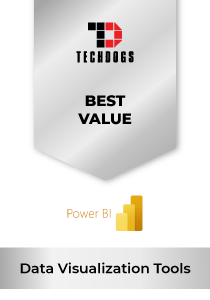
Microsoft Power BI: Best Value
Microsoft Power BI maintains its strong position on our 2026 list as one of the leading business intelligence platforms. After acquiring Datazen, Microsoft developed a solution that continues to dominate analytics adoption worldwide. With over 30 million monthly active users spanning customers, partners, and community members globally, Power BI proves its massive reach. In recognition, it was named a Leader in the 2025 Gartner Magic Quadrant for Analytics and BI Platforms and honored as a 2025 Emotional Footprint Champion by SoftwareReviews.
Why We Chose Microsoft Power BI In 2026
Power BI stands out for its seamless integration with the broader Microsoft ecosystem, delivering an advantage most competitors struggle to match. Its interactive dashboards, AI-powered insights, and real-time data visualization make it a strategic choice for enterprises seeking clarity from complex datasets. The platform’s deep embedding in Office 365 and Azure further strengthens its enterprise positioning.
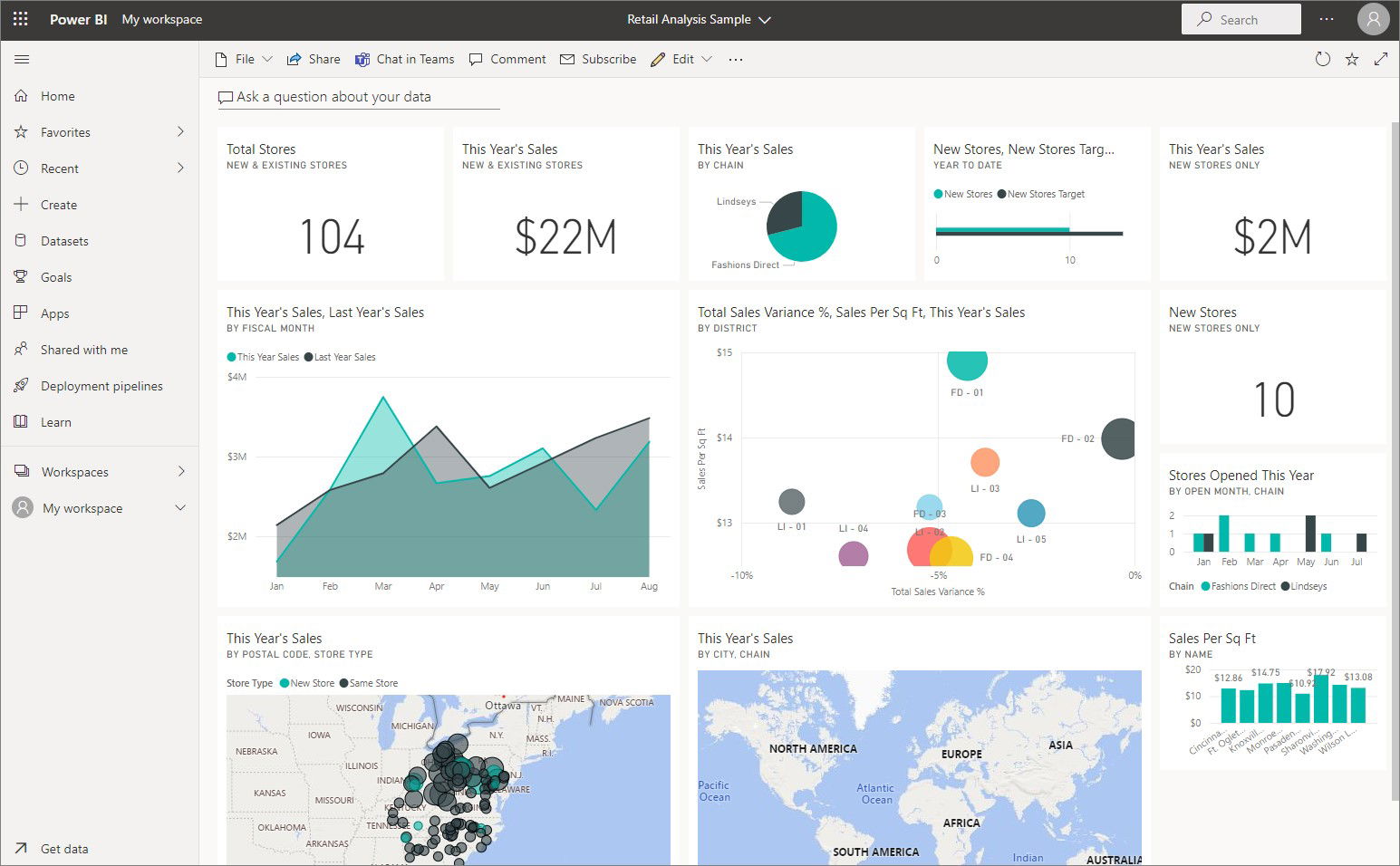
From advanced machine learning integrations to robust governance and data protection features, Power BI continues to evolve in 2026. Organizations value its scalability, from small businesses to global enterprises, and its ability to unify disparate data sources into one secure, user-friendly environment. Exceptional customer support and ongoing product enhancements make it a reliable long-term solution.
Pricing
Power BI offers a free plan for individuals, making it accessible for personal data exploration. The Pro tier is priced at $14 per user/month, while the Premium Per User (PPU) plan, offering enhanced AI and collaboration features, is available for $24 per user/month, both billed annually.
What Works And What Doesn’t
| Pros | Cons |
| Seamless integration with Microsoft tools | Steep learning curve for new, non-technical users |
| Powerful AI-driven analytics | Premium licensing can be expensive |
| Scalable for businesses of all sizes | Occasional performance slowdowns with very large datasets |
Our Final Take
Overall, Microsoft Power BI is a great database visualization tool for enterprises and mid-sized firms aiming for deep, scalable analytics within the Microsoft environment. It may not be ideal for cost-sensitive startups due to pricing. However, it remains a strong choice for businesses that prioritize integration, governance, and enterprise-grade insights.
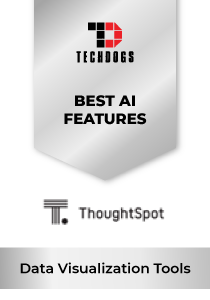
ThoughtSpot: Best AI Features
ThoughtSpot is a new entrant on our list, having strengthened its leadership position in AI-driven data visualization. In 2025, it was recognized as a Leader in the Gartner Magic Quadrant for Analytics & BI Platforms and was included in CRN's Cloud 100 list. As of mid-2025, ThoughtSpot served over 560 companies across more than 30 countries and employed close to 800 people.
Why We Chose ThoughtSpot In 2026
ThoughtSpot’s standout strength lies in its AI-native, search-first UX paired with a powerful embedded analytics engine—Muze—which offers 25 out-of-the-box chart types with drill-anywhere capabilities and full support for creating hundreds of custom visualizations. Its agentic AI analyst, Spotter, proactively surfaces insights, boosting data democratization and visual storytelling speed.
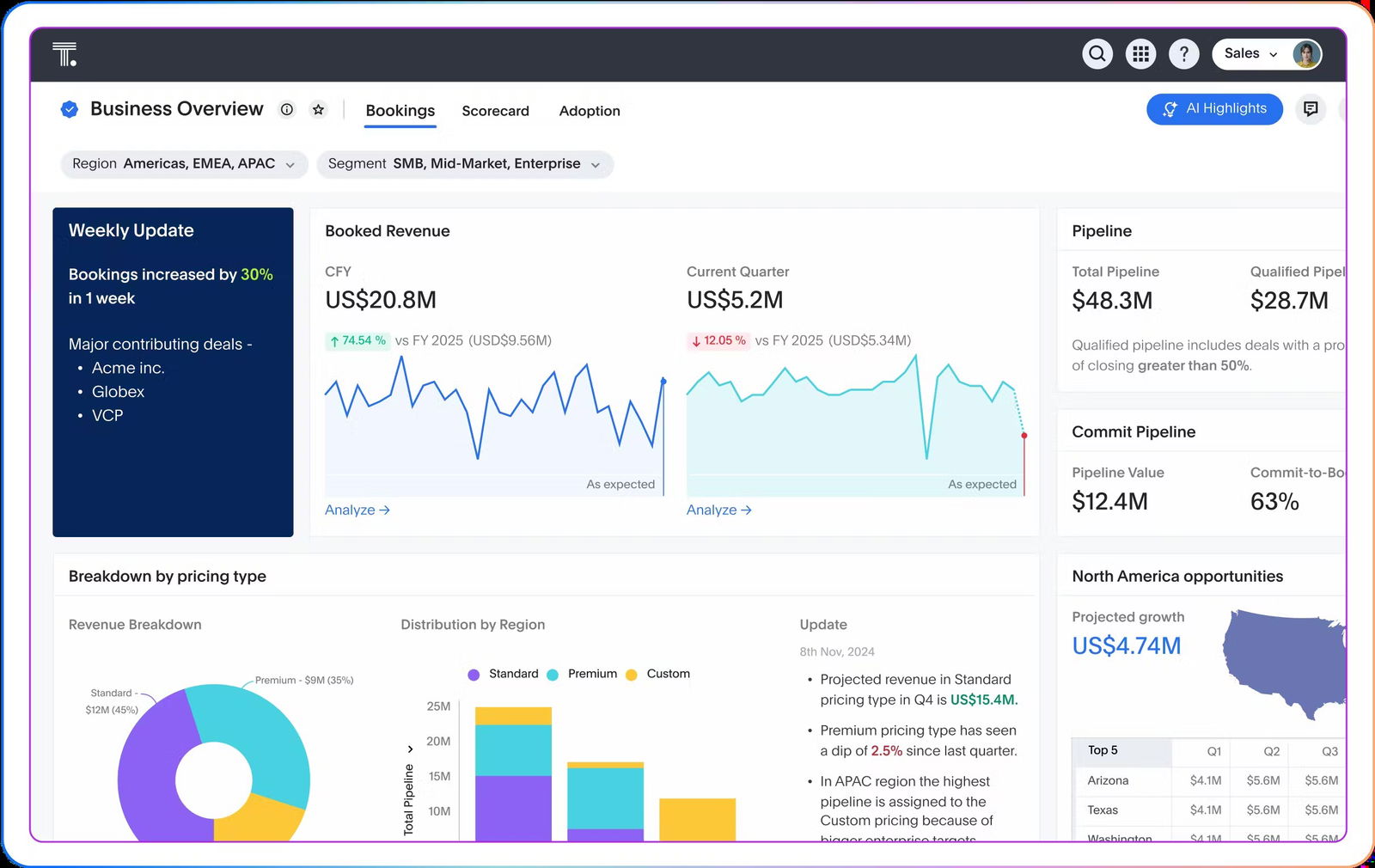
The platform’s various innovations—from Spotter AI analyst and Agentic MCP server to Analyst Studio and a robust semantic layer—provide scalability, seamless integrations (with Snowflake, Databricks, and BigQuery), and a unified, secure platform for both internal analysis and embedded intelligence in product workflows.
Pricing
ThoughtSpot’s Essentials Plan starts at $25 per user/month (billed annually) for 5–50 users and up to 25M rows, offering dynamic dashboards and actionable insights. The Pro Plan begins at $50 per user/month (billed annually) for 25–1,000 users and 250M rows, adding the Spotter AI Agent with 25 queries per user/month. The Enterprise Plan provides custom pricing, featuring AI-infused dashboards, the Spotter AI Agent, and support for unlimited users and data.
What Works And What Doesn’t
| Pros | Cons |
| AI-driven, search-based insights even for non‑technical users | Embedding can lack deep customization and branding flexibility |
| Rich visualization options via Muze and drill-anywhere interactivity | Set up and data preparation require technical expertise |
| Liveboards for independent and faster decision-making | Pricing may scale in high-usage embedded scenarios |
Our Final Take
ThoughtSpot is ideal for enterprises that seek AI-powered search-driven analytics and rich visual storytelling for both internal users and embedded applications. It may be less suitable for those needing pixel-perfect embedded design or cost-conscious deployments at high scale, but is a compelling choice for data-centric, agent‑assisted decision-making.
Tableau: Best For Enterprise
Tableau continues as a central player in data visualization in 2026, remaining independent under Salesforce. In 2025, it was named a Leader in Gartner’s Magic Quadrant for Analytics & BI Platforms, the Forrester Wave for Business Intelligence Platforms, the IDC MarketScape for Worldwide BI & Analytics Platforms, and BARC’s Enterprise BI & Analytics Platforms rankings.
Why We Chose Tableau In 2026
Tableau commands a robust visual storytelling experience with drag-and-drop ease and powerful AI enhancements. In 2025, it introduced Tableau Next—a modern AI-driven platform—and continues to benefit from its vibrant and participative user community.
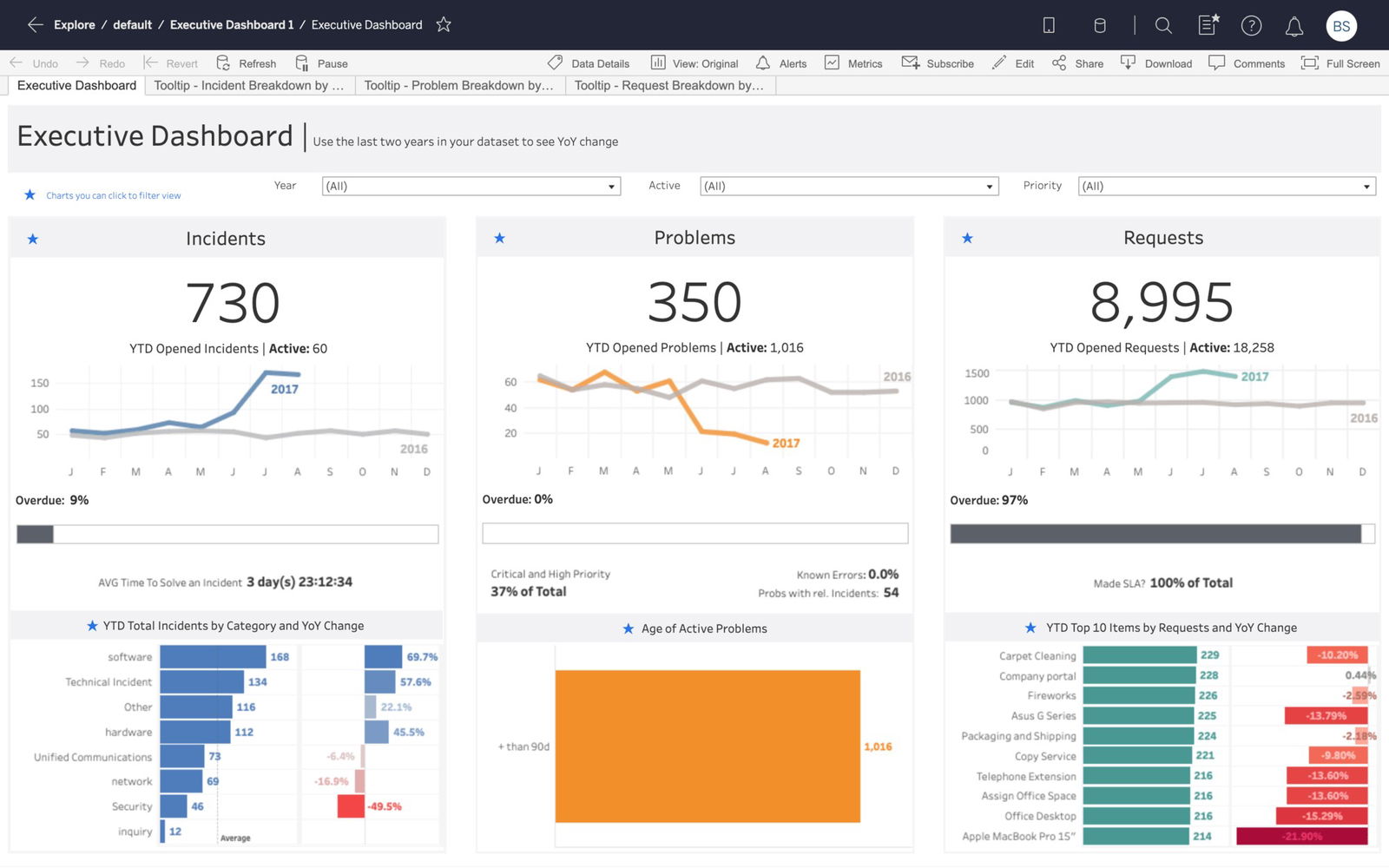
With seamless integrations, real-time dashboards, and embedded AI agents like Tableau Pulse and Agent enabling natural language insights, Tableau supports both governed enterprise deployments and cloud-based self-service analytics for data visualization needs.
Pricing
Tableau offers three pricing tiers: the Creator license at $75 per user/month, the Explorer license at $42 per user/month, and the Viewer license at $15 per user/month, all billed annually. These tiers cater to different levels of interaction and control, from dashboard creation to simple data viewing.
What Works And What Doesn’t
| Pros | Cons |
| Enables teams to create rich dashboards with AI-driven insight and intuitive visual storytelling | Premium pricing may be steep for smaller teams |
| Strong real-time analytics integration with broad deployment flexibility | Advanced setup and enterprise implementations can be resource-intensive |
| A diverse community for support and technical discussions | It may be excessive for users seeking lightweight visualization solutions |
Our Final Take
Ideal for organizations seeking sophisticated, AI-enhanced visual analytics with enterprise-grade governance and wide adoption, Tableau may prove less accessible for small teams seeking minimal setup or cost-effective solutions. Still, it’s a premium choice for strategic, data-driven cultures.
Qlik Sense: Best For Integration
Qlik Sense is another new entrant on our 2026 list, positioning itself as a leading data visualization and analytics platform in 2026. In 2025, it powered several winners of Qlik's prestigious Global Transformation Awards—such as Volkswagen Financial Services (AI Innovation), BT Group (Analytics Leadership), and Lenovo (Data Quality & Trust)—demonstrating its capability to drive impactful, real-world data-driven transformations.
Why We Chose Qlik Sense In 2026
Qlik Sense stands out with its integrated AI-powered analytics—including search-based discovery, Insight Advisor, and AutoML—tightly coupled with its powerful associative engine that enables dynamic, contextual exploration across data sources. This enables organizations to surface insights, automate preparation, and predict trends—all within a unified, intuitive interface.
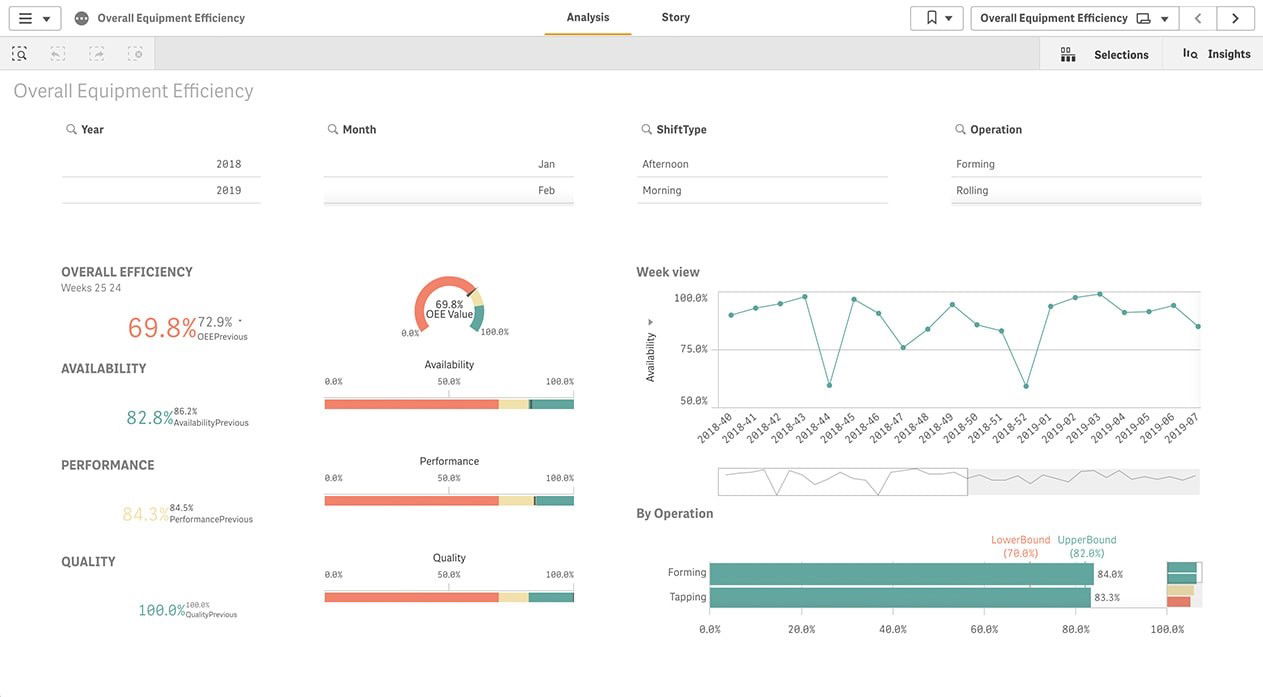
Its flexible deployment options—spanning on-premises, multi-cloud, and pure SaaS with Qlik Cloud—deliver governed self-service capabilities for embedded analytics, custom app development, and real-time alerting. Plus, it scales effortlessly across enterprise environments while enabling immediate in‑moment insights and action.
Pricing
Qlik Sense pricing varies based on deployment and data capacity. The Starter Plan is priced at $200 per month for 10 users and 25 GB of data. The Standard Plan costs $825 per month, and the Premium Plan is $2,750 per month, each with increasing data capacities. Organizations with higher needs can request an Enterprise Tier quote for setups exceeding 250 GB.
What Works And What Doesn’t
| Pros | Cons |
| AI-powered search, predictive modeling, and associative exploration make insight discovery faster and intuitive | Pricing and deployment complexity may be a barrier for SMEs |
| Multi-modal deployment across on‑prem, hybrid, and SaaS supports wide-ranging enterprise scenarios | Advanced customization and scaling require technical skills |
| Proven impact across industries in analytics leadership and innovation | Learning the associative model involves a modest learning curve |
Our Final Take
Qlik Sense is ideal for organizations seeking advanced, AI-augmented analytics embedded within a flexible, multi‑cloud architecture—especially those needing governed self-service and impactful insight delivery at scale. Small teams or simpler use cases may find more lightweight tools more accessible.
Looker: Best Customization
Looker continues to shine in the data visualization landscape this year. In 2025, Google secured its spot as a Leader in the Gartner Magic Quadrant for Analytics & BI Platforms, a recognition powered by Looker’s intuitive natural-language analytics, generative AI features such as slide generation and formula creation, as well as trusted semantic layer capabilities that delivered enterprise-grade BI across organizations.
Why We Chose Looker In 2026
Leading with a powerful semantic modeling layer and backed by Google Cloud AI, Looker offers natural-language querying and automated business insights (e.g., slide creation, formula auto-generation, conversational analytics, etc.). This blend of AI-driven ease and governance empowers users to interpret data intuitively without sacrificing data integrity or control.
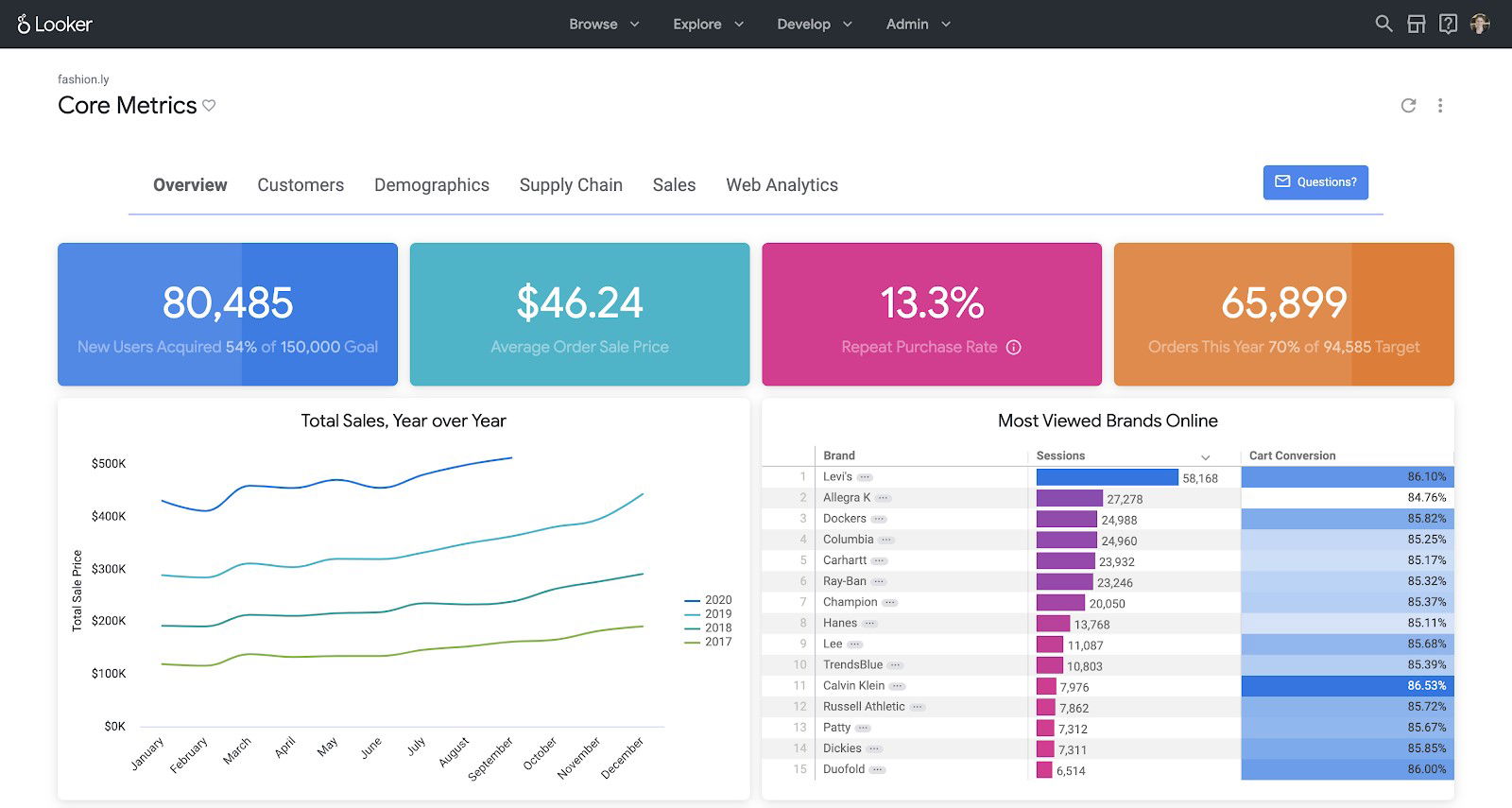
As part of Google’s BI ecosystem, Looker offers scalable metadata modeling (LookML), real-time embedded analytics, and governed self-service features. Its AI-powered enhancements introduced last year lower the barrier for business users to generate actionable, presentation-ready insights while maintaining semantic consistency across dashboards and reports.
Pricing
Looker's pricing is not publicly listed and varies significantly based on your specific needs. Although, as per user feedbacks, Looker pricing starts at approximately $35K/year for the Standard Edition; Enterprise can exceed $150K/year, with Viewer users around $400/year, Standard $799/year, and Developer $1,665/year. Please note these figures are approximate and not officially verified.
What Works And What Doesn’t
| Pros | Cons |
| AI-powered natural language queries and automatic slide/formula generation | Requires investment in LookML modeling and Google Cloud infrastructure |
| Strong semantic governance ensures consistent, trusted data across the organization | Enterprise pricing and implementation complexity may be limiting for smaller teams |
| Fully embedded within the Google Cloud ecosystem | Steeper learning curve for teams unfamiliar with data modeling and BI governance |
Our Final Take
Looker is ideal for organizations that value governed self-service BI, enhanced by AI-powered data analysis and seamless Google integration, offering a strategic and scalable choice for enterprise-grade data excellence. It’s less suitable for small or non-technical teams seeking lightweight, off-the-shelf visual tools.
Top 5 Data Visualization Tools Comparison
P.S.: Always remember to visit the vendor’s site for the latest information!
| Criteria |  |
 |
 |
 |
 |
| Starting Price | Free | $25/user/month | $15/user/month | $200/month | $35K/year |
| Avg. User Rating | 4.8 | 4.6 | 4.7 | 4.5 | 4.7 |
| Trial/Demo | Free tier | Free Developer tier | Free trial + Public version | Demo or trial by request | Demo via Google Cloud |
| Key Features | Power Platform, Copilot AI, and Excel synergy | Search-based insights, Spotter AI, and drill-anywhere | Drag-and-drop dashboards, Tableau Pulse, storytelling | Associative engine, AutoML, and hybrid deployments | LookML modeling, generative AI, and semantic layer |
| Integrations | Azure, Excel, and Teams | Snowflake, BigQuery, and Databricks | Salesforce, AWS, and databases | REST APIs, SAP, and databases | BigQuery, Google Cloud, and custom APIs |
Conclusion
In 2026, data visualization platforms have matured into intelligent decision-making systems featuring AI-generated narratives, natural language interaction, embedded analytics, and secure, scalable governance. Solutions such as Microsoft Power BI, ThoughtSpot, Qlik Sense, Tableau, and Looker each offer distinct advantages tailored to evolving business needs.
Microsoft Power BI remains the go-to for organizations within the Microsoft ecosystem, offering robust functionality, affordability, and seamless Office 365 and Azure integration. ThoughtSpot leads with agentic AI and intuitive, search-based analytics for fast, autonomous insight generation. Qlik Sense stands out for its associative engine and real-time, multi-cloud deployments with predictive analytics capabilities. Tableau continues to dominate in rich visual storytelling and community-led innovation, and Looker, deeply embedded in Google Cloud, offers unmatched semantic governance with AI-powered automation and embedded analytics.
Ultimately, the ideal platform depends on your organization's infrastructure, budget, and analytics maturity. Whether you're scaling enterprise BI, or enabling self-service analytics, these leaders will help deliver faster data insights and broader visualization accessibility than ever before.
Frequently Asked Questions
What Are The Top 5 Data Visualization Tools Of 2026?
The top five data visualization tools in 2026 are Microsoft Power BI, ThoughtSpot, Tableau, Qlik Sense, and Looker. Each offers powerful analytics, AI-driven insights, and scalable deployment, making them ideal for various business intelligence and data storytelling needs.
What Is The Best Tool For Data Visualization?
The best data visualization tool depends on your needs. Microsoft Power BI is great for affordability and Microsoft integration, while ThoughtSpot leads in AI. Tableau excels in visual design, Qlik in analytics depth, and Looker in semantic governance.
What Are The Features Of Data Visualization Tools?
Data visualization tools typically offer interactive dashboards, real-time data analysis, AI-powered insights, drag-and-drop builders, embedded analytics, and multi-source integration. They also support governance, custom visuals, collaboration, and scalable deployment across cloud, on-prem, or hybrid environments.
Thu, Dec 4, 2025

Enjoyed what you've read so far? Great news - there's more to explore!
Stay up to date with the latest news, a vast collection of tech articles including introductory guides, product reviews, trends and more, thought-provoking interviews, hottest AI blogs and entertaining tech memes.
Plus, get access to branded insights such as informative white papers, intriguing case studies, in-depth reports, enlightening videos and exciting events and webinars from industry-leading global brands.
Dive into TechDogs' treasure trove today and Know Your World of technology!
Disclaimer - Reference to any specific product, software or entity does not constitute an endorsement or recommendation by TechDogs nor should any data or content published be relied upon. The views expressed by TechDogs' members and guests are their own and their appearance on our site does not imply an endorsement of them or any entity they represent. Views and opinions expressed by TechDogs' Authors are those of the Authors and do not necessarily reflect the view of TechDogs or any of its officials. While we aim to provide valuable and helpful information, some content on TechDogs' site may not have been thoroughly reviewed for every detail or aspect. We encourage users to verify any information independently where necessary.
Loading comments...