
Cloud
Top 5 Cloud Migration Tools Of 2026
Share
TL;DR
-
Cloud migration tools help businesses move applications, databases, servers, and digital workloads to the cloud with less downtime, stronger security, and better operational efficiency.
-
The top cloud migration tools of 2026 are ShareGate, Cloudiway, Azure Migrate, MigrationWiz, and Wipro FullStride Cloud, each standing out for different strengths.
-
ShareGate is best for user experience and Microsoft 365 migrations, Cloudiway is ideal for integration-heavy cross-platform moves, and Azure Migrate leads in secure Azure adoption.
-
MigrationWiz excels in scalable SaaS-based migrations, and Wipro FullStride Cloud is built for enterprise-wide modernization.
-
Key features buyers should compare in cloud migration software include pricing, workload support, automation, compliance, monitoring, replication, governance, and post-migration management.
For organizations planning cloud migration in 2026, the right platform can improve speed, reduce technical debt, preserve access controls, and support long-term digital transformation.
Introduction
Let’s start with some fascinating numbers, shall we?
According to a study by Foundry, 60% of respondents agree that cloud services have helped their organizations achieve sustainable revenue in the past year. Even more impressive, 63% of respondents revealed that their organizations have accelerated cloud migration efforts over the last 12 months.
The takeaway? Cloud is the answer to many business challenges. However, adopting the cloud needs flexibility and agility, and this is why Cloud Migration Tool is critical for cloud-based businesses. Wondering what these tools do and which one is right for your business?
Scroll on as we unpack everything you need to know about Cloud Migration Tools.
What Are Cloud Migration Tools?
Cloud Migration Tools are software solutions that help businesses move their digital assets, like applications, databases, services, and IT resources, to the cloud. This migration can be partial or complete and includes scenarios where companies switch from one cloud platform to another.
Migrating to the cloud isn’t just about making the move; it’s also about what happens next. Businesses often need to modernize their applications to ensure they are optimized for the cloud environment. This is where questions about application modernization and cloud strategy come into play. With the right Cloud Migration Tool, your cloud can unlock unparalleled performance, cost-effectiveness, and flexibility.
Let’s explore the best options and find your perfect fit in 2026!
Top 5 Cloud Migration Tools Of 2026
Presenting the top 5 Cloud Migration Tools of 2026! There is no ranking here, just a showcase of stars. So, remember to pick the best one depending on your unique business needs.
 |
 |
 |
 |
 |
ShareGate: Best User Experience
ShareGate is back on this year’s list, being a trusted choice for fast, predictable Microsoft 365 migrations. It simplifies moving data from Google Workspace, file shares, SharePoint, and tenant-to-tenant environments, while its governance tools keep everything clean and secure post-migration. Recognized by G2 as Best Support Mid-Market 2025, Easiest to Use Mid-Market 2025, and Grid Leader Spring 2025, it remains a top pick for 2026.
Why We Chose ShareGate In 2026
In 2026, ShareGate remains a reliable pick for IT teams because it combines speed, accuracy, and simplicity across Microsoft 365 environments. Its migration engine works smoothly with various data types, supports both on-prem and cloud transfers, and provides detailed logs with alerts that make troubleshooting straightforward. It also preserves access and security settings during migration, which saves time and reduces cleanup effort.
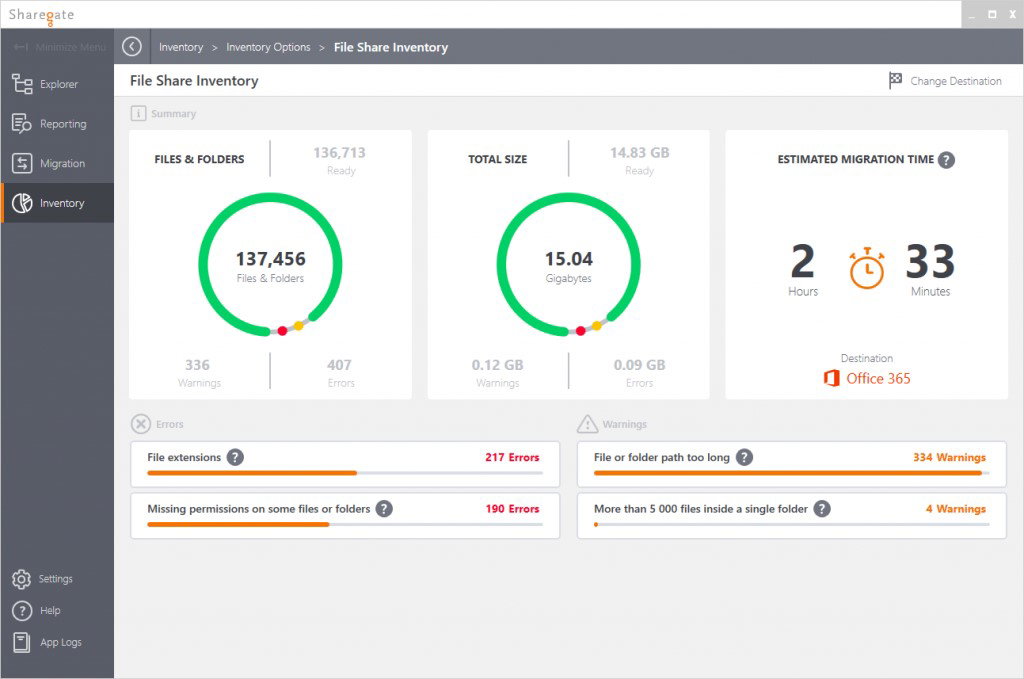
Beyond data migration, ShareGate makes ongoing Microsoft 365 management much easier. The centralized dashboard is easy to navigate, storage insights are clear, and the reporting tools help teams stay organized and ahead of issues. Bulk user management, flexible authentication controls, and cloud-based access make ongoing administration far simpler. With its early agentic AI features, including automated tasks and multi-step planning, ShareGate is well prepared for the evolving needs of 2026.
Pricing
ShareGate offers three annual plans. The Essentials plan starts at $5,995/year and includes core migration and planning tools. The Pro plan begins at $9,995/year and supports larger workloads and tenant-to-tenant moves. For complex environments, the Enterprise plan starts at $17,995/year and adds scaled capabilities with 24/7 priority support.
What Works And What Doesn’t
| Pros | Cons |
| Easy and quick migration | Pricing feels too high |
| Simple setup and use | Custom reports need improvement |
| Responsive, reliable support | Throttling issues during migration |
Our Final Take
ShareGate is best for IT teams handling frequent or large Microsoft 365 migrations who need speed and reliability. It may not suit teams with limited budgets, yet a great choice if you want fast migration with strong ongoing management.
Cloudiway: Best for Integration
New to this year’s lineup, Cloudiway is a flexible SaaS platform that makes complex cloud migrations easier. It supports a broad set of migration paths across mail, files, archives, sites, devices, and collaboration tools, including Google Workspace, Microsoft 365, Lotus Notes, Zimbra, Slack, and Teams. Its wide coverage makes it a strong fit for multi-system and cross-tenant transitions. Recognized for the ISO 27001 certification, Cloudiway ensures secure, compliant migrations and scales well for organizations of any size.
Why We Chose Cloudiway In 2026
Cloudiway works with many data types and supports both on-premise and cloud migrations. Whether moving Google Drive to OneDrive, Slack to Teams, Google Sites to SharePoint, or performing full tenant-to-tenant migrations, Cloudiway handles diverse data types with reliable performance. Detailed alerts, logs, and data replication add transparency and continuity throughout the process.
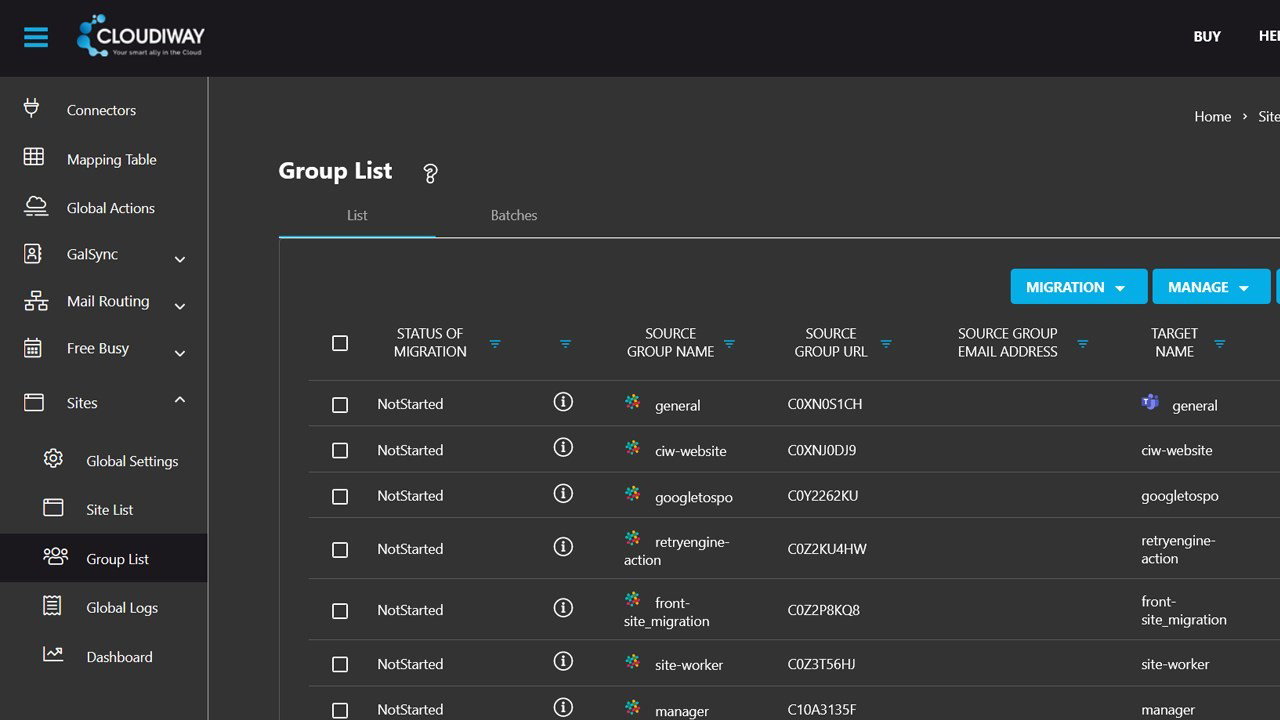
Cloudiway’s strengths go beyond just migration. It provides real-time monitoring, backup and recovery, access and security preservation, and integration with multiple sources. The platform also offers enterprise coexistence and free orchestrator tools to make transitions smoother. With built-in data protection and advanced agentic AI features like autonomous task execution, multi-step planning, and intelligent decision-making, Cloudiway ensures a secure, future-ready approach to the cloud migration process.
Pricing
Cloudiway offers flexible monthly migration licenses per user. The Standard License at $11 covers mail, archive, or drive migration with unlimited delta passes for 3 months and basic support. The Premium License at $16 includes mail and drive migration, while the Microsoft 365 Tenant Migration License at $29 supports mailbox, OneDrive, and Teams migration with the same delta passes and support.
What Works And What Doesn’t
| Pros | Cons |
| Simple migration | Slow for large accounts |
| Cloud-based operations | Setup can be tricky |
| Easy progress tracking | Technical interface |
Our Final Take
Cloudiway is ideal for teams handling diverse, cross-platform migrations across Google Workspace, Microsoft 365, and legacy systems. It may be less suited for very large workloads needing faster processing. Yet, it’s a solid choice for broad, secure, and compliance-ready cloud migrations.
Azure Migrate: Best for Security
Making its way back into our list, Azure Migrate simplifies assessing and moving on-premises workloads into Azure, helping teams evaluate servers, databases, and applications with ease. Trusted by 95% of Fortune 500 companies, recognized as CRN’s Product of the Year in 2024, and validated by 100+ compliance certifications, it brings together modernization tools, multicloud management, and strong built-in security, offering a reliable path to cloud transformation in 2026.
Why We Chose Azure Migrate In 2026
Azure Migrate remains a strong choice in 2026 because it supports the entire cloud transformation journey from start to finish. It helps teams discover their on-premises machines, check readiness, and build accurate sizing and cost plans before moving anything to Azure. It also supports modernizing apps and databases, which makes it a practical option for organizations shifting older workloads into cloud-native setups.
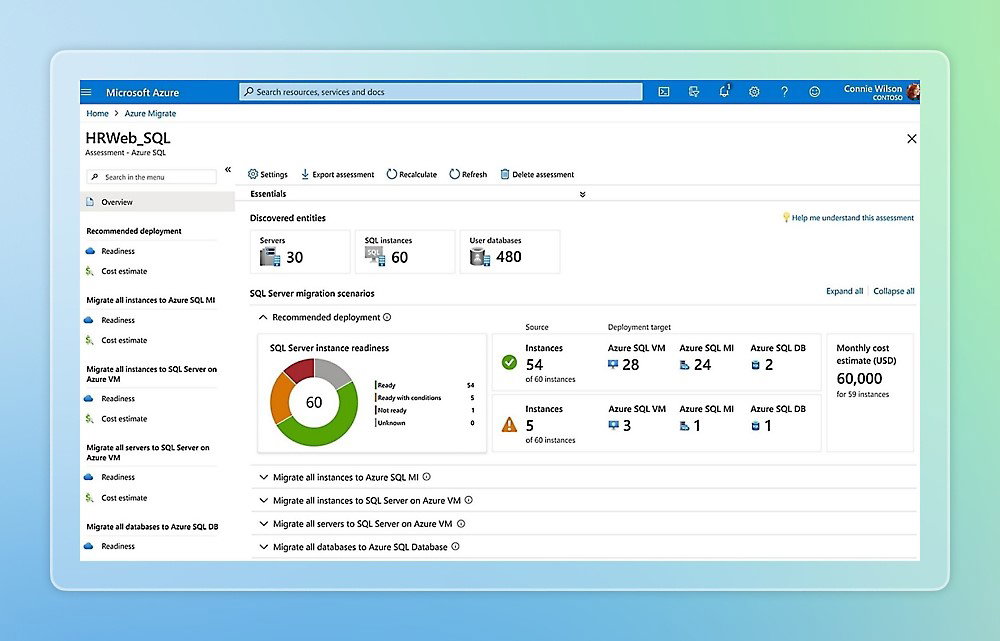
The platform also brings strong security and governance features. Its integrations with Windows and Linux VMs, Azure VMware Solution, and Azure Arc help teams move workloads with minimal disruption while keeping security and compliance consistent. With Microsoft’s broad security expertise, global partner network, and extensive compliance standards behind it, Azure Migrate offers a secure and scalable foundation for cloud adoption in 2026.
Pricing
Azure Migrate doesn’t have a universal license fee, but its Server Migration tool has clear pricing. Each machine is free for the first 180 days, then $25 per month per instance. Other components may apply separate Azure charges for storage or data transfer.
What Works And What Doesn’t
| Pros | Cons |
| Very user-friendly | Complex appliance setup |
| Strong customer support | Limited real-time metrics |
| Efficient bulk migration | Unclear cost estimates |
Our Final Take
Azure Migrate is ideal for organizations moving large on-premise setups to Azure and needs a guided, secure migration path. It doesn’t provide fully detailed cost estimates right away, so it may not be ideal for teams that require exact pricing upfront. Overall, it’s a strong choice for an integrated, end-to-end Azure migration.
MigrationWiz: Best for Scalability
New to this year’s list, MigrationWiz by BitTitan comes in as a strong and dependable choice for cloud migrations in 2026. It gives a fully automated, 100% SaaS experience that works from anywhere, making big or complex migrations feel much easier and through one clean interface. With more than 46,000 organizations relying on it, MigrationWiz has built a consistent reputation for being fast, scalable, and secure.
Why We Chose MigrationWiz In 2026
MigrationWiz remains a go-to choice for teams migrating everything from emails and files to archives and collaboration data through one cloud-based interface. It supports both on-premises and cloud-to-cloud migration with alerts, detailed logs, and reliable data replication to keep everything transparent and disruption-free. Its broad compatibility with different sources and destinations makes it especially useful for organizations handling complex or large-scale migrations.
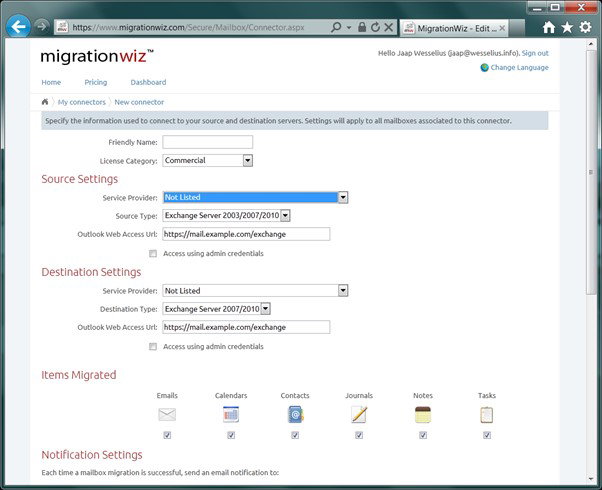
Beyond its core capabilities, MigrationWiz delivers strongly on management and security. It provides real-time monitoring, backup and recovery options, and maintains access controls and security settings throughout the process. Overall, MigrationWiz feels more future-ready than ever and is a great choice for modern cloud migration needs.
Pricing
MigrationWiz uses simple, one-time licenses for each workload instead of monthly subscriptions. Mailbox migration starts at $14/user, while the User Migration Bundle, which covers mail, archives, and documents, begins at $17.50/user. Teams migrations start at $48/team, and public folder or shared document migrations use tiered, data-based pricing. Device and directory migrations are billed annually per user or device for clear, predictable pricing.
What Works And What Doesn’t
| Pros | Cons |
| Simple and quick setup | Support response is slow |
| Reliable and fast transfers | Error messages lack clarity |
| Helpful step-by-step guidance | Unused licenses are non-refundable |
Our Final Take
MigrationWiz is well-suited for teams handling multi-workload or cross-platform migrations and looking for a simple, scalable SaaS tool. It may be less ideal for teams that need rapid support responses or deeper error insights. Overall, it’s great if you want reliable, one-interface migration with clear, one-time pricing.
Wipro FullStride Cloud: Best for Enterprise
Wipro FullStride Cloud returns to this year’s list with a renewed focus on helping enterprises modernize and migrate to the cloud. The tool supports rehosting, re-platforming, and re-architecting legacy applications for long-term efficiency. With strong cloud expertise and recognition in Gartner’s 2024 Magic Quadrant, Wipro provides a mature, well-guided approach to large-scale cloud transformation.
Why We Chose Wipro FullStride Cloud In 2026
Wipro FullStride Cloud is recognized for focusing on full modernization beyond just lift-and-shift migrations. Its AI-powered Application Modernization suite, ModerniZ platform, and cloud data migration services help enterprises move legacy applications into cloud-native environments with lower risk. By supporting rehosting, re-platforming, refactoring, and rearchitecting, Wipro helps organizations reduce technical debt and build scalable, intelligent application ecosystems.
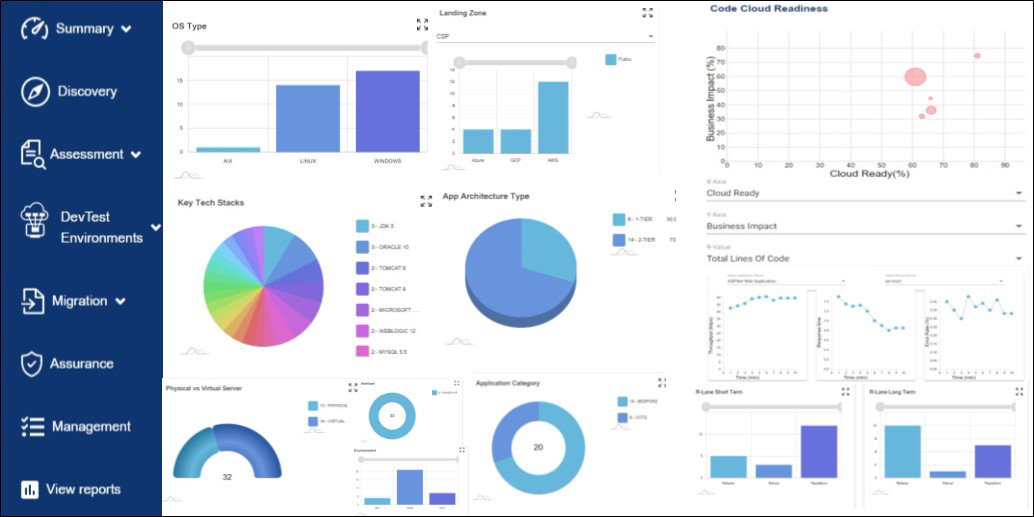
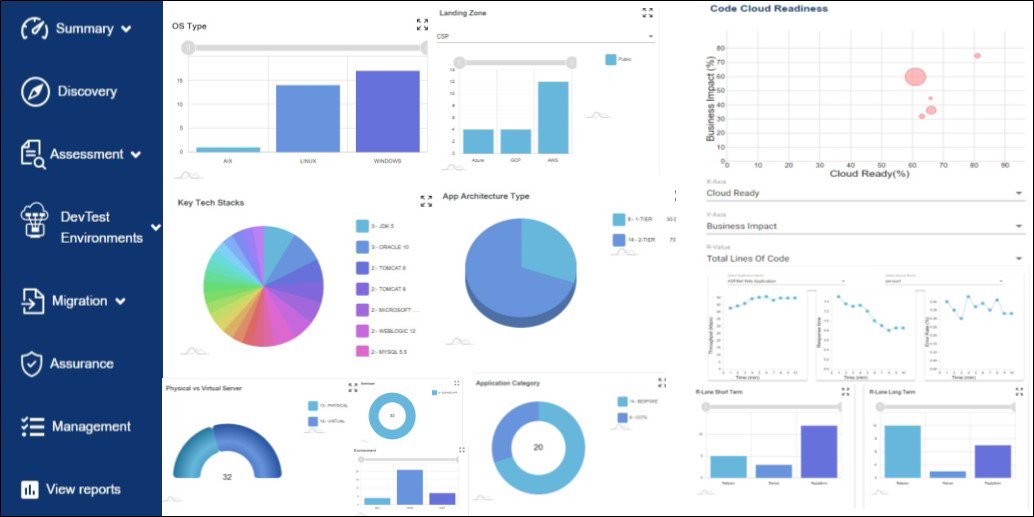
FullStride Cloud also excels in strategic guidance and automation. Wipro Cloud Migration Studio, its AWS-focused migration tool, speeds up cloud adoption by combining platforms, experts, and proven processes. With an automated Continuous Integration (CI) and Continuous Delivery (CD) process, secure deployment templates, and integrated governance, migrations become faster, safer, and more reliable. With Wipro’s expertise in cloud strategy and modernization, FullStride Cloud delivers a complete cloud migration.
Pricing
While pricing details aren’t publicly available, Wipro FullStride Cloud continues to be a leading choice as a Cloud Migration Tool.
What Works And What Doesn’t
| Pros | Cons |
| Smooth, secure migrations | Complex onboarding process |
| Post-migration cost optimization | Higher pricing for small businesses |
| Customer-focused support | Initial setup can be tricky |
Our Final Take
Wipro FullStride Cloud is ideal for enterprises modernizing large legacy systems and seeking strategic guidance. It may be less suitable for smaller teams due to higher costs and complex onboarding. Yet, it remains a solid tool for complete, future-ready cloud transformation with built-in intelligent modernization.
Top 5 Cloud Migration Tools Comparison
Picking the right cloud migration tool can feel daunting. To make it easier, we have put together a simple, side-by-side comparison of the Top 5 HR Cloud Migration Tools to help you find the best fit faster.
P.S. Always remember to visit the vendor's site for the latest information!
| Criteria |  |
 |
 |
 |
 |
| Starting Price | $5,995/year | $11/user | $25/month | $14/user | NA |
| Avg. User Rating | 4.8 | 4.9 | 4.4 | 4.7 | 4.1 |
| Free Trial/Demo | 15 days | 30 days | 180 days | NA | Demo |
| Key Features | Fast M365 migration, smart governance tools, and agentic AI automation | Cross-platform coverage, real-time monitoring, and ISO-certified security | End-to-end assessment, built-in security, and multicloud management | 100% SaaS migration, wide workload support, and reliable data transfer | AI-driven modernization, automated cloud studio, and hybrid transformation support |
| Integrations | Google Workspace, Dropbox, Box | Google Workspace, Lotus Notes, Slack | Azure VMware Solution, Azure Arc, Linux Virtual Machines | Google Workspace, Dropbox, Microsoft Exchange | AWS Cloud Migration Studio, Azure Cloud Services, Google Cloud Platform |
Wrapping Up
Every organization’s cloud journey looks different, which is why no single tool can meet every need. To support those unique requirements, ShareGate supports clean, fast M365 moves. Cloudiway handles wide multi-system migrations. Azure Migrate guides teams through structured Azure adoption. MigrationWiz offers simple SaaS-based flexibility. Wipro FullStride Cloud powers deeper modernization.
Your best choice depends on what you’re solving for. It can be speed, breadth, security, or full digital transformation. So, pick the tool that truly fits your environment and helps you get the most out of the cloud.
Frequently Asked Questions
What Are The Top Cloud Migration Tools Of 2026?
The top Cloud Migration Tools of 2026 include ShareGate, Cloudiway, Azure Migrate, MigrationWiz, and Wipro FullStride Cloud. These platforms lead the market for their reliability, security, scalability, and ability to support multi-workload and cross-platform cloud transitions.
How Do Cloud Migration Tools Help Organizations Move To The Cloud?
Cloud migration tools automate the transfer of data, applications, and configurations from on-premises or other cloud environments. They reduce manual effort, minimize downtime, and ensure security by offering features like replication, monitoring, access control, and real-time alerts.
Which Cloud Migration Tool Is Best For Microsoft 365 Transfers?
ShareGate is the strongest choice for Microsoft 365 migrations due to its fast transfers, simple setup, reliable support, and governance features. It’s especially useful for IT teams managing tenant-to-tenant moves, SharePoint migrations, and ongoing M365 cleanup and administration.
Wed, Apr 15, 2026

Enjoyed what you read? Great news – there’s a lot more to explore!
Dive into our content repository of the latest tech news, a diverse range of articles spanning introductory guides, product reviews, trends and more, along with engaging interviews, up-to-date AI blogs and hilarious tech memes!
Also explore our collection of branded insights via informative white papers, enlightening case studies, in-depth reports, educational videos and exciting events and webinars from leading global brands.
Head to the TechDogs homepage to Know Your World of technology today!
Disclaimer - Reference to any specific product, software or entity does not constitute an endorsement or recommendation by TechDogs nor should any data or content published be relied upon. The views expressed by TechDogs' members and guests are their own and their appearance on our site does not imply an endorsement of them or any entity they represent. Views and opinions expressed by TechDogs' Authors are those of the Authors and do not necessarily reflect the view of TechDogs or any of its officials. While we aim to provide valuable and helpful information, some content on TechDogs' site may not have been thoroughly reviewed for every detail or aspect. We encourage users to verify any information independently where necessary.
Loading comments...