
Mobile
Cracking The Mobile Identity Software Code
Share
Overview
Yes, we'll give you a minute to process that.
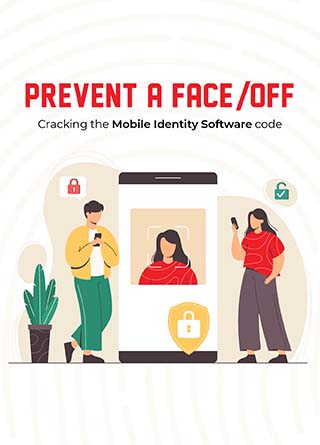
Although, is it that easy to steal someone's identity? Wear their face, mimic their behaviour and manner of speaking? Well, it worked for Ethan Hunt too - but real life is no movie, is it? Identity theft is an ever-present threat but thankfully, we have a potent weapon against it. Presenting Mobile Identity Software - it verifies your unique digital identity, regulates access to your mobile devices, manages passwords and much more so your arch-nemesis won't be able to attend family functions by impersonating you.
Looking at you, Travolta!

Wouldn't you agree that mobile devices such as smartphones and laptops have become a ubiquitous part of our digital lives? From shopping to sharing files to socializing - everything that once required stepping out can now be achieved from the convenience of one's warm and cozy bed. Amazing what technology can do!
However, at times, technological progress creates unique challenges, such as verifying the identities of millions of individuals online. It would probably be easier to steal the Declaration of Independence instead. (Nicolas Cage would agree!)
According to a recent study by Verizon, there's a new victim of identity theft every two seconds! There's a dire need for identity verification and authorization tools. Luckily, we have Mobile Identity Software - a tool that simplifies identity management by verifying users' identity, remembering this identity, and regulating access within a specific system. This article will explain what Mobile Identity Software is, its evolution, how it operates, its features and future.
What Is A Mobile Identity Software?
Mobile Identity Software is a verification solution that helps authenticate users' identities, enhance infrastructure security, and reduces the reliance on passwords. If you're someone who keeps forgetting passwords - or worse, where the heck you have noted them down this time - this tool can make your life easy as a pie!
It provides real-time identification by giving users secure, single-click access using the SIM (subscriber identification module) card as an identity tool - irrespective of device type or location. Once a user's identity is verified, they are granted access only to specific resources according to the software policies. For example, an enterprise could set a policy to give accountants exclusive access to ledgers and financial records. Similarly, personalized policies can be set for each employee depending on their department, designation, etc.
This provides an extra layer of security and authenticity to online business activities. With the increase in cybersecurity threats and industrial espionage, identity software is undoubtedly a blessing for enterprises.
However, before we understand how it works, let's take a short trip - to 1961.
Evolution Of Mobile Identity Software
It is the year 1961. Yuri Gagarin becomes the first human ever to visit space. A month later, Alan Shepard follows him as the first American.
While these remarkable events had arrested the world's attention, one of the earliest computer operating systems, the Compatible Time-Sharing System (CTSS), was invented. It allowed users in different locations to access a computer simultaneously - and thus, the need for identity management was born.
The oldest form of identity management is passwords - think 'Open Sesame!' or 'Speak, friend and enter.' However, the earliest form of digital identity management was Access-Control Lists (ACLs). Users had to verify their identity using a unique identifier (username) and a security token (password). Only the correct combination would allow the user access to the system.
As ACLs were stored on a single system, users needed to validate their identity again on other devices. To overcome this drawback, programs were developed to allow an individual's identity to be shared across multiple devices and systems. Inevitably, this system moved to the cloud, making real-time authorization and verification possible.
Most of these solutions had started as password management tools but evolved into sophisticated Identity and Access Management (IAM) Software. Mobile Identity Software is also part of the IAM software suite as it manages user identity and user access.
Now, let's return to the present and find out how Mobile Identity Software operates.
No Need To Introduce Yourself. Mobile Identity Software Already Recognizes You!

Let's suppose Nic joins a new firm. On his first day, the IT admin gives him a unique username and password. When Nic logs into his work desktop for the first time, he is prompted to enter his mobile number. He immediately receives an OTP (One-Time Password) on his smartphone to confirm that it is, in fact, Nic who is trying to log in. He enters the OTP on his desktop and it instantly gives him access to company resources.
This is called Two-Factor Authentication, or 2FA in cybersecurity lingo. A user needs to authenticate identity using two distinct forms of information - something you know (unique username and password) and something you have (your smartphone).
Since Nic is an exemplary employee, he gets promoted to a senior level. (Yay, congrats, Nic!) However, now he needs access to some confidential files. The IT admin changes Nic's employee policy within the Mobile Identity Software and voila! It's done. Nic enters his username and password, enters the OTP to confirm his identity - but wait, there's a problem.
He must provide his biometric information (fingerprint or face ID) on his smartphone as an added security layer. This is called Three-Factor Authentication, where you need to provide an additional piece of information - something that uniquely identifies you (face, fingerprint, or iris scan).
Depending on the employee's access level, enterprises may set one, two, or even three-factor authentication. This software includes several authentication methods: username-passwords, pin codes, secure smartphone notifications, tokens, or biometrics. Using a combination of these attributes, this software only lets those through who succeed in authenticating their identity - just like the mythical creature Sphinx only allowed travellers to pass if they could answer his questions.
Well, in case the Sphinx asks you, "Why do we even need Mobile Identity Software? Isn't a password enough?" we have that covered in the next section.
This Is Why You Need An Identity Software, Mr. Sphinx!
With increasing global collaborations, organizations must provide access to partners, business associates, suppliers, contractors, etc., which exposes them to significantly higher security risks. Using a Mobile Identity Software allows enterprises to give only the required privileges to them. It also enables employees to be more productive as they can access company resources from any location, using any mobile device.
-
Personal Data Verification
authenticates user information such as first and last name, age, address, etc., when subscribing to a service, creating an account, or even making an online purchase. It cross-checks the data entered by the user with the information held by the user's Mobile Network Operator, i.e., SIM provider, to confirm a user's identity.
-
Instant Form Filling
takes information stored by a user's Mobile Network Operator to automatically and instantly fill forms that would otherwise need manual input. This helps avoid time spent on entering monotonous fields like first name, last name, country of birth, etc.
-
Multi-factor Authentication
uses multiple, distinct pieces of information to verify a user's identity. Even if hackers manage to steal usernames and passwords, they can't secure access to a company's network as they would require additional information - a fingerprint scan, a numeric code, or a security key stored in a USB flash drive that never leaves Kenneth's back pocket.
-
Single Sign-On (SSO)
lets employees log in to the system once to access company resources. Think of the handy "Remember Me" checkbox that you get on most log-in pages. Single Sign On serves the same purpose.
-
Identity Federation
links a person's digital identity and attributes across multiple systems and devices while retaining the same access level. So, you can easily log in from your laptop at home and pretend to be working on a super-serious project when your in-laws come over!
-
User Repository Management
allows tracking and modifying access levels in real-time. This makes the on-boarding and off-boarding of employees remarkably easy, e.g., an employee's access can be instantly terminated once they leave the firm.
Well, the truth is that a strong password is no longer adequate to ensure watertight network security. Hence, Mobile Identity Software incorporates biometrics, Machine Learning, and risk-based authentication to provide reliable mobile device security 24/7/365 - unless, of course, it's a leap year!
Talking about leap years, let's leap years ahead to see what Mobile Identity Software would look like in the future.
What's Next?

A recent report by Forbes said that 2 out of 3 data breaches in 2019 led to the exposure of passwords. That means, of the 3800 data breaches officially reported in 2019, passwords of employees were exposed over 2500 times! Imagine the field day hackers had using these passwords to take over accounts and access internal data.
However, such disasters will lead to more stringent mobile identity solutions. The future iteration of identity software will operate on a single core principle - Zero Trust. As the name suggests, all entities will be considered unreliable in a Zero Trust architecture and must authenticate themselves before being granted access to company resources. With improved Machine Learning algorithms, Mobile Identity Software would also determine access based on multiple contextual factors, including the user's past behaviour.
Safe to say, the future does look ProMISing!
Concluding Note
As more individuals are connecting to the digital world, biometrics like facial recognition and identity governance are gaining popularity as reliable identifiers. However, there will always be sneaky individuals trying to pass off as someone else (for malicious purposes, obviously). According to Gartner, this reliance on biometric security will give rise to "spoofing" - copying of physical characteristics like facial features or fingerprints to gain access - just like we saw in Face/Off!
Well, if spoofing ever crosses over from reel to real, we can't say Nicolas Cage didn't try to warn us!
Frequently Asked Questions
What is Mobile Identity Software, and how does it work?
Mobile Identity Software is a sophisticated solution designed to authenticate users' identities, enhance security infrastructure, and reduce reliance on traditional passwords. This software leverages real-time identification methods, often utilizing the subscriber identification module (SIM) card in mobile devices for authentication. Once a user's identity is verified, the software grants access to specific resources based on predefined policies. For instance, in an enterprise setting, employees may be granted access to certain files or systems based on their department or designation. Mobile Identity Software enhances security by adding layers of authentication, ensuring that only authorized users can access sensitive information.
Why is Mobile Identity Software necessary in today's digital landscape?
In today's interconnected world, where online transactions and collaborations are commonplace, the need for robust identity verification tools is paramount. Mobile Identity Software addresses this need by providing secure authentication mechanisms that go beyond traditional password-based systems. By utilizing multi-factor authentication methods such as biometrics, tokens, or secure smartphone notifications, this software enhances security and reduces the risk of unauthorized access. Additionally, Mobile Identity Software enables organizations to manage user identities effectively, streamline access control, and ensure compliance with security protocols.
What are the key features and benefits of Mobile Identity Software?
Mobile Identity Software offers a range of features aimed at enhancing security and user experience. Some key features include multi-factor authentication, instant form filling, single sign-on (SSO), identity federation, and user repository management. These features streamline access control processes, improve productivity, and facilitate seamless authentication across multiple systems and devices. Additionally, Mobile Identity Software provides benefits such as enhanced personal data verification, improved security through biometrics and risk-based authentication, and simplified onboarding and offboarding of employees. Overall, Mobile Identity Software is essential for organizations looking to strengthen their security posture and mitigate the risk of identity-related threats in the digital age.
Mon, Nov 29, 2021

Enjoyed what you've read so far? Great news - there's more to explore!
Stay up to date with the latest news, a vast collection of tech articles including introductory guides, product reviews, trends and more, thought-provoking interviews, hottest AI blogs and entertaining tech memes.
Plus, get access to branded insights such as informative white papers, intriguing case studies, in-depth reports, enlightening videos and exciting events and webinars from industry-leading global brands.
Dive into TechDogs' treasure trove today and Know Your World of technology!
Disclaimer - Reference to any specific product, software or entity does not constitute an endorsement or recommendation by TechDogs nor should any data or content published be relied upon. The views expressed by TechDogs' members and guests are their own and their appearance on our site does not imply an endorsement of them or any entity they represent. Views and opinions expressed by TechDogs' Authors are those of the Authors and do not necessarily reflect the view of TechDogs or any of its officials. While we aim to provide valuable and helpful information, some content on TechDogs' site may not have been thoroughly reviewed for every detail or aspect. We encourage users to verify any information independently where necessary.
Loading comments...