
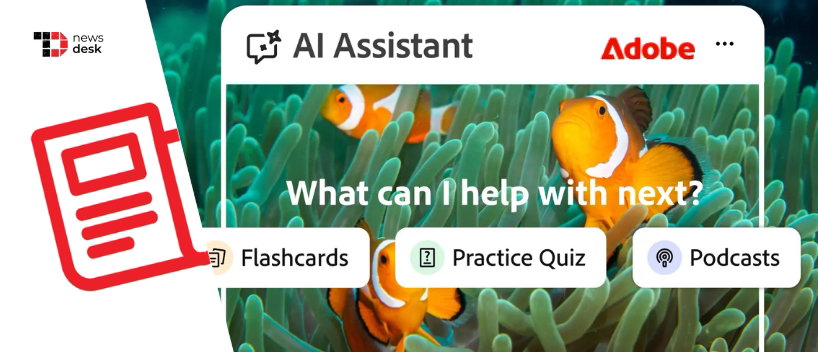
Adobe is taking a sharper step into education technology with Student Spaces, a new Acrobat-based beta experience that helps students turn class materials into AI-generated study aids. The launch gives Adobe a more direct play in the student productivity market, where citation-backed answers, collaboration, and flexible study formats are becoming important differentiators.
TL;DR
- Adobe launched Student Spaces in beta on April 7, 2026, as a free student-focused study hub built on Acrobat.
- It lets students upload class materials and generate flashcards, quizzes, study guides, podcasts, presentations, and more.
- Adobe is positioning the tool as a centralized workspace for studying, collaboration, and AI-assisted learning.
From Flashcards To Podcasts, Student Spaces Turns Study Material Into Interactive Learning Tools
At its core, Student Spaces is designed to help students work from the materials they already use every day. Adobe says users can upload PDFs, Docs, PowerPoint files, Excel files, links, handwritten notes, and transcripts, then turn them into outputs such as flashcards, quizzes, study guides, mind maps, videos, podcasts, and editable presentations.
The company also says students can upload up to 100 files of 600 pages or fewer, which signals that this is not a light companion feature, but a fuller study workspace built around source material. Adobe is also emphasizing trust and usability, noting that AI-generated answers include clear citations that link back to source material so students can verify what the assistant is saying.
Adobe has also built collaboration into the experience. Classmates can share a Student Space, review notes together, ask questions, and create presentations in one shared environment, giving the product a broader role in both solo studying and group work.
Topics For More Insights
Adobe Is Betting Acrobat Can Become The One-Stop Hub For Student Workflows
Adobe’s strategy is not just about adding another AI feature. It is about turning Acrobat into the place where student work begins and stays. In Adobe’s official launch post, Charlie Miller said Student Spaces was created to make studying faster, easier and way more effective, while also stressing that the product was shaped with student input.
That message carried into Adobe’s comments to TechCrunch. Miller, Adobe’s Vice President of Education, said students already start in Acrobat to read course materials, especially PDFs, and the company wants to reduce the friction of moving between multiple tools. He said students like having a one-stop shop or a hub for study, which neatly sums up Adobe’s broader play, owning the document layer and building study workflows on top of it.
The Launch Pushes Adobe Deeper Into The AI-Powered Education Tools Race
This launch matters because Adobe is no longer just enhancing Acrobat for professionals. It is now tailoring those AI capabilities for a student audience and doing so at a time when rivals such as Google NotebookLM, Goodnotes, and Turbo AI are already competing for attention in classrooms and dorm rooms.
TechCrunch reported that Adobe tested the product with around 500 students and student groups from universities including Harvard, Berkeley, and Brown, suggesting the company is trying to build credibility before scaling further. Student Spaces also builds on Acrobat’s earlier AI upgrades, including prompt-based file editing, AI-generated presentations, podcast summaries, and role-based assistants introduced earlier this year.
With Student Spaces, Adobe is packaging those capabilities into a more focused education product, one that tries to turn everyday study materials into a dynamic, collaborative learning environment rather than a static pile of documents. If the beta gains traction, Adobe could carve out a meaningful place in the AI learning tools market by building on the document workflows it already owns.
