

Over the past few days, the tech conglomerate announced a series of updates aimed at improving how users search for information, create content, protect their devices, and build applications.
Unsurprisingly, many of these updates centered around artificial intelligence (AI) and generative artificial intelligence (GenAI) technology.
These updates span Google Search, Photos, Android, developer tools, and subscription plans, reflecting the company's broader push to make AI more integrated, personal, and accessible across its ecosystem.
Check out the 10 most notable developments announced recently.
TL;DR
- Google is linking AI Overviews directly to AI Mode for seamless conversations.
- Google is expanding Personal Intelligence into Search AI Mode.
- Google Photos is expanding AI photo editing to more countries.
- Google Photos can now be turned into videos using AI text prompts.
- Google Arts and Culture is adding AI-powered city exploration tools.
- Google AI Plus is rolling out globally, including the US.
- Google is bundling developer benefits into AI Pro and Ultra plans.
- Google Cloud is upgrading Dataflow for ML workloads.
- Google Messages is adopting Android’s embedded photo picker.
- Google's Android is rolling out stronger anti-theft protections.
Jump From AI Overviews Into AI Mode Conversations Seamlessly
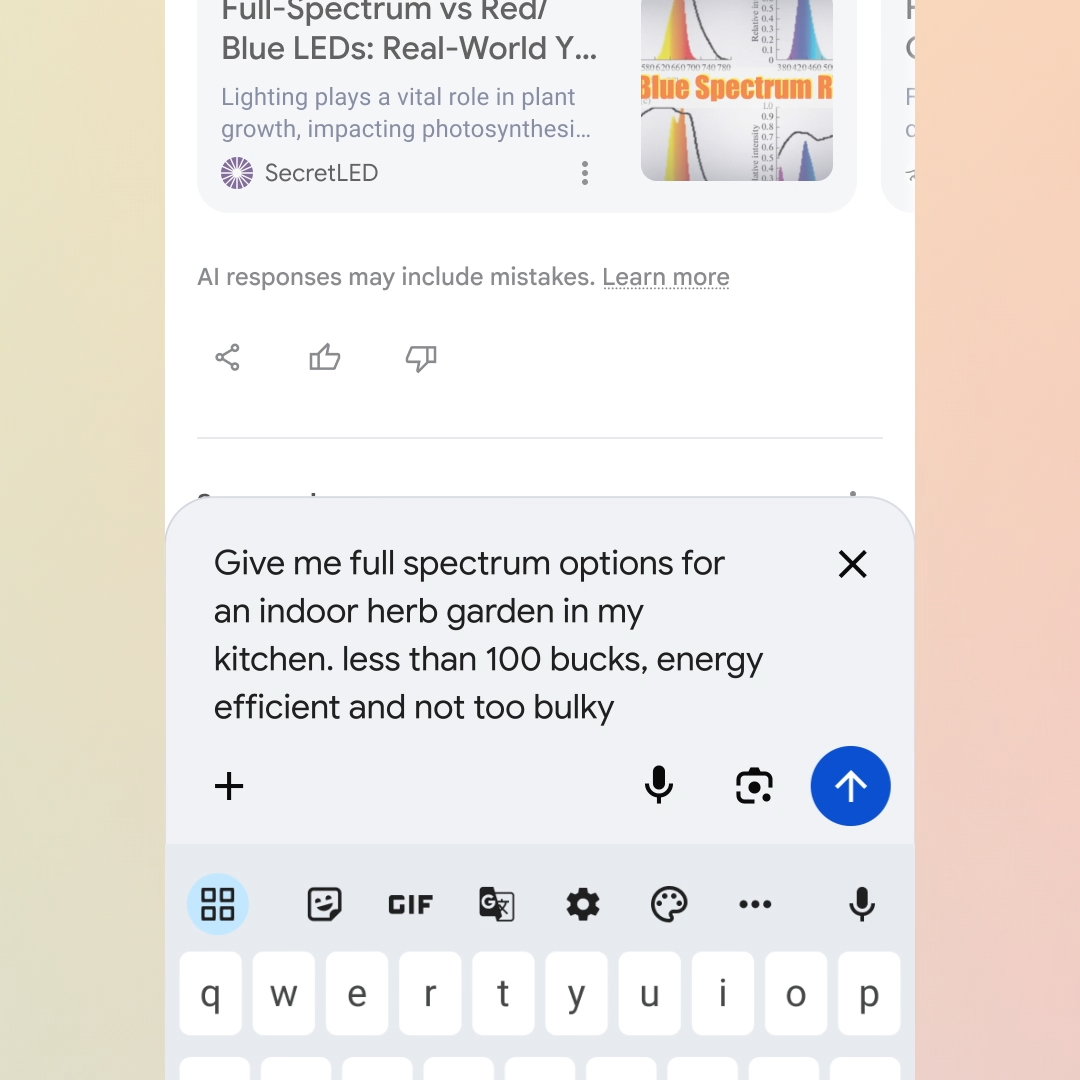
Google is making Search feel more conversational by tightening the connection between AI Overviews and AI Mode. Users can now ask longer, more complex questions and immediately follow up without losing context.
This will be done by making Gemini 3 the default model powering AI Overviews globally, The idea is to improve the quality of AI-generated responses shown directly on search results pages. The key change is a smoother transition from a snapshot-style AI Overview into a full conversational experience.
From within an overview, users can continue asking questions and enter AI Mode for a back-and-forth exchange that builds on earlier context. This flow makes Search more helpful for deeper exploration while still delivering quick answers when needed.
The feature is rolling out globally on mobile, positioning Search as a single, fluid experience that adapts to both simple and complex queries.
Personal Intelligence Comes To AI Mode In Search
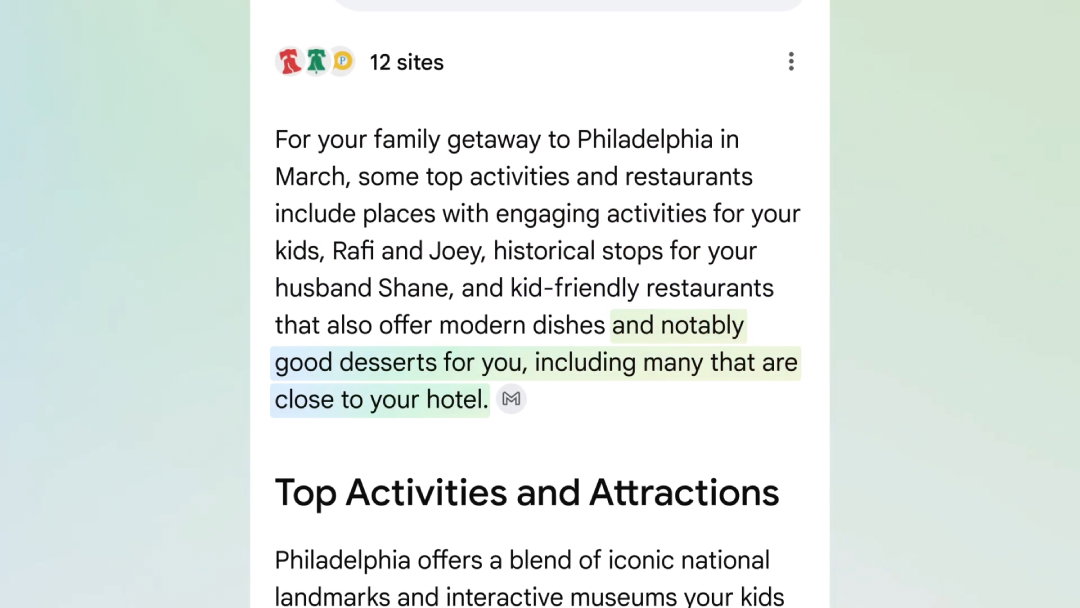
Google is expanding Personal Intelligence into AI Mode, allowing Search to deliver responses that reflect a user’s own context, not just the wider web.
AI Pro and AI Ultra subscribers can now opt in to securely connect Gmail and Google Photos, enabling Search to draw on personal bookings, preferences, and memories.
With this integration, AI Mode can offer recommendations that fit naturally into a user’s life, such as planning family-friendly travel based on hotel confirmations and photo history, or suggesting clothing aligned with past purchases and upcoming trips.
The idea is to reduce the need for users to repeatedly explain preferences, making Search feel less generic and more like a personal assistant.
Importantly, the feature is strictly opt-in, with transparency and user control emphasized throughout.
Prompt-Based Photo Editing In Google Photos Expands To More Countries
Google announced it is expanding its AI-powered editing tools in Google Photos to users in India, Australia, and Japan.
The feature allows people to edit photos by typing simple text prompts rather than adjusting manual controls. Users can request specific changes, such as removing background objects or restoring old photos, directly from a “Help me Edit” prompt. They can also use AI to execute detailed edits such as adjusting facial features or correcting closed eyes.
Furthermore, all processing happens within the app, without requiring an internet connection for editing tasks, and is compatible across any Android device with at least 4GB of RAM running Android 8.0 or higher.
In India, the feature is available in multiple languages, spanning English, Hindi, Tamil, Marathi, Telugu, Bengali, and Gujarati.
Turn Photos Into Videos With AI Prompts
Google brought another new capability to Photos: text-based prompts for video generation using photos.
In addition to the existing Subtle Movement and I'm feeling lucky options, users can now describe the movement, style, or effect they want to apply to a photo, turning static images into short, animated videos. Users can use Google-suggested prompts, custom prompts, or edit and refine their prompts to fine-tune their video.
The process takes only a few moments to generate videos, which can be saved and shared directly from the library. Videos generated through this tool may now include audio by default.
This update is currently available only to users aged 18 and above.
AI-Powered Cultural Exploration In Google Arts And Culture
Google unveiled two experimental features in the Google Arts and Culture app designed to make city exploration more personal.
The new City Guide uses AI to surface landmarks, live cultural events, and hidden gems based on user interests, timeframes, and selected categories. Users can set specific timeframes such as “Today” or “This weekend” to get a list of live exhibitions and performances from across 12 interest categories spanning Visual Arts, History, Hidden Gems, and more. It also comes with a "Show live events only" option.
This feature will pilot in 11 cities: London, Tokyo, New York, Paris, Rome, Barcelona, Istanbul, Osaka, Berlin, Madrid and San Francisco.
Comic Postcards offers a creative way to capture travel memories. Using a selfie, mood, and art style preferences, the feature generates a personalized comic-style narrative set in the city being explored. It puts the user at the center, and even educates them about different art styles during the process.
Google AI Plus Plan Expands Globally, Including The US
Google has rolled out its more affordable AI Plus subscription plan to all markets where its AI services are available, including the United States, where it's priced at $7.99 per month. Furthermore, new subscribers can avail a 50% discount for the first 2 months of their subscription.
In total, the new plans is coming to 35 new countries and territories.
The plan targets users who want more than free access but do not need the higher-priced AI Pro tier.
AI Plus includes access to Gemini 3 Pro and Nano Banana Pro, AI filmmaking tools in Flow, research and writing assistance in NotebookLM, and 200GB of cloud storage.
Subscribers can also share benefits with up to five family members. Existing Google One Premium 2TB subscribers will automatically receive these benefits.
New Developer Benefits For Google AI Pro And Ultra Subscribers
Google brings Google Developer Program premium benefits directly into its AI Pro and AI Ultra subscriptions.
This change provides subscribers with monthly Google Cloud credits, $10 for AI Pro users and $100 for AI Ultra users, at no additional cost.
Developers can prototype using tools such as Google AI Studio, Gemini CLI, and the new agentic IDE, then deploy applications using their included cloud credits through services such as Vertex AI or Cloud Run.
Previously, moving from testing to deployment required separate billing setups. By bundling credits and tools, Google aims to streamline the full development journey from idea to live application, helping developers scale projects without unexpected costs.
Topics For More Insights
All-New GPUs And TPUs In Dataflow
Google Cloud is introducing a wave of improvements to Dataflow to better support batch and streaming machine learning workloads, while optimizing costs and improving performance.
The updates focus on providing more hardware choices, better access to accelerators, and improved efficiency.
Dataflow now supports advanced GPUs, including H100 and H100 Mega, along with newer TPU versions for large-scale inference tasks. New reservation options allow teams to secure GPUs and TPUs in advance, while flex-start provisioning queues jobs until resources are available instead of failing.
Efficiency improvements include GPU-aware autoscaling for streaming jobs and right fitting, which lets different stages of a pipeline run on different types of hardware.
Google Messages Adopts Android’s Embedded Photo Picker
Google Messages is now using Android’s new embedded photo picker, offering a more seamless and privacy-focused way to select photos and videos within apps. It allows users to browse both local and cloud-based media without granting broad access to their entire photo library.
In Google Messages, the picker sits below the camera button, letting users choose between capturing a new photo or selecting an existing one.
A dynamic preview confirms selections, and users can expand the view to browse their full library, including content from Google Photos. Importantly, apps only gain access to the specific items selected, reducing privacy risks and simplifying permission management.
Android Introduces Stronger Anti-Theft Protections
Android is rolling out a set of enhanced theft protection features designed to make stolen devices harder to access and easier to recover.
These updates apply to devices running Android 16 and above, with some recovery tools available on Android 10 and later.
New safeguards include expanded biometric requirements through Identity Check, longer lockout times after failed authentication attempts, and more user control over security settings. Recovery tools such as Remote Lock are also gaining additional verification steps.
In Brazil, key theft protection features such as Theft Detection Lock and Remote Lock are now enabled by default on new devices.
The aim of these multi-layered defenses is to protect users before, during, and after theft attempts.
