
Artificial Intelligence
What Is Seedance 2.0? Guide, Features, And Usage
Share
Introduction
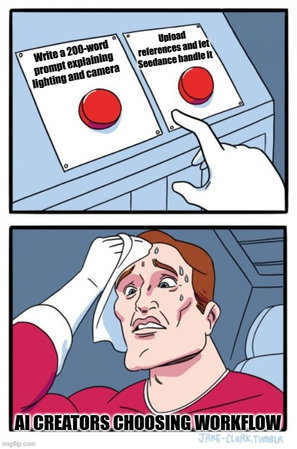
You say the lighting is soft, but not too soft. The camera should move slowly, but not dramatically. The mood should feel intense, but not dark. Suddenly, you are giving a long explanation for something that would have been easier to show.
Only if we could actually make those things on our own.
That is how many AI video tools feel. You describe everything through text and hope the system understands your intention. Sometimes it works. Sometimes it interprets things differently than you expected.
To change that narrative, there is a new tool in the market. Seedance 2.0
What is that? Let’s understand with the Seedance 2.0 complete guide.
TL;DR
-
Seedance 2.0 combines text, images, video, and audio references for structured, multimodal AI video generation workflows.
-
The platform introduces multi-shot storyboarding, native sound generation, voice cloning, and improved cinematic visual realism.
-
Enhanced physics simulation, motion consistency, and instruction accuracy reduce unpredictability and improve scene coherence significantly.
-
It supports marketing, social media, education, film pre-visualization, and music video creation with professional-level output control.
What Is Seedance 2.0?
Seedance 2.0 is an AI video generator that can take text prompts, static images, reference videos, and audio files and turn them into short cinematic clips of 4 to 15 seconds. Seedance 2.0 differs from earlier AI video tools, which primarily rely on text-to-video prompts. It lets users mix various input types and directly point to specific creative elements.
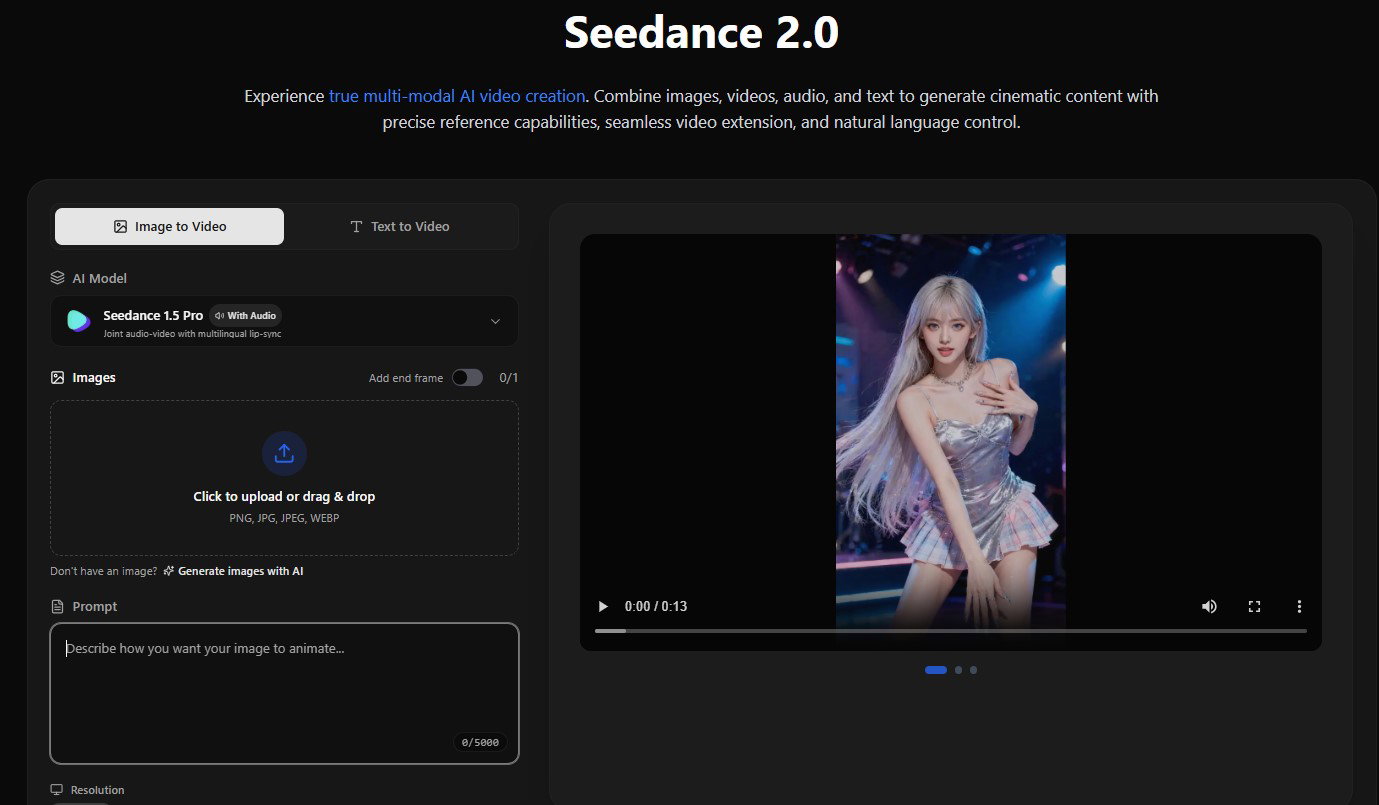
The platform uses the Seedance V2 model and can handle resolutions up to 1080p. Plus, it offers watermark-free downloads ideal for commercial and professional use.
Now that we know about the platform, let’s go through its features.
What Are The Key Features Of Seedance 2.0?
Here are the Seedance 2.0 features:
-
Multimodal All-Round Reference System
A larger multimedia reference system is definitely one of the coolest features. Creators can now go beyond text prompts to guide the model; they can use a combination of voice, video, and visual inputs.
You can add multiple objects and assign each one a specific role in the generation process. A picture gives you a glimpse of what a figure looks like, a short video shows you how the camera moves, and an audio file can really shift the pace or tone. The model examines each example individually and then combines them into a single output.
It improves time consistency, keeps subjects stable, and makes scenes feel more coherent. Now, instead of just hoping the prompt is understood, creators can highlight the key elements directly. Eventually, it reduces trial and error and improves reliability. -
Multi-Shot Storyboarding
Seedance 2.0 introduces automated multi-shot storyboarding, moving the model from generating single clips to building a full narrative.
The system can break down a concept into several interconnected shots. It determines the best way to frame each segment and how the camera should move, then puts everything together with smooth transitions.
This enhances cinematic flow while improving motion fluidity and composition accuracy across scenes. For content teams, it means faster production of structured sequences that feel intentionally directed rather than algorithmically stitched together. -
Native Sound Effect Generation And Voice Cloning
Audio is not just a separate layer anymore. Seedance 2.0 creates audio that perfectly matches the video, incorporating dialogue, background sounds, and effects that capture the action.
The model supports multiple languages and can mimic uploaded voice samples to help with tone, accent, and delivery. This allows creators to assemble scenes where the character voices remain consistent and the audio flows naturally.
Since the audio is created alongside the visuals, lip-syncing and timing align more naturally. You end up with a more immersive output that reduces reliance on external audio editing tools. -
High-Resolution Cinematic Visuals
Seedance 2.0 significantly improves its visual performance, offering higher-resolution outputs and more format options. It supports different aspect ratios and higher frame rates, which makes for smoother motion and more flexible distribution.
Improvements in global lighting simulation, texture detail, and color treatment significantly enhance the realism of depth and atmosphere. Dynamic light sources, shadow transitions, and reflective surfaces are managed more precisely, significantly enhancing scene realism and helping to separate subjects from their backgrounds.
These upgrades really come together to create cleaner compositions, stronger visual continuity, and a more polished finish across various formats. -
Improved Base Capabilities
The updated version has made significant changes to how it follows physical rules, moves, and understands instructions, while maintaining the same style. Objects now act as they do in real life when it comes to gravity, motion, and how they collide.
The AI better understands complex creative directions, and the motion flows smoothly without jarring changes. The video also has a consistent visual style throughout.
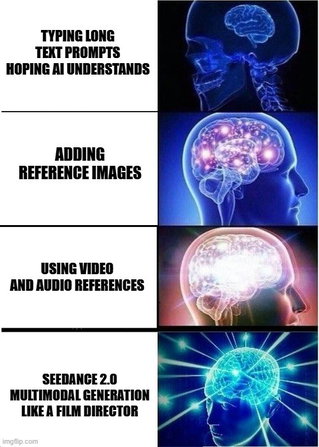
Understanding the features is useful, but workflow matters most in real use.
How To Use Seedance 2.0?
Here is the complete workflow for generating videos with Seedance 2.0's multimodal system.
Step 1: Choose Your Generation Mode
Seedance 2.0 supports three primary workflows:
-
Text-to-Video for making videos from text prompts only.
-
Image-to-Video to add motion to still photos.
-
Multimodal Generation lets you mix text, audio, videos, and graphics.
For maximum creative control, use the multimodal approach.
Step 2: Prepare Your Reference Assets
Get your files organized before starting:
For Images:
-
Use high resolution, at least 1024×1024 pixels
-
Ensure clear lighting and clean backgrounds
-
Keep subjects in focus with distinct features
-
Save as JPEG or PNG format
For Videos:
-
Keep clips under 15 seconds
-
Focus on one clear element per video (camera movement, action, or style, not all three)
-
Use MP4 or MOV format
-
Ensure smooth playback without compression artifacts
For Audio:
-
Use clean files without background noise
-
Keep clips under 15 seconds each
-
Save as MP3, WAV, or AAC format
-
Match energy level to your desired visual output
Step 3: Set Up Your Generation Parameters
Choose your output specifications:
-
Aspect Ratio: 16:9 for horizontal video, 9:16 for vertical (TikTok, Reels), 1:1 for square
-
Duration: 4 seconds, 8 seconds, 12 seconds, or 15 seconds
-
Resolution: 1080p is standard, 2K for higher quality when available
Step 4: Enter Multimodal Reference Mode
Access the multimodal input interface. Reference each asset using the @AssetName syntax:
@Image1 as character face reference, @Video1 for camera movement style, @Audio1 as background music, @Image2 for environment lighting mood, @Image3 for color palette guide.
This tagging method informs the AI of each file's purpose. You are not just downloading random references and hoping the model gets it. You are making it clear what each file does.
Step 5: Write Your Prompt
Mix the text instructions with your references. Look into the specifics of what is happening, how the camera moves, and the mood you want to create.
Example prompt structure:
"Using @Image1 character in @Image2 environment, camera movement from @Video1, paced to @Audio1 beat. Character turns slowly toward the camera, dramatic lighting with rim light from behind, cinematic depth of field, golden hour atmosphere."
What to include:
-
Action that happens (e.g., "character walks forward confidently")
-
Camera behavior (e.g., "steady dolly-in shot")
-
Emotional tone (e.g., "mysterious atmosphere")
-
Lighting preferences (e.g., "soft natural light")
-
Timing cues (e.g., "begins with wide shot, ends on close-up")
Step 6: Generate And Review
To begin processing, click "generate." Depending on length and resolution, generation typically takes 60-90 seconds.
Review the output for:
-
Maintaining character consistency between shots.
-
Synchronization quality between audio and film.
-
Continuous camera moving with no jumpy cuts.
-
Correct color and lighting that fits the references.
Step 7: Iterate If Needed
If the output does not match your vision:-
Adjust reference order (the AI weights earlier references more heavily).
-
Add more specific descriptive language to your prompt.
-
Try alternative reference images with clearer examples.
-
Fine-tune timing cues for better audio sync.
-
Reduce the number of competing references if the results feel confusing.
Finally, let us look at where this platform can be applied.
Topics For More Insights
Where It Can Be Applied?
Here’s how Seedance 2.0 turns ideas into practical, industry-ready applications.
-
Social Media Content Creation
Create consistent, short videos for TikTok, Instagram Reels, and YouTube Shorts. Maintain brand consistency by using the same character images and design references across posts. The 9:16 vertical format support and consistency features address character drift issues in serial content.
-
Marketing And Advertising
Stick to logos, packaging, color grading, and brand identification as you make product demos and promotional material. To conduct A/B testing efficiently, create multiple versions. Frame-level consistency makes sure that brand colors and logos are clear and accurate.
-
Film Pre-Visualization
Transform storyboards into cinematic previews with precise motion and lighting. Before full production, directors conceptualize shots and prepare camera trajectories. Game developers use concept art to produce cinematic trailers that showcase complex sequences cost-effectively.
-
Educational Content
Make compelling tutorial videos and instructional materials. Create step-by-step demonstrations with smoothly animated transitions. Use diagrams and reference animations to represent abstract concepts visually, then explain them with synchronized audio.
-
Music Videos
Using audio reference capabilities, you can create videos whose graphics match the beats and musical dynamics exactly. Create intricate narrative music videos with several cohesive scenes, democratizing production for independent artists.
Seedance 2.0 Pricing
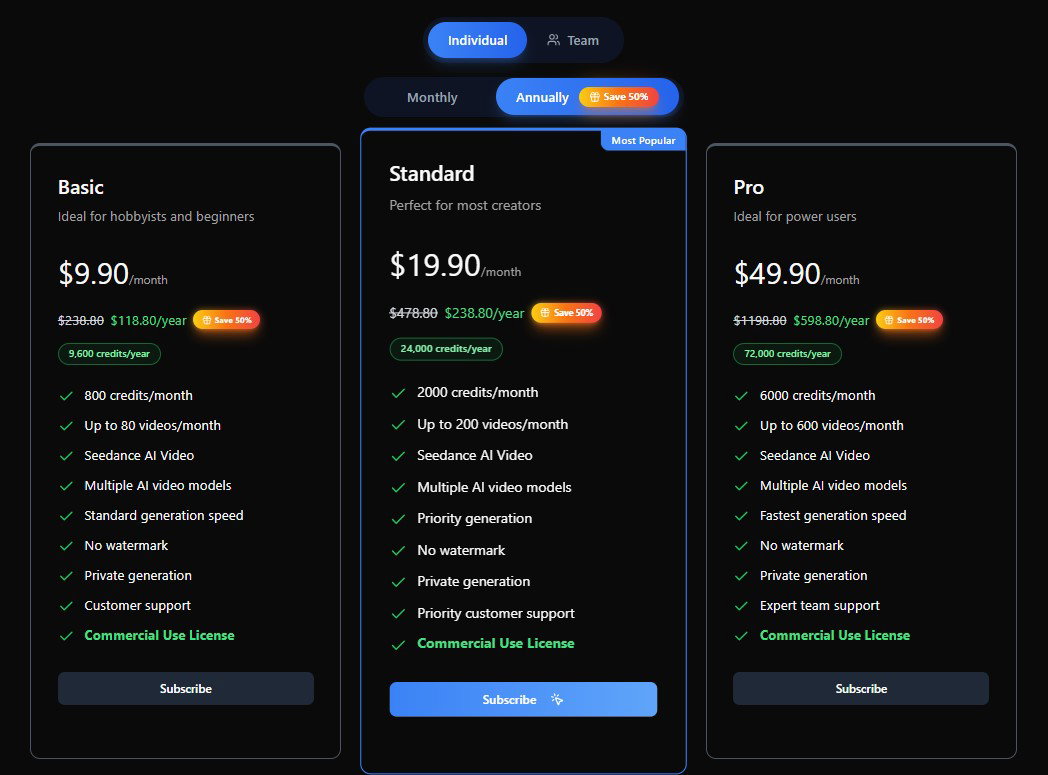
Seedance 1.0 keeps things accessible with three annual plans, all offering a 50% savings over monthly billing.
-
The Basic Plan at $9.90/month gives hobbyists 800 credits and up to 80 videos monthly.
-
Step up to the Standard Plan at $19.90/month, and you unlock 2,000 credits, 200 videos, and priority generation.
-
Serious creators can go Pro at $49.90/month for 6,000 credits, 600 videos, and the fastest generation speeds available.
Every plan includes no watermark, private generation, multiple AI video models, and a Commercial Use License, making Seedance a genuinely creator-friendly platform from day one.
On that note, let’s wrap up.
Conclusion
AI video tools have come a long way, but many still rely heavily on text prompts and iterative adjustments. Seedance 2.0 offers a more organized way for creators to mix images, videos, audio, and text in a single, streamlined process.
With multi-shot storyboarding, native sound generation, better physics handling, and enhanced visual realism, it is getting closer to being dependable for production.
Rather than going in circles refining descriptions and wishing for better outcomes, creators can define roles clearly and steer the output more directly. That practical shift toward structured control defines Seedance 2.0 and makes it much more predictable for serious creative work.
Frequently Asked Questions
What Makes Seedance 2.0 Different From Traditional Text-To-Video AI Tools?
Unlike traditional text-to-video systems that rely only on written prompts, Seedance 2.0 supports multimodal inputs. Users can combine images, short video clips, audio files, and text into a single generation. This structured referencing reduces guesswork, improves consistency, and gives creators more direct control over character appearance, camera movement, pacing, and overall scene design.
How Many Reference Files Can Be Used In One Seedance 2.0 Project?
Seedance 2.0 allows up to 12 reference files in a single generation. This includes up to 9 images, up to 3 video clips totalling 15 seconds, and up to 3 audio files totalling 15 seconds. These can be combined with text prompts to guide different elements of the video output.
Is Seedance 2.0 Suitable For Professional Content Creation?
Yes, Seedance 2.0 is designed to support structured and consistent video generation, making it suitable for marketing campaigns, social media content, educational videos, and pre-visualization projects. Its improved motion physics, cinematic visuals, and native sound generation help produce outputs that require less post-production adjustment compared to earlier AI video tools.
Thu, Mar 12, 2026

Liked what you read? That’s only the tip of the tech iceberg!
Explore our vast collection of tech articles including introductory guides, product reviews, trends and more, stay up to date with the latest news, relish thought-provoking interviews and the hottest AI blogs, and tickle your funny bone with hilarious tech memes!
Plus, get access to branded insights from industry-leading global brands through informative white papers, engaging case studies, in-depth reports, enlightening videos and exciting events and webinars.
Dive into TechDogs' treasure trove today and Know Your World of technology like never before!
Disclaimer - Reference to any specific product, software or entity does not constitute an endorsement or recommendation by TechDogs nor should any data or content published be relied upon. The views expressed by TechDogs' members and guests are their own and their appearance on our site does not imply an endorsement of them or any entity they represent. Views and opinions expressed by TechDogs' Authors are those of the Authors and do not necessarily reflect the view of TechDogs or any of its officials. While we aim to provide valuable and helpful information, some content on TechDogs' site may not have been thoroughly reviewed for every detail or aspect. We encourage users to verify any information independently where necessary.
Loading comments...